





<?xml version="1.0" encoding="UTF-8"?><rss version="2.0"
	xmlns:content="http://purl.org/rss/1.0/modules/content/"
	xmlns:wfw="http://wellformedweb.org/CommentAPI/"
	xmlns:dc="http://purl.org/dc/elements/1.1/"
	xmlns:atom="http://www.w3.org/2005/Atom"
	xmlns:sy="http://purl.org/rss/1.0/modules/syndication/"
	xmlns:slash="http://purl.org/rss/1.0/modules/slash/"
	>

<channel>
	<title>VIDEOTUTORIAL | Ildefonso Segura</title>
	<atom:link href="https://ildefonsosegura.es/tag/videotutorial/feed/" rel="self" type="application/rss+xml" />
	<link>https://ildefonsosegura.es</link>
	<description>Tutoriales de diseño y animación</description>
	<lastBuildDate>Sat, 29 Oct 2022 12:28:20 +0000</lastBuildDate>
	<language>es</language>
	<sy:updatePeriod>
	hourly	</sy:updatePeriod>
	<sy:updateFrequency>
	1	</sy:updateFrequency>
	<generator>https://wordpress.org/?v=7.0</generator>

<image>
	<url>https://ildefonsosegura.es/wp-content/uploads/cropped-Favicon-new-logo-website-32x32.png</url>
	<title>VIDEOTUTORIAL | Ildefonso Segura</title>
	<link>https://ildefonsosegura.es</link>
	<width>32</width>
	<height>32</height>
</image> 
	<item>
		<title>Tutorial Photoshop // Tu retrato con aspecto vectorizado retro</title>
		<link>https://ildefonsosegura.es/tutorial-photoshop-tu-retrato-con-aspecto-vectorizado-retro/</link>
					<comments>https://ildefonsosegura.es/tutorial-photoshop-tu-retrato-con-aspecto-vectorizado-retro/#respond</comments>
		
		<dc:creator><![CDATA[Ildefonso Segura]]></dc:creator>
		<pubDate>Sat, 02 Oct 2021 13:06:45 +0000</pubDate>
				<category><![CDATA[Efectos]]></category>
		<category><![CDATA[Fotocomposición]]></category>
		<category><![CDATA[Photoshop]]></category>
		<category><![CDATA[Tecnicas]]></category>
		<category><![CDATA[Textura]]></category>
		<category><![CDATA[Tutoriales]]></category>
		<category><![CDATA[Video]]></category>
		<category><![CDATA[Wallpaper]]></category>
		<category><![CDATA[adobe]]></category>
		<category><![CDATA[creatividad]]></category>
		<category><![CDATA[diseño]]></category>
		<category><![CDATA[efecto]]></category>
		<category><![CDATA[estilo]]></category>
		<category><![CDATA[ildefonsosegura]]></category>
		<category><![CDATA[ilustracion]]></category>
		<category><![CDATA[photoshop]]></category>
		<category><![CDATA[ps]]></category>
		<category><![CDATA[retro]]></category>
		<category><![CDATA[tecnicas]]></category>
		<category><![CDATA[tuto]]></category>
		<category><![CDATA[tutorial]]></category>
		<category><![CDATA[vector]]></category>
		<category><![CDATA[vectorizado]]></category>
		<category><![CDATA[VIDEOTUTORIAL]]></category>
		<category><![CDATA[vintage]]></category>
		<category><![CDATA[wallpaper]]></category>
		<category><![CDATA[youtube]]></category>
		<guid isPermaLink="false">https://ildefonsosegura.es/?p=116000</guid>

					<description><![CDATA[<p>En este tutorial de Photoshop te mostraré como conseguir un estilo de ilustración vectorizada con tu retrato. Podrás editar posteriormente los colores creando tus composiciones ajustadas a los tonos que mejor se adapten al entorno donde se verá la ilustración. Te dejo mi referencia en Instagram para que chequees este post y otros que te [&#8230;]</p>
La entrada <a href="https://ildefonsosegura.es/tutorial-photoshop-tu-retrato-con-aspecto-vectorizado-retro/">Tutorial Photoshop // Tu retrato con aspecto vectorizado retro</a> apareció primero en <a href="https://ildefonsosegura.es">Ildefonso Segura</a>.]]></description>
										<content:encoded><![CDATA[<div data-elementor-type="wp-post" data-elementor-id="116000" class="elementor elementor-116000">
						<section class="elementor-section elementor-top-section elementor-element elementor-element-b7471a2 elementor-section-boxed elementor-section-height-default elementor-section-height-default" data-id="b7471a2" data-element_type="section" data-e-type="section">
						<div class="elementor-container elementor-column-gap-default">
					<div class="elementor-column elementor-col-100 elementor-top-column elementor-element elementor-element-5e938f2" data-id="5e938f2" data-element_type="column" data-e-type="column">
			<div class="elementor-widget-wrap elementor-element-populated">
						<div class="elementor-element elementor-element-7cf2e12 elementor-widget elementor-widget-text-editor" data-id="7cf2e12" data-element_type="widget" data-e-type="widget" data-widget_type="text-editor.default">
				<div class="elementor-widget-container">
									<p align="justify">En este tutorial de Photoshop te mostraré como conseguir un estilo de ilustración vectorizada con tu retrato. Podrás editar posteriormente los colores creando tus composiciones ajustadas a los tonos que mejor se adapten al entorno donde se verá la ilustración.</p>								</div>
				</div>
					</div>
		</div>
					</div>
		</section>
				<section class="elementor-section elementor-top-section elementor-element elementor-element-acfc913 elementor-section-boxed elementor-section-height-default elementor-section-height-default" data-id="acfc913" data-element_type="section" data-e-type="section">
						<div class="elementor-container elementor-column-gap-default">
					<div class="elementor-column elementor-col-100 elementor-top-column elementor-element elementor-element-03b0344" data-id="03b0344" data-element_type="column" data-e-type="column">
			<div class="elementor-widget-wrap elementor-element-populated">
						<div class="elementor-element elementor-element-af4e04c elementor-widget elementor-widget-text-editor" data-id="af4e04c" data-element_type="widget" data-e-type="widget" data-widget_type="text-editor.default">
				<div class="elementor-widget-container">
									<p align="justify">Te dejo mi referencia en Instagram para que chequees este post y otros que te pueden interesar <a href="http://instagram.com/ildefonsosegura" target="_blank" rel="noopener"><span style="color: #800000;"><strong>INSTAGRAM DE @IldefonsoSegura</strong></span></a></p>								</div>
				</div>
					</div>
		</div>
					</div>
		</section>
				<section class="elementor-section elementor-top-section elementor-element elementor-element-8b3b319 elementor-section-boxed elementor-section-height-default elementor-section-height-default" data-id="8b3b319" data-element_type="section" data-e-type="section">
						<div class="elementor-container elementor-column-gap-default">
					<div class="elementor-column elementor-col-100 elementor-top-column elementor-element elementor-element-903e236" data-id="903e236" data-element_type="column" data-e-type="column">
			<div class="elementor-widget-wrap elementor-element-populated">
						<div class="elementor-element elementor-element-52d8d69 elementor-widget elementor-widget-text-editor" data-id="52d8d69" data-element_type="widget" data-e-type="widget" data-widget_type="text-editor.default">
				<div class="elementor-widget-container">
									<p align="justify">El resultado del póster o wallpaper es alucinante :</p>								</div>
				</div>
					</div>
		</div>
					</div>
		</section>
				<section class="elementor-section elementor-top-section elementor-element elementor-element-1f0d10c elementor-section-boxed elementor-section-height-default elementor-section-height-default" data-id="1f0d10c" data-element_type="section" data-e-type="section">
						<div class="elementor-container elementor-column-gap-default">
					<div class="elementor-column elementor-col-100 elementor-top-column elementor-element elementor-element-6007654" data-id="6007654" data-element_type="column" data-e-type="column">
			<div class="elementor-widget-wrap elementor-element-populated">
						<div class="elementor-element elementor-element-1b72fee elementor-widget elementor-widget-image" data-id="1b72fee" data-element_type="widget" data-e-type="widget" data-widget_type="image.default">
				<div class="elementor-widget-container">
															<img fetchpriority="high" decoding="async" width="768" height="960" src="https://ildefonsosegura.es/wp-content/uploads/Ilde-retrato-oleo-colores-8-10-768x960.jpg" class="attachment-medium_large size-medium_large wp-image-116001" alt="" srcset="https://ildefonsosegura.es/wp-content/uploads/Ilde-retrato-oleo-colores-8-10-768x960.jpg 768w, https://ildefonsosegura.es/wp-content/uploads/Ilde-retrato-oleo-colores-8-10-240x300.jpg 240w, https://ildefonsosegura.es/wp-content/uploads/Ilde-retrato-oleo-colores-8-10-819x1024.jpg 819w, https://ildefonsosegura.es/wp-content/uploads/Ilde-retrato-oleo-colores-8-10-1228x1536.jpg 1228w, https://ildefonsosegura.es/wp-content/uploads/Ilde-retrato-oleo-colores-8-10-1638x2048.jpg 1638w, https://ildefonsosegura.es/wp-content/uploads/Ilde-retrato-oleo-colores-8-10.jpg 1861w" sizes="(max-width: 768px) 100vw, 768px" />															</div>
				</div>
					</div>
		</div>
					</div>
		</section>
				<section class="elementor-section elementor-top-section elementor-element elementor-element-4ecb01f elementor-section-boxed elementor-section-height-default elementor-section-height-default" data-id="4ecb01f" data-element_type="section" data-e-type="section">
						<div class="elementor-container elementor-column-gap-default">
					<div class="elementor-column elementor-col-100 elementor-top-column elementor-element elementor-element-00dfe98" data-id="00dfe98" data-element_type="column" data-e-type="column">
			<div class="elementor-widget-wrap elementor-element-populated">
						<div class="elementor-element elementor-element-a2d52fd elementor-widget elementor-widget-text-editor" data-id="a2d52fd" data-element_type="widget" data-e-type="widget" data-widget_type="text-editor.default">
				<div class="elementor-widget-container">
									<p align="justify">Como te anticipé antes, puedes cambiar las tonalidades simplemente a través de la edición de una capa de ajuste de tono o de color:</p>								</div>
				</div>
					</div>
		</div>
					</div>
		</section>
				<section class="elementor-section elementor-top-section elementor-element elementor-element-2ca6aa6 elementor-section-boxed elementor-section-height-default elementor-section-height-default" data-id="2ca6aa6" data-element_type="section" data-e-type="section">
						<div class="elementor-container elementor-column-gap-default">
					<div class="elementor-column elementor-col-100 elementor-top-column elementor-element elementor-element-e61067e" data-id="e61067e" data-element_type="column" data-e-type="column">
			<div class="elementor-widget-wrap elementor-element-populated">
						<div class="elementor-element elementor-element-456da51 elementor-widget elementor-widget-image" data-id="456da51" data-element_type="widget" data-e-type="widget" data-widget_type="image.default">
				<div class="elementor-widget-container">
															<img decoding="async" width="1024" height="576" src="https://ildefonsosegura.es/wp-content/uploads/3-ilustraciones-1024x576.jpg" class="attachment-large size-large wp-image-116002" alt="" srcset="https://ildefonsosegura.es/wp-content/uploads/3-ilustraciones-1024x576.jpg 1024w, https://ildefonsosegura.es/wp-content/uploads/3-ilustraciones-300x169.jpg 300w, https://ildefonsosegura.es/wp-content/uploads/3-ilustraciones-768x432.jpg 768w, https://ildefonsosegura.es/wp-content/uploads/3-ilustraciones-1536x864.jpg 1536w, https://ildefonsosegura.es/wp-content/uploads/3-ilustraciones.jpg 1920w" sizes="(max-width: 1024px) 100vw, 1024px" />															</div>
				</div>
					</div>
		</div>
					</div>
		</section>
				<section class="elementor-section elementor-top-section elementor-element elementor-element-4aa58d5 elementor-section-boxed elementor-section-height-default elementor-section-height-default" data-id="4aa58d5" data-element_type="section" data-e-type="section">
						<div class="elementor-container elementor-column-gap-default">
					<div class="elementor-column elementor-col-100 elementor-top-column elementor-element elementor-element-dc1088e" data-id="dc1088e" data-element_type="column" data-e-type="column">
			<div class="elementor-widget-wrap elementor-element-populated">
						<div class="elementor-element elementor-element-97c6f20 elementor-widget elementor-widget-text-editor" data-id="97c6f20" data-element_type="widget" data-e-type="widget" data-widget_type="text-editor.default">
				<div class="elementor-widget-container">
									<p align="justify">Durante el tutorial aplicaremos un filtro muy potente que no usamos muchas veces. Se trata del filtro de «pintura al óleo». Su aplicación repetitiva y tratada de forma localizada, produce resultados increíbles.</p>								</div>
				</div>
					</div>
		</div>
					</div>
		</section>
				<section class="elementor-section elementor-top-section elementor-element elementor-element-fa2ff6d elementor-section-boxed elementor-section-height-default elementor-section-height-default" data-id="fa2ff6d" data-element_type="section" data-e-type="section">
						<div class="elementor-container elementor-column-gap-default">
					<div class="elementor-column elementor-col-100 elementor-top-column elementor-element elementor-element-73ea8e0" data-id="73ea8e0" data-element_type="column" data-e-type="column">
			<div class="elementor-widget-wrap elementor-element-populated">
						<div class="elementor-element elementor-element-9524e23 elementor-widget elementor-widget-text-editor" data-id="9524e23" data-element_type="widget" data-e-type="widget" data-widget_type="text-editor.default">
				<div class="elementor-widget-container">
									<p align="justify">Te aconsejo suscribirte al canal de <span style="color: #800000;"><strong>TEXTURELABS</strong></span>. Mi ilustración está realizada con la inspiración del tutorial en inglés cuyo link te dejo a continuación <a title="Tutorial en inglés TextuerLabs" href="https://youtu.be/CGdGqcAQdMU" target="_blank" rel="noopener"><span style="color: #0000ff;"><strong>HACIENDO CLIC AQUI</strong></span>. </a></p>								</div>
				</div>
					</div>
		</div>
					</div>
		</section>
				<section class="elementor-section elementor-top-section elementor-element elementor-element-65f8937 elementor-section-boxed elementor-section-height-default elementor-section-height-default" data-id="65f8937" data-element_type="section" data-e-type="section">
						<div class="elementor-container elementor-column-gap-default">
					<div class="elementor-column elementor-col-100 elementor-top-column elementor-element elementor-element-06442b8" data-id="06442b8" data-element_type="column" data-e-type="column">
			<div class="elementor-widget-wrap elementor-element-populated">
						<div class="elementor-element elementor-element-8f5fb7d elementor-widget elementor-widget-text-editor" data-id="8f5fb7d" data-element_type="widget" data-e-type="widget" data-widget_type="text-editor.default">
				<div class="elementor-widget-container">
									<p>Espero que el tutorial de Photoshop sea funcional para ti y puedas aprender algo que a la vez puedas aplicar en otras composiciones.</p><p align="justify">Después de todo esta introducción, aquí puedes ver el tutorial y no dejes de compartir el post y darle «like» / «dedo arriba» al vídeo.</p><p align="justify"> </p><p align="justify"> </p><h6 class="single-post-title entry-title">«Tutorial Photoshop // Tu retrato con aspecto vectorizado retro»</h6><p align="justify"> </p>								</div>
				</div>
					</div>
		</div>
					</div>
		</section>
				<section class="elementor-section elementor-top-section elementor-element elementor-element-4d24a2e elementor-section-boxed elementor-section-height-default elementor-section-height-default" data-id="4d24a2e" data-element_type="section" data-e-type="section">
						<div class="elementor-container elementor-column-gap-default">
					<div class="elementor-column elementor-col-100 elementor-top-column elementor-element elementor-element-1cd2633" data-id="1cd2633" data-element_type="column" data-e-type="column">
			<div class="elementor-widget-wrap elementor-element-populated">
						<div class="elementor-element elementor-element-f6de5d4 elementor-widget elementor-widget-video" data-id="f6de5d4" data-element_type="widget" data-e-type="widget" data-settings="{&quot;youtube_url&quot;:&quot;https:\/\/youtu.be\/h1oBNmQEn7g&quot;,&quot;video_type&quot;:&quot;youtube&quot;,&quot;controls&quot;:&quot;yes&quot;}" data-widget_type="video.default">
				<div class="elementor-widget-container">
							<div class="elementor-wrapper elementor-open-inline">
			<div class="elementor-video"></div>		</div>
						</div>
				</div>
					</div>
		</div>
					</div>
		</section>
				<section class="elementor-section elementor-top-section elementor-element elementor-element-b82598e elementor-section-boxed elementor-section-height-default elementor-section-height-default" data-id="b82598e" data-element_type="section" data-e-type="section">
						<div class="elementor-container elementor-column-gap-default">
					<div class="elementor-column elementor-col-100 elementor-top-column elementor-element elementor-element-56153d8" data-id="56153d8" data-element_type="column" data-e-type="column">
			<div class="elementor-widget-wrap elementor-element-populated">
						<div class="elementor-element elementor-element-5927092 elementor-widget elementor-widget-text-editor" data-id="5927092" data-element_type="widget" data-e-type="widget" data-widget_type="text-editor.default">
				<div class="elementor-widget-container">
									<p>Recuerda también que posteo trabajos e información en  <a href="https://www.facebook.com/IldefonsoSeguraPage" target="_blank" rel="noopener"><strong><span style="color: #800000;">Facebook</span> </strong></a></p><p>Igualmente, si quieres ver mis tutoriales de <strong><span style="color: #800000;">wallpapers</span></strong>, puedes verlos haciendo <span style="color: #800000;"><a style="color: #800000;" href="https://ildefonsosegura.es/category/wallpaper/"><strong>CLIC</strong></a></span> pero no olvides comentar este post antes de irte. Gracias</p>								</div>
				</div>
					</div>
		</div>
					</div>
		</section>
				<section class="elementor-section elementor-top-section elementor-element elementor-element-742276ff elementor-section-full_width elementor-section-height-default elementor-section-height-default" data-id="742276ff" data-element_type="section" data-e-type="section">
						<div class="elementor-container elementor-column-gap-default">
					<div class="elementor-column elementor-col-100 elementor-top-column elementor-element elementor-element-261106a3" data-id="261106a3" data-element_type="column" data-e-type="column">
			<div class="elementor-widget-wrap elementor-element-populated">
						<div class="elementor-element elementor-element-37781cfc elementor-widget elementor-widget-text-editor" data-id="37781cfc" data-element_type="widget" data-e-type="widget" data-widget_type="text-editor.default">
				<div class="elementor-widget-container">
									<div><div align="center"><center><strong style="color: #ff0000;">Suscríbete a mi canal de Youtube:</strong></center><div><div><div align="center"><p><script src="https://apis.google.com/js/platform.js"></script></p><div class="g-ytsubscribe" data-channel="ildefonsosegura" data-layout="full" data-count="default"> </div></div></div><p> </p><p style="text-align: center;">No te lo pierdas y comparte tus trabajos en mi página de facebook (<span style="color: #0000ff;"><strong><a style="color: #0000ff;" href="http://www.facebook.com/IldefonsoSeguraPage" target="_blank" rel="noopener noreferrer">IldefonsoSeguraPage</a></strong></span>)<br />Espero que te guste y compartas el vídeo. No dejes de compartir este post.</p><p style="text-align: center;">Así es como me puedes ayudar 🙂 Gracias</p></div></div></div>								</div>
				</div>
					</div>
		</div>
					</div>
		</section>
				</div>La entrada <a href="https://ildefonsosegura.es/tutorial-photoshop-tu-retrato-con-aspecto-vectorizado-retro/">Tutorial Photoshop // Tu retrato con aspecto vectorizado retro</a> apareció primero en <a href="https://ildefonsosegura.es">Ildefonso Segura</a>.]]></content:encoded>
					
					<wfw:commentRss>https://ildefonsosegura.es/tutorial-photoshop-tu-retrato-con-aspecto-vectorizado-retro/feed/</wfw:commentRss>
			<slash:comments>0</slash:comments>
		
		
			</item>
		<item>
		<title>Póster estilo papercut (the Batman) con Photoshop</title>
		<link>https://ildefonsosegura.es/poster-estilo-papercut-the-batman-con-photoshop/</link>
					<comments>https://ildefonsosegura.es/poster-estilo-papercut-the-batman-con-photoshop/#respond</comments>
		
		<dc:creator><![CDATA[Ildefonso Segura]]></dc:creator>
		<pubDate>Sun, 12 Sep 2021 15:01:27 +0000</pubDate>
				<category><![CDATA[3D]]></category>
		<category><![CDATA[Editable]]></category>
		<category><![CDATA[Efectos]]></category>
		<category><![CDATA[Películas]]></category>
		<category><![CDATA[Photoshop]]></category>
		<category><![CDATA[Tutoriales]]></category>
		<category><![CDATA[Video]]></category>
		<category><![CDATA[Wallpaper]]></category>
		<category><![CDATA[adobe]]></category>
		<category><![CDATA[batman]]></category>
		<category><![CDATA[creatividad]]></category>
		<category><![CDATA[dark knight]]></category>
		<category><![CDATA[diseño]]></category>
		<category><![CDATA[efecto]]></category>
		<category><![CDATA[estilo]]></category>
		<category><![CDATA[ildefonsosegura]]></category>
		<category><![CDATA[layers style]]></category>
		<category><![CDATA[movie]]></category>
		<category><![CDATA[papercut]]></category>
		<category><![CDATA[photoshop]]></category>
		<category><![CDATA[ps]]></category>
		<category><![CDATA[tecnicas]]></category>
		<category><![CDATA[texto realista]]></category>
		<category><![CDATA[the batman]]></category>
		<category><![CDATA[tuto]]></category>
		<category><![CDATA[tutorial]]></category>
		<category><![CDATA[VIDEOTUTORIAL]]></category>
		<category><![CDATA[wallpaper]]></category>
		<category><![CDATA[wallpaper layers]]></category>
		<category><![CDATA[youtube]]></category>
		<guid isPermaLink="false">https://ildefonsosegura.es/?p=113810</guid>

					<description><![CDATA[<p>En este tutorial de Photoshop veremos como hacer un póster de la película The Batman con un estilo #PaperCut. Es decir, el aspecto del wallpaper es la superposición de capas que dan un aspecto 3D a la composición al conseguir una profundidad simulada alejando cada capa del objetivo de la cámara. Te dejo el post [&#8230;]</p>
La entrada <a href="https://ildefonsosegura.es/poster-estilo-papercut-the-batman-con-photoshop/">Póster estilo papercut (the Batman) con Photoshop</a> apareció primero en <a href="https://ildefonsosegura.es">Ildefonso Segura</a>.]]></description>
										<content:encoded><![CDATA[<div data-elementor-type="wp-post" data-elementor-id="113810" class="elementor elementor-113810">
						<section class="elementor-section elementor-top-section elementor-element elementor-element-b7471a2 elementor-section-boxed elementor-section-height-default elementor-section-height-default" data-id="b7471a2" data-element_type="section" data-e-type="section">
						<div class="elementor-container elementor-column-gap-default">
					<div class="elementor-column elementor-col-100 elementor-top-column elementor-element elementor-element-5e938f2" data-id="5e938f2" data-element_type="column" data-e-type="column">
			<div class="elementor-widget-wrap elementor-element-populated">
						<div class="elementor-element elementor-element-7cf2e12 elementor-widget elementor-widget-text-editor" data-id="7cf2e12" data-element_type="widget" data-e-type="widget" data-widget_type="text-editor.default">
				<div class="elementor-widget-container">
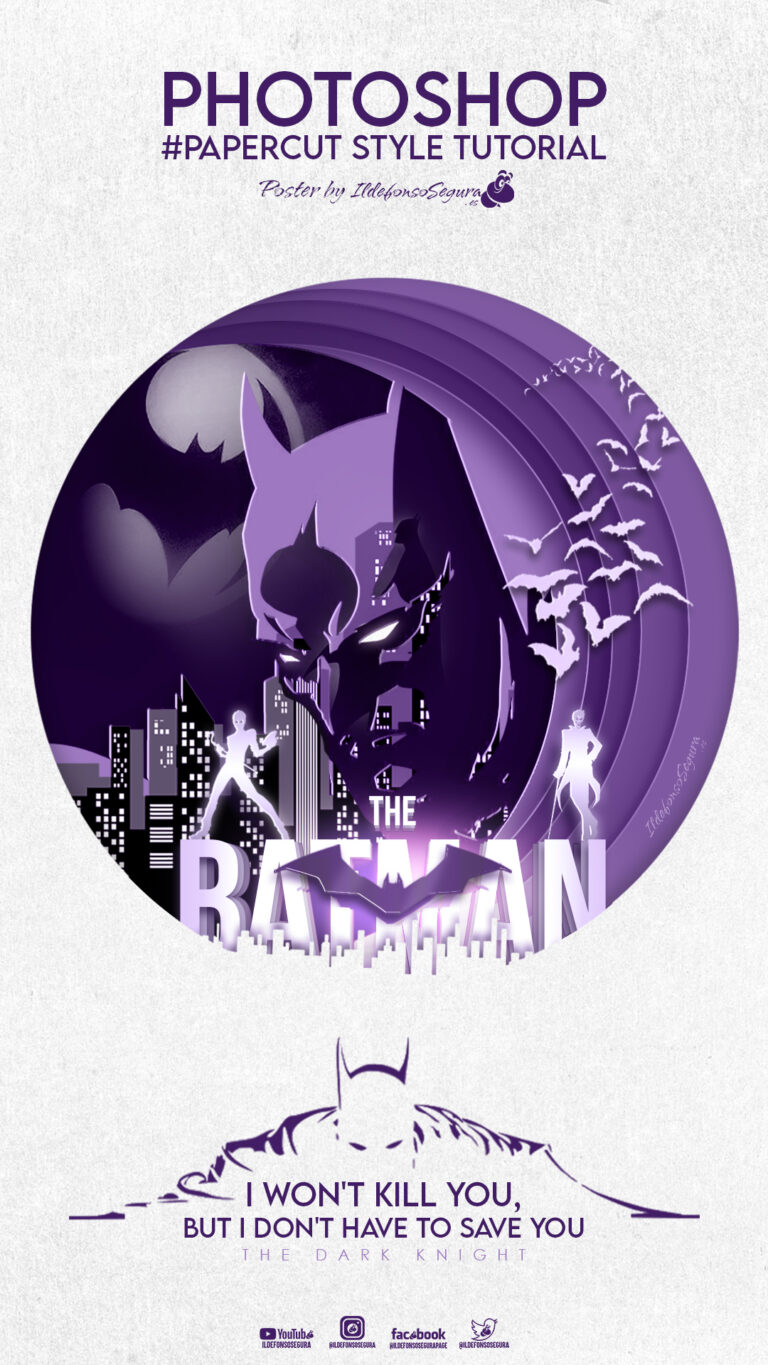
									<p align="justify">En este tutorial de Photoshop veremos como hacer un póster de la película The Batman con un estilo #PaperCut. Es decir, el aspecto del wallpaper es la superposición de capas que dan un aspecto 3D a la composición al conseguir una profundidad simulada alejando cada capa del objetivo de la cámara.</p><p align="justify">Te dejo el post que hice en mi instagram para que veas el proceso de confección por capas:</p>								</div>
				</div>
					</div>
		</div>
					</div>
		</section>
				<section class="elementor-section elementor-top-section elementor-element elementor-element-d394546 elementor-section-boxed elementor-section-height-default elementor-section-height-default" data-id="d394546" data-element_type="section" data-e-type="section">
						<div class="elementor-container elementor-column-gap-default">
					<div class="elementor-column elementor-col-100 elementor-top-column elementor-element elementor-element-c43ac8a" data-id="c43ac8a" data-element_type="column" data-e-type="column">
			<div class="elementor-widget-wrap elementor-element-populated">
						<div class="elementor-element elementor-element-ef5a51f elementor-widget elementor-widget-html" data-id="ef5a51f" data-element_type="widget" data-e-type="widget" data-widget_type="html.default">
				<div class="elementor-widget-container">
					<blockquote class="instagram-media" data-instgrm-captioned data-instgrm-permalink="https://www.instagram.com/p/CTrXLB0I7wj/?utm_source=ig_embed&amp;utm_campaign=loading" data-instgrm-version="13" style=" background:#FFF; border:0; border-radius:3px; box-shadow:0 0 1px 0 rgba(0,0,0,0.5),0 1px 10px 0 rgba(0,0,0,0.15); margin: 1px; max-width:540px; min-width:326px; padding:0; width:99.375%; width:-webkit-calc(100% - 2px); width:calc(100% - 2px);"><div style="padding:16px;"> <a href="https://www.instagram.com/p/CTrXLB0I7wj/?utm_source=ig_embed&amp;utm_campaign=loading" style=" background:#FFFFFF; line-height:0; padding:0 0; text-align:center; text-decoration:none; width:100%;" target="_blank"> <div style=" display: flex; flex-direction: row; align-items: center;"> <div style="background-color: #F4F4F4; border-radius: 50%; flex-grow: 0; height: 40px; margin-right: 14px; width: 40px;"></div> <div style="display: flex; flex-direction: column; flex-grow: 1; justify-content: center;"> <div style=" background-color: #F4F4F4; border-radius: 4px; flex-grow: 0; height: 14px; margin-bottom: 6px; width: 100px;"></div> <div style=" background-color: #F4F4F4; border-radius: 4px; flex-grow: 0; height: 14px; width: 60px;"></div></div></div><div style="padding: 19% 0;"></div> <div style="display:block; height:50px; margin:0 auto 12px; width:50px;"><svg width="50px" height="50px" viewBox="0 0 60 60" version="1.1" xmlns="https://www.w3.org/2000/svg" xmlns:xlink="https://www.w3.org/1999/xlink"><g stroke="none" stroke-width="1" fill="none" fill-rule="evenodd"><g transform="translate(-511.000000, -20.000000)" fill="#000000"><g><path d="M556.869,30.41 C554.814,30.41 553.148,32.076 553.148,34.131 C553.148,36.186 554.814,37.852 556.869,37.852 C558.924,37.852 560.59,36.186 560.59,34.131 C560.59,32.076 558.924,30.41 556.869,30.41 M541,60.657 C535.114,60.657 530.342,55.887 530.342,50 C530.342,44.114 535.114,39.342 541,39.342 C546.887,39.342 551.658,44.114 551.658,50 C551.658,55.887 546.887,60.657 541,60.657 M541,33.886 C532.1,33.886 524.886,41.1 524.886,50 C524.886,58.899 532.1,66.113 541,66.113 C549.9,66.113 557.115,58.899 557.115,50 C557.115,41.1 549.9,33.886 541,33.886 M565.378,62.101 C565.244,65.022 564.756,66.606 564.346,67.663 C563.803,69.06 563.154,70.057 562.106,71.106 C561.058,72.155 560.06,72.803 558.662,73.347 C557.607,73.757 556.021,74.244 553.102,74.378 C549.944,74.521 548.997,74.552 541,74.552 C533.003,74.552 532.056,74.521 528.898,74.378 C525.979,74.244 524.393,73.757 523.338,73.347 C521.94,72.803 520.942,72.155 519.894,71.106 C518.846,70.057 518.197,69.06 517.654,67.663 C517.244,66.606 516.755,65.022 516.623,62.101 C516.479,58.943 516.448,57.996 516.448,50 C516.448,42.003 516.479,41.056 516.623,37.899 C516.755,34.978 517.244,33.391 517.654,32.338 C518.197,30.938 518.846,29.942 519.894,28.894 C520.942,27.846 521.94,27.196 523.338,26.654 C524.393,26.244 525.979,25.756 528.898,25.623 C532.057,25.479 533.004,25.448 541,25.448 C548.997,25.448 549.943,25.479 553.102,25.623 C556.021,25.756 557.607,26.244 558.662,26.654 C560.06,27.196 561.058,27.846 562.106,28.894 C563.154,29.942 563.803,30.938 564.346,32.338 C564.756,33.391 565.244,34.978 565.378,37.899 C565.522,41.056 565.552,42.003 565.552,50 C565.552,57.996 565.522,58.943 565.378,62.101 M570.82,37.631 C570.674,34.438 570.167,32.258 569.425,30.349 C568.659,28.377 567.633,26.702 565.965,25.035 C564.297,23.368 562.623,22.342 560.652,21.575 C558.743,20.834 556.562,20.326 553.369,20.18 C550.169,20.033 549.148,20 541,20 C532.853,20 531.831,20.033 528.631,20.18 C525.438,20.326 523.257,20.834 521.349,21.575 C519.376,22.342 517.703,23.368 516.035,25.035 C514.368,26.702 513.342,28.377 512.574,30.349 C511.834,32.258 511.326,34.438 511.181,37.631 C511.035,40.831 511,41.851 511,50 C511,58.147 511.035,59.17 511.181,62.369 C511.326,65.562 511.834,67.743 512.574,69.651 C513.342,71.625 514.368,73.296 516.035,74.965 C517.703,76.634 519.376,77.658 521.349,78.425 C523.257,79.167 525.438,79.673 528.631,79.82 C531.831,79.965 532.853,80.001 541,80.001 C549.148,80.001 550.169,79.965 553.369,79.82 C556.562,79.673 558.743,79.167 560.652,78.425 C562.623,77.658 564.297,76.634 565.965,74.965 C567.633,73.296 568.659,71.625 569.425,69.651 C570.167,67.743 570.674,65.562 570.82,62.369 C570.966,59.17 571,58.147 571,50 C571,41.851 570.966,40.831 570.82,37.631"></path></g></g></g></svg></div><div style="padding-top: 8px;"> <div style=" color:#3897f0; font-family:Arial,sans-serif; font-size:14px; font-style:normal; font-weight:550; line-height:18px;"> Ver esta publicación en Instagram</div></div><div style="padding: 12.5% 0;"></div> <div style="display: flex; flex-direction: row; margin-bottom: 14px; align-items: center;"><div> <div style="background-color: #F4F4F4; border-radius: 50%; height: 12.5px; width: 12.5px; transform: translateX(0px) translateY(7px);"></div> <div style="background-color: #F4F4F4; height: 12.5px; transform: rotate(-45deg) translateX(3px) translateY(1px); width: 12.5px; flex-grow: 0; margin-right: 14px; margin-left: 2px;"></div> <div style="background-color: #F4F4F4; border-radius: 50%; height: 12.5px; width: 12.5px; transform: translateX(9px) translateY(-18px);"></div></div><div style="margin-left: 8px;"> <div style=" background-color: #F4F4F4; border-radius: 50%; flex-grow: 0; height: 20px; width: 20px;"></div> <div style=" width: 0; height: 0; border-top: 2px solid transparent; border-left: 6px solid #f4f4f4; border-bottom: 2px solid transparent; transform: translateX(16px) translateY(-4px) rotate(30deg)"></div></div><div style="margin-left: auto;"> <div style=" width: 0px; border-top: 8px solid #F4F4F4; border-right: 8px solid transparent; transform: translateY(16px);"></div> <div style=" background-color: #F4F4F4; flex-grow: 0; height: 12px; width: 16px; transform: translateY(-4px);"></div> <div style=" width: 0; height: 0; border-top: 8px solid #F4F4F4; border-left: 8px solid transparent; transform: translateY(-4px) translateX(8px);"></div></div></div> <div style="display: flex; flex-direction: column; flex-grow: 1; justify-content: center; margin-bottom: 24px;"> <div style=" background-color: #F4F4F4; border-radius: 4px; flex-grow: 0; height: 14px; margin-bottom: 6px; width: 224px;"></div> <div style=" background-color: #F4F4F4; border-radius: 4px; flex-grow: 0; height: 14px; width: 144px;"></div></div></a><p style=" color:#c9c8cd; font-family:Arial,sans-serif; font-size:14px; line-height:17px; margin-bottom:0; margin-top:8px; overflow:hidden; padding:8px 0 7px; text-align:center; text-overflow:ellipsis; white-space:nowrap;"><a href="https://www.instagram.com/p/CTrXLB0I7wj/?utm_source=ig_embed&amp;utm_campaign=loading" style=" color:#c9c8cd; font-family:Arial,sans-serif; font-size:14px; font-style:normal; font-weight:normal; line-height:17px; text-decoration:none;" target="_blank">Una publicación compartida de Ildefonso Segura (@ildefonsosegura)</a></p></div></blockquote> <script async src="//www.instagram.com/embed.js"></script>				</div>
				</div>
					</div>
		</div>
					</div>
		</section>
				<section class="elementor-section elementor-top-section elementor-element elementor-element-acfc913 elementor-section-boxed elementor-section-height-default elementor-section-height-default" data-id="acfc913" data-element_type="section" data-e-type="section">
						<div class="elementor-container elementor-column-gap-default">
					<div class="elementor-column elementor-col-100 elementor-top-column elementor-element elementor-element-03b0344" data-id="03b0344" data-element_type="column" data-e-type="column">
			<div class="elementor-widget-wrap elementor-element-populated">
						<div class="elementor-element elementor-element-af4e04c elementor-widget elementor-widget-text-editor" data-id="af4e04c" data-element_type="widget" data-e-type="widget" data-widget_type="text-editor.default">
				<div class="elementor-widget-container">
									<p align="justify">Te dejo mi referencia en Instagram para que chequees este post y otros que te pueden interesar <a href="http://instagram.com/ildefonsosegura" target="_blank" rel="noopener"><span style="color: #800000;"><strong>INSTAGRAM DE @IldefonsoSegura</strong></span></a></p>								</div>
				</div>
				<div class="elementor-element elementor-element-e35cdaf elementor-widget-divider--view-line_icon elementor-view-default elementor-widget-divider--element-align-center elementor-widget elementor-widget-divider" data-id="e35cdaf" data-element_type="widget" data-e-type="widget" data-widget_type="divider.default">
				<div class="elementor-widget-container">
							<div class="elementor-divider">
			<span class="elementor-divider-separator">
							<div class="elementor-icon elementor-divider__element">
					<i aria-hidden="true" class="fas fa-star"></i></div>
						</span>
		</div>
						</div>
				</div>
					</div>
		</div>
					</div>
		</section>
				<section class="elementor-section elementor-top-section elementor-element elementor-element-8b3b319 elementor-section-boxed elementor-section-height-default elementor-section-height-default" data-id="8b3b319" data-element_type="section" data-e-type="section">
						<div class="elementor-container elementor-column-gap-default">
					<div class="elementor-column elementor-col-100 elementor-top-column elementor-element elementor-element-903e236" data-id="903e236" data-element_type="column" data-e-type="column">
			<div class="elementor-widget-wrap elementor-element-populated">
						<div class="elementor-element elementor-element-52d8d69 elementor-widget elementor-widget-text-editor" data-id="52d8d69" data-element_type="widget" data-e-type="widget" data-widget_type="text-editor.default">
				<div class="elementor-widget-container">
									<p align="justify">El resultado del póster o wallpaper es alucinante dado que se obtiene con la composición de imágenes simples de texto y personajes de la película:</p>								</div>
				</div>
					</div>
		</div>
					</div>
		</section>
				<section class="elementor-section elementor-top-section elementor-element elementor-element-1f0d10c elementor-section-boxed elementor-section-height-default elementor-section-height-default" data-id="1f0d10c" data-element_type="section" data-e-type="section">
						<div class="elementor-container elementor-column-gap-default">
					<div class="elementor-column elementor-col-100 elementor-top-column elementor-element elementor-element-6007654" data-id="6007654" data-element_type="column" data-e-type="column">
			<div class="elementor-widget-wrap elementor-element-populated">
						<div class="elementor-element elementor-element-1b72fee elementor-widget elementor-widget-image" data-id="1b72fee" data-element_type="widget" data-e-type="widget" data-widget_type="image.default">
				<div class="elementor-widget-container">
															<img decoding="async" width="768" height="1365" src="https://ildefonsosegura.es/wp-content/uploads/PaperCut-style-Stories-Instagram-768x1365.jpg" class="attachment-medium_large size-medium_large wp-image-113820" alt="" srcset="https://ildefonsosegura.es/wp-content/uploads/PaperCut-style-Stories-Instagram-768x1365.jpg 768w, https://ildefonsosegura.es/wp-content/uploads/PaperCut-style-Stories-Instagram-169x300.jpg 169w, https://ildefonsosegura.es/wp-content/uploads/PaperCut-style-Stories-Instagram-576x1024.jpg 576w, https://ildefonsosegura.es/wp-content/uploads/PaperCut-style-Stories-Instagram-864x1536.jpg 864w, https://ildefonsosegura.es/wp-content/uploads/PaperCut-style-Stories-Instagram.jpg 1080w" sizes="(max-width: 768px) 100vw, 768px" />															</div>
				</div>
					</div>
		</div>
					</div>
		</section>
				<section class="elementor-section elementor-top-section elementor-element elementor-element-4ecb01f elementor-section-boxed elementor-section-height-default elementor-section-height-default" data-id="4ecb01f" data-element_type="section" data-e-type="section">
						<div class="elementor-container elementor-column-gap-default">
					<div class="elementor-column elementor-col-100 elementor-top-column elementor-element elementor-element-00dfe98" data-id="00dfe98" data-element_type="column" data-e-type="column">
			<div class="elementor-widget-wrap elementor-element-populated">
						<div class="elementor-element elementor-element-a2d52fd elementor-widget elementor-widget-text-editor" data-id="a2d52fd" data-element_type="widget" data-e-type="widget" data-widget_type="text-editor.default">
				<div class="elementor-widget-container">
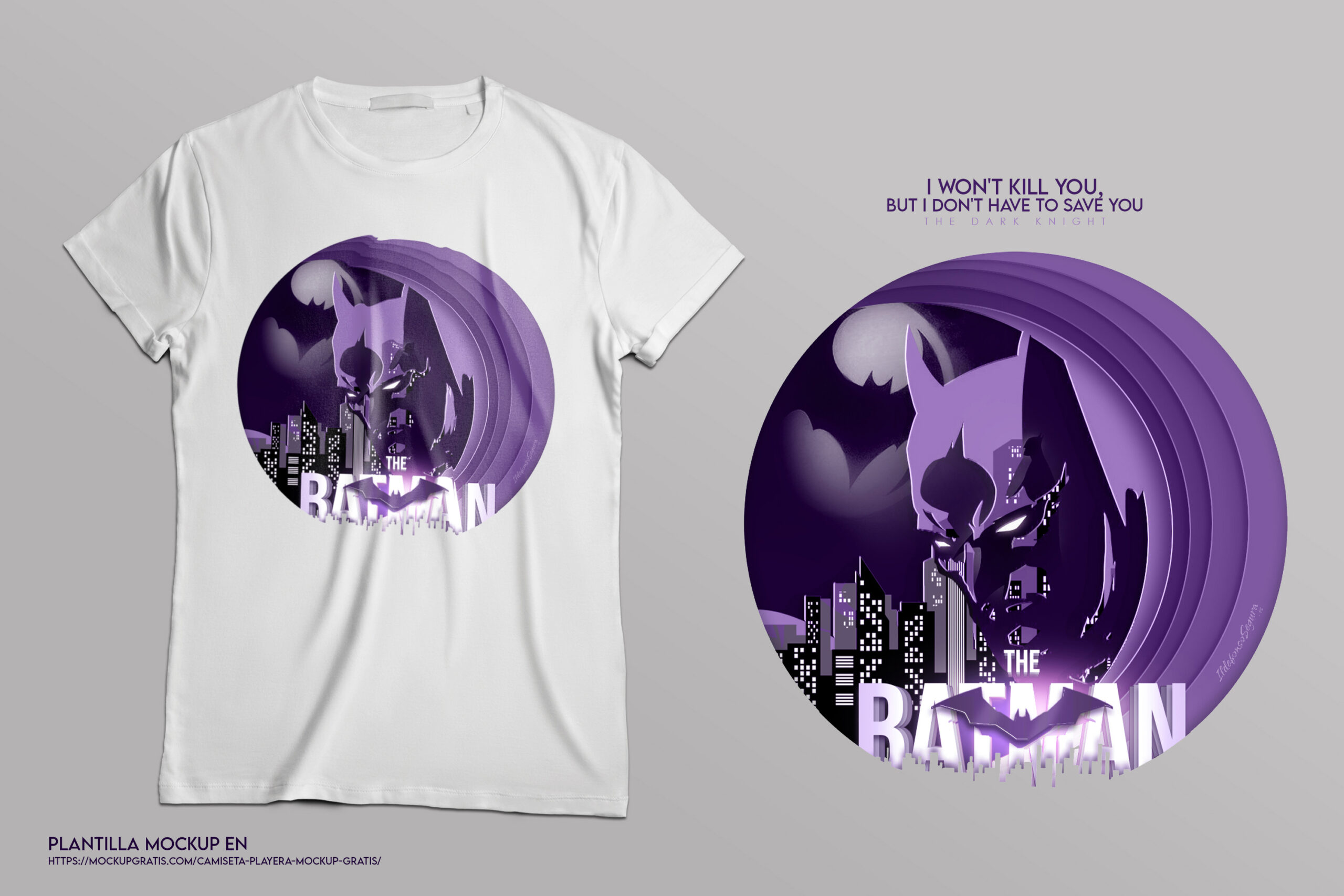
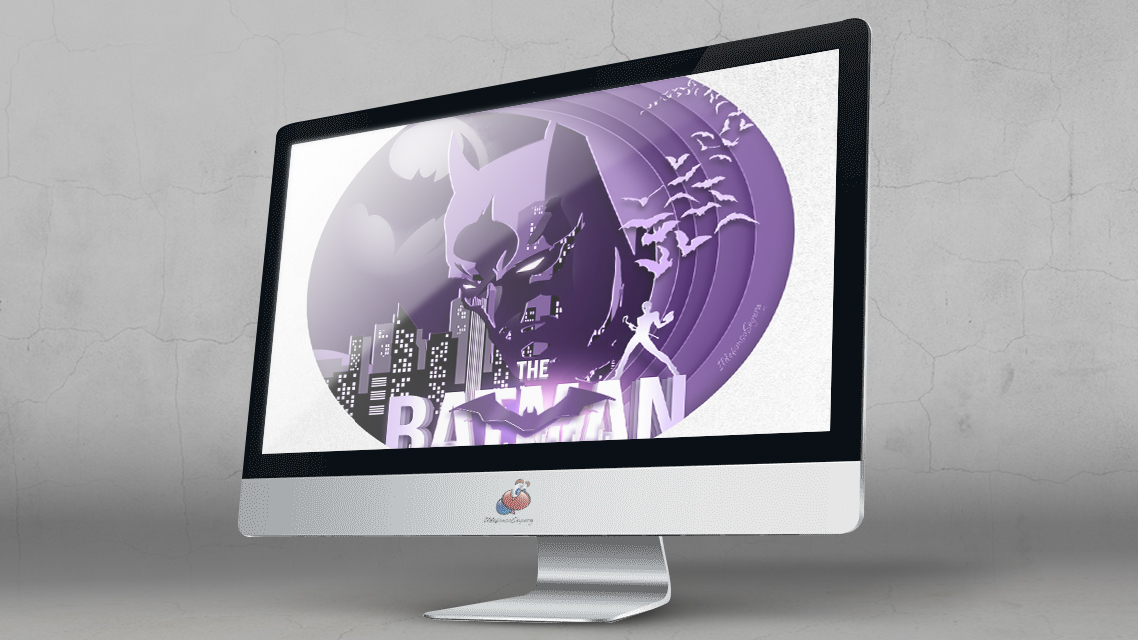
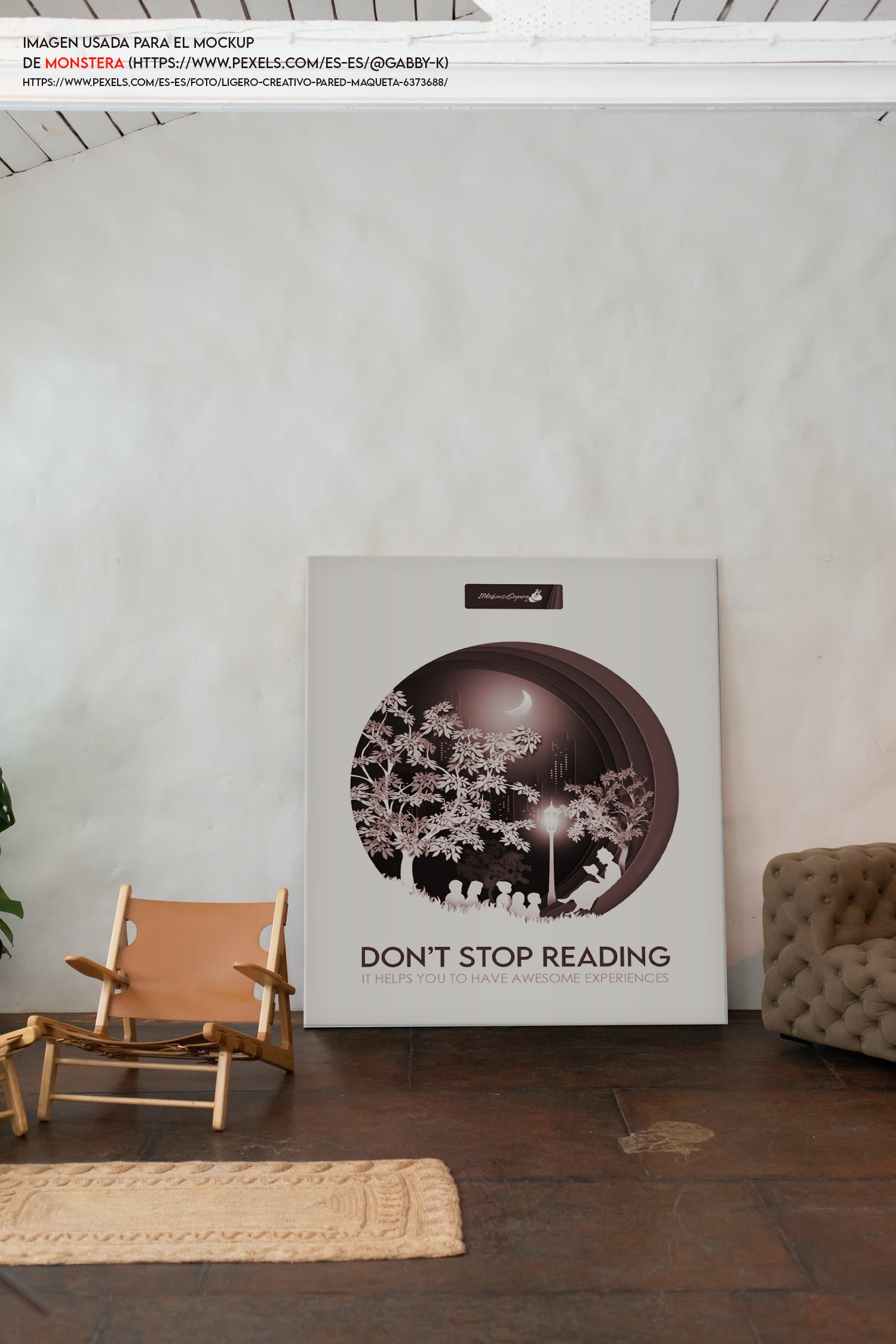
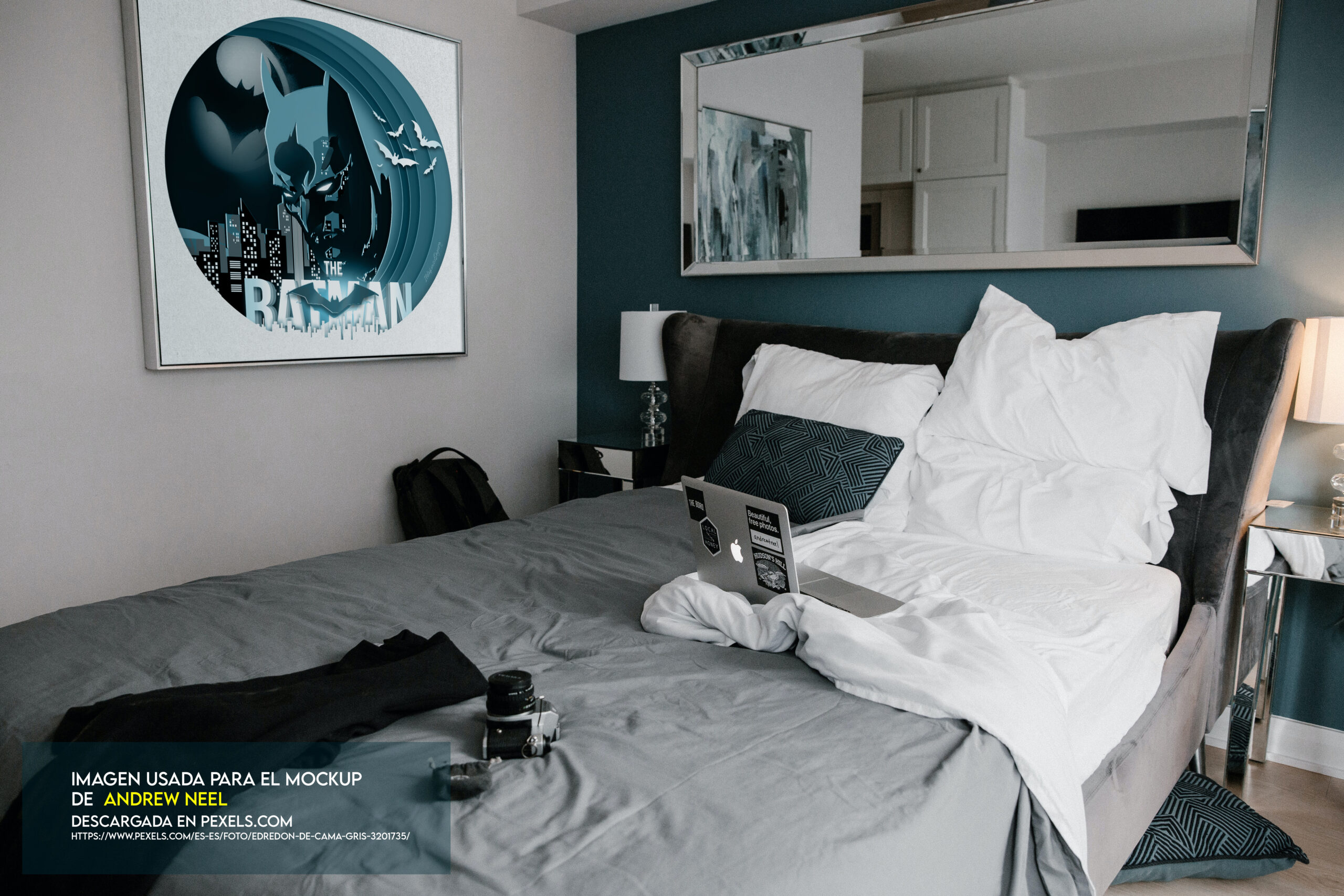
									<p align="justify">Puedes usar el resultado para aplicarlo a diferentes. Por todo esto, aquí te muestro unos ejemplos (Mockups) para que veas el alcance de la aplicación en decoración, camisetas, uso digital, &#8230; </p><p align="justify">Haz clic en una imagen y podrás ver todas con un tamaño mayor. Así podrás apreciar los detalles:</p>								</div>
				</div>
					</div>
		</div>
					</div>
		</section>
				<section class="elementor-section elementor-top-section elementor-element elementor-element-2ca6aa6 elementor-section-boxed elementor-section-height-default elementor-section-height-default" data-id="2ca6aa6" data-element_type="section" data-e-type="section">
						<div class="elementor-container elementor-column-gap-default">
					<div class="elementor-column elementor-col-100 elementor-top-column elementor-element elementor-element-e61067e" data-id="e61067e" data-element_type="column" data-e-type="column">
			<div class="elementor-widget-wrap elementor-element-populated">
						<div class="elementor-element elementor-element-f303bb3 elementor-arrows-position-inside elementor-pagination-position-outside elementor-widget elementor-widget-image-carousel" data-id="f303bb3" data-element_type="widget" data-e-type="widget" data-settings="{&quot;slides_to_show&quot;:&quot;5&quot;,&quot;image_spacing_custom&quot;:{&quot;unit&quot;:&quot;px&quot;,&quot;size&quot;:10,&quot;sizes&quot;:[]},&quot;navigation&quot;:&quot;both&quot;,&quot;autoplay&quot;:&quot;yes&quot;,&quot;pause_on_hover&quot;:&quot;yes&quot;,&quot;pause_on_interaction&quot;:&quot;yes&quot;,&quot;autoplay_speed&quot;:5000,&quot;infinite&quot;:&quot;yes&quot;,&quot;speed&quot;:500,&quot;image_spacing_custom_tablet&quot;:{&quot;unit&quot;:&quot;px&quot;,&quot;size&quot;:&quot;&quot;,&quot;sizes&quot;:[]},&quot;image_spacing_custom_mobile&quot;:{&quot;unit&quot;:&quot;px&quot;,&quot;size&quot;:&quot;&quot;,&quot;sizes&quot;:[]}}" data-widget_type="image-carousel.default">
				<div class="elementor-widget-container">
							<div class="elementor-image-carousel-wrapper swiper" role="region" aria-roledescription="carousel" aria-label="Carrusel de imágenes" dir="ltr">
			<div class="elementor-image-carousel swiper-wrapper" aria-live="off">
								<div class="swiper-slide" role="group" aria-roledescription="slide" aria-label="1 de 6"><a data-elementor-open-lightbox="yes" data-elementor-lightbox-slideshow="f303bb3" data-elementor-lightbox-title="Aplicacion camiseta batman 1" data-e-action-hash="#elementor-action%3Aaction%3Dlightbox%26settings%3DeyJpZCI6MTEzODE0LCJ1cmwiOiJodHRwczpcL1wvaWxkZWZvbnNvc2VndXJhLmVzXC93cC1jb250ZW50XC91cGxvYWRzXC9BcGxpY2FjaW9uLWNhbWlzZXRhLWJhdG1hbi0xLXNjYWxlZC5qcGciLCJzbGlkZXNob3ciOiJmMzAzYmIzIn0%3D" href="https://ildefonsosegura.es/wp-content/uploads/Aplicacion-camiseta-batman-1-scaled.jpg"><figure class="swiper-slide-inner"><img decoding="async" class="swiper-slide-image" src="https://ildefonsosegura.es/wp-content/uploads/Aplicacion-camiseta-batman-1-150x150.jpg" alt="Aplicacion camiseta batman 1" /></figure></a></div><div class="swiper-slide" role="group" aria-roledescription="slide" aria-label="2 de 6"><a data-elementor-open-lightbox="yes" data-elementor-lightbox-slideshow="f303bb3" data-elementor-lightbox-title="Aplicacion PC batman" data-e-action-hash="#elementor-action%3Aaction%3Dlightbox%26settings%3DeyJpZCI6MTEzODE1LCJ1cmwiOiJodHRwczpcL1wvaWxkZWZvbnNvc2VndXJhLmVzXC93cC1jb250ZW50XC91cGxvYWRzXC9BcGxpY2FjaW9uLVBDLWJhdG1hbi5qcGciLCJzbGlkZXNob3ciOiJmMzAzYmIzIn0%3D" href="https://ildefonsosegura.es/wp-content/uploads/Aplicacion-PC-batman.jpg"><figure class="swiper-slide-inner"><img decoding="async" class="swiper-slide-image" src="https://ildefonsosegura.es/wp-content/uploads/Aplicacion-PC-batman-150x150.jpg" alt="Aplicacion PC batman" /></figure></a></div><div class="swiper-slide" role="group" aria-roledescription="slide" aria-label="3 de 6"><a data-elementor-open-lightbox="yes" data-elementor-lightbox-slideshow="f303bb3" data-elementor-lightbox-title="Habitacion 3" data-e-action-hash="#elementor-action%3Aaction%3Dlightbox%26settings%3DeyJpZCI6MTEzODE2LCJ1cmwiOiJodHRwczpcL1wvaWxkZWZvbnNvc2VndXJhLmVzXC93cC1jb250ZW50XC91cGxvYWRzXC9IYWJpdGFjaW9uLTMuanBnIiwic2xpZGVzaG93IjoiZjMwM2JiMyJ9" href="https://ildefonsosegura.es/wp-content/uploads/Habitacion-3.jpg"><figure class="swiper-slide-inner"><img decoding="async" class="swiper-slide-image" src="https://ildefonsosegura.es/wp-content/uploads/Habitacion-3-150x150.jpg" alt="Habitacion 3" /></figure></a></div><div class="swiper-slide" role="group" aria-roledescription="slide" aria-label="4 de 6"><a data-elementor-open-lightbox="yes" data-elementor-lightbox-slideshow="f303bb3" data-elementor-lightbox-title="Habitacion 6" data-e-action-hash="#elementor-action%3Aaction%3Dlightbox%26settings%3DeyJpZCI6MTEzODE3LCJ1cmwiOiJodHRwczpcL1wvaWxkZWZvbnNvc2VndXJhLmVzXC93cC1jb250ZW50XC91cGxvYWRzXC9IYWJpdGFjaW9uLTYuanBnIiwic2xpZGVzaG93IjoiZjMwM2JiMyJ9" href="https://ildefonsosegura.es/wp-content/uploads/Habitacion-6.jpg"><figure class="swiper-slide-inner"><img decoding="async" class="swiper-slide-image" src="https://ildefonsosegura.es/wp-content/uploads/Habitacion-6-150x150.jpg" alt="Habitacion 6" /></figure></a></div><div class="swiper-slide" role="group" aria-roledescription="slide" aria-label="5 de 6"><a data-elementor-open-lightbox="yes" data-elementor-lightbox-slideshow="f303bb3" data-elementor-lightbox-title="Habitacion 7" data-e-action-hash="#elementor-action%3Aaction%3Dlightbox%26settings%3DeyJpZCI6MTEzODE4LCJ1cmwiOiJodHRwczpcL1wvaWxkZWZvbnNvc2VndXJhLmVzXC93cC1jb250ZW50XC91cGxvYWRzXC9IYWJpdGFjaW9uLTctc2NhbGVkLmpwZyIsInNsaWRlc2hvdyI6ImYzMDNiYjMifQ%3D%3D" href="https://ildefonsosegura.es/wp-content/uploads/Habitacion-7-scaled.jpg"><figure class="swiper-slide-inner"><img decoding="async" class="swiper-slide-image" src="https://ildefonsosegura.es/wp-content/uploads/Habitacion-7-150x150.jpg" alt="Habitacion 7" /></figure></a></div><div class="swiper-slide" role="group" aria-roledescription="slide" aria-label="6 de 6"><a data-elementor-open-lightbox="yes" data-elementor-lightbox-slideshow="f303bb3" data-elementor-lightbox-title="Iphone mockup Batman" data-e-action-hash="#elementor-action%3Aaction%3Dlightbox%26settings%3DeyJpZCI6MTEzODE5LCJ1cmwiOiJodHRwczpcL1wvaWxkZWZvbnNvc2VndXJhLmVzXC93cC1jb250ZW50XC91cGxvYWRzXC9JcGhvbmUtbW9ja3VwLUJhdG1hbi1zY2FsZWQuanBnIiwic2xpZGVzaG93IjoiZjMwM2JiMyJ9" href="https://ildefonsosegura.es/wp-content/uploads/Iphone-mockup-Batman-scaled.jpg"><figure class="swiper-slide-inner"><img decoding="async" class="swiper-slide-image" src="https://ildefonsosegura.es/wp-content/uploads/Iphone-mockup-Batman-150x150.jpg" alt="Iphone mockup Batman" /></figure></a></div>			</div>
												<div class="elementor-swiper-button elementor-swiper-button-prev" role="button" tabindex="0">
						<i aria-hidden="true" class="eicon-chevron-left"></i>					</div>
					<div class="elementor-swiper-button elementor-swiper-button-next" role="button" tabindex="0">
						<i aria-hidden="true" class="eicon-chevron-right"></i>					</div>
				
									<div class="swiper-pagination"></div>
									</div>
						</div>
				</div>
					</div>
		</div>
					</div>
		</section>
				<section class="elementor-section elementor-top-section elementor-element elementor-element-2c7c284 elementor-section-boxed elementor-section-height-default elementor-section-height-default" data-id="2c7c284" data-element_type="section" data-e-type="section">
						<div class="elementor-container elementor-column-gap-default">
					<div class="elementor-column elementor-col-100 elementor-top-column elementor-element elementor-element-4960e8a" data-id="4960e8a" data-element_type="column" data-e-type="column">
			<div class="elementor-widget-wrap elementor-element-populated">
						<div class="elementor-element elementor-element-f9f5533 elementor-widget-divider--view-line_icon elementor-view-default elementor-widget-divider--element-align-center elementor-widget elementor-widget-divider" data-id="f9f5533" data-element_type="widget" data-e-type="widget" data-widget_type="divider.default">
				<div class="elementor-widget-container">
							<div class="elementor-divider">
			<span class="elementor-divider-separator">
							<div class="elementor-icon elementor-divider__element">
					<i aria-hidden="true" class="fas fa-star"></i></div>
						</span>
		</div>
						</div>
				</div>
					</div>
		</div>
					</div>
		</section>
				<section class="elementor-section elementor-top-section elementor-element elementor-element-4aa58d5 elementor-section-boxed elementor-section-height-default elementor-section-height-default" data-id="4aa58d5" data-element_type="section" data-e-type="section">
						<div class="elementor-container elementor-column-gap-default">
					<div class="elementor-column elementor-col-100 elementor-top-column elementor-element elementor-element-dc1088e" data-id="dc1088e" data-element_type="column" data-e-type="column">
			<div class="elementor-widget-wrap elementor-element-populated">
						<div class="elementor-element elementor-element-97c6f20 elementor-widget elementor-widget-text-editor" data-id="97c6f20" data-element_type="widget" data-e-type="widget" data-widget_type="text-editor.default">
				<div class="elementor-widget-container">
									<p align="justify">Me motivó realizar el tutorial de Photoshop el hecho de que se estrenará en breve la película <strong><span style="color: #800000;">THE BATMAN (<a style="color: #800000;" title="Warner Bros website" href="https://www.warnerbros.es/" target="_blank" rel="noopener">Warner Bros</a>)</span></strong> y también en un ilustrador monegasco <strong><span style="color: #800000;"><a style="color: #800000;" title="Instagram Jérémie Pistre" href="https://www.instagram.com/jeremiepistre/" target="_blank" rel="noopener">JÉRÉMIE PISTRE</a> </span></strong>cuya obra puedes encontrar en su Instagram.</p>								</div>
				</div>
					</div>
		</div>
					</div>
		</section>
				<section class="elementor-section elementor-top-section elementor-element elementor-element-65f8937 elementor-section-boxed elementor-section-height-default elementor-section-height-default" data-id="65f8937" data-element_type="section" data-e-type="section">
						<div class="elementor-container elementor-column-gap-default">
					<div class="elementor-column elementor-col-100 elementor-top-column elementor-element elementor-element-06442b8" data-id="06442b8" data-element_type="column" data-e-type="column">
			<div class="elementor-widget-wrap elementor-element-populated">
						<div class="elementor-element elementor-element-8f5fb7d elementor-widget elementor-widget-text-editor" data-id="8f5fb7d" data-element_type="widget" data-e-type="widget" data-widget_type="text-editor.default">
				<div class="elementor-widget-container">
									<p>Espero que el tutorial Póster estilo papercut (the Batman) con Photoshop sea funcional para ti y puedas aprender algo que a la vez puedas aplicar en otras composiciones.</p><p align="justify">Después de todo esta introducción, aquí puedes ver el tutorial y no dejes de compartir el post y darle «like» / «dedo arriba» al vídeo.</p><h3 align="justify"><strong><span style="color: #800000;">TABLA DE CONTENIDOS:</span></strong></h3><ul><li>00:00 Presentación del tutorial</li><li>00:10 Making of del póster</li><li>00:43 Inspiración</li><li>01:09 Aplicación del wallpaper</li><li>01:35 Creación círculos con profundidad</li><li>05:44 Añadimos ciudad del fondo</li><li>06:21 Añadimos Batman</li><li>08:36 Efecto en ojos</li><li>09:31 Añadimos ciudad del frente</li><li>10:44 Añadimos bat llamada</li><li>12:22 Añadimos el texto con capas</li><li>16:49 Añadimos el murciélago frontal</li><li>17:52 Efectos de iluminación</li><li>19:28 Añadimos bats y enigma</li><li>19:40 Limitación de elementos a la circunferencia</li><li>20:17 Añadimos textos</li><li>21:00 Making of 2do wallpaper papercut</li><li>21:30 Despedida</li></ul><p> </p><h6 class="single-post-title entry-title">«Póster estilo papercut (the Batman) con Photoshop»</h6><p align="justify"> </p>								</div>
				</div>
					</div>
		</div>
					</div>
		</section>
				<section class="elementor-section elementor-top-section elementor-element elementor-element-4d24a2e elementor-section-boxed elementor-section-height-default elementor-section-height-default" data-id="4d24a2e" data-element_type="section" data-e-type="section">
						<div class="elementor-container elementor-column-gap-default">
					<div class="elementor-column elementor-col-100 elementor-top-column elementor-element elementor-element-1cd2633" data-id="1cd2633" data-element_type="column" data-e-type="column">
			<div class="elementor-widget-wrap elementor-element-populated">
						<div class="elementor-element elementor-element-f6de5d4 elementor-widget elementor-widget-video" data-id="f6de5d4" data-element_type="widget" data-e-type="widget" data-settings="{&quot;youtube_url&quot;:&quot;https:\/\/youtu.be\/4ggbP037oUw&quot;,&quot;video_type&quot;:&quot;youtube&quot;,&quot;controls&quot;:&quot;yes&quot;}" data-widget_type="video.default">
				<div class="elementor-widget-container">
							<div class="elementor-wrapper elementor-open-inline">
			<div class="elementor-video"></div>		</div>
						</div>
				</div>
					</div>
		</div>
					</div>
		</section>
				<section class="elementor-section elementor-top-section elementor-element elementor-element-d99fc3a elementor-section-boxed elementor-section-height-default elementor-section-height-default" data-id="d99fc3a" data-element_type="section" data-e-type="section">
						<div class="elementor-container elementor-column-gap-default">
					<div class="elementor-column elementor-col-50 elementor-top-column elementor-element elementor-element-806be6a" data-id="806be6a" data-element_type="column" data-e-type="column">
			<div class="elementor-widget-wrap">
							</div>
		</div>
				<div class="elementor-column elementor-col-50 elementor-top-column elementor-element elementor-element-de98a7c" data-id="de98a7c" data-element_type="column" data-e-type="column">
			<div class="elementor-widget-wrap">
							</div>
		</div>
					</div>
		</section>
				<section class="elementor-section elementor-top-section elementor-element elementor-element-fb28f3b elementor-section-boxed elementor-section-height-default elementor-section-height-default" data-id="fb28f3b" data-element_type="section" data-e-type="section">
						<div class="elementor-container elementor-column-gap-default">
					<div class="elementor-column elementor-col-50 elementor-top-column elementor-element elementor-element-324f879" data-id="324f879" data-element_type="column" data-e-type="column">
			<div class="elementor-widget-wrap elementor-element-populated">
						<div class="elementor-element elementor-element-ea3b0ee elementor-widget elementor-widget-image" data-id="ea3b0ee" data-element_type="widget" data-e-type="widget" data-widget_type="image.default">
				<div class="elementor-widget-container">
															<img loading="lazy" decoding="async" width="300" height="205" src="https://ildefonsosegura.es/wp-content/uploads/regalos-300x205.png" class="attachment-medium size-medium wp-image-4460" alt="" srcset="https://ildefonsosegura.es/wp-content/uploads/regalos-300x205.png 300w, https://ildefonsosegura.es/wp-content/uploads/regalos-e1535194274619.png 350w" sizes="(max-width: 300px) 100vw, 300px" />															</div>
				</div>
					</div>
		</div>
				<div class="elementor-column elementor-col-50 elementor-top-column elementor-element elementor-element-8132854" data-id="8132854" data-element_type="column" data-e-type="column">
			<div class="elementor-widget-wrap elementor-element-populated">
						<div class="elementor-element elementor-element-31fe259 elementor-widget elementor-widget-text-editor" data-id="31fe259" data-element_type="widget" data-e-type="widget" data-widget_type="text-editor.default">
				<div class="elementor-widget-container">
									<p align="justify">Si quieres ir a tu ritmo, puedes ir chequeando el vídeo en cámara lenta y comprobando en el editable que te regalo, los pasos seguidos</p>								</div>
				</div>
				<div class="elementor-element elementor-element-b52ca5d elementor-align-center elementor-widget elementor-widget-button" data-id="b52ca5d" data-element_type="widget" data-e-type="widget" data-widget_type="button.default">
				<div class="elementor-widget-container">
									<div class="elementor-button-wrapper">
					<a class="elementor-button elementor-button-link elementor-size-sm" href="https://ildefonsosegura.es/regalos/">
						<span class="elementor-button-content-wrapper">
						<span class="elementor-button-icon">
				<i aria-hidden="true" class="fas fa-atlas"></i>			</span>
									<span class="elementor-button-text">ARCHIVO PSD THE BATMAN</span>
					</span>
					</a>
				</div>
								</div>
				</div>
					</div>
		</div>
					</div>
		</section>
				<section class="elementor-section elementor-top-section elementor-element elementor-element-b82598e elementor-section-boxed elementor-section-height-default elementor-section-height-default" data-id="b82598e" data-element_type="section" data-e-type="section">
						<div class="elementor-container elementor-column-gap-default">
					<div class="elementor-column elementor-col-100 elementor-top-column elementor-element elementor-element-56153d8" data-id="56153d8" data-element_type="column" data-e-type="column">
			<div class="elementor-widget-wrap elementor-element-populated">
						<div class="elementor-element elementor-element-5927092 elementor-widget elementor-widget-text-editor" data-id="5927092" data-element_type="widget" data-e-type="widget" data-widget_type="text-editor.default">
				<div class="elementor-widget-container">
									<p>Recuerda también que posteo trabajos e información en  <a href="https://www.facebook.com/IldefonsoSeguraPage" target="_blank" rel="noopener"><strong><span style="color: #800000;">Facebook</span> </strong></a></p><p>Igualmente, si quieres ver mis tutoriales de <strong><span style="color: #800000;">wallpapers</span></strong>, puedes verlos haciendo <span style="color: #800000;"><a style="color: #800000;" href="https://ildefonsosegura.es/category/wallpaper/"><strong>CLIC</strong></a></span> pero no olvides comentar este post antes de irte. Gracias</p>								</div>
				</div>
					</div>
		</div>
					</div>
		</section>
				<section class="elementor-section elementor-top-section elementor-element elementor-element-742276ff elementor-section-full_width elementor-section-height-default elementor-section-height-default" data-id="742276ff" data-element_type="section" data-e-type="section">
						<div class="elementor-container elementor-column-gap-default">
					<div class="elementor-column elementor-col-100 elementor-top-column elementor-element elementor-element-261106a3" data-id="261106a3" data-element_type="column" data-e-type="column">
			<div class="elementor-widget-wrap elementor-element-populated">
						<div class="elementor-element elementor-element-37781cfc elementor-widget elementor-widget-text-editor" data-id="37781cfc" data-element_type="widget" data-e-type="widget" data-widget_type="text-editor.default">
				<div class="elementor-widget-container">
									<div><div align="center"><center><strong style="color: #ff0000;">Suscríbete a mi canal de Youtube:</strong></center><div><div><div align="center"><p><script src="https://apis.google.com/js/platform.js"></script></p><div class="g-ytsubscribe" data-channel="ildefonsosegura" data-layout="full" data-count="default"> </div></div></div><p> </p><p style="text-align: center;">No te lo pierdas y comparte tus trabajos en mi página de facebook (<span style="color: #0000ff;"><strong><a style="color: #0000ff;" href="http://www.facebook.com/IldefonsoSeguraPage" target="_blank" rel="noopener noreferrer">IldefonsoSeguraPage</a></strong></span>)<br />Espero que te guste y compartas el vídeo. No dejes de compartir este post.</p><p style="text-align: center;">Así es como me puedes ayudar 🙂 Gracias</p></div></div></div>								</div>
				</div>
					</div>
		</div>
					</div>
		</section>
				</div>La entrada <a href="https://ildefonsosegura.es/poster-estilo-papercut-the-batman-con-photoshop/">Póster estilo papercut (the Batman) con Photoshop</a> apareció primero en <a href="https://ildefonsosegura.es">Ildefonso Segura</a>.]]></content:encoded>
					
					<wfw:commentRss>https://ildefonsosegura.es/poster-estilo-papercut-the-batman-con-photoshop/feed/</wfw:commentRss>
			<slash:comments>0</slash:comments>
		
		
			</item>
		<item>
		<title>Como hacer un texto estilo roca realista con Photoshop</title>
		<link>https://ildefonsosegura.es/como-hacer-un-texto-estilo-roca-realista-con-photoshop/</link>
					<comments>https://ildefonsosegura.es/como-hacer-un-texto-estilo-roca-realista-con-photoshop/#comments</comments>
		
		<dc:creator><![CDATA[Ildefonso Segura]]></dc:creator>
		<pubDate>Mon, 06 Sep 2021 15:01:55 +0000</pubDate>
				<category><![CDATA[Editable]]></category>
		<category><![CDATA[Efectos]]></category>
		<category><![CDATA[Photoshop]]></category>
		<category><![CDATA[Textos]]></category>
		<category><![CDATA[Textura]]></category>
		<category><![CDATA[Tutoriales]]></category>
		<category><![CDATA[Video]]></category>
		<category><![CDATA[Wallpaper]]></category>
		<category><![CDATA[adobe]]></category>
		<category><![CDATA[cc2021]]></category>
		<category><![CDATA[creatividad]]></category>
		<category><![CDATA[diseño]]></category>
		<category><![CDATA[efecto]]></category>
		<category><![CDATA[estilo]]></category>
		<category><![CDATA[ildefonsosegura]]></category>
		<category><![CDATA[photoshop]]></category>
		<category><![CDATA[ps]]></category>
		<category><![CDATA[stone]]></category>
		<category><![CDATA[tecnicas]]></category>
		<category><![CDATA[texto]]></category>
		<category><![CDATA[texto realista]]></category>
		<category><![CDATA[textura]]></category>
		<category><![CDATA[textura texto]]></category>
		<category><![CDATA[tuto]]></category>
		<category><![CDATA[tutorial]]></category>
		<category><![CDATA[VIDEOTUTORIAL]]></category>
		<category><![CDATA[wallpaper]]></category>
		<category><![CDATA[youtube]]></category>
		<guid isPermaLink="false">https://ildefonsosegura.es/?p=113777</guid>

					<description><![CDATA[<p>En este tutorial de Photoshop veremos como conseguir una textura de roca realista en un texto. El tutorial está inspirado en un tutorial en inglés que puedes encontrar en el canal TEXTURELABS.ORG de YouTube. En mi caso, he usado texturas diferentes y al final le he dado una aplicación interesante sumergiendo el texto y animándolo [&#8230;]</p>
La entrada <a href="https://ildefonsosegura.es/como-hacer-un-texto-estilo-roca-realista-con-photoshop/">Como hacer un texto estilo roca realista con Photoshop</a> apareció primero en <a href="https://ildefonsosegura.es">Ildefonso Segura</a>.]]></description>
										<content:encoded><![CDATA[<div data-elementor-type="wp-post" data-elementor-id="113777" class="elementor elementor-113777">
						<section class="elementor-section elementor-top-section elementor-element elementor-element-b7471a2 elementor-section-boxed elementor-section-height-default elementor-section-height-default" data-id="b7471a2" data-element_type="section" data-e-type="section">
						<div class="elementor-container elementor-column-gap-default">
					<div class="elementor-column elementor-col-100 elementor-top-column elementor-element elementor-element-5e938f2" data-id="5e938f2" data-element_type="column" data-e-type="column">
			<div class="elementor-widget-wrap elementor-element-populated">
						<div class="elementor-element elementor-element-7cf2e12 elementor-widget elementor-widget-text-editor" data-id="7cf2e12" data-element_type="widget" data-e-type="widget" data-widget_type="text-editor.default">
				<div class="elementor-widget-container">
									<p align="justify">En este tutorial de Photoshop veremos como conseguir una textura de roca realista en un texto.</p>
<p align="justify">El tutorial está inspirado en un <a href="https://texturelabs.org/tutorials/3d-stone-concrete-text-effect/" target="_blank" rel="noopener"><strong><span style="color: #800000;">tutorial en inglés</span></strong></a> que puedes encontrar en el canal <strong><a href="https://www.youtube.com/channel/UCBxd0ZwoptXc676LSaxCP5Q" target="_blank" rel="noopener">TEXTURELABS.ORG</a></strong> de YouTube.

</p><p align="justify">En mi caso, he usado texturas diferentes y al final le he dado una aplicación interesante sumergiendo el texto y animándolo una escena en el fondo del mar.  Te dejo la animación por aquí:

</p>								</div>
				</div>
					</div>
		</div>
					</div>
		</section>
				<section class="elementor-section elementor-top-section elementor-element elementor-element-52bc9d1 elementor-section-boxed elementor-section-height-default elementor-section-height-default" data-id="52bc9d1" data-element_type="section" data-e-type="section">
						<div class="elementor-container elementor-column-gap-default">
					<div class="elementor-column elementor-col-100 elementor-top-column elementor-element elementor-element-5023aa6" data-id="5023aa6" data-element_type="column" data-e-type="column">
			<div class="elementor-widget-wrap elementor-element-populated">
						<div class="elementor-element elementor-element-b3b61d6 elementor-widget elementor-widget-video" data-id="b3b61d6" data-element_type="widget" data-e-type="widget" data-settings="{&quot;youtube_url&quot;:&quot;https:\/\/youtu.be\/Oc1UXuJkm5U&quot;,&quot;video_type&quot;:&quot;youtube&quot;,&quot;controls&quot;:&quot;yes&quot;}" data-widget_type="video.default">
				<div class="elementor-widget-container">
							<div class="elementor-wrapper elementor-open-inline">
			<div class="elementor-video"></div>		</div>
						</div>
				</div>
					</div>
		</div>
					</div>
		</section>
				<section class="elementor-section elementor-top-section elementor-element elementor-element-8eec0a1 elementor-section-boxed elementor-section-height-default elementor-section-height-default" data-id="8eec0a1" data-element_type="section" data-e-type="section">
						<div class="elementor-container elementor-column-gap-default">
					<div class="elementor-column elementor-col-100 elementor-top-column elementor-element elementor-element-761f29f" data-id="761f29f" data-element_type="column" data-e-type="column">
			<div class="elementor-widget-wrap elementor-element-populated">
						<div class="elementor-element elementor-element-11a3fbd elementor-widget elementor-widget-text-editor" data-id="11a3fbd" data-element_type="widget" data-e-type="widget" data-widget_type="text-editor.default">
				<div class="elementor-widget-container">
									<p align="justify"> También puedes ver el antes y el después de la edición del texto en este comparador de imágenes.</p>
								</div>
				</div>
					</div>
		</div>
					</div>
		</section>
				<section class="elementor-section elementor-top-section elementor-element elementor-element-acfc913 elementor-section-boxed elementor-section-height-default elementor-section-height-default" data-id="acfc913" data-element_type="section" data-e-type="section">
						<div class="elementor-container elementor-column-gap-default">
					<div class="elementor-column elementor-col-100 elementor-top-column elementor-element elementor-element-03b0344" data-id="03b0344" data-element_type="column" data-e-type="column">
			<div class="elementor-widget-wrap elementor-element-populated">
						<div class="elementor-element elementor-element-e35cdaf elementor-widget-divider--view-line_icon elementor-view-default elementor-widget-divider--element-align-center elementor-widget elementor-widget-divider" data-id="e35cdaf" data-element_type="widget" data-e-type="widget" data-widget_type="divider.default">
				<div class="elementor-widget-container">
							<div class="elementor-divider">
			<span class="elementor-divider-separator">
							<div class="elementor-icon elementor-divider__element">
					<i aria-hidden="true" class="fas fa-star"></i></div>
						</span>
		</div>
						</div>
				</div>
					</div>
		</div>
					</div>
		</section>
				<section class="elementor-section elementor-top-section elementor-element elementor-element-2c7c284 elementor-section-boxed elementor-section-height-default elementor-section-height-default" data-id="2c7c284" data-element_type="section" data-e-type="section">
						<div class="elementor-container elementor-column-gap-default">
					<div class="elementor-column elementor-col-100 elementor-top-column elementor-element elementor-element-4960e8a" data-id="4960e8a" data-element_type="column" data-e-type="column">
			<div class="elementor-widget-wrap elementor-element-populated">
						<div class="elementor-element elementor-element-f9f5533 elementor-widget-divider--view-line_icon elementor-view-default elementor-widget-divider--element-align-center elementor-widget elementor-widget-divider" data-id="f9f5533" data-element_type="widget" data-e-type="widget" data-widget_type="divider.default">
				<div class="elementor-widget-container">
							<div class="elementor-divider">
			<span class="elementor-divider-separator">
							<div class="elementor-icon elementor-divider__element">
					<i aria-hidden="true" class="fas fa-star"></i></div>
						</span>
		</div>
						</div>
				</div>
					</div>
		</div>
					</div>
		</section>
				<section class="elementor-section elementor-top-section elementor-element elementor-element-2ca6aa6 elementor-section-boxed elementor-section-height-default elementor-section-height-default" data-id="2ca6aa6" data-element_type="section" data-e-type="section">
						<div class="elementor-container elementor-column-gap-default">
					<div class="elementor-column elementor-col-100 elementor-top-column elementor-element elementor-element-e61067e" data-id="e61067e" data-element_type="column" data-e-type="column">
			<div class="elementor-widget-wrap elementor-element-populated">
						<div class="elementor-element elementor-element-ce763dd elementor-widget-divider--view-line_icon elementor-view-default elementor-widget-divider--element-align-center elementor-widget elementor-widget-divider" data-id="ce763dd" data-element_type="widget" data-e-type="widget" data-widget_type="divider.default">
				<div class="elementor-widget-container">
							<div class="elementor-divider">
			<span class="elementor-divider-separator">
							<div class="elementor-icon elementor-divider__element">
					<i aria-hidden="true" class="fas fa-star"></i></div>
						</span>
		</div>
						</div>
				</div>
					</div>
		</div>
					</div>
		</section>
				<section class="elementor-section elementor-top-section elementor-element elementor-element-4ecb01f elementor-section-boxed elementor-section-height-default elementor-section-height-default" data-id="4ecb01f" data-element_type="section" data-e-type="section">
						<div class="elementor-container elementor-column-gap-default">
					<div class="elementor-column elementor-col-100 elementor-top-column elementor-element elementor-element-00dfe98" data-id="00dfe98" data-element_type="column" data-e-type="column">
			<div class="elementor-widget-wrap elementor-element-populated">
						<div class="elementor-element elementor-element-af4e04c elementor-widget elementor-widget-text-editor" data-id="af4e04c" data-element_type="widget" data-e-type="widget" data-widget_type="text-editor.default">
				<div class="elementor-widget-container">
									<p align="justify">Te dejo mi referencia en Instagram para que chequees este post y otros que te pueden interesar <a href="http://instagram.com/ildefonsosegura" target="_blank" rel="noopener"><span style="color: #800000;"><strong>INSTAGRAM DE @IldefonsoSegura</strong></span></a></p>								</div>
				</div>
				<div class="elementor-element elementor-element-a2d52fd elementor-widget elementor-widget-text-editor" data-id="a2d52fd" data-element_type="widget" data-e-type="widget" data-widget_type="text-editor.default">
				<div class="elementor-widget-container">
									<p align="justify">Lo impactante de este tutorial, o por lo menos a mí me lo parece, es el efecto de rotura que conseguirnos en la parte más frontal  del texto tan sólo aplicando un filtro de «cristalizar» y después un estilo de capa con relleno del 0%.</p><p align="justify">Luego daremos más profundidad al texto y para ello mostraremos como se hace una ACCIÓN en Photoshop para automatizar tareas que hacen más eficientes el trabajo de manipulación y composición.</p><p align="justify">Posteriormente superpondremos texturas a la extrusión creada y aplicaremos sombras e iluminaciones que conseguirán este realismo de parecido a roca en texto.</p>								</div>
				</div>
					</div>
		</div>
					</div>
		</section>
				<section class="elementor-section elementor-top-section elementor-element elementor-element-65f8937 elementor-section-boxed elementor-section-height-default elementor-section-height-default" data-id="65f8937" data-element_type="section" data-e-type="section">
						<div class="elementor-container elementor-column-gap-default">
					<div class="elementor-column elementor-col-100 elementor-top-column elementor-element elementor-element-06442b8" data-id="06442b8" data-element_type="column" data-e-type="column">
			<div class="elementor-widget-wrap elementor-element-populated">
						<div class="elementor-element elementor-element-8f5fb7d elementor-widget elementor-widget-text-editor" data-id="8f5fb7d" data-element_type="widget" data-e-type="widget" data-widget_type="text-editor.default">
				<div class="elementor-widget-container">
									<p align="justify">Espero que el tutorial texto estilo roca realista con Photoshop sea funcional para ti y puedas aprender algo que a la vez puedas aplicar en otras composiciones.</p>
<p align="justify">Muchas gracias al canal TextureLabs.org por su aporte en inglés sobre estas técnicas y por tanto no dejéis de visitarlo y suscribiros si os gusta. Gracias <a href="https://texturelabs.org/about/" target="_blank" rel="noopener">Brady</a></p>
<p align="justify">Después de todo esta introducción, aquí puedes ver el tutorial y no dejes de compartir el post y darle «like» / «dedo arriba» al vídeo.</p>

<h3 align="justify"><strong><span style="color: #800000;">TABLA DE CONTENIDOS:</span></strong></h3>
<ul>
 	<li>0:00 Presentación del tutorial</li>
 	<li>0:25 Animación del resultado</li>
 	<li>0:45 Referencia al tutorial en inglés</li>
 	<li>0:56 Textura al texto principal</li>
 	<li>3:26 Roturas en superficie</li>
 	<li>6:30 Extrusión del texto</li>
 	<li>8:21 Textura en extrusión</li>
 	<li>9:37 Técnicas para incluir contraste</li>
 	<li>12:12 Inclusión de Background</li>
 	<li>12:41 Luces y Sombras</li>
 	<li>15:45 Añadimos detalles adicionales</li>
 	<li>16:57 Despedida</li>
</ul>
<h6 class="single-post-title entry-title">«Cómo hacer texto estilo roca realista con Photoshop»</h6>
<p align="justify"></p>								</div>
				</div>
					</div>
		</div>
					</div>
		</section>
				<section class="elementor-section elementor-top-section elementor-element elementor-element-4d24a2e elementor-section-boxed elementor-section-height-default elementor-section-height-default" data-id="4d24a2e" data-element_type="section" data-e-type="section">
						<div class="elementor-container elementor-column-gap-default">
					<div class="elementor-column elementor-col-100 elementor-top-column elementor-element elementor-element-1cd2633" data-id="1cd2633" data-element_type="column" data-e-type="column">
			<div class="elementor-widget-wrap elementor-element-populated">
						<div class="elementor-element elementor-element-f6de5d4 elementor-widget elementor-widget-video" data-id="f6de5d4" data-element_type="widget" data-e-type="widget" data-settings="{&quot;youtube_url&quot;:&quot;https:\/\/youtu.be\/e78oY5EnaGs&quot;,&quot;video_type&quot;:&quot;youtube&quot;,&quot;controls&quot;:&quot;yes&quot;}" data-widget_type="video.default">
				<div class="elementor-widget-container">
							<div class="elementor-wrapper elementor-open-inline">
			<div class="elementor-video"></div>		</div>
						</div>
				</div>
					</div>
		</div>
					</div>
		</section>
				<section class="elementor-section elementor-top-section elementor-element elementor-element-d99fc3a elementor-section-boxed elementor-section-height-default elementor-section-height-default" data-id="d99fc3a" data-element_type="section" data-e-type="section">
						<div class="elementor-container elementor-column-gap-default">
					<div class="elementor-column elementor-col-50 elementor-top-column elementor-element elementor-element-806be6a" data-id="806be6a" data-element_type="column" data-e-type="column">
			<div class="elementor-widget-wrap">
							</div>
		</div>
				<div class="elementor-column elementor-col-50 elementor-top-column elementor-element elementor-element-de98a7c" data-id="de98a7c" data-element_type="column" data-e-type="column">
			<div class="elementor-widget-wrap">
							</div>
		</div>
					</div>
		</section>
				<section class="elementor-section elementor-top-section elementor-element elementor-element-fb28f3b elementor-section-boxed elementor-section-height-default elementor-section-height-default" data-id="fb28f3b" data-element_type="section" data-e-type="section">
						<div class="elementor-container elementor-column-gap-default">
					<div class="elementor-column elementor-col-50 elementor-top-column elementor-element elementor-element-324f879" data-id="324f879" data-element_type="column" data-e-type="column">
			<div class="elementor-widget-wrap elementor-element-populated">
						<div class="elementor-element elementor-element-ea3b0ee elementor-widget elementor-widget-image" data-id="ea3b0ee" data-element_type="widget" data-e-type="widget" data-widget_type="image.default">
				<div class="elementor-widget-container">
															<img loading="lazy" decoding="async" width="300" height="205" src="https://ildefonsosegura.es/wp-content/uploads/regalos-300x205.png" class="attachment-medium size-medium wp-image-4460" alt="" srcset="https://ildefonsosegura.es/wp-content/uploads/regalos-300x205.png 300w, https://ildefonsosegura.es/wp-content/uploads/regalos-e1535194274619.png 350w" sizes="(max-width: 300px) 100vw, 300px" />															</div>
				</div>
					</div>
		</div>
				<div class="elementor-column elementor-col-50 elementor-top-column elementor-element elementor-element-8132854" data-id="8132854" data-element_type="column" data-e-type="column">
			<div class="elementor-widget-wrap elementor-element-populated">
						<div class="elementor-element elementor-element-31fe259 elementor-widget elementor-widget-text-editor" data-id="31fe259" data-element_type="widget" data-e-type="widget" data-widget_type="text-editor.default">
				<div class="elementor-widget-container">
									<p align="justify">Si quieres ir a tu ritmo, puedes ir chequeando el vídeo en cámara lenta y comprobando en el editable que te regalo, los pasos seguidos</p>								</div>
				</div>
				<div class="elementor-element elementor-element-b52ca5d elementor-align-center elementor-widget elementor-widget-button" data-id="b52ca5d" data-element_type="widget" data-e-type="widget" data-widget_type="button.default">
				<div class="elementor-widget-container">
									<div class="elementor-button-wrapper">
					<a class="elementor-button elementor-button-link elementor-size-sm" href="https://ildefonsosegura.es/regalos/">
						<span class="elementor-button-content-wrapper">
						<span class="elementor-button-icon">
				<i aria-hidden="true" class="fas fa-atlas"></i>			</span>
									<span class="elementor-button-text">ARCHIVO PSD TEXTO ROCA</span>
					</span>
					</a>
				</div>
								</div>
				</div>
					</div>
		</div>
					</div>
		</section>
				<section class="elementor-section elementor-top-section elementor-element elementor-element-b82598e elementor-section-boxed elementor-section-height-default elementor-section-height-default" data-id="b82598e" data-element_type="section" data-e-type="section">
						<div class="elementor-container elementor-column-gap-default">
					<div class="elementor-column elementor-col-100 elementor-top-column elementor-element elementor-element-56153d8" data-id="56153d8" data-element_type="column" data-e-type="column">
			<div class="elementor-widget-wrap elementor-element-populated">
						<div class="elementor-element elementor-element-5927092 elementor-widget elementor-widget-text-editor" data-id="5927092" data-element_type="widget" data-e-type="widget" data-widget_type="text-editor.default">
				<div class="elementor-widget-container">
									<p>Recuerda también que posteo trabajos e información en  <a href="https://www.facebook.com/IldefonsoSeguraPage" target="_blank" rel="noopener"><strong><span style="color: #800000;">Facebook</span> </strong></a></p><p>Igualmente, si quieres ver mis tutoriales de <strong><span style="color: #800000;">wallpapers</span></strong>, puedes verlos haciendo <span style="color: #800000;"><a style="color: #800000;" href="https://ildefonsosegura.es/category/wallpaper/"><strong>CLIC</strong></a></span> pero no olvides comentar este post antes de irte. Gracias</p>								</div>
				</div>
					</div>
		</div>
					</div>
		</section>
				<section class="elementor-section elementor-top-section elementor-element elementor-element-742276ff elementor-section-full_width elementor-section-height-default elementor-section-height-default" data-id="742276ff" data-element_type="section" data-e-type="section">
						<div class="elementor-container elementor-column-gap-default">
					<div class="elementor-column elementor-col-100 elementor-top-column elementor-element elementor-element-261106a3" data-id="261106a3" data-element_type="column" data-e-type="column">
			<div class="elementor-widget-wrap elementor-element-populated">
						<div class="elementor-element elementor-element-37781cfc elementor-widget elementor-widget-text-editor" data-id="37781cfc" data-element_type="widget" data-e-type="widget" data-widget_type="text-editor.default">
				<div class="elementor-widget-container">
									<div><div align="center"><center><strong style="color: #ff0000;">Suscríbete a mi canal de Youtube:</strong></center><div><div><div align="center"><p><script src="https://apis.google.com/js/platform.js"></script></p><div class="g-ytsubscribe" data-channel="ildefonsosegura" data-layout="full" data-count="default"> </div></div></div><p> </p><p style="text-align: center;">No te lo pierdas y comparte tus trabajos en mi página de facebook (<span style="color: #0000ff;"><strong><a style="color: #0000ff;" href="http://www.facebook.com/IldefonsoSeguraPage" target="_blank" rel="noopener noreferrer">IldefonsoSeguraPage</a></strong></span>)<br />Espero que te guste y compartas el vídeo. No dejes de compartir este post.</p><p style="text-align: center;">Así es como me puedes ayudar 🙂 Gracias</p></div></div></div>								</div>
				</div>
					</div>
		</div>
					</div>
		</section>
				</div>La entrada <a href="https://ildefonsosegura.es/como-hacer-un-texto-estilo-roca-realista-con-photoshop/">Como hacer un texto estilo roca realista con Photoshop</a> apareció primero en <a href="https://ildefonsosegura.es">Ildefonso Segura</a>.]]></content:encoded>
					
					<wfw:commentRss>https://ildefonsosegura.es/como-hacer-un-texto-estilo-roca-realista-con-photoshop/feed/</wfw:commentRss>
			<slash:comments>2</slash:comments>
		
		
			</item>
		<item>
		<title>Aplicando técnicas de colorgrading JL 2021 con Photoshop</title>
		<link>https://ildefonsosegura.es/aplicando-tecnicas-de-colorgrading-jl-2021-con-photoshop/</link>
					<comments>https://ildefonsosegura.es/aplicando-tecnicas-de-colorgrading-jl-2021-con-photoshop/#respond</comments>
		
		<dc:creator><![CDATA[Ildefonso Segura]]></dc:creator>
		<pubDate>Mon, 30 Aug 2021 02:02:01 +0000</pubDate>
				<category><![CDATA[Efectos]]></category>
		<category><![CDATA[Photoshop]]></category>
		<category><![CDATA[Tecnicas]]></category>
		<category><![CDATA[Tutoriales]]></category>
		<category><![CDATA[Video]]></category>
		<category><![CDATA[Wallpaper]]></category>
		<category><![CDATA[adobe]]></category>
		<category><![CDATA[cambio tono]]></category>
		<category><![CDATA[cc2021]]></category>
		<category><![CDATA[colorgrading]]></category>
		<category><![CDATA[comic]]></category>
		<category><![CDATA[creatividad]]></category>
		<category><![CDATA[diseño]]></category>
		<category><![CDATA[efecto]]></category>
		<category><![CDATA[estilo]]></category>
		<category><![CDATA[gradación de color]]></category>
		<category><![CDATA[ildefonsosegura]]></category>
		<category><![CDATA[ilustracion]]></category>
		<category><![CDATA[liga de la justicia]]></category>
		<category><![CDATA[mapa degradado]]></category>
		<category><![CDATA[photoshop]]></category>
		<category><![CDATA[ps]]></category>
		<category><![CDATA[tecnicas]]></category>
		<category><![CDATA[tono]]></category>
		<category><![CDATA[tuto]]></category>
		<category><![CDATA[tutorial]]></category>
		<category><![CDATA[VIDEOTUTORIAL]]></category>
		<category><![CDATA[wonder woman]]></category>
		<category><![CDATA[youtube]]></category>
		<guid isPermaLink="false">https://ildefonsosegura.es/?p=113739</guid>

					<description><![CDATA[<p>Como sabéis, en el año 2017 se estrenó la película La Liga de la Justicia, dirigida por Joss Whedon. Él utiliza unos tonos de color muy vibrantes y saturados. Básicamente tiene preferencias por un estilo colorido que ya aplicó en películas que dirigió en MARVEL. Zack Snyder los cambió en su versión de la película [&#8230;]</p>
La entrada <a href="https://ildefonsosegura.es/aplicando-tecnicas-de-colorgrading-jl-2021-con-photoshop/">Aplicando técnicas de colorgrading JL 2021 con Photoshop</a> apareció primero en <a href="https://ildefonsosegura.es">Ildefonso Segura</a>.]]></description>
										<content:encoded><![CDATA[<div data-elementor-type="wp-post" data-elementor-id="113739" class="elementor elementor-113739">
						<section class="elementor-section elementor-top-section elementor-element elementor-element-b7471a2 elementor-section-boxed elementor-section-height-default elementor-section-height-default" data-id="b7471a2" data-element_type="section" data-e-type="section">
						<div class="elementor-container elementor-column-gap-default">
					<div class="elementor-column elementor-col-100 elementor-top-column elementor-element elementor-element-5e938f2" data-id="5e938f2" data-element_type="column" data-e-type="column">
			<div class="elementor-widget-wrap elementor-element-populated">
						<div class="elementor-element elementor-element-7cf2e12 elementor-widget elementor-widget-text-editor" data-id="7cf2e12" data-element_type="widget" data-e-type="widget" data-widget_type="text-editor.default">
				<div class="elementor-widget-container">
									<p align="justify">Como sabéis, en el año 2017 se estrenó la película La Liga de la Justicia, dirigida por <a title="Joss Whedon Wikipedia" href="https://es.wikipedia.org/wiki/Joss_Whedon" target="_blank" rel="noopener"><span style="color: #800000;">Joss Whedon</span></a>. Él utiliza unos tonos de color muy vibrantes y saturados. Básicamente tiene preferencias por un estilo colorido que ya aplicó en películas que dirigió en <a title="Página Oficial de MARVEL" href="https://www.marvel.com/" target="_blank" rel="noopener"><strong><span style="color: #800000;">MARVEL</span></strong></a>.</p>
<p align="justify"><a title="Zack Snyder Wikipedia" href="https://es.wikipedia.org/wiki/Zack_Snyder" target="_blank" rel="noopener"><span style="color: #800000;">Zack Snyder</span></a> los cambió en su versión de la película de 2021.</p>
<p align="justify">Vamos a ver cómo podemos hacer esto con Photoshop.</p>								</div>
				</div>
				<div class="elementor-element elementor-element-e35cdaf elementor-widget-divider--view-line_icon elementor-view-default elementor-widget-divider--element-align-center elementor-widget elementor-widget-divider" data-id="e35cdaf" data-element_type="widget" data-e-type="widget" data-widget_type="divider.default">
				<div class="elementor-widget-container">
							<div class="elementor-divider">
			<span class="elementor-divider-separator">
							<div class="elementor-icon elementor-divider__element">
					<i aria-hidden="true" class="fas fa-star"></i></div>
						</span>
		</div>
						</div>
				</div>
					</div>
		</div>
					</div>
		</section>
				<section class="elementor-section elementor-top-section elementor-element elementor-element-acfc913 elementor-section-boxed elementor-section-height-default elementor-section-height-default" data-id="acfc913" data-element_type="section" data-e-type="section">
						<div class="elementor-container elementor-column-gap-default">
					<div class="elementor-column elementor-col-100 elementor-top-column elementor-element elementor-element-03b0344" data-id="03b0344" data-element_type="column" data-e-type="column">
			<div class="elementor-widget-wrap">
							</div>
		</div>
					</div>
		</section>
				<section class="elementor-section elementor-top-section elementor-element elementor-element-2ca6aa6 elementor-section-boxed elementor-section-height-default elementor-section-height-default" data-id="2ca6aa6" data-element_type="section" data-e-type="section">
						<div class="elementor-container elementor-column-gap-default">
					<div class="elementor-column elementor-col-100 elementor-top-column elementor-element elementor-element-e61067e" data-id="e61067e" data-element_type="column" data-e-type="column">
			<div class="elementor-widget-wrap elementor-element-populated">
						<div class="elementor-element elementor-element-ce763dd elementor-widget-divider--view-line_icon elementor-view-default elementor-widget-divider--element-align-center elementor-widget elementor-widget-divider" data-id="ce763dd" data-element_type="widget" data-e-type="widget" data-widget_type="divider.default">
				<div class="elementor-widget-container">
							<div class="elementor-divider">
			<span class="elementor-divider-separator">
							<div class="elementor-icon elementor-divider__element">
					<i aria-hidden="true" class="fas fa-star"></i></div>
						</span>
		</div>
						</div>
				</div>
					</div>
		</div>
					</div>
		</section>
				<section class="elementor-section elementor-top-section elementor-element elementor-element-4ecb01f elementor-section-boxed elementor-section-height-default elementor-section-height-default" data-id="4ecb01f" data-element_type="section" data-e-type="section">
						<div class="elementor-container elementor-column-gap-default">
					<div class="elementor-column elementor-col-100 elementor-top-column elementor-element elementor-element-00dfe98" data-id="00dfe98" data-element_type="column" data-e-type="column">
			<div class="elementor-widget-wrap elementor-element-populated">
						<div class="elementor-element elementor-element-af4e04c elementor-widget elementor-widget-text-editor" data-id="af4e04c" data-element_type="widget" data-e-type="widget" data-widget_type="text-editor.default">
				<div class="elementor-widget-container">
									<p align="justify">Te dejo mi referencia en Instagram para que chequees este post y otros que te pueden interesar <a href="http://instagram.com/ildefonsosegura" target="_blank" rel="noopener"><span style="color: #800000;"><strong>INSTAGRAM DE @IldefonsoSegura</strong></span></a></p>								</div>
				</div>
				<div class="elementor-element elementor-element-a2d52fd elementor-widget elementor-widget-text-editor" data-id="a2d52fd" data-element_type="widget" data-e-type="widget" data-widget_type="text-editor.default">
				<div class="elementor-widget-container">
									<p align="justify">Durante todo el tutorial verás como desarrollo técnicas que nos son complicadas. Es por eso que el objetivo es conseguir que el resultado final se acerque al parecido con la tonalidad que Mr. Snyder consiguió en su película.

</p><p align="justify">El objetivo finalmente no es llegar al mismos tono que en <a href="https://es.wikipedia.org/wiki/Liga_de_la_Justicia_de_Zack_Snyder" target="_blank" rel="noopener">La Liga de la Justicia de ZS</a> sino que quiero hacerte ver cómo podemos cambiar de una forma muy precisa, los tonos de una imagen para conseguir transmitir diferentes emociones.

</p><p align="justify">No es casualidad que en la versión de 2021 se cambien tonos dado que el director busca unas sensaciones en la audiencia que están estudiadas en las teorías del color y muchos psicólogos analizan </p>								</div>
				</div>
					</div>
		</div>
					</div>
		</section>
				<section class="elementor-section elementor-top-section elementor-element elementor-element-65f8937 elementor-section-boxed elementor-section-height-default elementor-section-height-default" data-id="65f8937" data-element_type="section" data-e-type="section">
						<div class="elementor-container elementor-column-gap-default">
					<div class="elementor-column elementor-col-100 elementor-top-column elementor-element elementor-element-06442b8" data-id="06442b8" data-element_type="column" data-e-type="column">
			<div class="elementor-widget-wrap elementor-element-populated">
						<div class="elementor-element elementor-element-8f5fb7d elementor-widget elementor-widget-text-editor" data-id="8f5fb7d" data-element_type="widget" data-e-type="widget" data-widget_type="text-editor.default">
				<div class="elementor-widget-container">
									<p align="justify">Espero que el tutorial sobre el cambio de color sea funcional para ti y puedas aprender algo que a la vez puedas aplicar en otras composiciones.</p><p align="justify">Después de todo esta introducción, aquí puedes ver el tutorial y no dejes de compartir el post y darle «like» / «dedo arriba» al vídeo. </p><h3 align="justify"><strong><span style="color: #800000;">TABLA DE CONTENIDOS:</span></strong></h3><ul><li>0:00 ¿Qué vamos a hacer?</li><li>0:35 Extracción del sujeto principal</li><li>1:42 Limpieza y desenfoque del fondo</li><li>2:43 Cambios de tonalidades y colores del fondo</li><li>3:27 Introducimos elementos de ambiente</li><li>4:30 Cambios de tonalidades y colores del sujeto</li><li>6:10 Reducción selectiva de tonos con Fusionar Si</li><li>6:37 Recuperación de tonos relevantes</li><li>6:58 Artefinalizando colorgrading</li><li>8:26 Resultado final y despedida</li></ul><h6 class="single-post-title entry-title">«Aplicando técnicas de colorgrading JL 2021 con Photoshop»</h6><p align="justify"> </p>								</div>
				</div>
					</div>
		</div>
					</div>
		</section>
				<section class="elementor-section elementor-top-section elementor-element elementor-element-4d24a2e elementor-section-boxed elementor-section-height-default elementor-section-height-default" data-id="4d24a2e" data-element_type="section" data-e-type="section">
						<div class="elementor-container elementor-column-gap-default">
					<div class="elementor-column elementor-col-100 elementor-top-column elementor-element elementor-element-1cd2633" data-id="1cd2633" data-element_type="column" data-e-type="column">
			<div class="elementor-widget-wrap elementor-element-populated">
						<div class="elementor-element elementor-element-f6de5d4 elementor-widget elementor-widget-video" data-id="f6de5d4" data-element_type="widget" data-e-type="widget" data-settings="{&quot;youtube_url&quot;:&quot;https:\/\/youtu.be\/ZkMR8mfIUM4&quot;,&quot;video_type&quot;:&quot;youtube&quot;,&quot;controls&quot;:&quot;yes&quot;}" data-widget_type="video.default">
				<div class="elementor-widget-container">
							<div class="elementor-wrapper elementor-open-inline">
			<div class="elementor-video"></div>		</div>
						</div>
				</div>
					</div>
		</div>
					</div>
		</section>
				<section class="elementor-section elementor-top-section elementor-element elementor-element-d99fc3a elementor-section-boxed elementor-section-height-default elementor-section-height-default" data-id="d99fc3a" data-element_type="section" data-e-type="section">
						<div class="elementor-container elementor-column-gap-default">
					<div class="elementor-column elementor-col-50 elementor-top-column elementor-element elementor-element-806be6a" data-id="806be6a" data-element_type="column" data-e-type="column">
			<div class="elementor-widget-wrap elementor-element-populated">
						<div class="elementor-element elementor-element-31fe259 elementor-widget elementor-widget-text-editor" data-id="31fe259" data-element_type="widget" data-e-type="widget" data-widget_type="text-editor.default">
				<div class="elementor-widget-container">
									<p>Puedes conseguir la imagen de Wonder Woman desde este link</p>								</div>
				</div>
					</div>
		</div>
				<div class="elementor-column elementor-col-50 elementor-top-column elementor-element elementor-element-de98a7c" data-id="de98a7c" data-element_type="column" data-e-type="column">
			<div class="elementor-widget-wrap elementor-element-populated">
						<div class="elementor-element elementor-element-b52ca5d elementor-align-center elementor-widget elementor-widget-button" data-id="b52ca5d" data-element_type="widget" data-e-type="widget" data-widget_type="button.default">
				<div class="elementor-widget-container">
									<div class="elementor-button-wrapper">
					<a class="elementor-button elementor-button-link elementor-size-sm" href="https://bit.ly/3kBsWxA" target="_blank">
						<span class="elementor-button-content-wrapper">
						<span class="elementor-button-icon">
				<i aria-hidden="true" class="fas fa-atlas"></i>			</span>
									<span class="elementor-button-text">IMAGEN DE WONDER WOMAN</span>
					</span>
					</a>
				</div>
								</div>
				</div>
					</div>
		</div>
					</div>
		</section>
				<section class="elementor-section elementor-top-section elementor-element elementor-element-fb28f3b elementor-section-boxed elementor-section-height-default elementor-section-height-default" data-id="fb28f3b" data-element_type="section" data-e-type="section">
						<div class="elementor-container elementor-column-gap-default">
					<div class="elementor-column elementor-col-100 elementor-top-column elementor-element elementor-element-324f879" data-id="324f879" data-element_type="column" data-e-type="column">
			<div class="elementor-widget-wrap elementor-element-populated">
						<div class="elementor-element elementor-element-5927092 elementor-widget elementor-widget-text-editor" data-id="5927092" data-element_type="widget" data-e-type="widget" data-widget_type="text-editor.default">
				<div class="elementor-widget-container">
									<p>Recuerda también que posteo trabajos e información en  <a href="https://www.facebook.com/IldefonsoSeguraPage" target="_blank" rel="noopener"><strong><span style="color: #800000;">Facebook</span> </strong></a></p><p>Igualmente, si quieres ver mis tutoriales de <strong><span style="color: #800000;">wallpapers</span></strong>, puedes verlos haciendo <span style="color: #800000;"><a style="color: #800000;" href="https://ildefonsosegura.es/category/wallpaper/"><strong>CLIC</strong></a></span> pero no olvides comentar este post antes de irte. Gracias</p>								</div>
				</div>
					</div>
		</div>
					</div>
		</section>
				<section class="elementor-section elementor-top-section elementor-element elementor-element-742276ff elementor-section-full_width elementor-section-height-default elementor-section-height-default" data-id="742276ff" data-element_type="section" data-e-type="section">
						<div class="elementor-container elementor-column-gap-default">
					<div class="elementor-column elementor-col-100 elementor-top-column elementor-element elementor-element-261106a3" data-id="261106a3" data-element_type="column" data-e-type="column">
			<div class="elementor-widget-wrap elementor-element-populated">
						<div class="elementor-element elementor-element-37781cfc elementor-widget elementor-widget-text-editor" data-id="37781cfc" data-element_type="widget" data-e-type="widget" data-widget_type="text-editor.default">
				<div class="elementor-widget-container">
									<div><div align="center"><center><strong style="color: #ff0000;">Suscríbete a mi canal de Youtube:</strong></center><div><div><div align="center"><p><script src="https://apis.google.com/js/platform.js"></script></p><div class="g-ytsubscribe" data-channel="ildefonsosegura" data-layout="full" data-count="default"> </div></div></div><p> </p><p style="text-align: center;">No te lo pierdas y comparte tus trabajos en mi página de facebook (<span style="color: #0000ff;"><strong><a style="color: #0000ff;" href="http://www.facebook.com/IldefonsoSeguraPage" target="_blank" rel="noopener noreferrer">IldefonsoSeguraPage</a></strong></span>)<br />Espero que te guste y compartas el vídeo. No dejes de compartir este post.</p><p style="text-align: center;">Así es como me puedes ayudar 🙂 Gracias</p></div></div></div>								</div>
				</div>
					</div>
		</div>
					</div>
		</section>
				</div>La entrada <a href="https://ildefonsosegura.es/aplicando-tecnicas-de-colorgrading-jl-2021-con-photoshop/">Aplicando técnicas de colorgrading JL 2021 con Photoshop</a> apareció primero en <a href="https://ildefonsosegura.es">Ildefonso Segura</a>.]]></content:encoded>
					
					<wfw:commentRss>https://ildefonsosegura.es/aplicando-tecnicas-de-colorgrading-jl-2021-con-photoshop/feed/</wfw:commentRss>
			<slash:comments>0</slash:comments>
		
		
			</item>
		<item>
		<title>Dale un estilo de pegatina (sticker) a tus fotos e ilustraciones con Photoshop</title>
		<link>https://ildefonsosegura.es/dale-un-estilo-de-pegatina-sticker-a-tus-fotos-e-ilustraciones-con-photoshop/</link>
					<comments>https://ildefonsosegura.es/dale-un-estilo-de-pegatina-sticker-a-tus-fotos-e-ilustraciones-con-photoshop/#respond</comments>
		
		<dc:creator><![CDATA[Ildefonso Segura]]></dc:creator>
		<pubDate>Mon, 23 Aug 2021 21:10:12 +0000</pubDate>
				<category><![CDATA[Efectos]]></category>
		<category><![CDATA[Estilos]]></category>
		<category><![CDATA[Photoshop]]></category>
		<category><![CDATA[Tecnicas]]></category>
		<category><![CDATA[Textura]]></category>
		<category><![CDATA[Tutoriales]]></category>
		<category><![CDATA[Video]]></category>
		<category><![CDATA[adobe]]></category>
		<category><![CDATA[cc2021]]></category>
		<category><![CDATA[comic]]></category>
		<category><![CDATA[creatividad]]></category>
		<category><![CDATA[cromo]]></category>
		<category><![CDATA[diseño]]></category>
		<category><![CDATA[efecto]]></category>
		<category><![CDATA[estilo]]></category>
		<category><![CDATA[etiqueta]]></category>
		<category><![CDATA[ildefonsosegura]]></category>
		<category><![CDATA[ilustracion]]></category>
		<category><![CDATA[oleo]]></category>
		<category><![CDATA[pegatina]]></category>
		<category><![CDATA[photoshop]]></category>
		<category><![CDATA[pintura]]></category>
		<category><![CDATA[ps]]></category>
		<category><![CDATA[simulacion]]></category>
		<category><![CDATA[sticker]]></category>
		<category><![CDATA[tecnicas]]></category>
		<category><![CDATA[tuto]]></category>
		<category><![CDATA[tutorial]]></category>
		<category><![CDATA[VIDEOTUTORIAL]]></category>
		<category><![CDATA[youtube]]></category>
		<guid isPermaLink="false">https://ildefonsosegura.es/?p=113670</guid>

					<description><![CDATA[<p>En el tutorial que hoy te traigo verás que podemos conseguir de una forma sencilla, un estilo de pegatina de tus fotos e ilustraciones. En el caso de fotos, te recomiendo que la edites para darle un aspecto mucho más de ilustración (cómic por ejemplo). Yo tengo un tutorial para convertir una foto en cómic [&#8230;]</p>
La entrada <a href="https://ildefonsosegura.es/dale-un-estilo-de-pegatina-sticker-a-tus-fotos-e-ilustraciones-con-photoshop/">Dale un estilo de pegatina (sticker) a tus fotos e ilustraciones con Photoshop</a> apareció primero en <a href="https://ildefonsosegura.es">Ildefonso Segura</a>.]]></description>
										<content:encoded><![CDATA[<div data-elementor-type="wp-post" data-elementor-id="113670" class="elementor elementor-113670">
						<section class="elementor-section elementor-top-section elementor-element elementor-element-b7471a2 elementor-section-boxed elementor-section-height-default elementor-section-height-default" data-id="b7471a2" data-element_type="section" data-e-type="section">
						<div class="elementor-container elementor-column-gap-default">
					<div class="elementor-column elementor-col-100 elementor-top-column elementor-element elementor-element-5e938f2" data-id="5e938f2" data-element_type="column" data-e-type="column">
			<div class="elementor-widget-wrap elementor-element-populated">
						<div class="elementor-element elementor-element-7cf2e12 elementor-widget elementor-widget-text-editor" data-id="7cf2e12" data-element_type="widget" data-e-type="widget" data-widget_type="text-editor.default">
				<div class="elementor-widget-container">
									<p align="justify">En el tutorial que hoy te traigo verás que podemos conseguir de una forma sencilla, un estilo de pegatina de tus fotos e ilustraciones.</p><p align="justify">En el caso de fotos, te recomiendo que la edites para darle un aspecto mucho más de ilustración (cómic por ejemplo). Yo tengo un tutorial para convertir una foto en cómic que te puede ayudar&#8230;<a title="Tutorial Photoshop // Convierte una Foto en Comic al estilo @ildefonsosegura" href="https://ildefonsosegura.es/convierte-una-foto-en-comic-con-photoshop-cs6-al-estilo-ildefonsosegura/" target="_blank" rel="noopener"><span style="color: #800000;"><strong>TUTORIAL CONVERTIR FOTO EN COMIC</strong></span></a><span style="color: #800000;"><strong>.</strong></span></p>								</div>
				</div>
					</div>
		</div>
					</div>
		</section>
				<section class="elementor-section elementor-top-section elementor-element elementor-element-40872f2 elementor-section-boxed elementor-section-height-default elementor-section-height-default" data-id="40872f2" data-element_type="section" data-e-type="section">
						<div class="elementor-container elementor-column-gap-default">
					<div class="elementor-column elementor-col-100 elementor-top-column elementor-element elementor-element-0b48922" data-id="0b48922" data-element_type="column" data-e-type="column">
			<div class="elementor-widget-wrap elementor-element-populated">
						<div class="elementor-element elementor-element-e599d07 elementor-widget elementor-widget-video" data-id="e599d07" data-element_type="widget" data-e-type="widget" data-settings="{&quot;youtube_url&quot;:&quot;https:\/\/youtu.be\/CTIGeGgKrKY&quot;,&quot;video_type&quot;:&quot;youtube&quot;,&quot;controls&quot;:&quot;yes&quot;}" data-widget_type="video.default">
				<div class="elementor-widget-container">
							<div class="elementor-wrapper elementor-open-inline">
			<div class="elementor-video"></div>		</div>
						</div>
				</div>
					</div>
		</div>
					</div>
		</section>
				<section class="elementor-section elementor-top-section elementor-element elementor-element-2ca6aa6 elementor-section-boxed elementor-section-height-default elementor-section-height-default" data-id="2ca6aa6" data-element_type="section" data-e-type="section">
						<div class="elementor-container elementor-column-gap-default">
					<div class="elementor-column elementor-col-100 elementor-top-column elementor-element elementor-element-e61067e" data-id="e61067e" data-element_type="column" data-e-type="column">
			<div class="elementor-widget-wrap elementor-element-populated">
						<div class="elementor-element elementor-element-af4e04c elementor-widget elementor-widget-text-editor" data-id="af4e04c" data-element_type="widget" data-e-type="widget" data-widget_type="text-editor.default">
				<div class="elementor-widget-container">
									<p align="justify">En mi <span style="color: #000000;"><strong>instagram</strong> </span>podrás ver alguna composición realizada con el aspecto de pegatina.</p>
<p align="justify">Te dejo aquí la referencia a mi Instagram para que chequees este post y otros que te pueden interesar <a href="http://instagram.com/ildefonsosegura" target="_blank" rel="noopener"><span style="color: #800000;"><strong>INSTAGRAM DE @IldefonsoSegura</strong></span></a></p>

<p align="justify">En primer lugar te muestro mi foto para que veas cómo puede quedar dándole el aspecto de ilustración y luego aplicando mi tutorial.</p>								</div>
				</div>
					</div>
		</div>
					</div>
		</section>
				<section class="elementor-section elementor-top-section elementor-element elementor-element-acfc913 elementor-section-boxed elementor-section-height-default elementor-section-height-default" data-id="acfc913" data-element_type="section" data-e-type="section">
						<div class="elementor-container elementor-column-gap-default">
					<div class="elementor-column elementor-col-100 elementor-top-column elementor-element elementor-element-03b0344" data-id="03b0344" data-element_type="column" data-e-type="column">
			<div class="elementor-widget-wrap">
							</div>
		</div>
					</div>
		</section>
				<section class="elementor-section elementor-top-section elementor-element elementor-element-4ecb01f elementor-section-boxed elementor-section-height-default elementor-section-height-default" data-id="4ecb01f" data-element_type="section" data-e-type="section">
						<div class="elementor-container elementor-column-gap-default">
					<div class="elementor-column elementor-col-100 elementor-top-column elementor-element elementor-element-00dfe98" data-id="00dfe98" data-element_type="column" data-e-type="column">
			<div class="elementor-widget-wrap elementor-element-populated">
						<div class="elementor-element elementor-element-a2d52fd elementor-widget elementor-widget-text-editor" data-id="a2d52fd" data-element_type="widget" data-e-type="widget" data-widget_type="text-editor.default">
				<div class="elementor-widget-container">
									<p>Como puedes suponer, el tutorial desarrolla una secuencia de técnicas que nos son complicadas. Es por eso que el objetivo es conseguir que el resultado final se acerque al parecido con una pegatina. Por eso analizamos qué queremos conseguir:</p><ul><li>Una pegatina doblada</li><li>Cuando algo se dobla, hay un degradado natural por las sobras del doblez</li><li>El punto de atención visual está normalmente en el centro por lo que los lados se verán un poco desenfocados</li><li>La sombra es esencial. El aspecto doblado debe reforzarse con la sombra. Será más intensa y más cercana al objeto que la proyecta cuanto más cerca de la superficie esté la pegatina. Cuanto más levantada esté de la superficie, la sombra será mayor, más difuminada y con menor opacidad.</li><li>Las pegatinas tienen una pequeña extrusión que nosotros conseguimos con un bisel y relieve</li></ul>								</div>
				</div>
				<div class="elementor-element elementor-element-e35cdaf elementor-widget-divider--view-line_icon elementor-view-default elementor-widget-divider--element-align-center elementor-widget elementor-widget-divider" data-id="e35cdaf" data-element_type="widget" data-e-type="widget" data-widget_type="divider.default">
				<div class="elementor-widget-container">
							<div class="elementor-divider">
			<span class="elementor-divider-separator">
							<div class="elementor-icon elementor-divider__element">
					<i aria-hidden="true" class="fas fa-star"></i></div>
						</span>
		</div>
						</div>
				</div>
					</div>
		</div>
					</div>
		</section>
				<section class="elementor-section elementor-top-section elementor-element elementor-element-fb28f3b elementor-section-boxed elementor-section-height-default elementor-section-height-default" data-id="fb28f3b" data-element_type="section" data-e-type="section">
						<div class="elementor-container elementor-column-gap-default">
					<div class="elementor-column elementor-col-100 elementor-top-column elementor-element elementor-element-324f879" data-id="324f879" data-element_type="column" data-e-type="column">
			<div class="elementor-widget-wrap elementor-element-populated">
						<div class="elementor-element elementor-element-5927092 elementor-widget elementor-widget-text-editor" data-id="5927092" data-element_type="widget" data-e-type="widget" data-widget_type="text-editor.default">
				<div class="elementor-widget-container">
									<p>Otros resultados puedes verlos aquí. Haz clic en las imágenes para verlas más grandes. recuerda también que las tienes en Instagram y <a href="https://www.facebook.com/IldefonsoSeguraPage" target="_blank" rel="noopener"><strong><span style="color: #800000;">Facebook</span> </strong></a>:</p>								</div>
				</div>
					</div>
		</div>
					</div>
		</section>
				<section class="elementor-section elementor-top-section elementor-element elementor-element-850c13c elementor-section-boxed elementor-section-height-default elementor-section-height-default" data-id="850c13c" data-element_type="section" data-e-type="section">
						<div class="elementor-container elementor-column-gap-default">
					<div class="elementor-column elementor-col-100 elementor-top-column elementor-element elementor-element-6720d5b" data-id="6720d5b" data-element_type="column" data-e-type="column">
			<div class="elementor-widget-wrap elementor-element-populated">
						<div class="elementor-element elementor-element-af58649 elementor-arrows-position-inside elementor-pagination-position-outside elementor-widget elementor-widget-image-carousel" data-id="af58649" data-element_type="widget" data-e-type="widget" data-settings="{&quot;speed&quot;:350,&quot;slides_to_show&quot;:&quot;2&quot;,&quot;navigation&quot;:&quot;both&quot;,&quot;autoplay&quot;:&quot;yes&quot;,&quot;pause_on_hover&quot;:&quot;yes&quot;,&quot;pause_on_interaction&quot;:&quot;yes&quot;,&quot;autoplay_speed&quot;:5000,&quot;infinite&quot;:&quot;yes&quot;}" data-widget_type="image-carousel.default">
				<div class="elementor-widget-container">
							<div class="elementor-image-carousel-wrapper swiper" role="region" aria-roledescription="carousel" aria-label="Carrusel de imágenes" dir="ltr">
			<div class="elementor-image-carousel swiper-wrapper" aria-live="off">
								<div class="swiper-slide" role="group" aria-roledescription="slide" aria-label="1 de 4"><a data-elementor-open-lightbox="yes" data-elementor-lightbox-slideshow="af58649" data-elementor-lightbox-title="mario-pegatina" data-e-action-hash="#elementor-action%3Aaction%3Dlightbox%26settings%3DeyJpZCI6MTEzNjc4LCJ1cmwiOiJodHRwczpcL1wvaWxkZWZvbnNvc2VndXJhLmVzXC93cC1jb250ZW50XC91cGxvYWRzXC9tYXJpby1wZWdhdGluYS5qcGciLCJzbGlkZXNob3ciOiJhZjU4NjQ5In0%3D" href="https://ildefonsosegura.es/wp-content/uploads/mario-pegatina.jpg"><figure class="swiper-slide-inner"><img decoding="async" class="swiper-slide-image" src="https://ildefonsosegura.es/wp-content/uploads/mario-pegatina-768x432.jpg" alt="mario-pegatina" /></figure></a></div><div class="swiper-slide" role="group" aria-roledescription="slide" aria-label="2 de 4"><a data-elementor-open-lightbox="yes" data-elementor-lightbox-slideshow="af58649" data-elementor-lightbox-title="minion-pegatina" data-e-action-hash="#elementor-action%3Aaction%3Dlightbox%26settings%3DeyJpZCI6MTEzNjc5LCJ1cmwiOiJodHRwczpcL1wvaWxkZWZvbnNvc2VndXJhLmVzXC93cC1jb250ZW50XC91cGxvYWRzXC9taW5pb24tcGVnYXRpbmEuanBnIiwic2xpZGVzaG93IjoiYWY1ODY0OSJ9" href="https://ildefonsosegura.es/wp-content/uploads/minion-pegatina.jpg"><figure class="swiper-slide-inner"><img decoding="async" class="swiper-slide-image" src="https://ildefonsosegura.es/wp-content/uploads/minion-pegatina-768x432.jpg" alt="minion-pegatina" /></figure></a></div><div class="swiper-slide" role="group" aria-roledescription="slide" aria-label="3 de 4"><a data-elementor-open-lightbox="yes" data-elementor-lightbox-slideshow="af58649" data-elementor-lightbox-title="TUTORIAL-PRESENTACOIN" data-e-action-hash="#elementor-action%3Aaction%3Dlightbox%26settings%3DeyJpZCI6MTEzNjgwLCJ1cmwiOiJodHRwczpcL1wvaWxkZWZvbnNvc2VndXJhLmVzXC93cC1jb250ZW50XC91cGxvYWRzXC9UVVRPUklBTC1QUkVTRU5UQUNPSU4uanBnIiwic2xpZGVzaG93IjoiYWY1ODY0OSJ9" href="https://ildefonsosegura.es/wp-content/uploads/TUTORIAL-PRESENTACOIN.jpg"><figure class="swiper-slide-inner"><img decoding="async" class="swiper-slide-image" src="https://ildefonsosegura.es/wp-content/uploads/TUTORIAL-PRESENTACOIN-768x432.jpg" alt="TUTORIAL-PRESENTACOIN" /></figure></a></div><div class="swiper-slide" role="group" aria-roledescription="slide" aria-label="4 de 4"><a data-elementor-open-lightbox="yes" data-elementor-lightbox-slideshow="af58649" data-elementor-lightbox-title="Wallpaper ilde Pegatina" data-e-action-hash="#elementor-action%3Aaction%3Dlightbox%26settings%3DeyJpZCI6MTEzNjgxLCJ1cmwiOiJodHRwczpcL1wvaWxkZWZvbnNvc2VndXJhLmVzXC93cC1jb250ZW50XC91cGxvYWRzXC9XYWxscGFwZXItaWxkZS1QZWdhdGluYS5qcGciLCJzbGlkZXNob3ciOiJhZjU4NjQ5In0%3D" href="https://ildefonsosegura.es/wp-content/uploads/Wallpaper-ilde-Pegatina.jpg"><figure class="swiper-slide-inner"><img decoding="async" class="swiper-slide-image" src="https://ildefonsosegura.es/wp-content/uploads/Wallpaper-ilde-Pegatina-768x432.jpg" alt="Wallpaper ilde Pegatina" /></figure></a></div>			</div>
												<div class="elementor-swiper-button elementor-swiper-button-prev" role="button" tabindex="0">
						<i aria-hidden="true" class="eicon-chevron-left"></i>					</div>
					<div class="elementor-swiper-button elementor-swiper-button-next" role="button" tabindex="0">
						<i aria-hidden="true" class="eicon-chevron-right"></i>					</div>
				
									<div class="swiper-pagination"></div>
									</div>
						</div>
				</div>
				<div class="elementor-element elementor-element-22c5c13 elementor-widget-divider--view-line_icon elementor-view-default elementor-widget-divider--element-align-center elementor-widget elementor-widget-divider" data-id="22c5c13" data-element_type="widget" data-e-type="widget" data-widget_type="divider.default">
				<div class="elementor-widget-container">
							<div class="elementor-divider">
			<span class="elementor-divider-separator">
							<div class="elementor-icon elementor-divider__element">
					<i aria-hidden="true" class="fas fa-star"></i></div>
						</span>
		</div>
						</div>
				</div>
					</div>
		</div>
					</div>
		</section>
				<section class="elementor-section elementor-top-section elementor-element elementor-element-65f8937 elementor-section-boxed elementor-section-height-default elementor-section-height-default" data-id="65f8937" data-element_type="section" data-e-type="section">
						<div class="elementor-container elementor-column-gap-default">
					<div class="elementor-column elementor-col-100 elementor-top-column elementor-element elementor-element-06442b8" data-id="06442b8" data-element_type="column" data-e-type="column">
			<div class="elementor-widget-wrap elementor-element-populated">
						<div class="elementor-element elementor-element-8f5fb7d elementor-widget elementor-widget-text-editor" data-id="8f5fb7d" data-element_type="widget" data-e-type="widget" data-widget_type="text-editor.default">
				<div class="elementor-widget-container">
									<p align="justify">Espero que el tutorial para crear un aspecto de pegatina/sticker sea funcional para ti y puedas aprender algo que a la vez puedas aplicar en otras composiciones.</p><p align="justify">Después de todo esta introducción, aquí puedes ver el tutorial y no dejes de compartir el post y darle «like» / «dedo arriba» al vídeo. </p><h6 class="single-post-title entry-title">«Dale un estilo de pegatina (sticker) a tus fotos e ilustraciones con Photoshop»</h6><p align="justify"> </p>								</div>
				</div>
					</div>
		</div>
					</div>
		</section>
				<section class="elementor-section elementor-top-section elementor-element elementor-element-4d24a2e elementor-section-boxed elementor-section-height-default elementor-section-height-default" data-id="4d24a2e" data-element_type="section" data-e-type="section">
						<div class="elementor-container elementor-column-gap-default">
					<div class="elementor-column elementor-col-100 elementor-top-column elementor-element elementor-element-1cd2633" data-id="1cd2633" data-element_type="column" data-e-type="column">
			<div class="elementor-widget-wrap elementor-element-populated">
						<div class="elementor-element elementor-element-f6de5d4 elementor-widget elementor-widget-video" data-id="f6de5d4" data-element_type="widget" data-e-type="widget" data-settings="{&quot;youtube_url&quot;:&quot;https:\/\/youtu.be\/8xSGHUjug4k&quot;,&quot;video_type&quot;:&quot;youtube&quot;,&quot;controls&quot;:&quot;yes&quot;}" data-widget_type="video.default">
				<div class="elementor-widget-container">
							<div class="elementor-wrapper elementor-open-inline">
			<div class="elementor-video"></div>		</div>
						</div>
				</div>
					</div>
		</div>
					</div>
		</section>
				<section class="elementor-section elementor-top-section elementor-element elementor-element-742276ff elementor-section-full_width elementor-section-height-default elementor-section-height-default" data-id="742276ff" data-element_type="section" data-e-type="section">
						<div class="elementor-container elementor-column-gap-default">
					<div class="elementor-column elementor-col-100 elementor-top-column elementor-element elementor-element-261106a3" data-id="261106a3" data-element_type="column" data-e-type="column">
			<div class="elementor-widget-wrap elementor-element-populated">
						<div class="elementor-element elementor-element-37781cfc elementor-widget elementor-widget-text-editor" data-id="37781cfc" data-element_type="widget" data-e-type="widget" data-widget_type="text-editor.default">
				<div class="elementor-widget-container">
									<div><div align="center"><center><strong style="color: #ff0000;">Suscríbete a mi canal de Youtube:</strong></center><div><div><div align="center"><p><script src="https://apis.google.com/js/platform.js"></script></p><div class="g-ytsubscribe" data-channel="ildefonsosegura" data-layout="full" data-count="default"> </div></div></div><p> </p><p style="text-align: center;">No te lo pierdas y comparte tus trabajos en mi página de facebook (<span style="color: #0000ff;"><strong><a style="color: #0000ff;" href="http://www.facebook.com/IldefonsoSeguraPage" target="_blank" rel="noopener noreferrer">IldefonsoSeguraPage</a></strong></span>)<br />Espero que te guste y compartas el vídeo. No dejes de compartir este post.</p><p style="text-align: center;">Así es como me puedes ayudar 🙂 Gracias</p></div></div></div>								</div>
				</div>
					</div>
		</div>
					</div>
		</section>
				</div>La entrada <a href="https://ildefonsosegura.es/dale-un-estilo-de-pegatina-sticker-a-tus-fotos-e-ilustraciones-con-photoshop/">Dale un estilo de pegatina (sticker) a tus fotos e ilustraciones con Photoshop</a> apareció primero en <a href="https://ildefonsosegura.es">Ildefonso Segura</a>.]]></content:encoded>
					
					<wfw:commentRss>https://ildefonsosegura.es/dale-un-estilo-de-pegatina-sticker-a-tus-fotos-e-ilustraciones-con-photoshop/feed/</wfw:commentRss>
			<slash:comments>0</slash:comments>
		
		
			</item>
		<item>
		<title>Aparición de texto en llamas con After Effects by @ildefonsosegura</title>
		<link>https://ildefonsosegura.es/aparicion-de-texto-en-llamas-con-after-effects-by-ildefonsosegura/</link>
		
		<dc:creator><![CDATA[Ildefonso Segura]]></dc:creator>
		<pubDate>Mon, 09 Dec 2019 15:05:58 +0000</pubDate>
				<category><![CDATA[After Effects]]></category>
		<category><![CDATA[Editable]]></category>
		<category><![CDATA[Efectos]]></category>
		<category><![CDATA[Intro]]></category>
		<category><![CDATA[Tecnicas]]></category>
		<category><![CDATA[Tutoriales]]></category>
		<category><![CDATA[Video]]></category>
		<category><![CDATA[adobe]]></category>
		<category><![CDATA[after]]></category>
		<category><![CDATA[after effects]]></category>
		<category><![CDATA[aparición]]></category>
		<category><![CDATA[cabecera]]></category>
		<category><![CDATA[cc2019]]></category>
		<category><![CDATA[cc2020]]></category>
		<category><![CDATA[corazón]]></category>
		<category><![CDATA[editable]]></category>
		<category><![CDATA[efectos]]></category>
		<category><![CDATA[effects]]></category>
		<category><![CDATA[fire]]></category>
		<category><![CDATA[fire reveal]]></category>
		<category><![CDATA[fuego]]></category>
		<category><![CDATA[ildefonsosegura]]></category>
		<category><![CDATA[intro]]></category>
		<category><![CDATA[latido]]></category>
		<category><![CDATA[opener]]></category>
		<category><![CDATA[opening]]></category>
		<category><![CDATA[presentación]]></category>
		<category><![CDATA[regalo]]></category>
		<category><![CDATA[reveal]]></category>
		<category><![CDATA[text fire reveal]]></category>
		<category><![CDATA[texto]]></category>
		<category><![CDATA[texto de fuego]]></category>
		<category><![CDATA[tuto]]></category>
		<category><![CDATA[tutorial]]></category>
		<category><![CDATA[vfx]]></category>
		<category><![CDATA[vídeo]]></category>
		<category><![CDATA[VIDEOTUTORIAL]]></category>
		<category><![CDATA[youtube]]></category>
		<guid isPermaLink="false">http://ildefonsosegura.es/?p=61216</guid>

					<description><![CDATA[<p>Este tutorial es especial para mi porque cree la intro que muestro intentando poner una cabecera a un vídeo que realicé con Google Earth Studio y After Effects. Publiqué un vídeo promocionando la ciudad de Valencia (España) en el que mostraba vistas aéreas dinámicas de la ciudad usando esta herramienta. El vídeo es este&#8230; &#60;span [&#8230;]</p>
La entrada <a href="https://ildefonsosegura.es/aparicion-de-texto-en-llamas-con-after-effects-by-ildefonsosegura/">Aparición de texto en llamas con After Effects by @ildefonsosegura</a> apareció primero en <a href="https://ildefonsosegura.es">Ildefonso Segura</a>.]]></description>
										<content:encoded><![CDATA[<div data-elementor-type="wp-post" data-elementor-id="61216" class="elementor elementor-61216">
						<section class="elementor-section elementor-top-section elementor-element elementor-element-26346caf elementor-section-boxed elementor-section-height-default elementor-section-height-default" data-id="26346caf" data-element_type="section" data-e-type="section">
						<div class="elementor-container elementor-column-gap-default">
					<div class="elementor-column elementor-col-100 elementor-top-column elementor-element elementor-element-6d276e0e" data-id="6d276e0e" data-element_type="column" data-e-type="column">
			<div class="elementor-widget-wrap elementor-element-populated">
						<div class="elementor-element elementor-element-64234096 elementor-widget elementor-widget-text-editor" data-id="64234096" data-element_type="widget" data-e-type="widget" data-widget_type="text-editor.default">
				<div class="elementor-widget-container">
									<p style="text-align: justify;">Este tutorial es especial para mi porque cree la intro que muestro intentando poner una cabecera a un vídeo que realicé con <strong>Google Earth Studio</strong> y <strong>After Effects</strong>. Publiqué un vídeo promocionando la ciudad de Valencia (España) en el que mostraba vistas aéreas dinámicas de la ciudad usando esta herramienta. El vídeo es este&#8230;</p><center><iframe src="https://www.youtube.com/embed/h60K0FQxcEY" width="640" height="420" frameborder="0" allowfullscreen="allowfullscreen">&lt;span data-mce-type=»bookmark» style=»display: inline-block; width: 0px; overflow: hidden; line-height: 0;» class=»mce_SELRES_start»&gt;&lt;/span&gt;</iframe></center><p style="text-align: justify;">Veréis que la intro del vídeo es justamente el efecto que realizo con el texto apareciendo en llamas. Esta intro u opening que ilustro con un sonido de efectos increíble es este&#8230;</p><center><iframe src="https://www.youtube.com/embed/7S1LZTd5XFQ" width="640" height="420" frameborder="0" allowfullscreen="allowfullscreen">&lt;span data-mce-type=»bookmark» style=»display: inline-block; width: 0px; overflow: hidden; line-height: 0;» class=»mce_SELRES_start»&gt;&lt;/span&gt;</iframe></center><p style="text-align: justify;">En el tutorial te mostraré algunos trucos que te pueden ser útiles:</p><ul><li>Usar mates de seguimiento</li><li>Crear un efecto de aparición de objetos coordinado con la aparición de partículas (en este caso de chispas)</li><li>Crear dinámicas en las simulaciones de humo y llamas</li><li>Crear un efecto de latido de corazón</li></ul><p style="text-align: justify;">En definitiva podrás disfrutar de la creación de una intro/opening fácilmente. Si te es complicado seguir el tuto siempre tienes el <strong>EDITABLE</strong> que facilito (descárgalo desde el botón debajo del tutorial)</p><center><strong><span style="color: #800000;"><span style="color: #800000;">TUTORIAL APARICIÓN DE TEXTO EN LLAMAS</span></span></strong></center><center><iframe src="https://www.youtube.com/embed/j9ZcxthAme0" width="640" height="420" frameborder="0" allowfullscreen="allowfullscreen">&lt;span data-mce-type=»bookmark» style=»display: inline-block; width: 0px; overflow: hidden; line-height: 0;» class=»mce_SELRES_start»&gt;&lt;/span&gt;</iframe></center><div><div><div align="center"><div><p style="text-align: left;"> </p></div></div></div></div>								</div>
				</div>
					</div>
		</div>
					</div>
		</section>
				<section class="elementor-section elementor-top-section elementor-element elementor-element-9b27ea3 elementor-section-boxed elementor-section-height-default elementor-section-height-default" data-id="9b27ea3" data-element_type="section" data-e-type="section">
						<div class="elementor-container elementor-column-gap-default">
					<div class="elementor-column elementor-col-100 elementor-top-column elementor-element elementor-element-e09d58e" data-id="e09d58e" data-element_type="column" data-e-type="column">
			<div class="elementor-widget-wrap elementor-element-populated">
						<div class="elementor-element elementor-element-452d398 elementor-widget-divider--view-line elementor-widget elementor-widget-divider" data-id="452d398" data-element_type="widget" data-e-type="widget" data-widget_type="divider.default">
				<div class="elementor-widget-container">
							<div class="elementor-divider">
			<span class="elementor-divider-separator">
						</span>
		</div>
						</div>
				</div>
					</div>
		</div>
					</div>
		</section>
				<section class="elementor-section elementor-top-section elementor-element elementor-element-4bd76aff elementor-section-full_width elementor-section-height-default elementor-section-height-default" data-id="4bd76aff" data-element_type="section" data-e-type="section">
						<div class="elementor-container elementor-column-gap-default">
					<div class="elementor-column elementor-col-50 elementor-top-column elementor-element elementor-element-7ca1cf72" data-id="7ca1cf72" data-element_type="column" data-e-type="column">
			<div class="elementor-widget-wrap elementor-element-populated">
						<div class="elementor-element elementor-element-66846019 elementor-align-right elementor-invisible elementor-widget elementor-widget-button" data-id="66846019" data-element_type="widget" data-e-type="widget" data-settings="{&quot;_animation&quot;:&quot;shake&quot;}" data-widget_type="button.default">
				<div class="elementor-widget-container">
									<div class="elementor-button-wrapper">
					<a class="elementor-button elementor-button-link elementor-size-sm elementor-animation-grow" href="https://ildefonsosegura.es/regalos/">
						<span class="elementor-button-content-wrapper">
									<span class="elementor-button-text">BAJATE EL EDITABLE</span>
					</span>
					</a>
				</div>
								</div>
				</div>
					</div>
		</div>
				<div class="elementor-column elementor-col-50 elementor-top-column elementor-element elementor-element-30efeefe" data-id="30efeefe" data-element_type="column" data-e-type="column">
			<div class="elementor-widget-wrap elementor-element-populated">
						<div class="elementor-element elementor-element-35cb5ca2 elementor-widget elementor-widget-html" data-id="35cb5ca2" data-element_type="widget" data-e-type="widget" data-settings="{&quot;_animation&quot;:&quot;none&quot;}" data-widget_type="html.default">
				<div class="elementor-widget-container">
					<form action="https://www.paypal.com/cgi-bin/webscr" method="post" target="_blank">
<input type="hidden" name="cmd" value="_donations">
<input type="hidden" name="business" value="ildefonsosegura@gmail.com">
<input type="hidden" name="lc" value="ES">
<input type="hidden" name="item_name" value="MANTENIMIENTO DE LA PAGINA DE ILDEFONSOSEGURA">
<input type="hidden" name="no_note" value="0">
<input type="hidden" name="currency_code" value="EUR">
<input type="hidden" name="bn" value="PP-DonationsBF:paypal1.jpg:NonHostedGuest">
<input type="image" src="http://ildefonsosegura.es/wp-content/uploads/paypal-updated-1.png" border="0" name="submit" alt="PayPal. La forma rápida y segura de pagar en Internet.">
<img loading="lazy" decoding="async" alt="" border="0" src="https://www.paypalobjects.com/es_ES/i/scr/pixel.gif" width="1" height="1">
</form>				</div>
				</div>
					</div>
		</div>
					</div>
		</section>
				<section class="elementor-section elementor-top-section elementor-element elementor-element-686755a8 elementor-section-boxed elementor-section-height-default elementor-section-height-default" data-id="686755a8" data-element_type="section" data-e-type="section">
						<div class="elementor-container elementor-column-gap-default">
					<div class="elementor-column elementor-col-100 elementor-top-column elementor-element elementor-element-6bd14659" data-id="6bd14659" data-element_type="column" data-e-type="column">
			<div class="elementor-widget-wrap elementor-element-populated">
						<div class="elementor-element elementor-element-4893e40 elementor-widget-divider--view-line elementor-widget elementor-widget-divider" data-id="4893e40" data-element_type="widget" data-e-type="widget" data-widget_type="divider.default">
				<div class="elementor-widget-container">
							<div class="elementor-divider">
			<span class="elementor-divider-separator">
						</span>
		</div>
						</div>
				</div>
				<div class="elementor-element elementor-element-a13aeb3 elementor-widget elementor-widget-html" data-id="a13aeb3" data-element_type="widget" data-e-type="widget" data-widget_type="html.default">
				<div class="elementor-widget-container">
					&nbsp;
<center><span style="color: #333333;"><strong>SUSCRÍBETE A MI CANAL DE YouTube</strong></span></center>&nbsp;
<div>
<div>
<div align="center">


<script src="https://apis.google.com/js/platform.js"></script>

<div class="g-ytsubscribe" data-channel="ildefonsosegura" data-layout="full" data-count="default"></div>
</div>
</div>
&nbsp;<p style="text-align: left;">No te lo pierdas y comparte tus trabajos en mi página de facebook (<span style="color: #ff0000;"><strong><a style="color: #ff0000;" href="http://www.facebook.com/IldefonsoSeguraPage" target="_blank" rel="noopener noreferrer">IldefonsoSeguraPage</a></strong></span>)</p>
Espero que te guste y compartas el vídeo. No dejes de compartir este post.
<p style="text-align: left;">Así es como me puedes ayudar 🙂 Gracias</p>

</div>				</div>
				</div>
					</div>
		</div>
					</div>
		</section>
				</div>La entrada <a href="https://ildefonsosegura.es/aparicion-de-texto-en-llamas-con-after-effects-by-ildefonsosegura/">Aparición de texto en llamas con After Effects by @ildefonsosegura</a> apareció primero en <a href="https://ildefonsosegura.es">Ildefonso Segura</a>.]]></content:encoded>


			</item>
		<item>
		<title>Tutorial Photoshop wallpaper superheroe para smartphone</title>
		<link>https://ildefonsosegura.es/tutorial-photoshop-wallpaper-superheroe-para-smartphone/</link>
					<comments>https://ildefonsosegura.es/tutorial-photoshop-wallpaper-superheroe-para-smartphone/#respond</comments>
		
		<dc:creator><![CDATA[Ildefonso Segura]]></dc:creator>
		<pubDate>Thu, 25 Apr 2019 16:18:57 +0000</pubDate>
				<category><![CDATA[3D]]></category>
		<category><![CDATA[Efectos]]></category>
		<category><![CDATA[Estilos]]></category>
		<category><![CDATA[Fotocomposición]]></category>
		<category><![CDATA[Películas]]></category>
		<category><![CDATA[Photoshop]]></category>
		<category><![CDATA[Tecnicas]]></category>
		<category><![CDATA[Textos]]></category>
		<category><![CDATA[Tutoriales]]></category>
		<category><![CDATA[Video]]></category>
		<category><![CDATA[Wallpaper]]></category>
		<category><![CDATA[adobe]]></category>
		<category><![CDATA[adobe cc]]></category>
		<category><![CDATA[avengers]]></category>
		<category><![CDATA[cartel]]></category>
		<category><![CDATA[creatividad]]></category>
		<category><![CDATA[extrusión]]></category>
		<category><![CDATA[gloriasanis]]></category>
		<category><![CDATA[ildefonsosegura]]></category>
		<category><![CDATA[imagen]]></category>
		<category><![CDATA[luces]]></category>
		<category><![CDATA[mobil]]></category>
		<category><![CDATA[movil]]></category>
		<category><![CDATA[photoshop]]></category>
		<category><![CDATA[poster]]></category>
		<category><![CDATA[smartphone]]></category>
		<category><![CDATA[spiderman]]></category>
		<category><![CDATA[spidey]]></category>
		<category><![CDATA[texto 3d]]></category>
		<category><![CDATA[tuto]]></category>
		<category><![CDATA[tutorial]]></category>
		<category><![CDATA[vengadores]]></category>
		<category><![CDATA[video]]></category>
		<category><![CDATA[VIDEOTUTORIAL]]></category>
		<category><![CDATA[wallpaper]]></category>
		<category><![CDATA[youtube]]></category>
		<guid isPermaLink="false">http://ildefonsosegura.es/?p=61141</guid>

					<description><![CDATA[<p>En este tutorial de photoshop te muestro como crear un wallpaper para smartphone con tu superheroe preferido. Dividimos el tutorial en 3 partes Parte 1 : Creamos el texto, lo formateamos, trabajaremos técnicas de extrusión a través de acciones, aplicaremos estilos de texto para conseguir una perfecta iluminación y mostreremos cómo mejorar los brillos o [&#8230;]</p>
La entrada <a href="https://ildefonsosegura.es/tutorial-photoshop-wallpaper-superheroe-para-smartphone/">Tutorial Photoshop wallpaper superheroe para smartphone</a> apareció primero en <a href="https://ildefonsosegura.es">Ildefonso Segura</a>.]]></description>
										<content:encoded><![CDATA[<div data-elementor-type="wp-post" data-elementor-id="61141" class="elementor elementor-61141">
						<section class="elementor-section elementor-top-section elementor-element elementor-element-5551dfbb elementor-section-boxed elementor-section-height-default elementor-section-height-default" data-id="5551dfbb" data-element_type="section" data-e-type="section">
						<div class="elementor-container elementor-column-gap-default">
					<div class="elementor-column elementor-col-100 elementor-top-column elementor-element elementor-element-dd87ead" data-id="dd87ead" data-element_type="column" data-e-type="column">
			<div class="elementor-widget-wrap elementor-element-populated">
						<div class="elementor-element elementor-element-58431a4a elementor-widget elementor-widget-text-editor" data-id="58431a4a" data-element_type="widget" data-e-type="widget" data-widget_type="text-editor.default">
				<div class="elementor-widget-container">
									<p style="text-align: justify;">En este tutorial de photoshop te muestro como crear un wallpaper para smartphone con tu superheroe preferido.</p><p>Dividimos el tutorial en 3 partes</p><ul><li><strong>Parte 1</strong> : Creamos el texto, lo formateamos, trabajaremos técnicas de extrusión a través de acciones, aplicaremos estilos de texto para conseguir una perfecta iluminación y mostreremos cómo mejorar los brillos o «high ligths con algún truquillo muy sencillo.</li><li><strong>Parte 2</strong> : Creamos un fondo apropiado a un superheroe con diferentes capas de ajuste que consigan una luz consistente con la que hemos simulado en el texto anteriormente.</li><li><strong>Parte 3</strong> : Trabajaremos la iluminación sobre el mismo superheroe que usamos como stock. Muestro unos trucos para crear high lights y modificar el tono discriminando entre sombras y luces que vienen con el propio stock.</li></ul><p>El resultado es evidente. Tú puedes ver el antes y el después</p><p>[twenty20 img1=»61145&#8243; img2=»61146&#8243; offset=»0.5&#8243;]</p><p>Me gustaría ver tu wallpaper de superheroe para smartphone siguiendo mi tutorial de photoshop</p><p>Disfruta del tutorial de Photoshop. Hay mucho trabajo detrás. Compártelo y así nos ayudas.</p><p><strong><span style="color: #800000;">TUTORIAL WALLPAPER AVENGERS</span></strong></p><center><iframe src="https://www.youtube.com/embed/T2Sc2Lynlq4" width="640" height="420" frameborder="0" allowfullscreen="allowfullscreen">&lt;span data-mce-type=»bookmark» style=»display: inline-block; width: 0px; overflow: hidden; line-height: 0;» class=»mce_SELRES_start»&gt;&lt;/span&gt;</iframe></center><div><div><p style="text-align: left;"> </p></div></div>								</div>
				</div>
					</div>
		</div>
					</div>
		</section>
				<section class="elementor-section elementor-top-section elementor-element elementor-element-b311e30 elementor-section-boxed elementor-section-height-default elementor-section-height-default" data-id="b311e30" data-element_type="section" data-e-type="section">
						<div class="elementor-container elementor-column-gap-default">
					<div class="elementor-column elementor-col-50 elementor-top-column elementor-element elementor-element-b93681f" data-id="b93681f" data-element_type="column" data-e-type="column">
			<div class="elementor-widget-wrap elementor-element-populated">
						<div class="elementor-element elementor-element-adfc8e1 elementor-widget elementor-widget-text-editor" data-id="adfc8e1" data-element_type="widget" data-e-type="widget" data-widget_type="text-editor.default">
				<div class="elementor-widget-container">
									<p>Puedes ver muchos más tutoriales relacionados con los <span style="color: #ff0000;"><strong><em>Avengers</em> </strong></span>haciendo clic en el botón:</p>								</div>
				</div>
					</div>
		</div>
				<div class="elementor-column elementor-col-50 elementor-top-column elementor-element elementor-element-c958f88" data-id="c958f88" data-element_type="column" data-e-type="column">
			<div class="elementor-widget-wrap elementor-element-populated">
						<div class="elementor-element elementor-element-d929b6e elementor-align-center elementor-widget elementor-widget-button" data-id="d929b6e" data-element_type="widget" data-e-type="widget" data-widget_type="button.default">
				<div class="elementor-widget-container">
									<div class="elementor-button-wrapper">
					<a class="elementor-button elementor-button-link elementor-size-md" href="https://ildefonsosegura.es/?s=avengers" target="_blank">
						<span class="elementor-button-content-wrapper">
									<span class="elementor-button-text">Tutos Avengers</span>
					</span>
					</a>
				</div>
								</div>
				</div>
					</div>
		</div>
					</div>
		</section>
				<section class="elementor-section elementor-top-section elementor-element elementor-element-2ff11e47 elementor-section-full_width elementor-section-height-default elementor-section-height-default" data-id="2ff11e47" data-element_type="section" data-e-type="section">
						<div class="elementor-container elementor-column-gap-default">
					<div class="elementor-column elementor-col-50 elementor-top-column elementor-element elementor-element-6b381bf3" data-id="6b381bf3" data-element_type="column" data-e-type="column">
			<div class="elementor-widget-wrap elementor-element-populated">
						<div class="elementor-element elementor-element-1aeb7d6b elementor-align-right elementor-invisible elementor-widget elementor-widget-button" data-id="1aeb7d6b" data-element_type="widget" data-e-type="widget" data-settings="{&quot;_animation&quot;:&quot;shake&quot;}" data-widget_type="button.default">
				<div class="elementor-widget-container">
									<div class="elementor-button-wrapper">
					<a class="elementor-button elementor-button-link elementor-size-sm elementor-animation-grow" href="https://drive.google.com/open?id=16t71Lo1sja_E8A6Az-eZPXDIs5ZdeUFe" target="_blank">
						<span class="elementor-button-content-wrapper">
									<span class="elementor-button-text">DESCARGA EL MATERIAL</span>
					</span>
					</a>
				</div>
								</div>
				</div>
					</div>
		</div>
				<div class="elementor-column elementor-col-50 elementor-top-column elementor-element elementor-element-1974ca2" data-id="1974ca2" data-element_type="column" data-e-type="column">
			<div class="elementor-widget-wrap elementor-element-populated">
						<div class="elementor-element elementor-element-acda019 elementor-widget elementor-widget-html" data-id="acda019" data-element_type="widget" data-e-type="widget" data-settings="{&quot;_animation&quot;:&quot;none&quot;}" data-widget_type="html.default">
				<div class="elementor-widget-container">
					<form action="https://www.paypal.com/cgi-bin/webscr" method="post" target="_blank">
<input type="hidden" name="cmd" value="_donations">
<input type="hidden" name="business" value="ildefonsosegura@gmail.com">
<input type="hidden" name="lc" value="ES">
<input type="hidden" name="item_name" value="MANTENIMIENTO DE LA PAGINA DE ILDEFONSOSEGURA">
<input type="hidden" name="no_note" value="0">
<input type="hidden" name="currency_code" value="EUR">
<input type="hidden" name="bn" value="PP-DonationsBF:paypal1.jpg:NonHostedGuest">
<input type="image" src="http://ildefonsosegura.es/wp-content/uploads/paypal-updated-1.png" border="0" name="submit" alt="PayPal. La forma rápida y segura de pagar en Internet.">
<img loading="lazy" decoding="async" alt="" border="0" src="https://www.paypalobjects.com/es_ES/i/scr/pixel.gif" width="1" height="1">
</form>				</div>
				</div>
					</div>
		</div>
					</div>
		</section>
				<section class="elementor-section elementor-top-section elementor-element elementor-element-24c5a1bf elementor-section-full_width elementor-section-height-default elementor-section-height-default" data-id="24c5a1bf" data-element_type="section" data-e-type="section">
						<div class="elementor-container elementor-column-gap-default">
					<div class="elementor-column elementor-col-100 elementor-top-column elementor-element elementor-element-6c525d4a" data-id="6c525d4a" data-element_type="column" data-e-type="column">
			<div class="elementor-widget-wrap elementor-element-populated">
						<div class="elementor-element elementor-element-1f2ff6e5 elementor-widget elementor-widget-text-editor" data-id="1f2ff6e5" data-element_type="widget" data-e-type="widget" data-widget_type="text-editor.default">
				<div class="elementor-widget-container">
									<div><div align="center"><center><strong style="color: #ff0000;">Suscríbete a mi canal de Youtube:</strong></center><div><div><div align="center"><p><script src="https://apis.google.com/js/platform.js"></script></p><div class="g-ytsubscribe" data-channel="ildefonsosegura" data-layout="full" data-count="default"> </div></div></div><p> </p><p style="text-align: center;">No te lo pierdas y comparte tus trabajos en mi página de facebook (<span style="color: #0000ff;"><strong><a style="color: #0000ff;" href="http://www.facebook.com/IldefonsoSeguraPage" target="_blank" rel="noopener noreferrer">IldefonsoSeguraPage</a></strong></span>)<br />Espero que te guste y compartas el vídeo. No dejes de compartir este post.</p><p style="text-align: center;">Así es como me puedes ayudar 🙂 Gracias</p></div></div></div>								</div>
				</div>
					</div>
		</div>
					</div>
		</section>
				</div>La entrada <a href="https://ildefonsosegura.es/tutorial-photoshop-wallpaper-superheroe-para-smartphone/">Tutorial Photoshop wallpaper superheroe para smartphone</a> apareció primero en <a href="https://ildefonsosegura.es">Ildefonso Segura</a>.]]></content:encoded>
					
					<wfw:commentRss>https://ildefonsosegura.es/tutorial-photoshop-wallpaper-superheroe-para-smartphone/feed/</wfw:commentRss>
			<slash:comments>0</slash:comments>
		
		
			</item>
		<item>
		<title>Papel roto y doblado en una felicitación Tutorial Photoshop by @ildefonsosegura</title>
		<link>https://ildefonsosegura.es/papel-roto-y-doblado-en-una-felicitacion-tutorial-photoshop-by-ildefonsosegura/</link>
					<comments>https://ildefonsosegura.es/papel-roto-y-doblado-en-una-felicitacion-tutorial-photoshop-by-ildefonsosegura/#comments</comments>
		
		<dc:creator><![CDATA[Ildefonso Segura]]></dc:creator>
		<pubDate>Fri, 04 Jan 2019 19:02:55 +0000</pubDate>
				<category><![CDATA[Editable]]></category>
		<category><![CDATA[Efectos]]></category>
		<category><![CDATA[Fotocomposición]]></category>
		<category><![CDATA[Photoshop]]></category>
		<category><![CDATA[Sin categoria]]></category>
		<category><![CDATA[Tecnicas]]></category>
		<category><![CDATA[Textos]]></category>
		<category><![CDATA[Textura]]></category>
		<category><![CDATA[Tutoriales]]></category>
		<category><![CDATA[Video]]></category>
		<category><![CDATA[Wallpaper]]></category>
		<category><![CDATA[adobe]]></category>
		<category><![CDATA[adobe photoshop]]></category>
		<category><![CDATA[cartel]]></category>
		<category><![CDATA[composición]]></category>
		<category><![CDATA[doblar]]></category>
		<category><![CDATA[editable]]></category>
		<category><![CDATA[felicitación]]></category>
		<category><![CDATA[felicitar]]></category>
		<category><![CDATA[fondo]]></category>
		<category><![CDATA[fotocomposición]]></category>
		<category><![CDATA[fotomontaje]]></category>
		<category><![CDATA[ildefonsosegura]]></category>
		<category><![CDATA[montaje]]></category>
		<category><![CDATA[papel]]></category>
		<category><![CDATA[papel doblado]]></category>
		<category><![CDATA[photomanipulation]]></category>
		<category><![CDATA[photoshop]]></category>
		<category><![CDATA[postal]]></category>
		<category><![CDATA[poster]]></category>
		<category><![CDATA[puerta papel]]></category>
		<category><![CDATA[tarjeta]]></category>
		<category><![CDATA[textura]]></category>
		<category><![CDATA[tuto]]></category>
		<category><![CDATA[tutorial]]></category>
		<category><![CDATA[VIDEOTUTORIAL]]></category>
		<category><![CDATA[wallpaper]]></category>
		<category><![CDATA[youtube]]></category>
		<guid isPermaLink="false">http://ildefonsosegura.es/?p=6426</guid>

					<description><![CDATA[<p>En este tutorial de Photoshop aprenderemos como diseñar una felicitación creando un efecto de papel roto y doblado simulando que es la puerta por donde aparece el motivo de la felicitación. Yo he considerado un bebé pero podríais incorporar las imágenes que considerarais de acuerdo con el motivo de vuestra felicitación. La clave del tutorial [&#8230;]</p>
La entrada <a href="https://ildefonsosegura.es/papel-roto-y-doblado-en-una-felicitacion-tutorial-photoshop-by-ildefonsosegura/">Papel roto y doblado en una felicitación Tutorial Photoshop by @ildefonsosegura</a> apareció primero en <a href="https://ildefonsosegura.es">Ildefonso Segura</a>.]]></description>
										<content:encoded><![CDATA[<div data-elementor-type="wp-post" data-elementor-id="6426" class="elementor elementor-6426">
						<section class="elementor-section elementor-top-section elementor-element elementor-element-1fa6dc87 elementor-section-boxed elementor-section-height-default elementor-section-height-default" data-id="1fa6dc87" data-element_type="section" data-e-type="section">
						<div class="elementor-container elementor-column-gap-default">
					<div class="elementor-column elementor-col-100 elementor-top-column elementor-element elementor-element-321a0fe3" data-id="321a0fe3" data-element_type="column" data-e-type="column">
			<div class="elementor-widget-wrap elementor-element-populated">
						<div class="elementor-element elementor-element-698f9efe elementor-widget elementor-widget-text-editor" data-id="698f9efe" data-element_type="widget" data-e-type="widget" data-widget_type="text-editor.default">
				<div class="elementor-widget-container">
									<p style="text-align: justify;">En este tutorial de Photoshop aprenderemos como diseñar una felicitación creando un efecto de papel roto y doblado simulando que es la puerta por donde aparece el motivo de la felicitación.</p><p style="text-align: justify;">Yo he considerado un bebé pero podríais incorporar las imágenes que considerarais de acuerdo con el motivo de vuestra felicitación. La clave del tutorial es aprender a realizar el efecto de papel roto y doblado con Photoshop. El resto dependerá de tu creatividad.</p><p><img loading="lazy" decoding="async" class="aligncenter size-full wp-image-6427" src="https://ildefonsosegura.es/wp-content/uploads/PAPEL-DOBLADO-1.jpg" alt="" width="1000" height="563" srcset="https://ildefonsosegura.es/wp-content/uploads/PAPEL-DOBLADO-1.jpg 1000w, https://ildefonsosegura.es/wp-content/uploads/PAPEL-DOBLADO-1-300x169.jpg 300w, https://ildefonsosegura.es/wp-content/uploads/PAPEL-DOBLADO-1-768x432.jpg 768w, https://ildefonsosegura.es/wp-content/uploads/PAPEL-DOBLADO-1-720x406.jpg 720w" sizes="(max-width: 1000px) 100vw, 1000px" /></p><p style="text-align: justify;">Aquí te dejo el antes y el después del efecto conseguido</p><p>[twenty20 img1=»6429&#8243; img2=»6427&#8243; offset=»0.5&#8243;]</p><p><span style="color: #000000;">En instagram posteé el </span><strong><span style="color: #800000;">MAKING OF</span></strong></p><p> </p><blockquote class="instagram-media" style="background: #FFF; border: 0; border-radius: 3px; box-shadow: 0 0 1px 0 rgba(0,0,0,0.5),0 1px 10px 0 rgba(0,0,0,0.15); margin: 1px; max-width: 540px; min-width: 326px; padding: 0; width: calc(100% - 2px);" data-instgrm-captioned="" data-instgrm-permalink="https://www.instagram.com/p/BsOTEYeI3rk/?utm_source=ig_embed&amp;utm_medium=loading" data-instgrm-version="12"><div style="padding: 16px;"><p> </p><div style="display: flex; flex-direction: row; align-items: center;"><div style="background-color: #f4f4f4; border-radius: 50%; flex-grow: 0; height: 40px; margin-right: 14px; width: 40px;"> </div><div style="display: flex; flex-direction: column; flex-grow: 1; justify-content: center;"><div style="background-color: #f4f4f4; border-radius: 4px; flex-grow: 0; height: 14px; margin-bottom: 6px; width: 100px;"> </div><div style="background-color: #f4f4f4; border-radius: 4px; flex-grow: 0; height: 14px; width: 60px;"> </div></div></div><div style="padding: 19% 0;"> </div><div style="display: block; height: 50px; margin: 0 auto 12px; width: 50px;"> </div><div style="padding-top: 8px;"><div style="color: #3897f0; font-family: Arial,sans-serif; font-size: 14px; font-style: normal; font-weight: 550; line-height: 18px;">Ver esta publicación en Instagram</div></div><div style="padding: 12.5% 0;"> </div><div style="display: flex; flex-direction: row; margin-bottom: 14px; align-items: center;"><div><div style="background-color: #f4f4f4; border-radius: 50%; height: 12.5px; width: 12.5px; transform: translateX(0px) translateY(7px);"> </div><div style="background-color: #f4f4f4; height: 12.5px; transform: rotate(-45deg) translateX(3px) translateY(1px); width: 12.5px; flex-grow: 0; margin-right: 14px; margin-left: 2px;"> </div><div style="background-color: #f4f4f4; border-radius: 50%; height: 12.5px; width: 12.5px; transform: translateX(9px) translateY(-18px);"> </div></div><div style="margin-left: 8px;"><div style="background-color: #f4f4f4; border-radius: 50%; flex-grow: 0; height: 20px; width: 20px;"> </div><div style="width: 0; height: 0; border-top: 2px solid transparent; border-left: 6px solid #f4f4f4; border-bottom: 2px solid transparent; transform: translateX(16px) translateY(-4px) rotate(30deg);"> </div></div><div style="margin-left: auto;"><div style="width: 0px; border-top: 8px solid #F4F4F4; border-right: 8px solid transparent; transform: translateY(16px);"> </div><div style="background-color: #f4f4f4; flex-grow: 0; height: 12px; width: 16px; transform: translateY(-4px);"> </div><div style="width: 0; height: 0; border-top: 8px solid #F4F4F4; border-left: 8px solid transparent; transform: translateY(-4px) translateX(8px);"> </div></div></div><p> </p><p style="margin: 8px 0 0 0; padding: 0 4px;"><a style="color: #000; font-family: Arial,sans-serif; font-size: 14px; font-style: normal; font-weight: normal; line-height: 17px; text-decoration: none; word-wrap: break-word;" href="https://www.instagram.com/p/BsOTEYeI3rk/?utm_source=ig_embed&amp;utm_medium=loading" target="_blank" rel="noopener">New #photoshop tutorial. Break and Bend your paper texture and create the door where happy things. Link in my bio or web ••••••••••••••••••••••• Visit my website for more free tutorials. Check my Bio ••••••••••••••••••••••• #thegraphicspr0ject#creartmood#visual_creatorz#enter_imagination#LaunchDsigns#edit_grams#moodygrams#VisualMobs#simplycooldesign#CreativeOptic#photoshop #edit_perfection#manipulationclan#creativitychasers #edit_mania__#thecreativers#creative_ace#digitallyart#xceptionaledits#imaginativeuniverse#artist #igworldclub_edits#visualcreative#discoveredit#thehub_edit#bestvisualz#theuniversalart#photomanipulation #greetingcard</a></p><p style="color: #c9c8cd; font-family: Arial,sans-serif; font-size: 14px; line-height: 17px; margin-bottom: 0; margin-top: 8px; overflow: hidden; padding: 8px 0 7px; text-align: center; text-overflow: ellipsis; white-space: nowrap;">Una publicación compartida de <a style="color: #c9c8cd; font-family: Arial,sans-serif; font-size: 14px; font-style: normal; font-weight: normal; line-height: 17px;" href="https://www.instagram.com/ildefonsosegura/?utm_source=ig_embed&amp;utm_medium=loading" target="_blank" rel="noopener"> Ildefonso Segura</a> (@ildefonsosegura) el <time style="font-family: Arial,sans-serif; font-size: 14px; line-height: 17px;" datetime="2019-01-04T18:56:35+00:00">4 Ene, 2019 a las 10:56 PST</time></p></div></blockquote><p><script async="" src="//www.instagram.com/embed.js"></script></p><p> </p><p>Disfruta del tutorial de Photoshop. Yo me lo pasé en grande aunque hay mucho trabajo detrás. Compártelo y así me ayudas.</p><p><strong><span style="color: #800000;">TUTORIAL Fotomontaje Postal felicitación papel doblado</span></strong></p><center><iframe src="https://www.youtube.com/embed/IWWJzIMsmEA" width="640" height="420" frameborder="0" allowfullscreen="allowfullscreen"><span data-mce-type="bookmark" style="display: inline-block; width: 0px; overflow: hidden; line-height: 0;" class="mce_SELRES_start"></span></iframe></center><p style="text-align: center;"><span style="color: #ff0000;"><strong>Aquí debajo te dejo referencia al editable que regalo a cambio de compartir el vídeo en tus redes sociales. El editable tiene los materiales</strong></span></p>								</div>
				</div>
					</div>
		</div>
					</div>
		</section>
				<section class="elementor-section elementor-top-section elementor-element elementor-element-29b65ff4 elementor-section-boxed elementor-section-height-default elementor-section-height-default" data-id="29b65ff4" data-element_type="section" data-e-type="section">
						<div class="elementor-container elementor-column-gap-default">
					<div class="elementor-column elementor-col-100 elementor-top-column elementor-element elementor-element-59a2a969" data-id="59a2a969" data-element_type="column" data-e-type="column">
			<div class="elementor-widget-wrap elementor-element-populated">
						<div class="elementor-element elementor-element-1f05cc5a elementor-widget-divider--view-line elementor-widget elementor-widget-divider" data-id="1f05cc5a" data-element_type="widget" data-e-type="widget" data-widget_type="divider.default">
				<div class="elementor-widget-container">
							<div class="elementor-divider">
			<span class="elementor-divider-separator">
						</span>
		</div>
						</div>
				</div>
					</div>
		</div>
					</div>
		</section>
				<section class="elementor-section elementor-top-section elementor-element elementor-element-4f2d0ab2 elementor-section-full_width elementor-section-height-default elementor-section-height-default" data-id="4f2d0ab2" data-element_type="section" data-e-type="section">
						<div class="elementor-container elementor-column-gap-default">
					<div class="elementor-column elementor-col-50 elementor-top-column elementor-element elementor-element-5f625835" data-id="5f625835" data-element_type="column" data-e-type="column">
			<div class="elementor-widget-wrap elementor-element-populated">
						<div class="elementor-element elementor-element-1bd6517f elementor-align-right elementor-invisible elementor-widget elementor-widget-button" data-id="1bd6517f" data-element_type="widget" data-e-type="widget" data-settings="{&quot;_animation&quot;:&quot;shake&quot;}" data-widget_type="button.default">
				<div class="elementor-widget-container">
									<div class="elementor-button-wrapper">
					<a class="elementor-button elementor-button-link elementor-size-sm elementor-animation-grow" href="https://ildefonsosegura.es/regalos/">
						<span class="elementor-button-content-wrapper">
									<span class="elementor-button-text">BAJATE EL EDITABLE</span>
					</span>
					</a>
				</div>
								</div>
				</div>
					</div>
		</div>
				<div class="elementor-column elementor-col-50 elementor-top-column elementor-element elementor-element-6129366c" data-id="6129366c" data-element_type="column" data-e-type="column">
			<div class="elementor-widget-wrap elementor-element-populated">
						<div class="elementor-element elementor-element-4ef0f858 elementor-widget elementor-widget-html" data-id="4ef0f858" data-element_type="widget" data-e-type="widget" data-settings="{&quot;_animation&quot;:&quot;none&quot;}" data-widget_type="html.default">
				<div class="elementor-widget-container">
					<form action="https://www.paypal.com/cgi-bin/webscr" method="post" target="_blank">
<input type="hidden" name="cmd" value="_donations">
<input type="hidden" name="business" value="ildefonsosegura@gmail.com">
<input type="hidden" name="lc" value="ES">
<input type="hidden" name="item_name" value="MANTENIMIENTO DE LA PAGINA DE ILDEFONSOSEGURA">
<input type="hidden" name="no_note" value="0">
<input type="hidden" name="currency_code" value="EUR">
<input type="hidden" name="bn" value="PP-DonationsBF:paypal1.jpg:NonHostedGuest">
<input type="image" src="http://ildefonsosegura.es/wp-content/uploads/paypal-updated-1.png" border="0" name="submit" alt="PayPal. La forma rápida y segura de pagar en Internet.">
<img loading="lazy" decoding="async" alt="" border="0" src="https://www.paypalobjects.com/es_ES/i/scr/pixel.gif" width="1" height="1">
</form>				</div>
				</div>
					</div>
		</div>
					</div>
		</section>
				<section class="elementor-section elementor-top-section elementor-element elementor-element-497e7240 elementor-section-boxed elementor-section-height-default elementor-section-height-default" data-id="497e7240" data-element_type="section" data-e-type="section">
						<div class="elementor-container elementor-column-gap-default">
					<div class="elementor-column elementor-col-100 elementor-top-column elementor-element elementor-element-3d487981" data-id="3d487981" data-element_type="column" data-e-type="column">
			<div class="elementor-widget-wrap elementor-element-populated">
						<div class="elementor-element elementor-element-5b2670ab elementor-widget-divider--view-line elementor-widget elementor-widget-divider" data-id="5b2670ab" data-element_type="widget" data-e-type="widget" data-widget_type="divider.default">
				<div class="elementor-widget-container">
							<div class="elementor-divider">
			<span class="elementor-divider-separator">
						</span>
		</div>
						</div>
				</div>
					</div>
		</div>
					</div>
		</section>
				<section class="elementor-section elementor-top-section elementor-element elementor-element-3c191232 elementor-section-boxed elementor-section-height-default elementor-section-height-default" data-id="3c191232" data-element_type="section" data-e-type="section">
						<div class="elementor-container elementor-column-gap-default">
					<div class="elementor-column elementor-col-100 elementor-top-column elementor-element elementor-element-138d2a87" data-id="138d2a87" data-element_type="column" data-e-type="column">
			<div class="elementor-widget-wrap elementor-element-populated">
						<div class="elementor-element elementor-element-64afc68e elementor-widget elementor-widget-spacer" data-id="64afc68e" data-element_type="widget" data-e-type="widget" data-widget_type="spacer.default">
				<div class="elementor-widget-container">
							<div class="elementor-spacer">
			<div class="elementor-spacer-inner"></div>
		</div>
						</div>
				</div>
					</div>
		</div>
					</div>
		</section>
				<section class="elementor-section elementor-top-section elementor-element elementor-element-7a8dea12 elementor-section-full_width elementor-section-height-default elementor-section-height-default" data-id="7a8dea12" data-element_type="section" data-e-type="section">
						<div class="elementor-container elementor-column-gap-default">
					<div class="elementor-column elementor-col-100 elementor-top-column elementor-element elementor-element-52a8ffc3" data-id="52a8ffc3" data-element_type="column" data-e-type="column">
			<div class="elementor-widget-wrap elementor-element-populated">
						<div class="elementor-element elementor-element-b38733f elementor-widget elementor-widget-text-editor" data-id="b38733f" data-element_type="widget" data-e-type="widget" data-widget_type="text-editor.default">
				<div class="elementor-widget-container">
									<div><div align="center"><center><strong style="color: #ff0000;">Suscríbete a mi canal de Youtube:</strong></center><div><div><div align="center"><p><script src="https://apis.google.com/js/platform.js"></script></p><div class="g-ytsubscribe" data-channel="ildefonsosegura" data-layout="full" data-count="default"> </div></div></div><p> </p><p style="text-align: center;">No te lo pierdas y comparte tus trabajos en mi página de facebook (<span style="color: #0000ff;"><strong><a style="color: #0000ff;" href="http://www.facebook.com/IldefonsoSeguraPage" target="_blank" rel="noopener noreferrer">IldefonsoSeguraPage</a></strong></span>)<br />Espero que te guste y compartas el vídeo. No dejes de compartir este post.</p><p style="text-align: center;">Así es como me puedes ayudar 🙂 Gracias</p></div></div></div>								</div>
				</div>
					</div>
		</div>
					</div>
		</section>
				</div>La entrada <a href="https://ildefonsosegura.es/papel-roto-y-doblado-en-una-felicitacion-tutorial-photoshop-by-ildefonsosegura/">Papel roto y doblado en una felicitación Tutorial Photoshop by @ildefonsosegura</a> apareció primero en <a href="https://ildefonsosegura.es">Ildefonso Segura</a>.]]></content:encoded>
					
					<wfw:commentRss>https://ildefonsosegura.es/papel-roto-y-doblado-en-una-felicitacion-tutorial-photoshop-by-ildefonsosegura/feed/</wfw:commentRss>
			<slash:comments>2</slash:comments>
		
		
			</item>
		<item>
		<title>Crea el texto de la película Animales Fantásticos con Photoshop by @ildefonsosegura (Incluye editable)</title>
		<link>https://ildefonsosegura.es/crea-el-texto-de-la-pelicula-animales-fantasticos-con-photoshop-by-ildefonsosegura/</link>
					<comments>https://ildefonsosegura.es/crea-el-texto-de-la-pelicula-animales-fantasticos-con-photoshop-by-ildefonsosegura/#respond</comments>
		
		<dc:creator><![CDATA[Ildefonso Segura]]></dc:creator>
		<pubDate>Mon, 03 Dec 2018 16:15:46 +0000</pubDate>
				<category><![CDATA[Editable]]></category>
		<category><![CDATA[Efectos]]></category>
		<category><![CDATA[Estilos]]></category>
		<category><![CDATA[Fotocomposición]]></category>
		<category><![CDATA[Películas]]></category>
		<category><![CDATA[Photoshop]]></category>
		<category><![CDATA[Tecnicas]]></category>
		<category><![CDATA[Textos]]></category>
		<category><![CDATA[Tutoriales]]></category>
		<category><![CDATA[Video]]></category>
		<category><![CDATA[Wallpaper]]></category>
		<category><![CDATA[adobe]]></category>
		<category><![CDATA[banner]]></category>
		<category><![CDATA[brillo]]></category>
		<category><![CDATA[cartel]]></category>
		<category><![CDATA[cc2015]]></category>
		<category><![CDATA[cc2017]]></category>
		<category><![CDATA[cc2018]]></category>
		<category><![CDATA[composición]]></category>
		<category><![CDATA[diseño]]></category>
		<category><![CDATA[efecto]]></category>
		<category><![CDATA[estilo texto]]></category>
		<category><![CDATA[fantastic beasts]]></category>
		<category><![CDATA[harry]]></category>
		<category><![CDATA[ildefonsosegura]]></category>
		<category><![CDATA[imagen]]></category>
		<category><![CDATA[magia]]></category>
		<category><![CDATA[movie]]></category>
		<category><![CDATA[oro]]></category>
		<category><![CDATA[pelicula]]></category>
		<category><![CDATA[photoshop]]></category>
		<category><![CDATA[poster]]></category>
		<category><![CDATA[potter]]></category>
		<category><![CDATA[text]]></category>
		<category><![CDATA[text style]]></category>
		<category><![CDATA[texto oro]]></category>
		<category><![CDATA[tuto]]></category>
		<category><![CDATA[tutorial]]></category>
		<category><![CDATA[video]]></category>
		<category><![CDATA[VIDEOTUTORIAL]]></category>
		<category><![CDATA[wallpaper]]></category>
		<category><![CDATA[youtube]]></category>
		<guid isPermaLink="false">http://ildefonsosegura.es/?p=6303</guid>

					<description><![CDATA[<p>Me ha encantado hacer este tutorial por el resultado tan agradecido que tiene. Hemos conseguido un texto con una textura y brillos muy llamativo. Intenté emular el titulo de la película «Fantastic Beasts» y conseguí la siguiente composición que está inspirada en la película de la que mi hija es fan absoluta (de toda la [&#8230;]</p>
La entrada <a href="https://ildefonsosegura.es/crea-el-texto-de-la-pelicula-animales-fantasticos-con-photoshop-by-ildefonsosegura/">Crea el texto de la película Animales Fantásticos con Photoshop by @ildefonsosegura (Incluye editable)</a> apareció primero en <a href="https://ildefonsosegura.es">Ildefonso Segura</a>.]]></description>
										<content:encoded><![CDATA[<div data-elementor-type="wp-post" data-elementor-id="6303" class="elementor elementor-6303">
						<section class="elementor-section elementor-top-section elementor-element elementor-element-3d5872ff elementor-section-boxed elementor-section-height-default elementor-section-height-default" data-id="3d5872ff" data-element_type="section" data-e-type="section">
						<div class="elementor-container elementor-column-gap-default">
					<div class="elementor-column elementor-col-100 elementor-top-column elementor-element elementor-element-3098d52a" data-id="3098d52a" data-element_type="column" data-e-type="column">
			<div class="elementor-widget-wrap elementor-element-populated">
						<div class="elementor-element elementor-element-6fa03ca0 elementor-widget elementor-widget-text-editor" data-id="6fa03ca0" data-element_type="widget" data-e-type="widget" data-widget_type="text-editor.default">
				<div class="elementor-widget-container">
									<p style="text-align: justify;">Me ha encantado hacer este tutorial por el resultado tan agradecido que tiene.</p><p style="text-align: justify;">Hemos conseguido un texto con una textura y brillos muy llamativo. Intenté emular el titulo de la película «Fantastic Beasts» y conseguí la siguiente composición que está inspirada en la película de la que mi hija es fan absoluta (de toda la saga de J.K. Rowling)</p><p><img loading="lazy" decoding="async" class="aligncenter wp-image-6304 size-full" src="https://ildefonsosegura.es/wp-content/uploads/fantastic-beasts-1.jpg" alt="" width="1000" height="1250" srcset="https://ildefonsosegura.es/wp-content/uploads/fantastic-beasts-1.jpg 1000w, https://ildefonsosegura.es/wp-content/uploads/fantastic-beasts-1-240x300.jpg 240w, https://ildefonsosegura.es/wp-content/uploads/fantastic-beasts-1-768x960.jpg 768w, https://ildefonsosegura.es/wp-content/uploads/fantastic-beasts-1-819x1024.jpg 819w" sizes="(max-width: 1000px) 100vw, 1000px" /></p><p style="text-align: justify;">La idea inicial vino de la mano de un mago que me solicitó ayuda para crear un wallpaper con este estilo <a href="https://www.facebook.com/arcanomagic" target="_blank" rel="noopener">LA MAGIA DE ARCANO</a> . Comencé a investigar como conseguir un resultado inspirado en el texto original pero que tuviera algo de mi estilo. Probando diferentes técnicas y añadiendo efectos al propio texto, llegué a determinar ciertos valores en los estilos del mismo que me sirvieron para hacer el tutorial.</p><p>Aquí te dejo el antes y el después del efecto conseguido</p><p>[twenty20 img1=»6307&#8243; img2=»6305&#8243; offset=»0.5&#8243;]</p><p>Disfruta del tutorial. Yo me lo pasé en grande aunque hay mucho trabajo detrás. Si quieres el editable, puedes seguir leyendo hacia abajo y tendrás un vídeo guía y un botón que te llevará al regalo (sección de REGALOS  de mi web)</p><p><strong><span style="color: #800000;">TUTORIAL</span> </strong></p><center><iframe src="https://www.youtube.com/embed/Yp0HGERWwzc" width="640" height="420" frameborder="0" allowfullscreen="allowfullscreen"><span data-mce-type="bookmark" style="display: inline-block; width: 0px; overflow: hidden; line-height: 0;" class="mce_SELRES_start">﻿</span></iframe></center><p style="text-align: center;"><span style="color: #ff0000;"><strong>Aquí debajo te dejo referencia a las imágenes que he usado</strong></span></p>								</div>
				</div>
					</div>
		</div>
					</div>
		</section>
				<section class="elementor-section elementor-top-section elementor-element elementor-element-330cd307 elementor-section-boxed elementor-section-height-default elementor-section-height-default" data-id="330cd307" data-element_type="section" data-e-type="section">
						<div class="elementor-container elementor-column-gap-default">
					<div class="elementor-column elementor-col-100 elementor-top-column elementor-element elementor-element-61012f7d" data-id="61012f7d" data-element_type="column" data-e-type="column">
			<div class="elementor-widget-wrap elementor-element-populated">
						<div class="elementor-element elementor-element-963efc0 elementor-widget-divider--view-line elementor-widget elementor-widget-divider" data-id="963efc0" data-element_type="widget" data-e-type="widget" data-widget_type="divider.default">
				<div class="elementor-widget-container">
							<div class="elementor-divider">
			<span class="elementor-divider-separator">
						</span>
		</div>
						</div>
				</div>
					</div>
		</div>
					</div>
		</section>
				<section class="elementor-section elementor-top-section elementor-element elementor-element-2de0c41f elementor-section-full_width elementor-section-height-default elementor-section-height-default" data-id="2de0c41f" data-element_type="section" data-e-type="section">
						<div class="elementor-container elementor-column-gap-default">
					<div class="elementor-column elementor-col-50 elementor-top-column elementor-element elementor-element-62406e6a" data-id="62406e6a" data-element_type="column" data-e-type="column">
			<div class="elementor-widget-wrap elementor-element-populated">
						<div class="elementor-element elementor-element-1bdd237c elementor-align-right elementor-invisible elementor-widget elementor-widget-button" data-id="1bdd237c" data-element_type="widget" data-e-type="widget" data-settings="{&quot;_animation&quot;:&quot;shake&quot;}" data-widget_type="button.default">
				<div class="elementor-widget-container">
									<div class="elementor-button-wrapper">
					<a class="elementor-button elementor-button-link elementor-size-sm elementor-animation-grow" href="https://drive.google.com/file/d/1SJ4l5y4qTpFr1DvBKBtce67aY7CDODd3/view?usp=sharing">
						<span class="elementor-button-content-wrapper">
									<span class="elementor-button-text">DESCARGA EL MATERIAL</span>
					</span>
					</a>
				</div>
								</div>
				</div>
					</div>
		</div>
				<div class="elementor-column elementor-col-50 elementor-top-column elementor-element elementor-element-36d8a753" data-id="36d8a753" data-element_type="column" data-e-type="column">
			<div class="elementor-widget-wrap elementor-element-populated">
						<div class="elementor-element elementor-element-2c47df50 elementor-widget elementor-widget-html" data-id="2c47df50" data-element_type="widget" data-e-type="widget" data-settings="{&quot;_animation&quot;:&quot;none&quot;}" data-widget_type="html.default">
				<div class="elementor-widget-container">
					<form action="https://www.paypal.com/cgi-bin/webscr" method="post" target="_blank">
<input type="hidden" name="cmd" value="_donations">
<input type="hidden" name="business" value="ildefonsosegura@gmail.com">
<input type="hidden" name="lc" value="ES">
<input type="hidden" name="item_name" value="MANTENIMIENTO DE LA PAGINA DE ILDEFONSOSEGURA">
<input type="hidden" name="no_note" value="0">
<input type="hidden" name="currency_code" value="EUR">
<input type="hidden" name="bn" value="PP-DonationsBF:paypal1.jpg:NonHostedGuest">
<input type="image" src="http://ildefonsosegura.es/wp-content/uploads/paypal-updated-1.png" border="0" name="submit" alt="PayPal. La forma rápida y segura de pagar en Internet.">
<img loading="lazy" decoding="async" alt="" border="0" src="https://www.paypalobjects.com/es_ES/i/scr/pixel.gif" width="1" height="1">
</form>				</div>
				</div>
					</div>
		</div>
					</div>
		</section>
				<section class="elementor-section elementor-top-section elementor-element elementor-element-70590309 elementor-section-boxed elementor-section-height-default elementor-section-height-default" data-id="70590309" data-element_type="section" data-e-type="section">
						<div class="elementor-container elementor-column-gap-default">
					<div class="elementor-column elementor-col-100 elementor-top-column elementor-element elementor-element-1ac099f8" data-id="1ac099f8" data-element_type="column" data-e-type="column">
			<div class="elementor-widget-wrap elementor-element-populated">
						<div class="elementor-element elementor-element-66755563 elementor-widget-divider--view-line elementor-widget elementor-widget-divider" data-id="66755563" data-element_type="widget" data-e-type="widget" data-widget_type="divider.default">
				<div class="elementor-widget-container">
							<div class="elementor-divider">
			<span class="elementor-divider-separator">
						</span>
		</div>
						</div>
				</div>
					</div>
		</div>
					</div>
		</section>
				<section class="elementor-section elementor-top-section elementor-element elementor-element-b60a148 elementor-section-boxed elementor-section-height-default elementor-section-height-default" data-id="b60a148" data-element_type="section" data-e-type="section">
						<div class="elementor-container elementor-column-gap-default">
					<div class="elementor-column elementor-col-100 elementor-top-column elementor-element elementor-element-233a6f9" data-id="233a6f9" data-element_type="column" data-e-type="column">
			<div class="elementor-widget-wrap elementor-element-populated">
						<div class="elementor-element elementor-element-d514857 elementor-widget elementor-widget-heading" data-id="d514857" data-element_type="widget" data-e-type="widget" data-widget_type="heading.default">
				<div class="elementor-widget-container">
					<h2 class="elementor-heading-title elementor-size-default">EDITABLE</h2>				</div>
				</div>
					</div>
		</div>
					</div>
		</section>
				<section class="elementor-section elementor-top-section elementor-element elementor-element-911babd elementor-section-boxed elementor-section-height-default elementor-section-height-default" data-id="911babd" data-element_type="section" data-e-type="section">
						<div class="elementor-container elementor-column-gap-default">
					<div class="elementor-column elementor-col-100 elementor-top-column elementor-element elementor-element-9df6ff7" data-id="9df6ff7" data-element_type="column" data-e-type="column">
			<div class="elementor-widget-wrap elementor-element-populated">
						<div class="elementor-element elementor-element-5c382c8 elementor-widget elementor-widget-video" data-id="5c382c8" data-element_type="widget" data-e-type="widget" data-settings="{&quot;youtube_url&quot;:&quot;https:\/\/youtu.be\/vPn2DVB6c7Q&quot;,&quot;video_type&quot;:&quot;youtube&quot;,&quot;controls&quot;:&quot;yes&quot;}" data-widget_type="video.default">
				<div class="elementor-widget-container">
							<div class="elementor-wrapper elementor-open-inline">
			<div class="elementor-video"></div>		</div>
						</div>
				</div>
					</div>
		</div>
					</div>
		</section>
				<section class="elementor-section elementor-top-section elementor-element elementor-element-41f87d1e elementor-section-boxed elementor-section-height-default elementor-section-height-default" data-id="41f87d1e" data-element_type="section" data-e-type="section">
						<div class="elementor-container elementor-column-gap-default">
					<div class="elementor-column elementor-col-100 elementor-top-column elementor-element elementor-element-360af7fb" data-id="360af7fb" data-element_type="column" data-e-type="column">
			<div class="elementor-widget-wrap elementor-element-populated">
						<div class="elementor-element elementor-element-7bb358d5 elementor-widget-divider--view-line elementor-widget elementor-widget-divider" data-id="7bb358d5" data-element_type="widget" data-e-type="widget" data-widget_type="divider.default">
				<div class="elementor-widget-container">
							<div class="elementor-divider">
			<span class="elementor-divider-separator">
						</span>
		</div>
						</div>
				</div>
					</div>
		</div>
					</div>
		</section>
				<section class="elementor-section elementor-top-section elementor-element elementor-element-3bdfa71d elementor-section-full_width elementor-section-height-default elementor-section-height-default" data-id="3bdfa71d" data-element_type="section" data-e-type="section">
						<div class="elementor-container elementor-column-gap-default">
					<div class="elementor-column elementor-col-50 elementor-top-column elementor-element elementor-element-16882531" data-id="16882531" data-element_type="column" data-e-type="column">
			<div class="elementor-widget-wrap elementor-element-populated">
						<div class="elementor-element elementor-element-133637ea elementor-align-right elementor-invisible elementor-widget elementor-widget-button" data-id="133637ea" data-element_type="widget" data-e-type="widget" data-settings="{&quot;_animation&quot;:&quot;shake&quot;}" data-widget_type="button.default">
				<div class="elementor-widget-container">
									<div class="elementor-button-wrapper">
					<a class="elementor-button elementor-button-link elementor-size-sm elementor-animation-grow" href="https://ildefonsosegura.es/regalos/" target="_blank">
						<span class="elementor-button-content-wrapper">
									<span class="elementor-button-text">BAJATE EL EDITABLE</span>
					</span>
					</a>
				</div>
								</div>
				</div>
					</div>
		</div>
				<div class="elementor-column elementor-col-50 elementor-top-column elementor-element elementor-element-4fa8124f" data-id="4fa8124f" data-element_type="column" data-e-type="column">
			<div class="elementor-widget-wrap elementor-element-populated">
						<div class="elementor-element elementor-element-4eaa1349 elementor-widget elementor-widget-html" data-id="4eaa1349" data-element_type="widget" data-e-type="widget" data-settings="{&quot;_animation&quot;:&quot;none&quot;}" data-widget_type="html.default">
				<div class="elementor-widget-container">
					<form action="https://www.paypal.com/cgi-bin/webscr" method="post" target="_blank">
<input type="hidden" name="cmd" value="_donations">
<input type="hidden" name="business" value="ildefonsosegura@gmail.com">
<input type="hidden" name="lc" value="ES">
<input type="hidden" name="item_name" value="MANTENIMIENTO DE LA PAGINA DE ILDEFONSOSEGURA">
<input type="hidden" name="no_note" value="0">
<input type="hidden" name="currency_code" value="EUR">
<input type="hidden" name="bn" value="PP-DonationsBF:paypal1.jpg:NonHostedGuest">
<input type="image" src="http://ildefonsosegura.es/wp-content/uploads/paypal-updated-1.png" border="0" name="submit" alt="PayPal. La forma rápida y segura de pagar en Internet.">
<img loading="lazy" decoding="async" alt="" border="0" src="https://www.paypalobjects.com/es_ES/i/scr/pixel.gif" width="1" height="1">
</form>				</div>
				</div>
					</div>
		</div>
					</div>
		</section>
				<section class="elementor-section elementor-top-section elementor-element elementor-element-eae42ec elementor-section-boxed elementor-section-height-default elementor-section-height-default" data-id="eae42ec" data-element_type="section" data-e-type="section">
						<div class="elementor-container elementor-column-gap-default">
					<div class="elementor-column elementor-col-100 elementor-top-column elementor-element elementor-element-165173b9" data-id="165173b9" data-element_type="column" data-e-type="column">
			<div class="elementor-widget-wrap elementor-element-populated">
						<div class="elementor-element elementor-element-6c7e2781 elementor-widget-divider--view-line elementor-widget elementor-widget-divider" data-id="6c7e2781" data-element_type="widget" data-e-type="widget" data-widget_type="divider.default">
				<div class="elementor-widget-container">
							<div class="elementor-divider">
			<span class="elementor-divider-separator">
						</span>
		</div>
						</div>
				</div>
					</div>
		</div>
					</div>
		</section>
				<section class="elementor-section elementor-top-section elementor-element elementor-element-5e9ed095 elementor-section-full_width elementor-section-height-default elementor-section-height-default" data-id="5e9ed095" data-element_type="section" data-e-type="section">
						<div class="elementor-container elementor-column-gap-default">
					<div class="elementor-column elementor-col-100 elementor-top-column elementor-element elementor-element-f5edb11" data-id="f5edb11" data-element_type="column" data-e-type="column">
			<div class="elementor-widget-wrap elementor-element-populated">
						<div class="elementor-element elementor-element-5f3acab9 elementor-widget elementor-widget-text-editor" data-id="5f3acab9" data-element_type="widget" data-e-type="widget" data-widget_type="text-editor.default">
				<div class="elementor-widget-container">
									<div><div align="center"><center><strong style="color: #ff0000;">Suscríbete a mi canal de Youtube:</strong></center><div><div><div align="center"><p><script src="https://apis.google.com/js/platform.js"></script></p><div class="g-ytsubscribe" data-channel="ildefonsosegura" data-layout="full" data-count="default"> </div></div></div><p> </p><p style="text-align: center;">No te lo pierdas y comparte tus trabajos en mi página de facebook (<span style="color: #0000ff;"><strong><a style="color: #0000ff;" href="http://www.facebook.com/IldefonsoSeguraPage" target="_blank" rel="noopener noreferrer">IldefonsoSeguraPage</a></strong></span>)<br />Espero que te guste y compartas el vídeo. No dejes de compartir este post.</p><p style="text-align: center;">Así es como me puedes ayudar 🙂 Gracias</p></div></div></div>								</div>
				</div>
					</div>
		</div>
					</div>
		</section>
				</div>La entrada <a href="https://ildefonsosegura.es/crea-el-texto-de-la-pelicula-animales-fantasticos-con-photoshop-by-ildefonsosegura/">Crea el texto de la película Animales Fantásticos con Photoshop by @ildefonsosegura (Incluye editable)</a> apareció primero en <a href="https://ildefonsosegura.es">Ildefonso Segura</a>.]]></content:encoded>
					
					<wfw:commentRss>https://ildefonsosegura.es/crea-el-texto-de-la-pelicula-animales-fantasticos-con-photoshop-by-ildefonsosegura/feed/</wfw:commentRss>
			<slash:comments>0</slash:comments>
		
		
			</item>
		<item>
		<title>Tutorial Photoshop Fotomanipulación hombre con cara de león</title>
		<link>https://ildefonsosegura.es/tutorial-photoshop-fotomanipulacion-hombre-con-cara-de-leon/</link>
					<comments>https://ildefonsosegura.es/tutorial-photoshop-fotomanipulacion-hombre-con-cara-de-leon/#respond</comments>
		
		<dc:creator><![CDATA[Ildefonso Segura]]></dc:creator>
		<pubDate>Mon, 05 Nov 2018 16:15:24 +0000</pubDate>
				<category><![CDATA[Efectos]]></category>
		<category><![CDATA[Fotocomposición]]></category>
		<category><![CDATA[Photoshop]]></category>
		<category><![CDATA[Tecnicas]]></category>
		<category><![CDATA[Tutoriales]]></category>
		<category><![CDATA[Video]]></category>
		<category><![CDATA[Wallpaper]]></category>
		<category><![CDATA[adobe]]></category>
		<category><![CDATA[CC]]></category>
		<category><![CDATA[cc2015]]></category>
		<category><![CDATA[cc2016]]></category>
		<category><![CDATA[cc2017]]></category>
		<category><![CDATA[cc2018]]></category>
		<category><![CDATA[cc2019]]></category>
		<category><![CDATA[composición]]></category>
		<category><![CDATA[cs5]]></category>
		<category><![CDATA[cs6]]></category>
		<category><![CDATA[efectos]]></category>
		<category><![CDATA[effect]]></category>
		<category><![CDATA[face effect]]></category>
		<category><![CDATA[fake]]></category>
		<category><![CDATA[fotomanipulación]]></category>
		<category><![CDATA[humano]]></category>
		<category><![CDATA[ilusión]]></category>
		<category><![CDATA[integración]]></category>
		<category><![CDATA[integration]]></category>
		<category><![CDATA[león]]></category>
		<category><![CDATA[poster]]></category>
		<category><![CDATA[tuto]]></category>
		<category><![CDATA[VIDEOTUTORIAL]]></category>
		<category><![CDATA[wallpaper]]></category>
		<category><![CDATA[youtube]]></category>
		<guid isPermaLink="false">http://ildefonsosegura.es/?p=6262</guid>

					<description><![CDATA[<p>Navegando por instagram descubrí la fotomanipulación que ves aquí. El autor se puso en contacto. Puedes visitar las páginas de Rhys Drakeford &#8211; Bennett . Quise desesperadamente aprender cómo realizar una manipulación así. Busqué tutoriales pero no encontré los adecuados para obtener un resultado aceptable desde mi punto de vista (con todos mis respetos a [&#8230;]</p>
La entrada <a href="https://ildefonsosegura.es/tutorial-photoshop-fotomanipulacion-hombre-con-cara-de-leon/">Tutorial Photoshop Fotomanipulación hombre con cara de león</a> apareció primero en <a href="https://ildefonsosegura.es">Ildefonso Segura</a>.]]></description>
										<content:encoded><![CDATA[<div data-elementor-type="wp-post" data-elementor-id="6262" class="elementor elementor-6262">
						<section class="elementor-section elementor-top-section elementor-element elementor-element-7f905ce9 elementor-section-boxed elementor-section-height-default elementor-section-height-default" data-id="7f905ce9" data-element_type="section" data-e-type="section">
						<div class="elementor-container elementor-column-gap-default">
					<div class="elementor-column elementor-col-100 elementor-top-column elementor-element elementor-element-50349214" data-id="50349214" data-element_type="column" data-e-type="column">
			<div class="elementor-widget-wrap elementor-element-populated">
						<div class="elementor-element elementor-element-6c10184e elementor-widget elementor-widget-text-editor" data-id="6c10184e" data-element_type="widget" data-e-type="widget" data-widget_type="text-editor.default">
				<div class="elementor-widget-container">
									<p><img loading="lazy" decoding="async" class="wp-image-6263 size-medium alignleft" src="http://ildefonsosegura.es/wp-content/uploads/foto-inspiración-tutorial-259x300.jpg" alt="" width="259" height="300" srcset="https://ildefonsosegura.es/wp-content/uploads/foto-inspiración-tutorial-259x300.jpg 259w, https://ildefonsosegura.es/wp-content/uploads/foto-inspiración-tutorial.jpg 500w" sizes="(max-width: 259px) 100vw, 259px" /></p><p style="text-align: justify;">Navegando por instagram descubrí la fotomanipulación que ves aquí. El autor se puso en contacto. Puedes visitar las páginas de <span style="color: #800000;"><strong><a style="color: #800000;" href="https://www.instagram.com/rhysdb03/" target="_blank" rel="noopener">Rhys Drakeford &#8211; Bennett</a> .</strong></span></p><p style="text-align: justify;">Quise desesperadamente aprender cómo realizar una manipulación así. Busqué tutoriales pero no encontré los adecuados para obtener un resultado aceptable desde mi punto de vista (con todos mis respetos a todos los que han editado y publicado tutoriales al respecto).</p><p style="text-align: left;"> </p>								</div>
				</div>
					</div>
		</div>
					</div>
		</section>
				<section class="elementor-section elementor-top-section elementor-element elementor-element-3b12e7b elementor-section-boxed elementor-section-height-default elementor-section-height-default" data-id="3b12e7b" data-element_type="section" data-e-type="section">
						<div class="elementor-container elementor-column-gap-default">
					<div class="elementor-column elementor-col-100 elementor-top-column elementor-element elementor-element-dc5ed23" data-id="dc5ed23" data-element_type="column" data-e-type="column">
			<div class="elementor-widget-wrap elementor-element-populated">
						<div class="elementor-element elementor-element-7b24633 elementor-widget elementor-widget-text-editor" data-id="7b24633" data-element_type="widget" data-e-type="widget" data-widget_type="text-editor.default">
				<div class="elementor-widget-container">
									<p style="text-align: justify;">Siendo así, decidí embarcarme en realizar un tutorial con mis propias manos aplicando cantidad de técnicas de photoshop para conseguir un resultado aceptable. Creo que lo conseguí y te puedo mostrar el antes y el después a continuación:</p><p><img loading="lazy" decoding="async" class="aligncenter wp-image-6265" src="http://ildefonsosegura.es/wp-content/uploads/Leon_Man-5to-intento-making-of-instagram-300x300.jpg" alt="" width="600" height="600" srcset="https://ildefonsosegura.es/wp-content/uploads/Leon_Man-5to-intento-making-of-instagram-300x300.jpg 300w, https://ildefonsosegura.es/wp-content/uploads/Leon_Man-5to-intento-making-of-instagram-150x150.jpg 150w, https://ildefonsosegura.es/wp-content/uploads/Leon_Man-5to-intento-making-of-instagram-768x768.jpg 768w, https://ildefonsosegura.es/wp-content/uploads/Leon_Man-5to-intento-making-of-instagram.jpg 1000w" sizes="(max-width: 600px) 100vw, 600px" /></p><p style="text-align: left;"> </p>								</div>
				</div>
					</div>
		</div>
					</div>
		</section>
				<section class="elementor-section elementor-top-section elementor-element elementor-element-b485ce1 elementor-section-boxed elementor-section-height-default elementor-section-height-default" data-id="b485ce1" data-element_type="section" data-e-type="section">
						<div class="elementor-container elementor-column-gap-default">
					<div class="elementor-column elementor-col-100 elementor-top-column elementor-element elementor-element-1a2df1a" data-id="1a2df1a" data-element_type="column" data-e-type="column">
			<div class="elementor-widget-wrap elementor-element-populated">
						<div class="elementor-element elementor-element-fc869ca elementor-widget elementor-widget-text-editor" data-id="fc869ca" data-element_type="widget" data-e-type="widget" data-widget_type="text-editor.default">
				<div class="elementor-widget-container">
									<p style="text-align: justify;">Comprueba tu mismo/a cómo he pasado de una imagen de un humano a una manipulación que consigue crear una ilusión donde brillos y sombras, colores y texturas se combinan para conseguir el resultado que me gusta. Quizás tú tengas otras preferencias y te invito a que adaptes el tutorial a tu medida.</p><p>[twenty20 img1=»6264&#8243; img2=»6267&#8243; offset=»0.5&#8243;]</p><p>Mira más ejemplos (<a title="galeria wallpapers" href="https://ildefonsosegura.es/flickr_gallery/galeria-ildefonsosegura-wallpapers/" target="_blank" rel="noopener">revisa mi galería también)</a>:</p>								</div>
				</div>
				<section class="elementor-section elementor-inner-section elementor-element elementor-element-e50ea81 elementor-section-boxed elementor-section-height-default elementor-section-height-default" data-id="e50ea81" data-element_type="section" data-e-type="section">
						<div class="elementor-container elementor-column-gap-default">
					<div class="elementor-column elementor-col-50 elementor-inner-column elementor-element elementor-element-519756a" data-id="519756a" data-element_type="column" data-e-type="column">
			<div class="elementor-widget-wrap elementor-element-populated">
						<div class="elementor-element elementor-element-8653b35 elementor-widget elementor-widget-image" data-id="8653b35" data-element_type="widget" data-e-type="widget" data-widget_type="image.default">
				<div class="elementor-widget-container">
															<img decoding="async" src="https://ildefonsosegura.es/wp-content/uploads/elementor/thumbs/Leon_Man-4to-intento-nykxnudzd98loj8x85ce893u30n60fe3yoeoqe7dn2.jpg" title="Leon_Man-4to-intento" alt="Leon_Man-4to-intento" loading="lazy" />															</div>
				</div>
					</div>
		</div>
				<div class="elementor-column elementor-col-50 elementor-inner-column elementor-element elementor-element-7e20659" data-id="7e20659" data-element_type="column" data-e-type="column">
			<div class="elementor-widget-wrap elementor-element-populated">
						<div class="elementor-element elementor-element-1782fdd elementor-widget elementor-widget-image" data-id="1782fdd" data-element_type="widget" data-e-type="widget" data-widget_type="image.default">
				<div class="elementor-widget-container">
															<img loading="lazy" decoding="async" width="667" height="667" src="https://ildefonsosegura.es/wp-content/uploads/LeonManhatacinturaWeb.jpg" class="attachment-large size-large wp-image-6266" alt="" srcset="https://ildefonsosegura.es/wp-content/uploads/LeonManhatacinturaWeb.jpg 667w, https://ildefonsosegura.es/wp-content/uploads/LeonManhatacinturaWeb-150x150.jpg 150w, https://ildefonsosegura.es/wp-content/uploads/LeonManhatacinturaWeb-300x300.jpg 300w" sizes="(max-width: 667px) 100vw, 667px" />															</div>
				</div>
					</div>
		</div>
					</div>
		</section>
					</div>
		</div>
					</div>
		</section>
				<section class="elementor-section elementor-top-section elementor-element elementor-element-d25b748 elementor-section-boxed elementor-section-height-default elementor-section-height-default" data-id="d25b748" data-element_type="section" data-e-type="section">
						<div class="elementor-container elementor-column-gap-default">
					<div class="elementor-column elementor-col-100 elementor-top-column elementor-element elementor-element-0c6fb16" data-id="0c6fb16" data-element_type="column" data-e-type="column">
			<div class="elementor-widget-wrap elementor-element-populated">
						<div class="elementor-element elementor-element-e406987 elementor-widget elementor-widget-text-editor" data-id="e406987" data-element_type="widget" data-e-type="widget" data-widget_type="text-editor.default">
				<div class="elementor-widget-container">
									<p>Disfruta del tutorial. Yo me lo pasé en grande aunque hay mucho trabajo detrás</p><p><strong><span style="color: #800000;">TUTORIAL</span> </strong></p><center><iframe src="https://www.youtube.com/embed/rgaCFkhgze4" width="640" height="420" frameborder="0" allowfullscreen="allowfullscreen"></iframe></center><p style="text-align: center;"><span style="color: #ff0000;"><strong>Aquí debajo te dejo referencia a las imágenes que he usado</strong></span></p><center></center><p style="text-align: left;"><strong>Imágenes usadas:</strong></p><ul><li style="text-align: left;">Imagen Inspiración tutorial: <a href="https://goo.gl/ycDWVT" target="_blank" rel="noopener">https://goo.gl/ycDWVT</a></li><li style="text-align: left;">Foto león: <a href="https://goo.gl/y9ZrZA" target="_blank" rel="noopener">https://goo.gl/y9ZrZA</a></li><li style="text-align: left;">Foto hombre calvo : <a href="https://mx.depositphotos.com/8511579/stock-photo-character-actor-head-shot.html" target="_blank" rel="noopener">https://mx.depositphotos.com/8511579/stock-photo-character-actor-head-shot.html</a> (esta imágen es de pago y lamento no poder compartirla por los derechos de autor)</li></ul>								</div>
				</div>
					</div>
		</div>
					</div>
		</section>
				<section class="elementor-section elementor-top-section elementor-element elementor-element-2eed9621 elementor-section-boxed elementor-section-height-default elementor-section-height-default" data-id="2eed9621" data-element_type="section" data-e-type="section">
						<div class="elementor-container elementor-column-gap-default">
					<div class="elementor-column elementor-col-100 elementor-top-column elementor-element elementor-element-453ff235" data-id="453ff235" data-element_type="column" data-e-type="column">
			<div class="elementor-widget-wrap elementor-element-populated">
						<div class="elementor-element elementor-element-2b1a9423 elementor-widget-divider--view-line elementor-widget elementor-widget-divider" data-id="2b1a9423" data-element_type="widget" data-e-type="widget" data-widget_type="divider.default">
				<div class="elementor-widget-container">
							<div class="elementor-divider">
			<span class="elementor-divider-separator">
						</span>
		</div>
						</div>
				</div>
					</div>
		</div>
					</div>
		</section>
				<section class="elementor-section elementor-top-section elementor-element elementor-element-48384626 elementor-section-full_width elementor-section-height-default elementor-section-height-default" data-id="48384626" data-element_type="section" data-e-type="section">
						<div class="elementor-container elementor-column-gap-default">
					<div class="elementor-column elementor-col-50 elementor-top-column elementor-element elementor-element-8214633" data-id="8214633" data-element_type="column" data-e-type="column">
			<div class="elementor-widget-wrap elementor-element-populated">
						<div class="elementor-element elementor-element-4abdc483 elementor-align-right elementor-invisible elementor-widget elementor-widget-button" data-id="4abdc483" data-element_type="widget" data-e-type="widget" data-settings="{&quot;_animation&quot;:&quot;shake&quot;}" data-widget_type="button.default">
				<div class="elementor-widget-container">
									<div class="elementor-button-wrapper">
					<a class="elementor-button elementor-button-link elementor-size-sm elementor-animation-grow" href="https://drive.google.com/open?id=1ZXBQt6clgucFYxxgnNlCQgN89YvrT2Vf">
						<span class="elementor-button-content-wrapper">
									<span class="elementor-button-text">PINCELES USADOS</span>
					</span>
					</a>
				</div>
								</div>
				</div>
					</div>
		</div>
				<div class="elementor-column elementor-col-50 elementor-top-column elementor-element elementor-element-3ab10fcc" data-id="3ab10fcc" data-element_type="column" data-e-type="column">
			<div class="elementor-widget-wrap elementor-element-populated">
						<div class="elementor-element elementor-element-75400e60 elementor-widget elementor-widget-html" data-id="75400e60" data-element_type="widget" data-e-type="widget" data-settings="{&quot;_animation&quot;:&quot;none&quot;}" data-widget_type="html.default">
				<div class="elementor-widget-container">
					<form action="https://www.paypal.com/cgi-bin/webscr" method="post" target="_blank">
<input type="hidden" name="cmd" value="_donations">
<input type="hidden" name="business" value="ildefonsosegura@gmail.com">
<input type="hidden" name="lc" value="ES">
<input type="hidden" name="item_name" value="MANTENIMIENTO DE LA PAGINA DE ILDEFONSOSEGURA">
<input type="hidden" name="no_note" value="0">
<input type="hidden" name="currency_code" value="EUR">
<input type="hidden" name="bn" value="PP-DonationsBF:paypal1.jpg:NonHostedGuest">
<input type="image" src="http://ildefonsosegura.es/wp-content/uploads/paypal-updated-1.png" border="0" name="submit" alt="PayPal. La forma rápida y segura de pagar en Internet.">
<img loading="lazy" decoding="async" alt="" border="0" src="https://www.paypalobjects.com/es_ES/i/scr/pixel.gif" width="1" height="1">
</form>				</div>
				</div>
					</div>
		</div>
					</div>
		</section>
				<section class="elementor-section elementor-top-section elementor-element elementor-element-65d683ec elementor-section-boxed elementor-section-height-default elementor-section-height-default" data-id="65d683ec" data-element_type="section" data-e-type="section">
						<div class="elementor-container elementor-column-gap-default">
					<div class="elementor-column elementor-col-100 elementor-top-column elementor-element elementor-element-27a7fc31" data-id="27a7fc31" data-element_type="column" data-e-type="column">
			<div class="elementor-widget-wrap elementor-element-populated">
						<div class="elementor-element elementor-element-19783ffd elementor-widget-divider--view-line elementor-widget elementor-widget-divider" data-id="19783ffd" data-element_type="widget" data-e-type="widget" data-widget_type="divider.default">
				<div class="elementor-widget-container">
							<div class="elementor-divider">
			<span class="elementor-divider-separator">
						</span>
		</div>
						</div>
				</div>
					</div>
		</div>
					</div>
		</section>
				<section class="elementor-section elementor-top-section elementor-element elementor-element-7fad65b6 elementor-section-full_width elementor-section-height-default elementor-section-height-default" data-id="7fad65b6" data-element_type="section" data-e-type="section">
						<div class="elementor-container elementor-column-gap-default">
					<div class="elementor-column elementor-col-100 elementor-top-column elementor-element elementor-element-6d37c87d" data-id="6d37c87d" data-element_type="column" data-e-type="column">
			<div class="elementor-widget-wrap elementor-element-populated">
						<div class="elementor-element elementor-element-2ee6db4d elementor-widget elementor-widget-text-editor" data-id="2ee6db4d" data-element_type="widget" data-e-type="widget" data-widget_type="text-editor.default">
				<div class="elementor-widget-container">
									<div><div align="center"><center><strong style="color: #ff0000;">Suscríbete a mi canal de Youtube:</strong></center><div><div><div align="center"><p><script src="https://apis.google.com/js/platform.js"></script></p><div class="g-ytsubscribe" data-channel="ildefonsosegura" data-layout="full" data-count="default"> </div></div></div><p> </p><p style="text-align: center;">No te lo pierdas y comparte tus trabajos en mi página de facebook (<span style="color: #0000ff;"><strong><a style="color: #0000ff;" href="http://www.facebook.com/IldefonsoSeguraPage" target="_blank" rel="noopener noreferrer">IldefonsoSeguraPage</a></strong></span>)<br />Espero que te guste y compartas el vídeo. No dejes de compartir este post.</p><p style="text-align: center;">Así es como me puedes ayudar 🙂 Gracias</p></div></div></div>								</div>
				</div>
					</div>
		</div>
					</div>
		</section>
				</div>La entrada <a href="https://ildefonsosegura.es/tutorial-photoshop-fotomanipulacion-hombre-con-cara-de-leon/">Tutorial Photoshop Fotomanipulación hombre con cara de león</a> apareció primero en <a href="https://ildefonsosegura.es">Ildefonso Segura</a>.]]></content:encoded>
					
					<wfw:commentRss>https://ildefonsosegura.es/tutorial-photoshop-fotomanipulacion-hombre-con-cara-de-leon/feed/</wfw:commentRss>
			<slash:comments>0</slash:comments>
		
		
			</item>
	</channel>
</rss>

<!--
Performance optimized by W3 Total Cache. Learn more: https://www.boldgrid.com/w3-total-cache/?utm_source=w3tc&utm_medium=footer_comment&utm_campaign=free_plugin

Caché de objetos 0/53 objetos usando Redis
Caché de base de datos usando Redis

Served from: ildefonsosegura.es @ 2026-07-15 04:01:18 by W3 Total Cache
--><br />
<b>Fatal error</b>:  Uncaught TypeError: mysqli_num_fields(): Argument #1 ($result) must be of type mysqli_result, bool given in /var/www/vhosts/ildefonsosegura.es/httpdocs/wp-includes/class-wpdb.php:3870
Stack trace:
#0 /var/www/vhosts/ildefonsosegura.es/httpdocs/wp-includes/class-wpdb.php(3870): mysqli_num_fields()
#1 /var/www/vhosts/ildefonsosegura.es/httpdocs/wp-includes/class-wpdb.php(785): wpdb-&gt;load_col_info()
#2 /var/www/vhosts/ildefonsosegura.es/httpdocs/wp-content/plugins/w3-total-cache/DbCache_WpdbInjection_QueryCaching.php(230): wpdb-&gt;__get()
#3 /var/www/vhosts/ildefonsosegura.es/httpdocs/wp-content/plugins/w3-total-cache/DbCache_WpdbNew.php(216): W3TC\DbCache_WpdbInjection_QueryCaching-&gt;query()
#4 /var/www/vhosts/ildefonsosegura.es/httpdocs/wp-content/plugins/aaa-option-optimizer/src/class-database.php(199): W3TC\DbCache_WpdbNew-&gt;query()
#5 /var/www/vhosts/ildefonsosegura.es/httpdocs/wp-content/plugins/aaa-option-optimizer/src/class-plugin.php(182): Progress_Planner\OptionOptimizer\Database::batch_insert()
#6 /var/www/vhosts/ildefonsosegura.es/httpdocs/wp-includes/class-wp-hook.php(341): Progress_Planner\OptionOptimizer\Plugin-&gt;update_tracked_options()
#7 /var/www/vhosts/ildefonsosegura.es/httpdocs/wp-includes/class-wp-hook.php(365): WP_Hook-&gt;apply_filters()
#8 /var/www/vhosts/ildefonsosegura.es/httpdocs/wp-includes/plugin.php(522): WP_Hook-&gt;do_action()
#9 /var/www/vhosts/ildefonsosegura.es/httpdocs/wp-includes/load.php(1308): do_action()
#10 [internal function]: shutdown_action_hook()
#11 {main}
  thrown in <b>/var/www/vhosts/ildefonsosegura.es/httpdocs/wp-includes/class-wpdb.php</b> on line <b>3870</b><br />