<?xml version="1.0" encoding="UTF-8"?><rss version="2.0"
	xmlns:content="http://purl.org/rss/1.0/modules/content/"
	xmlns:wfw="http://wellformedweb.org/CommentAPI/"
	xmlns:dc="http://purl.org/dc/elements/1.1/"
	xmlns:atom="http://www.w3.org/2005/Atom"
	xmlns:sy="http://purl.org/rss/1.0/modules/syndication/"
	xmlns:slash="http://purl.org/rss/1.0/modules/slash/"
	>

<channel>
	<title>pinceles | Ildefonso Segura</title>
	<atom:link href="https://ildefonsosegura.es/tag/pinceles/feed/" rel="self" type="application/rss+xml" />
	<link>https://ildefonsosegura.es</link>
	<description>Tutoriales de diseño y animación</description>
	<lastBuildDate>Sun, 17 Mar 2024 21:44:34 +0000</lastBuildDate>
	<language>es</language>
	<sy:updatePeriod>
	hourly	</sy:updatePeriod>
	<sy:updateFrequency>
	1	</sy:updateFrequency>
	<generator>https://wordpress.org/?v=6.9.4</generator>

<image>
	<url>https://ildefonsosegura.es/wp-content/uploads/cropped-Favicon-new-logo-website-32x32.png</url>
	<title>pinceles | Ildefonso Segura</title>
	<link>https://ildefonsosegura.es</link>
	<width>32</width>
	<height>32</height>
</image> 
	<item>
		<title>Tutorial Photoshop // Convertir una persona en agua</title>
		<link>https://ildefonsosegura.es/convertir-una-persona-en-agua/</link>
					<comments>https://ildefonsosegura.es/convertir-una-persona-en-agua/#comments</comments>
		
		<dc:creator><![CDATA[Ildefonso Segura]]></dc:creator>
		<pubDate>Thu, 03 Jan 2013 10:47:20 +0000</pubDate>
				<category><![CDATA[Efectos]]></category>
		<category><![CDATA[Photoshop]]></category>
		<category><![CDATA[Tecnicas]]></category>
		<category><![CDATA[Tutorial Escrito]]></category>
		<category><![CDATA[Tutoriales]]></category>
		<category><![CDATA[Wallpaper]]></category>
		<category><![CDATA[agua]]></category>
		<category><![CDATA[burbujas]]></category>
		<category><![CDATA[ciudad]]></category>
		<category><![CDATA[composición]]></category>
		<category><![CDATA[convertir]]></category>
		<category><![CDATA[deep]]></category>
		<category><![CDATA[entorno]]></category>
		<category><![CDATA[ildefonsosegura]]></category>
		<category><![CDATA[mar]]></category>
		<category><![CDATA[photoshop]]></category>
		<category><![CDATA[pincel]]></category>
		<category><![CDATA[pinceles]]></category>
		<category><![CDATA[reflexión]]></category>
		<category><![CDATA[sumergir]]></category>
		<category><![CDATA[tuto]]></category>
		<category><![CDATA[video]]></category>
		<category><![CDATA[youtube]]></category>
		<guid isPermaLink="false">http://ildefonsosegura.es/?p=595</guid>

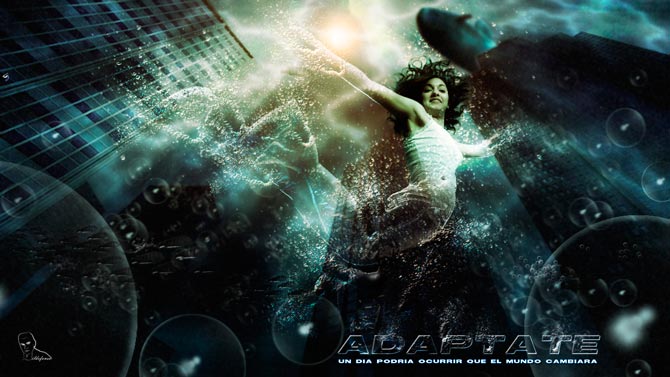
					<description><![CDATA[<p>La composición creada en enero de 2011 (ADAPTATE) es una reflexión sobre la dura situación actual por la que estamos pasando. Los tiempos cambian y el entorno turbulento hace más difícil un seguimiento de los estándares habituales. Hemos de adaptarnos a las situaciones anticipándonos y formando parte de la realidad como responsables de los cambios, [&#8230;]</p>
La entrada <a href="https://ildefonsosegura.es/convertir-una-persona-en-agua/">Tutorial Photoshop // Convertir una persona en agua</a> apareció primero en <a href="https://ildefonsosegura.es">Ildefonso Segura</a>.]]></description>
										<content:encoded><![CDATA[<div data-elementor-type="wp-post" data-elementor-id="595" class="elementor elementor-595">
						<section class="elementor-section elementor-top-section elementor-element elementor-element-7108801d elementor-section-boxed elementor-section-height-default elementor-section-height-default" data-id="7108801d" data-element_type="section" data-e-type="section">
						<div class="elementor-container elementor-column-gap-default">
					<div class="elementor-column elementor-col-100 elementor-top-column elementor-element elementor-element-34b3edc9" data-id="34b3edc9" data-element_type="column" data-e-type="column">
			<div class="elementor-widget-wrap elementor-element-populated">
						<div class="elementor-element elementor-element-5bebf176 elementor-widget__width-initial elementor-widget elementor-widget-text-editor" data-id="5bebf176" data-element_type="widget" data-e-type="widget" data-widget_type="text-editor.default">
				<div class="elementor-widget-container">
									<p>La composición creada en enero de 2011 (<span style="color: #800000;"><strong>ADAPTATE</strong></span>) es una reflexión sobre la dura situación actual por la que estamos pasando. Los tiempos cambian y el entorno turbulento hace más difícil un seguimiento de los estándares habituales. <strong>Hemos de adaptarnos</strong> a las situaciones anticipándonos y formando parte de la realidad como responsables de los cambios, actores y no como víctimas de las circunstancias, Adáptate.</p><p>Esta composición está explicada en tres tutoriales:</p><p>1.- <strong>Convertir una persona en agua</strong></p><p>2.- <strong>Crear burbujas</strong> (pinceles).</p><p>3.- <strong>Sumergir una ciudad</strong>.</p><p><a href="https://ildefonsosegura.es/convertir-una-persona-en-agua/adaptate/" rel="attachment wp-att-607"><img fetchpriority="high" decoding="async" class="size-full wp-image-607 aligncenter" src="https://ildefonsosegura.es/wp-content/uploads/ADAPTATE.jpg" alt="ADAPTATE" width="670" height="377" /></a></p><p>Abajo puedes ver y descargar el tutorial escrito. Disfrútalo</p><p><span style="color: #800000;"><strong>VIDEOTUTORIAL CONVERTIR LA PERSONA EN AGUA </strong></span></p><center><iframe src="https://www.youtube.com/embed/5Tu7gPUxBaY" width="640" height="420" frameborder="0" allowfullscreen="allowfullscreen"></iframe></center><center></center><pre><span style="color: #800000;"><strong>VIDEOTUTORIAL CREAR BURBUJAS </strong></span></pre><center><iframe src="https://www.youtube.com/embed/6qxumiHis2Y" width="640" height="420" frameborder="0" allowfullscreen="allowfullscreen"></iframe></center><p><span style="color: #800000;"><strong>VIDEOTUTORIAL SUMERGIR UNA CIUDAD </strong></span></p><center><iframe src="https://www.youtube.com/embed/BBhg9IfrbKM" width="640" height="420" frameborder="0" allowfullscreen="allowfullscreen"></iframe></center><p> </p><p><a style="margin: 12px auto 6px auto; font-family: Helvetica,Arial,Sans-serif; font-style: normal; font-variant: normal; font-weight: normal; font-size: 14px; line-height: normal; font-size-adjust: none; font-stretch: normal; -x-system-font: none; display: block; text-decoration: underline;" title="View Tutorial Agua Adaptate on Scribd" href="http://www.scribd.com/doc/46550681">Tutorial Agua Adaptate</a><iframe id="doc_40324" src="https://www.scribd.com/embeds/46550681/content?start_page=1&amp;view_mode=scroll" width="100%" height="600" frameborder="0" scrolling="no" data-auto-height="true" data-aspect-ratio=""></iframe></p><p style="text-align: left;"> </p>								</div>
				</div>
					</div>
		</div>
					</div>
		</section>
				<section class="elementor-section elementor-top-section elementor-element elementor-element-4589eff6 elementor-section-boxed elementor-section-height-default elementor-section-height-default" data-id="4589eff6" data-element_type="section" data-e-type="section">
						<div class="elementor-container elementor-column-gap-default">
					<div class="elementor-column elementor-col-100 elementor-top-column elementor-element elementor-element-2c7b42d" data-id="2c7b42d" data-element_type="column" data-e-type="column">
			<div class="elementor-widget-wrap elementor-element-populated">
						<div class="elementor-element elementor-element-58439ffd elementor-widget-divider--view-line elementor-widget elementor-widget-divider" data-id="58439ffd" data-element_type="widget" data-e-type="widget" data-widget_type="divider.default">
				<div class="elementor-widget-container">
							<div class="elementor-divider">
			<span class="elementor-divider-separator">
						</span>
		</div>
						</div>
				</div>
					</div>
		</div>
					</div>
		</section>
				<section class="elementor-section elementor-top-section elementor-element elementor-element-14ff095b elementor-section-full_width elementor-section-height-default elementor-section-height-default" data-id="14ff095b" data-element_type="section" data-e-type="section">
						<div class="elementor-container elementor-column-gap-default">
					<div class="elementor-column elementor-col-33 elementor-top-column elementor-element elementor-element-30a56b07" data-id="30a56b07" data-element_type="column" data-e-type="column">
			<div class="elementor-widget-wrap elementor-element-populated">
						<div class="elementor-element elementor-element-2a14cf81 elementor-align-right elementor-invisible elementor-widget elementor-widget-button" data-id="2a14cf81" data-element_type="widget" data-e-type="widget" data-settings="{&quot;_animation&quot;:&quot;shake&quot;}" data-widget_type="button.default">
				<div class="elementor-widget-container">
									<div class="elementor-button-wrapper">
					<a class="elementor-button elementor-button-link elementor-size-sm elementor-animation-grow" href="https://drive.google.com/open?id=0B_nJkCGJubucY2x4RTFnREl2cjA" target="_blank">
						<span class="elementor-button-content-wrapper">
									<span class="elementor-button-text">DESCARGA EL MATERIAL</span>
					</span>
					</a>
				</div>
								</div>
				</div>
					</div>
		</div>
				<div class="elementor-column elementor-col-33 elementor-top-column elementor-element elementor-element-a48b21c" data-id="a48b21c" data-element_type="column" data-e-type="column">
			<div class="elementor-widget-wrap elementor-element-populated">
						<div class="elementor-element elementor-element-22e3f7ac elementor-align-right elementor-invisible elementor-widget elementor-widget-button" data-id="22e3f7ac" data-element_type="widget" data-e-type="widget" data-settings="{&quot;_animation&quot;:&quot;shake&quot;}" data-widget_type="button.default">
				<div class="elementor-widget-container">
									<div class="elementor-button-wrapper">
					<a class="elementor-button elementor-button-link elementor-size-sm elementor-animation-grow" href="https://drive.google.com/open?id=0B_nJkCGJubucc0FnRkdicVdRak0">
						<span class="elementor-button-content-wrapper">
									<span class="elementor-button-text">BAJATE TUTORIAL ESCRITO</span>
					</span>
					</a>
				</div>
								</div>
				</div>
					</div>
		</div>
				<div class="elementor-column elementor-col-33 elementor-top-column elementor-element elementor-element-98bb30" data-id="98bb30" data-element_type="column" data-e-type="column">
			<div class="elementor-widget-wrap elementor-element-populated">
						<div class="elementor-element elementor-element-dea1543 elementor-widget elementor-widget-html" data-id="dea1543" data-element_type="widget" data-e-type="widget" data-settings="{&quot;_animation&quot;:&quot;none&quot;}" data-widget_type="html.default">
				<div class="elementor-widget-container">
					<form action="https://www.paypal.com/cgi-bin/webscr" method="post" target="_blank">
<input type="hidden" name="cmd" value="_donations">
<input type="hidden" name="business" value="ildefonsosegura@gmail.com">
<input type="hidden" name="lc" value="ES">
<input type="hidden" name="item_name" value="MANTENIMIENTO DE LA PAGINA DE ILDEFONSOSEGURA">
<input type="hidden" name="no_note" value="0">
<input type="hidden" name="currency_code" value="EUR">
<input type="hidden" name="bn" value="PP-DonationsBF:paypal1.jpg:NonHostedGuest">
<input type="image" src="http://ildefonsosegura.es/wp-content/uploads/paypal-updated-1.png" border="0" name="submit" alt="PayPal. La forma rápida y segura de pagar en Internet.">
<img decoding="async" alt="" border="0" src="https://www.paypalobjects.com/es_ES/i/scr/pixel.gif" width="1" height="1">
</form>				</div>
				</div>
					</div>
		</div>
					</div>
		</section>
				<section class="elementor-section elementor-top-section elementor-element elementor-element-220132b1 elementor-section-boxed elementor-section-height-default elementor-section-height-default" data-id="220132b1" data-element_type="section" data-e-type="section">
						<div class="elementor-container elementor-column-gap-default">
					<div class="elementor-column elementor-col-100 elementor-top-column elementor-element elementor-element-69202122" data-id="69202122" data-element_type="column" data-e-type="column">
			<div class="elementor-widget-wrap elementor-element-populated">
						<div class="elementor-element elementor-element-3ce834fd elementor-widget-divider--view-line elementor-widget elementor-widget-divider" data-id="3ce834fd" data-element_type="widget" data-e-type="widget" data-widget_type="divider.default">
				<div class="elementor-widget-container">
							<div class="elementor-divider">
			<span class="elementor-divider-separator">
						</span>
		</div>
						</div>
				</div>
					</div>
		</div>
					</div>
		</section>
				<section class="elementor-section elementor-top-section elementor-element elementor-element-7523bbee elementor-section-full_width elementor-section-height-default elementor-section-height-default" data-id="7523bbee" data-element_type="section" data-e-type="section">
						<div class="elementor-container elementor-column-gap-default">
					<div class="elementor-column elementor-col-100 elementor-top-column elementor-element elementor-element-54410855" data-id="54410855" data-element_type="column" data-e-type="column">
			<div class="elementor-widget-wrap elementor-element-populated">
						<div class="elementor-element elementor-element-6ad9a09 elementor-widget elementor-widget-text-editor" data-id="6ad9a09" data-element_type="widget" data-e-type="widget" data-widget_type="text-editor.default">
				<div class="elementor-widget-container">
									<div><div align="center"><center><strong style="color: #ff0000;">Suscríbete a mi canal de Youtube:</strong></center><div><div><div align="center"><p><script src="https://apis.google.com/js/platform.js"></script></p><div class="g-ytsubscribe" data-channel="ildefonsosegura" data-layout="full" data-count="default"> </div></div></div><p> </p><p style="text-align: center;">No te lo pierdas y comparte tus trabajos en mi página de facebook (<span style="color: #0000ff;"><strong><a style="color: #0000ff;" href="http://www.facebook.com/IldefonsoSeguraPage" target="_blank" rel="noopener noreferrer">IldefonsoSeguraPage</a></strong></span>)<br />Espero que te guste y compartas el vídeo. No dejes de compartir este post.</p><p style="text-align: center;">Así es como me puedes ayudar 🙂 Gracias</p></div></div></div>								</div>
				</div>
					</div>
		</div>
					</div>
		</section>
				</div>La entrada <a href="https://ildefonsosegura.es/convertir-una-persona-en-agua/">Tutorial Photoshop // Convertir una persona en agua</a> apareció primero en <a href="https://ildefonsosegura.es">Ildefonso Segura</a>.]]></content:encoded>
					
					<wfw:commentRss>https://ildefonsosegura.es/convertir-una-persona-en-agua/feed/</wfw:commentRss>
			<slash:comments>1</slash:comments>
		
		
			</item>
		<item>
		<title>Tutorial Photoshop // Como hacer un Pincel para tu firma en tus trabajos</title>
		<link>https://ildefonsosegura.es/pincel-de-firma/</link>
					<comments>https://ildefonsosegura.es/pincel-de-firma/#respond</comments>
		
		<dc:creator><![CDATA[Ildefonso Segura]]></dc:creator>
		<pubDate>Thu, 03 Jan 2013 10:21:21 +0000</pubDate>
				<category><![CDATA[Consejos]]></category>
		<category><![CDATA[Photoshop]]></category>
		<category><![CDATA[Tecnicas]]></category>
		<category><![CDATA[Tutoriales]]></category>
		<category><![CDATA[Video]]></category>
		<category><![CDATA[brush]]></category>
		<category><![CDATA[brushes]]></category>
		<category><![CDATA[composiciones]]></category>
		<category><![CDATA[contornear]]></category>
		<category><![CDATA[gloriasanis]]></category>
		<category><![CDATA[ildefonsosegura]]></category>
		<category><![CDATA[pincel]]></category>
		<category><![CDATA[pinceles]]></category>
		<category><![CDATA[rostro]]></category>
		<category><![CDATA[trazado]]></category>
		<category><![CDATA[VIDEOTUTORIAL]]></category>
		<guid isPermaLink="false">http://ildefonsosegura.es/?p=764</guid>

					<description><![CDATA[<p>En la mayoria de mis composiciones aparece una firma como esta Esta es mi firma y puedo hacerla fácilmente con un pincel creado al efecto. Hoy te enseñaré lo fácil de hacerlo aunque es un poco costoso al principio cuando defines los trazados y los contorneas. Creo que el resultado vale la pena y obtenermos [&#8230;]</p>
La entrada <a href="https://ildefonsosegura.es/pincel-de-firma/">Tutorial Photoshop // Como hacer un Pincel para tu firma en tus trabajos</a> apareció primero en <a href="https://ildefonsosegura.es">Ildefonso Segura</a>.]]></description>
										<content:encoded><![CDATA[<p>En la mayoria de mis composiciones aparece una firma como esta</p>
<p><a href="https://ildefonsosegura.es/pincel-de-firma/pincel-firma-miniatura/" rel="attachment wp-att-765"><img decoding="async" class="size-full wp-image-765 aligncenter" alt="pincel-firma-miniatura" src="https://ildefonsosegura.es/wp-content/uploads/pincel-firma-miniatura.jpg" width="176" height="99" /></a></p>
<p>Esta es mi firma y puedo hacerla fácilmente con un pincel creado al efecto. Hoy te enseñaré lo fácil de hacerlo aunque es un poco costoso al principio cuando defines los trazados y los contorneas. Creo que el resultado vale la pena y obtenermos una herramienta rápida y atractiva para firmar nuestras composiciones.</p>
<p>&nbsp;</p>
<p style="text-align: left;"><span style="color: #800000;"><strong>VIDEOTUTORIAL ROSTRO EN ARENA</strong></span></p>
<p><center><iframe src="https://www.youtube.com/embed/wNf_PiP3SAI" height="360" width="640" allowfullscreen="" frameborder="0"></iframe></center>&nbsp;</p>
<p>&nbsp;</p>La entrada <a href="https://ildefonsosegura.es/pincel-de-firma/">Tutorial Photoshop // Como hacer un Pincel para tu firma en tus trabajos</a> apareció primero en <a href="https://ildefonsosegura.es">Ildefonso Segura</a>.]]></content:encoded>
					
					<wfw:commentRss>https://ildefonsosegura.es/pincel-de-firma/feed/</wfw:commentRss>
			<slash:comments>0</slash:comments>
		
		
			</item>
		<item>
		<title>Tutorial Photoshop // Convierte una fotografía en dibujo</title>
		<link>https://ildefonsosegura.es/fotografia-a-dibujo/</link>
					<comments>https://ildefonsosegura.es/fotografia-a-dibujo/#comments</comments>
		
		<dc:creator><![CDATA[Ildefonso Segura]]></dc:creator>
		<pubDate>Tue, 25 Dec 2012 00:36:20 +0000</pubDate>
				<category><![CDATA[Efectos]]></category>
		<category><![CDATA[Photoshop]]></category>
		<category><![CDATA[Tecnicas]]></category>
		<category><![CDATA[Tutorial Escrito]]></category>
		<category><![CDATA[Tutoriales]]></category>
		<category><![CDATA[Wallpaper]]></category>
		<category><![CDATA[convertir]]></category>
		<category><![CDATA[dibujo]]></category>
		<category><![CDATA[efecto]]></category>
		<category><![CDATA[foto]]></category>
		<category><![CDATA[fotografia]]></category>
		<category><![CDATA[ildefonsosegura]]></category>
		<category><![CDATA[manipulación]]></category>
		<category><![CDATA[photoshop]]></category>
		<category><![CDATA[pincel]]></category>
		<category><![CDATA[pinceles]]></category>
		<category><![CDATA[style]]></category>
		<category><![CDATA[tuto]]></category>
		<category><![CDATA[video]]></category>
		<category><![CDATA[youtube]]></category>
		<guid isPermaLink="false">http://ildefonsosegura.es/?p=41</guid>

					<description><![CDATA[<p>Con este tutorial de Photoshop podrás aprender técnicas para convertir una fotografía en un dibujo. En la miniatura ves un ejemplo del resultado muy profesional. Sólo emplearás unos minutos para conseguir este efecto. Anímate y prueba con este sencillo tutorial. Disfrútalo. VIDEOTUTORIAL    VIDEOTUTORIAL HABLADO    DESCARGA EL MATERIAL DESCARGA TUTORIAL ESCRITO Suscríbete a mi [&#8230;]</p>

La entrada <a href="https://ildefonsosegura.es/fotografia-a-dibujo/">Tutorial Photoshop // Convierte una fotografía en dibujo</a> apareció primero en <a href="https://ildefonsosegura.es">Ildefonso Segura</a>.]]></description>
										<content:encoded><![CDATA[<div data-elementor-type="wp-post" data-elementor-id="41" class="elementor elementor-41">
						<section class="elementor-section elementor-top-section elementor-element elementor-element-34a1d2f5 elementor-section-boxed elementor-section-height-default elementor-section-height-default" data-id="34a1d2f5" data-element_type="section" data-e-type="section">
						<div class="elementor-container elementor-column-gap-default">
					<div class="elementor-column elementor-col-100 elementor-top-column elementor-element elementor-element-613051a0" data-id="613051a0" data-element_type="column" data-e-type="column">
			<div class="elementor-widget-wrap elementor-element-populated">
						<div class="elementor-element elementor-element-4c71afb5 elementor-widget elementor-widget-text-editor" data-id="4c71afb5" data-element_type="widget" data-e-type="widget" data-widget_type="text-editor.default">
				<div class="elementor-widget-container">
									<p><img loading="lazy" decoding="async" class="size-medium wp-image-166 aligncenter" src="https://ildefonsosegura.es/wp-content/uploads/dibujo-miniatura-300x168.jpg" alt="dibujo miniatura" width="300" height="168" srcset="https://ildefonsosegura.es/wp-content/uploads/dibujo-miniatura-300x168.jpg 300w, https://ildefonsosegura.es/wp-content/uploads/dibujo-miniatura-1024x576.jpg 1024w, https://ildefonsosegura.es/wp-content/uploads/dibujo-miniatura.jpg 1280w" sizes="(max-width: 300px) 100vw, 300px" /></p><p>Con este tutorial de Photoshop podrás aprender técnicas para convertir una fotografía en un dibujo. En la miniatura ves un ejemplo del resultado muy profesional. Sólo emplearás unos minutos para conseguir este efecto. Anímate y prueba con este sencillo tutorial. Disfrútalo.</p><p><span style="color: #800000;"><strong>VIDEOTUTORIAL </strong> </span></p><center><iframe src="https://www.youtube.com/embed/eJTBMbYovpQ" width="640" height="420" frameborder="0" allowfullscreen="allowfullscreen"></iframe></center><center></center><center></center><p> </p><p><span style="color: #800000;"><strong>VIDEOTUTORIAL HABLADO </strong> </span></p><p> </p><center><iframe src="https://www.youtube.com/embed/CdWYwjcgJho" width="640" height="420" frameborder="0" allowfullscreen="allowfullscreen"></iframe></center>								</div>
				</div>
					</div>
		</div>
					</div>
		</section>
				<section class="elementor-section elementor-top-section elementor-element elementor-element-501ab0 elementor-section-boxed elementor-section-height-default elementor-section-height-default" data-id="501ab0" data-element_type="section" data-e-type="section">
						<div class="elementor-container elementor-column-gap-default">
					<div class="elementor-column elementor-col-100 elementor-top-column elementor-element elementor-element-4db6006b" data-id="4db6006b" data-element_type="column" data-e-type="column">
			<div class="elementor-widget-wrap elementor-element-populated">
						<div class="elementor-element elementor-element-24099dce elementor-widget-divider--view-line elementor-widget elementor-widget-divider" data-id="24099dce" data-element_type="widget" data-e-type="widget" data-widget_type="divider.default">
				<div class="elementor-widget-container">
							<div class="elementor-divider">
			<span class="elementor-divider-separator">
						</span>
		</div>
						</div>
				</div>
					</div>
		</div>
					</div>
		</section>
				<section class="elementor-section elementor-top-section elementor-element elementor-element-8cccb21 elementor-section-full_width elementor-section-height-default elementor-section-height-default" data-id="8cccb21" data-element_type="section" data-e-type="section">
						<div class="elementor-container elementor-column-gap-default">
					<div class="elementor-column elementor-col-50 elementor-top-column elementor-element elementor-element-27f21f45" data-id="27f21f45" data-element_type="column" data-e-type="column">
			<div class="elementor-widget-wrap elementor-element-populated">
						<div class="elementor-element elementor-element-417f6e8f elementor-align-right elementor-invisible elementor-widget elementor-widget-button" data-id="417f6e8f" data-element_type="widget" data-e-type="widget" data-settings="{&quot;_animation&quot;:&quot;shake&quot;}" data-widget_type="button.default">
				<div class="elementor-widget-container">
									<div class="elementor-button-wrapper">
					<a class="elementor-button elementor-button-link elementor-size-sm elementor-animation-grow" href="https://drive.google.com/open?id=0B_nJkCGJubucYUs1R09nV1FrdTA" target="_blank">
						<span class="elementor-button-content-wrapper">
									<span class="elementor-button-text">DESCARGA EL MATERIAL</span>
					</span>
					</a>
				</div>
								</div>
				</div>
					</div>
		</div>
				<div class="elementor-column elementor-col-50 elementor-top-column elementor-element elementor-element-66471908" data-id="66471908" data-element_type="column" data-e-type="column">
			<div class="elementor-widget-wrap elementor-element-populated">
						<div class="elementor-element elementor-element-3d1ed0ee elementor-widget elementor-widget-html" data-id="3d1ed0ee" data-element_type="widget" data-e-type="widget" data-settings="{&quot;_animation&quot;:&quot;none&quot;}" data-widget_type="html.default">
				<div class="elementor-widget-container">
					<form action="https://www.paypal.com/cgi-bin/webscr" method="post" target="_blank">
<input type="hidden" name="cmd" value="_donations">
<input type="hidden" name="business" value="ildefonsosegura@gmail.com">
<input type="hidden" name="lc" value="ES">
<input type="hidden" name="item_name" value="MANTENIMIENTO DE LA PAGINA DE ILDEFONSOSEGURA">
<input type="hidden" name="no_note" value="0">
<input type="hidden" name="currency_code" value="EUR">
<input type="hidden" name="bn" value="PP-DonationsBF:paypal1.jpg:NonHostedGuest">
<input type="image" src="http://ildefonsosegura.es/wp-content/uploads/paypal-updated-1.png" border="0" name="submit" alt="PayPal. La forma rápida y segura de pagar en Internet.">
<img decoding="async" alt="" border="0" src="https://www.paypalobjects.com/es_ES/i/scr/pixel.gif" width="1" height="1">
</form>				</div>
				</div>
					</div>
		</div>
					</div>
		</section>
				<section class="elementor-section elementor-top-section elementor-element elementor-element-c56abbc elementor-section-boxed elementor-section-height-default elementor-section-height-default" data-id="c56abbc" data-element_type="section" data-e-type="section">
						<div class="elementor-container elementor-column-gap-default">
					<div class="elementor-column elementor-col-100 elementor-top-column elementor-element elementor-element-9d31b69" data-id="9d31b69" data-element_type="column" data-e-type="column">
			<div class="elementor-widget-wrap elementor-element-populated">
						<div class="elementor-element elementor-element-01c3f6e elementor-widget-divider--view-line_icon elementor-view-default elementor-widget-divider--element-align-center elementor-widget elementor-widget-divider" data-id="01c3f6e" data-element_type="widget" data-e-type="widget" data-widget_type="divider.default">
				<div class="elementor-widget-container">
							<div class="elementor-divider">
			<span class="elementor-divider-separator">
							<div class="elementor-icon elementor-divider__element">
					<i aria-hidden="true" class="fas fa-star"></i></div>
						</span>
		</div>
						</div>
				</div>
					</div>
		</div>
					</div>
		</section>
				<section class="elementor-section elementor-top-section elementor-element elementor-element-eadcfe9 elementor-section-full_width elementor-section-height-default elementor-section-height-default" data-id="eadcfe9" data-element_type="section" data-e-type="section">
						<div class="elementor-container elementor-column-gap-default">
					<div class="elementor-column elementor-col-50 elementor-top-column elementor-element elementor-element-f62d151" data-id="f62d151" data-element_type="column" data-e-type="column">
			<div class="elementor-widget-wrap elementor-element-populated">
						<div class="elementor-element elementor-element-e77c25f elementor-align-right elementor-invisible elementor-widget elementor-widget-button" data-id="e77c25f" data-element_type="widget" data-e-type="widget" data-settings="{&quot;_animation&quot;:&quot;shake&quot;}" data-widget_type="button.default">
				<div class="elementor-widget-container">
									<div class="elementor-button-wrapper">
					<a class="elementor-button elementor-button-link elementor-size-sm elementor-animation-grow" href="https://drive.google.com/open?id=0B_nJkCGJubucSkxCaFpxX19qU2M" target="_blank">
						<span class="elementor-button-content-wrapper">
									<span class="elementor-button-text">DESCARGA TUTORIAL ESCRITO</span>
					</span>
					</a>
				</div>
								</div>
				</div>
					</div>
		</div>
				<div class="elementor-column elementor-col-50 elementor-top-column elementor-element elementor-element-31adae4" data-id="31adae4" data-element_type="column" data-e-type="column">
			<div class="elementor-widget-wrap elementor-element-populated">
						<div class="elementor-element elementor-element-1495378 elementor-widget elementor-widget-html" data-id="1495378" data-element_type="widget" data-e-type="widget" data-settings="{&quot;_animation&quot;:&quot;none&quot;}" data-widget_type="html.default">
				<div class="elementor-widget-container">
					<form action="https://www.paypal.com/cgi-bin/webscr" method="post" target="_blank">
<input type="hidden" name="cmd" value="_donations">
<input type="hidden" name="business" value="ildefonsosegura@gmail.com">
<input type="hidden" name="lc" value="ES">
<input type="hidden" name="item_name" value="MANTENIMIENTO DE LA PAGINA DE ILDEFONSOSEGURA">
<input type="hidden" name="no_note" value="0">
<input type="hidden" name="currency_code" value="EUR">
<input type="hidden" name="bn" value="PP-DonationsBF:paypal1.jpg:NonHostedGuest">
<input type="image" src="http://ildefonsosegura.es/wp-content/uploads/paypal-updated-1.png" border="0" name="submit" alt="PayPal. La forma rápida y segura de pagar en Internet.">
<img decoding="async" alt="" border="0" src="https://www.paypalobjects.com/es_ES/i/scr/pixel.gif" width="1" height="1">
</form>				</div>
				</div>
					</div>
		</div>
					</div>
		</section>
				<section class="elementor-section elementor-top-section elementor-element elementor-element-19e0636b elementor-section-boxed elementor-section-height-default elementor-section-height-default" data-id="19e0636b" data-element_type="section" data-e-type="section">
						<div class="elementor-container elementor-column-gap-default">
					<div class="elementor-column elementor-col-100 elementor-top-column elementor-element elementor-element-38b2b306" data-id="38b2b306" data-element_type="column" data-e-type="column">
			<div class="elementor-widget-wrap elementor-element-populated">
						<div class="elementor-element elementor-element-6a404c27 elementor-widget-divider--view-line elementor-widget elementor-widget-divider" data-id="6a404c27" data-element_type="widget" data-e-type="widget" data-widget_type="divider.default">
				<div class="elementor-widget-container">
							<div class="elementor-divider">
			<span class="elementor-divider-separator">
						</span>
		</div>
						</div>
				</div>
					</div>
		</div>
					</div>
		</section>
				<section class="elementor-section elementor-top-section elementor-element elementor-element-161d916 elementor-section-full_width elementor-section-height-default elementor-section-height-default" data-id="161d916" data-element_type="section" data-e-type="section">
						<div class="elementor-container elementor-column-gap-default">
					<div class="elementor-column elementor-col-100 elementor-top-column elementor-element elementor-element-2e717f79" data-id="2e717f79" data-element_type="column" data-e-type="column">
			<div class="elementor-widget-wrap elementor-element-populated">
						<div class="elementor-element elementor-element-507f8e30 elementor-widget elementor-widget-text-editor" data-id="507f8e30" data-element_type="widget" data-e-type="widget" data-widget_type="text-editor.default">
				<div class="elementor-widget-container">
									<div><div align="center"><center><strong style="color: #ff0000;">Suscríbete a mi canal de Youtube:</strong></center><div><div><div align="center"><p><script src="https://apis.google.com/js/platform.js"></script></p><div class="g-ytsubscribe" data-channel="ildefonsosegura" data-layout="full" data-count="default"> </div></div></div><p> </p><p style="text-align: center;">No te lo pierdas y comparte tus trabajos en mi página de facebook (<span style="color: #0000ff;"><strong><a style="color: #0000ff;" href="http://www.facebook.com/IldefonsoSeguraPage" target="_blank" rel="noopener noreferrer">IldefonsoSeguraPage</a></strong></span>)<br />Espero que te guste y compartas el vídeo. No dejes de compartir este post.</p><p style="text-align: center;">Así es como me puedes ayudar 🙂 Gracias</p></div></div></div>								</div>
				</div>
					</div>
		</div>
					</div>
		</section>
				</div>La entrada <a href="https://ildefonsosegura.es/fotografia-a-dibujo/">Tutorial Photoshop // Convierte una fotografía en dibujo</a> apareció primero en <a href="https://ildefonsosegura.es">Ildefonso Segura</a>.]]></content:encoded>
					
					<wfw:commentRss>https://ildefonsosegura.es/fotografia-a-dibujo/feed/</wfw:commentRss>
			<slash:comments>1</slash:comments>
		
		
			</item>
		<item>
		<title>Reconstrucción de cabello después de recortar con tampón de clonar en Photoshop</title>
		<link>https://ildefonsosegura.es/reconstruccion-de-cabello-despues-de-recortar-con-tampon-de-clonar-en-photoshop/</link>
					<comments>https://ildefonsosegura.es/reconstruccion-de-cabello-despues-de-recortar-con-tampon-de-clonar-en-photoshop/#respond</comments>
		
		<dc:creator><![CDATA[Ildefonso Segura]]></dc:creator>
		<pubDate>Tue, 04 Dec 2012 11:40:32 +0000</pubDate>
				<category><![CDATA[Conectatutoriales]]></category>
		<category><![CDATA[Photoshop]]></category>
		<category><![CDATA[Tecnicas]]></category>
		<category><![CDATA[Tutoriales]]></category>
		<category><![CDATA[clonar]]></category>
		<category><![CDATA[conectatutoriales]]></category>
		<category><![CDATA[foto]]></category>
		<category><![CDATA[gloriasanis]]></category>
		<category><![CDATA[ildefonsosegura]]></category>
		<category><![CDATA[image]]></category>
		<category><![CDATA[pelo]]></category>
		<category><![CDATA[pincel]]></category>
		<category><![CDATA[pinceles]]></category>
		<category><![CDATA[reconstrucción]]></category>
		<category><![CDATA[recortar]]></category>
		<category><![CDATA[recorte]]></category>
		<category><![CDATA[style]]></category>
		<category><![CDATA[tampon]]></category>
		<category><![CDATA[tuto]]></category>
		<category><![CDATA[video]]></category>
		<category><![CDATA[youtube]]></category>
		<guid isPermaLink="false">http://ildefonsosegura.es/?p=1395</guid>

					<description><![CDATA[<p>Con fecha 4 de diciembre de 2012 publiqué un videotutorial en Conectatutoriales.com en el que explicaba como realizar un truco fantástico, rápido y muy necesario! Siempre que hacemos un recorte de pelo desde Photoshop suelen quedar ciertas zonas con algunas imperfecciones o bordes rasgados y mal definidos. Os muestro como podemos hacer uso del tampón [&#8230;]</p>
La entrada <a href="https://ildefonsosegura.es/reconstruccion-de-cabello-despues-de-recortar-con-tampon-de-clonar-en-photoshop/">Reconstrucción de cabello después de recortar con tampón de clonar en Photoshop</a> apareció primero en <a href="https://ildefonsosegura.es">Ildefonso Segura</a>.]]></description>
										<content:encoded><![CDATA[<div data-elementor-type="wp-post" data-elementor-id="1395" class="elementor elementor-1395">
						<section class="elementor-section elementor-top-section elementor-element elementor-element-606c3cec elementor-section-boxed elementor-section-height-default elementor-section-height-default" data-id="606c3cec" data-element_type="section" data-e-type="section">
						<div class="elementor-container elementor-column-gap-default">
					<div class="elementor-column elementor-col-100 elementor-top-column elementor-element elementor-element-447ebab" data-id="447ebab" data-element_type="column" data-e-type="column">
			<div class="elementor-widget-wrap elementor-element-populated">
						<div class="elementor-element elementor-element-779fd79a elementor-widget elementor-widget-text-editor" data-id="779fd79a" data-element_type="widget" data-e-type="widget" data-widget_type="text-editor.default">
				<div class="elementor-widget-container">
									<p><a href="https://ildefonsosegura.es/reconstruccion-de-cabello-despues-de-recortar-con-tampon-de-clonar-en-photoshop/cabeza-jammes-garibo/" rel="attachment wp-att-1404"><img loading="lazy" decoding="async" class="size-full wp-image-1404 aligncenter" src="https://ildefonsosegura.es/wp-content/uploads/Cabeza-Jammes-Garibo.jpg" alt="Cabeza-Jammes-Garibo" width="600" height="338" srcset="https://ildefonsosegura.es/wp-content/uploads/Cabeza-Jammes-Garibo.jpg 600w, https://ildefonsosegura.es/wp-content/uploads/Cabeza-Jammes-Garibo-300x169.jpg 300w" sizes="(max-width: 600px) 100vw, 600px" /></a></p><p>Con fecha 4 de diciembre de 2012 publiqué un videotutorial en <strong><a title="Canal de youtube de Conectatutoriales" href="http://www.youtube.com/user/conectatutoriales" target="_blank" rel="noopener">Conectatutoriales.com</a></strong> en el que explicaba como realizar un truco fantástico, rápido y muy necesario! Siempre que hacemos un recorte de pelo desde Photoshop suelen quedar ciertas zonas con algunas imperfecciones o bordes rasgados y mal definidos.</p><p>Os muestro como podemos hacer uso del <strong>tampón de clonar</strong> para mejorar estas zonas y redibujar con naturalidad el pelo mediante pinceles con un resultado muy realista.<br />Un asombroso y práctico tutorial que nos ayudará a la hora de poner cualquier otro fondo a una fotografía obteniendo una fusión de ambas del modo más adecuado.</p><p> </p><p><span style="color: #800000;"><strong>VIDEOTUTORIAL </strong></span></p><p> </p><center><iframe src="https://www.youtube.com/embed/-zIjB0oTTZo" width="640" height="360" frameborder="0" allowfullscreen="allowfullscreen"></iframe></center><p> </p><p> </p><p> </p>								</div>
				</div>
					</div>
		</div>
					</div>
		</section>
				<section class="elementor-section elementor-top-section elementor-element elementor-element-24f5545 elementor-section-boxed elementor-section-height-default elementor-section-height-default" data-id="24f5545" data-element_type="section" data-e-type="section">
						<div class="elementor-container elementor-column-gap-default">
					<div class="elementor-column elementor-col-100 elementor-top-column elementor-element elementor-element-7a9bb873" data-id="7a9bb873" data-element_type="column" data-e-type="column">
			<div class="elementor-widget-wrap elementor-element-populated">
						<div class="elementor-element elementor-element-4769329e elementor-widget-divider--view-line elementor-widget elementor-widget-divider" data-id="4769329e" data-element_type="widget" data-e-type="widget" data-widget_type="divider.default">
				<div class="elementor-widget-container">
							<div class="elementor-divider">
			<span class="elementor-divider-separator">
						</span>
		</div>
						</div>
				</div>
					</div>
		</div>
					</div>
		</section>
				<section class="elementor-section elementor-top-section elementor-element elementor-element-d1fc669 elementor-section-full_width elementor-section-height-default elementor-section-height-default" data-id="d1fc669" data-element_type="section" data-e-type="section">
						<div class="elementor-container elementor-column-gap-default">
					<div class="elementor-column elementor-col-50 elementor-top-column elementor-element elementor-element-2d8cfcba" data-id="2d8cfcba" data-element_type="column" data-e-type="column">
			<div class="elementor-widget-wrap elementor-element-populated">
						<div class="elementor-element elementor-element-51c9189 elementor-align-right elementor-invisible elementor-widget elementor-widget-button" data-id="51c9189" data-element_type="widget" data-e-type="widget" data-settings="{&quot;_animation&quot;:&quot;shake&quot;}" data-widget_type="button.default">
				<div class="elementor-widget-container">
									<div class="elementor-button-wrapper">
					<a class="elementor-button elementor-button-link elementor-size-sm elementor-animation-grow" href="https://drive.google.com/open?id=0B_nJkCGJubucTkV2TDdRcEFLVGM" target="_blank">
						<span class="elementor-button-content-wrapper">
									<span class="elementor-button-text">DESCARGA EL MATERIAL</span>
					</span>
					</a>
				</div>
								</div>
				</div>
					</div>
		</div>
				<div class="elementor-column elementor-col-50 elementor-top-column elementor-element elementor-element-14582f5b" data-id="14582f5b" data-element_type="column" data-e-type="column">
			<div class="elementor-widget-wrap elementor-element-populated">
						<div class="elementor-element elementor-element-37b4d144 elementor-widget elementor-widget-html" data-id="37b4d144" data-element_type="widget" data-e-type="widget" data-settings="{&quot;_animation&quot;:&quot;none&quot;}" data-widget_type="html.default">
				<div class="elementor-widget-container">
					<form action="https://www.paypal.com/cgi-bin/webscr" method="post" target="_blank">
<input type="hidden" name="cmd" value="_donations">
<input type="hidden" name="business" value="ildefonsosegura@gmail.com">
<input type="hidden" name="lc" value="ES">
<input type="hidden" name="item_name" value="MANTENIMIENTO DE LA PAGINA DE ILDEFONSOSEGURA">
<input type="hidden" name="no_note" value="0">
<input type="hidden" name="currency_code" value="EUR">
<input type="hidden" name="bn" value="PP-DonationsBF:paypal1.jpg:NonHostedGuest">
<input type="image" src="http://ildefonsosegura.es/wp-content/uploads/paypal-updated-1.png" border="0" name="submit" alt="PayPal. La forma rápida y segura de pagar en Internet.">
<img decoding="async" alt="" border="0" src="https://www.paypalobjects.com/es_ES/i/scr/pixel.gif" width="1" height="1">
</form>				</div>
				</div>
					</div>
		</div>
					</div>
		</section>
				<section class="elementor-section elementor-top-section elementor-element elementor-element-1a19fe7a elementor-section-boxed elementor-section-height-default elementor-section-height-default" data-id="1a19fe7a" data-element_type="section" data-e-type="section">
						<div class="elementor-container elementor-column-gap-default">
					<div class="elementor-column elementor-col-100 elementor-top-column elementor-element elementor-element-535eeb2b" data-id="535eeb2b" data-element_type="column" data-e-type="column">
			<div class="elementor-widget-wrap elementor-element-populated">
						<div class="elementor-element elementor-element-72933917 elementor-widget-divider--view-line elementor-widget elementor-widget-divider" data-id="72933917" data-element_type="widget" data-e-type="widget" data-widget_type="divider.default">
				<div class="elementor-widget-container">
							<div class="elementor-divider">
			<span class="elementor-divider-separator">
						</span>
		</div>
						</div>
				</div>
					</div>
		</div>
					</div>
		</section>
				<section class="elementor-section elementor-top-section elementor-element elementor-element-7aa82c6e elementor-section-full_width elementor-section-height-default elementor-section-height-default" data-id="7aa82c6e" data-element_type="section" data-e-type="section">
						<div class="elementor-container elementor-column-gap-default">
					<div class="elementor-column elementor-col-100 elementor-top-column elementor-element elementor-element-701cb07b" data-id="701cb07b" data-element_type="column" data-e-type="column">
			<div class="elementor-widget-wrap elementor-element-populated">
						<div class="elementor-element elementor-element-251a5dec elementor-widget elementor-widget-text-editor" data-id="251a5dec" data-element_type="widget" data-e-type="widget" data-widget_type="text-editor.default">
				<div class="elementor-widget-container">
									<div><div align="center"><center><strong style="color: #ff0000;">Suscríbete a mi canal de Youtube:</strong></center><div><div><div align="center"><p><script src="https://apis.google.com/js/platform.js"></script></p><div class="g-ytsubscribe" data-channel="ildefonsosegura" data-layout="full" data-count="default"> </div></div></div><p> </p><p style="text-align: center;">No te lo pierdas y comparte tus trabajos en mi página de facebook (<span style="color: #0000ff;"><strong><a style="color: #0000ff;" href="http://www.facebook.com/IldefonsoSeguraPage" target="_blank" rel="noopener noreferrer">IldefonsoSeguraPage</a></strong></span>)<br />Espero que te guste y compartas el vídeo. No dejes de compartir este post.</p><p style="text-align: center;">Así es como me puedes ayudar 🙂 Gracias</p></div></div></div>								</div>
				</div>
					</div>
		</div>
					</div>
		</section>
				</div>La entrada <a href="https://ildefonsosegura.es/reconstruccion-de-cabello-despues-de-recortar-con-tampon-de-clonar-en-photoshop/">Reconstrucción de cabello después de recortar con tampón de clonar en Photoshop</a> apareció primero en <a href="https://ildefonsosegura.es">Ildefonso Segura</a>.]]></content:encoded>
					
					<wfw:commentRss>https://ildefonsosegura.es/reconstruccion-de-cabello-despues-de-recortar-con-tampon-de-clonar-en-photoshop/feed/</wfw:commentRss>
			<slash:comments>0</slash:comments>
		
		
			</item>
	</channel>
</rss>

<!--
Performance optimized by W3 Total Cache. Learn more: https://www.boldgrid.com/w3-total-cache/?utm_source=w3tc&utm_medium=footer_comment&utm_campaign=free_plugin

Caché de objetos 0/54 objetos usando Redis
Caché de base de datos usando Redis

Served from: ildefonsosegura.es @ 2026-04-21 00:02:22 by W3 Total Cache
--><br />
<b>Fatal error</b>:  Uncaught TypeError: mysqli_num_fields(): Argument #1 ($result) must be of type mysqli_result, true given in /var/www/vhosts/ildefonsosegura.es/httpdocs/wp-includes/class-wpdb.php:3876
Stack trace:
#0 /var/www/vhosts/ildefonsosegura.es/httpdocs/wp-includes/class-wpdb.php(3876): mysqli_num_fields()
#1 /var/www/vhosts/ildefonsosegura.es/httpdocs/wp-includes/class-wpdb.php(785): wpdb-&gt;load_col_info()
#2 /var/www/vhosts/ildefonsosegura.es/httpdocs/wp-content/plugins/w3-total-cache/DbCache_WpdbInjection_QueryCaching.php(230): wpdb-&gt;__get()
#3 /var/www/vhosts/ildefonsosegura.es/httpdocs/wp-content/plugins/w3-total-cache/DbCache_WpdbNew.php(216): W3TC\DbCache_WpdbInjection_QueryCaching-&gt;query()
#4 /var/www/vhosts/ildefonsosegura.es/httpdocs/wp-content/plugins/aaa-option-optimizer/src/class-database.php(199): W3TC\DbCache_WpdbNew-&gt;query()
#5 /var/www/vhosts/ildefonsosegura.es/httpdocs/wp-content/plugins/aaa-option-optimizer/src/class-plugin.php(182): Progress_Planner\OptionOptimizer\Database::batch_insert()
#6 /var/www/vhosts/ildefonsosegura.es/httpdocs/wp-includes/class-wp-hook.php(341): Progress_Planner\OptionOptimizer\Plugin-&gt;update_tracked_options()
#7 /var/www/vhosts/ildefonsosegura.es/httpdocs/wp-includes/class-wp-hook.php(365): WP_Hook-&gt;apply_filters()
#8 /var/www/vhosts/ildefonsosegura.es/httpdocs/wp-includes/plugin.php(522): WP_Hook-&gt;do_action()
#9 /var/www/vhosts/ildefonsosegura.es/httpdocs/wp-includes/load.php(1308): do_action()
#10 [internal function]: shutdown_action_hook()
#11 {main}
  thrown in <b>/var/www/vhosts/ildefonsosegura.es/httpdocs/wp-includes/class-wpdb.php</b> on line <b>3876</b><br />