<?xml version="1.0" encoding="UTF-8"?><rss version="2.0"
	xmlns:content="http://purl.org/rss/1.0/modules/content/"
	xmlns:wfw="http://wellformedweb.org/CommentAPI/"
	xmlns:dc="http://purl.org/dc/elements/1.1/"
	xmlns:atom="http://www.w3.org/2005/Atom"
	xmlns:sy="http://purl.org/rss/1.0/modules/syndication/"
	xmlns:slash="http://purl.org/rss/1.0/modules/slash/"
	>

<channel>
	<title>perspectiva | Ildefonso Segura</title>
	<atom:link href="https://ildefonsosegura.es/tag/perspectiva/feed/" rel="self" type="application/rss+xml" />
	<link>https://ildefonsosegura.es</link>
	<description>Tutoriales de diseño y animación</description>
	<lastBuildDate>Sun, 11 Jun 2023 17:01:14 +0000</lastBuildDate>
	<language>es</language>
	<sy:updatePeriod>
	hourly	</sy:updatePeriod>
	<sy:updateFrequency>
	1	</sy:updateFrequency>
	<generator>https://wordpress.org/?v=7.0</generator>

<image>
	<url>https://ildefonsosegura.es/wp-content/uploads/cropped-Favicon-new-logo-website-32x32.png</url>
	<title>perspectiva | Ildefonso Segura</title>
	<link>https://ildefonsosegura.es</link>
	<width>32</width>
	<height>32</height>
</image> 
	<item>
		<title>Plantilla presentación elegante con Photoshop // Tutorial</title>
		<link>https://ildefonsosegura.es/plantilla-presentacion-elegante-con-photoshop-tutorial/</link>
		
		<dc:creator><![CDATA[Ildefonso Segura]]></dc:creator>
		<pubDate>Sun, 04 Oct 2020 10:33:13 +0000</pubDate>
				<category><![CDATA[BUSINESS]]></category>
		<category><![CDATA[Efectos]]></category>
		<category><![CDATA[Fotocomposición]]></category>
		<category><![CDATA[Photoshop]]></category>
		<category><![CDATA[Tecnicas]]></category>
		<category><![CDATA[Tutoriales]]></category>
		<category><![CDATA[Wallpaper]]></category>
		<category><![CDATA[3D]]></category>
		<category><![CDATA[3d effect]]></category>
		<category><![CDATA[adobe]]></category>
		<category><![CDATA[cartel]]></category>
		<category><![CDATA[efecto]]></category>
		<category><![CDATA[fotocomposición]]></category>
		<category><![CDATA[gratis]]></category>
		<category><![CDATA[ildefonsosegura]]></category>
		<category><![CDATA[imagen]]></category>
		<category><![CDATA[perspectiva]]></category>
		<category><![CDATA[photoshop]]></category>
		<category><![CDATA[plantilla]]></category>
		<category><![CDATA[poster]]></category>
		<category><![CDATA[presentación]]></category>
		<category><![CDATA[presentation]]></category>
		<category><![CDATA[profundidad]]></category>
		<category><![CDATA[template]]></category>
		<category><![CDATA[tutorial]]></category>
		<category><![CDATA[wallpaper]]></category>
		<category><![CDATA[youtube]]></category>
		<guid isPermaLink="false">http://ildefonsosegura.es/?p=61453</guid>

					<description><![CDATA[<p>En este tutorial de Photoshop te mostraré como hacer una plantilla para realizar una presentación elegante en perspectiva de tus trabajos, imágenes, gráficos, etc&#8230; EJEMPLOS Anterior Siguiente De una forma fácil y procedimental diseñas una plantilla de un wallpaper que podrás usar en tus presentaciones elegantes, dándole un toque profesional y diferente. TUTORIAL PLANTILLA PRESENTACIÓN [&#8230;]</p>
La entrada <a href="https://ildefonsosegura.es/plantilla-presentacion-elegante-con-photoshop-tutorial/">Plantilla presentación elegante con Photoshop // Tutorial</a> apareció primero en <a href="https://ildefonsosegura.es">Ildefonso Segura</a>.]]></description>
										<content:encoded><![CDATA[<div data-elementor-type="wp-post" data-elementor-id="61453" class="elementor elementor-61453">
						<section class="elementor-section elementor-top-section elementor-element elementor-element-f0616b1 elementor-section-boxed elementor-section-height-default elementor-section-height-default" data-id="f0616b1" data-element_type="section" data-e-type="section">
						<div class="elementor-container elementor-column-gap-default">
					<div class="elementor-column elementor-col-100 elementor-top-column elementor-element elementor-element-93088e5" data-id="93088e5" data-element_type="column" data-e-type="column">
			<div class="elementor-widget-wrap elementor-element-populated">
						<div class="elementor-element elementor-element-19ae344 elementor-widget elementor-widget-text-editor" data-id="19ae344" data-element_type="widget" data-e-type="widget" data-widget_type="text-editor.default">
				<div class="elementor-widget-container">
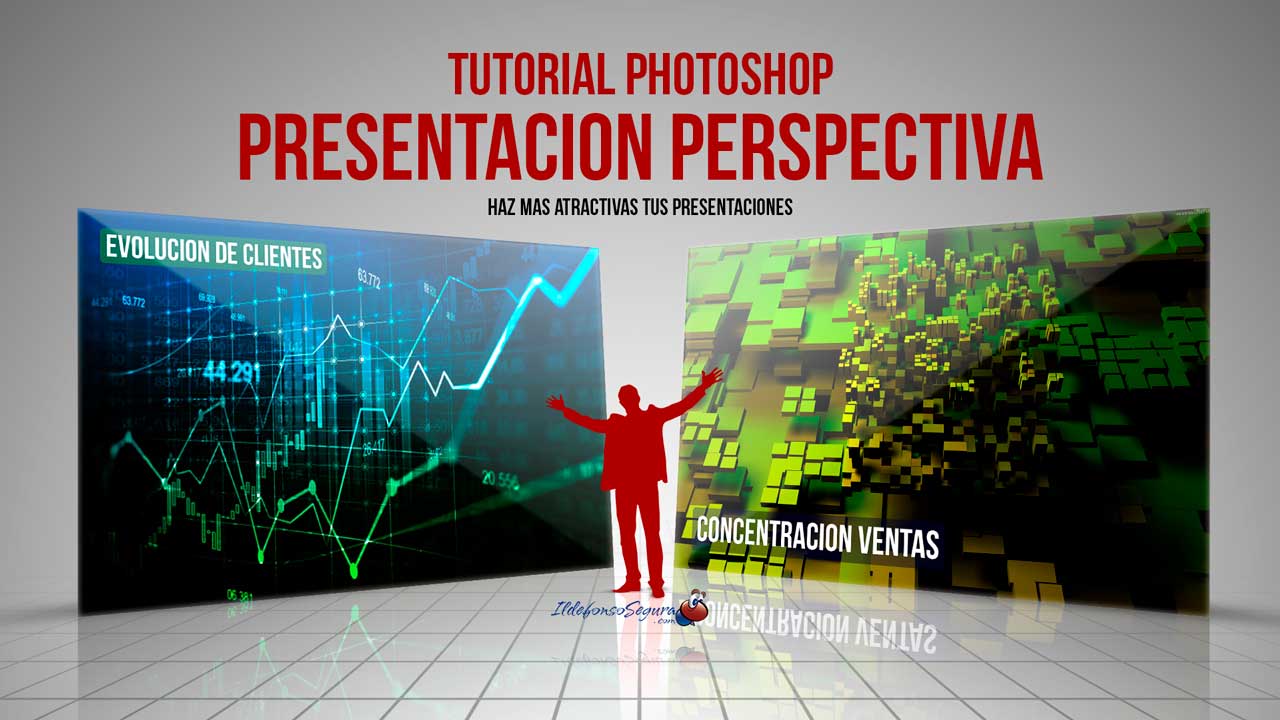
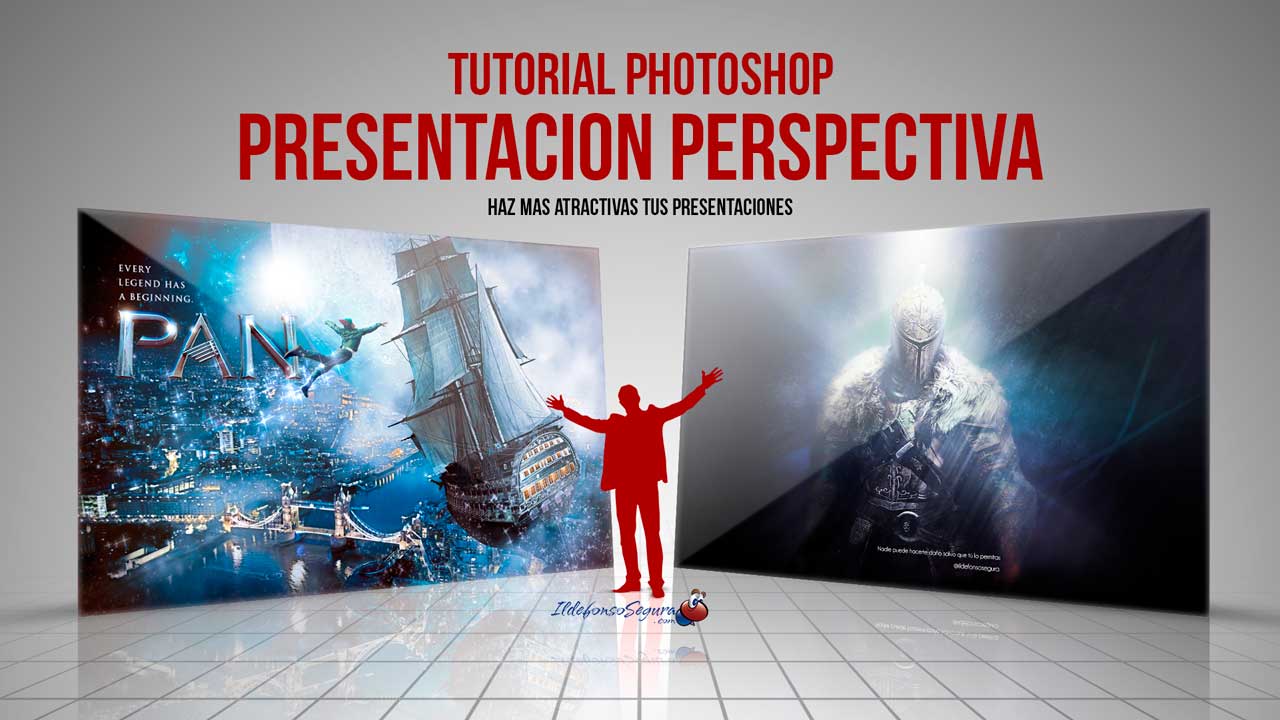
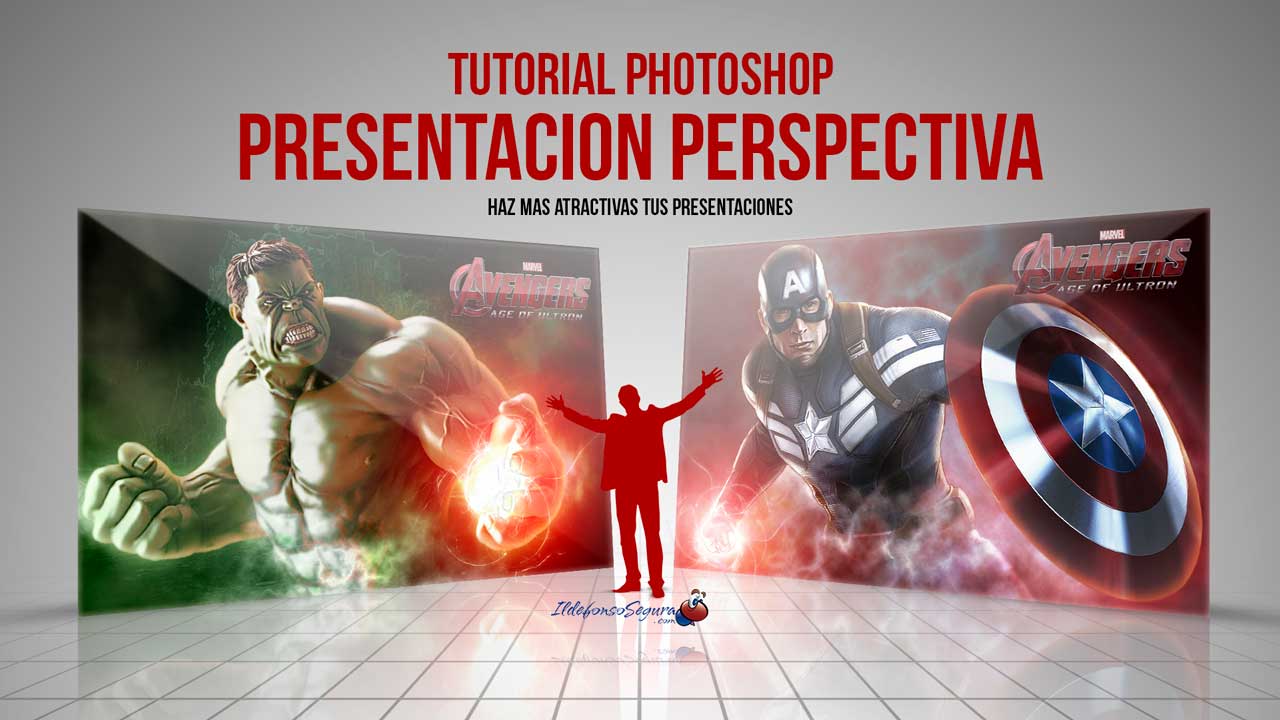
									<p style="text-align: justify;">En este tutorial de Photoshop te mostraré como hacer una plantilla para realizar una presentación elegante en perspectiva de tus trabajos, imágenes, gráficos, etc&#8230;</p><p><strong><span style="color: #800000;">EJEMPLOS</span></strong></p>								</div>
				</div>
					</div>
		</div>
					</div>
		</section>
				<section class="elementor-section elementor-top-section elementor-element elementor-element-52e4b9b elementor-section-boxed elementor-section-height-default elementor-section-height-default" data-id="52e4b9b" data-element_type="section" data-e-type="section">
						<div class="elementor-container elementor-column-gap-default">
					<div class="elementor-column elementor-col-100 elementor-top-column elementor-element elementor-element-a9cd129" data-id="a9cd129" data-element_type="column" data-e-type="column">
			<div class="elementor-widget-wrap elementor-element-populated">
						<div class="elementor-element elementor-element-1ba60f8 elementor-arrows-position-inside elementor-pagination-position-outside elementor-widget elementor-widget-image-carousel" data-id="1ba60f8" data-element_type="widget" data-e-type="widget" data-settings="{&quot;slides_to_show&quot;:&quot;2&quot;,&quot;slides_to_scroll&quot;:&quot;2&quot;,&quot;autoplay_speed&quot;:2878,&quot;navigation&quot;:&quot;both&quot;,&quot;autoplay&quot;:&quot;yes&quot;,&quot;pause_on_hover&quot;:&quot;yes&quot;,&quot;pause_on_interaction&quot;:&quot;yes&quot;,&quot;infinite&quot;:&quot;yes&quot;,&quot;speed&quot;:500,&quot;image_spacing_custom&quot;:{&quot;unit&quot;:&quot;px&quot;,&quot;size&quot;:20,&quot;sizes&quot;:[]},&quot;image_spacing_custom_tablet&quot;:{&quot;unit&quot;:&quot;px&quot;,&quot;size&quot;:&quot;&quot;,&quot;sizes&quot;:[]},&quot;image_spacing_custom_mobile&quot;:{&quot;unit&quot;:&quot;px&quot;,&quot;size&quot;:&quot;&quot;,&quot;sizes&quot;:[]}}" data-widget_type="image-carousel.default">
				<div class="elementor-widget-container">
							<div class="elementor-image-carousel-wrapper swiper" role="region" aria-roledescription="carousel" aria-label="Carrusel de imágenes" dir="ltr">
			<div class="elementor-image-carousel swiper-wrapper" aria-live="off">
								<div class="swiper-slide" role="group" aria-roledescription="slide" aria-label="1 de 3"><figure class="swiper-slide-inner"><img decoding="async" class="swiper-slide-image" src="https://ildefonsosegura.es/wp-content/uploads/Presentacion-elegante-3.jpg" alt="Presentacion-elegante-3" /></figure></div><div class="swiper-slide" role="group" aria-roledescription="slide" aria-label="2 de 3"><figure class="swiper-slide-inner"><img decoding="async" class="swiper-slide-image" src="https://ildefonsosegura.es/wp-content/uploads/Presentacion-elegante-1.jpg" alt="Presentacion-elegante-1" /></figure></div><div class="swiper-slide" role="group" aria-roledescription="slide" aria-label="3 de 3"><figure class="swiper-slide-inner"><img decoding="async" class="swiper-slide-image" src="https://ildefonsosegura.es/wp-content/uploads/Presentacion-elegante-2.jpg" alt="Presentacion-elegante-2" /></figure></div>			</div>
												<div class="elementor-swiper-button elementor-swiper-button-prev" role="button" tabindex="0">
						<i aria-hidden="true" class="eicon-chevron-left"></i>					</div>
					<div class="elementor-swiper-button elementor-swiper-button-next" role="button" tabindex="0">
						<i aria-hidden="true" class="eicon-chevron-right"></i>					</div>
				
									<div class="swiper-pagination"></div>
									</div>
						</div>
				</div>
					</div>
		</div>
					</div>
		</section>
				<section class="elementor-section elementor-top-section elementor-element elementor-element-69c5338c elementor-section-boxed elementor-section-height-default elementor-section-height-default" data-id="69c5338c" data-element_type="section" data-e-type="section">
						<div class="elementor-container elementor-column-gap-default">
					<div class="elementor-column elementor-col-100 elementor-top-column elementor-element elementor-element-6ae4e64d" data-id="6ae4e64d" data-element_type="column" data-e-type="column">
			<div class="elementor-widget-wrap elementor-element-populated">
						<div class="elementor-element elementor-element-de5bee elementor-widget elementor-widget-text-editor" data-id="de5bee" data-element_type="widget" data-e-type="widget" data-widget_type="text-editor.default">
				<div class="elementor-widget-container">
									<p style="text-align: justify;">De una forma fácil y procedimental diseñas una plantilla de un wallpaper que podrás usar en tus presentaciones elegantes, dándole un toque profesional y diferente.</p>
<strong><span style="color: #800000;">TUTORIAL PLANTILLA PRESENTACIÓN ELEGANTE</span></strong>

<center><iframe title="YouTube video player" src="https://www.youtube.com/embed/ES2tZ7-Ocmw?rel=0" width="560" height="490" frameborder="0" allowfullscreen="allowfullscreen"></iframe></center>
<div>
<div align="center"><center><strong style="color: #ff0000;">Suscríbete a mi canal de Youtube:</strong></center>
<div>
<div>
<div align="center">

<script src="https://apis.google.com/js/platform.js"></script>
<script>// <![CDATA[ function onYtEvent(payload) { if (payload.eventType == 'subscribe') { // Add code to handle subscribe event. } else if (payload.eventType == 'unsubscribe') { // Add code to handle unsubscribe event. } if (window.console) { // for debugging only window.console.log('YT event: ', payload); } } // ]]&gt;</script>
<div class="g-ytsubscribe" data-channel="ildefonsosegura" data-layout="default" data-count="default" data-onytevent="onYtEvent"></div>
</div>
</div>
<p style="text-align: left;">No te lo pierdas y comparte tus trabajos en mi página de facebook (<a href="http://www.facebook.com/IldefonsoSeguraPage" target="_blank" rel="noopener noreferrer">IldefonsoSeguraPage</a>)
Espero que te guste y compartas el vídeo. No dejes de compartir este post.</p>
<p style="text-align: left;">Así es como me puedes ayudar 🙂 Gracias</p>

</div>
</div>
</div>								</div>
				</div>
					</div>
		</div>
					</div>
		</section>
				<section class="elementor-section elementor-top-section elementor-element elementor-element-cbcf048 elementor-section-boxed elementor-section-height-default elementor-section-height-default" data-id="cbcf048" data-element_type="section" data-e-type="section">
						<div class="elementor-container elementor-column-gap-default">
					<div class="elementor-column elementor-col-100 elementor-top-column elementor-element elementor-element-8416d24" data-id="8416d24" data-element_type="column" data-e-type="column">
			<div class="elementor-widget-wrap elementor-element-populated">
						<div class="elementor-element elementor-element-5853ca2 elementor-align-center elementor-widget elementor-widget-button" data-id="5853ca2" data-element_type="widget" data-e-type="widget" data-widget_type="button.default">
				<div class="elementor-widget-container">
									<div class="elementor-button-wrapper">
					<a class="elementor-button elementor-button-link elementor-size-sm" href="https://drive.google.com/file/d/1_CMY008f0ZGXiqwdZ3BkbT-4DzVx8N2K/view?usp=sharing" id="my-id">
						<span class="elementor-button-content-wrapper">
									<span class="elementor-button-text">DESCARGA LOS MATERIALES</span>
					</span>
					</a>
				</div>
								</div>
				</div>
					</div>
		</div>
					</div>
		</section>
				</div>La entrada <a href="https://ildefonsosegura.es/plantilla-presentacion-elegante-con-photoshop-tutorial/">Plantilla presentación elegante con Photoshop // Tutorial</a> apareció primero en <a href="https://ildefonsosegura.es">Ildefonso Segura</a>.]]></content:encoded>


			</item>
		<item>
		<title>Tutorial Photoshop Aplicar punto de fuga en un wallpaper by @ildefonsosegura</title>
		<link>https://ildefonsosegura.es/tutorial-photoshop-aplicar-punto-de-fuga-en-un-wallpaper-by-ildefonsosegura/</link>
					<comments>https://ildefonsosegura.es/tutorial-photoshop-aplicar-punto-de-fuga-en-un-wallpaper-by-ildefonsosegura/#respond</comments>
		
		<dc:creator><![CDATA[Ildefonso Segura]]></dc:creator>
		<pubDate>Tue, 19 Sep 2017 23:05:23 +0000</pubDate>
				<category><![CDATA[3D]]></category>
		<category><![CDATA[Efectos]]></category>
		<category><![CDATA[Fotocomposición]]></category>
		<category><![CDATA[Películas]]></category>
		<category><![CDATA[Photoshop]]></category>
		<category><![CDATA[Textos]]></category>
		<category><![CDATA[Tutoriales]]></category>
		<category><![CDATA[Video]]></category>
		<category><![CDATA[Wallpaper]]></category>
		<category><![CDATA[adobe photoshop]]></category>
		<category><![CDATA[cartel]]></category>
		<category><![CDATA[cc2015]]></category>
		<category><![CDATA[cc2017]]></category>
		<category><![CDATA[efecto texto]]></category>
		<category><![CDATA[fondo]]></category>
		<category><![CDATA[ildefonsosegura]]></category>
		<category><![CDATA[laminas de madera]]></category>
		<category><![CDATA[madera]]></category>
		<category><![CDATA[movie poster]]></category>
		<category><![CDATA[movie wallpaper]]></category>
		<category><![CDATA[perspectiva]]></category>
		<category><![CDATA[photoshop]]></category>
		<category><![CDATA[poster]]></category>
		<category><![CDATA[poster de pelicula]]></category>
		<category><![CDATA[punto de fuga]]></category>
		<category><![CDATA[texto]]></category>
		<category><![CDATA[texto con textura]]></category>
		<category><![CDATA[texto laminado]]></category>
		<category><![CDATA[textura]]></category>
		<category><![CDATA[tuto]]></category>
		<category><![CDATA[tutorial photoshop]]></category>
		<category><![CDATA[vanishing point]]></category>
		<category><![CDATA[VIDEOTUTORIAL]]></category>
		<category><![CDATA[wallpaper]]></category>
		<category><![CDATA[youtube]]></category>
		<guid isPermaLink="false">http://ildefonsosegura.es/?p=6101</guid>

					<description><![CDATA[<p>En este tutorial de Photoshop veremos una aplicación del filtro punto de fuga en un poster o wallpaper. Muchas veces no sabemos para qué sirve pero hoy veremos como podemos integrar un texto en un cartel de película al que le añadiremos otros efectos. Conseguiremos un efecto de texto laminado con textura de madera con [&#8230;]</p>
La entrada <a href="https://ildefonsosegura.es/tutorial-photoshop-aplicar-punto-de-fuga-en-un-wallpaper-by-ildefonsosegura/">Tutorial Photoshop Aplicar punto de fuga en un wallpaper by @ildefonsosegura</a> apareció primero en <a href="https://ildefonsosegura.es">Ildefonso Segura</a>.]]></description>
										<content:encoded><![CDATA[<div data-elementor-type="wp-post" data-elementor-id="6101" class="elementor elementor-6101">
						<section class="elementor-section elementor-top-section elementor-element elementor-element-35e68161 elementor-section-boxed elementor-section-height-default elementor-section-height-default" data-id="35e68161" data-element_type="section" data-e-type="section">
						<div class="elementor-container elementor-column-gap-default">
					<div class="elementor-column elementor-col-100 elementor-top-column elementor-element elementor-element-38ae4409" data-id="38ae4409" data-element_type="column" data-e-type="column">
			<div class="elementor-widget-wrap elementor-element-populated">
						<div class="elementor-element elementor-element-3c2c937 elementor-widget elementor-widget-text-editor" data-id="3c2c937" data-element_type="widget" data-e-type="widget" data-widget_type="text-editor.default">
				<div class="elementor-widget-container">
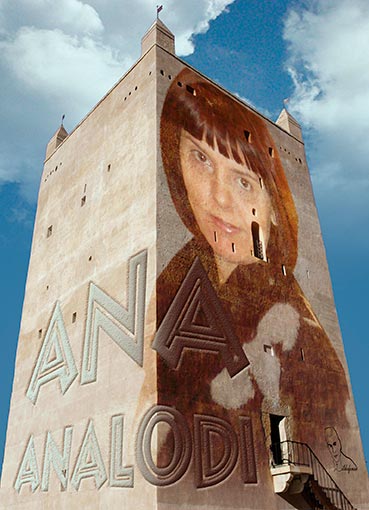
									<p>En este tutorial de Photoshop veremos una aplicación del filtro punto de fuga en un poster o wallpaper. Muchas veces no sabemos para qué sirve pero hoy veremos como podemos integrar un texto en un cartel de película al que le añadiremos otros efectos.</p><p>Conseguiremos un efecto de texto laminado con textura de madera con una perspectiva realizada con el punto de fuga. Aplicaremos sombras e iluminaciones para crear una escena increible.</p><p>[twenty20 img1=»6103&#8243; img2=»6104&#8243; offset=»0.5&#8243; align=»center» width=»75%»]</p><p>Este wallpaper está inspirado en el trabajo del diseñador Charles William. Podeis ver su trabajo en  <a href="https://www.behance.net/madeup" target="_blank" rel="noopener noreferrer">BEHANCE </a></p><p><strong>TUTORIAL VANISHING POINT</strong></p><p style="text-align: left;"><iframe src="https://www.youtube.com/embed/6eHCv6ouWrc?rel=0" width="640" height="420" frameborder="0" allowfullscreen="allowfullscreen"></iframe></p><div><p><span style="font-size: 14px;"> </span></p><p><span style="font-size: 14px;"> </span></p><p><span style="font-size: 14px;">Puedes ver otro tutorial que tengo en mi web sobre este filtro. Puedes </span><a style="font-family: inherit; font-size: 14px; background-color: #f4f4f4;" href="https://ildefonsosegura.es/punto-de-fuga-en-un-wallpaper/" target="_blank" rel="noopener noreferrer"><strong>PINCHA AQUI</strong></a><strong style="font-size: 14px;"> </strong><span style="font-size: 14px;">para ver como trabajar esta composición que os muestro a continuación:</span></p></div><p><a href="https://ildefonsosegura.es/punto-de-fuga-en-un-wallpaper/" target="_blank" rel="noopener noreferrer"><img fetchpriority="high" decoding="async" class="aligncenter wp-image-687 size-full" src="https://ildefonsosegura.es/wp-content/uploads/ana-analodi1.jpg" alt="" width="369" height="510" srcset="https://ildefonsosegura.es/wp-content/uploads/ana-analodi1.jpg 369w, https://ildefonsosegura.es/wp-content/uploads/ana-analodi1-217x300.jpg 217w" sizes="(max-width: 369px) 100vw, 369px" /></a></p><div><div><p style="text-align: center;"> </p></div></div>								</div>
				</div>
					</div>
		</div>
					</div>
		</section>
				<section class="elementor-section elementor-top-section elementor-element elementor-element-5f0d45d1 elementor-section-boxed elementor-section-height-default elementor-section-height-default" data-id="5f0d45d1" data-element_type="section" data-e-type="section">
						<div class="elementor-container elementor-column-gap-default">
					<div class="elementor-column elementor-col-100 elementor-top-column elementor-element elementor-element-51e7a807" data-id="51e7a807" data-element_type="column" data-e-type="column">
			<div class="elementor-widget-wrap elementor-element-populated">
						<div class="elementor-element elementor-element-370d172f elementor-widget-divider--view-line elementor-widget elementor-widget-divider" data-id="370d172f" data-element_type="widget" data-e-type="widget" data-widget_type="divider.default">
				<div class="elementor-widget-container">
							<div class="elementor-divider">
			<span class="elementor-divider-separator">
						</span>
		</div>
						</div>
				</div>
					</div>
		</div>
					</div>
		</section>
				<section class="elementor-section elementor-top-section elementor-element elementor-element-2770595e elementor-section-full_width elementor-section-height-default elementor-section-height-default" data-id="2770595e" data-element_type="section" data-e-type="section">
						<div class="elementor-container elementor-column-gap-default">
					<div class="elementor-column elementor-col-50 elementor-top-column elementor-element elementor-element-70e2ff6a" data-id="70e2ff6a" data-element_type="column" data-e-type="column">
			<div class="elementor-widget-wrap elementor-element-populated">
						<div class="elementor-element elementor-element-5732abc1 elementor-align-right elementor-invisible elementor-widget elementor-widget-button" data-id="5732abc1" data-element_type="widget" data-e-type="widget" data-settings="{&quot;_animation&quot;:&quot;shake&quot;}" data-widget_type="button.default">
				<div class="elementor-widget-container">
									<div class="elementor-button-wrapper">
					<a class="elementor-button elementor-button-link elementor-size-sm elementor-animation-grow" href="https://goo.gl/5HbikB">
						<span class="elementor-button-content-wrapper">
									<span class="elementor-button-text">DESCARGA EL MATERIAL</span>
					</span>
					</a>
				</div>
								</div>
				</div>
					</div>
		</div>
				<div class="elementor-column elementor-col-50 elementor-top-column elementor-element elementor-element-4a402e0d" data-id="4a402e0d" data-element_type="column" data-e-type="column">
			<div class="elementor-widget-wrap elementor-element-populated">
						<div class="elementor-element elementor-element-6368af8f elementor-widget elementor-widget-html" data-id="6368af8f" data-element_type="widget" data-e-type="widget" data-settings="{&quot;_animation&quot;:&quot;none&quot;}" data-widget_type="html.default">
				<div class="elementor-widget-container">
					<form action="https://www.paypal.com/cgi-bin/webscr" method="post" target="_blank">
<input type="hidden" name="cmd" value="_donations">
<input type="hidden" name="business" value="ildefonsosegura@gmail.com">
<input type="hidden" name="lc" value="ES">
<input type="hidden" name="item_name" value="MANTENIMIENTO DE LA PAGINA DE ILDEFONSOSEGURA">
<input type="hidden" name="no_note" value="0">
<input type="hidden" name="currency_code" value="EUR">
<input type="hidden" name="bn" value="PP-DonationsBF:paypal1.jpg:NonHostedGuest">
<input type="image" src="http://ildefonsosegura.es/wp-content/uploads/paypal-updated-1.png" border="0" name="submit" alt="PayPal. La forma rápida y segura de pagar en Internet.">
<img decoding="async" alt="" border="0" src="https://www.paypalobjects.com/es_ES/i/scr/pixel.gif" width="1" height="1">
</form>				</div>
				</div>
					</div>
		</div>
					</div>
		</section>
				<section class="elementor-section elementor-top-section elementor-element elementor-element-6f98ed55 elementor-section-boxed elementor-section-height-default elementor-section-height-default" data-id="6f98ed55" data-element_type="section" data-e-type="section">
						<div class="elementor-container elementor-column-gap-default">
					<div class="elementor-column elementor-col-100 elementor-top-column elementor-element elementor-element-33d4fb9c" data-id="33d4fb9c" data-element_type="column" data-e-type="column">
			<div class="elementor-widget-wrap elementor-element-populated">
						<div class="elementor-element elementor-element-5300b91 elementor-widget-divider--view-line elementor-widget elementor-widget-divider" data-id="5300b91" data-element_type="widget" data-e-type="widget" data-widget_type="divider.default">
				<div class="elementor-widget-container">
							<div class="elementor-divider">
			<span class="elementor-divider-separator">
						</span>
		</div>
						</div>
				</div>
					</div>
		</div>
					</div>
		</section>
				<section class="elementor-section elementor-top-section elementor-element elementor-element-446928a9 elementor-section-full_width elementor-section-height-default elementor-section-height-default" data-id="446928a9" data-element_type="section" data-e-type="section">
						<div class="elementor-container elementor-column-gap-default">
					<div class="elementor-column elementor-col-100 elementor-top-column elementor-element elementor-element-44f43bf7" data-id="44f43bf7" data-element_type="column" data-e-type="column">
			<div class="elementor-widget-wrap elementor-element-populated">
						<div class="elementor-element elementor-element-75d0703b elementor-widget elementor-widget-text-editor" data-id="75d0703b" data-element_type="widget" data-e-type="widget" data-widget_type="text-editor.default">
				<div class="elementor-widget-container">
									<div><div align="center"><center><strong style="color: #ff0000;">Suscríbete a mi canal de Youtube:</strong></center><div><div><div align="center"><p><script src="https://apis.google.com/js/platform.js"></script></p><div class="g-ytsubscribe" data-channel="ildefonsosegura" data-layout="full" data-count="default"> </div></div></div><p> </p><p style="text-align: center;">No te lo pierdas y comparte tus trabajos en mi página de facebook (<span style="color: #0000ff;"><strong><a style="color: #0000ff;" href="http://www.facebook.com/IldefonsoSeguraPage" target="_blank" rel="noopener noreferrer">IldefonsoSeguraPage</a></strong></span>)<br />Espero que te guste y compartas el vídeo. No dejes de compartir este post.</p><p style="text-align: center;">Así es como me puedes ayudar 🙂 Gracias</p></div></div></div>								</div>
				</div>
					</div>
		</div>
					</div>
		</section>
				</div>La entrada <a href="https://ildefonsosegura.es/tutorial-photoshop-aplicar-punto-de-fuga-en-un-wallpaper-by-ildefonsosegura/">Tutorial Photoshop Aplicar punto de fuga en un wallpaper by @ildefonsosegura</a> apareció primero en <a href="https://ildefonsosegura.es">Ildefonso Segura</a>.]]></content:encoded>
					
					<wfw:commentRss>https://ildefonsosegura.es/tutorial-photoshop-aplicar-punto-de-fuga-en-un-wallpaper-by-ildefonsosegura/feed/</wfw:commentRss>
			<slash:comments>0</slash:comments>
		
		
			</item>
		<item>
		<title>Wallpaper creación de texto con lava usando Photoshop y Cinema4D by @ildefonsosegura</title>
		<link>https://ildefonsosegura.es/crea-tu-wallpaper-de-texto-de-lava-con-photoshop-y-cinema4d-by-ildefonsosegura/</link>
					<comments>https://ildefonsosegura.es/crea-tu-wallpaper-de-texto-de-lava-con-photoshop-y-cinema4d-by-ildefonsosegura/#comments</comments>
		
		<dc:creator><![CDATA[Ildefonso Segura]]></dc:creator>
		<pubDate>Sun, 28 Apr 2013 16:50:10 +0000</pubDate>
				<category><![CDATA[3D]]></category>
		<category><![CDATA[Cinema4D]]></category>
		<category><![CDATA[Concurso]]></category>
		<category><![CDATA[Efectos]]></category>
		<category><![CDATA[Fotocomposición]]></category>
		<category><![CDATA[Intro]]></category>
		<category><![CDATA[Photoshop]]></category>
		<category><![CDATA[Tecnicas]]></category>
		<category><![CDATA[Textos]]></category>
		<category><![CDATA[Tutoriales]]></category>
		<category><![CDATA[Video]]></category>
		<category><![CDATA[Wallpaper]]></category>
		<category><![CDATA[aleatorio]]></category>
		<category><![CDATA[animación]]></category>
		<category><![CDATA[capas]]></category>
		<category><![CDATA[cine]]></category>
		<category><![CDATA[cinema4D]]></category>
		<category><![CDATA[concurso]]></category>
		<category><![CDATA[efect]]></category>
		<category><![CDATA[efecto]]></category>
		<category><![CDATA[efectos]]></category>
		<category><![CDATA[face]]></category>
		<category><![CDATA[facebook]]></category>
		<category><![CDATA[fotos]]></category>
		<category><![CDATA[ildefonso]]></category>
		<category><![CDATA[ildefonsosegura]]></category>
		<category><![CDATA[image]]></category>
		<category><![CDATA[imagen]]></category>
		<category><![CDATA[imágenes]]></category>
		<category><![CDATA[intro]]></category>
		<category><![CDATA[mograph]]></category>
		<category><![CDATA[nitro4d]]></category>
		<category><![CDATA[nitroblast]]></category>
		<category><![CDATA[perspectiva]]></category>
		<category><![CDATA[photoshop]]></category>
		<category><![CDATA[plugin]]></category>
		<category><![CDATA[profundidad]]></category>
		<category><![CDATA[selecciones]]></category>
		<category><![CDATA[style]]></category>
		<category><![CDATA[text]]></category>
		<category><![CDATA[texto]]></category>
		<category><![CDATA[trucos]]></category>
		<category><![CDATA[tuto]]></category>
		<category><![CDATA[tutorial]]></category>
		<category><![CDATA[video]]></category>
		<category><![CDATA[wall]]></category>
		<category><![CDATA[wallpaper]]></category>
		<category><![CDATA[youtube]]></category>
		<guid isPermaLink="false">http://ildefonsosegura.es/?p=2809</guid>

					<description><![CDATA[<p>Os traigo un impresionante wallpaper que hace las delicias de mis ojos cuando lo pongo como fondo de escritorio en mi ordenador. Disfruté mucho creandolo y ahora quiero compartir contigo cómo lo hice. Este wallpaper está dedicado a Eytooestudios.blogspot.com.es quien ganó el concurso de fotos originales organizado en marzo de 2013. Mira las fotos participantes [&#8230;]</p>
La entrada <a href="https://ildefonsosegura.es/crea-tu-wallpaper-de-texto-de-lava-con-photoshop-y-cinema4d-by-ildefonsosegura/">Wallpaper creación de texto con lava usando Photoshop y Cinema4D by @ildefonsosegura</a> apareció primero en <a href="https://ildefonsosegura.es">Ildefonso Segura</a>.]]></description>
										<content:encoded><![CDATA[<div data-elementor-type="wp-post" data-elementor-id="2809" class="elementor elementor-2809">
						<section class="elementor-section elementor-top-section elementor-element elementor-element-53287617 elementor-section-boxed elementor-section-height-default elementor-section-height-default" data-id="53287617" data-element_type="section" data-e-type="section">
						<div class="elementor-container elementor-column-gap-default">
					<div class="elementor-column elementor-col-100 elementor-top-column elementor-element elementor-element-3b4cd6ee" data-id="3b4cd6ee" data-element_type="column" data-e-type="column">
			<div class="elementor-widget-wrap elementor-element-populated">
						<div class="elementor-element elementor-element-4a378610 elementor-widget elementor-widget-text-editor" data-id="4a378610" data-element_type="widget" data-e-type="widget" data-widget_type="text-editor.default">
				<div class="elementor-widget-container">
									<p>Os traigo un impresionante wallpaper que hace las delicias de mis ojos cuando lo pongo como fondo de escritorio en mi ordenador. Disfruté mucho creandolo y ahora quiero compartir contigo cómo lo hice.</p><p>Este wallpaper está dedicado a <a title="eytooestudios" href="Eytooestudios.blogspot.com.es" target="_blank" rel="noopener">Eytooestudios.blogspot.com.es</a> quien ganó el concurso de fotos originales organizado en marzo de 2013. <a title="Facebook ilde" href="http://www.facebook.com/media/set/?set=a.499584030101774.1073741825.235150196545160&amp;type=3" target="_blank" rel="noopener"><strong>Mira las fotos participantes aquí</strong></a>. Gracias a todos</p><p>Mira como queda</p><p><a href="https://ildefonsosegura.es/crea-tu-wallpaper-de-texto-de-lava-con-photoshop-y-cinema4d-by-ildefonsosegura/ildefonsosegura-wallpaper-lava/" rel="attachment wp-att-2810"><img decoding="async" class="size-full wp-image-2810 aligncenter" src="https://ildefonsosegura.es/wp-content/uploads/IldefonsoSegura-wallpaper-lava.jpg" alt="IldefonsoSegura-wallpaper-lava" width="620" height="349" srcset="https://ildefonsosegura.es/wp-content/uploads/IldefonsoSegura-wallpaper-lava.jpg 620w, https://ildefonsosegura.es/wp-content/uploads/IldefonsoSegura-wallpaper-lava-300x168.jpg 300w" sizes="(max-width: 620px) 100vw, 620px" /></a></p><p>Además, con este tutorial aprenderás como preparar parte de la animación que puedes ver en la intro siguiente:</p><p> </p><p> </p><p><span style="color: #800000;"><strong>TUTORIAL PARTE 1 CINEMA4D </strong></span></p><p>En la <strong>primera parte del tutorial</strong> hablaremos de cinema4D y aprenderemos aspectos como:</p><ol><li>Configurar la distancia focal de una cámara para conseguir un efecto de vista perspectiva atractivo</li><li>Familiarización con plugin de cinema4d: NITROBLAST que puedes conseguir en <a href="http://nitro4d.com/blog/" target="_blank" rel="noopener">Nitro4D</a></li><li>Aplicar los efectos aleatorios de Mograph de una forma creativa</li><li>Preparar el render para usar el archivo tiff en photoshop</li></ol><center><iframe src="https://www.youtube.com/embed/4oGEFXFg8rQ" width="640" height="420" frameborder="0" allowfullscreen="allowfullscreen"></iframe></center><p> </p><p><span style="color: #800000;"><strong>TUTORIAL PARTE 2 PHOTOSHOP </strong></span></p><p><span style="color: #800000;"><strong>DISPONIBLE SOLO DESDE EL 29 DE ABRIL DE 2013</strong></span></p><p>En la <strong>segunda parte del tutorial</strong> hablaremos de Photoshop y aprenderemos aspectos como:</p><ol><li>Usar los canales para realizar selecciones por tonalidades</li><li>Extraer con canales algunas partes en ciertas fotografías</li><li>Crear fondos atractivos y añair elementos a la escena para acercar a la realidad el resutado final</li><li>Usar los canales para hacer efectos de profundidad en imagenes colocadas</li><li>Usaremos capas de ajuste para buscar tonalidades finales atractivas</li></ol><p>y muchos trucos mas</p><center><iframe src="https://www.youtube.com/embed/wSe7pEvyqMI" width="640" height="420" frameborder="0" allowfullscreen="allowfullscreen"></iframe></center><p> </p><center></center>								</div>
				</div>
					</div>
		</div>
					</div>
		</section>
				<section class="elementor-section elementor-top-section elementor-element elementor-element-71421309 elementor-section-boxed elementor-section-height-default elementor-section-height-default" data-id="71421309" data-element_type="section" data-e-type="section">
						<div class="elementor-container elementor-column-gap-default">
					<div class="elementor-column elementor-col-100 elementor-top-column elementor-element elementor-element-77f3e27a" data-id="77f3e27a" data-element_type="column" data-e-type="column">
			<div class="elementor-widget-wrap elementor-element-populated">
						<div class="elementor-element elementor-element-45944178 elementor-widget-divider--view-line elementor-widget elementor-widget-divider" data-id="45944178" data-element_type="widget" data-e-type="widget" data-widget_type="divider.default">
				<div class="elementor-widget-container">
							<div class="elementor-divider">
			<span class="elementor-divider-separator">
						</span>
		</div>
						</div>
				</div>
					</div>
		</div>
					</div>
		</section>
				<section class="elementor-section elementor-top-section elementor-element elementor-element-380175db elementor-section-full_width elementor-section-height-default elementor-section-height-default" data-id="380175db" data-element_type="section" data-e-type="section">
						<div class="elementor-container elementor-column-gap-default">
					<div class="elementor-column elementor-col-50 elementor-top-column elementor-element elementor-element-15724a12" data-id="15724a12" data-element_type="column" data-e-type="column">
			<div class="elementor-widget-wrap elementor-element-populated">
						<div class="elementor-element elementor-element-365bbcb6 elementor-align-right elementor-invisible elementor-widget elementor-widget-button" data-id="365bbcb6" data-element_type="widget" data-e-type="widget" data-settings="{&quot;_animation&quot;:&quot;shake&quot;}" data-widget_type="button.default">
				<div class="elementor-widget-container">
									<div class="elementor-button-wrapper">
					<a class="elementor-button elementor-button-link elementor-size-sm elementor-animation-grow" href="https://drive.google.com/open?id=0B_nJkCGJubucS09jSFE3bE1IM1U">
						<span class="elementor-button-content-wrapper">
									<span class="elementor-button-text">DESCARGA EL MATERIAL</span>
					</span>
					</a>
				</div>
								</div>
				</div>
					</div>
		</div>
				<div class="elementor-column elementor-col-50 elementor-top-column elementor-element elementor-element-77822bfc" data-id="77822bfc" data-element_type="column" data-e-type="column">
			<div class="elementor-widget-wrap elementor-element-populated">
						<div class="elementor-element elementor-element-18ef94d2 elementor-widget elementor-widget-html" data-id="18ef94d2" data-element_type="widget" data-e-type="widget" data-settings="{&quot;_animation&quot;:&quot;none&quot;}" data-widget_type="html.default">
				<div class="elementor-widget-container">
					<form action="https://www.paypal.com/cgi-bin/webscr" method="post" target="_blank">
<input type="hidden" name="cmd" value="_donations">
<input type="hidden" name="business" value="ildefonsosegura@gmail.com">
<input type="hidden" name="lc" value="ES">
<input type="hidden" name="item_name" value="MANTENIMIENTO DE LA PAGINA DE ILDEFONSOSEGURA">
<input type="hidden" name="no_note" value="0">
<input type="hidden" name="currency_code" value="EUR">
<input type="hidden" name="bn" value="PP-DonationsBF:paypal1.jpg:NonHostedGuest">
<input type="image" src="http://ildefonsosegura.es/wp-content/uploads/paypal-updated-1.png" border="0" name="submit" alt="PayPal. La forma rápida y segura de pagar en Internet.">
<img decoding="async" alt="" border="0" src="https://www.paypalobjects.com/es_ES/i/scr/pixel.gif" width="1" height="1">
</form>				</div>
				</div>
					</div>
		</div>
					</div>
		</section>
				<section class="elementor-section elementor-top-section elementor-element elementor-element-51954e66 elementor-section-boxed elementor-section-height-default elementor-section-height-default" data-id="51954e66" data-element_type="section" data-e-type="section">
						<div class="elementor-container elementor-column-gap-default">
					<div class="elementor-column elementor-col-100 elementor-top-column elementor-element elementor-element-777540be" data-id="777540be" data-element_type="column" data-e-type="column">
			<div class="elementor-widget-wrap elementor-element-populated">
						<div class="elementor-element elementor-element-742e9b09 elementor-widget-divider--view-line elementor-widget elementor-widget-divider" data-id="742e9b09" data-element_type="widget" data-e-type="widget" data-widget_type="divider.default">
				<div class="elementor-widget-container">
							<div class="elementor-divider">
			<span class="elementor-divider-separator">
						</span>
		</div>
						</div>
				</div>
					</div>
		</div>
					</div>
		</section>
				<section class="elementor-section elementor-top-section elementor-element elementor-element-650d1fb5 elementor-section-full_width elementor-section-height-default elementor-section-height-default" data-id="650d1fb5" data-element_type="section" data-e-type="section">
						<div class="elementor-container elementor-column-gap-default">
					<div class="elementor-column elementor-col-100 elementor-top-column elementor-element elementor-element-4eda49a6" data-id="4eda49a6" data-element_type="column" data-e-type="column">
			<div class="elementor-widget-wrap elementor-element-populated">
						<div class="elementor-element elementor-element-6498163e elementor-widget elementor-widget-text-editor" data-id="6498163e" data-element_type="widget" data-e-type="widget" data-widget_type="text-editor.default">
				<div class="elementor-widget-container">
									<div><div align="center"><center><strong style="color: #ff0000;">Suscríbete a mi canal de Youtube:</strong></center><div><div><div align="center"><p><script src="https://apis.google.com/js/platform.js"></script></p><div class="g-ytsubscribe" data-channel="ildefonsosegura" data-layout="full" data-count="default"> </div></div></div><p> </p><p style="text-align: center;">No te lo pierdas y comparte tus trabajos en mi página de facebook (<span style="color: #0000ff;"><strong><a style="color: #0000ff;" href="http://www.facebook.com/IldefonsoSeguraPage" target="_blank" rel="noopener noreferrer">IldefonsoSeguraPage</a></strong></span>)<br />Espero que te guste y compartas el vídeo. No dejes de compartir este post.</p><p style="text-align: center;">Así es como me puedes ayudar 🙂 Gracias</p></div></div></div>								</div>
				</div>
					</div>
		</div>
					</div>
		</section>
				</div>La entrada <a href="https://ildefonsosegura.es/crea-tu-wallpaper-de-texto-de-lava-con-photoshop-y-cinema4d-by-ildefonsosegura/">Wallpaper creación de texto con lava usando Photoshop y Cinema4D by @ildefonsosegura</a> apareció primero en <a href="https://ildefonsosegura.es">Ildefonso Segura</a>.]]></content:encoded>
					
					<wfw:commentRss>https://ildefonsosegura.es/crea-tu-wallpaper-de-texto-de-lava-con-photoshop-y-cinema4d-by-ildefonsosegura/feed/</wfw:commentRss>
			<slash:comments>2</slash:comments>
		
		
			</item>
		<item>
		<title>Tutorial Photoshop // Paisaje con texto 3D</title>
		<link>https://ildefonsosegura.es/paisaje-con-texto-3d-con-photoshop-cs6/</link>
					<comments>https://ildefonsosegura.es/paisaje-con-texto-3d-con-photoshop-cs6/#respond</comments>
		
		<dc:creator><![CDATA[Ildefonso Segura]]></dc:creator>
		<pubDate>Sat, 29 Dec 2012 00:52:09 +0000</pubDate>
				<category><![CDATA[3D]]></category>
		<category><![CDATA[Efectos]]></category>
		<category><![CDATA[Fotocomposición]]></category>
		<category><![CDATA[Photoshop]]></category>
		<category><![CDATA[Tecnicas]]></category>
		<category><![CDATA[Textos]]></category>
		<category><![CDATA[Tutoriales]]></category>
		<category><![CDATA[Wallpaper]]></category>
		<category><![CDATA[agua]]></category>
		<category><![CDATA[desenfoque]]></category>
		<category><![CDATA[extrusión]]></category>
		<category><![CDATA[gloriasanis]]></category>
		<category><![CDATA[ildefonsosegura]]></category>
		<category><![CDATA[iluminación]]></category>
		<category><![CDATA[luz]]></category>
		<category><![CDATA[mar]]></category>
		<category><![CDATA[modulo 3D]]></category>
		<category><![CDATA[oceano]]></category>
		<category><![CDATA[paisaje]]></category>
		<category><![CDATA[perspectiva]]></category>
		<category><![CDATA[tilt-shift]]></category>
		<guid isPermaLink="false">http://ildefonsosegura.es/?p=1131</guid>

					<description><![CDATA[<p>Aquí tienes este bonito wallpaper para tu fondo de escritorio o para regalar a tu familia o amigos. En el tutorial que muestro aprenderemos algunas mejoras que Adobe ha incorporado tales como: 1.- Herramienta recortar para aplanar 2.- Nuevo filtro de desenfoque tilt-shift 3.- Módulo 3D con nuevas referencias y panel de objetos (sombras, luces, [&#8230;]</p>
La entrada <a href="https://ildefonsosegura.es/paisaje-con-texto-3d-con-photoshop-cs6/">Tutorial Photoshop // Paisaje con texto 3D</a> apareció primero en <a href="https://ildefonsosegura.es">Ildefonso Segura</a>.]]></description>
										<content:encoded><![CDATA[<p>Aquí tienes este bonito wallpaper para tu fondo de escritorio o para regalar a tu familia o amigos.</p>
<p style="text-align: center;"><img loading="lazy" decoding="async" class="size-full wp-image-1126 aligncenter" alt="Wallpaper-texto-3D" src="https://ildefonsosegura.es/wp-content/uploads/Wallpaper-texto-3D.jpg" width="550" height="309" srcset="https://ildefonsosegura.es/wp-content/uploads/Wallpaper-texto-3D.jpg 550w, https://ildefonsosegura.es/wp-content/uploads/Wallpaper-texto-3D-300x168.jpg 300w" sizes="(max-width: 550px) 100vw, 550px" /></p>
<p>En el tutorial que muestro aprenderemos algunas mejoras que Adobe ha incorporado tales como:<br />
1.- Herramienta recortar para aplanar</p>
<p>2.- Nuevo filtro de desenfoque tilt-shift</p>
<p>3.- Módulo 3D con nuevas referencias y panel de objetos (sombras, luces, reflexión,..)</p>
<p>&nbsp;</p>
<p><span style="color: #800000;"><strong>VIDEOTUTORIAL </strong></span></p>
<p><center><iframe src="https://www.youtube.com/embed/Xf2AwV5GvLU" height="360" width="640" allowfullscreen="" frameborder="0"></iframe></center></p>
<p><center>[vc_button title=»BAJATE LOS MATERIALES» target=»blank» color=»btn-danger» size=»btn-large» href=»https://drive.google.com/open?id=0B_nJkCGJubucT2l6aGtJVHNueDg»]</center>&nbsp;</p>La entrada <a href="https://ildefonsosegura.es/paisaje-con-texto-3d-con-photoshop-cs6/">Tutorial Photoshop // Paisaje con texto 3D</a> apareció primero en <a href="https://ildefonsosegura.es">Ildefonso Segura</a>.]]></content:encoded>
					
					<wfw:commentRss>https://ildefonsosegura.es/paisaje-con-texto-3d-con-photoshop-cs6/feed/</wfw:commentRss>
			<slash:comments>0</slash:comments>
		
		
			</item>
		<item>
		<title>Tutorial Photoshop // Punto de fuga en un wallpaper</title>
		<link>https://ildefonsosegura.es/punto-de-fuga-en-un-wallpaper/</link>
					<comments>https://ildefonsosegura.es/punto-de-fuga-en-un-wallpaper/#comments</comments>
		
		<dc:creator><![CDATA[Ildefonso Segura]]></dc:creator>
		<pubDate>Sat, 22 Dec 2012 08:18:38 +0000</pubDate>
				<category><![CDATA[Efectos]]></category>
		<category><![CDATA[Photoshop]]></category>
		<category><![CDATA[Tecnicas]]></category>
		<category><![CDATA[Tutoriales]]></category>
		<category><![CDATA[Wallpaper]]></category>
		<category><![CDATA[fachada]]></category>
		<category><![CDATA[gloriasanis]]></category>
		<category><![CDATA[ildefonsosegura]]></category>
		<category><![CDATA[integración]]></category>
		<category><![CDATA[perspectiva]]></category>
		<category><![CDATA[punto de fuga]]></category>
		<category><![CDATA[vanishing]]></category>
		<category><![CDATA[vanishing point]]></category>
		<guid isPermaLink="false">http://ildefonsosegura.es/?p=682</guid>

					<description><![CDATA[<p>Vamos a construir un wallpaper donde incrustaremos una imagen en un monumento respetando la perspectiva de las fachadas. La técnica a emplear es «el punto de fuga» (Vanishing point)  que nos ayudará a diseñar la perspetiva de nuestra composición original donde añadiremos la imagen que queremos integrar en esa dimensión. Es muy útil para fotografías [&#8230;]</p>
La entrada <a href="https://ildefonsosegura.es/punto-de-fuga-en-un-wallpaper/">Tutorial Photoshop // Punto de fuga en un wallpaper</a> apareció primero en <a href="https://ildefonsosegura.es">Ildefonso Segura</a>.]]></description>
										<content:encoded><![CDATA[<div data-elementor-type="wp-post" data-elementor-id="682" class="elementor elementor-682">
						<section class="elementor-section elementor-top-section elementor-element elementor-element-5c75db6a elementor-section-boxed elementor-section-height-default elementor-section-height-default" data-id="5c75db6a" data-element_type="section" data-e-type="section">
						<div class="elementor-container elementor-column-gap-default">
					<div class="elementor-column elementor-col-100 elementor-top-column elementor-element elementor-element-7484234b" data-id="7484234b" data-element_type="column" data-e-type="column">
			<div class="elementor-widget-wrap elementor-element-populated">
						<div class="elementor-element elementor-element-444d83d3 elementor-widget elementor-widget-text-editor" data-id="444d83d3" data-element_type="widget" data-e-type="widget" data-widget_type="text-editor.default">
				<div class="elementor-widget-container">
									<p><img loading="lazy" decoding="async" class="size-full wp-image-687 aligncenter" src="https://ildefonsosegura.es/wp-content/uploads/ana-analodi1.jpg" alt="ana-analodi1" width="369" height="510" srcset="https://ildefonsosegura.es/wp-content/uploads/ana-analodi1.jpg 369w, https://ildefonsosegura.es/wp-content/uploads/ana-analodi1-217x300.jpg 217w" sizes="(max-width: 369px) 100vw, 369px" /></p><p>Vamos a construir un wallpaper donde incrustaremos una imagen en un monumento respetando la perspectiva de las fachadas. La técnica a emplear es «el punto de fuga» (Vanishing point)  que nos ayudará a diseñar la perspetiva de nuestra composición original donde añadiremos la imagen que queremos integrar en esa dimensión. Es muy útil para fotografías con horizontes o fachadas. Disfrútalo.</p><p style="text-align: left;"><span style="color: #800000;"><strong>VIDEOTUTORIAL </strong></span></p><p> </p><center><iframe src="https://www.youtube.com/embed/pS-wm_gGvgM" width="640" height="360" frameborder="0" allowfullscreen="allowfullscreen"></iframe></center><p> </p><p> </p><p> </p>								</div>
				</div>
					</div>
		</div>
					</div>
		</section>
				<section class="elementor-section elementor-top-section elementor-element elementor-element-334780bb elementor-section-boxed elementor-section-height-default elementor-section-height-default" data-id="334780bb" data-element_type="section" data-e-type="section">
						<div class="elementor-container elementor-column-gap-default">
					<div class="elementor-column elementor-col-100 elementor-top-column elementor-element elementor-element-59ce114d" data-id="59ce114d" data-element_type="column" data-e-type="column">
			<div class="elementor-widget-wrap elementor-element-populated">
						<div class="elementor-element elementor-element-55426b3f elementor-widget-divider--view-line elementor-widget elementor-widget-divider" data-id="55426b3f" data-element_type="widget" data-e-type="widget" data-widget_type="divider.default">
				<div class="elementor-widget-container">
							<div class="elementor-divider">
			<span class="elementor-divider-separator">
						</span>
		</div>
						</div>
				</div>
					</div>
		</div>
					</div>
		</section>
				<section class="elementor-section elementor-top-section elementor-element elementor-element-d1cac92 elementor-section-full_width elementor-section-height-default elementor-section-height-default" data-id="d1cac92" data-element_type="section" data-e-type="section">
						<div class="elementor-container elementor-column-gap-default">
					<div class="elementor-column elementor-col-50 elementor-top-column elementor-element elementor-element-6caf059c" data-id="6caf059c" data-element_type="column" data-e-type="column">
			<div class="elementor-widget-wrap elementor-element-populated">
						<div class="elementor-element elementor-element-3afc0f91 elementor-align-right elementor-invisible elementor-widget elementor-widget-button" data-id="3afc0f91" data-element_type="widget" data-e-type="widget" data-settings="{&quot;_animation&quot;:&quot;shake&quot;}" data-widget_type="button.default">
				<div class="elementor-widget-container">
									<div class="elementor-button-wrapper">
					<a class="elementor-button elementor-button-link elementor-size-sm elementor-animation-grow" href="https://drive.google.com/open?id=0B_nJkCGJubucbW5UYnBUajFDZUk" target="_blank">
						<span class="elementor-button-content-wrapper">
									<span class="elementor-button-text">DESCARGA EL MATERIAL</span>
					</span>
					</a>
				</div>
								</div>
				</div>
					</div>
		</div>
				<div class="elementor-column elementor-col-50 elementor-top-column elementor-element elementor-element-2ccc1cff" data-id="2ccc1cff" data-element_type="column" data-e-type="column">
			<div class="elementor-widget-wrap elementor-element-populated">
						<div class="elementor-element elementor-element-7e360f22 elementor-widget elementor-widget-html" data-id="7e360f22" data-element_type="widget" data-e-type="widget" data-settings="{&quot;_animation&quot;:&quot;none&quot;}" data-widget_type="html.default">
				<div class="elementor-widget-container">
					<form action="https://www.paypal.com/cgi-bin/webscr" method="post" target="_blank">
<input type="hidden" name="cmd" value="_donations">
<input type="hidden" name="business" value="ildefonsosegura@gmail.com">
<input type="hidden" name="lc" value="ES">
<input type="hidden" name="item_name" value="MANTENIMIENTO DE LA PAGINA DE ILDEFONSOSEGURA">
<input type="hidden" name="no_note" value="0">
<input type="hidden" name="currency_code" value="EUR">
<input type="hidden" name="bn" value="PP-DonationsBF:paypal1.jpg:NonHostedGuest">
<input type="image" src="http://ildefonsosegura.es/wp-content/uploads/paypal-updated-1.png" border="0" name="submit" alt="PayPal. La forma rápida y segura de pagar en Internet.">
<img decoding="async" alt="" border="0" src="https://www.paypalobjects.com/es_ES/i/scr/pixel.gif" width="1" height="1">
</form>				</div>
				</div>
					</div>
		</div>
					</div>
		</section>
				<section class="elementor-section elementor-top-section elementor-element elementor-element-7a3abe38 elementor-section-boxed elementor-section-height-default elementor-section-height-default" data-id="7a3abe38" data-element_type="section" data-e-type="section">
						<div class="elementor-container elementor-column-gap-default">
					<div class="elementor-column elementor-col-100 elementor-top-column elementor-element elementor-element-7c1c1806" data-id="7c1c1806" data-element_type="column" data-e-type="column">
			<div class="elementor-widget-wrap elementor-element-populated">
						<div class="elementor-element elementor-element-ded8fc2 elementor-widget-divider--view-line elementor-widget elementor-widget-divider" data-id="ded8fc2" data-element_type="widget" data-e-type="widget" data-widget_type="divider.default">
				<div class="elementor-widget-container">
							<div class="elementor-divider">
			<span class="elementor-divider-separator">
						</span>
		</div>
						</div>
				</div>
					</div>
		</div>
					</div>
		</section>
				<section class="elementor-section elementor-top-section elementor-element elementor-element-6593a8b5 elementor-section-full_width elementor-section-height-default elementor-section-height-default" data-id="6593a8b5" data-element_type="section" data-e-type="section">
						<div class="elementor-container elementor-column-gap-default">
					<div class="elementor-column elementor-col-100 elementor-top-column elementor-element elementor-element-62ec20c2" data-id="62ec20c2" data-element_type="column" data-e-type="column">
			<div class="elementor-widget-wrap elementor-element-populated">
						<div class="elementor-element elementor-element-2591f25f elementor-widget elementor-widget-text-editor" data-id="2591f25f" data-element_type="widget" data-e-type="widget" data-widget_type="text-editor.default">
				<div class="elementor-widget-container">
									<div><div align="center"><center><strong style="color: #ff0000;">Suscríbete a mi canal de Youtube:</strong></center><div><div><div align="center"><p><script src="https://apis.google.com/js/platform.js"></script></p><div class="g-ytsubscribe" data-channel="ildefonsosegura" data-layout="full" data-count="default"> </div></div></div><p> </p><p style="text-align: center;">No te lo pierdas y comparte tus trabajos en mi página de facebook (<span style="color: #0000ff;"><strong><a style="color: #0000ff;" href="http://www.facebook.com/IldefonsoSeguraPage" target="_blank" rel="noopener noreferrer">IldefonsoSeguraPage</a></strong></span>)<br />Espero que te guste y compartas el vídeo. No dejes de compartir este post.</p><p style="text-align: center;">Así es como me puedes ayudar 🙂 Gracias</p></div></div></div>								</div>
				</div>
					</div>
		</div>
					</div>
		</section>
				</div>La entrada <a href="https://ildefonsosegura.es/punto-de-fuga-en-un-wallpaper/">Tutorial Photoshop // Punto de fuga en un wallpaper</a> apareció primero en <a href="https://ildefonsosegura.es">Ildefonso Segura</a>.]]></content:encoded>
					
					<wfw:commentRss>https://ildefonsosegura.es/punto-de-fuga-en-un-wallpaper/feed/</wfw:commentRss>
			<slash:comments>1</slash:comments>
		
		
			</item>
	</channel>
</rss>

<!--
Performance optimized by W3 Total Cache. Learn more: https://www.boldgrid.com/w3-total-cache/?utm_source=w3tc&utm_medium=footer_comment&utm_campaign=free_plugin

Caché de objetos 0/53 objetos usando Redis
Caché de base de datos usando Redis

Served from: ildefonsosegura.es @ 2026-07-16 03:24:11 by W3 Total Cache
--><br />
<b>Fatal error</b>:  Uncaught TypeError: mysqli_num_fields(): Argument #1 ($result) must be of type mysqli_result, bool given in /var/www/vhosts/ildefonsosegura.es/httpdocs/wp-includes/class-wpdb.php:3870
Stack trace:
#0 /var/www/vhosts/ildefonsosegura.es/httpdocs/wp-includes/class-wpdb.php(3870): mysqli_num_fields()
#1 /var/www/vhosts/ildefonsosegura.es/httpdocs/wp-includes/class-wpdb.php(785): wpdb-&gt;load_col_info()
#2 /var/www/vhosts/ildefonsosegura.es/httpdocs/wp-content/plugins/w3-total-cache/DbCache_WpdbInjection_QueryCaching.php(230): wpdb-&gt;__get()
#3 /var/www/vhosts/ildefonsosegura.es/httpdocs/wp-content/plugins/w3-total-cache/DbCache_WpdbNew.php(216): W3TC\DbCache_WpdbInjection_QueryCaching-&gt;query()
#4 /var/www/vhosts/ildefonsosegura.es/httpdocs/wp-content/plugins/aaa-option-optimizer/src/class-database.php(199): W3TC\DbCache_WpdbNew-&gt;query()
#5 /var/www/vhosts/ildefonsosegura.es/httpdocs/wp-content/plugins/aaa-option-optimizer/src/class-plugin.php(182): Progress_Planner\OptionOptimizer\Database::batch_insert()
#6 /var/www/vhosts/ildefonsosegura.es/httpdocs/wp-includes/class-wp-hook.php(341): Progress_Planner\OptionOptimizer\Plugin-&gt;update_tracked_options()
#7 /var/www/vhosts/ildefonsosegura.es/httpdocs/wp-includes/class-wp-hook.php(365): WP_Hook-&gt;apply_filters()
#8 /var/www/vhosts/ildefonsosegura.es/httpdocs/wp-includes/plugin.php(522): WP_Hook-&gt;do_action()
#9 /var/www/vhosts/ildefonsosegura.es/httpdocs/wp-includes/load.php(1308): do_action()
#10 [internal function]: shutdown_action_hook()
#11 {main}
  thrown in <b>/var/www/vhosts/ildefonsosegura.es/httpdocs/wp-includes/class-wpdb.php</b> on line <b>3870</b><br />