<?xml version="1.0" encoding="UTF-8"?><rss version="2.0"
	xmlns:content="http://purl.org/rss/1.0/modules/content/"
	xmlns:wfw="http://wellformedweb.org/CommentAPI/"
	xmlns:dc="http://purl.org/dc/elements/1.1/"
	xmlns:atom="http://www.w3.org/2005/Atom"
	xmlns:sy="http://purl.org/rss/1.0/modules/syndication/"
	xmlns:slash="http://purl.org/rss/1.0/modules/slash/"
	>

<channel>
	<title>imagen | Ildefonso Segura</title>
	<atom:link href="https://ildefonsosegura.es/tag/imagen/feed/" rel="self" type="application/rss+xml" />
	<link>https://ildefonsosegura.es</link>
	<description>Tutoriales de diseño y animación</description>
	<lastBuildDate>Sat, 26 Nov 2022 13:42:24 +0000</lastBuildDate>
	<language>es</language>
	<sy:updatePeriod>
	hourly	</sy:updatePeriod>
	<sy:updateFrequency>
	1	</sy:updateFrequency>
	<generator>https://wordpress.org/?v=7.0</generator>

<image>
	<url>https://ildefonsosegura.es/wp-content/uploads/cropped-Favicon-new-logo-website-32x32.png</url>
	<title>imagen | Ildefonso Segura</title>
	<link>https://ildefonsosegura.es</link>
	<width>32</width>
	<height>32</height>
</image> 
	<item>
		<title>Modelo 3D gratuito: Casco del Mandalorian</title>
		<link>https://ildefonsosegura.es/modelo-3d-grautito-casco-del-mandalorian/</link>
					<comments>https://ildefonsosegura.es/modelo-3d-grautito-casco-del-mandalorian/#comments</comments>
		
		<dc:creator><![CDATA[Ildefonso Segura]]></dc:creator>
		<pubDate>Sat, 17 Jul 2021 09:42:24 +0000</pubDate>
				<category><![CDATA[3D]]></category>
		<category><![CDATA[Cinema4D]]></category>
		<category><![CDATA[Editable]]></category>
		<category><![CDATA[Recursos]]></category>
		<category><![CDATA[Regalos]]></category>
		<category><![CDATA[Textura]]></category>
		<category><![CDATA[casco]]></category>
		<category><![CDATA[cinema4D]]></category>
		<category><![CDATA[download]]></category>
		<category><![CDATA[free]]></category>
		<category><![CDATA[gratis]]></category>
		<category><![CDATA[helmet]]></category>
		<category><![CDATA[ildefonsosegura]]></category>
		<category><![CDATA[imagen]]></category>
		<category><![CDATA[mandalorian]]></category>
		<category><![CDATA[modelado]]></category>
		<category><![CDATA[modelo 3d]]></category>
		<category><![CDATA[regalo]]></category>
		<category><![CDATA[star wars]]></category>
		<category><![CDATA[textura]]></category>
		<guid isPermaLink="false">https://ildefonsosegura.es/?p=112919</guid>

					<description><![CDATA[<p>¡Te voy a hacer un regalo&#8230;otra vez! En primer lugar, quería recordarte que recientemente publiqué una entrada en la que te regalaba un modelo de micrófono retro. Como resultado de la buena aceptación del regalo, de nuevo te traigo otro regalo con un modelo 3D del famoso personaje de la serie El Mandalorian de Disney+. [&#8230;]</p>
La entrada <a href="https://ildefonsosegura.es/modelo-3d-grautito-casco-del-mandalorian/">Modelo 3D gratuito: Casco del Mandalorian</a> apareció primero en <a href="https://ildefonsosegura.es">Ildefonso Segura</a>.]]></description>
										<content:encoded><![CDATA[<div data-elementor-type="wp-post" data-elementor-id="112919" class="elementor elementor-112919">
						<section class="elementor-section elementor-top-section elementor-element elementor-element-62f4051b elementor-section-boxed elementor-section-height-default elementor-section-height-default" data-id="62f4051b" data-element_type="section" data-e-type="section">
						<div class="elementor-container elementor-column-gap-default">
					<div class="elementor-column elementor-col-100 elementor-top-column elementor-element elementor-element-3d8d0215" data-id="3d8d0215" data-element_type="column" data-e-type="column">
			<div class="elementor-widget-wrap elementor-element-populated">
						<div class="elementor-element elementor-element-3385d01f elementor-widget elementor-widget-text-editor" data-id="3385d01f" data-element_type="widget" data-e-type="widget" data-widget_type="text-editor.default">
				<div class="elementor-widget-container">
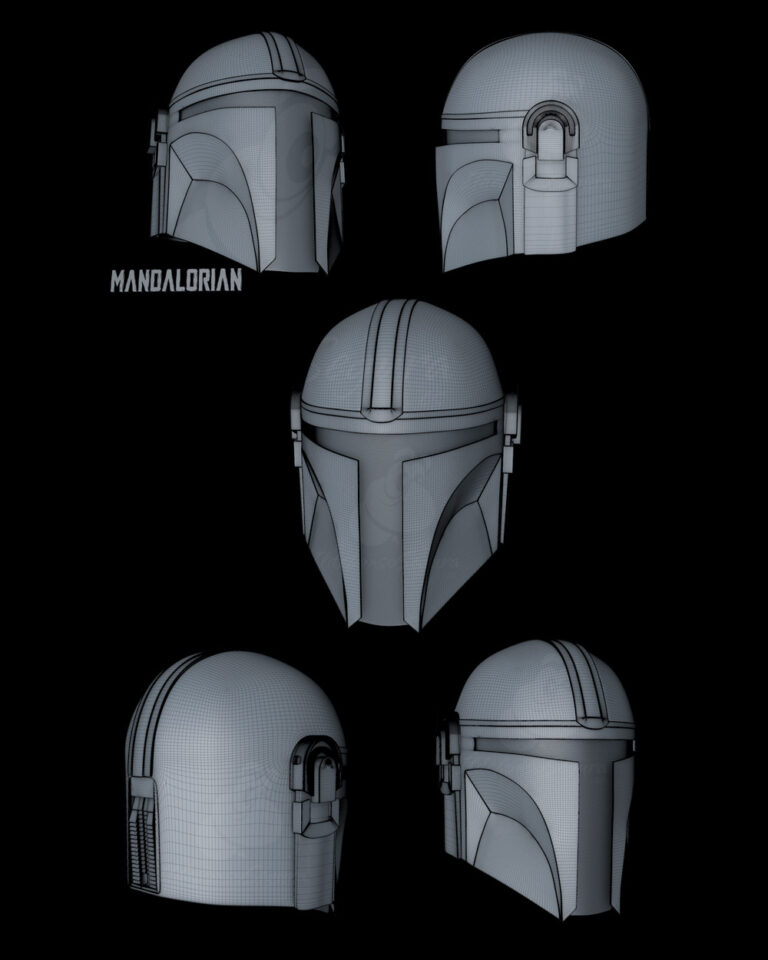
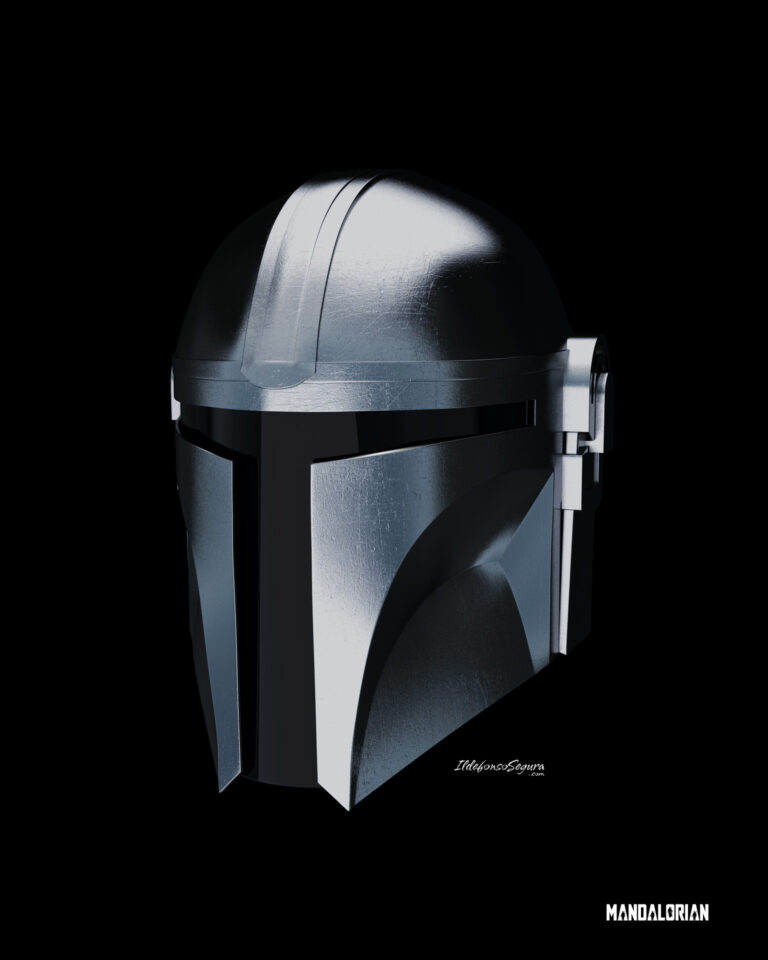
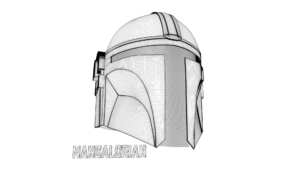
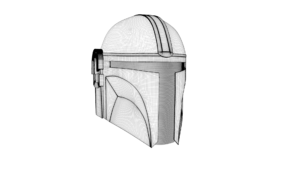
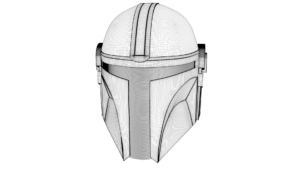
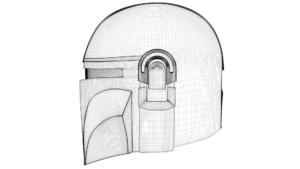
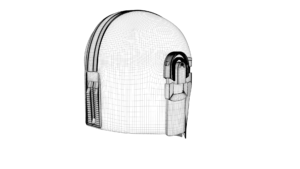
									<h1 style="text-align: center;"><span style="color: #ff0000;">¡Te voy a hacer un regalo&#8230;otra vez!</span></h1><p align="justify">En primer lugar, quería recordarte que recientemente publiqué una entrada en la que te regalaba un <a href="https://ildefonsosegura.es/regalo-modelo-3d-microfono-retro-gratis/"><span style="color: #800000;">modelo de micrófono retro</span></a>.</p><p align="justify">Como resultado de la buena aceptación del regalo, de nuevo te traigo otro regalo con un modelo 3D del famoso personaje de la serie <span style="color: #800000;"><strong>El Mandalorian</strong></span> de<span style="color: #800000;"><strong> <a style="color: #800000;" title="Disney+" href="https://www.disneyplus.com/es-es" target="_blank" rel="noopener">Disney+</a>.</strong></span></p><p align="justify">Es por eso que he realizado este modelo con <span style="color: #800000;"><a style="color: #800000;" title="Maxon" href="https://www.maxon.net/es/cinema-4d" target="_blank" rel="noopener">Cinema4D</a></span> simplemente utilizando diferentes imágenes con diferentes perspectivas del casco.</p>								</div>
				</div>
					</div>
		</div>
					</div>
		</section>
				<section class="elementor-section elementor-top-section elementor-element elementor-element-dbbb48a elementor-section-boxed elementor-section-height-default elementor-section-height-default" data-id="dbbb48a" data-element_type="section" data-e-type="section">
						<div class="elementor-container elementor-column-gap-default">
					<div class="elementor-column elementor-col-50 elementor-top-column elementor-element elementor-element-72fc822" data-id="72fc822" data-element_type="column" data-e-type="column">
			<div class="elementor-widget-wrap elementor-element-populated">
						<div class="elementor-element elementor-element-6a76818 elementor-widget elementor-widget-image" data-id="6a76818" data-element_type="widget" data-e-type="widget" data-widget_type="image.default">
				<div class="elementor-widget-container">
															<img fetchpriority="high" decoding="async" width="768" height="960" src="https://ildefonsosegura.es/wp-content/uploads/mandalorian-views-lines-768x960.jpg" class="attachment-medium_large size-medium_large wp-image-112920" alt="" srcset="https://ildefonsosegura.es/wp-content/uploads/mandalorian-views-lines-768x960.jpg 768w, https://ildefonsosegura.es/wp-content/uploads/mandalorian-views-lines-240x300.jpg 240w, https://ildefonsosegura.es/wp-content/uploads/mandalorian-views-lines-819x1024.jpg 819w, https://ildefonsosegura.es/wp-content/uploads/mandalorian-views-lines.jpg 1000w" sizes="(max-width: 768px) 100vw, 768px" />															</div>
				</div>
					</div>
		</div>
				<div class="elementor-column elementor-col-50 elementor-top-column elementor-element elementor-element-9216a7f" data-id="9216a7f" data-element_type="column" data-e-type="column">
			<div class="elementor-widget-wrap elementor-element-populated">
						<div class="elementor-element elementor-element-1e6863a elementor-widget elementor-widget-image" data-id="1e6863a" data-element_type="widget" data-e-type="widget" data-widget_type="image.default">
				<div class="elementor-widget-container">
															<img decoding="async" width="768" height="960" src="https://ildefonsosegura.es/wp-content/uploads/mandalorian-helmet-front.-render2-768x960.jpg" class="attachment-medium_large size-medium_large wp-image-112923" alt="" srcset="https://ildefonsosegura.es/wp-content/uploads/mandalorian-helmet-front.-render2-768x960.jpg 768w, https://ildefonsosegura.es/wp-content/uploads/mandalorian-helmet-front.-render2-240x300.jpg 240w, https://ildefonsosegura.es/wp-content/uploads/mandalorian-helmet-front.-render2-819x1024.jpg 819w, https://ildefonsosegura.es/wp-content/uploads/mandalorian-helmet-front.-render2-1229x1536.jpg 1229w, https://ildefonsosegura.es/wp-content/uploads/mandalorian-helmet-front.-render2.jpg 1536w" sizes="(max-width: 768px) 100vw, 768px" />															</div>
				</div>
					</div>
		</div>
					</div>
		</section>
				<section class="elementor-section elementor-top-section elementor-element elementor-element-a5a217b elementor-section-boxed elementor-section-height-default elementor-section-height-default" data-id="a5a217b" data-element_type="section" data-e-type="section">
						<div class="elementor-container elementor-column-gap-default">
					<div class="elementor-column elementor-col-100 elementor-top-column elementor-element elementor-element-304076b" data-id="304076b" data-element_type="column" data-e-type="column">
			<div class="elementor-widget-wrap elementor-element-populated">
						<div class="elementor-element elementor-element-bdf0f85 elementor-widget elementor-widget-text-editor" data-id="bdf0f85" data-element_type="widget" data-e-type="widget" data-widget_type="text-editor.default">
				<div class="elementor-widget-container">
									<p align="justify">Una vez realizado el modelado, dado que cinema4d trabaja con materiales, he texturizado el mismo utilizando imágenes como textura a las que les he dado reflexiones, relieve, etc&#8230;</p><p align="justify">Creo que el resultado es muy aceptable y te lo regalo después de muchas horas de trabajo.</p><p align="justify">Por eso te pido simplemente que compartas este post para que otros también se aprovechen de esta «ganga».</p><p align="justify">Mira el antes y el después:</p>								</div>
				</div>
					</div>
		</div>
					</div>
		</section>
				<section class="elementor-section elementor-top-section elementor-element elementor-element-10fff4b elementor-section-boxed elementor-section-height-default elementor-section-height-default" data-id="10fff4b" data-element_type="section" data-e-type="section">
						<div class="elementor-container elementor-column-gap-default">
					<div class="elementor-column elementor-col-50 elementor-top-column elementor-element elementor-element-3af8692" data-id="3af8692" data-element_type="column" data-e-type="column">
			<div class="elementor-widget-wrap">
							</div>
		</div>
				<div class="elementor-column elementor-col-50 elementor-top-column elementor-element elementor-element-ea0ae18" data-id="ea0ae18" data-element_type="column" data-e-type="column">
			<div class="elementor-widget-wrap">
							</div>
		</div>
					</div>
		</section>
				<section class="elementor-section elementor-top-section elementor-element elementor-element-0dcf48b elementor-section-boxed elementor-section-height-default elementor-section-height-default" data-id="0dcf48b" data-element_type="section" data-e-type="section">
						<div class="elementor-container elementor-column-gap-default">
					<div class="elementor-column elementor-col-100 elementor-top-column elementor-element elementor-element-1df52ae" data-id="1df52ae" data-element_type="column" data-e-type="column">
			<div class="elementor-widget-wrap elementor-element-populated">
						<div class="elementor-element elementor-element-6b50faf elementor-arrows-position-inside elementor-pagination-position-outside elementor-widget elementor-widget-image-carousel" data-id="6b50faf" data-element_type="widget" data-e-type="widget" data-settings="{&quot;autoplay_speed&quot;:3500,&quot;navigation&quot;:&quot;both&quot;,&quot;autoplay&quot;:&quot;yes&quot;,&quot;pause_on_hover&quot;:&quot;yes&quot;,&quot;pause_on_interaction&quot;:&quot;yes&quot;,&quot;infinite&quot;:&quot;yes&quot;,&quot;speed&quot;:500}" data-widget_type="image-carousel.default">
				<div class="elementor-widget-container">
							<div class="elementor-image-carousel-wrapper swiper" role="region" aria-roledescription="carousel" aria-label="Carrusel de imágenes" dir="ltr">
			<div class="elementor-image-carousel swiper-wrapper" aria-live="off">
								<div class="swiper-slide" role="group" aria-roledescription="slide" aria-label="1 de 5"><figure class="swiper-slide-inner"><img decoding="async" class="swiper-slide-image" src="https://ildefonsosegura.es/wp-content/uploads/10-300x169.png" alt="10" /></figure></div><div class="swiper-slide" role="group" aria-roledescription="slide" aria-label="2 de 5"><figure class="swiper-slide-inner"><img decoding="async" class="swiper-slide-image" src="https://ildefonsosegura.es/wp-content/uploads/4-300x169.png" alt="4" /></figure></div><div class="swiper-slide" role="group" aria-roledescription="slide" aria-label="3 de 5"><figure class="swiper-slide-inner"><img decoding="async" class="swiper-slide-image" src="https://ildefonsosegura.es/wp-content/uploads/2-300x169.png" alt="2" /></figure></div><div class="swiper-slide" role="group" aria-roledescription="slide" aria-label="4 de 5"><figure class="swiper-slide-inner"><img decoding="async" class="swiper-slide-image" src="https://ildefonsosegura.es/wp-content/uploads/8-300x169.png" alt="8" /></figure></div><div class="swiper-slide" role="group" aria-roledescription="slide" aria-label="5 de 5"><figure class="swiper-slide-inner"><img decoding="async" class="swiper-slide-image" src="https://ildefonsosegura.es/wp-content/uploads/6-300x169.png" alt="6" /></figure></div>			</div>
												<div class="elementor-swiper-button elementor-swiper-button-prev" role="button" tabindex="0">
						<i aria-hidden="true" class="eicon-chevron-left"></i>					</div>
					<div class="elementor-swiper-button elementor-swiper-button-next" role="button" tabindex="0">
						<i aria-hidden="true" class="eicon-chevron-right"></i>					</div>
				
									<div class="swiper-pagination"></div>
									</div>
						</div>
				</div>
					</div>
		</div>
					</div>
		</section>
				<section class="elementor-section elementor-top-section elementor-element elementor-element-38682ff elementor-section-boxed elementor-section-height-default elementor-section-height-default" data-id="38682ff" data-element_type="section" data-e-type="section">
						<div class="elementor-container elementor-column-gap-default">
					<div class="elementor-column elementor-col-100 elementor-top-column elementor-element elementor-element-75199f5" data-id="75199f5" data-element_type="column" data-e-type="column">
			<div class="elementor-widget-wrap elementor-element-populated">
						<div class="elementor-element elementor-element-5291663 elementor-widget elementor-widget-text-editor" data-id="5291663" data-element_type="widget" data-e-type="widget" data-widget_type="text-editor.default">
				<div class="elementor-widget-container">
									<p style="text-align: center;"><span style="color: #ff0000;"><strong>Si quieres el REGALO descárgatelo</strong></span></p><p style="text-align: center;"><span style="color: #ff0000;"><strong>y recuerda que puedes ayudarme </strong></span><span style="color: #ff0000;"><strong>de alguna forma</strong></span></p>								</div>
				</div>
					</div>
		</div>
					</div>
		</section>
				<section class="elementor-section elementor-top-section elementor-element elementor-element-b752aad elementor-section-full_width elementor-section-height-default elementor-section-height-default" data-id="b752aad" data-element_type="section" data-e-type="section">
						<div class="elementor-container elementor-column-gap-default">
					<div class="elementor-column elementor-col-50 elementor-top-column elementor-element elementor-element-2f9a922c" data-id="2f9a922c" data-element_type="column" data-e-type="column">
			<div class="elementor-widget-wrap elementor-element-populated">
						<div class="elementor-element elementor-element-590d8fe0 elementor-align-right elementor-invisible elementor-widget elementor-widget-button" data-id="590d8fe0" data-element_type="widget" data-e-type="widget" data-settings="{&quot;_animation&quot;:&quot;shake&quot;}" data-widget_type="button.default">
				<div class="elementor-widget-container">
									<div class="elementor-button-wrapper">
					<a class="elementor-button elementor-button-link elementor-size-sm elementor-animation-grow" href="https://mega.nz/file/B5V1Wa6K#KQoZMkb68EkwMFoSytcfCz-CL6Ml9-Feh5Gy0-hzfDY" target="_blank">
						<span class="elementor-button-content-wrapper">
									<span class="elementor-button-text">BAJATE EL EDITABLE</span>
					</span>
					</a>
				</div>
								</div>
				</div>
					</div>
		</div>
				<div class="elementor-column elementor-col-50 elementor-top-column elementor-element elementor-element-488b02d2" data-id="488b02d2" data-element_type="column" data-e-type="column">
			<div class="elementor-widget-wrap elementor-element-populated">
						<div class="elementor-element elementor-element-f4dbd07 elementor-widget elementor-widget-html" data-id="f4dbd07" data-element_type="widget" data-e-type="widget" data-settings="{&quot;_animation&quot;:&quot;none&quot;}" data-widget_type="html.default">
				<div class="elementor-widget-container">
					<form action="https://www.paypal.com/cgi-bin/webscr" method="post" target="_blank">
<input type="hidden" name="cmd" value="_donations">
<input type="hidden" name="business" value="ildefonsosegura@gmail.com">
<input type="hidden" name="lc" value="ES">
<input type="hidden" name="item_name" value="MANTENIMIENTO DE LA PAGINA DE ILDEFONSOSEGURA">
<input type="hidden" name="no_note" value="0">
<input type="hidden" name="currency_code" value="EUR">
<input type="hidden" name="bn" value="PP-DonationsBF:paypal1.jpg:NonHostedGuest">
<input type="image" src="http://ildefonsosegura.es/wp-content/uploads/paypal-updated-1.png" border="0" name="submit" alt="PayPal. La forma rápida y segura de pagar en Internet.">
<img decoding="async" alt="" border="0" src="https://www.paypalobjects.com/es_ES/i/scr/pixel.gif" width="1" height="1">
</form>				</div>
				</div>
					</div>
		</div>
					</div>
		</section>
				<section class="elementor-section elementor-top-section elementor-element elementor-element-de41f61 elementor-section-boxed elementor-section-height-default elementor-section-height-default" data-id="de41f61" data-element_type="section" data-e-type="section">
						<div class="elementor-container elementor-column-gap-default">
					<div class="elementor-column elementor-col-100 elementor-top-column elementor-element elementor-element-ea0ed72" data-id="ea0ed72" data-element_type="column" data-e-type="column">
			<div class="elementor-widget-wrap elementor-element-populated">
						<div class="elementor-element elementor-element-75ca988 elementor-widget elementor-widget-text-editor" data-id="75ca988" data-element_type="widget" data-e-type="widget" data-widget_type="text-editor.default">
				<div class="elementor-widget-container">
									<p style="text-align: center;">Recuerda que tienes más regalos en mi sección de <span style="color: #800000;">REGALOS</span></p>								</div>
				</div>
				<div class="elementor-element elementor-element-1b53902 elementor-align-center elementor-widget elementor-widget-button" data-id="1b53902" data-element_type="widget" data-e-type="widget" data-widget_type="button.default">
				<div class="elementor-widget-container">
									<div class="elementor-button-wrapper">
					<a class="elementor-button elementor-button-link elementor-size-sm" href="https://ildefonsosegura.es/regalos/">
						<span class="elementor-button-content-wrapper">
						<span class="elementor-button-icon">
				<i aria-hidden="true" class="fas fa-arrow-alt-circle-right"></i>			</span>
									<span class="elementor-button-text">VISITAR SECCIÓN DE REGALOS</span>
					</span>
					</a>
				</div>
								</div>
				</div>
					</div>
		</div>
					</div>
		</section>
				<section class="elementor-section elementor-top-section elementor-element elementor-element-8ff27d8 elementor-section-boxed elementor-section-height-default elementor-section-height-default" data-id="8ff27d8" data-element_type="section" data-e-type="section">
						<div class="elementor-container elementor-column-gap-default">
					<div class="elementor-column elementor-col-100 elementor-top-column elementor-element elementor-element-62802157" data-id="62802157" data-element_type="column" data-e-type="column">
			<div class="elementor-widget-wrap elementor-element-populated">
						<div class="elementor-element elementor-element-57add5dc elementor-widget elementor-widget-html" data-id="57add5dc" data-element_type="widget" data-e-type="widget" data-widget_type="html.default">
				<div class="elementor-widget-container">
					&nbsp;
<center><span style="color: #333333;"><strong>SUSCRÍBETE A MI CANAL DE YouTube</strong></span></center>&nbsp;
<div>
<div>
<div align="center">

<script src="https://apis.google.com/js/platform.js"></script>

<div class="g-ytsubscribe" data-channel="ildefonsosegura" data-layout="full" data-count="default"></div>
</div>
</div>
<p style="text-align: left;">No te lo pierdas y comparte tus trabajos en mi página de facebook (<span style="color: #ff0000;"><strong><a style="color: #ff0000;" href="http://www.facebook.com/IldefonsoSeguraPage" target="_blank" rel="noopener noreferrer">IldefonsoSeguraPage</a></strong></span>)</p>
Espero que te guste y compartas el vídeo. No dejes de compartir este post.
<p style="text-align: left;">Así es como también me puedes ayudar 🙂 Gracias</p>

</div>				</div>
				</div>
					</div>
		</div>
					</div>
		</section>
				</div>La entrada <a href="https://ildefonsosegura.es/modelo-3d-grautito-casco-del-mandalorian/">Modelo 3D gratuito: Casco del Mandalorian</a> apareció primero en <a href="https://ildefonsosegura.es">Ildefonso Segura</a>.]]></content:encoded>
					
					<wfw:commentRss>https://ildefonsosegura.es/modelo-3d-grautito-casco-del-mandalorian/feed/</wfw:commentRss>
			<slash:comments>2</slash:comments>
		
		
			</item>
		<item>
		<title>Plantilla presentación elegante con Photoshop // Tutorial</title>
		<link>https://ildefonsosegura.es/plantilla-presentacion-elegante-con-photoshop-tutorial/</link>
		
		<dc:creator><![CDATA[Ildefonso Segura]]></dc:creator>
		<pubDate>Sun, 04 Oct 2020 10:33:13 +0000</pubDate>
				<category><![CDATA[BUSINESS]]></category>
		<category><![CDATA[Efectos]]></category>
		<category><![CDATA[Fotocomposición]]></category>
		<category><![CDATA[Photoshop]]></category>
		<category><![CDATA[Tecnicas]]></category>
		<category><![CDATA[Tutoriales]]></category>
		<category><![CDATA[Wallpaper]]></category>
		<category><![CDATA[3D]]></category>
		<category><![CDATA[3d effect]]></category>
		<category><![CDATA[adobe]]></category>
		<category><![CDATA[cartel]]></category>
		<category><![CDATA[efecto]]></category>
		<category><![CDATA[fotocomposición]]></category>
		<category><![CDATA[gratis]]></category>
		<category><![CDATA[ildefonsosegura]]></category>
		<category><![CDATA[imagen]]></category>
		<category><![CDATA[perspectiva]]></category>
		<category><![CDATA[photoshop]]></category>
		<category><![CDATA[plantilla]]></category>
		<category><![CDATA[poster]]></category>
		<category><![CDATA[presentación]]></category>
		<category><![CDATA[presentation]]></category>
		<category><![CDATA[profundidad]]></category>
		<category><![CDATA[template]]></category>
		<category><![CDATA[tutorial]]></category>
		<category><![CDATA[wallpaper]]></category>
		<category><![CDATA[youtube]]></category>
		<guid isPermaLink="false">http://ildefonsosegura.es/?p=61453</guid>

					<description><![CDATA[<p>En este tutorial de Photoshop te mostraré como hacer una plantilla para realizar una presentación elegante en perspectiva de tus trabajos, imágenes, gráficos, etc&#8230; EJEMPLOS Anterior Siguiente De una forma fácil y procedimental diseñas una plantilla de un wallpaper que podrás usar en tus presentaciones elegantes, dándole un toque profesional y diferente. TUTORIAL PLANTILLA PRESENTACIÓN [&#8230;]</p>
La entrada <a href="https://ildefonsosegura.es/plantilla-presentacion-elegante-con-photoshop-tutorial/">Plantilla presentación elegante con Photoshop // Tutorial</a> apareció primero en <a href="https://ildefonsosegura.es">Ildefonso Segura</a>.]]></description>
										<content:encoded><![CDATA[<div data-elementor-type="wp-post" data-elementor-id="61453" class="elementor elementor-61453">
						<section class="elementor-section elementor-top-section elementor-element elementor-element-f0616b1 elementor-section-boxed elementor-section-height-default elementor-section-height-default" data-id="f0616b1" data-element_type="section" data-e-type="section">
						<div class="elementor-container elementor-column-gap-default">
					<div class="elementor-column elementor-col-100 elementor-top-column elementor-element elementor-element-93088e5" data-id="93088e5" data-element_type="column" data-e-type="column">
			<div class="elementor-widget-wrap elementor-element-populated">
						<div class="elementor-element elementor-element-19ae344 elementor-widget elementor-widget-text-editor" data-id="19ae344" data-element_type="widget" data-e-type="widget" data-widget_type="text-editor.default">
				<div class="elementor-widget-container">
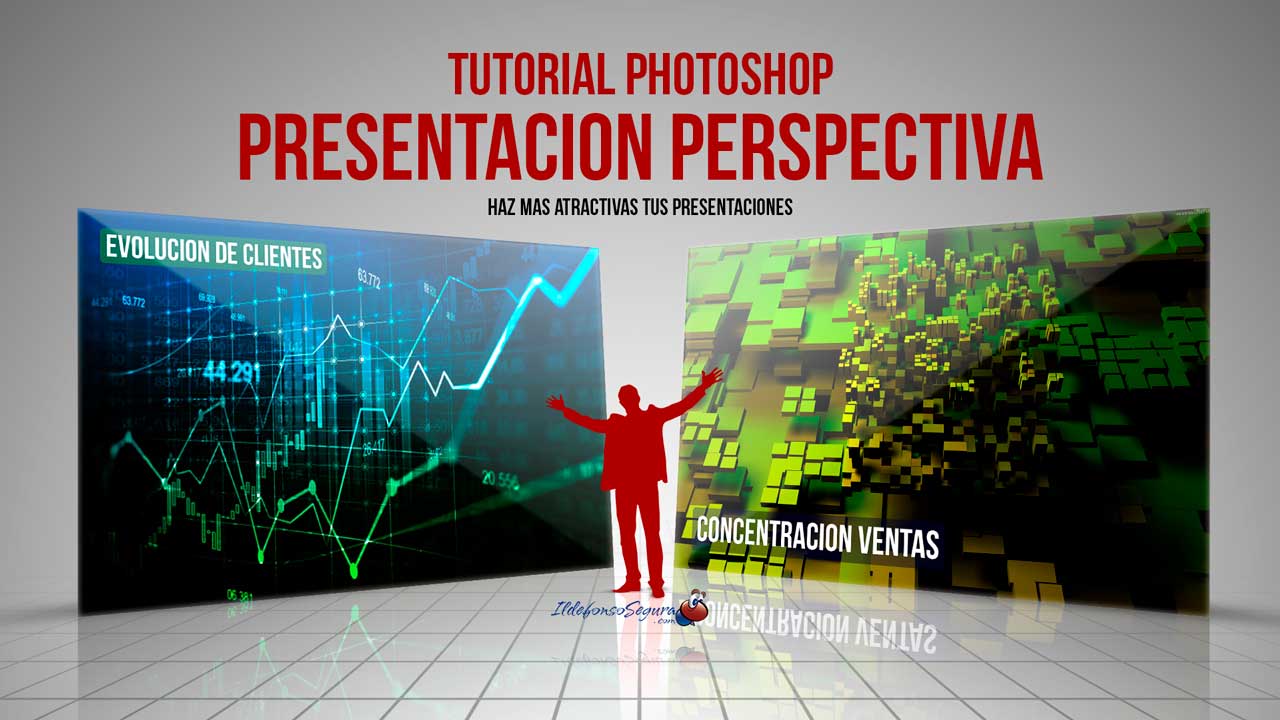
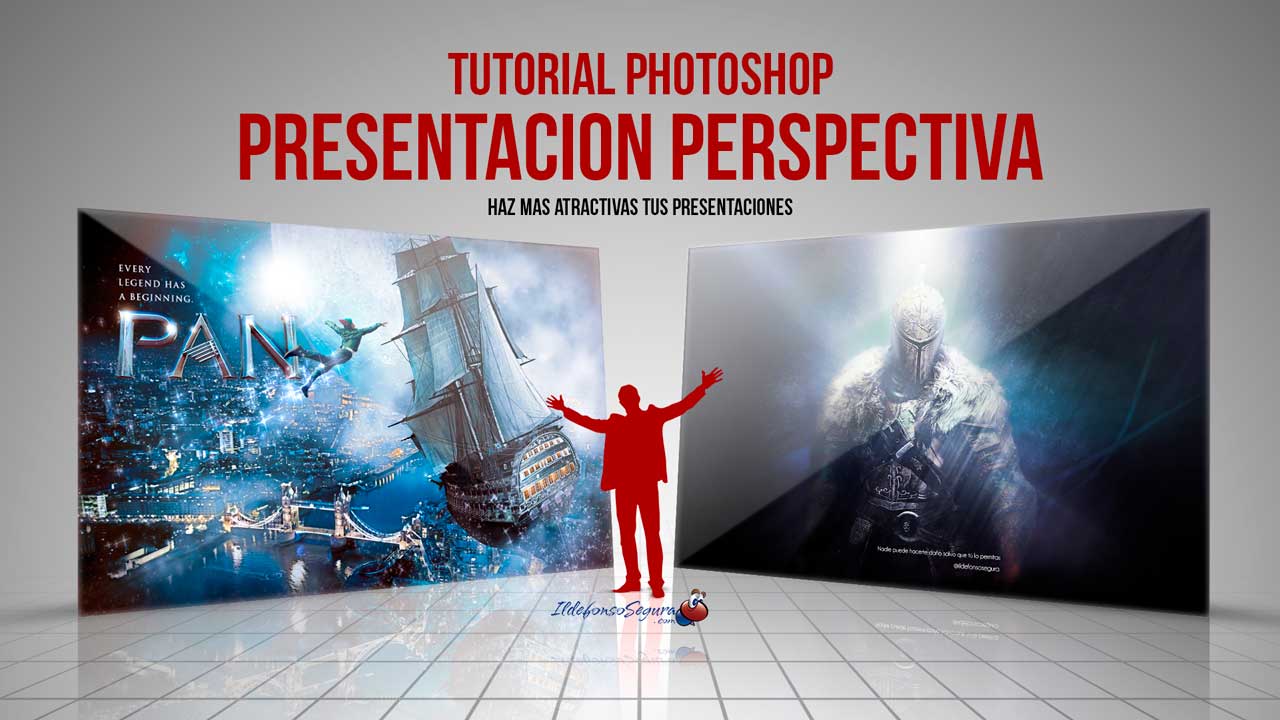
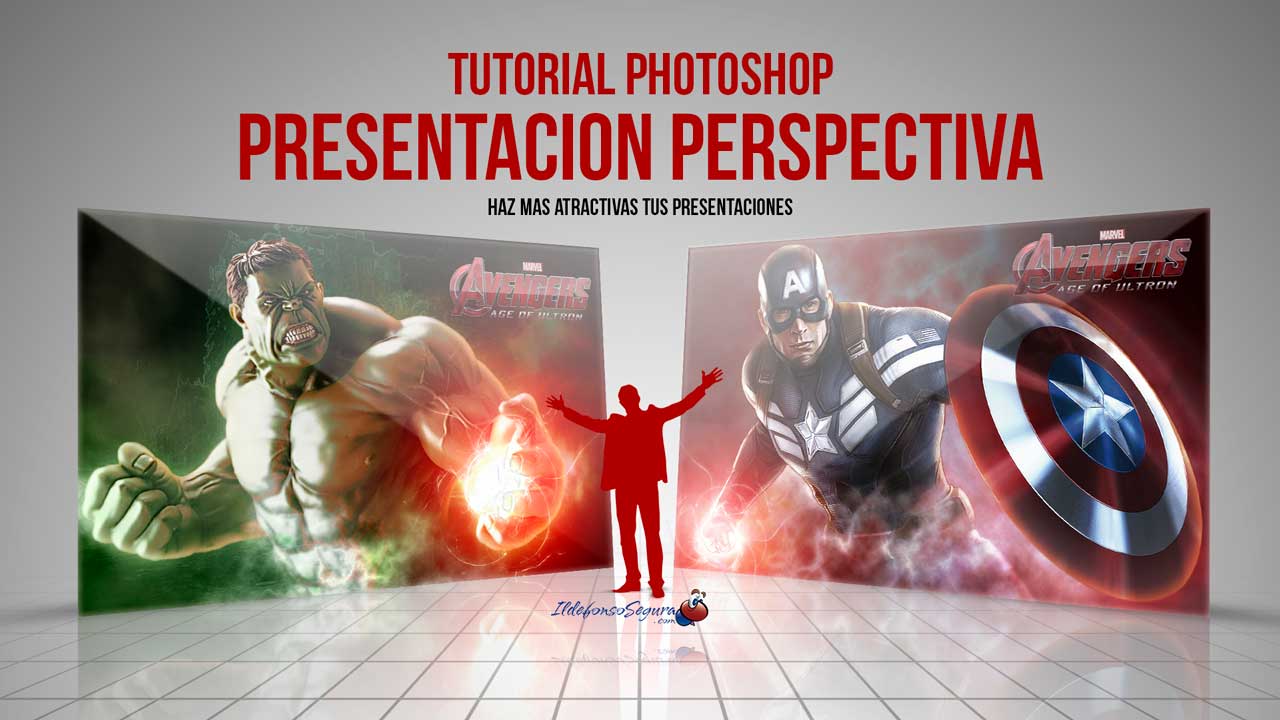
									<p style="text-align: justify;">En este tutorial de Photoshop te mostraré como hacer una plantilla para realizar una presentación elegante en perspectiva de tus trabajos, imágenes, gráficos, etc&#8230;</p><p><strong><span style="color: #800000;">EJEMPLOS</span></strong></p>								</div>
				</div>
					</div>
		</div>
					</div>
		</section>
				<section class="elementor-section elementor-top-section elementor-element elementor-element-52e4b9b elementor-section-boxed elementor-section-height-default elementor-section-height-default" data-id="52e4b9b" data-element_type="section" data-e-type="section">
						<div class="elementor-container elementor-column-gap-default">
					<div class="elementor-column elementor-col-100 elementor-top-column elementor-element elementor-element-a9cd129" data-id="a9cd129" data-element_type="column" data-e-type="column">
			<div class="elementor-widget-wrap elementor-element-populated">
						<div class="elementor-element elementor-element-1ba60f8 elementor-arrows-position-inside elementor-pagination-position-outside elementor-widget elementor-widget-image-carousel" data-id="1ba60f8" data-element_type="widget" data-e-type="widget" data-settings="{&quot;slides_to_show&quot;:&quot;2&quot;,&quot;slides_to_scroll&quot;:&quot;2&quot;,&quot;autoplay_speed&quot;:2878,&quot;navigation&quot;:&quot;both&quot;,&quot;autoplay&quot;:&quot;yes&quot;,&quot;pause_on_hover&quot;:&quot;yes&quot;,&quot;pause_on_interaction&quot;:&quot;yes&quot;,&quot;infinite&quot;:&quot;yes&quot;,&quot;speed&quot;:500,&quot;image_spacing_custom&quot;:{&quot;unit&quot;:&quot;px&quot;,&quot;size&quot;:20,&quot;sizes&quot;:[]},&quot;image_spacing_custom_tablet&quot;:{&quot;unit&quot;:&quot;px&quot;,&quot;size&quot;:&quot;&quot;,&quot;sizes&quot;:[]},&quot;image_spacing_custom_mobile&quot;:{&quot;unit&quot;:&quot;px&quot;,&quot;size&quot;:&quot;&quot;,&quot;sizes&quot;:[]}}" data-widget_type="image-carousel.default">
				<div class="elementor-widget-container">
							<div class="elementor-image-carousel-wrapper swiper" role="region" aria-roledescription="carousel" aria-label="Carrusel de imágenes" dir="ltr">
			<div class="elementor-image-carousel swiper-wrapper" aria-live="off">
								<div class="swiper-slide" role="group" aria-roledescription="slide" aria-label="1 de 3"><figure class="swiper-slide-inner"><img decoding="async" class="swiper-slide-image" src="https://ildefonsosegura.es/wp-content/uploads/Presentacion-elegante-3.jpg" alt="Presentacion-elegante-3" /></figure></div><div class="swiper-slide" role="group" aria-roledescription="slide" aria-label="2 de 3"><figure class="swiper-slide-inner"><img decoding="async" class="swiper-slide-image" src="https://ildefonsosegura.es/wp-content/uploads/Presentacion-elegante-1.jpg" alt="Presentacion-elegante-1" /></figure></div><div class="swiper-slide" role="group" aria-roledescription="slide" aria-label="3 de 3"><figure class="swiper-slide-inner"><img decoding="async" class="swiper-slide-image" src="https://ildefonsosegura.es/wp-content/uploads/Presentacion-elegante-2.jpg" alt="Presentacion-elegante-2" /></figure></div>			</div>
												<div class="elementor-swiper-button elementor-swiper-button-prev" role="button" tabindex="0">
						<i aria-hidden="true" class="eicon-chevron-left"></i>					</div>
					<div class="elementor-swiper-button elementor-swiper-button-next" role="button" tabindex="0">
						<i aria-hidden="true" class="eicon-chevron-right"></i>					</div>
				
									<div class="swiper-pagination"></div>
									</div>
						</div>
				</div>
					</div>
		</div>
					</div>
		</section>
				<section class="elementor-section elementor-top-section elementor-element elementor-element-69c5338c elementor-section-boxed elementor-section-height-default elementor-section-height-default" data-id="69c5338c" data-element_type="section" data-e-type="section">
						<div class="elementor-container elementor-column-gap-default">
					<div class="elementor-column elementor-col-100 elementor-top-column elementor-element elementor-element-6ae4e64d" data-id="6ae4e64d" data-element_type="column" data-e-type="column">
			<div class="elementor-widget-wrap elementor-element-populated">
						<div class="elementor-element elementor-element-de5bee elementor-widget elementor-widget-text-editor" data-id="de5bee" data-element_type="widget" data-e-type="widget" data-widget_type="text-editor.default">
				<div class="elementor-widget-container">
									<p style="text-align: justify;">De una forma fácil y procedimental diseñas una plantilla de un wallpaper que podrás usar en tus presentaciones elegantes, dándole un toque profesional y diferente.</p>
<strong><span style="color: #800000;">TUTORIAL PLANTILLA PRESENTACIÓN ELEGANTE</span></strong>

<center><iframe title="YouTube video player" src="https://www.youtube.com/embed/ES2tZ7-Ocmw?rel=0" width="560" height="490" frameborder="0" allowfullscreen="allowfullscreen"></iframe></center>
<div>
<div align="center"><center><strong style="color: #ff0000;">Suscríbete a mi canal de Youtube:</strong></center>
<div>
<div>
<div align="center">

<script src="https://apis.google.com/js/platform.js"></script>
<script>// <![CDATA[ function onYtEvent(payload) { if (payload.eventType == 'subscribe') { // Add code to handle subscribe event. } else if (payload.eventType == 'unsubscribe') { // Add code to handle unsubscribe event. } if (window.console) { // for debugging only window.console.log('YT event: ', payload); } } // ]]&gt;</script>
<div class="g-ytsubscribe" data-channel="ildefonsosegura" data-layout="default" data-count="default" data-onytevent="onYtEvent"></div>
</div>
</div>
<p style="text-align: left;">No te lo pierdas y comparte tus trabajos en mi página de facebook (<a href="http://www.facebook.com/IldefonsoSeguraPage" target="_blank" rel="noopener noreferrer">IldefonsoSeguraPage</a>)
Espero que te guste y compartas el vídeo. No dejes de compartir este post.</p>
<p style="text-align: left;">Así es como me puedes ayudar 🙂 Gracias</p>

</div>
</div>
</div>								</div>
				</div>
					</div>
		</div>
					</div>
		</section>
				<section class="elementor-section elementor-top-section elementor-element elementor-element-cbcf048 elementor-section-boxed elementor-section-height-default elementor-section-height-default" data-id="cbcf048" data-element_type="section" data-e-type="section">
						<div class="elementor-container elementor-column-gap-default">
					<div class="elementor-column elementor-col-100 elementor-top-column elementor-element elementor-element-8416d24" data-id="8416d24" data-element_type="column" data-e-type="column">
			<div class="elementor-widget-wrap elementor-element-populated">
						<div class="elementor-element elementor-element-5853ca2 elementor-align-center elementor-widget elementor-widget-button" data-id="5853ca2" data-element_type="widget" data-e-type="widget" data-widget_type="button.default">
				<div class="elementor-widget-container">
									<div class="elementor-button-wrapper">
					<a class="elementor-button elementor-button-link elementor-size-sm" href="https://drive.google.com/file/d/1_CMY008f0ZGXiqwdZ3BkbT-4DzVx8N2K/view?usp=sharing" id="my-id">
						<span class="elementor-button-content-wrapper">
									<span class="elementor-button-text">DESCARGA LOS MATERIALES</span>
					</span>
					</a>
				</div>
								</div>
				</div>
					</div>
		</div>
					</div>
		</section>
				</div>La entrada <a href="https://ildefonsosegura.es/plantilla-presentacion-elegante-con-photoshop-tutorial/">Plantilla presentación elegante con Photoshop // Tutorial</a> apareció primero en <a href="https://ildefonsosegura.es">Ildefonso Segura</a>.]]></content:encoded>


			</item>
		<item>
		<title>Tutorial Photoshop wallpaper superheroe para smartphone</title>
		<link>https://ildefonsosegura.es/tutorial-photoshop-wallpaper-superheroe-para-smartphone/</link>
					<comments>https://ildefonsosegura.es/tutorial-photoshop-wallpaper-superheroe-para-smartphone/#respond</comments>
		
		<dc:creator><![CDATA[Ildefonso Segura]]></dc:creator>
		<pubDate>Thu, 25 Apr 2019 16:18:57 +0000</pubDate>
				<category><![CDATA[3D]]></category>
		<category><![CDATA[Efectos]]></category>
		<category><![CDATA[Estilos]]></category>
		<category><![CDATA[Fotocomposición]]></category>
		<category><![CDATA[Películas]]></category>
		<category><![CDATA[Photoshop]]></category>
		<category><![CDATA[Tecnicas]]></category>
		<category><![CDATA[Textos]]></category>
		<category><![CDATA[Tutoriales]]></category>
		<category><![CDATA[Video]]></category>
		<category><![CDATA[Wallpaper]]></category>
		<category><![CDATA[adobe]]></category>
		<category><![CDATA[adobe cc]]></category>
		<category><![CDATA[avengers]]></category>
		<category><![CDATA[cartel]]></category>
		<category><![CDATA[creatividad]]></category>
		<category><![CDATA[extrusión]]></category>
		<category><![CDATA[gloriasanis]]></category>
		<category><![CDATA[ildefonsosegura]]></category>
		<category><![CDATA[imagen]]></category>
		<category><![CDATA[luces]]></category>
		<category><![CDATA[mobil]]></category>
		<category><![CDATA[movil]]></category>
		<category><![CDATA[photoshop]]></category>
		<category><![CDATA[poster]]></category>
		<category><![CDATA[smartphone]]></category>
		<category><![CDATA[spiderman]]></category>
		<category><![CDATA[spidey]]></category>
		<category><![CDATA[texto 3d]]></category>
		<category><![CDATA[tuto]]></category>
		<category><![CDATA[tutorial]]></category>
		<category><![CDATA[vengadores]]></category>
		<category><![CDATA[video]]></category>
		<category><![CDATA[VIDEOTUTORIAL]]></category>
		<category><![CDATA[wallpaper]]></category>
		<category><![CDATA[youtube]]></category>
		<guid isPermaLink="false">http://ildefonsosegura.es/?p=61141</guid>

					<description><![CDATA[<p>En este tutorial de photoshop te muestro como crear un wallpaper para smartphone con tu superheroe preferido. Dividimos el tutorial en 3 partes Parte 1 : Creamos el texto, lo formateamos, trabajaremos técnicas de extrusión a través de acciones, aplicaremos estilos de texto para conseguir una perfecta iluminación y mostreremos cómo mejorar los brillos o [&#8230;]</p>
La entrada <a href="https://ildefonsosegura.es/tutorial-photoshop-wallpaper-superheroe-para-smartphone/">Tutorial Photoshop wallpaper superheroe para smartphone</a> apareció primero en <a href="https://ildefonsosegura.es">Ildefonso Segura</a>.]]></description>
										<content:encoded><![CDATA[<div data-elementor-type="wp-post" data-elementor-id="61141" class="elementor elementor-61141">
						<section class="elementor-section elementor-top-section elementor-element elementor-element-5551dfbb elementor-section-boxed elementor-section-height-default elementor-section-height-default" data-id="5551dfbb" data-element_type="section" data-e-type="section">
						<div class="elementor-container elementor-column-gap-default">
					<div class="elementor-column elementor-col-100 elementor-top-column elementor-element elementor-element-dd87ead" data-id="dd87ead" data-element_type="column" data-e-type="column">
			<div class="elementor-widget-wrap elementor-element-populated">
						<div class="elementor-element elementor-element-58431a4a elementor-widget elementor-widget-text-editor" data-id="58431a4a" data-element_type="widget" data-e-type="widget" data-widget_type="text-editor.default">
				<div class="elementor-widget-container">
									<p style="text-align: justify;">En este tutorial de photoshop te muestro como crear un wallpaper para smartphone con tu superheroe preferido.</p><p>Dividimos el tutorial en 3 partes</p><ul><li><strong>Parte 1</strong> : Creamos el texto, lo formateamos, trabajaremos técnicas de extrusión a través de acciones, aplicaremos estilos de texto para conseguir una perfecta iluminación y mostreremos cómo mejorar los brillos o «high ligths con algún truquillo muy sencillo.</li><li><strong>Parte 2</strong> : Creamos un fondo apropiado a un superheroe con diferentes capas de ajuste que consigan una luz consistente con la que hemos simulado en el texto anteriormente.</li><li><strong>Parte 3</strong> : Trabajaremos la iluminación sobre el mismo superheroe que usamos como stock. Muestro unos trucos para crear high lights y modificar el tono discriminando entre sombras y luces que vienen con el propio stock.</li></ul><p>El resultado es evidente. Tú puedes ver el antes y el después</p><p>[twenty20 img1=»61145&#8243; img2=»61146&#8243; offset=»0.5&#8243;]</p><p>Me gustaría ver tu wallpaper de superheroe para smartphone siguiendo mi tutorial de photoshop</p><p>Disfruta del tutorial de Photoshop. Hay mucho trabajo detrás. Compártelo y así nos ayudas.</p><p><strong><span style="color: #800000;">TUTORIAL WALLPAPER AVENGERS</span></strong></p><center><iframe src="https://www.youtube.com/embed/T2Sc2Lynlq4" width="640" height="420" frameborder="0" allowfullscreen="allowfullscreen">&lt;span data-mce-type=»bookmark» style=»display: inline-block; width: 0px; overflow: hidden; line-height: 0;» class=»mce_SELRES_start»&gt;&lt;/span&gt;</iframe></center><div><div><p style="text-align: left;"> </p></div></div>								</div>
				</div>
					</div>
		</div>
					</div>
		</section>
				<section class="elementor-section elementor-top-section elementor-element elementor-element-b311e30 elementor-section-boxed elementor-section-height-default elementor-section-height-default" data-id="b311e30" data-element_type="section" data-e-type="section">
						<div class="elementor-container elementor-column-gap-default">
					<div class="elementor-column elementor-col-50 elementor-top-column elementor-element elementor-element-b93681f" data-id="b93681f" data-element_type="column" data-e-type="column">
			<div class="elementor-widget-wrap elementor-element-populated">
						<div class="elementor-element elementor-element-adfc8e1 elementor-widget elementor-widget-text-editor" data-id="adfc8e1" data-element_type="widget" data-e-type="widget" data-widget_type="text-editor.default">
				<div class="elementor-widget-container">
									<p>Puedes ver muchos más tutoriales relacionados con los <span style="color: #ff0000;"><strong><em>Avengers</em> </strong></span>haciendo clic en el botón:</p>								</div>
				</div>
					</div>
		</div>
				<div class="elementor-column elementor-col-50 elementor-top-column elementor-element elementor-element-c958f88" data-id="c958f88" data-element_type="column" data-e-type="column">
			<div class="elementor-widget-wrap elementor-element-populated">
						<div class="elementor-element elementor-element-d929b6e elementor-align-center elementor-widget elementor-widget-button" data-id="d929b6e" data-element_type="widget" data-e-type="widget" data-widget_type="button.default">
				<div class="elementor-widget-container">
									<div class="elementor-button-wrapper">
					<a class="elementor-button elementor-button-link elementor-size-md" href="https://ildefonsosegura.es/?s=avengers" target="_blank">
						<span class="elementor-button-content-wrapper">
									<span class="elementor-button-text">Tutos Avengers</span>
					</span>
					</a>
				</div>
								</div>
				</div>
					</div>
		</div>
					</div>
		</section>
				<section class="elementor-section elementor-top-section elementor-element elementor-element-2ff11e47 elementor-section-full_width elementor-section-height-default elementor-section-height-default" data-id="2ff11e47" data-element_type="section" data-e-type="section">
						<div class="elementor-container elementor-column-gap-default">
					<div class="elementor-column elementor-col-50 elementor-top-column elementor-element elementor-element-6b381bf3" data-id="6b381bf3" data-element_type="column" data-e-type="column">
			<div class="elementor-widget-wrap elementor-element-populated">
						<div class="elementor-element elementor-element-1aeb7d6b elementor-align-right elementor-invisible elementor-widget elementor-widget-button" data-id="1aeb7d6b" data-element_type="widget" data-e-type="widget" data-settings="{&quot;_animation&quot;:&quot;shake&quot;}" data-widget_type="button.default">
				<div class="elementor-widget-container">
									<div class="elementor-button-wrapper">
					<a class="elementor-button elementor-button-link elementor-size-sm elementor-animation-grow" href="https://drive.google.com/open?id=16t71Lo1sja_E8A6Az-eZPXDIs5ZdeUFe" target="_blank">
						<span class="elementor-button-content-wrapper">
									<span class="elementor-button-text">DESCARGA EL MATERIAL</span>
					</span>
					</a>
				</div>
								</div>
				</div>
					</div>
		</div>
				<div class="elementor-column elementor-col-50 elementor-top-column elementor-element elementor-element-1974ca2" data-id="1974ca2" data-element_type="column" data-e-type="column">
			<div class="elementor-widget-wrap elementor-element-populated">
						<div class="elementor-element elementor-element-acda019 elementor-widget elementor-widget-html" data-id="acda019" data-element_type="widget" data-e-type="widget" data-settings="{&quot;_animation&quot;:&quot;none&quot;}" data-widget_type="html.default">
				<div class="elementor-widget-container">
					<form action="https://www.paypal.com/cgi-bin/webscr" method="post" target="_blank">
<input type="hidden" name="cmd" value="_donations">
<input type="hidden" name="business" value="ildefonsosegura@gmail.com">
<input type="hidden" name="lc" value="ES">
<input type="hidden" name="item_name" value="MANTENIMIENTO DE LA PAGINA DE ILDEFONSOSEGURA">
<input type="hidden" name="no_note" value="0">
<input type="hidden" name="currency_code" value="EUR">
<input type="hidden" name="bn" value="PP-DonationsBF:paypal1.jpg:NonHostedGuest">
<input type="image" src="http://ildefonsosegura.es/wp-content/uploads/paypal-updated-1.png" border="0" name="submit" alt="PayPal. La forma rápida y segura de pagar en Internet.">
<img decoding="async" alt="" border="0" src="https://www.paypalobjects.com/es_ES/i/scr/pixel.gif" width="1" height="1">
</form>				</div>
				</div>
					</div>
		</div>
					</div>
		</section>
				<section class="elementor-section elementor-top-section elementor-element elementor-element-24c5a1bf elementor-section-full_width elementor-section-height-default elementor-section-height-default" data-id="24c5a1bf" data-element_type="section" data-e-type="section">
						<div class="elementor-container elementor-column-gap-default">
					<div class="elementor-column elementor-col-100 elementor-top-column elementor-element elementor-element-6c525d4a" data-id="6c525d4a" data-element_type="column" data-e-type="column">
			<div class="elementor-widget-wrap elementor-element-populated">
						<div class="elementor-element elementor-element-1f2ff6e5 elementor-widget elementor-widget-text-editor" data-id="1f2ff6e5" data-element_type="widget" data-e-type="widget" data-widget_type="text-editor.default">
				<div class="elementor-widget-container">
									<div><div align="center"><center><strong style="color: #ff0000;">Suscríbete a mi canal de Youtube:</strong></center><div><div><div align="center"><p><script src="https://apis.google.com/js/platform.js"></script></p><div class="g-ytsubscribe" data-channel="ildefonsosegura" data-layout="full" data-count="default"> </div></div></div><p> </p><p style="text-align: center;">No te lo pierdas y comparte tus trabajos en mi página de facebook (<span style="color: #0000ff;"><strong><a style="color: #0000ff;" href="http://www.facebook.com/IldefonsoSeguraPage" target="_blank" rel="noopener noreferrer">IldefonsoSeguraPage</a></strong></span>)<br />Espero que te guste y compartas el vídeo. No dejes de compartir este post.</p><p style="text-align: center;">Así es como me puedes ayudar 🙂 Gracias</p></div></div></div>								</div>
				</div>
					</div>
		</div>
					</div>
		</section>
				</div>La entrada <a href="https://ildefonsosegura.es/tutorial-photoshop-wallpaper-superheroe-para-smartphone/">Tutorial Photoshop wallpaper superheroe para smartphone</a> apareció primero en <a href="https://ildefonsosegura.es">Ildefonso Segura</a>.]]></content:encoded>
					
					<wfw:commentRss>https://ildefonsosegura.es/tutorial-photoshop-wallpaper-superheroe-para-smartphone/feed/</wfw:commentRss>
			<slash:comments>0</slash:comments>
		
		
			</item>
		<item>
		<title>Crea el texto de la película Animales Fantásticos con Photoshop by @ildefonsosegura (Incluye editable)</title>
		<link>https://ildefonsosegura.es/crea-el-texto-de-la-pelicula-animales-fantasticos-con-photoshop-by-ildefonsosegura/</link>
					<comments>https://ildefonsosegura.es/crea-el-texto-de-la-pelicula-animales-fantasticos-con-photoshop-by-ildefonsosegura/#respond</comments>
		
		<dc:creator><![CDATA[Ildefonso Segura]]></dc:creator>
		<pubDate>Mon, 03 Dec 2018 16:15:46 +0000</pubDate>
				<category><![CDATA[Editable]]></category>
		<category><![CDATA[Efectos]]></category>
		<category><![CDATA[Estilos]]></category>
		<category><![CDATA[Fotocomposición]]></category>
		<category><![CDATA[Películas]]></category>
		<category><![CDATA[Photoshop]]></category>
		<category><![CDATA[Tecnicas]]></category>
		<category><![CDATA[Textos]]></category>
		<category><![CDATA[Tutoriales]]></category>
		<category><![CDATA[Video]]></category>
		<category><![CDATA[Wallpaper]]></category>
		<category><![CDATA[adobe]]></category>
		<category><![CDATA[banner]]></category>
		<category><![CDATA[brillo]]></category>
		<category><![CDATA[cartel]]></category>
		<category><![CDATA[cc2015]]></category>
		<category><![CDATA[cc2017]]></category>
		<category><![CDATA[cc2018]]></category>
		<category><![CDATA[composición]]></category>
		<category><![CDATA[diseño]]></category>
		<category><![CDATA[efecto]]></category>
		<category><![CDATA[estilo texto]]></category>
		<category><![CDATA[fantastic beasts]]></category>
		<category><![CDATA[harry]]></category>
		<category><![CDATA[ildefonsosegura]]></category>
		<category><![CDATA[imagen]]></category>
		<category><![CDATA[magia]]></category>
		<category><![CDATA[movie]]></category>
		<category><![CDATA[oro]]></category>
		<category><![CDATA[pelicula]]></category>
		<category><![CDATA[photoshop]]></category>
		<category><![CDATA[poster]]></category>
		<category><![CDATA[potter]]></category>
		<category><![CDATA[text]]></category>
		<category><![CDATA[text style]]></category>
		<category><![CDATA[texto oro]]></category>
		<category><![CDATA[tuto]]></category>
		<category><![CDATA[tutorial]]></category>
		<category><![CDATA[video]]></category>
		<category><![CDATA[VIDEOTUTORIAL]]></category>
		<category><![CDATA[wallpaper]]></category>
		<category><![CDATA[youtube]]></category>
		<guid isPermaLink="false">http://ildefonsosegura.es/?p=6303</guid>

					<description><![CDATA[<p>Me ha encantado hacer este tutorial por el resultado tan agradecido que tiene. Hemos conseguido un texto con una textura y brillos muy llamativo. Intenté emular el titulo de la película «Fantastic Beasts» y conseguí la siguiente composición que está inspirada en la película de la que mi hija es fan absoluta (de toda la [&#8230;]</p>
La entrada <a href="https://ildefonsosegura.es/crea-el-texto-de-la-pelicula-animales-fantasticos-con-photoshop-by-ildefonsosegura/">Crea el texto de la película Animales Fantásticos con Photoshop by @ildefonsosegura (Incluye editable)</a> apareció primero en <a href="https://ildefonsosegura.es">Ildefonso Segura</a>.]]></description>
										<content:encoded><![CDATA[<div data-elementor-type="wp-post" data-elementor-id="6303" class="elementor elementor-6303">
						<section class="elementor-section elementor-top-section elementor-element elementor-element-3d5872ff elementor-section-boxed elementor-section-height-default elementor-section-height-default" data-id="3d5872ff" data-element_type="section" data-e-type="section">
						<div class="elementor-container elementor-column-gap-default">
					<div class="elementor-column elementor-col-100 elementor-top-column elementor-element elementor-element-3098d52a" data-id="3098d52a" data-element_type="column" data-e-type="column">
			<div class="elementor-widget-wrap elementor-element-populated">
						<div class="elementor-element elementor-element-6fa03ca0 elementor-widget elementor-widget-text-editor" data-id="6fa03ca0" data-element_type="widget" data-e-type="widget" data-widget_type="text-editor.default">
				<div class="elementor-widget-container">
									<p style="text-align: justify;">Me ha encantado hacer este tutorial por el resultado tan agradecido que tiene.</p><p style="text-align: justify;">Hemos conseguido un texto con una textura y brillos muy llamativo. Intenté emular el titulo de la película «Fantastic Beasts» y conseguí la siguiente composición que está inspirada en la película de la que mi hija es fan absoluta (de toda la saga de J.K. Rowling)</p><p><img loading="lazy" decoding="async" class="aligncenter wp-image-6304 size-full" src="https://ildefonsosegura.es/wp-content/uploads/fantastic-beasts-1.jpg" alt="" width="1000" height="1250" srcset="https://ildefonsosegura.es/wp-content/uploads/fantastic-beasts-1.jpg 1000w, https://ildefonsosegura.es/wp-content/uploads/fantastic-beasts-1-240x300.jpg 240w, https://ildefonsosegura.es/wp-content/uploads/fantastic-beasts-1-768x960.jpg 768w, https://ildefonsosegura.es/wp-content/uploads/fantastic-beasts-1-819x1024.jpg 819w" sizes="(max-width: 1000px) 100vw, 1000px" /></p><p style="text-align: justify;">La idea inicial vino de la mano de un mago que me solicitó ayuda para crear un wallpaper con este estilo <a href="https://www.facebook.com/arcanomagic" target="_blank" rel="noopener">LA MAGIA DE ARCANO</a> . Comencé a investigar como conseguir un resultado inspirado en el texto original pero que tuviera algo de mi estilo. Probando diferentes técnicas y añadiendo efectos al propio texto, llegué a determinar ciertos valores en los estilos del mismo que me sirvieron para hacer el tutorial.</p><p>Aquí te dejo el antes y el después del efecto conseguido</p><p>[twenty20 img1=»6307&#8243; img2=»6305&#8243; offset=»0.5&#8243;]</p><p>Disfruta del tutorial. Yo me lo pasé en grande aunque hay mucho trabajo detrás. Si quieres el editable, puedes seguir leyendo hacia abajo y tendrás un vídeo guía y un botón que te llevará al regalo (sección de REGALOS  de mi web)</p><p><strong><span style="color: #800000;">TUTORIAL</span> </strong></p><center><iframe src="https://www.youtube.com/embed/Yp0HGERWwzc" width="640" height="420" frameborder="0" allowfullscreen="allowfullscreen"><span data-mce-type="bookmark" style="display: inline-block; width: 0px; overflow: hidden; line-height: 0;" class="mce_SELRES_start">﻿</span></iframe></center><p style="text-align: center;"><span style="color: #ff0000;"><strong>Aquí debajo te dejo referencia a las imágenes que he usado</strong></span></p>								</div>
				</div>
					</div>
		</div>
					</div>
		</section>
				<section class="elementor-section elementor-top-section elementor-element elementor-element-330cd307 elementor-section-boxed elementor-section-height-default elementor-section-height-default" data-id="330cd307" data-element_type="section" data-e-type="section">
						<div class="elementor-container elementor-column-gap-default">
					<div class="elementor-column elementor-col-100 elementor-top-column elementor-element elementor-element-61012f7d" data-id="61012f7d" data-element_type="column" data-e-type="column">
			<div class="elementor-widget-wrap elementor-element-populated">
						<div class="elementor-element elementor-element-963efc0 elementor-widget-divider--view-line elementor-widget elementor-widget-divider" data-id="963efc0" data-element_type="widget" data-e-type="widget" data-widget_type="divider.default">
				<div class="elementor-widget-container">
							<div class="elementor-divider">
			<span class="elementor-divider-separator">
						</span>
		</div>
						</div>
				</div>
					</div>
		</div>
					</div>
		</section>
				<section class="elementor-section elementor-top-section elementor-element elementor-element-2de0c41f elementor-section-full_width elementor-section-height-default elementor-section-height-default" data-id="2de0c41f" data-element_type="section" data-e-type="section">
						<div class="elementor-container elementor-column-gap-default">
					<div class="elementor-column elementor-col-50 elementor-top-column elementor-element elementor-element-62406e6a" data-id="62406e6a" data-element_type="column" data-e-type="column">
			<div class="elementor-widget-wrap elementor-element-populated">
						<div class="elementor-element elementor-element-1bdd237c elementor-align-right elementor-invisible elementor-widget elementor-widget-button" data-id="1bdd237c" data-element_type="widget" data-e-type="widget" data-settings="{&quot;_animation&quot;:&quot;shake&quot;}" data-widget_type="button.default">
				<div class="elementor-widget-container">
									<div class="elementor-button-wrapper">
					<a class="elementor-button elementor-button-link elementor-size-sm elementor-animation-grow" href="https://drive.google.com/file/d/1SJ4l5y4qTpFr1DvBKBtce67aY7CDODd3/view?usp=sharing">
						<span class="elementor-button-content-wrapper">
									<span class="elementor-button-text">DESCARGA EL MATERIAL</span>
					</span>
					</a>
				</div>
								</div>
				</div>
					</div>
		</div>
				<div class="elementor-column elementor-col-50 elementor-top-column elementor-element elementor-element-36d8a753" data-id="36d8a753" data-element_type="column" data-e-type="column">
			<div class="elementor-widget-wrap elementor-element-populated">
						<div class="elementor-element elementor-element-2c47df50 elementor-widget elementor-widget-html" data-id="2c47df50" data-element_type="widget" data-e-type="widget" data-settings="{&quot;_animation&quot;:&quot;none&quot;}" data-widget_type="html.default">
				<div class="elementor-widget-container">
					<form action="https://www.paypal.com/cgi-bin/webscr" method="post" target="_blank">
<input type="hidden" name="cmd" value="_donations">
<input type="hidden" name="business" value="ildefonsosegura@gmail.com">
<input type="hidden" name="lc" value="ES">
<input type="hidden" name="item_name" value="MANTENIMIENTO DE LA PAGINA DE ILDEFONSOSEGURA">
<input type="hidden" name="no_note" value="0">
<input type="hidden" name="currency_code" value="EUR">
<input type="hidden" name="bn" value="PP-DonationsBF:paypal1.jpg:NonHostedGuest">
<input type="image" src="http://ildefonsosegura.es/wp-content/uploads/paypal-updated-1.png" border="0" name="submit" alt="PayPal. La forma rápida y segura de pagar en Internet.">
<img decoding="async" alt="" border="0" src="https://www.paypalobjects.com/es_ES/i/scr/pixel.gif" width="1" height="1">
</form>				</div>
				</div>
					</div>
		</div>
					</div>
		</section>
				<section class="elementor-section elementor-top-section elementor-element elementor-element-70590309 elementor-section-boxed elementor-section-height-default elementor-section-height-default" data-id="70590309" data-element_type="section" data-e-type="section">
						<div class="elementor-container elementor-column-gap-default">
					<div class="elementor-column elementor-col-100 elementor-top-column elementor-element elementor-element-1ac099f8" data-id="1ac099f8" data-element_type="column" data-e-type="column">
			<div class="elementor-widget-wrap elementor-element-populated">
						<div class="elementor-element elementor-element-66755563 elementor-widget-divider--view-line elementor-widget elementor-widget-divider" data-id="66755563" data-element_type="widget" data-e-type="widget" data-widget_type="divider.default">
				<div class="elementor-widget-container">
							<div class="elementor-divider">
			<span class="elementor-divider-separator">
						</span>
		</div>
						</div>
				</div>
					</div>
		</div>
					</div>
		</section>
				<section class="elementor-section elementor-top-section elementor-element elementor-element-b60a148 elementor-section-boxed elementor-section-height-default elementor-section-height-default" data-id="b60a148" data-element_type="section" data-e-type="section">
						<div class="elementor-container elementor-column-gap-default">
					<div class="elementor-column elementor-col-100 elementor-top-column elementor-element elementor-element-233a6f9" data-id="233a6f9" data-element_type="column" data-e-type="column">
			<div class="elementor-widget-wrap elementor-element-populated">
						<div class="elementor-element elementor-element-d514857 elementor-widget elementor-widget-heading" data-id="d514857" data-element_type="widget" data-e-type="widget" data-widget_type="heading.default">
				<div class="elementor-widget-container">
					<h2 class="elementor-heading-title elementor-size-default">EDITABLE</h2>				</div>
				</div>
					</div>
		</div>
					</div>
		</section>
				<section class="elementor-section elementor-top-section elementor-element elementor-element-911babd elementor-section-boxed elementor-section-height-default elementor-section-height-default" data-id="911babd" data-element_type="section" data-e-type="section">
						<div class="elementor-container elementor-column-gap-default">
					<div class="elementor-column elementor-col-100 elementor-top-column elementor-element elementor-element-9df6ff7" data-id="9df6ff7" data-element_type="column" data-e-type="column">
			<div class="elementor-widget-wrap elementor-element-populated">
						<div class="elementor-element elementor-element-5c382c8 elementor-widget elementor-widget-video" data-id="5c382c8" data-element_type="widget" data-e-type="widget" data-settings="{&quot;youtube_url&quot;:&quot;https:\/\/youtu.be\/vPn2DVB6c7Q&quot;,&quot;video_type&quot;:&quot;youtube&quot;,&quot;controls&quot;:&quot;yes&quot;}" data-widget_type="video.default">
				<div class="elementor-widget-container">
							<div class="elementor-wrapper elementor-open-inline">
			<div class="elementor-video"></div>		</div>
						</div>
				</div>
					</div>
		</div>
					</div>
		</section>
				<section class="elementor-section elementor-top-section elementor-element elementor-element-41f87d1e elementor-section-boxed elementor-section-height-default elementor-section-height-default" data-id="41f87d1e" data-element_type="section" data-e-type="section">
						<div class="elementor-container elementor-column-gap-default">
					<div class="elementor-column elementor-col-100 elementor-top-column elementor-element elementor-element-360af7fb" data-id="360af7fb" data-element_type="column" data-e-type="column">
			<div class="elementor-widget-wrap elementor-element-populated">
						<div class="elementor-element elementor-element-7bb358d5 elementor-widget-divider--view-line elementor-widget elementor-widget-divider" data-id="7bb358d5" data-element_type="widget" data-e-type="widget" data-widget_type="divider.default">
				<div class="elementor-widget-container">
							<div class="elementor-divider">
			<span class="elementor-divider-separator">
						</span>
		</div>
						</div>
				</div>
					</div>
		</div>
					</div>
		</section>
				<section class="elementor-section elementor-top-section elementor-element elementor-element-3bdfa71d elementor-section-full_width elementor-section-height-default elementor-section-height-default" data-id="3bdfa71d" data-element_type="section" data-e-type="section">
						<div class="elementor-container elementor-column-gap-default">
					<div class="elementor-column elementor-col-50 elementor-top-column elementor-element elementor-element-16882531" data-id="16882531" data-element_type="column" data-e-type="column">
			<div class="elementor-widget-wrap elementor-element-populated">
						<div class="elementor-element elementor-element-133637ea elementor-align-right elementor-invisible elementor-widget elementor-widget-button" data-id="133637ea" data-element_type="widget" data-e-type="widget" data-settings="{&quot;_animation&quot;:&quot;shake&quot;}" data-widget_type="button.default">
				<div class="elementor-widget-container">
									<div class="elementor-button-wrapper">
					<a class="elementor-button elementor-button-link elementor-size-sm elementor-animation-grow" href="https://ildefonsosegura.es/regalos/" target="_blank">
						<span class="elementor-button-content-wrapper">
									<span class="elementor-button-text">BAJATE EL EDITABLE</span>
					</span>
					</a>
				</div>
								</div>
				</div>
					</div>
		</div>
				<div class="elementor-column elementor-col-50 elementor-top-column elementor-element elementor-element-4fa8124f" data-id="4fa8124f" data-element_type="column" data-e-type="column">
			<div class="elementor-widget-wrap elementor-element-populated">
						<div class="elementor-element elementor-element-4eaa1349 elementor-widget elementor-widget-html" data-id="4eaa1349" data-element_type="widget" data-e-type="widget" data-settings="{&quot;_animation&quot;:&quot;none&quot;}" data-widget_type="html.default">
				<div class="elementor-widget-container">
					<form action="https://www.paypal.com/cgi-bin/webscr" method="post" target="_blank">
<input type="hidden" name="cmd" value="_donations">
<input type="hidden" name="business" value="ildefonsosegura@gmail.com">
<input type="hidden" name="lc" value="ES">
<input type="hidden" name="item_name" value="MANTENIMIENTO DE LA PAGINA DE ILDEFONSOSEGURA">
<input type="hidden" name="no_note" value="0">
<input type="hidden" name="currency_code" value="EUR">
<input type="hidden" name="bn" value="PP-DonationsBF:paypal1.jpg:NonHostedGuest">
<input type="image" src="http://ildefonsosegura.es/wp-content/uploads/paypal-updated-1.png" border="0" name="submit" alt="PayPal. La forma rápida y segura de pagar en Internet.">
<img decoding="async" alt="" border="0" src="https://www.paypalobjects.com/es_ES/i/scr/pixel.gif" width="1" height="1">
</form>				</div>
				</div>
					</div>
		</div>
					</div>
		</section>
				<section class="elementor-section elementor-top-section elementor-element elementor-element-eae42ec elementor-section-boxed elementor-section-height-default elementor-section-height-default" data-id="eae42ec" data-element_type="section" data-e-type="section">
						<div class="elementor-container elementor-column-gap-default">
					<div class="elementor-column elementor-col-100 elementor-top-column elementor-element elementor-element-165173b9" data-id="165173b9" data-element_type="column" data-e-type="column">
			<div class="elementor-widget-wrap elementor-element-populated">
						<div class="elementor-element elementor-element-6c7e2781 elementor-widget-divider--view-line elementor-widget elementor-widget-divider" data-id="6c7e2781" data-element_type="widget" data-e-type="widget" data-widget_type="divider.default">
				<div class="elementor-widget-container">
							<div class="elementor-divider">
			<span class="elementor-divider-separator">
						</span>
		</div>
						</div>
				</div>
					</div>
		</div>
					</div>
		</section>
				<section class="elementor-section elementor-top-section elementor-element elementor-element-5e9ed095 elementor-section-full_width elementor-section-height-default elementor-section-height-default" data-id="5e9ed095" data-element_type="section" data-e-type="section">
						<div class="elementor-container elementor-column-gap-default">
					<div class="elementor-column elementor-col-100 elementor-top-column elementor-element elementor-element-f5edb11" data-id="f5edb11" data-element_type="column" data-e-type="column">
			<div class="elementor-widget-wrap elementor-element-populated">
						<div class="elementor-element elementor-element-5f3acab9 elementor-widget elementor-widget-text-editor" data-id="5f3acab9" data-element_type="widget" data-e-type="widget" data-widget_type="text-editor.default">
				<div class="elementor-widget-container">
									<div><div align="center"><center><strong style="color: #ff0000;">Suscríbete a mi canal de Youtube:</strong></center><div><div><div align="center"><p><script src="https://apis.google.com/js/platform.js"></script></p><div class="g-ytsubscribe" data-channel="ildefonsosegura" data-layout="full" data-count="default"> </div></div></div><p> </p><p style="text-align: center;">No te lo pierdas y comparte tus trabajos en mi página de facebook (<span style="color: #0000ff;"><strong><a style="color: #0000ff;" href="http://www.facebook.com/IldefonsoSeguraPage" target="_blank" rel="noopener noreferrer">IldefonsoSeguraPage</a></strong></span>)<br />Espero que te guste y compartas el vídeo. No dejes de compartir este post.</p><p style="text-align: center;">Así es como me puedes ayudar 🙂 Gracias</p></div></div></div>								</div>
				</div>
					</div>
		</div>
					</div>
		</section>
				</div>La entrada <a href="https://ildefonsosegura.es/crea-el-texto-de-la-pelicula-animales-fantasticos-con-photoshop-by-ildefonsosegura/">Crea el texto de la película Animales Fantásticos con Photoshop by @ildefonsosegura (Incluye editable)</a> apareció primero en <a href="https://ildefonsosegura.es">Ildefonso Segura</a>.]]></content:encoded>
					
					<wfw:commentRss>https://ildefonsosegura.es/crea-el-texto-de-la-pelicula-animales-fantasticos-con-photoshop-by-ildefonsosegura/feed/</wfw:commentRss>
			<slash:comments>0</slash:comments>
		
		
			</item>
		<item>
		<title>Fotomontaje con #PhotoshopCC, integración de objetos</title>
		<link>https://ildefonsosegura.es/fotomontaje-con-photoshopcc-integracion-de-objetos-by-ildefonsosegura/</link>
					<comments>https://ildefonsosegura.es/fotomontaje-con-photoshopcc-integracion-de-objetos-by-ildefonsosegura/#comments</comments>
		
		<dc:creator><![CDATA[Ildefonso Segura]]></dc:creator>
		<pubDate>Tue, 27 Mar 2018 20:40:00 +0000</pubDate>
				<category><![CDATA[Efectos]]></category>
		<category><![CDATA[Fotocomposición]]></category>
		<category><![CDATA[Photoshop]]></category>
		<category><![CDATA[Speed Art]]></category>
		<category><![CDATA[Tecnicas]]></category>
		<category><![CDATA[Tutoriales]]></category>
		<category><![CDATA[Wallpaper]]></category>
		<category><![CDATA[adobe]]></category>
		<category><![CDATA[cacasco]]></category>
		<category><![CDATA[CC]]></category>
		<category><![CDATA[cc2014]]></category>
		<category><![CDATA[cc2015]]></category>
		<category><![CDATA[clonar]]></category>
		<category><![CDATA[color]]></category>
		<category><![CDATA[color efex pro]]></category>
		<category><![CDATA[creativecloud]]></category>
		<category><![CDATA[creatividad]]></category>
		<category><![CDATA[cs4]]></category>
		<category><![CDATA[cs5]]></category>
		<category><![CDATA[cs6]]></category>
		<category><![CDATA[efectos]]></category>
		<category><![CDATA[fondo]]></category>
		<category><![CDATA[fotomanipulación]]></category>
		<category><![CDATA[fotomontaje]]></category>
		<category><![CDATA[gloriasanis]]></category>
		<category><![CDATA[ildefonsosegura]]></category>
		<category><![CDATA[imagen]]></category>
		<category><![CDATA[integración]]></category>
		<category><![CDATA[photoshop]]></category>
		<category><![CDATA[poster]]></category>
		<category><![CDATA[tampon clonar]]></category>
		<category><![CDATA[tutorial]]></category>
		<category><![CDATA[wall]]></category>
		<category><![CDATA[wallpaper]]></category>
		<category><![CDATA[youtube]]></category>
		<guid isPermaLink="false">http://ildefonsosegura.es/?p=4831</guid>

					<description><![CDATA[<p>En este tutorial de #Photoshop cc vamos a realizar una integración de elementos para construir un wallpaper. Un fotomontaje donde aprenderemos cómo poder engañar a la realidad. En un tutorial anterior puedes ver como trabajar las abolladuras del casco y la rotura. Puedes esforzarte menos si bajas los materiales que te ofrezco donde encontrarás el [&#8230;]</p>
La entrada <a href="https://ildefonsosegura.es/fotomontaje-con-photoshopcc-integracion-de-objetos-by-ildefonsosegura/">Fotomontaje con #PhotoshopCC, integración de objetos</a> apareció primero en <a href="https://ildefonsosegura.es">Ildefonso Segura</a>.]]></description>
										<content:encoded><![CDATA[<div data-elementor-type="wp-post" data-elementor-id="4831" class="elementor elementor-4831">
						<section class="elementor-section elementor-top-section elementor-element elementor-element-5b201b6e elementor-section-boxed elementor-section-height-default elementor-section-height-default" data-id="5b201b6e" data-element_type="section" data-e-type="section">
						<div class="elementor-container elementor-column-gap-default">
					<div class="elementor-column elementor-col-100 elementor-top-column elementor-element elementor-element-3cda53f4" data-id="3cda53f4" data-element_type="column" data-e-type="column">
			<div class="elementor-widget-wrap elementor-element-populated">
						<div class="elementor-element elementor-element-57f7a125 elementor-widget elementor-widget-text-editor" data-id="57f7a125" data-element_type="widget" data-e-type="widget" data-widget_type="text-editor.default">
				<div class="elementor-widget-container">
									<p style="text-align: justify;">En este tutorial de #Photoshop cc vamos a realizar una integración de elementos para construir un wallpaper. Un fotomontaje donde aprenderemos cómo poder engañar a la realidad.</p>
<p style="text-align: justify;">En un tutorial anterior puedes ver como trabajar las abolladuras del casco y la rotura. Puedes esforzarte menos si bajas los materiales que te ofrezco donde encontrarás el stock ya realizado y extraído (eso ya depende de ti). Yo te recomiendo que lo veas pinchando la miniatura siguiente:</p>
<p style="text-align: justify;"><a href="https://ildefonsosegura.es/aprende-a-realizar-abolladuras-y-rotura-en-un-objeto-casco-con-photoshop-by-ildefonsosegura/" target="_blank" rel="attachment noopener wp-att-4820"><img loading="lazy" decoding="async" class=" wp-image-4820 size-medium aligncenter" src="https://ildefonsosegura.es/wp-content/uploads/Casco-rotura-2-300x169.jpg" alt="Casco-rotura-2" width="300" height="169" srcset="https://ildefonsosegura.es/wp-content/uploads/Casco-rotura-2-300x169.jpg 300w, https://ildefonsosegura.es/wp-content/uploads/Casco-rotura-2-1024x576.jpg 1024w, https://ildefonsosegura.es/wp-content/uploads/Casco-rotura-2-720x406.jpg 720w, https://ildefonsosegura.es/wp-content/uploads/Casco-rotura-2.jpg 1280w" sizes="(max-width: 300px) 100vw, 300px" /></a></p>
<p style="text-align: justify;">En el tutorial  que vamos a ver ahora, construiremos este wallpaper</p>
<p style="text-align: justify;"><img loading="lazy" decoding="async" class="aligncenter wp-image-4834 size-full" src="https://ildefonsosegura.es/wp-content/uploads/Casco-en-camino.jpg" alt="Casco-en-camino" width="640" height="420" /></p>
<p style="text-align: justify;">Aprenderemos a:</p>

<ol>
 	<li>Usar máscaras de capa para integrar</li>
 	<li>Usar la herramienta tampón de clonar</li>
 	<li>Texturizar para dar impresión de envejecimiento con máscaras de recorte, capas de ajuste y texturas.</li>
 	<li>Técnicas de integración como desenfoques, sombras, profundidad de campo,&#8230;</li>
 	<li>Despertar el interés por crear escenarios con colores distintos (mención y breve uso del plugin Color Efex Pro 4)</li>
</ol>
Puedes visitar la página del PLUGIN COLOR EFEX PRO 4 para adquirirlo y probarlo. En cualquier caso tienes cientos de tutoriales en la red para ver como funciona y orientación para adquirirlo. Visita su página haciendo clic <strong><a href="https://www.google.com/nikcollection/products/color-efex-pro/" target="_blank" rel="noopener">COLOR EFEX PRO</a></strong>
<p style="text-align: justify;">No te lo pierdas y comparte tus trabajos en mi página de facebook (<a href="http://www.facebook.com/IldefonsoSeguraPage" target="_blank" rel="noopener">IldefonsoSeguraPage</a>)</p>
&nbsp;

Espero que os guste
<p style="text-align: left;"><strong>TUTORIAL</strong>
<iframe src="https://www.youtube.com/embed/5LtrQIwzplU?rel=0" width="640" height="420" frameborder="0" allowfullscreen="allowfullscreen"></iframe></p>

<div><center>

</center><center></center>
<p style="text-align: left;"><strong>SPEEDART</strong>
<iframe src="https://www.youtube.com/embed/vl9AeE3Gts0?rel=0" width="640" height="420" frameborder="0" allowfullscreen="allowfullscreen"></iframe></p>

<div>
<div></div>
<p style="text-align: left;"></p>
&nbsp;

&nbsp;

</div>
</div>								</div>
				</div>
					</div>
		</div>
					</div>
		</section>
				<section class="elementor-section elementor-top-section elementor-element elementor-element-56584954 elementor-section-boxed elementor-section-height-default elementor-section-height-default" data-id="56584954" data-element_type="section" data-e-type="section">
						<div class="elementor-container elementor-column-gap-default">
					<div class="elementor-column elementor-col-100 elementor-top-column elementor-element elementor-element-277c8609" data-id="277c8609" data-element_type="column" data-e-type="column">
			<div class="elementor-widget-wrap elementor-element-populated">
						<div class="elementor-element elementor-element-30496442 elementor-widget-divider--view-line elementor-widget elementor-widget-divider" data-id="30496442" data-element_type="widget" data-e-type="widget" data-widget_type="divider.default">
				<div class="elementor-widget-container">
							<div class="elementor-divider">
			<span class="elementor-divider-separator">
						</span>
		</div>
						</div>
				</div>
					</div>
		</div>
					</div>
		</section>
				<section class="elementor-section elementor-top-section elementor-element elementor-element-5b795a8c elementor-section-full_width elementor-section-height-default elementor-section-height-default" data-id="5b795a8c" data-element_type="section" data-e-type="section">
						<div class="elementor-container elementor-column-gap-default">
					<div class="elementor-column elementor-col-50 elementor-top-column elementor-element elementor-element-48ec4aeb" data-id="48ec4aeb" data-element_type="column" data-e-type="column">
			<div class="elementor-widget-wrap elementor-element-populated">
						<div class="elementor-element elementor-element-3f41d9ec elementor-align-right elementor-invisible elementor-widget elementor-widget-button" data-id="3f41d9ec" data-element_type="widget" data-e-type="widget" data-settings="{&quot;_animation&quot;:&quot;shake&quot;}" data-widget_type="button.default">
				<div class="elementor-widget-container">
									<div class="elementor-button-wrapper">
					<a class="elementor-button elementor-button-link elementor-size-sm elementor-animation-grow" href="https://drive.google.com/open?id=0B_nJkCGJubuceGdseE8xNkV6UE0">
						<span class="elementor-button-content-wrapper">
									<span class="elementor-button-text">DESCARGA EL MATERIAL</span>
					</span>
					</a>
				</div>
								</div>
				</div>
					</div>
		</div>
				<div class="elementor-column elementor-col-50 elementor-top-column elementor-element elementor-element-15e23e96" data-id="15e23e96" data-element_type="column" data-e-type="column">
			<div class="elementor-widget-wrap elementor-element-populated">
						<div class="elementor-element elementor-element-414b8df4 elementor-widget elementor-widget-html" data-id="414b8df4" data-element_type="widget" data-e-type="widget" data-settings="{&quot;_animation&quot;:&quot;none&quot;}" data-widget_type="html.default">
				<div class="elementor-widget-container">
					<form action="https://www.paypal.com/cgi-bin/webscr" method="post" target="_blank">
<input type="hidden" name="cmd" value="_donations">
<input type="hidden" name="business" value="ildefonsosegura@gmail.com">
<input type="hidden" name="lc" value="ES">
<input type="hidden" name="item_name" value="MANTENIMIENTO DE LA PAGINA DE ILDEFONSOSEGURA">
<input type="hidden" name="no_note" value="0">
<input type="hidden" name="currency_code" value="EUR">
<input type="hidden" name="bn" value="PP-DonationsBF:paypal1.jpg:NonHostedGuest">
<input type="image" src="http://ildefonsosegura.es/wp-content/uploads/paypal-updated-1.png" border="0" name="submit" alt="PayPal. La forma rápida y segura de pagar en Internet.">
<img decoding="async" alt="" border="0" src="https://www.paypalobjects.com/es_ES/i/scr/pixel.gif" width="1" height="1">
</form>				</div>
				</div>
					</div>
		</div>
					</div>
		</section>
				<section class="elementor-section elementor-top-section elementor-element elementor-element-619906ad elementor-section-boxed elementor-section-height-default elementor-section-height-default" data-id="619906ad" data-element_type="section" data-e-type="section">
						<div class="elementor-container elementor-column-gap-default">
					<div class="elementor-column elementor-col-100 elementor-top-column elementor-element elementor-element-73edbba6" data-id="73edbba6" data-element_type="column" data-e-type="column">
			<div class="elementor-widget-wrap elementor-element-populated">
						<div class="elementor-element elementor-element-47b8dfc elementor-widget-divider--view-line elementor-widget elementor-widget-divider" data-id="47b8dfc" data-element_type="widget" data-e-type="widget" data-widget_type="divider.default">
				<div class="elementor-widget-container">
							<div class="elementor-divider">
			<span class="elementor-divider-separator">
						</span>
		</div>
						</div>
				</div>
					</div>
		</div>
					</div>
		</section>
				<section class="elementor-section elementor-top-section elementor-element elementor-element-67efbb3c elementor-section-full_width elementor-section-height-default elementor-section-height-default" data-id="67efbb3c" data-element_type="section" data-e-type="section">
						<div class="elementor-container elementor-column-gap-default">
					<div class="elementor-column elementor-col-100 elementor-top-column elementor-element elementor-element-41d07212" data-id="41d07212" data-element_type="column" data-e-type="column">
			<div class="elementor-widget-wrap elementor-element-populated">
						<div class="elementor-element elementor-element-49d1b8e2 elementor-widget elementor-widget-text-editor" data-id="49d1b8e2" data-element_type="widget" data-e-type="widget" data-widget_type="text-editor.default">
				<div class="elementor-widget-container">
									<div><div align="center"><center><strong style="color: #ff0000;">Suscríbete a mi canal de Youtube:</strong></center><div><div><div align="center"><p><script src="https://apis.google.com/js/platform.js"></script></p><div class="g-ytsubscribe" data-channel="ildefonsosegura" data-layout="full" data-count="default"> </div></div></div><p> </p><p style="text-align: center;">No te lo pierdas y comparte tus trabajos en mi página de facebook (<span style="color: #0000ff;"><strong><a style="color: #0000ff;" href="http://www.facebook.com/IldefonsoSeguraPage" target="_blank" rel="noopener noreferrer">IldefonsoSeguraPage</a></strong></span>)<br />Espero que te guste y compartas el vídeo. No dejes de compartir este post.</p><p style="text-align: center;">Así es como me puedes ayudar 🙂 Gracias</p></div></div></div>								</div>
				</div>
					</div>
		</div>
					</div>
		</section>
				</div>La entrada <a href="https://ildefonsosegura.es/fotomontaje-con-photoshopcc-integracion-de-objetos-by-ildefonsosegura/">Fotomontaje con #PhotoshopCC, integración de objetos</a> apareció primero en <a href="https://ildefonsosegura.es">Ildefonso Segura</a>.]]></content:encoded>
					
					<wfw:commentRss>https://ildefonsosegura.es/fotomontaje-con-photoshopcc-integracion-de-objetos-by-ildefonsosegura/feed/</wfw:commentRss>
			<slash:comments>1</slash:comments>
		
		
			</item>
		<item>
		<title>Tutorial Photoshop efectos de brillo e iluminación en un wallpaper by @ildefonsosegura</title>
		<link>https://ildefonsosegura.es/como-hacer-efectos-de-iluminacion-alucinantes-con-photoshop-by-ildefonsosegura/</link>
					<comments>https://ildefonsosegura.es/como-hacer-efectos-de-iluminacion-alucinantes-con-photoshop-by-ildefonsosegura/#respond</comments>
		
		<dc:creator><![CDATA[Ildefonso Segura]]></dc:creator>
		<pubDate>Tue, 20 Mar 2018 12:05:44 +0000</pubDate>
				<category><![CDATA[Efectos]]></category>
		<category><![CDATA[Fotocomposición]]></category>
		<category><![CDATA[Photoshop]]></category>
		<category><![CDATA[Speed Art]]></category>
		<category><![CDATA[Tutoriales]]></category>
		<category><![CDATA[Wallpaper]]></category>
		<category><![CDATA[cc2014]]></category>
		<category><![CDATA[cs5]]></category>
		<category><![CDATA[cs6]]></category>
		<category><![CDATA[flare]]></category>
		<category><![CDATA[flares]]></category>
		<category><![CDATA[fotocomposición]]></category>
		<category><![CDATA[fotomontaje]]></category>
		<category><![CDATA[gloriasanis]]></category>
		<category><![CDATA[haz]]></category>
		<category><![CDATA[ildefonsosegura]]></category>
		<category><![CDATA[iluminación]]></category>
		<category><![CDATA[iluminar]]></category>
		<category><![CDATA[imagen]]></category>
		<category><![CDATA[lighting]]></category>
		<category><![CDATA[luz]]></category>
		<category><![CDATA[montaje]]></category>
		<category><![CDATA[poster]]></category>
		<category><![CDATA[tuto]]></category>
		<category><![CDATA[tutorial]]></category>
		<category><![CDATA[wallpaper]]></category>
		<guid isPermaLink="false">http://ildefonsosegura.es/?p=3677</guid>

					<description><![CDATA[<p>He disfrutado un montón haciendo este fantástico tutorial de photoshop para ayuaros a hacer vuestro propio wallpaper con unos efectos de iluminación y brillo alucinante. En el propio tutorial te muestro unos ejemplos para que te hagas una idea de qué puedes hacer. Cuando veas el tuto podrás hacer unos haces de luces alucinantes y con [&#8230;]</p>
La entrada <a href="https://ildefonsosegura.es/como-hacer-efectos-de-iluminacion-alucinantes-con-photoshop-by-ildefonsosegura/">Tutorial Photoshop efectos de brillo e iluminación en un wallpaper by @ildefonsosegura</a> apareció primero en <a href="https://ildefonsosegura.es">Ildefonso Segura</a>.]]></description>
										<content:encoded><![CDATA[<div data-elementor-type="wp-post" data-elementor-id="3677" class="elementor elementor-3677">
						<section class="elementor-section elementor-top-section elementor-element elementor-element-7f3cdb25 elementor-section-boxed elementor-section-height-default elementor-section-height-default" data-id="7f3cdb25" data-element_type="section" data-e-type="section">
						<div class="elementor-container elementor-column-gap-default">
					<div class="elementor-column elementor-col-100 elementor-top-column elementor-element elementor-element-6f0ce4fa" data-id="6f0ce4fa" data-element_type="column" data-e-type="column">
			<div class="elementor-widget-wrap elementor-element-populated">
						<div class="elementor-element elementor-element-79414706 elementor-widget elementor-widget-text-editor" data-id="79414706" data-element_type="widget" data-e-type="widget" data-widget_type="text-editor.default">
				<div class="elementor-widget-container">
									<p>He disfrutado un montón haciendo este fantástico tutorial de photoshop para ayuaros a hacer vuestro propio wallpaper con unos efectos de iluminación y brillo alucinante. En el propio tutorial te muestro unos ejemplos para que te hagas una idea de qué puedes hacer.</p><p style="text-align: justify;">Cuando veas el tuto podrás hacer unos haces de luces alucinantes y con los modos de fusión podrás crear iluminaciones increíbles.</p><p>[twenty20 img1=»6091&#8243; img2=»6092&#8243; offset=»0.5&#8243;]</p><p style="text-align: justify;">Desde el background hasta la iluminación final con colorido y con un aspecto de fantasía, podrás hacer tus propias creaciones. Espero que te ayude y enseñe algún truco para tus propias creaciones.</p><p>Mira más ejemplos:</p><p><img loading="lazy" decoding="async" class="aligncenter wp-image-3679 size-full" src="https://ildefonsosegura.es/wp-content/uploads/shining-and-lighting.jpg" alt="shining-and-lighting" width="680" height="680" srcset="https://ildefonsosegura.es/wp-content/uploads/shining-and-lighting.jpg 680w, https://ildefonsosegura.es/wp-content/uploads/shining-and-lighting-150x150.jpg 150w, https://ildefonsosegura.es/wp-content/uploads/shining-and-lighting-300x300.jpg 300w, https://ildefonsosegura.es/wp-content/uploads/shining-and-lighting-50x50.jpg 50w" sizes="(max-width: 680px) 100vw, 680px" /></p><p><strong><span style="color: #800000;">TUTORIAL</span> </strong></p><center><iframe src="https://www.youtube.com/embed/gXqWnqcIOH0" width="640" height="420" frameborder="0" allowfullscreen="allowfullscreen"></iframe></center><p>Imagen usada en el tutorial está disponible en el link que te dejo más abajo.</p><p>Si te gustan los speedarts también tienes uno donde verás los mismos efectos pero aplicados a la imagen de Assasin&#8217;s Creed</p><p><strong><span style="color: #800000;">SPEED ART</span> </strong></p><center><iframe src="https://www.youtube.com/embed/b3mwLrV9EXM" width="640" height="420" frameborder="0" allowfullscreen="allowfullscreen"><span data-mce-type="bookmark" style="display: inline-block; width: 0px; overflow: hidden; line-height: 0;" class="mce_SELRES_start">﻿</span></iframe></center><div><div> </div><p style="text-align: left;"> </p></div>								</div>
				</div>
					</div>
		</div>
					</div>
		</section>
				<section class="elementor-section elementor-top-section elementor-element elementor-element-65592945 elementor-section-full_width elementor-section-height-default elementor-section-height-default" data-id="65592945" data-element_type="section" data-e-type="section">
						<div class="elementor-container elementor-column-gap-default">
					<div class="elementor-column elementor-col-33 elementor-top-column elementor-element elementor-element-1e2dc656" data-id="1e2dc656" data-element_type="column" data-e-type="column">
			<div class="elementor-widget-wrap elementor-element-populated">
						<div class="elementor-element elementor-element-7398a4f2 elementor-align-right elementor-invisible elementor-widget elementor-widget-button" data-id="7398a4f2" data-element_type="widget" data-e-type="widget" data-settings="{&quot;_animation&quot;:&quot;shake&quot;}" data-widget_type="button.default">
				<div class="elementor-widget-container">
									<div class="elementor-button-wrapper">
					<a class="elementor-button elementor-button-link elementor-size-sm elementor-animation-grow" href="https://drive.google.com/open?id=0B_nJkCGJubucV2VJTjZLSDJyUWM" target="_blank">
						<span class="elementor-button-content-wrapper">
									<span class="elementor-button-text">DESCARGA EL MATERIAL</span>
					</span>
					</a>
				</div>
								</div>
				</div>
					</div>
		</div>
				<div class="elementor-column elementor-col-33 elementor-top-column elementor-element elementor-element-3676016" data-id="3676016" data-element_type="column" data-e-type="column">
			<div class="elementor-widget-wrap elementor-element-populated">
						<div class="elementor-element elementor-element-7f826463 elementor-align-right elementor-invisible elementor-widget elementor-widget-button" data-id="7f826463" data-element_type="widget" data-e-type="widget" data-settings="{&quot;_animation&quot;:&quot;shake&quot;}" data-widget_type="button.default">
				<div class="elementor-widget-container">
									<div class="elementor-button-wrapper">
					<a class="elementor-button elementor-button-link elementor-size-sm elementor-animation-grow" href="https://es.gamewallpapers.com/viewwallpaper.php?wallpaper=wallpaper_dark_souls_2_01&#038;titel=Dark+Souls+2&#038;nummer=01&#038;normal=1" target="_blank">
						<span class="elementor-button-content-wrapper">
									<span class="elementor-button-text">BAJATE LA IMAGEN DEL GUERRERO</span>
					</span>
					</a>
				</div>
								</div>
				</div>
					</div>
		</div>
				<div class="elementor-column elementor-col-33 elementor-top-column elementor-element elementor-element-6db4982c" data-id="6db4982c" data-element_type="column" data-e-type="column">
			<div class="elementor-widget-wrap elementor-element-populated">
						<div class="elementor-element elementor-element-602f05f7 elementor-widget elementor-widget-html" data-id="602f05f7" data-element_type="widget" data-e-type="widget" data-settings="{&quot;_animation&quot;:&quot;none&quot;}" data-widget_type="html.default">
				<div class="elementor-widget-container">
					<form action="https://www.paypal.com/cgi-bin/webscr" method="post" target="_blank">
<input type="hidden" name="cmd" value="_donations">
<input type="hidden" name="business" value="ildefonsosegura@gmail.com">
<input type="hidden" name="lc" value="ES">
<input type="hidden" name="item_name" value="MANTENIMIENTO DE LA PAGINA DE ILDEFONSOSEGURA">
<input type="hidden" name="no_note" value="0">
<input type="hidden" name="currency_code" value="EUR">
<input type="hidden" name="bn" value="PP-DonationsBF:paypal1.jpg:NonHostedGuest">
<input type="image" src="http://ildefonsosegura.es/wp-content/uploads/paypal-updated-1.png" border="0" name="submit" alt="PayPal. La forma rápida y segura de pagar en Internet.">
<img decoding="async" alt="" border="0" src="https://www.paypalobjects.com/es_ES/i/scr/pixel.gif" width="1" height="1">
</form>				</div>
				</div>
					</div>
		</div>
					</div>
		</section>
				<section class="elementor-section elementor-top-section elementor-element elementor-element-6f344bdf elementor-section-boxed elementor-section-height-default elementor-section-height-default" data-id="6f344bdf" data-element_type="section" data-e-type="section">
						<div class="elementor-container elementor-column-gap-default">
					<div class="elementor-column elementor-col-100 elementor-top-column elementor-element elementor-element-2617939e" data-id="2617939e" data-element_type="column" data-e-type="column">
			<div class="elementor-widget-wrap elementor-element-populated">
						<div class="elementor-element elementor-element-75ece0a4 elementor-widget-divider--view-line elementor-widget elementor-widget-divider" data-id="75ece0a4" data-element_type="widget" data-e-type="widget" data-widget_type="divider.default">
				<div class="elementor-widget-container">
							<div class="elementor-divider">
			<span class="elementor-divider-separator">
						</span>
		</div>
						</div>
				</div>
					</div>
		</div>
					</div>
		</section>
				<section class="elementor-section elementor-top-section elementor-element elementor-element-3f285a4f elementor-section-full_width elementor-section-height-default elementor-section-height-default" data-id="3f285a4f" data-element_type="section" data-e-type="section">
						<div class="elementor-container elementor-column-gap-default">
					<div class="elementor-column elementor-col-100 elementor-top-column elementor-element elementor-element-4c2a2566" data-id="4c2a2566" data-element_type="column" data-e-type="column">
			<div class="elementor-widget-wrap elementor-element-populated">
						<div class="elementor-element elementor-element-2853ebd5 elementor-widget elementor-widget-text-editor" data-id="2853ebd5" data-element_type="widget" data-e-type="widget" data-widget_type="text-editor.default">
				<div class="elementor-widget-container">
									<div><div align="center"><center><strong style="color: #ff0000;">Suscríbete a mi canal de Youtube:</strong></center><div><div><div align="center"><p><script src="https://apis.google.com/js/platform.js"></script></p><div class="g-ytsubscribe" data-channel="ildefonsosegura" data-layout="full" data-count="default"> </div></div></div><p> </p><p style="text-align: center;">No te lo pierdas y comparte tus trabajos en mi página de facebook (<span style="color: #0000ff;"><strong><a style="color: #0000ff;" href="http://www.facebook.com/IldefonsoSeguraPage" target="_blank" rel="noopener noreferrer">IldefonsoSeguraPage</a></strong></span>)<br />Espero que te guste y compartas el vídeo. No dejes de compartir este post.</p><p style="text-align: center;">Así es como me puedes ayudar 🙂 Gracias</p></div></div></div>								</div>
				</div>
					</div>
		</div>
					</div>
		</section>
				</div>La entrada <a href="https://ildefonsosegura.es/como-hacer-efectos-de-iluminacion-alucinantes-con-photoshop-by-ildefonsosegura/">Tutorial Photoshop efectos de brillo e iluminación en un wallpaper by @ildefonsosegura</a> apareció primero en <a href="https://ildefonsosegura.es">Ildefonso Segura</a>.]]></content:encoded>
					
					<wfw:commentRss>https://ildefonsosegura.es/como-hacer-efectos-de-iluminacion-alucinantes-con-photoshop-by-ildefonsosegura/feed/</wfw:commentRss>
			<slash:comments>0</slash:comments>
		
		
			</item>
		<item>
		<title>Aprende a crear una explosión por impacto en Big Ben con #Photoshop by @ildefonsosegura</title>
		<link>https://ildefonsosegura.es/aprende-a-crear-una-explosion-por-impacto-en-big-ben-con-photoshop-by-ildefonsosegura/</link>
					<comments>https://ildefonsosegura.es/aprende-a-crear-una-explosion-por-impacto-en-big-ben-con-photoshop-by-ildefonsosegura/#respond</comments>
		
		<dc:creator><![CDATA[Ildefonso Segura]]></dc:creator>
		<pubDate>Sun, 11 Mar 2018 13:40:34 +0000</pubDate>
				<category><![CDATA[Efectos]]></category>
		<category><![CDATA[Fotocomposición]]></category>
		<category><![CDATA[Photoshop]]></category>
		<category><![CDATA[Tecnicas]]></category>
		<category><![CDATA[Tutoriales]]></category>
		<category><![CDATA[Wallpaper]]></category>
		<category><![CDATA[adobe]]></category>
		<category><![CDATA[cartel]]></category>
		<category><![CDATA[CC]]></category>
		<category><![CDATA[color]]></category>
		<category><![CDATA[destrucción]]></category>
		<category><![CDATA[efectos]]></category>
		<category><![CDATA[effex pro 4]]></category>
		<category><![CDATA[explosion]]></category>
		<category><![CDATA[fondo]]></category>
		<category><![CDATA[fotomanipulación]]></category>
		<category><![CDATA[fotomontaje]]></category>
		<category><![CDATA[ildefonsosegura]]></category>
		<category><![CDATA[iluminación]]></category>
		<category><![CDATA[image]]></category>
		<category><![CDATA[imagen]]></category>
		<category><![CDATA[impacto]]></category>
		<category><![CDATA[photoshop]]></category>
		<category><![CDATA[poster]]></category>
		<category><![CDATA[tuto]]></category>
		<category><![CDATA[tutorial]]></category>
		<category><![CDATA[video]]></category>
		<category><![CDATA[VIDEOTUTORIAL]]></category>
		<category><![CDATA[wall]]></category>
		<category><![CDATA[wallpaper]]></category>
		<category><![CDATA[youtube]]></category>
		<guid isPermaLink="false">http://ildefonsosegura.es/?p=5063</guid>

					<description><![CDATA[<p>En este tutorial de photoshop veremos trucos para crear un wallpaper con efectos de explosión por impacto en el emblemático Big Ben de Londres. Usaremos el plugin Color Effex Pro 4 que puedes descargar gratuitamente en Plugin antiguo En el tutorial aprenderás Reemplazar cielo Distorsionar objetos Resaltar high lights en objetos Usar la herramienta Fusiones [&#8230;]</p>
La entrada <a href="https://ildefonsosegura.es/aprende-a-crear-una-explosion-por-impacto-en-big-ben-con-photoshop-by-ildefonsosegura/">Aprende a crear una explosión por impacto en Big Ben con #Photoshop by @ildefonsosegura</a> apareció primero en <a href="https://ildefonsosegura.es">Ildefonso Segura</a>.]]></description>
										<content:encoded><![CDATA[<div data-elementor-type="wp-post" data-elementor-id="5063" class="elementor elementor-5063">
						<section class="elementor-section elementor-top-section elementor-element elementor-element-5a22e4a8 elementor-section-boxed elementor-section-height-default elementor-section-height-default" data-id="5a22e4a8" data-element_type="section" data-e-type="section">
						<div class="elementor-container elementor-column-gap-default">
					<div class="elementor-column elementor-col-100 elementor-top-column elementor-element elementor-element-73426cf8" data-id="73426cf8" data-element_type="column" data-e-type="column">
			<div class="elementor-widget-wrap elementor-element-populated">
						<div class="elementor-element elementor-element-67f2fc1c elementor-widget elementor-widget-text-editor" data-id="67f2fc1c" data-element_type="widget" data-e-type="widget" data-widget_type="text-editor.default">
				<div class="elementor-widget-container">
									En este tutorial de photoshop veremos trucos para crear un wallpaper con efectos de explosión por impacto en el emblemático Big Ben de Londres.

Usaremos el plugin Color Effex Pro 4 que puedes descargar gratuitamente en <a href="https://drive.google.com/file/d/1IBLFVMzOCkDRcp7a8d5UrWEk8vTX0L-j/view" target="_blank" rel="noopener noreferrer">Plugin antiguo</a>

<img loading="lazy" decoding="async" class="aligncenter wp-image-5065 size-full" src="https://ildefonsosegura.es/wp-content/uploads/Tutorial-bigben.jpg" alt="Tutorial-bigben" width="800" height="400" srcset="https://ildefonsosegura.es/wp-content/uploads/Tutorial-bigben.jpg 800w, https://ildefonsosegura.es/wp-content/uploads/Tutorial-bigben-300x150.jpg 300w, https://ildefonsosegura.es/wp-content/uploads/Tutorial-bigben-768x384.jpg 768w" sizes="(max-width: 800px) 100vw, 800px" />
<p style="text-align: justify;">En el tutorial aprenderás</p>

<ol>
 	<li style="list-style-type: none;">
<ol>
 	<li style="text-align: justify;">Reemplazar cielo</li>
</ol>
</li>
</ol>
<ol>
 	<li style="list-style-type: none;">
<ol>
 	<li style="text-align: justify;">Distorsionar objetos</li>
</ol>
</li>
</ol>
<ol>
 	<li style="list-style-type: none;">
<ol>
 	<li style="text-align: justify;">Resaltar high lights en objetos</li>
</ol>
</li>
</ol>
<ol>
 	<li style="list-style-type: none;">
<ol>
 	<li style="text-align: justify;">Usar la herramienta Fusiones si&#8230;</li>
</ol>
</li>
</ol>
<ol>
 	<li style="list-style-type: none;">
<ol>
 	<li style="text-align: justify;">Integrar objetos con la escena</li>
</ol>
</li>
</ol>
<ol>
 	<li style="list-style-type: none;">
<ol>
 	<li style="text-align: justify;">Usar máscaras de recorte</li>
</ol>
</li>
</ol>
<ol>
 	<li style="text-align: justify;">Y muchos trucos más</li>
</ol>
<p style="text-align: justify;">No te lo pierdas y comparte tus trabajos en mi página de facebook (<a href="http://www.facebook.com/IldefonsoSeguraPage" target="_blank" rel="noopener noreferrer">IldefonsoSeguraPage</a>)</p>
Espero que te guste y compartas el video
<p style="text-align: left;"><strong>TUTORIAL PARTE 1</strong><iframe src="https://www.youtube.com/embed/7QRzKrQzGk0?rel=0" width="640" height="420" frameborder="0" allowfullscreen="allowfullscreen"></iframe></p>
<p style="text-align: left;"><strong>TUTORIAL PARTE 2</strong><iframe src="https://www.youtube.com/embed/gaIA3vacTg8?rel=0" width="640" height="420" frameborder="0" allowfullscreen="allowfullscreen"></iframe></p>
<p style="text-align: left;"><strong>SPEEDART</strong><iframe src="https://www.youtube.com/embed/maUVAB5HGK4?rel=0" width="640" height="420" frameborder="0" allowfullscreen="allowfullscreen"><span data-mce-type="bookmark" style="display: inline-block; width: 0px; overflow: hidden; line-height: 0;" class="mce_SELRES_start">﻿</span></iframe></p>

<div></div>
<p style="text-align: left;"></p>								</div>
				</div>
					</div>
		</div>
					</div>
		</section>
				<section class="elementor-section elementor-top-section elementor-element elementor-element-2b55f23b elementor-section-boxed elementor-section-height-default elementor-section-height-default" data-id="2b55f23b" data-element_type="section" data-e-type="section">
						<div class="elementor-container elementor-column-gap-default">
					<div class="elementor-column elementor-col-100 elementor-top-column elementor-element elementor-element-103af5b7" data-id="103af5b7" data-element_type="column" data-e-type="column">
			<div class="elementor-widget-wrap elementor-element-populated">
						<div class="elementor-element elementor-element-27c20537 elementor-widget-divider--view-line elementor-widget elementor-widget-divider" data-id="27c20537" data-element_type="widget" data-e-type="widget" data-widget_type="divider.default">
				<div class="elementor-widget-container">
							<div class="elementor-divider">
			<span class="elementor-divider-separator">
						</span>
		</div>
						</div>
				</div>
					</div>
		</div>
					</div>
		</section>
				<section class="elementor-section elementor-top-section elementor-element elementor-element-7f930c98 elementor-section-full_width elementor-section-height-default elementor-section-height-default" data-id="7f930c98" data-element_type="section" data-e-type="section">
						<div class="elementor-container elementor-column-gap-default">
					<div class="elementor-column elementor-col-50 elementor-top-column elementor-element elementor-element-3d8a76db" data-id="3d8a76db" data-element_type="column" data-e-type="column">
			<div class="elementor-widget-wrap elementor-element-populated">
						<div class="elementor-element elementor-element-7f0af57b elementor-align-right elementor-invisible elementor-widget elementor-widget-button" data-id="7f0af57b" data-element_type="widget" data-e-type="widget" data-settings="{&quot;_animation&quot;:&quot;shake&quot;}" data-widget_type="button.default">
				<div class="elementor-widget-container">
									<div class="elementor-button-wrapper">
					<a class="elementor-button elementor-button-link elementor-size-sm elementor-animation-grow" href="https://drive.google.com/file/d/0B_nJkCGJubucZGU1M3c1TXV6TlU/view?usp=sharing" target="_blank">
						<span class="elementor-button-content-wrapper">
									<span class="elementor-button-text">DESCARGA EL MATERIAL</span>
					</span>
					</a>
				</div>
								</div>
				</div>
					</div>
		</div>
				<div class="elementor-column elementor-col-50 elementor-top-column elementor-element elementor-element-6eb0fa3c" data-id="6eb0fa3c" data-element_type="column" data-e-type="column">
			<div class="elementor-widget-wrap elementor-element-populated">
						<div class="elementor-element elementor-element-47c78e94 elementor-widget elementor-widget-html" data-id="47c78e94" data-element_type="widget" data-e-type="widget" data-settings="{&quot;_animation&quot;:&quot;none&quot;}" data-widget_type="html.default">
				<div class="elementor-widget-container">
					<form action="https://www.paypal.com/cgi-bin/webscr" method="post" target="_blank">
<input type="hidden" name="cmd" value="_donations">
<input type="hidden" name="business" value="ildefonsosegura@gmail.com">
<input type="hidden" name="lc" value="ES">
<input type="hidden" name="item_name" value="MANTENIMIENTO DE LA PAGINA DE ILDEFONSOSEGURA">
<input type="hidden" name="no_note" value="0">
<input type="hidden" name="currency_code" value="EUR">
<input type="hidden" name="bn" value="PP-DonationsBF:paypal1.jpg:NonHostedGuest">
<input type="image" src="http://ildefonsosegura.es/wp-content/uploads/paypal-updated-1.png" border="0" name="submit" alt="PayPal. La forma rápida y segura de pagar en Internet.">
<img decoding="async" alt="" border="0" src="https://www.paypalobjects.com/es_ES/i/scr/pixel.gif" width="1" height="1">
</form>				</div>
				</div>
					</div>
		</div>
					</div>
		</section>
				<section class="elementor-section elementor-top-section elementor-element elementor-element-7f1ddda elementor-section-boxed elementor-section-height-default elementor-section-height-default" data-id="7f1ddda" data-element_type="section" data-e-type="section">
						<div class="elementor-container elementor-column-gap-default">
					<div class="elementor-column elementor-col-100 elementor-top-column elementor-element elementor-element-7194c7bf" data-id="7194c7bf" data-element_type="column" data-e-type="column">
			<div class="elementor-widget-wrap elementor-element-populated">
						<div class="elementor-element elementor-element-ad12e85 elementor-widget-divider--view-line elementor-widget elementor-widget-divider" data-id="ad12e85" data-element_type="widget" data-e-type="widget" data-widget_type="divider.default">
				<div class="elementor-widget-container">
							<div class="elementor-divider">
			<span class="elementor-divider-separator">
						</span>
		</div>
						</div>
				</div>
					</div>
		</div>
					</div>
		</section>
				<section class="elementor-section elementor-top-section elementor-element elementor-element-4412b1d2 elementor-section-full_width elementor-section-height-default elementor-section-height-default" data-id="4412b1d2" data-element_type="section" data-e-type="section">
						<div class="elementor-container elementor-column-gap-default">
					<div class="elementor-column elementor-col-100 elementor-top-column elementor-element elementor-element-25baea92" data-id="25baea92" data-element_type="column" data-e-type="column">
			<div class="elementor-widget-wrap elementor-element-populated">
						<div class="elementor-element elementor-element-7b39e117 elementor-widget elementor-widget-text-editor" data-id="7b39e117" data-element_type="widget" data-e-type="widget" data-widget_type="text-editor.default">
				<div class="elementor-widget-container">
									<div><div align="center"><center><strong style="color: #ff0000;">Suscríbete a mi canal de Youtube:</strong></center><div><div><div align="center"><p><script src="https://apis.google.com/js/platform.js"></script></p><div class="g-ytsubscribe" data-channel="ildefonsosegura" data-layout="full" data-count="default"> </div></div></div><p> </p><p style="text-align: center;">No te lo pierdas y comparte tus trabajos en mi página de facebook (<span style="color: #0000ff;"><strong><a style="color: #0000ff;" href="http://www.facebook.com/IldefonsoSeguraPage" target="_blank" rel="noopener noreferrer">IldefonsoSeguraPage</a></strong></span>)<br />Espero que te guste y compartas el vídeo. No dejes de compartir este post.</p><p style="text-align: center;">Así es como me puedes ayudar 🙂 Gracias</p></div></div></div>								</div>
				</div>
					</div>
		</div>
					</div>
		</section>
				</div>La entrada <a href="https://ildefonsosegura.es/aprende-a-crear-una-explosion-por-impacto-en-big-ben-con-photoshop-by-ildefonsosegura/">Aprende a crear una explosión por impacto en Big Ben con #Photoshop by @ildefonsosegura</a> apareció primero en <a href="https://ildefonsosegura.es">Ildefonso Segura</a>.]]></content:encoded>
					
					<wfw:commentRss>https://ildefonsosegura.es/aprende-a-crear-una-explosion-por-impacto-en-big-ben-con-photoshop-by-ildefonsosegura/feed/</wfw:commentRss>
			<slash:comments>0</slash:comments>
		
		
			</item>
		<item>
		<title>Tutorial Photoshop para crear y pintar una máscara de carnaval by @ildefonsosegura</title>
		<link>https://ildefonsosegura.es/tutorial-photoshop-para-crear-y-pintar-una-mascara-de-carnaval-by-ildefonsosegura/</link>
					<comments>https://ildefonsosegura.es/tutorial-photoshop-para-crear-y-pintar-una-mascara-de-carnaval-by-ildefonsosegura/#respond</comments>
		
		<dc:creator><![CDATA[Ildefonso Segura]]></dc:creator>
		<pubDate>Tue, 06 Mar 2018 20:40:39 +0000</pubDate>
				<category><![CDATA[Efectos]]></category>
		<category><![CDATA[Photoshop]]></category>
		<category><![CDATA[Speed Art]]></category>
		<category><![CDATA[Tecnicas]]></category>
		<category><![CDATA[Tutoriales]]></category>
		<category><![CDATA[Video]]></category>
		<category><![CDATA[Wallpaper]]></category>
		<category><![CDATA[adobe]]></category>
		<category><![CDATA[antifaz]]></category>
		<category><![CDATA[cabeza]]></category>
		<category><![CDATA[cara]]></category>
		<category><![CDATA[careta]]></category>
		<category><![CDATA[carnaval]]></category>
		<category><![CDATA[carnavalesca]]></category>
		<category><![CDATA[carnival]]></category>
		<category><![CDATA[cc2014]]></category>
		<category><![CDATA[cc2015]]></category>
		<category><![CDATA[cinta]]></category>
		<category><![CDATA[cs]]></category>
		<category><![CDATA[cs4]]></category>
		<category><![CDATA[cs5]]></category>
		<category><![CDATA[cs6]]></category>
		<category><![CDATA[efecto]]></category>
		<category><![CDATA[humano]]></category>
		<category><![CDATA[image]]></category>
		<category><![CDATA[imagen]]></category>
		<category><![CDATA[máscara]]></category>
		<category><![CDATA[mask]]></category>
		<category><![CDATA[photoshp]]></category>
		<category><![CDATA[pint]]></category>
		<category><![CDATA[pintar]]></category>
		<category><![CDATA[poster]]></category>
		<category><![CDATA[rostro]]></category>
		<category><![CDATA[simulacion]]></category>
		<category><![CDATA[tuto]]></category>
		<category><![CDATA[tutorial]]></category>
		<category><![CDATA[VIDEOTUTORIAL]]></category>
		<guid isPermaLink="false">http://ildefonsosegura.es/?p=5891</guid>

					<description><![CDATA[<p>En este tutorial de photoshop aprenderás a crear una máscara de carnaval usando un rostro humano. Aprenderás también ciertas técnicas que te ayudarán a simular la pintura y los dibujos de la propia máscara creada desde el rostro.Seguro que aprendes algo nuevo. No te lo pierdas y disfruta del photoshop como yo Te muestro varios [&#8230;]</p>
La entrada <a href="https://ildefonsosegura.es/tutorial-photoshop-para-crear-y-pintar-una-mascara-de-carnaval-by-ildefonsosegura/">Tutorial Photoshop para crear y pintar una máscara de carnaval by @ildefonsosegura</a> apareció primero en <a href="https://ildefonsosegura.es">Ildefonso Segura</a>.]]></description>
										<content:encoded><![CDATA[<div data-elementor-type="wp-post" data-elementor-id="5891" class="elementor elementor-5891">
						<section class="elementor-section elementor-top-section elementor-element elementor-element-7f81a906 elementor-section-boxed elementor-section-height-default elementor-section-height-default" data-id="7f81a906" data-element_type="section" data-e-type="section">
						<div class="elementor-container elementor-column-gap-default">
					<div class="elementor-column elementor-col-100 elementor-top-column elementor-element elementor-element-6c3242ec" data-id="6c3242ec" data-element_type="column" data-e-type="column">
			<div class="elementor-widget-wrap elementor-element-populated">
						<div class="elementor-element elementor-element-aa8e54e elementor-widget elementor-widget-text-editor" data-id="aa8e54e" data-element_type="widget" data-e-type="widget" data-widget_type="text-editor.default">
				<div class="elementor-widget-container">
									<p>En este tutorial de photoshop aprenderás a crear una máscara de carnaval usando un rostro humano.</p><p>Aprenderás también ciertas técnicas que te ayudarán a simular la pintura y los dibujos de la propia máscara creada desde el rostro.<br />Seguro que aprendes algo nuevo. No te lo pierdas y disfruta del photoshop como yo</p><p>Te muestro varios pasos en imágenes <img loading="lazy" decoding="async" class="aligncenter size-full wp-image-5892" src="https://ildefonsosegura.es/wp-content/uploads/mascara-1.jpg" alt="" width="1100" height="1100" srcset="https://ildefonsosegura.es/wp-content/uploads/mascara-1.jpg 1100w, https://ildefonsosegura.es/wp-content/uploads/mascara-1-150x150.jpg 150w, https://ildefonsosegura.es/wp-content/uploads/mascara-1-300x300.jpg 300w, https://ildefonsosegura.es/wp-content/uploads/mascara-1-768x768.jpg 768w, https://ildefonsosegura.es/wp-content/uploads/mascara-1-1024x1024.jpg 1024w" sizes="(max-width: 1100px) 100vw, 1100px" /></p><p> </p><p>El resultado final está en tu mano</p><p><strong>TUTORIAL CREAR Y PINTAR MASCARA DE CARNAVAL</strong></p><p style="text-align: left;"><iframe src="https://www.youtube.com/embed/q6JzdOb0Y74?rel=0" width="640" height="420" frameborder="0" allowfullscreen="allowfullscreen"></iframe></p><p style="text-align: left;">En el siguiente vídeo te muestro el speedart si eres uno de los amantes de este tipo de entretenimiento. Disfrútalo</p><p style="text-align: left;"><strong>SPEEDART MASCARA CARNAVAL CON PHOTOSHOP</strong></p><p style="text-align: left;"><iframe src="https://www.youtube.com/embed/hIugVuAzxpc?rel=0" width="640" height="420" frameborder="0" allowfullscreen="allowfullscreen"><span data-mce-type="bookmark" style="display: inline-block; width: 0px; overflow: hidden; line-height: 0;" class="mce_SELRES_start">﻿</span></iframe></p><div> </div><p> </p>								</div>
				</div>
					</div>
		</div>
					</div>
		</section>
				<section class="elementor-section elementor-top-section elementor-element elementor-element-307a708d elementor-section-full_width elementor-section-height-default elementor-section-height-default" data-id="307a708d" data-element_type="section" data-e-type="section">
						<div class="elementor-container elementor-column-gap-default">
					<div class="elementor-column elementor-col-100 elementor-top-column elementor-element elementor-element-34e1b38e" data-id="34e1b38e" data-element_type="column" data-e-type="column">
			<div class="elementor-widget-wrap elementor-element-populated">
						<div class="elementor-element elementor-element-703bee8 elementor-widget elementor-widget-text-editor" data-id="703bee8" data-element_type="widget" data-e-type="widget" data-widget_type="text-editor.default">
				<div class="elementor-widget-container">
									<div><div align="center"><center><strong style="color: #ff0000;">Suscríbete a mi canal de Youtube:</strong></center><div><div><div align="center"><p><script src="https://apis.google.com/js/platform.js"></script></p><div class="g-ytsubscribe" data-channel="ildefonsosegura" data-layout="full" data-count="default"> </div></div></div><p> </p><p style="text-align: center;">No te lo pierdas y comparte tus trabajos en mi página de facebook (<span style="color: #0000ff;"><strong><a style="color: #0000ff;" href="http://www.facebook.com/IldefonsoSeguraPage" target="_blank" rel="noopener noreferrer">IldefonsoSeguraPage</a></strong></span>)<br />Espero que te guste y compartas el vídeo. No dejes de compartir este post.</p><p style="text-align: center;">Así es como me puedes ayudar 🙂 Gracias</p></div></div></div>								</div>
				</div>
					</div>
		</div>
					</div>
		</section>
				</div>La entrada <a href="https://ildefonsosegura.es/tutorial-photoshop-para-crear-y-pintar-una-mascara-de-carnaval-by-ildefonsosegura/">Tutorial Photoshop para crear y pintar una máscara de carnaval by @ildefonsosegura</a> apareció primero en <a href="https://ildefonsosegura.es">Ildefonso Segura</a>.]]></content:encoded>
					
					<wfw:commentRss>https://ildefonsosegura.es/tutorial-photoshop-para-crear-y-pintar-una-mascara-de-carnaval-by-ildefonsosegura/feed/</wfw:commentRss>
			<slash:comments>0</slash:comments>
		
		
			</item>
		<item>
		<title>Tutorial Photoshop // Nuevo método Foto a dibujo</title>
		<link>https://ildefonsosegura.es/tutorial-photoshop-convierte-tus-fotos-en-dibujos-con-un-metodo-alternativo-by-ildefonsosegura/</link>
					<comments>https://ildefonsosegura.es/tutorial-photoshop-convierte-tus-fotos-en-dibujos-con-un-metodo-alternativo-by-ildefonsosegura/#respond</comments>
		
		<dc:creator><![CDATA[Ildefonso Segura]]></dc:creator>
		<pubDate>Mon, 26 Feb 2018 20:50:33 +0000</pubDate>
				<category><![CDATA[Editable]]></category>
		<category><![CDATA[Efectos]]></category>
		<category><![CDATA[Photoshop]]></category>
		<category><![CDATA[Tecnicas]]></category>
		<category><![CDATA[Tutoriales]]></category>
		<category><![CDATA[Wallpaper]]></category>
		<category><![CDATA[adobe]]></category>
		<category><![CDATA[convertir]]></category>
		<category><![CDATA[convertir foto a dibujo]]></category>
		<category><![CDATA[dibujo]]></category>
		<category><![CDATA[editable]]></category>
		<category><![CDATA[efecto]]></category>
		<category><![CDATA[efectos]]></category>
		<category><![CDATA[effects]]></category>
		<category><![CDATA[foto]]></category>
		<category><![CDATA[ildefonsosegura]]></category>
		<category><![CDATA[imagen]]></category>
		<category><![CDATA[photoshop]]></category>
		<category><![CDATA[poster]]></category>
		<category><![CDATA[tuto]]></category>
		<category><![CDATA[tutorial]]></category>
		<category><![CDATA[video]]></category>
		<category><![CDATA[VIDEOTUTORIAL]]></category>
		<category><![CDATA[youtube]]></category>
		<guid isPermaLink="false">http://ildefonsosegura.es/?p=5871</guid>

					<description><![CDATA[<p>En este tutorial de photoshop aprenderás un nuevo método para convertir una foto en dibujo. Haremos un editable para que puedas ajustar fácilmente las variables de los filtros a las características de la foto a convertir. Se personalizará la edición con objetos inteligentes de tal forma que cuando reemplaces la capa base, todos los filtros [&#8230;]</p>
La entrada <a href="https://ildefonsosegura.es/tutorial-photoshop-convierte-tus-fotos-en-dibujos-con-un-metodo-alternativo-by-ildefonsosegura/">Tutorial Photoshop // Nuevo método Foto a dibujo</a> apareció primero en <a href="https://ildefonsosegura.es">Ildefonso Segura</a>.]]></description>
										<content:encoded><![CDATA[<div data-elementor-type="wp-post" data-elementor-id="5871" class="elementor elementor-5871">
						<section class="elementor-section elementor-top-section elementor-element elementor-element-cf189b3 elementor-section-boxed elementor-section-height-default elementor-section-height-default" data-id="cf189b3" data-element_type="section" data-e-type="section">
						<div class="elementor-container elementor-column-gap-default">
					<div class="elementor-column elementor-col-100 elementor-top-column elementor-element elementor-element-3d081b57" data-id="3d081b57" data-element_type="column" data-e-type="column">
			<div class="elementor-widget-wrap elementor-element-populated">
						<div class="elementor-element elementor-element-fbed63d elementor-widget elementor-widget-text-editor" data-id="fbed63d" data-element_type="widget" data-e-type="widget" data-widget_type="text-editor.default">
				<div class="elementor-widget-container">
									<p>En este tutorial de photoshop aprenderás un nuevo método para convertir una foto en dibujo. Haremos un editable para que puedas ajustar fácilmente las variables de los filtros a las características de la foto a convertir. Se personalizará la edición con objetos inteligentes de tal forma que cuando reemplaces la capa base, todos los filtros se aplicarán automáticamente en el resto de capas copiadas.</p><p>Los filtros inteligentes te ofrecen la posibilidad de, una vez reemplazada la imagen/capa base, cambiar los valores para conseguir un mejor resultado en función de las características de la nueva imagen que quieres convertir a dibujo.</p><p>Te muestro unos ejemplos que he conseguido yo:</p><p><img loading="lazy" decoding="async" class="aligncenter size-full wp-image-5872" src="https://ildefonsosegura.es/wp-content/uploads/foto-dibujo-1.jpg" alt="" width="1200" height="675" srcset="https://ildefonsosegura.es/wp-content/uploads/foto-dibujo-1.jpg 1200w, https://ildefonsosegura.es/wp-content/uploads/foto-dibujo-1-300x169.jpg 300w, https://ildefonsosegura.es/wp-content/uploads/foto-dibujo-1-768x432.jpg 768w, https://ildefonsosegura.es/wp-content/uploads/foto-dibujo-1-1024x576.jpg 1024w, https://ildefonsosegura.es/wp-content/uploads/foto-dibujo-1-720x406.jpg 720w" sizes="(max-width: 1200px) 100vw, 1200px" /></p><p> </p><p><img loading="lazy" decoding="async" class="aligncenter size-full wp-image-5873" src="https://ildefonsosegura.es/wp-content/uploads/foto-dibujo-2.jpg" alt="" width="1200" height="675" srcset="https://ildefonsosegura.es/wp-content/uploads/foto-dibujo-2.jpg 1200w, https://ildefonsosegura.es/wp-content/uploads/foto-dibujo-2-300x169.jpg 300w, https://ildefonsosegura.es/wp-content/uploads/foto-dibujo-2-768x432.jpg 768w, https://ildefonsosegura.es/wp-content/uploads/foto-dibujo-2-1024x576.jpg 1024w, https://ildefonsosegura.es/wp-content/uploads/foto-dibujo-2-720x406.jpg 720w" sizes="(max-width: 1200px) 100vw, 1200px" /></p><p>Para hacértelo más fácil te facilito un EDITABLE para que te descargues el archivo y tú solo tengas que sustituir la imagen a reemplazar. Posteriormente tú serás el creativo para ajustar los valores de los filtros inteligentes. Debajo del vídeo tienes el link para descargarlo.</p><p>Si quieres ver cómo usar el EDITABLE, debajo del tutorial tienes el vídeo con las instrucciones</p><p style="text-align: left;"><strong>TUTORIAL CONVERTIR FOTO A DIBUJO CON EDITABLE</strong></p><p style="text-align: left;"><iframe src="https://www.youtube.com/embed/lLE-hdH71AU?rel=0" width="640" height="420" frameborder="0" allowfullscreen="allowfullscreen"></iframe></p><p> </p><p> </p><p style="text-align: left;"><strong>TUTORIAL COMO USAR EL EDITABLE</strong></p><p style="text-align: left;"><iframe src="https://www.youtube.com/embed/qwtQX6wscvM?rel=0" width="640" height="420" frameborder="0" allowfullscreen="allowfullscreen"><span data-mce-type="bookmark" style="display: inline-block; width: 0px; overflow: hidden; line-height: 0;" class="mce_SELRES_start">﻿</span></iframe></p><div> </div><p> </p><p> </p>								</div>
				</div>
					</div>
		</div>
					</div>
		</section>
				<section class="elementor-section elementor-top-section elementor-element elementor-element-aa79c98 elementor-section-boxed elementor-section-height-default elementor-section-height-default" data-id="aa79c98" data-element_type="section" data-e-type="section">
						<div class="elementor-container elementor-column-gap-default">
					<div class="elementor-column elementor-col-100 elementor-top-column elementor-element elementor-element-36a7918f" data-id="36a7918f" data-element_type="column" data-e-type="column">
			<div class="elementor-widget-wrap elementor-element-populated">
						<div class="elementor-element elementor-element-1ab50eea elementor-widget elementor-widget-spacer" data-id="1ab50eea" data-element_type="widget" data-e-type="widget" data-widget_type="spacer.default">
				<div class="elementor-widget-container">
							<div class="elementor-spacer">
			<div class="elementor-spacer-inner"></div>
		</div>
						</div>
				</div>
					</div>
		</div>
					</div>
		</section>
				<section class="elementor-section elementor-top-section elementor-element elementor-element-330b1da3 elementor-section-boxed elementor-section-height-default elementor-section-height-default" data-id="330b1da3" data-element_type="section" data-e-type="section">
						<div class="elementor-container elementor-column-gap-default">
					<div class="elementor-column elementor-col-100 elementor-top-column elementor-element elementor-element-5cc24e32" data-id="5cc24e32" data-element_type="column" data-e-type="column">
			<div class="elementor-widget-wrap elementor-element-populated">
						<div class="elementor-element elementor-element-36dbf151 elementor-widget-divider--view-line elementor-widget elementor-widget-divider" data-id="36dbf151" data-element_type="widget" data-e-type="widget" data-widget_type="divider.default">
				<div class="elementor-widget-container">
							<div class="elementor-divider">
			<span class="elementor-divider-separator">
						</span>
		</div>
						</div>
				</div>
					</div>
		</div>
					</div>
		</section>
				<section class="elementor-section elementor-top-section elementor-element elementor-element-29880098 elementor-section-full_width elementor-section-height-default elementor-section-height-default" data-id="29880098" data-element_type="section" data-e-type="section">
						<div class="elementor-container elementor-column-gap-default">
					<div class="elementor-column elementor-col-50 elementor-top-column elementor-element elementor-element-158f8696" data-id="158f8696" data-element_type="column" data-e-type="column">
			<div class="elementor-widget-wrap elementor-element-populated">
						<div class="elementor-element elementor-element-6c27bc44 elementor-align-right elementor-invisible elementor-widget elementor-widget-button" data-id="6c27bc44" data-element_type="widget" data-e-type="widget" data-settings="{&quot;_animation&quot;:&quot;shake&quot;}" data-widget_type="button.default">
				<div class="elementor-widget-container">
									<div class="elementor-button-wrapper">
					<a class="elementor-button elementor-button-link elementor-size-sm elementor-animation-grow" href="https://mega.nz/#!J51UHKaY!G-R9lZ64A05pUqDP7oVlJcVL-CppSYIzcYy8TXRAbI0">
						<span class="elementor-button-content-wrapper">
									<span class="elementor-button-text">BAJATE EL EDITABLE</span>
					</span>
					</a>
				</div>
								</div>
				</div>
					</div>
		</div>
				<div class="elementor-column elementor-col-50 elementor-top-column elementor-element elementor-element-1af4d3a5" data-id="1af4d3a5" data-element_type="column" data-e-type="column">
			<div class="elementor-widget-wrap elementor-element-populated">
						<div class="elementor-element elementor-element-642f7cb9 elementor-widget elementor-widget-html" data-id="642f7cb9" data-element_type="widget" data-e-type="widget" data-settings="{&quot;_animation&quot;:&quot;none&quot;}" data-widget_type="html.default">
				<div class="elementor-widget-container">
					<form action="https://www.paypal.com/cgi-bin/webscr" method="post" target="_blank">
<input type="hidden" name="cmd" value="_donations">
<input type="hidden" name="business" value="ildefonsosegura@gmail.com">
<input type="hidden" name="lc" value="ES">
<input type="hidden" name="item_name" value="MANTENIMIENTO DE LA PAGINA DE ILDEFONSOSEGURA">
<input type="hidden" name="no_note" value="0">
<input type="hidden" name="currency_code" value="EUR">
<input type="hidden" name="bn" value="PP-DonationsBF:paypal1.jpg:NonHostedGuest">
<input type="image" src="http://ildefonsosegura.es/wp-content/uploads/paypal-updated-1.png" border="0" name="submit" alt="PayPal. La forma rápida y segura de pagar en Internet.">
<img decoding="async" alt="" border="0" src="https://www.paypalobjects.com/es_ES/i/scr/pixel.gif" width="1" height="1">
</form>				</div>
				</div>
					</div>
		</div>
					</div>
		</section>
				<section class="elementor-section elementor-top-section elementor-element elementor-element-12dda577 elementor-section-boxed elementor-section-height-default elementor-section-height-default" data-id="12dda577" data-element_type="section" data-e-type="section">
						<div class="elementor-container elementor-column-gap-default">
					<div class="elementor-column elementor-col-100 elementor-top-column elementor-element elementor-element-5360cd14" data-id="5360cd14" data-element_type="column" data-e-type="column">
			<div class="elementor-widget-wrap elementor-element-populated">
						<div class="elementor-element elementor-element-41a7557e elementor-widget-divider--view-line elementor-widget elementor-widget-divider" data-id="41a7557e" data-element_type="widget" data-e-type="widget" data-widget_type="divider.default">
				<div class="elementor-widget-container">
							<div class="elementor-divider">
			<span class="elementor-divider-separator">
						</span>
		</div>
						</div>
				</div>
					</div>
		</div>
					</div>
		</section>
				<section class="elementor-section elementor-top-section elementor-element elementor-element-152de1b elementor-section-boxed elementor-section-height-default elementor-section-height-default" data-id="152de1b" data-element_type="section" data-e-type="section">
						<div class="elementor-container elementor-column-gap-default">
					<div class="elementor-column elementor-col-100 elementor-top-column elementor-element elementor-element-7b41de7e" data-id="7b41de7e" data-element_type="column" data-e-type="column">
			<div class="elementor-widget-wrap elementor-element-populated">
						<div class="elementor-element elementor-element-1b90b00 elementor-widget elementor-widget-spacer" data-id="1b90b00" data-element_type="widget" data-e-type="widget" data-widget_type="spacer.default">
				<div class="elementor-widget-container">
							<div class="elementor-spacer">
			<div class="elementor-spacer-inner"></div>
		</div>
						</div>
				</div>
					</div>
		</div>
					</div>
		</section>
				<section class="elementor-section elementor-top-section elementor-element elementor-element-2465e544 elementor-section-full_width elementor-section-height-default elementor-section-height-default" data-id="2465e544" data-element_type="section" data-e-type="section">
						<div class="elementor-container elementor-column-gap-default">
					<div class="elementor-column elementor-col-100 elementor-top-column elementor-element elementor-element-37b248fa" data-id="37b248fa" data-element_type="column" data-e-type="column">
			<div class="elementor-widget-wrap elementor-element-populated">
						<div class="elementor-element elementor-element-5e3f0a4 elementor-widget elementor-widget-text-editor" data-id="5e3f0a4" data-element_type="widget" data-e-type="widget" data-widget_type="text-editor.default">
				<div class="elementor-widget-container">
									<div><div align="center"><center><strong style="color: #ff0000;">Suscríbete a mi canal de Youtube:</strong></center><div><div><div align="center"><p><script src="https://apis.google.com/js/platform.js"></script></p><div class="g-ytsubscribe" data-channel="ildefonsosegura" data-layout="full" data-count="default"> </div></div></div><p> </p><p style="text-align: center;">No te lo pierdas y comparte tus trabajos en mi página de facebook (<span style="color: #0000ff;"><strong><a style="color: #0000ff;" href="http://www.facebook.com/IldefonsoSeguraPage" target="_blank" rel="noopener noreferrer">IldefonsoSeguraPage</a></strong></span>)<br />Espero que te guste y compartas el vídeo. No dejes de compartir este post.</p><p style="text-align: center;">Así es como me puedes ayudar 🙂 Gracias</p></div></div></div>								</div>
				</div>
					</div>
		</div>
					</div>
		</section>
				</div>La entrada <a href="https://ildefonsosegura.es/tutorial-photoshop-convierte-tus-fotos-en-dibujos-con-un-metodo-alternativo-by-ildefonsosegura/">Tutorial Photoshop // Nuevo método Foto a dibujo</a> apareció primero en <a href="https://ildefonsosegura.es">Ildefonso Segura</a>.]]></content:encoded>
					
					<wfw:commentRss>https://ildefonsosegura.es/tutorial-photoshop-convierte-tus-fotos-en-dibujos-con-un-metodo-alternativo-by-ildefonsosegura/feed/</wfw:commentRss>
			<slash:comments>0</slash:comments>
		
		
			</item>
		<item>
		<title>Create tu propio texto 3D con textura de piedra // Tutorial Cinema4D by @ildefonsosegura</title>
		<link>https://ildefonsosegura.es/create-tu-propio-texto-3d-con-textura-de-piedra-tutorial-cinema4d-by-ildefonsosegura/</link>
					<comments>https://ildefonsosegura.es/create-tu-propio-texto-3d-con-textura-de-piedra-tutorial-cinema4d-by-ildefonsosegura/#respond</comments>
		
		<dc:creator><![CDATA[Ildefonso Segura]]></dc:creator>
		<pubDate>Tue, 25 Oct 2016 19:35:39 +0000</pubDate>
				<category><![CDATA[3D]]></category>
		<category><![CDATA[Cinema4D]]></category>
		<category><![CDATA[Fotocomposición]]></category>
		<category><![CDATA[Textos]]></category>
		<category><![CDATA[Textura]]></category>
		<category><![CDATA[Tutoriales]]></category>
		<category><![CDATA[Video]]></category>
		<category><![CDATA[Wallpaper]]></category>
		<category><![CDATA[c4d]]></category>
		<category><![CDATA[cinema4D]]></category>
		<category><![CDATA[decapada]]></category>
		<category><![CDATA[fotomontaje]]></category>
		<category><![CDATA[ildefonsosegura]]></category>
		<category><![CDATA[image]]></category>
		<category><![CDATA[imagen]]></category>
		<category><![CDATA[piedra]]></category>
		<category><![CDATA[roca]]></category>
		<category><![CDATA[stone]]></category>
		<category><![CDATA[tecnicas]]></category>
		<category><![CDATA[text]]></category>
		<category><![CDATA[texto]]></category>
		<category><![CDATA[textura]]></category>
		<category><![CDATA[tuto]]></category>
		<category><![CDATA[tutorial]]></category>
		<category><![CDATA[video]]></category>
		<category><![CDATA[VIDEOTUTORIAL]]></category>
		<category><![CDATA[wall]]></category>
		<category><![CDATA[wallpaper]]></category>
		<category><![CDATA[youtube]]></category>
		<guid isPermaLink="false">http://ildefonsosegura.es/?p=5442</guid>

					<description><![CDATA[<p>En este tutorial de cinema4d veremo como texturizar fácilmente un texto con aspecto de piedra decapada. A través de un material y su variable de desplazamiento fijaremos la distorsión de la textura que nos ofrece ese aspecto de piedra. &#160; Podrás obtener imagenes como éstas &#160; &#160; No te lo pierdas y comparte tus trabajos [&#8230;]</p>
La entrada <a href="https://ildefonsosegura.es/create-tu-propio-texto-3d-con-textura-de-piedra-tutorial-cinema4d-by-ildefonsosegura/">Create tu propio texto 3D con textura de piedra // Tutorial Cinema4D by @ildefonsosegura</a> apareció primero en <a href="https://ildefonsosegura.es">Ildefonso Segura</a>.]]></description>
										<content:encoded><![CDATA[<div data-elementor-type="wp-post" data-elementor-id="5442" class="elementor elementor-5442">
						<section class="elementor-section elementor-top-section elementor-element elementor-element-a2a29fb elementor-section-boxed elementor-section-height-default elementor-section-height-default" data-id="a2a29fb" data-element_type="section" data-e-type="section">
						<div class="elementor-container elementor-column-gap-default">
					<div class="elementor-column elementor-col-100 elementor-top-column elementor-element elementor-element-4be43e3e" data-id="4be43e3e" data-element_type="column" data-e-type="column">
			<div class="elementor-widget-wrap elementor-element-populated">
						<div class="elementor-element elementor-element-4bb98996 elementor-widget elementor-widget-text-editor" data-id="4bb98996" data-element_type="widget" data-e-type="widget" data-widget_type="text-editor.default">
				<div class="elementor-widget-container">
									En este tutorial de cinema4d veremo como texturizar fácilmente un texto con aspecto de piedra decapada. A través de un material y su variable de desplazamiento fijaremos la distorsión de la textura que nos ofrece ese aspecto de piedra.

&nbsp;

Podrás obtener imagenes como éstas

<img loading="lazy" decoding="async" class="aligncenter size-full wp-image-5444" src="https://ildefonsosegura.es/wp-content/uploads/wallpaper-tuto-PC-copia-b.jpg" alt="wallpaper-tuto-pc-copia-b" width="1000" height="563" srcset="https://ildefonsosegura.es/wp-content/uploads/wallpaper-tuto-PC-copia-b.jpg 1000w, https://ildefonsosegura.es/wp-content/uploads/wallpaper-tuto-PC-copia-b-300x169.jpg 300w, https://ildefonsosegura.es/wp-content/uploads/wallpaper-tuto-PC-copia-b-768x432.jpg 768w, https://ildefonsosegura.es/wp-content/uploads/wallpaper-tuto-PC-copia-b-720x406.jpg 720w" sizes="(max-width: 1000px) 100vw, 1000px" />

&nbsp;

<img loading="lazy" decoding="async" class="aligncenter size-full wp-image-5443" src="https://ildefonsosegura.es/wp-content/uploads/wallpaper-tuto-PC-copia.jpg" alt="wallpaper-tuto-pc-copia" width="1000" height="563" srcset="https://ildefonsosegura.es/wp-content/uploads/wallpaper-tuto-PC-copia.jpg 1000w, https://ildefonsosegura.es/wp-content/uploads/wallpaper-tuto-PC-copia-300x169.jpg 300w, https://ildefonsosegura.es/wp-content/uploads/wallpaper-tuto-PC-copia-768x432.jpg 768w, https://ildefonsosegura.es/wp-content/uploads/wallpaper-tuto-PC-copia-720x406.jpg 720w" sizes="(max-width: 1000px) 100vw, 1000px" />

&nbsp;

<img loading="lazy" decoding="async" class="aligncenter size-full wp-image-5445" src="https://ildefonsosegura.es/wp-content/uploads/wallpaper-tuto-PC-copia-c.jpg" alt="wallpaper-tuto-pc-copia-c" width="1000" height="563" srcset="https://ildefonsosegura.es/wp-content/uploads/wallpaper-tuto-PC-copia-c.jpg 1000w, https://ildefonsosegura.es/wp-content/uploads/wallpaper-tuto-PC-copia-c-300x169.jpg 300w, https://ildefonsosegura.es/wp-content/uploads/wallpaper-tuto-PC-copia-c-768x432.jpg 768w, https://ildefonsosegura.es/wp-content/uploads/wallpaper-tuto-PC-copia-c-720x406.jpg 720w" sizes="(max-width: 1000px) 100vw, 1000px" />

No te lo pierdas y comparte tus trabajos en mi página de facebook (<a href="http://www.facebook.com/IldefonsoSeguraPage" target="_blank" rel="noopener">IldefonsoSeguraPage</a>)
Espero que te guste y compartas el video
<p style="text-align: left;"><strong>TUTORIAL TEXTO PIEDRA</strong></p>
<p style="text-align: left;"><iframe src="https://www.youtube.com/embed/t4GoY2_3PPU?rel=0" width="640" height="420" frameborder="0" allowfullscreen="allowfullscreen"></iframe></p>
&nbsp;
<p style="text-align: left;"></p>
&nbsp;

&nbsp;								</div>
				</div>
					</div>
		</div>
					</div>
		</section>
				<section class="elementor-section elementor-top-section elementor-element elementor-element-56533071 elementor-section-boxed elementor-section-height-default elementor-section-height-default" data-id="56533071" data-element_type="section" data-e-type="section">
						<div class="elementor-container elementor-column-gap-default">
					<div class="elementor-column elementor-col-100 elementor-top-column elementor-element elementor-element-2cc2fddb" data-id="2cc2fddb" data-element_type="column" data-e-type="column">
			<div class="elementor-widget-wrap elementor-element-populated">
						<div class="elementor-element elementor-element-69971f0f elementor-widget-divider--view-line elementor-widget elementor-widget-divider" data-id="69971f0f" data-element_type="widget" data-e-type="widget" data-widget_type="divider.default">
				<div class="elementor-widget-container">
							<div class="elementor-divider">
			<span class="elementor-divider-separator">
						</span>
		</div>
						</div>
				</div>
					</div>
		</div>
					</div>
		</section>
				<section class="elementor-section elementor-top-section elementor-element elementor-element-3452be62 elementor-section-full_width elementor-section-height-default elementor-section-height-default" data-id="3452be62" data-element_type="section" data-e-type="section">
						<div class="elementor-container elementor-column-gap-default">
					<div class="elementor-column elementor-col-50 elementor-top-column elementor-element elementor-element-59c0ef43" data-id="59c0ef43" data-element_type="column" data-e-type="column">
			<div class="elementor-widget-wrap elementor-element-populated">
						<div class="elementor-element elementor-element-227aa873 elementor-align-right elementor-invisible elementor-widget elementor-widget-button" data-id="227aa873" data-element_type="widget" data-e-type="widget" data-settings="{&quot;_animation&quot;:&quot;shake&quot;}" data-widget_type="button.default">
				<div class="elementor-widget-container">
									<div class="elementor-button-wrapper">
					<a class="elementor-button elementor-button-link elementor-size-sm elementor-animation-grow" href="https://goo.gl/VcMN6I" target="_blank">
						<span class="elementor-button-content-wrapper">
									<span class="elementor-button-text">DESCARGA EL MATERIAL</span>
					</span>
					</a>
				</div>
								</div>
				</div>
					</div>
		</div>
				<div class="elementor-column elementor-col-50 elementor-top-column elementor-element elementor-element-37e33423" data-id="37e33423" data-element_type="column" data-e-type="column">
			<div class="elementor-widget-wrap elementor-element-populated">
						<div class="elementor-element elementor-element-7bbd8da6 elementor-widget elementor-widget-html" data-id="7bbd8da6" data-element_type="widget" data-e-type="widget" data-settings="{&quot;_animation&quot;:&quot;none&quot;}" data-widget_type="html.default">
				<div class="elementor-widget-container">
					<form action="https://www.paypal.com/cgi-bin/webscr" method="post" target="_blank">
<input type="hidden" name="cmd" value="_donations">
<input type="hidden" name="business" value="ildefonsosegura@gmail.com">
<input type="hidden" name="lc" value="ES">
<input type="hidden" name="item_name" value="MANTENIMIENTO DE LA PAGINA DE ILDEFONSOSEGURA">
<input type="hidden" name="no_note" value="0">
<input type="hidden" name="currency_code" value="EUR">
<input type="hidden" name="bn" value="PP-DonationsBF:paypal1.jpg:NonHostedGuest">
<input type="image" src="http://ildefonsosegura.es/wp-content/uploads/paypal-updated-1.png" border="0" name="submit" alt="PayPal. La forma rápida y segura de pagar en Internet.">
<img decoding="async" alt="" border="0" src="https://www.paypalobjects.com/es_ES/i/scr/pixel.gif" width="1" height="1">
</form>				</div>
				</div>
					</div>
		</div>
					</div>
		</section>
				<section class="elementor-section elementor-top-section elementor-element elementor-element-5e15bb69 elementor-section-boxed elementor-section-height-default elementor-section-height-default" data-id="5e15bb69" data-element_type="section" data-e-type="section">
						<div class="elementor-container elementor-column-gap-default">
					<div class="elementor-column elementor-col-100 elementor-top-column elementor-element elementor-element-2eb42535" data-id="2eb42535" data-element_type="column" data-e-type="column">
			<div class="elementor-widget-wrap elementor-element-populated">
						<div class="elementor-element elementor-element-29f45a5 elementor-widget-divider--view-line elementor-widget elementor-widget-divider" data-id="29f45a5" data-element_type="widget" data-e-type="widget" data-widget_type="divider.default">
				<div class="elementor-widget-container">
							<div class="elementor-divider">
			<span class="elementor-divider-separator">
						</span>
		</div>
						</div>
				</div>
					</div>
		</div>
					</div>
		</section>
				<section class="elementor-section elementor-top-section elementor-element elementor-element-56de374b elementor-section-full_width elementor-section-height-default elementor-section-height-default" data-id="56de374b" data-element_type="section" data-e-type="section">
						<div class="elementor-container elementor-column-gap-default">
					<div class="elementor-column elementor-col-100 elementor-top-column elementor-element elementor-element-6ec5560f" data-id="6ec5560f" data-element_type="column" data-e-type="column">
			<div class="elementor-widget-wrap elementor-element-populated">
						<div class="elementor-element elementor-element-40e8fe1f elementor-widget elementor-widget-text-editor" data-id="40e8fe1f" data-element_type="widget" data-e-type="widget" data-widget_type="text-editor.default">
				<div class="elementor-widget-container">
									<div><div align="center"><center><strong style="color: #ff0000;">Suscríbete a mi canal de Youtube:</strong></center><div><div><div align="center"><p><script src="https://apis.google.com/js/platform.js"></script></p><div class="g-ytsubscribe" data-channel="ildefonsosegura" data-layout="full" data-count="default"> </div></div></div><p> </p><p style="text-align: center;">No te lo pierdas y comparte tus trabajos en mi página de facebook (<span style="color: #0000ff;"><strong><a style="color: #0000ff;" href="http://www.facebook.com/IldefonsoSeguraPage" target="_blank" rel="noopener noreferrer">IldefonsoSeguraPage</a></strong></span>)<br />Espero que te guste y compartas el vídeo. No dejes de compartir este post.</p><p style="text-align: center;">Así es como me puedes ayudar 🙂 Gracias</p></div></div></div>								</div>
				</div>
					</div>
		</div>
					</div>
		</section>
				</div>La entrada <a href="https://ildefonsosegura.es/create-tu-propio-texto-3d-con-textura-de-piedra-tutorial-cinema4d-by-ildefonsosegura/">Create tu propio texto 3D con textura de piedra // Tutorial Cinema4D by @ildefonsosegura</a> apareció primero en <a href="https://ildefonsosegura.es">Ildefonso Segura</a>.]]></content:encoded>
					
					<wfw:commentRss>https://ildefonsosegura.es/create-tu-propio-texto-3d-con-textura-de-piedra-tutorial-cinema4d-by-ildefonsosegura/feed/</wfw:commentRss>
			<slash:comments>0</slash:comments>
		
		
			</item>
	</channel>
</rss>

<!--
Performance optimized by W3 Total Cache. Learn more: https://www.boldgrid.com/w3-total-cache/?utm_source=w3tc&utm_medium=footer_comment&utm_campaign=free_plugin

Caché de objetos 0/52 objetos usando Redis
Caché de base de datos usando Redis

Served from: ildefonsosegura.es @ 2026-06-21 10:26:14 by W3 Total Cache
--><br />
<b>Fatal error</b>:  Uncaught TypeError: mysqli_num_fields(): Argument #1 ($result) must be of type mysqli_result, bool given in /var/www/vhosts/ildefonsosegura.es/httpdocs/wp-includes/class-wpdb.php:3870
Stack trace:
#0 /var/www/vhosts/ildefonsosegura.es/httpdocs/wp-includes/class-wpdb.php(3870): mysqli_num_fields()
#1 /var/www/vhosts/ildefonsosegura.es/httpdocs/wp-includes/class-wpdb.php(785): wpdb-&gt;load_col_info()
#2 /var/www/vhosts/ildefonsosegura.es/httpdocs/wp-content/plugins/w3-total-cache/DbCache_WpdbInjection_QueryCaching.php(230): wpdb-&gt;__get()
#3 /var/www/vhosts/ildefonsosegura.es/httpdocs/wp-content/plugins/w3-total-cache/DbCache_WpdbNew.php(216): W3TC\DbCache_WpdbInjection_QueryCaching-&gt;query()
#4 /var/www/vhosts/ildefonsosegura.es/httpdocs/wp-content/plugins/aaa-option-optimizer/src/class-database.php(199): W3TC\DbCache_WpdbNew-&gt;query()
#5 /var/www/vhosts/ildefonsosegura.es/httpdocs/wp-content/plugins/aaa-option-optimizer/src/class-plugin.php(182): Progress_Planner\OptionOptimizer\Database::batch_insert()
#6 /var/www/vhosts/ildefonsosegura.es/httpdocs/wp-includes/class-wp-hook.php(341): Progress_Planner\OptionOptimizer\Plugin-&gt;update_tracked_options()
#7 /var/www/vhosts/ildefonsosegura.es/httpdocs/wp-includes/class-wp-hook.php(365): WP_Hook-&gt;apply_filters()
#8 /var/www/vhosts/ildefonsosegura.es/httpdocs/wp-includes/plugin.php(522): WP_Hook-&gt;do_action()
#9 /var/www/vhosts/ildefonsosegura.es/httpdocs/wp-includes/load.php(1308): do_action()
#10 [internal function]: shutdown_action_hook()
#11 {main}
  thrown in <b>/var/www/vhosts/ildefonsosegura.es/httpdocs/wp-includes/class-wpdb.php</b> on line <b>3870</b><br />