<?xml version="1.0" encoding="UTF-8"?><rss version="2.0"
	xmlns:content="http://purl.org/rss/1.0/modules/content/"
	xmlns:wfw="http://wellformedweb.org/CommentAPI/"
	xmlns:dc="http://purl.org/dc/elements/1.1/"
	xmlns:atom="http://www.w3.org/2005/Atom"
	xmlns:sy="http://purl.org/rss/1.0/modules/syndication/"
	xmlns:slash="http://purl.org/rss/1.0/modules/slash/"
	>

<channel>
	<title>fotocomposición | Ildefonso Segura</title>
	<atom:link href="https://ildefonsosegura.es/tag/fotocomposicion-2/feed/" rel="self" type="application/rss+xml" />
	<link>https://ildefonsosegura.es</link>
	<description>Tutoriales de diseño y animación</description>
	<lastBuildDate>Sun, 04 Jun 2023 09:04:11 +0000</lastBuildDate>
	<language>es</language>
	<sy:updatePeriod>
	hourly	</sy:updatePeriod>
	<sy:updateFrequency>
	1	</sy:updateFrequency>
	<generator>https://wordpress.org/?v=7.0</generator>

<image>
	<url>https://ildefonsosegura.es/wp-content/uploads/cropped-Favicon-new-logo-website-32x32.png</url>
	<title>fotocomposición | Ildefonso Segura</title>
	<link>https://ildefonsosegura.es</link>
	<width>32</width>
	<height>32</height>
</image> 
	<item>
		<title>Plantilla presentación elegante con Photoshop // Tutorial</title>
		<link>https://ildefonsosegura.es/plantilla-presentacion-elegante-con-photoshop-tutorial/</link>
		
		<dc:creator><![CDATA[Ildefonso Segura]]></dc:creator>
		<pubDate>Sun, 04 Oct 2020 10:33:13 +0000</pubDate>
				<category><![CDATA[BUSINESS]]></category>
		<category><![CDATA[Efectos]]></category>
		<category><![CDATA[Fotocomposición]]></category>
		<category><![CDATA[Photoshop]]></category>
		<category><![CDATA[Tecnicas]]></category>
		<category><![CDATA[Tutoriales]]></category>
		<category><![CDATA[Wallpaper]]></category>
		<category><![CDATA[3D]]></category>
		<category><![CDATA[3d effect]]></category>
		<category><![CDATA[adobe]]></category>
		<category><![CDATA[cartel]]></category>
		<category><![CDATA[efecto]]></category>
		<category><![CDATA[fotocomposición]]></category>
		<category><![CDATA[gratis]]></category>
		<category><![CDATA[ildefonsosegura]]></category>
		<category><![CDATA[imagen]]></category>
		<category><![CDATA[perspectiva]]></category>
		<category><![CDATA[photoshop]]></category>
		<category><![CDATA[plantilla]]></category>
		<category><![CDATA[poster]]></category>
		<category><![CDATA[presentación]]></category>
		<category><![CDATA[presentation]]></category>
		<category><![CDATA[profundidad]]></category>
		<category><![CDATA[template]]></category>
		<category><![CDATA[tutorial]]></category>
		<category><![CDATA[wallpaper]]></category>
		<category><![CDATA[youtube]]></category>
		<guid isPermaLink="false">http://ildefonsosegura.es/?p=61453</guid>

					<description><![CDATA[<p>En este tutorial de Photoshop te mostraré como hacer una plantilla para realizar una presentación elegante en perspectiva de tus trabajos, imágenes, gráficos, etc&#8230; EJEMPLOS Anterior Siguiente De una forma fácil y procedimental diseñas una plantilla de un wallpaper que podrás usar en tus presentaciones elegantes, dándole un toque profesional y diferente. TUTORIAL PLANTILLA PRESENTACIÓN [&#8230;]</p>
La entrada <a href="https://ildefonsosegura.es/plantilla-presentacion-elegante-con-photoshop-tutorial/">Plantilla presentación elegante con Photoshop // Tutorial</a> apareció primero en <a href="https://ildefonsosegura.es">Ildefonso Segura</a>.]]></description>
										<content:encoded><![CDATA[<div data-elementor-type="wp-post" data-elementor-id="61453" class="elementor elementor-61453">
						<section class="elementor-section elementor-top-section elementor-element elementor-element-f0616b1 elementor-section-boxed elementor-section-height-default elementor-section-height-default" data-id="f0616b1" data-element_type="section" data-e-type="section">
						<div class="elementor-container elementor-column-gap-default">
					<div class="elementor-column elementor-col-100 elementor-top-column elementor-element elementor-element-93088e5" data-id="93088e5" data-element_type="column" data-e-type="column">
			<div class="elementor-widget-wrap elementor-element-populated">
						<div class="elementor-element elementor-element-19ae344 elementor-widget elementor-widget-text-editor" data-id="19ae344" data-element_type="widget" data-e-type="widget" data-widget_type="text-editor.default">
				<div class="elementor-widget-container">
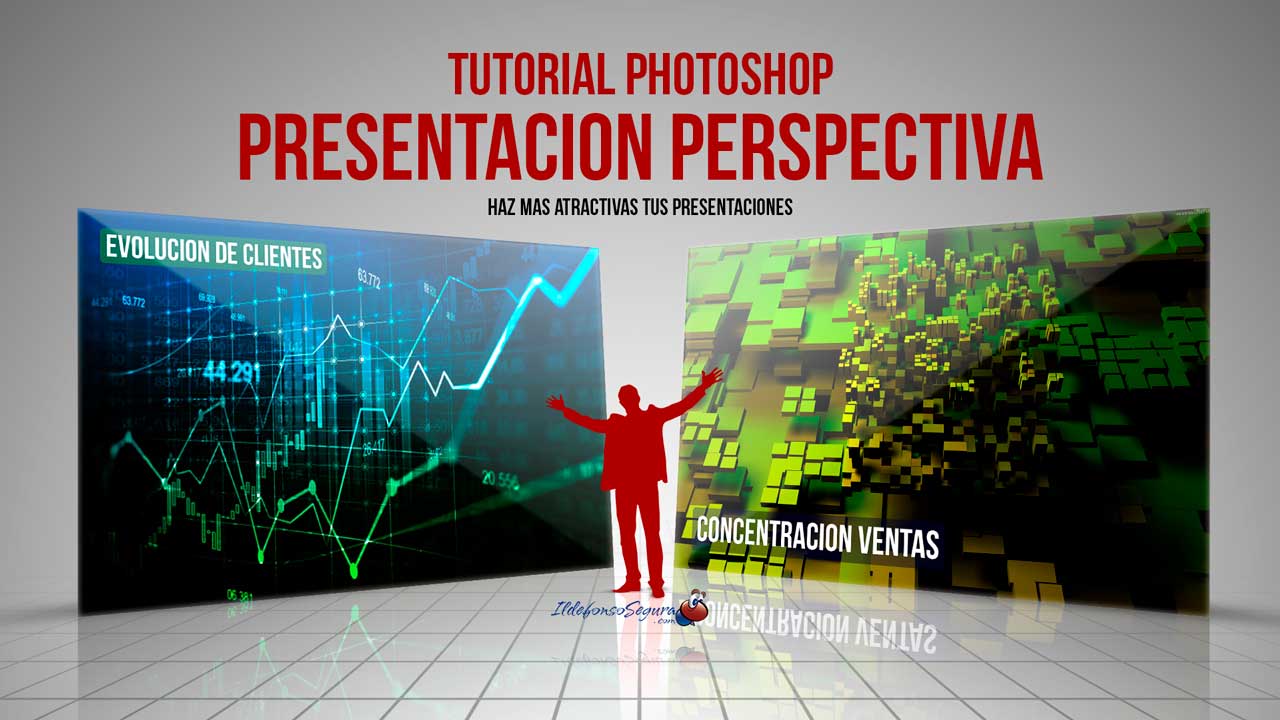
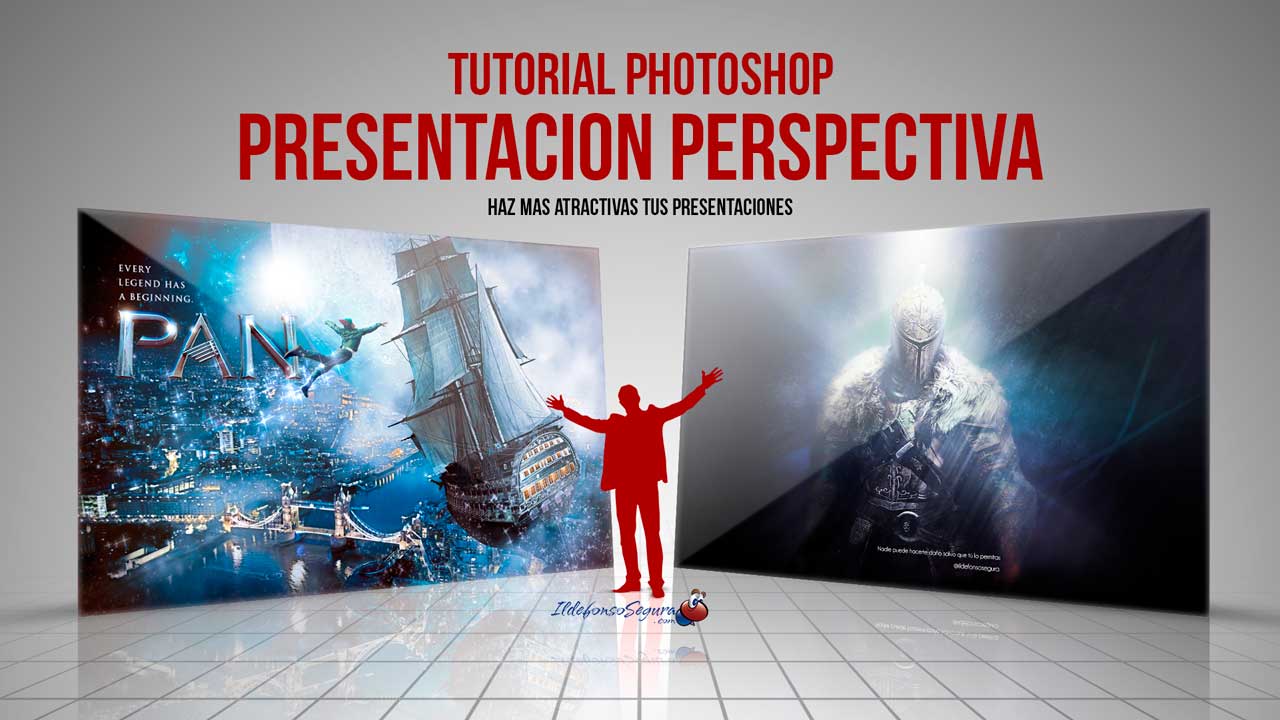
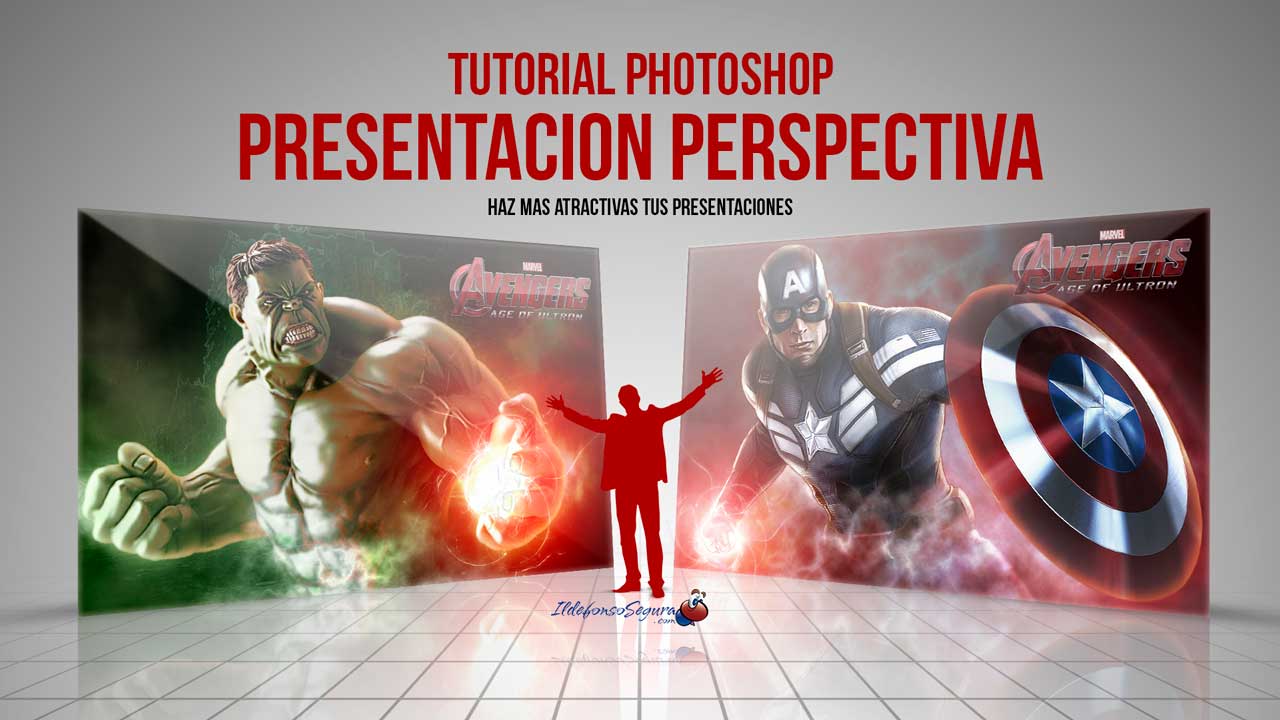
									<p style="text-align: justify;">En este tutorial de Photoshop te mostraré como hacer una plantilla para realizar una presentación elegante en perspectiva de tus trabajos, imágenes, gráficos, etc&#8230;</p><p><strong><span style="color: #800000;">EJEMPLOS</span></strong></p>								</div>
				</div>
					</div>
		</div>
					</div>
		</section>
				<section class="elementor-section elementor-top-section elementor-element elementor-element-52e4b9b elementor-section-boxed elementor-section-height-default elementor-section-height-default" data-id="52e4b9b" data-element_type="section" data-e-type="section">
						<div class="elementor-container elementor-column-gap-default">
					<div class="elementor-column elementor-col-100 elementor-top-column elementor-element elementor-element-a9cd129" data-id="a9cd129" data-element_type="column" data-e-type="column">
			<div class="elementor-widget-wrap elementor-element-populated">
						<div class="elementor-element elementor-element-1ba60f8 elementor-arrows-position-inside elementor-pagination-position-outside elementor-widget elementor-widget-image-carousel" data-id="1ba60f8" data-element_type="widget" data-e-type="widget" data-settings="{&quot;slides_to_show&quot;:&quot;2&quot;,&quot;slides_to_scroll&quot;:&quot;2&quot;,&quot;autoplay_speed&quot;:2878,&quot;navigation&quot;:&quot;both&quot;,&quot;autoplay&quot;:&quot;yes&quot;,&quot;pause_on_hover&quot;:&quot;yes&quot;,&quot;pause_on_interaction&quot;:&quot;yes&quot;,&quot;infinite&quot;:&quot;yes&quot;,&quot;speed&quot;:500,&quot;image_spacing_custom&quot;:{&quot;unit&quot;:&quot;px&quot;,&quot;size&quot;:20,&quot;sizes&quot;:[]},&quot;image_spacing_custom_tablet&quot;:{&quot;unit&quot;:&quot;px&quot;,&quot;size&quot;:&quot;&quot;,&quot;sizes&quot;:[]},&quot;image_spacing_custom_mobile&quot;:{&quot;unit&quot;:&quot;px&quot;,&quot;size&quot;:&quot;&quot;,&quot;sizes&quot;:[]}}" data-widget_type="image-carousel.default">
				<div class="elementor-widget-container">
							<div class="elementor-image-carousel-wrapper swiper" role="region" aria-roledescription="carousel" aria-label="Carrusel de imágenes" dir="ltr">
			<div class="elementor-image-carousel swiper-wrapper" aria-live="off">
								<div class="swiper-slide" role="group" aria-roledescription="slide" aria-label="1 de 3"><figure class="swiper-slide-inner"><img decoding="async" class="swiper-slide-image" src="https://ildefonsosegura.es/wp-content/uploads/Presentacion-elegante-3.jpg" alt="Presentacion-elegante-3" /></figure></div><div class="swiper-slide" role="group" aria-roledescription="slide" aria-label="2 de 3"><figure class="swiper-slide-inner"><img decoding="async" class="swiper-slide-image" src="https://ildefonsosegura.es/wp-content/uploads/Presentacion-elegante-1.jpg" alt="Presentacion-elegante-1" /></figure></div><div class="swiper-slide" role="group" aria-roledescription="slide" aria-label="3 de 3"><figure class="swiper-slide-inner"><img decoding="async" class="swiper-slide-image" src="https://ildefonsosegura.es/wp-content/uploads/Presentacion-elegante-2.jpg" alt="Presentacion-elegante-2" /></figure></div>			</div>
												<div class="elementor-swiper-button elementor-swiper-button-prev" role="button" tabindex="0">
						<i aria-hidden="true" class="eicon-chevron-left"></i>					</div>
					<div class="elementor-swiper-button elementor-swiper-button-next" role="button" tabindex="0">
						<i aria-hidden="true" class="eicon-chevron-right"></i>					</div>
				
									<div class="swiper-pagination"></div>
									</div>
						</div>
				</div>
					</div>
		</div>
					</div>
		</section>
				<section class="elementor-section elementor-top-section elementor-element elementor-element-69c5338c elementor-section-boxed elementor-section-height-default elementor-section-height-default" data-id="69c5338c" data-element_type="section" data-e-type="section">
						<div class="elementor-container elementor-column-gap-default">
					<div class="elementor-column elementor-col-100 elementor-top-column elementor-element elementor-element-6ae4e64d" data-id="6ae4e64d" data-element_type="column" data-e-type="column">
			<div class="elementor-widget-wrap elementor-element-populated">
						<div class="elementor-element elementor-element-de5bee elementor-widget elementor-widget-text-editor" data-id="de5bee" data-element_type="widget" data-e-type="widget" data-widget_type="text-editor.default">
				<div class="elementor-widget-container">
									<p style="text-align: justify;">De una forma fácil y procedimental diseñas una plantilla de un wallpaper que podrás usar en tus presentaciones elegantes, dándole un toque profesional y diferente.</p>
<strong><span style="color: #800000;">TUTORIAL PLANTILLA PRESENTACIÓN ELEGANTE</span></strong>

<center><iframe title="YouTube video player" src="https://www.youtube.com/embed/ES2tZ7-Ocmw?rel=0" width="560" height="490" frameborder="0" allowfullscreen="allowfullscreen"></iframe></center>
<div>
<div align="center"><center><strong style="color: #ff0000;">Suscríbete a mi canal de Youtube:</strong></center>
<div>
<div>
<div align="center">

<script src="https://apis.google.com/js/platform.js"></script>
<script>// <![CDATA[ function onYtEvent(payload) { if (payload.eventType == 'subscribe') { // Add code to handle subscribe event. } else if (payload.eventType == 'unsubscribe') { // Add code to handle unsubscribe event. } if (window.console) { // for debugging only window.console.log('YT event: ', payload); } } // ]]&gt;</script>
<div class="g-ytsubscribe" data-channel="ildefonsosegura" data-layout="default" data-count="default" data-onytevent="onYtEvent"></div>
</div>
</div>
<p style="text-align: left;">No te lo pierdas y comparte tus trabajos en mi página de facebook (<a href="http://www.facebook.com/IldefonsoSeguraPage" target="_blank" rel="noopener noreferrer">IldefonsoSeguraPage</a>)
Espero que te guste y compartas el vídeo. No dejes de compartir este post.</p>
<p style="text-align: left;">Así es como me puedes ayudar 🙂 Gracias</p>

</div>
</div>
</div>								</div>
				</div>
					</div>
		</div>
					</div>
		</section>
				<section class="elementor-section elementor-top-section elementor-element elementor-element-cbcf048 elementor-section-boxed elementor-section-height-default elementor-section-height-default" data-id="cbcf048" data-element_type="section" data-e-type="section">
						<div class="elementor-container elementor-column-gap-default">
					<div class="elementor-column elementor-col-100 elementor-top-column elementor-element elementor-element-8416d24" data-id="8416d24" data-element_type="column" data-e-type="column">
			<div class="elementor-widget-wrap elementor-element-populated">
						<div class="elementor-element elementor-element-5853ca2 elementor-align-center elementor-widget elementor-widget-button" data-id="5853ca2" data-element_type="widget" data-e-type="widget" data-widget_type="button.default">
				<div class="elementor-widget-container">
									<div class="elementor-button-wrapper">
					<a class="elementor-button elementor-button-link elementor-size-sm" href="https://drive.google.com/file/d/1_CMY008f0ZGXiqwdZ3BkbT-4DzVx8N2K/view?usp=sharing" id="my-id">
						<span class="elementor-button-content-wrapper">
									<span class="elementor-button-text">DESCARGA LOS MATERIALES</span>
					</span>
					</a>
				</div>
								</div>
				</div>
					</div>
		</div>
					</div>
		</section>
				</div>La entrada <a href="https://ildefonsosegura.es/plantilla-presentacion-elegante-con-photoshop-tutorial/">Plantilla presentación elegante con Photoshop // Tutorial</a> apareció primero en <a href="https://ildefonsosegura.es">Ildefonso Segura</a>.]]></content:encoded>


			</item>
		<item>
		<title>Papel roto y doblado en una felicitación Tutorial Photoshop by @ildefonsosegura</title>
		<link>https://ildefonsosegura.es/papel-roto-y-doblado-en-una-felicitacion-tutorial-photoshop-by-ildefonsosegura/</link>
					<comments>https://ildefonsosegura.es/papel-roto-y-doblado-en-una-felicitacion-tutorial-photoshop-by-ildefonsosegura/#comments</comments>
		
		<dc:creator><![CDATA[Ildefonso Segura]]></dc:creator>
		<pubDate>Fri, 04 Jan 2019 19:02:55 +0000</pubDate>
				<category><![CDATA[Editable]]></category>
		<category><![CDATA[Efectos]]></category>
		<category><![CDATA[Fotocomposición]]></category>
		<category><![CDATA[Photoshop]]></category>
		<category><![CDATA[Sin categoria]]></category>
		<category><![CDATA[Tecnicas]]></category>
		<category><![CDATA[Textos]]></category>
		<category><![CDATA[Textura]]></category>
		<category><![CDATA[Tutoriales]]></category>
		<category><![CDATA[Video]]></category>
		<category><![CDATA[Wallpaper]]></category>
		<category><![CDATA[adobe]]></category>
		<category><![CDATA[adobe photoshop]]></category>
		<category><![CDATA[cartel]]></category>
		<category><![CDATA[composición]]></category>
		<category><![CDATA[doblar]]></category>
		<category><![CDATA[editable]]></category>
		<category><![CDATA[felicitación]]></category>
		<category><![CDATA[felicitar]]></category>
		<category><![CDATA[fondo]]></category>
		<category><![CDATA[fotocomposición]]></category>
		<category><![CDATA[fotomontaje]]></category>
		<category><![CDATA[ildefonsosegura]]></category>
		<category><![CDATA[montaje]]></category>
		<category><![CDATA[papel]]></category>
		<category><![CDATA[papel doblado]]></category>
		<category><![CDATA[photomanipulation]]></category>
		<category><![CDATA[photoshop]]></category>
		<category><![CDATA[postal]]></category>
		<category><![CDATA[poster]]></category>
		<category><![CDATA[puerta papel]]></category>
		<category><![CDATA[tarjeta]]></category>
		<category><![CDATA[textura]]></category>
		<category><![CDATA[tuto]]></category>
		<category><![CDATA[tutorial]]></category>
		<category><![CDATA[VIDEOTUTORIAL]]></category>
		<category><![CDATA[wallpaper]]></category>
		<category><![CDATA[youtube]]></category>
		<guid isPermaLink="false">http://ildefonsosegura.es/?p=6426</guid>

					<description><![CDATA[<p>En este tutorial de Photoshop aprenderemos como diseñar una felicitación creando un efecto de papel roto y doblado simulando que es la puerta por donde aparece el motivo de la felicitación. Yo he considerado un bebé pero podríais incorporar las imágenes que considerarais de acuerdo con el motivo de vuestra felicitación. La clave del tutorial [&#8230;]</p>
La entrada <a href="https://ildefonsosegura.es/papel-roto-y-doblado-en-una-felicitacion-tutorial-photoshop-by-ildefonsosegura/">Papel roto y doblado en una felicitación Tutorial Photoshop by @ildefonsosegura</a> apareció primero en <a href="https://ildefonsosegura.es">Ildefonso Segura</a>.]]></description>
										<content:encoded><![CDATA[<div data-elementor-type="wp-post" data-elementor-id="6426" class="elementor elementor-6426">
						<section class="elementor-section elementor-top-section elementor-element elementor-element-1fa6dc87 elementor-section-boxed elementor-section-height-default elementor-section-height-default" data-id="1fa6dc87" data-element_type="section" data-e-type="section">
						<div class="elementor-container elementor-column-gap-default">
					<div class="elementor-column elementor-col-100 elementor-top-column elementor-element elementor-element-321a0fe3" data-id="321a0fe3" data-element_type="column" data-e-type="column">
			<div class="elementor-widget-wrap elementor-element-populated">
						<div class="elementor-element elementor-element-698f9efe elementor-widget elementor-widget-text-editor" data-id="698f9efe" data-element_type="widget" data-e-type="widget" data-widget_type="text-editor.default">
				<div class="elementor-widget-container">
									<p style="text-align: justify;">En este tutorial de Photoshop aprenderemos como diseñar una felicitación creando un efecto de papel roto y doblado simulando que es la puerta por donde aparece el motivo de la felicitación.</p><p style="text-align: justify;">Yo he considerado un bebé pero podríais incorporar las imágenes que considerarais de acuerdo con el motivo de vuestra felicitación. La clave del tutorial es aprender a realizar el efecto de papel roto y doblado con Photoshop. El resto dependerá de tu creatividad.</p><p><img fetchpriority="high" decoding="async" class="aligncenter size-full wp-image-6427" src="https://ildefonsosegura.es/wp-content/uploads/PAPEL-DOBLADO-1.jpg" alt="" width="1000" height="563" srcset="https://ildefonsosegura.es/wp-content/uploads/PAPEL-DOBLADO-1.jpg 1000w, https://ildefonsosegura.es/wp-content/uploads/PAPEL-DOBLADO-1-300x169.jpg 300w, https://ildefonsosegura.es/wp-content/uploads/PAPEL-DOBLADO-1-768x432.jpg 768w, https://ildefonsosegura.es/wp-content/uploads/PAPEL-DOBLADO-1-720x406.jpg 720w" sizes="(max-width: 1000px) 100vw, 1000px" /></p><p style="text-align: justify;">Aquí te dejo el antes y el después del efecto conseguido</p><p>[twenty20 img1=»6429&#8243; img2=»6427&#8243; offset=»0.5&#8243;]</p><p><span style="color: #000000;">En instagram posteé el </span><strong><span style="color: #800000;">MAKING OF</span></strong></p><p> </p><blockquote class="instagram-media" style="background: #FFF; border: 0; border-radius: 3px; box-shadow: 0 0 1px 0 rgba(0,0,0,0.5),0 1px 10px 0 rgba(0,0,0,0.15); margin: 1px; max-width: 540px; min-width: 326px; padding: 0; width: calc(100% - 2px);" data-instgrm-captioned="" data-instgrm-permalink="https://www.instagram.com/p/BsOTEYeI3rk/?utm_source=ig_embed&amp;utm_medium=loading" data-instgrm-version="12"><div style="padding: 16px;"><p> </p><div style="display: flex; flex-direction: row; align-items: center;"><div style="background-color: #f4f4f4; border-radius: 50%; flex-grow: 0; height: 40px; margin-right: 14px; width: 40px;"> </div><div style="display: flex; flex-direction: column; flex-grow: 1; justify-content: center;"><div style="background-color: #f4f4f4; border-radius: 4px; flex-grow: 0; height: 14px; margin-bottom: 6px; width: 100px;"> </div><div style="background-color: #f4f4f4; border-radius: 4px; flex-grow: 0; height: 14px; width: 60px;"> </div></div></div><div style="padding: 19% 0;"> </div><div style="display: block; height: 50px; margin: 0 auto 12px; width: 50px;"> </div><div style="padding-top: 8px;"><div style="color: #3897f0; font-family: Arial,sans-serif; font-size: 14px; font-style: normal; font-weight: 550; line-height: 18px;">Ver esta publicación en Instagram</div></div><div style="padding: 12.5% 0;"> </div><div style="display: flex; flex-direction: row; margin-bottom: 14px; align-items: center;"><div><div style="background-color: #f4f4f4; border-radius: 50%; height: 12.5px; width: 12.5px; transform: translateX(0px) translateY(7px);"> </div><div style="background-color: #f4f4f4; height: 12.5px; transform: rotate(-45deg) translateX(3px) translateY(1px); width: 12.5px; flex-grow: 0; margin-right: 14px; margin-left: 2px;"> </div><div style="background-color: #f4f4f4; border-radius: 50%; height: 12.5px; width: 12.5px; transform: translateX(9px) translateY(-18px);"> </div></div><div style="margin-left: 8px;"><div style="background-color: #f4f4f4; border-radius: 50%; flex-grow: 0; height: 20px; width: 20px;"> </div><div style="width: 0; height: 0; border-top: 2px solid transparent; border-left: 6px solid #f4f4f4; border-bottom: 2px solid transparent; transform: translateX(16px) translateY(-4px) rotate(30deg);"> </div></div><div style="margin-left: auto;"><div style="width: 0px; border-top: 8px solid #F4F4F4; border-right: 8px solid transparent; transform: translateY(16px);"> </div><div style="background-color: #f4f4f4; flex-grow: 0; height: 12px; width: 16px; transform: translateY(-4px);"> </div><div style="width: 0; height: 0; border-top: 8px solid #F4F4F4; border-left: 8px solid transparent; transform: translateY(-4px) translateX(8px);"> </div></div></div><p> </p><p style="margin: 8px 0 0 0; padding: 0 4px;"><a style="color: #000; font-family: Arial,sans-serif; font-size: 14px; font-style: normal; font-weight: normal; line-height: 17px; text-decoration: none; word-wrap: break-word;" href="https://www.instagram.com/p/BsOTEYeI3rk/?utm_source=ig_embed&amp;utm_medium=loading" target="_blank" rel="noopener">New #photoshop tutorial. Break and Bend your paper texture and create the door where happy things. Link in my bio or web ••••••••••••••••••••••• Visit my website for more free tutorials. Check my Bio ••••••••••••••••••••••• #thegraphicspr0ject#creartmood#visual_creatorz#enter_imagination#LaunchDsigns#edit_grams#moodygrams#VisualMobs#simplycooldesign#CreativeOptic#photoshop #edit_perfection#manipulationclan#creativitychasers #edit_mania__#thecreativers#creative_ace#digitallyart#xceptionaledits#imaginativeuniverse#artist #igworldclub_edits#visualcreative#discoveredit#thehub_edit#bestvisualz#theuniversalart#photomanipulation #greetingcard</a></p><p style="color: #c9c8cd; font-family: Arial,sans-serif; font-size: 14px; line-height: 17px; margin-bottom: 0; margin-top: 8px; overflow: hidden; padding: 8px 0 7px; text-align: center; text-overflow: ellipsis; white-space: nowrap;">Una publicación compartida de <a style="color: #c9c8cd; font-family: Arial,sans-serif; font-size: 14px; font-style: normal; font-weight: normal; line-height: 17px;" href="https://www.instagram.com/ildefonsosegura/?utm_source=ig_embed&amp;utm_medium=loading" target="_blank" rel="noopener"> Ildefonso Segura</a> (@ildefonsosegura) el <time style="font-family: Arial,sans-serif; font-size: 14px; line-height: 17px;" datetime="2019-01-04T18:56:35+00:00">4 Ene, 2019 a las 10:56 PST</time></p></div></blockquote><p><script async="" src="//www.instagram.com/embed.js"></script></p><p> </p><p>Disfruta del tutorial de Photoshop. Yo me lo pasé en grande aunque hay mucho trabajo detrás. Compártelo y así me ayudas.</p><p><strong><span style="color: #800000;">TUTORIAL Fotomontaje Postal felicitación papel doblado</span></strong></p><center><iframe src="https://www.youtube.com/embed/IWWJzIMsmEA" width="640" height="420" frameborder="0" allowfullscreen="allowfullscreen"><span data-mce-type="bookmark" style="display: inline-block; width: 0px; overflow: hidden; line-height: 0;" class="mce_SELRES_start"></span></iframe></center><p style="text-align: center;"><span style="color: #ff0000;"><strong>Aquí debajo te dejo referencia al editable que regalo a cambio de compartir el vídeo en tus redes sociales. El editable tiene los materiales</strong></span></p>								</div>
				</div>
					</div>
		</div>
					</div>
		</section>
				<section class="elementor-section elementor-top-section elementor-element elementor-element-29b65ff4 elementor-section-boxed elementor-section-height-default elementor-section-height-default" data-id="29b65ff4" data-element_type="section" data-e-type="section">
						<div class="elementor-container elementor-column-gap-default">
					<div class="elementor-column elementor-col-100 elementor-top-column elementor-element elementor-element-59a2a969" data-id="59a2a969" data-element_type="column" data-e-type="column">
			<div class="elementor-widget-wrap elementor-element-populated">
						<div class="elementor-element elementor-element-1f05cc5a elementor-widget-divider--view-line elementor-widget elementor-widget-divider" data-id="1f05cc5a" data-element_type="widget" data-e-type="widget" data-widget_type="divider.default">
				<div class="elementor-widget-container">
							<div class="elementor-divider">
			<span class="elementor-divider-separator">
						</span>
		</div>
						</div>
				</div>
					</div>
		</div>
					</div>
		</section>
				<section class="elementor-section elementor-top-section elementor-element elementor-element-4f2d0ab2 elementor-section-full_width elementor-section-height-default elementor-section-height-default" data-id="4f2d0ab2" data-element_type="section" data-e-type="section">
						<div class="elementor-container elementor-column-gap-default">
					<div class="elementor-column elementor-col-50 elementor-top-column elementor-element elementor-element-5f625835" data-id="5f625835" data-element_type="column" data-e-type="column">
			<div class="elementor-widget-wrap elementor-element-populated">
						<div class="elementor-element elementor-element-1bd6517f elementor-align-right elementor-invisible elementor-widget elementor-widget-button" data-id="1bd6517f" data-element_type="widget" data-e-type="widget" data-settings="{&quot;_animation&quot;:&quot;shake&quot;}" data-widget_type="button.default">
				<div class="elementor-widget-container">
									<div class="elementor-button-wrapper">
					<a class="elementor-button elementor-button-link elementor-size-sm elementor-animation-grow" href="https://ildefonsosegura.es/regalos/">
						<span class="elementor-button-content-wrapper">
									<span class="elementor-button-text">BAJATE EL EDITABLE</span>
					</span>
					</a>
				</div>
								</div>
				</div>
					</div>
		</div>
				<div class="elementor-column elementor-col-50 elementor-top-column elementor-element elementor-element-6129366c" data-id="6129366c" data-element_type="column" data-e-type="column">
			<div class="elementor-widget-wrap elementor-element-populated">
						<div class="elementor-element elementor-element-4ef0f858 elementor-widget elementor-widget-html" data-id="4ef0f858" data-element_type="widget" data-e-type="widget" data-settings="{&quot;_animation&quot;:&quot;none&quot;}" data-widget_type="html.default">
				<div class="elementor-widget-container">
					<form action="https://www.paypal.com/cgi-bin/webscr" method="post" target="_blank">
<input type="hidden" name="cmd" value="_donations">
<input type="hidden" name="business" value="ildefonsosegura@gmail.com">
<input type="hidden" name="lc" value="ES">
<input type="hidden" name="item_name" value="MANTENIMIENTO DE LA PAGINA DE ILDEFONSOSEGURA">
<input type="hidden" name="no_note" value="0">
<input type="hidden" name="currency_code" value="EUR">
<input type="hidden" name="bn" value="PP-DonationsBF:paypal1.jpg:NonHostedGuest">
<input type="image" src="http://ildefonsosegura.es/wp-content/uploads/paypal-updated-1.png" border="0" name="submit" alt="PayPal. La forma rápida y segura de pagar en Internet.">
<img decoding="async" alt="" border="0" src="https://www.paypalobjects.com/es_ES/i/scr/pixel.gif" width="1" height="1">
</form>				</div>
				</div>
					</div>
		</div>
					</div>
		</section>
				<section class="elementor-section elementor-top-section elementor-element elementor-element-497e7240 elementor-section-boxed elementor-section-height-default elementor-section-height-default" data-id="497e7240" data-element_type="section" data-e-type="section">
						<div class="elementor-container elementor-column-gap-default">
					<div class="elementor-column elementor-col-100 elementor-top-column elementor-element elementor-element-3d487981" data-id="3d487981" data-element_type="column" data-e-type="column">
			<div class="elementor-widget-wrap elementor-element-populated">
						<div class="elementor-element elementor-element-5b2670ab elementor-widget-divider--view-line elementor-widget elementor-widget-divider" data-id="5b2670ab" data-element_type="widget" data-e-type="widget" data-widget_type="divider.default">
				<div class="elementor-widget-container">
							<div class="elementor-divider">
			<span class="elementor-divider-separator">
						</span>
		</div>
						</div>
				</div>
					</div>
		</div>
					</div>
		</section>
				<section class="elementor-section elementor-top-section elementor-element elementor-element-3c191232 elementor-section-boxed elementor-section-height-default elementor-section-height-default" data-id="3c191232" data-element_type="section" data-e-type="section">
						<div class="elementor-container elementor-column-gap-default">
					<div class="elementor-column elementor-col-100 elementor-top-column elementor-element elementor-element-138d2a87" data-id="138d2a87" data-element_type="column" data-e-type="column">
			<div class="elementor-widget-wrap elementor-element-populated">
						<div class="elementor-element elementor-element-64afc68e elementor-widget elementor-widget-spacer" data-id="64afc68e" data-element_type="widget" data-e-type="widget" data-widget_type="spacer.default">
				<div class="elementor-widget-container">
							<div class="elementor-spacer">
			<div class="elementor-spacer-inner"></div>
		</div>
						</div>
				</div>
					</div>
		</div>
					</div>
		</section>
				<section class="elementor-section elementor-top-section elementor-element elementor-element-7a8dea12 elementor-section-full_width elementor-section-height-default elementor-section-height-default" data-id="7a8dea12" data-element_type="section" data-e-type="section">
						<div class="elementor-container elementor-column-gap-default">
					<div class="elementor-column elementor-col-100 elementor-top-column elementor-element elementor-element-52a8ffc3" data-id="52a8ffc3" data-element_type="column" data-e-type="column">
			<div class="elementor-widget-wrap elementor-element-populated">
						<div class="elementor-element elementor-element-b38733f elementor-widget elementor-widget-text-editor" data-id="b38733f" data-element_type="widget" data-e-type="widget" data-widget_type="text-editor.default">
				<div class="elementor-widget-container">
									<div><div align="center"><center><strong style="color: #ff0000;">Suscríbete a mi canal de Youtube:</strong></center><div><div><div align="center"><p><script src="https://apis.google.com/js/platform.js"></script></p><div class="g-ytsubscribe" data-channel="ildefonsosegura" data-layout="full" data-count="default"> </div></div></div><p> </p><p style="text-align: center;">No te lo pierdas y comparte tus trabajos en mi página de facebook (<span style="color: #0000ff;"><strong><a style="color: #0000ff;" href="http://www.facebook.com/IldefonsoSeguraPage" target="_blank" rel="noopener noreferrer">IldefonsoSeguraPage</a></strong></span>)<br />Espero que te guste y compartas el vídeo. No dejes de compartir este post.</p><p style="text-align: center;">Así es como me puedes ayudar 🙂 Gracias</p></div></div></div>								</div>
				</div>
					</div>
		</div>
					</div>
		</section>
				</div>La entrada <a href="https://ildefonsosegura.es/papel-roto-y-doblado-en-una-felicitacion-tutorial-photoshop-by-ildefonsosegura/">Papel roto y doblado en una felicitación Tutorial Photoshop by @ildefonsosegura</a> apareció primero en <a href="https://ildefonsosegura.es">Ildefonso Segura</a>.]]></content:encoded>
					
					<wfw:commentRss>https://ildefonsosegura.es/papel-roto-y-doblado-en-una-felicitacion-tutorial-photoshop-by-ildefonsosegura/feed/</wfw:commentRss>
			<slash:comments>2</slash:comments>
		
		
			</item>
		<item>
		<title>Tutorial Photoshop efectos de brillo e iluminación en un wallpaper by @ildefonsosegura</title>
		<link>https://ildefonsosegura.es/como-hacer-efectos-de-iluminacion-alucinantes-con-photoshop-by-ildefonsosegura/</link>
					<comments>https://ildefonsosegura.es/como-hacer-efectos-de-iluminacion-alucinantes-con-photoshop-by-ildefonsosegura/#respond</comments>
		
		<dc:creator><![CDATA[Ildefonso Segura]]></dc:creator>
		<pubDate>Tue, 20 Mar 2018 12:05:44 +0000</pubDate>
				<category><![CDATA[Efectos]]></category>
		<category><![CDATA[Fotocomposición]]></category>
		<category><![CDATA[Photoshop]]></category>
		<category><![CDATA[Speed Art]]></category>
		<category><![CDATA[Tutoriales]]></category>
		<category><![CDATA[Wallpaper]]></category>
		<category><![CDATA[cc2014]]></category>
		<category><![CDATA[cs5]]></category>
		<category><![CDATA[cs6]]></category>
		<category><![CDATA[flare]]></category>
		<category><![CDATA[flares]]></category>
		<category><![CDATA[fotocomposición]]></category>
		<category><![CDATA[fotomontaje]]></category>
		<category><![CDATA[gloriasanis]]></category>
		<category><![CDATA[haz]]></category>
		<category><![CDATA[ildefonsosegura]]></category>
		<category><![CDATA[iluminación]]></category>
		<category><![CDATA[iluminar]]></category>
		<category><![CDATA[imagen]]></category>
		<category><![CDATA[lighting]]></category>
		<category><![CDATA[luz]]></category>
		<category><![CDATA[montaje]]></category>
		<category><![CDATA[poster]]></category>
		<category><![CDATA[tuto]]></category>
		<category><![CDATA[tutorial]]></category>
		<category><![CDATA[wallpaper]]></category>
		<guid isPermaLink="false">http://ildefonsosegura.es/?p=3677</guid>

					<description><![CDATA[<p>He disfrutado un montón haciendo este fantástico tutorial de photoshop para ayuaros a hacer vuestro propio wallpaper con unos efectos de iluminación y brillo alucinante. En el propio tutorial te muestro unos ejemplos para que te hagas una idea de qué puedes hacer. Cuando veas el tuto podrás hacer unos haces de luces alucinantes y con [&#8230;]</p>
La entrada <a href="https://ildefonsosegura.es/como-hacer-efectos-de-iluminacion-alucinantes-con-photoshop-by-ildefonsosegura/">Tutorial Photoshop efectos de brillo e iluminación en un wallpaper by @ildefonsosegura</a> apareció primero en <a href="https://ildefonsosegura.es">Ildefonso Segura</a>.]]></description>
										<content:encoded><![CDATA[<div data-elementor-type="wp-post" data-elementor-id="3677" class="elementor elementor-3677">
						<section class="elementor-section elementor-top-section elementor-element elementor-element-7f3cdb25 elementor-section-boxed elementor-section-height-default elementor-section-height-default" data-id="7f3cdb25" data-element_type="section" data-e-type="section">
						<div class="elementor-container elementor-column-gap-default">
					<div class="elementor-column elementor-col-100 elementor-top-column elementor-element elementor-element-6f0ce4fa" data-id="6f0ce4fa" data-element_type="column" data-e-type="column">
			<div class="elementor-widget-wrap elementor-element-populated">
						<div class="elementor-element elementor-element-79414706 elementor-widget elementor-widget-text-editor" data-id="79414706" data-element_type="widget" data-e-type="widget" data-widget_type="text-editor.default">
				<div class="elementor-widget-container">
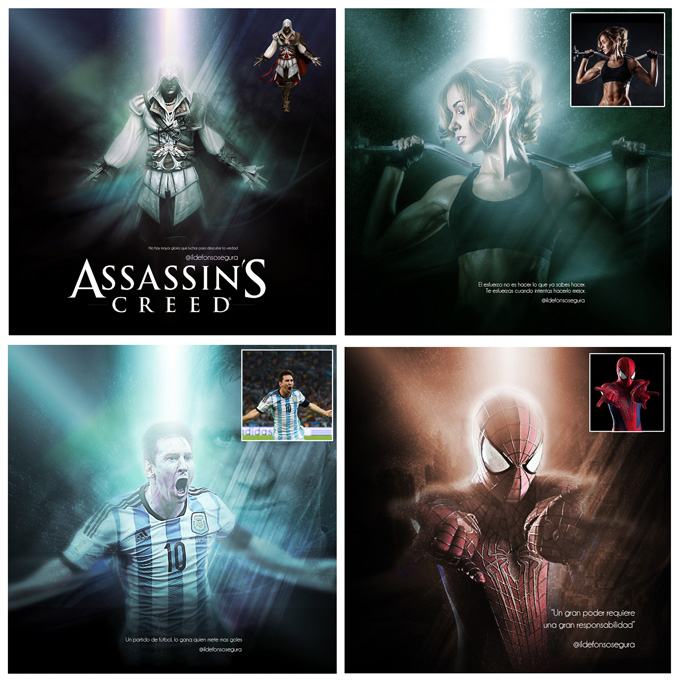
									<p>He disfrutado un montón haciendo este fantástico tutorial de photoshop para ayuaros a hacer vuestro propio wallpaper con unos efectos de iluminación y brillo alucinante. En el propio tutorial te muestro unos ejemplos para que te hagas una idea de qué puedes hacer.</p><p style="text-align: justify;">Cuando veas el tuto podrás hacer unos haces de luces alucinantes y con los modos de fusión podrás crear iluminaciones increíbles.</p><p>[twenty20 img1=»6091&#8243; img2=»6092&#8243; offset=»0.5&#8243;]</p><p style="text-align: justify;">Desde el background hasta la iluminación final con colorido y con un aspecto de fantasía, podrás hacer tus propias creaciones. Espero que te ayude y enseñe algún truco para tus propias creaciones.</p><p>Mira más ejemplos:</p><p><img decoding="async" class="aligncenter wp-image-3679 size-full" src="https://ildefonsosegura.es/wp-content/uploads/shining-and-lighting.jpg" alt="shining-and-lighting" width="680" height="680" srcset="https://ildefonsosegura.es/wp-content/uploads/shining-and-lighting.jpg 680w, https://ildefonsosegura.es/wp-content/uploads/shining-and-lighting-150x150.jpg 150w, https://ildefonsosegura.es/wp-content/uploads/shining-and-lighting-300x300.jpg 300w, https://ildefonsosegura.es/wp-content/uploads/shining-and-lighting-50x50.jpg 50w" sizes="(max-width: 680px) 100vw, 680px" /></p><p><strong><span style="color: #800000;">TUTORIAL</span> </strong></p><center><iframe src="https://www.youtube.com/embed/gXqWnqcIOH0" width="640" height="420" frameborder="0" allowfullscreen="allowfullscreen"></iframe></center><p>Imagen usada en el tutorial está disponible en el link que te dejo más abajo.</p><p>Si te gustan los speedarts también tienes uno donde verás los mismos efectos pero aplicados a la imagen de Assasin&#8217;s Creed</p><p><strong><span style="color: #800000;">SPEED ART</span> </strong></p><center><iframe src="https://www.youtube.com/embed/b3mwLrV9EXM" width="640" height="420" frameborder="0" allowfullscreen="allowfullscreen"><span data-mce-type="bookmark" style="display: inline-block; width: 0px; overflow: hidden; line-height: 0;" class="mce_SELRES_start">﻿</span></iframe></center><div><div> </div><p style="text-align: left;"> </p></div>								</div>
				</div>
					</div>
		</div>
					</div>
		</section>
				<section class="elementor-section elementor-top-section elementor-element elementor-element-65592945 elementor-section-full_width elementor-section-height-default elementor-section-height-default" data-id="65592945" data-element_type="section" data-e-type="section">
						<div class="elementor-container elementor-column-gap-default">
					<div class="elementor-column elementor-col-33 elementor-top-column elementor-element elementor-element-1e2dc656" data-id="1e2dc656" data-element_type="column" data-e-type="column">
			<div class="elementor-widget-wrap elementor-element-populated">
						<div class="elementor-element elementor-element-7398a4f2 elementor-align-right elementor-invisible elementor-widget elementor-widget-button" data-id="7398a4f2" data-element_type="widget" data-e-type="widget" data-settings="{&quot;_animation&quot;:&quot;shake&quot;}" data-widget_type="button.default">
				<div class="elementor-widget-container">
									<div class="elementor-button-wrapper">
					<a class="elementor-button elementor-button-link elementor-size-sm elementor-animation-grow" href="https://drive.google.com/open?id=0B_nJkCGJubucV2VJTjZLSDJyUWM" target="_blank">
						<span class="elementor-button-content-wrapper">
									<span class="elementor-button-text">DESCARGA EL MATERIAL</span>
					</span>
					</a>
				</div>
								</div>
				</div>
					</div>
		</div>
				<div class="elementor-column elementor-col-33 elementor-top-column elementor-element elementor-element-3676016" data-id="3676016" data-element_type="column" data-e-type="column">
			<div class="elementor-widget-wrap elementor-element-populated">
						<div class="elementor-element elementor-element-7f826463 elementor-align-right elementor-invisible elementor-widget elementor-widget-button" data-id="7f826463" data-element_type="widget" data-e-type="widget" data-settings="{&quot;_animation&quot;:&quot;shake&quot;}" data-widget_type="button.default">
				<div class="elementor-widget-container">
									<div class="elementor-button-wrapper">
					<a class="elementor-button elementor-button-link elementor-size-sm elementor-animation-grow" href="https://es.gamewallpapers.com/viewwallpaper.php?wallpaper=wallpaper_dark_souls_2_01&#038;titel=Dark+Souls+2&#038;nummer=01&#038;normal=1" target="_blank">
						<span class="elementor-button-content-wrapper">
									<span class="elementor-button-text">BAJATE LA IMAGEN DEL GUERRERO</span>
					</span>
					</a>
				</div>
								</div>
				</div>
					</div>
		</div>
				<div class="elementor-column elementor-col-33 elementor-top-column elementor-element elementor-element-6db4982c" data-id="6db4982c" data-element_type="column" data-e-type="column">
			<div class="elementor-widget-wrap elementor-element-populated">
						<div class="elementor-element elementor-element-602f05f7 elementor-widget elementor-widget-html" data-id="602f05f7" data-element_type="widget" data-e-type="widget" data-settings="{&quot;_animation&quot;:&quot;none&quot;}" data-widget_type="html.default">
				<div class="elementor-widget-container">
					<form action="https://www.paypal.com/cgi-bin/webscr" method="post" target="_blank">
<input type="hidden" name="cmd" value="_donations">
<input type="hidden" name="business" value="ildefonsosegura@gmail.com">
<input type="hidden" name="lc" value="ES">
<input type="hidden" name="item_name" value="MANTENIMIENTO DE LA PAGINA DE ILDEFONSOSEGURA">
<input type="hidden" name="no_note" value="0">
<input type="hidden" name="currency_code" value="EUR">
<input type="hidden" name="bn" value="PP-DonationsBF:paypal1.jpg:NonHostedGuest">
<input type="image" src="http://ildefonsosegura.es/wp-content/uploads/paypal-updated-1.png" border="0" name="submit" alt="PayPal. La forma rápida y segura de pagar en Internet.">
<img decoding="async" alt="" border="0" src="https://www.paypalobjects.com/es_ES/i/scr/pixel.gif" width="1" height="1">
</form>				</div>
				</div>
					</div>
		</div>
					</div>
		</section>
				<section class="elementor-section elementor-top-section elementor-element elementor-element-6f344bdf elementor-section-boxed elementor-section-height-default elementor-section-height-default" data-id="6f344bdf" data-element_type="section" data-e-type="section">
						<div class="elementor-container elementor-column-gap-default">
					<div class="elementor-column elementor-col-100 elementor-top-column elementor-element elementor-element-2617939e" data-id="2617939e" data-element_type="column" data-e-type="column">
			<div class="elementor-widget-wrap elementor-element-populated">
						<div class="elementor-element elementor-element-75ece0a4 elementor-widget-divider--view-line elementor-widget elementor-widget-divider" data-id="75ece0a4" data-element_type="widget" data-e-type="widget" data-widget_type="divider.default">
				<div class="elementor-widget-container">
							<div class="elementor-divider">
			<span class="elementor-divider-separator">
						</span>
		</div>
						</div>
				</div>
					</div>
		</div>
					</div>
		</section>
				<section class="elementor-section elementor-top-section elementor-element elementor-element-3f285a4f elementor-section-full_width elementor-section-height-default elementor-section-height-default" data-id="3f285a4f" data-element_type="section" data-e-type="section">
						<div class="elementor-container elementor-column-gap-default">
					<div class="elementor-column elementor-col-100 elementor-top-column elementor-element elementor-element-4c2a2566" data-id="4c2a2566" data-element_type="column" data-e-type="column">
			<div class="elementor-widget-wrap elementor-element-populated">
						<div class="elementor-element elementor-element-2853ebd5 elementor-widget elementor-widget-text-editor" data-id="2853ebd5" data-element_type="widget" data-e-type="widget" data-widget_type="text-editor.default">
				<div class="elementor-widget-container">
									<div><div align="center"><center><strong style="color: #ff0000;">Suscríbete a mi canal de Youtube:</strong></center><div><div><div align="center"><p><script src="https://apis.google.com/js/platform.js"></script></p><div class="g-ytsubscribe" data-channel="ildefonsosegura" data-layout="full" data-count="default"> </div></div></div><p> </p><p style="text-align: center;">No te lo pierdas y comparte tus trabajos en mi página de facebook (<span style="color: #0000ff;"><strong><a style="color: #0000ff;" href="http://www.facebook.com/IldefonsoSeguraPage" target="_blank" rel="noopener noreferrer">IldefonsoSeguraPage</a></strong></span>)<br />Espero que te guste y compartas el vídeo. No dejes de compartir este post.</p><p style="text-align: center;">Así es como me puedes ayudar 🙂 Gracias</p></div></div></div>								</div>
				</div>
					</div>
		</div>
					</div>
		</section>
				</div>La entrada <a href="https://ildefonsosegura.es/como-hacer-efectos-de-iluminacion-alucinantes-con-photoshop-by-ildefonsosegura/">Tutorial Photoshop efectos de brillo e iluminación en un wallpaper by @ildefonsosegura</a> apareció primero en <a href="https://ildefonsosegura.es">Ildefonso Segura</a>.]]></content:encoded>
					
					<wfw:commentRss>https://ildefonsosegura.es/como-hacer-efectos-de-iluminacion-alucinantes-con-photoshop-by-ildefonsosegura/feed/</wfw:commentRss>
			<slash:comments>0</slash:comments>
		
		
			</item>
		<item>
		<title>Tutorial Photoshop Iluminación colores (poster lobezno)</title>
		<link>https://ildefonsosegura.es/iluminacion-de-colores-realista-wallpaper-wolverine-tutorial-photoshop-by-ildefonsosegura/</link>
					<comments>https://ildefonsosegura.es/iluminacion-de-colores-realista-wallpaper-wolverine-tutorial-photoshop-by-ildefonsosegura/#respond</comments>
		
		<dc:creator><![CDATA[Ildefonso Segura]]></dc:creator>
		<pubDate>Thu, 08 Mar 2018 20:00:22 +0000</pubDate>
				<category><![CDATA[Efectos]]></category>
		<category><![CDATA[Fotocomposición]]></category>
		<category><![CDATA[Películas]]></category>
		<category><![CDATA[Photoshop]]></category>
		<category><![CDATA[Tecnicas]]></category>
		<category><![CDATA[Tutoriales]]></category>
		<category><![CDATA[Wallpaper]]></category>
		<category><![CDATA[adobe]]></category>
		<category><![CDATA[cartel]]></category>
		<category><![CDATA[CC]]></category>
		<category><![CDATA[colorear]]></category>
		<category><![CDATA[colorful lighting]]></category>
		<category><![CDATA[colorida]]></category>
		<category><![CDATA[colorido]]></category>
		<category><![CDATA[crop]]></category>
		<category><![CDATA[efectos]]></category>
		<category><![CDATA[fotocomposición]]></category>
		<category><![CDATA[fotomanipulación]]></category>
		<category><![CDATA[garras]]></category>
		<category><![CDATA[ildefonsosegura]]></category>
		<category><![CDATA[iluminación]]></category>
		<category><![CDATA[lighting]]></category>
		<category><![CDATA[lobezno]]></category>
		<category><![CDATA[peliculas]]></category>
		<category><![CDATA[photoshop]]></category>
		<category><![CDATA[poster]]></category>
		<category><![CDATA[realista]]></category>
		<category><![CDATA[recortar]]></category>
		<category><![CDATA[tuto]]></category>
		<category><![CDATA[tutorial]]></category>
		<category><![CDATA[video]]></category>
		<category><![CDATA[wall]]></category>
		<category><![CDATA[wallpaper]]></category>
		<category><![CDATA[wolverine]]></category>
		<guid isPermaLink="false">http://ildefonsosegura.es/?p=5551</guid>

					<description><![CDATA[<p>En este tutorial de Photoshop aprenderemos a cambiar la iluminación original de una imagen por luces de colores dándole un toque realista con iluminaciones, luces y sombras que otros olvidan incluir. Además aprenderemos como recortar nuestra imagen para conseguir la dimensión que buscamos. No te pierdas un montón de trucos que quizás conozcas por separado [&#8230;]</p>
La entrada <a href="https://ildefonsosegura.es/iluminacion-de-colores-realista-wallpaper-wolverine-tutorial-photoshop-by-ildefonsosegura/">Tutorial Photoshop Iluminación colores (poster lobezno)</a> apareció primero en <a href="https://ildefonsosegura.es">Ildefonso Segura</a>.]]></description>
										<content:encoded><![CDATA[<div data-elementor-type="wp-post" data-elementor-id="5551" class="elementor elementor-5551">
						<section class="elementor-section elementor-top-section elementor-element elementor-element-3077294 elementor-section-boxed elementor-section-height-default elementor-section-height-default" data-id="3077294" data-element_type="section" data-e-type="section">
						<div class="elementor-container elementor-column-gap-default">
					<div class="elementor-column elementor-col-100 elementor-top-column elementor-element elementor-element-7807f907" data-id="7807f907" data-element_type="column" data-e-type="column">
			<div class="elementor-widget-wrap elementor-element-populated">
						<div class="elementor-element elementor-element-7ee14ef0 elementor-widget elementor-widget-text-editor" data-id="7ee14ef0" data-element_type="widget" data-e-type="widget" data-widget_type="text-editor.default">
				<div class="elementor-widget-container">
									<p>En este tutorial de Photoshop aprenderemos a cambiar la iluminación original de una imagen por luces de colores dándole un toque realista con iluminaciones, luces y sombras que otros olvidan incluir. Además aprenderemos como recortar nuestra imagen para conseguir la dimensión que buscamos.</p>								</div>
				</div>
					</div>
		</div>
					</div>
		</section>
				<section class="elementor-section elementor-top-section elementor-element elementor-element-2ed7730 elementor-section-boxed elementor-section-height-default elementor-section-height-default" data-id="2ed7730" data-element_type="section" data-e-type="section">
						<div class="elementor-container elementor-column-gap-default">
					<div class="elementor-column elementor-col-100 elementor-top-column elementor-element elementor-element-37e4f30" data-id="37e4f30" data-element_type="column" data-e-type="column">
			<div class="elementor-widget-wrap elementor-element-populated">
						<div class="elementor-element elementor-element-88f9812 elementor-widget elementor-widget-text-editor" data-id="88f9812" data-element_type="widget" data-e-type="widget" data-widget_type="text-editor.default">
				<div class="elementor-widget-container">
									<p>No te pierdas un montón de trucos que quizás conozcas por separado pero juntos consiguen un resultado genial en wallpaper de Wolverine. Ilumina en color tu propio wallpaper.</p><p>[twenty20 img1=»6087&#8243; img2=»6086&#8243; offset=»0.5&#8243;]</p><p>Puedes ver como queda en este video:</p><p style="text-align: left;"><strong>TUTORIAL WALLPAPER WOLVERINE</strong></p><p style="text-align: left;"><iframe src="https://www.youtube.com/embed/5Ob2RySkbq8?rel=0" width="640" height="420" frameborder="0" allowfullscreen="allowfullscreen"></iframe></p><p>No te lo pierdas y comparte tus trabajos en mi página de facebook (<a href="http://www.facebook.com/IldefonsoSeguraPage" target="_blank" rel="noopener noreferrer">IldefonsoSeguraPage</a>)<br />Espero que te guste y compartas el vídeo</p><p style="text-align: left;"><strong>MAKING OF DEL WALLPAPER WOLVERINE</strong></p><p style="text-align: left;"><iframe src="https://www.youtube.com/embed/ofsBBUNxMOw?rel=0" width="640" height="420" frameborder="0" allowfullscreen="allowfullscreen"></iframe></p><div><p style="text-align: left;"> </p></div>								</div>
				</div>
					</div>
		</div>
					</div>
		</section>
				<section class="elementor-section elementor-top-section elementor-element elementor-element-4e1467d9 elementor-section-boxed elementor-section-height-default elementor-section-height-default" data-id="4e1467d9" data-element_type="section" data-e-type="section">
						<div class="elementor-container elementor-column-gap-default">
					<div class="elementor-column elementor-col-100 elementor-top-column elementor-element elementor-element-152998cf" data-id="152998cf" data-element_type="column" data-e-type="column">
			<div class="elementor-widget-wrap elementor-element-populated">
						<div class="elementor-element elementor-element-58266f9a elementor-widget-divider--view-line elementor-widget elementor-widget-divider" data-id="58266f9a" data-element_type="widget" data-e-type="widget" data-widget_type="divider.default">
				<div class="elementor-widget-container">
							<div class="elementor-divider">
			<span class="elementor-divider-separator">
						</span>
		</div>
						</div>
				</div>
					</div>
		</div>
					</div>
		</section>
				<section class="elementor-section elementor-top-section elementor-element elementor-element-b4a28a7 elementor-section-full_width elementor-section-height-default elementor-section-height-default" data-id="b4a28a7" data-element_type="section" data-e-type="section">
						<div class="elementor-container elementor-column-gap-default">
					<div class="elementor-column elementor-col-50 elementor-top-column elementor-element elementor-element-dbc0cab" data-id="dbc0cab" data-element_type="column" data-e-type="column">
			<div class="elementor-widget-wrap elementor-element-populated">
						<div class="elementor-element elementor-element-56e3dc88 elementor-align-right elementor-invisible elementor-widget elementor-widget-button" data-id="56e3dc88" data-element_type="widget" data-e-type="widget" data-settings="{&quot;_animation&quot;:&quot;shake&quot;}" data-widget_type="button.default">
				<div class="elementor-widget-container">
									<div class="elementor-button-wrapper">
					<a class="elementor-button elementor-button-link elementor-size-sm elementor-animation-grow" href="https://www.google.com/search?hl=es-US&#038;q=x+men+origins+wolverine&#038;tbm=isch&#038;tbs=simg:CAQSmwEJJMD917RY3koajwELEKjU2AQaCAgACBcIPQhCDAsQsIynCBpiCmAIAxIo_1xiDGYAZ9B6kDoEZghnzHvsY_1hjfOs46qjq9LawuyDrNOvw6pjrPOhowc0YLxn0vWaPPdx3V83b5XDsUGyCM82ZziaKtJrHK-Pzjoer2mQwemHjEFsHt9fJDIAQMCxCOrv4IGgoKCAgBEgQBGL2rDA&#038;sa=X&#038;ved=0ahUKEwjMgLaH_uXRAhWFbxQKHTi9BboQ2A4IGigB&#038;biw=1536&#038;bih=736&#038;dpr=1.25">
						<span class="elementor-button-content-wrapper">
									<span class="elementor-button-text">IMAGEN LOBEZNO</span>
					</span>
					</a>
				</div>
								</div>
				</div>
					</div>
		</div>
				<div class="elementor-column elementor-col-50 elementor-top-column elementor-element elementor-element-737cc7df" data-id="737cc7df" data-element_type="column" data-e-type="column">
			<div class="elementor-widget-wrap elementor-element-populated">
						<div class="elementor-element elementor-element-4ea133b0 elementor-widget elementor-widget-html" data-id="4ea133b0" data-element_type="widget" data-e-type="widget" data-settings="{&quot;_animation&quot;:&quot;none&quot;}" data-widget_type="html.default">
				<div class="elementor-widget-container">
					<form action="https://www.paypal.com/cgi-bin/webscr" method="post" target="_blank">
<input type="hidden" name="cmd" value="_donations">
<input type="hidden" name="business" value="ildefonsosegura@gmail.com">
<input type="hidden" name="lc" value="ES">
<input type="hidden" name="item_name" value="MANTENIMIENTO DE LA PAGINA DE ILDEFONSOSEGURA">
<input type="hidden" name="no_note" value="0">
<input type="hidden" name="currency_code" value="EUR">
<input type="hidden" name="bn" value="PP-DonationsBF:paypal1.jpg:NonHostedGuest">
<input type="image" src="http://ildefonsosegura.es/wp-content/uploads/paypal-updated-1.png" border="0" name="submit" alt="PayPal. La forma rápida y segura de pagar en Internet.">
<img decoding="async" alt="" border="0" src="https://www.paypalobjects.com/es_ES/i/scr/pixel.gif" width="1" height="1">
</form>				</div>
				</div>
					</div>
		</div>
					</div>
		</section>
				<section class="elementor-section elementor-top-section elementor-element elementor-element-2cc73be1 elementor-section-boxed elementor-section-height-default elementor-section-height-default" data-id="2cc73be1" data-element_type="section" data-e-type="section">
						<div class="elementor-container elementor-column-gap-default">
					<div class="elementor-column elementor-col-100 elementor-top-column elementor-element elementor-element-19c41943" data-id="19c41943" data-element_type="column" data-e-type="column">
			<div class="elementor-widget-wrap elementor-element-populated">
						<div class="elementor-element elementor-element-50c69923 elementor-widget-divider--view-line elementor-widget elementor-widget-divider" data-id="50c69923" data-element_type="widget" data-e-type="widget" data-widget_type="divider.default">
				<div class="elementor-widget-container">
							<div class="elementor-divider">
			<span class="elementor-divider-separator">
						</span>
		</div>
						</div>
				</div>
					</div>
		</div>
					</div>
		</section>
				<section class="elementor-section elementor-top-section elementor-element elementor-element-1d6c7fe5 elementor-section-full_width elementor-section-height-default elementor-section-height-default" data-id="1d6c7fe5" data-element_type="section" data-e-type="section">
						<div class="elementor-container elementor-column-gap-default">
					<div class="elementor-column elementor-col-100 elementor-top-column elementor-element elementor-element-4bfdfb6d" data-id="4bfdfb6d" data-element_type="column" data-e-type="column">
			<div class="elementor-widget-wrap elementor-element-populated">
						<div class="elementor-element elementor-element-3b3b8c81 elementor-widget elementor-widget-text-editor" data-id="3b3b8c81" data-element_type="widget" data-e-type="widget" data-widget_type="text-editor.default">
				<div class="elementor-widget-container">
									<div><div align="center"><center><strong style="color: #ff0000;">Suscríbete a mi canal de Youtube:</strong></center><div><div><div align="center"><p><script src="https://apis.google.com/js/platform.js"></script></p><div class="g-ytsubscribe" data-channel="ildefonsosegura" data-layout="full" data-count="default"> </div></div></div><p> </p><p style="text-align: center;">No te lo pierdas y comparte tus trabajos en mi página de facebook (<span style="color: #0000ff;"><strong><a style="color: #0000ff;" href="http://www.facebook.com/IldefonsoSeguraPage" target="_blank" rel="noopener noreferrer">IldefonsoSeguraPage</a></strong></span>)<br />Espero que te guste y compartas el vídeo. No dejes de compartir este post.</p><p style="text-align: center;">Así es como me puedes ayudar 🙂 Gracias</p></div></div></div>								</div>
				</div>
					</div>
		</div>
					</div>
		</section>
				</div>La entrada <a href="https://ildefonsosegura.es/iluminacion-de-colores-realista-wallpaper-wolverine-tutorial-photoshop-by-ildefonsosegura/">Tutorial Photoshop Iluminación colores (poster lobezno)</a> apareció primero en <a href="https://ildefonsosegura.es">Ildefonso Segura</a>.]]></content:encoded>
					
					<wfw:commentRss>https://ildefonsosegura.es/iluminacion-de-colores-realista-wallpaper-wolverine-tutorial-photoshop-by-ildefonsosegura/feed/</wfw:commentRss>
			<slash:comments>0</slash:comments>
		
		
			</item>
		<item>
		<title>Tutorial Photoshop póster de película terrorífica by @ildefonsosegura</title>
		<link>https://ildefonsosegura.es/tutorial-photoshop-poster-de-pelicula-terrorifica-by-ildefonsosegura/</link>
					<comments>https://ildefonsosegura.es/tutorial-photoshop-poster-de-pelicula-terrorifica-by-ildefonsosegura/#respond</comments>
		
		<dc:creator><![CDATA[Ildefonso Segura]]></dc:creator>
		<pubDate>Mon, 21 Aug 2017 15:05:44 +0000</pubDate>
				<category><![CDATA[Efectos]]></category>
		<category><![CDATA[Fotocomposición]]></category>
		<category><![CDATA[Películas]]></category>
		<category><![CDATA[Photoshop]]></category>
		<category><![CDATA[Tecnicas]]></category>
		<category><![CDATA[Tutoriales]]></category>
		<category><![CDATA[Video]]></category>
		<category><![CDATA[Wallpaper]]></category>
		<category><![CDATA[cartel]]></category>
		<category><![CDATA[cartel de película]]></category>
		<category><![CDATA[cc2015]]></category>
		<category><![CDATA[cc2017]]></category>
		<category><![CDATA[charcos]]></category>
		<category><![CDATA[clown]]></category>
		<category><![CDATA[composición]]></category>
		<category><![CDATA[escena terror]]></category>
		<category><![CDATA[fotocomposición]]></category>
		<category><![CDATA[fotomanipulación]]></category>
		<category><![CDATA[iluminación]]></category>
		<category><![CDATA[it]]></category>
		<category><![CDATA[miedo]]></category>
		<category><![CDATA[movie]]></category>
		<category><![CDATA[movie poster]]></category>
		<category><![CDATA[payaso]]></category>
		<category><![CDATA[payaso de miedo]]></category>
		<category><![CDATA[pelicula]]></category>
		<category><![CDATA[photoshop]]></category>
		<category><![CDATA[poster]]></category>
		<category><![CDATA[puddles]]></category>
		<category><![CDATA[reflexiones]]></category>
		<category><![CDATA[reflexiones en charcos]]></category>
		<category><![CDATA[scary]]></category>
		<category><![CDATA[scary clown]]></category>
		<category><![CDATA[tecnicas]]></category>
		<category><![CDATA[terrifying]]></category>
		<category><![CDATA[terror]]></category>
		<category><![CDATA[tuto]]></category>
		<category><![CDATA[tutorial]]></category>
		<category><![CDATA[tutorial español]]></category>
		<category><![CDATA[youtube]]></category>
		<guid isPermaLink="false">http://ildefonsosegura.es/?p=6054</guid>

					<description><![CDATA[<p>En este tutorial de Photoshop te mostraré como hacer un póster de película de terror inspirado en la película IT del 2017. Aprenderás cosas como integrar una persona y animales en una escena crear charcos con pinceles crear reflexiones de elementos en los charcos Sombras e iluminaciones en la escena Efectos terroríficos y de color. [&#8230;]</p>
La entrada <a href="https://ildefonsosegura.es/tutorial-photoshop-poster-de-pelicula-terrorifica-by-ildefonsosegura/">Tutorial Photoshop póster de película terrorífica by @ildefonsosegura</a> apareció primero en <a href="https://ildefonsosegura.es">Ildefonso Segura</a>.]]></description>
										<content:encoded><![CDATA[<div data-elementor-type="wp-post" data-elementor-id="6054" class="elementor elementor-6054">
						<section class="elementor-section elementor-top-section elementor-element elementor-element-d385d28 elementor-section-boxed elementor-section-height-default elementor-section-height-default" data-id="d385d28" data-element_type="section" data-e-type="section">
						<div class="elementor-container elementor-column-gap-default">
					<div class="elementor-column elementor-col-100 elementor-top-column elementor-element elementor-element-ab0a483" data-id="ab0a483" data-element_type="column" data-e-type="column">
			<div class="elementor-widget-wrap elementor-element-populated">
						<div class="elementor-element elementor-element-5e06582 elementor-widget elementor-widget-text-editor" data-id="5e06582" data-element_type="widget" data-e-type="widget" data-widget_type="text-editor.default">
				<div class="elementor-widget-container">
									<p>En este tutorial de Photoshop te mostraré como hacer un póster de película de terror inspirado en la película IT del 2017.</p>								</div>
				</div>
					</div>
		</div>
					</div>
		</section>
				<section class="elementor-section elementor-top-section elementor-element elementor-element-c0e2bda elementor-section-boxed elementor-section-height-default elementor-section-height-default" data-id="c0e2bda" data-element_type="section" data-e-type="section">
						<div class="elementor-container elementor-column-gap-default">
					<div class="elementor-column elementor-col-100 elementor-top-column elementor-element elementor-element-5bbc50f" data-id="5bbc50f" data-element_type="column" data-e-type="column">
			<div class="elementor-widget-wrap elementor-element-populated">
						<div class="elementor-element elementor-element-031d2e9 elementor-widget elementor-widget-text-editor" data-id="031d2e9" data-element_type="widget" data-e-type="widget" data-widget_type="text-editor.default">
				<div class="elementor-widget-container">
									<p><div style="width: 1200px;" class="wp-video"><video class="wp-video-shortcode" id="video-6054-1" width="1200" height="1200" preload="metadata" controls="controls"><source type="video/mp4" src="https://ildefonsosegura.es/wp-content/uploads/IT-antes-y-despues.mp4?_=1" /><a href="https://ildefonsosegura.es/wp-content/uploads/IT-antes-y-despues.mp4">https://ildefonsosegura.es/wp-content/uploads/IT-antes-y-despues.mp4</a></video></div></p>								</div>
				</div>
					</div>
		</div>
					</div>
		</section>
				<section class="elementor-section elementor-top-section elementor-element elementor-element-e9669b2 elementor-section-boxed elementor-section-height-default elementor-section-height-default" data-id="e9669b2" data-element_type="section" data-e-type="section">
						<div class="elementor-container elementor-column-gap-default">
					<div class="elementor-column elementor-col-100 elementor-top-column elementor-element elementor-element-35237d9" data-id="35237d9" data-element_type="column" data-e-type="column">
			<div class="elementor-widget-wrap elementor-element-populated">
						<div class="elementor-element elementor-element-807e562 elementor-widget elementor-widget-text-editor" data-id="807e562" data-element_type="widget" data-e-type="widget" data-widget_type="text-editor.default">
				<div class="elementor-widget-container">
									<p>Aprenderás cosas como</p><ul><li>integrar una persona y animales en una escena</li><li>crear charcos con pinceles</li><li>crear reflexiones de elementos en los charcos</li><li>Sombras e iluminaciones en la escena</li><li>Efectos terroríficos y de color.</li><li>Y todo un abanico de trucos de photoshop para un resultado profesional de póster de película.</li></ul><p>Para realizar la extracción del payaso, tienes un tutorial en mi web que te ayudará usando la técnica de la pluma <a href="https://ildefonsosegura.es/tutorial-photoshop-integracion-imagenes-con-sombras-originales-by-ildefonsosegura/" target="_blank" rel="noopener noreferrer"><strong>PINCHA AQUI</strong></a></p><p>Te muestro unas imágenes para que veas desde donde hasta donde llegaremos con el tutorial&#8230;</p>								</div>
				</div>
					</div>
		</div>
					</div>
		</section>
				<section class="elementor-section elementor-top-section elementor-element elementor-element-2204dcf elementor-section-boxed elementor-section-height-default elementor-section-height-default" data-id="2204dcf" data-element_type="section" data-e-type="section">
						<div class="elementor-container elementor-column-gap-default">
					<div class="elementor-column elementor-col-100 elementor-top-column elementor-element elementor-element-db32c64" data-id="db32c64" data-element_type="column" data-e-type="column">
			<div class="elementor-widget-wrap elementor-element-populated">
						<div class="elementor-element elementor-element-267aef8 elementor-widget elementor-widget-image" data-id="267aef8" data-element_type="widget" data-e-type="widget" data-widget_type="image.default">
				<div class="elementor-widget-container">
															<img loading="lazy" decoding="async" width="768" height="768" src="https://ildefonsosegura.es/wp-content/uploads/it-3-768x768.jpg" class="attachment-medium_large size-medium_large wp-image-6056" alt="" srcset="https://ildefonsosegura.es/wp-content/uploads/it-3-768x768.jpg 768w, https://ildefonsosegura.es/wp-content/uploads/it-3-150x150.jpg 150w, https://ildefonsosegura.es/wp-content/uploads/it-3-300x300.jpg 300w, https://ildefonsosegura.es/wp-content/uploads/it-3-1024x1024.jpg 1024w, https://ildefonsosegura.es/wp-content/uploads/it-3.jpg 1280w" sizes="(max-width: 768px) 100vw, 768px" />															</div>
				</div>
					</div>
		</div>
					</div>
		</section>
				<section class="elementor-section elementor-top-section elementor-element elementor-element-756039b elementor-section-boxed elementor-section-height-default elementor-section-height-default" data-id="756039b" data-element_type="section" data-e-type="section">
						<div class="elementor-container elementor-column-gap-default">
					<div class="elementor-column elementor-col-100 elementor-top-column elementor-element elementor-element-5c024d8" data-id="5c024d8" data-element_type="column" data-e-type="column">
			<div class="elementor-widget-wrap elementor-element-populated">
						<div class="elementor-element elementor-element-ec9da77 elementor-widget elementor-widget-spacer" data-id="ec9da77" data-element_type="widget" data-e-type="widget" data-widget_type="spacer.default">
				<div class="elementor-widget-container">
							<div class="elementor-spacer">
			<div class="elementor-spacer-inner"></div>
		</div>
						</div>
				</div>
				<div class="elementor-element elementor-element-fc2ae17 elementor-widget elementor-widget-heading" data-id="fc2ae17" data-element_type="widget" data-e-type="widget" data-widget_type="heading.default">
				<div class="elementor-widget-container">
					<h2 class="elementor-heading-title elementor-size-default">TUTORIAL POSTER DE PELÍCULA TERRORÍFICA</h2>				</div>
				</div>
				<div class="elementor-element elementor-element-10458b1 elementor-widget elementor-widget-spacer" data-id="10458b1" data-element_type="widget" data-e-type="widget" data-widget_type="spacer.default">
				<div class="elementor-widget-container">
							<div class="elementor-spacer">
			<div class="elementor-spacer-inner"></div>
		</div>
						</div>
				</div>
				<div class="elementor-element elementor-element-629d17c elementor-widget elementor-widget-video" data-id="629d17c" data-element_type="widget" data-e-type="widget" data-settings="{&quot;youtube_url&quot;:&quot;https:\/\/youtu.be\/lbgNe4C9nJE&quot;,&quot;video_type&quot;:&quot;youtube&quot;,&quot;controls&quot;:&quot;yes&quot;}" data-widget_type="video.default">
				<div class="elementor-widget-container">
							<div class="elementor-wrapper elementor-open-inline">
			<div class="elementor-video"></div>		</div>
						</div>
				</div>
					</div>
		</div>
					</div>
		</section>
				<section class="elementor-section elementor-top-section elementor-element elementor-element-84f9d89 elementor-section-boxed elementor-section-height-default elementor-section-height-default" data-id="84f9d89" data-element_type="section" data-e-type="section">
						<div class="elementor-container elementor-column-gap-default">
					<div class="elementor-column elementor-col-100 elementor-top-column elementor-element elementor-element-00151cf" data-id="00151cf" data-element_type="column" data-e-type="column">
			<div class="elementor-widget-wrap elementor-element-populated">
						<div class="elementor-element elementor-element-41e5918 elementor-widget elementor-widget-spacer" data-id="41e5918" data-element_type="widget" data-e-type="widget" data-widget_type="spacer.default">
				<div class="elementor-widget-container">
							<div class="elementor-spacer">
			<div class="elementor-spacer-inner"></div>
		</div>
						</div>
				</div>
				<div class="elementor-element elementor-element-9fa8160 elementor-widget elementor-widget-text-editor" data-id="9fa8160" data-element_type="widget" data-e-type="widget" data-widget_type="text-editor.default">
				<div class="elementor-widget-container">
									<p style="text-align: center;">Gracias a <a href="https://attemptestock.deviantart.com/">https://attemptestock.deviantart.com/</a> por el stock del callejón</p>								</div>
				</div>
				<div class="elementor-element elementor-element-3ed8bd0 elementor-widget elementor-widget-spacer" data-id="3ed8bd0" data-element_type="widget" data-e-type="widget" data-widget_type="spacer.default">
				<div class="elementor-widget-container">
							<div class="elementor-spacer">
			<div class="elementor-spacer-inner"></div>
		</div>
						</div>
				</div>
				<div class="elementor-element elementor-element-bcd4b15 elementor-widget elementor-widget-text-editor" data-id="bcd4b15" data-element_type="widget" data-e-type="widget" data-widget_type="text-editor.default">
				<div class="elementor-widget-container">
									<p>Pongo a disposición tuya el resto de materiales para que puedas practicar siguiendo mi tutorial. Luego puedes compartir tu resultado en mis redes sociales etiquetándome para ver cómo te quedó.</p>								</div>
				</div>
					</div>
		</div>
					</div>
		</section>
				<section class="elementor-section elementor-top-section elementor-element elementor-element-7082b9fa elementor-section-full_width elementor-section-height-default elementor-section-height-default" data-id="7082b9fa" data-element_type="section" data-e-type="section">
						<div class="elementor-container elementor-column-gap-default">
					<div class="elementor-column elementor-col-50 elementor-top-column elementor-element elementor-element-361fc3e9" data-id="361fc3e9" data-element_type="column" data-e-type="column">
			<div class="elementor-widget-wrap elementor-element-populated">
						<div class="elementor-element elementor-element-7e2172d elementor-align-right elementor-invisible elementor-widget elementor-widget-button" data-id="7e2172d" data-element_type="widget" data-e-type="widget" data-settings="{&quot;_animation&quot;:&quot;shake&quot;}" data-widget_type="button.default">
				<div class="elementor-widget-container">
									<div class="elementor-button-wrapper">
					<a class="elementor-button elementor-button-link elementor-size-sm elementor-animation-grow" href="https://drive.google.com/file/d/0B_nJkCGJubucTlpHUXRJbTVYZTQ/view?resourcekey=0-m5WrzkLwAZ1XemmgoAZ7Hw" target="_blank">
						<span class="elementor-button-content-wrapper">
						<span class="elementor-button-icon">
				<i aria-hidden="true" class="fas fa-download"></i>			</span>
									<span class="elementor-button-text">DESCARGA EL MATERIAL</span>
					</span>
					</a>
				</div>
								</div>
				</div>
					</div>
		</div>
				<div class="elementor-column elementor-col-50 elementor-top-column elementor-element elementor-element-442ae73b" data-id="442ae73b" data-element_type="column" data-e-type="column">
			<div class="elementor-widget-wrap elementor-element-populated">
						<div class="elementor-element elementor-element-693e9b5f elementor-widget elementor-widget-html" data-id="693e9b5f" data-element_type="widget" data-e-type="widget" data-settings="{&quot;_animation&quot;:&quot;none&quot;}" data-widget_type="html.default">
				<div class="elementor-widget-container">
					<form action="https://www.paypal.com/cgi-bin/webscr" method="post" target="_blank">
<input type="hidden" name="cmd" value="_donations">
<input type="hidden" name="business" value="ildefonsosegura@gmail.com">
<input type="hidden" name="lc" value="ES">
<input type="hidden" name="item_name" value="MANTENIMIENTO DE LA PAGINA DE ILDEFONSOSEGURA">
<input type="hidden" name="no_note" value="0">
<input type="hidden" name="currency_code" value="EUR">
<input type="hidden" name="bn" value="PP-DonationsBF:paypal1.jpg:NonHostedGuest">
<input type="image" src="http://ildefonsosegura.es/wp-content/uploads/paypal-updated-1.png" border="0" name="submit" alt="PayPal. La forma rápida y segura de pagar en Internet.">
<img decoding="async" alt="" border="0" src="https://www.paypalobjects.com/es_ES/i/scr/pixel.gif" width="1" height="1">
</form>				</div>
				</div>
					</div>
		</div>
					</div>
		</section>
				<section class="elementor-section elementor-top-section elementor-element elementor-element-56f24177 elementor-section-full_width elementor-section-height-default elementor-section-height-default" data-id="56f24177" data-element_type="section" data-e-type="section">
						<div class="elementor-container elementor-column-gap-default">
					<div class="elementor-column elementor-col-100 elementor-top-column elementor-element elementor-element-662d8898" data-id="662d8898" data-element_type="column" data-e-type="column">
			<div class="elementor-widget-wrap elementor-element-populated">
						<div class="elementor-element elementor-element-2ecd0556 elementor-widget elementor-widget-text-editor" data-id="2ecd0556" data-element_type="widget" data-e-type="widget" data-widget_type="text-editor.default">
				<div class="elementor-widget-container">
									<div><div align="center"><center><strong style="color: #ff0000;">Suscríbete a mi canal de Youtube:</strong></center><div><div><div align="center"><p><script src="https://apis.google.com/js/platform.js"></script></p><div class="g-ytsubscribe" data-channel="ildefonsosegura" data-layout="full" data-count="default"> </div></div></div><p> </p><p style="text-align: center;">No te lo pierdas y comparte tus trabajos en mi página de facebook (<span style="color: #0000ff;"><strong><a style="color: #0000ff;" href="http://www.facebook.com/IldefonsoSeguraPage" target="_blank" rel="noopener noreferrer">IldefonsoSeguraPage</a></strong></span>)<br />Espero que te guste y compartas el vídeo. No dejes de compartir este post.</p><p style="text-align: center;">Así es como me puedes ayudar 🙂 Gracias</p></div></div></div>								</div>
				</div>
					</div>
		</div>
					</div>
		</section>
				</div>La entrada <a href="https://ildefonsosegura.es/tutorial-photoshop-poster-de-pelicula-terrorifica-by-ildefonsosegura/">Tutorial Photoshop póster de película terrorífica by @ildefonsosegura</a> apareció primero en <a href="https://ildefonsosegura.es">Ildefonso Segura</a>.]]></content:encoded>
					
					<wfw:commentRss>https://ildefonsosegura.es/tutorial-photoshop-poster-de-pelicula-terrorifica-by-ildefonsosegura/feed/</wfw:commentRss>
			<slash:comments>0</slash:comments>
		
		<enclosure url="https://ildefonsosegura.es/wp-content/uploads/IT-antes-y-despues.mp4" length="6973251" type="video/mp4" />

			</item>
		<item>
		<title>Convierte tus fotos en antiguas texturizando con Photoshop // Tutorial by @ildefonsosegura</title>
		<link>https://ildefonsosegura.es/convierte-tus-fotos-en-antiguas-texturizando-con-photoshop-tutorial-by-ildefonsosegura/</link>
					<comments>https://ildefonsosegura.es/convierte-tus-fotos-en-antiguas-texturizando-con-photoshop-tutorial-by-ildefonsosegura/#respond</comments>
		
		<dc:creator><![CDATA[Ildefonso Segura]]></dc:creator>
		<pubDate>Mon, 13 Mar 2017 16:02:55 +0000</pubDate>
				<category><![CDATA[Fotocomposición]]></category>
		<category><![CDATA[Photoshop]]></category>
		<category><![CDATA[Tecnicas]]></category>
		<category><![CDATA[Textura]]></category>
		<category><![CDATA[Tutoriales]]></category>
		<category><![CDATA[Video]]></category>
		<category><![CDATA[Wallpaper]]></category>
		<category><![CDATA[adobe]]></category>
		<category><![CDATA[album]]></category>
		<category><![CDATA[antigua]]></category>
		<category><![CDATA[composición]]></category>
		<category><![CDATA[convertir]]></category>
		<category><![CDATA[efecto]]></category>
		<category><![CDATA[fotocomposición]]></category>
		<category><![CDATA[fotomanipulación]]></category>
		<category><![CDATA[old]]></category>
		<category><![CDATA[papel]]></category>
		<category><![CDATA[pasado]]></category>
		<category><![CDATA[photoshop]]></category>
		<category><![CDATA[tecnicas]]></category>
		<category><![CDATA[textura]]></category>
		<category><![CDATA[texturizar]]></category>
		<category><![CDATA[transformar]]></category>
		<category><![CDATA[tuto]]></category>
		<category><![CDATA[tutorial]]></category>
		<category><![CDATA[video]]></category>
		<category><![CDATA[VIDEOTUTORIAL]]></category>
		<category><![CDATA[vieja]]></category>
		<category><![CDATA[viejo]]></category>
		<category><![CDATA[youtube]]></category>
		<guid isPermaLink="false">http://ildefonsosegura.es/?p=5582</guid>

					<description><![CDATA[<p>En este tutorial de Photoshop&#160;te ofrezco mi versión de como convertir una foto nítida en una foto con aspecto antiguo o viejo con Photoshop. Aprende técnicas de texturización para conseguir efectos simulados con aspecto real. &#160; Vamos a convertir tus fotos en antiguas o viejas texturizando con #adobe #photoshop Algún truco nuevo para ti. Una [&#8230;]</p>
La entrada <a href="https://ildefonsosegura.es/convierte-tus-fotos-en-antiguas-texturizando-con-photoshop-tutorial-by-ildefonsosegura/">Convierte tus fotos en antiguas texturizando con Photoshop // Tutorial by @ildefonsosegura</a> apareció primero en <a href="https://ildefonsosegura.es">Ildefonso Segura</a>.]]></description>
										<content:encoded><![CDATA[<div data-elementor-type="wp-post" data-elementor-id="5582" class="elementor elementor-5582">
						<section class="elementor-section elementor-top-section elementor-element elementor-element-33159398 elementor-section-boxed elementor-section-height-default elementor-section-height-default" data-id="33159398" data-element_type="section" data-e-type="section">
						<div class="elementor-container elementor-column-gap-default">
					<div class="elementor-column elementor-col-100 elementor-top-column elementor-element elementor-element-176e23e2" data-id="176e23e2" data-element_type="column" data-e-type="column">
			<div class="elementor-widget-wrap elementor-element-populated">
						<div class="elementor-element elementor-element-71baa876 elementor-widget elementor-widget-text-editor" data-id="71baa876" data-element_type="widget" data-e-type="widget" data-widget_type="text-editor.default">
				<div class="elementor-widget-container">
									<p>En este tutorial de Photoshop&nbsp;te ofrezco mi versión de como convertir una foto nítida en una foto con aspecto antiguo o viejo con Photoshop. Aprende técnicas de texturización para conseguir efectos simulados con aspecto real.</p>
<p>&nbsp;</p>
<blockquote class="instagram-media" style="background: #FFF; border: 0; border-radius: 3px; box-shadow: 0 0 1px 0 rgba(0,0,0,0.5),0 1px 10px 0 rgba(0,0,0,0.15); margin: 1px; max-width: 658px; padding: 0; width: calc(100% - 2px);" data-instgrm-captioned="" data-instgrm-version="7">
<div style="padding: 8px;">
<div style="background: #F8F8F8; line-height: 0; margin-top: 40px; padding: 28.055555555555557% 0; text-align: center; width: 100%;"></div>
<p style="margin: 8px 0 0 0; padding: 0 4px;"><a style="color: #000; font-family: Arial,sans-serif; font-size: 14px; font-style: normal; font-weight: normal; line-height: 17px; text-decoration: none; word-wrap: break-word;" href="https://www.instagram.com/p/BRjNzhRhMf-/" target="_blank" rel="noopener">Vamos a convertir tus fotos en antiguas o viejas texturizando con #adobe #photoshop Algún truco nuevo para ti.</a></p>
<p style="color: #c9c8cd; font-family: Arial,sans-serif; font-size: 14px; line-height: 17px; margin-bottom: 0; margin-top: 8px; overflow: hidden; padding: 8px 0 7px; text-align: center; text-overflow: ellipsis; white-space: nowrap;">Una publicación compartida de Ildefonso Segura (@ildefonsosegura) el <time style="font-family: Arial,sans-serif; font-size: 14px; line-height: 17px;" datetime="2017-03-12T19:44:00+00:00">12 de Mar de 2017 a la(s) 12:44 PDT</time></p>
</div>
</blockquote>
<p><script async="" defer="" src="//platform.instagram.com/en_US/embeds.js"></script><br />
Seguro que hay alguna técnica que no conoces y te puede ayudar tanto a conseguir este efecto de foto antigua como&nbsp;lograr otros efectos en tus propias composiciónes.</p>
<p>Puedes ver como queda&nbsp;en este video:</p>
<p style="text-align: left;"><strong><br /></strong></p><p style="text-align: left;"><strong>TUTORIAL CONVERTIR FOTO EN ANTIGUA</strong></p>
<p style="text-align: left;"><iframe src="https://www.youtube.com/embed/XHzRvulnquY?rel=0" width="640" height="420" frameborder="0" allowfullscreen="allowfullscreen"></iframe></p>
<p>No te lo pierdas y comparte tus trabajos en mi página de facebook (<a href="http://www.facebook.com/IldefonsoSeguraPage" target="_blank" rel="noopener">IldefonsoSeguraPage</a>)<br />
Espero que te guste y compartas el vídeo</p>
<p style="text-align: center;">
</p><p>&nbsp;</p>
<p>&nbsp;</p>								</div>
				</div>
					</div>
		</div>
					</div>
		</section>
				<section class="elementor-section elementor-top-section elementor-element elementor-element-2d7fed6b elementor-section-boxed elementor-section-height-default elementor-section-height-default" data-id="2d7fed6b" data-element_type="section" data-e-type="section">
						<div class="elementor-container elementor-column-gap-default">
					<div class="elementor-column elementor-col-100 elementor-top-column elementor-element elementor-element-7bdc75f4" data-id="7bdc75f4" data-element_type="column" data-e-type="column">
			<div class="elementor-widget-wrap elementor-element-populated">
						<div class="elementor-element elementor-element-3e09b0a6 elementor-widget elementor-widget-spacer" data-id="3e09b0a6" data-element_type="widget" data-e-type="widget" data-widget_type="spacer.default">
				<div class="elementor-widget-container">
							<div class="elementor-spacer">
			<div class="elementor-spacer-inner"></div>
		</div>
						</div>
				</div>
					</div>
		</div>
					</div>
		</section>
				<section class="elementor-section elementor-top-section elementor-element elementor-element-46d11c1e elementor-section-boxed elementor-section-height-default elementor-section-height-default" data-id="46d11c1e" data-element_type="section" data-e-type="section">
						<div class="elementor-container elementor-column-gap-default">
					<div class="elementor-column elementor-col-100 elementor-top-column elementor-element elementor-element-75b3c79d" data-id="75b3c79d" data-element_type="column" data-e-type="column">
			<div class="elementor-widget-wrap elementor-element-populated">
						<div class="elementor-element elementor-element-212a2774 elementor-widget-divider--view-line elementor-widget elementor-widget-divider" data-id="212a2774" data-element_type="widget" data-e-type="widget" data-widget_type="divider.default">
				<div class="elementor-widget-container">
							<div class="elementor-divider">
			<span class="elementor-divider-separator">
						</span>
		</div>
						</div>
				</div>
					</div>
		</div>
					</div>
		</section>
				<section class="elementor-section elementor-top-section elementor-element elementor-element-5f19c0c6 elementor-section-full_width elementor-section-height-default elementor-section-height-default" data-id="5f19c0c6" data-element_type="section" data-e-type="section">
						<div class="elementor-container elementor-column-gap-default">
					<div class="elementor-column elementor-col-50 elementor-top-column elementor-element elementor-element-35bf0526" data-id="35bf0526" data-element_type="column" data-e-type="column">
			<div class="elementor-widget-wrap elementor-element-populated">
						<div class="elementor-element elementor-element-230209da elementor-align-right elementor-invisible elementor-widget elementor-widget-button" data-id="230209da" data-element_type="widget" data-e-type="widget" data-settings="{&quot;_animation&quot;:&quot;shake&quot;}" data-widget_type="button.default">
				<div class="elementor-widget-container">
									<div class="elementor-button-wrapper">
					<a class="elementor-button elementor-button-link elementor-size-sm elementor-animation-grow" href="https://drive.google.com/file/d/0B_nJkCGJubucakxpZU8wdkRXdms/view?usp=sharing&#038;resourcekey=0-5lcXB378OypkZV1vxqghDg" target="_blank">
						<span class="elementor-button-content-wrapper">
									<span class="elementor-button-text">BAJATE EL EDITABLE</span>
					</span>
					</a>
				</div>
								</div>
				</div>
					</div>
		</div>
				<div class="elementor-column elementor-col-50 elementor-top-column elementor-element elementor-element-35ce1b59" data-id="35ce1b59" data-element_type="column" data-e-type="column">
			<div class="elementor-widget-wrap elementor-element-populated">
						<div class="elementor-element elementor-element-62038da3 elementor-widget elementor-widget-html" data-id="62038da3" data-element_type="widget" data-e-type="widget" data-settings="{&quot;_animation&quot;:&quot;none&quot;}" data-widget_type="html.default">
				<div class="elementor-widget-container">
					<form action="https://www.paypal.com/cgi-bin/webscr" method="post" target="_blank">
<input type="hidden" name="cmd" value="_donations">
<input type="hidden" name="business" value="ildefonsosegura@gmail.com">
<input type="hidden" name="lc" value="ES">
<input type="hidden" name="item_name" value="MANTENIMIENTO DE LA PAGINA DE ILDEFONSOSEGURA">
<input type="hidden" name="no_note" value="0">
<input type="hidden" name="currency_code" value="EUR">
<input type="hidden" name="bn" value="PP-DonationsBF:paypal1.jpg:NonHostedGuest">
<input type="image" src="http://ildefonsosegura.es/wp-content/uploads/paypal-updated-1.png" border="0" name="submit" alt="PayPal. La forma rápida y segura de pagar en Internet.">
<img decoding="async" alt="" border="0" src="https://www.paypalobjects.com/es_ES/i/scr/pixel.gif" width="1" height="1">
</form>				</div>
				</div>
					</div>
		</div>
					</div>
		</section>
				<section class="elementor-section elementor-top-section elementor-element elementor-element-5f21456c elementor-section-boxed elementor-section-height-default elementor-section-height-default" data-id="5f21456c" data-element_type="section" data-e-type="section">
						<div class="elementor-container elementor-column-gap-default">
					<div class="elementor-column elementor-col-100 elementor-top-column elementor-element elementor-element-223ad4b8" data-id="223ad4b8" data-element_type="column" data-e-type="column">
			<div class="elementor-widget-wrap elementor-element-populated">
						<div class="elementor-element elementor-element-5edf9b6f elementor-widget-divider--view-line elementor-widget elementor-widget-divider" data-id="5edf9b6f" data-element_type="widget" data-e-type="widget" data-widget_type="divider.default">
				<div class="elementor-widget-container">
							<div class="elementor-divider">
			<span class="elementor-divider-separator">
						</span>
		</div>
						</div>
				</div>
					</div>
		</div>
					</div>
		</section>
				<section class="elementor-section elementor-top-section elementor-element elementor-element-3484e9b1 elementor-section-boxed elementor-section-height-default elementor-section-height-default" data-id="3484e9b1" data-element_type="section" data-e-type="section">
						<div class="elementor-container elementor-column-gap-default">
					<div class="elementor-column elementor-col-100 elementor-top-column elementor-element elementor-element-323a83a2" data-id="323a83a2" data-element_type="column" data-e-type="column">
			<div class="elementor-widget-wrap elementor-element-populated">
						<div class="elementor-element elementor-element-1115d0cf elementor-widget elementor-widget-spacer" data-id="1115d0cf" data-element_type="widget" data-e-type="widget" data-widget_type="spacer.default">
				<div class="elementor-widget-container">
							<div class="elementor-spacer">
			<div class="elementor-spacer-inner"></div>
		</div>
						</div>
				</div>
					</div>
		</div>
					</div>
		</section>
				<section class="elementor-section elementor-top-section elementor-element elementor-element-3713096f elementor-section-full_width elementor-section-height-default elementor-section-height-default" data-id="3713096f" data-element_type="section" data-e-type="section">
						<div class="elementor-container elementor-column-gap-default">
					<div class="elementor-column elementor-col-100 elementor-top-column elementor-element elementor-element-3c9138f0" data-id="3c9138f0" data-element_type="column" data-e-type="column">
			<div class="elementor-widget-wrap elementor-element-populated">
						<div class="elementor-element elementor-element-327399b6 elementor-widget elementor-widget-text-editor" data-id="327399b6" data-element_type="widget" data-e-type="widget" data-widget_type="text-editor.default">
				<div class="elementor-widget-container">
									<div><div align="center"><center><strong style="color: #ff0000;">Suscríbete a mi canal de Youtube:</strong></center><div><div><div align="center"><p><script src="https://apis.google.com/js/platform.js"></script></p><div class="g-ytsubscribe" data-channel="ildefonsosegura" data-layout="full" data-count="default"> </div></div></div><p> </p><p style="text-align: center;">No te lo pierdas y comparte tus trabajos en mi página de facebook (<span style="color: #0000ff;"><strong><a style="color: #0000ff;" href="http://www.facebook.com/IldefonsoSeguraPage" target="_blank" rel="noopener noreferrer">IldefonsoSeguraPage</a></strong></span>)<br />Espero que te guste y compartas el vídeo. No dejes de compartir este post.</p><p style="text-align: center;">Así es como me puedes ayudar 🙂 Gracias</p></div></div></div>								</div>
				</div>
					</div>
		</div>
					</div>
		</section>
				</div>La entrada <a href="https://ildefonsosegura.es/convierte-tus-fotos-en-antiguas-texturizando-con-photoshop-tutorial-by-ildefonsosegura/">Convierte tus fotos en antiguas texturizando con Photoshop // Tutorial by @ildefonsosegura</a> apareció primero en <a href="https://ildefonsosegura.es">Ildefonso Segura</a>.]]></content:encoded>
					
					<wfw:commentRss>https://ildefonsosegura.es/convierte-tus-fotos-en-antiguas-texturizando-con-photoshop-tutorial-by-ildefonsosegura/feed/</wfw:commentRss>
			<slash:comments>0</slash:comments>
		
		
			</item>
		<item>
		<title>Crear una cabecera de youtube estilo comic con #Photoshop by @ildefonsosegura</title>
		<link>https://ildefonsosegura.es/crear-una-cabecera-de-youtube-estilo-comic-con-photoshop-by-ildefonsosegura/</link>
					<comments>https://ildefonsosegura.es/crear-una-cabecera-de-youtube-estilo-comic-con-photoshop-by-ildefonsosegura/#respond</comments>
		
		<dc:creator><![CDATA[Ildefonso Segura]]></dc:creator>
		<pubDate>Mon, 22 Feb 2016 17:00:27 +0000</pubDate>
				<category><![CDATA[Editable]]></category>
		<category><![CDATA[Efectos]]></category>
		<category><![CDATA[Fotocomposición]]></category>
		<category><![CDATA[Photoshop]]></category>
		<category><![CDATA[Tecnicas]]></category>
		<category><![CDATA[Textos]]></category>
		<category><![CDATA[Tutoriales]]></category>
		<category><![CDATA[Wallpaper]]></category>
		<category><![CDATA[adobe]]></category>
		<category><![CDATA[banner]]></category>
		<category><![CDATA[cabecera]]></category>
		<category><![CDATA[cc 2015]]></category>
		<category><![CDATA[comic]]></category>
		<category><![CDATA[estilo]]></category>
		<category><![CDATA[fotocomposición]]></category>
		<category><![CDATA[fotomontaje]]></category>
		<category><![CDATA[ildefonsosegura]]></category>
		<category><![CDATA[photoshop]]></category>
		<category><![CDATA[tebeo]]></category>
		<category><![CDATA[tecnicas]]></category>
		<category><![CDATA[tuto]]></category>
		<category><![CDATA[tutorial]]></category>
		<category><![CDATA[VIDEOTUTORIAL]]></category>
		<category><![CDATA[wall]]></category>
		<category><![CDATA[wallpaper]]></category>
		<category><![CDATA[youtube]]></category>
		<guid isPermaLink="false">http://ildefonsosegura.es/?p=5076</guid>

					<description><![CDATA[<p>En este tutorial de photoshop CC 2015 vamos a crear un banner o cabecera de canal de youtube pero estilo comic. La idea surgió de mi hija Sandra que tiene un canal llamado ZOMBER FLAMES. Ella quería un banner y lo hicimos los dos juntos. Me dijo que había muchos jóvenes que agradecerían saber cómo [&#8230;]</p>
La entrada <a href="https://ildefonsosegura.es/crear-una-cabecera-de-youtube-estilo-comic-con-photoshop-by-ildefonsosegura/">Crear una cabecera de youtube estilo comic con #Photoshop by @ildefonsosegura</a> apareció primero en <a href="https://ildefonsosegura.es">Ildefonso Segura</a>.]]></description>
										<content:encoded><![CDATA[<p>En este tutorial de photoshop CC 2015 vamos a crear un banner o cabecera de canal de youtube pero estilo comic. La idea surgió de mi hija Sandra que tiene un canal llamado <a href="https://www.youtube.com/channel/UC4_K9-BjqFrHSdh2ZNP2cuw" target="_blank" rel="noopener">ZOMBER FLAMES</a>. Ella quería un banner y lo hicimos los dos juntos. Me dijo que había muchos jóvenes que agradecerían saber cómo diseñarlo y ahí pensé en hacer el tutorial.</p>
<p>Crearemos el banner con estilo de comic:</p>
<p><img loading="lazy" decoding="async" class="aligncenter size-full wp-image-5078" src="https://ildefonsosegura.es/wp-content/uploads/Banner-Zomber-Flames-tuto-2.jpg" alt="Banner-Zomber-Flames-tuto-2" width="800" height="132" srcset="https://ildefonsosegura.es/wp-content/uploads/Banner-Zomber-Flames-tuto-2.jpg 800w, https://ildefonsosegura.es/wp-content/uploads/Banner-Zomber-Flames-tuto-2-300x50.jpg 300w, https://ildefonsosegura.es/wp-content/uploads/Banner-Zomber-Flames-tuto-2-768x127.jpg 768w" sizes="(max-width: 800px) 100vw, 800px" /></p>
<p>Añadiremos efectos de color, luz y texto para las artes finales:</p>
<p><img loading="lazy" decoding="async" class="aligncenter size-full wp-image-5077" src="https://ildefonsosegura.es/wp-content/uploads/Banner-Zomber-Flames-tuto.jpg" alt="Banner-Zomber-Flames-tuto" width="800" height="132" srcset="https://ildefonsosegura.es/wp-content/uploads/Banner-Zomber-Flames-tuto.jpg 800w, https://ildefonsosegura.es/wp-content/uploads/Banner-Zomber-Flames-tuto-300x50.jpg 300w, https://ildefonsosegura.es/wp-content/uploads/Banner-Zomber-Flames-tuto-768x127.jpg 768w" sizes="(max-width: 800px) 100vw, 800px" /></p>
<p style="text-align: justify;">En el tutorial aprenderás</p>
<ol>
<li style="text-align: justify;">Encontrar la plantilla para la cabecera de canal</li>
<li style="text-align: justify;">Crear viñetas</li>
<li style="text-align: justify;">Crear canales para delimitar zonas concretas a usar en cualquier momento</li>
<li style="text-align: justify;">Estilos de texto</li>
<li style="text-align: justify;">Utilidades de los objetos inteligentes</li>
<li style="text-align: justify;">Y muchos otros trucos que, aún siendo simples, te ilustrarán en su aplicación práctica</li>
</ol>
<p style="text-align: justify;">No te lo pierdas y comparte tus trabajos en mi página de facebook (<a href="http://www.facebook.com/IldefonsoSeguraPage" target="_blank" rel="noopener">IldefonsoSeguraPage</a>)</p>
<p>Espero que te guste y compartas el video</p>
<p style="text-align: left;"><strong>TUTORIAL </strong></p>
<p style="text-align: left;"><iframe src="https://www.youtube.com/embed/z_43t-aaRDY?rel=0" width="640" height="420" frameborder="0" allowfullscreen="allowfullscreen"></iframe></p>
<div>
<p style="text-align: center;">[vc_button title=»BAJATE LOS MATERIALES Y EDITABLE» color=»btn-danger» size=»btn-large» href=»https://drive.google.com/file/d/0B_nJkCGJubuceDB6VEEzcFkxUHc/view?usp=sharing»]</p>
<p>&nbsp;</p>
<p style="text-align: center;">
<span style="color: #800000;"><strong>Suscríbete a mi canal de YouTube:</strong></span></p>
<div align="center"><script src="https://apis.google.com/js/platform.js"></script></p>
<div class="g-ytsubscribe" data-channel="ildefonsosegura" data-layout="full" data-count="default"></div>
<p>&nbsp;</p>
<p style="text-align: center;">No dejes de compartir este post.</p>
<p style="text-align: center;">Así es como me puedes ayudar 🙂 Gracias</p>
<p>&nbsp;</p>
</div>
</div>La entrada <a href="https://ildefonsosegura.es/crear-una-cabecera-de-youtube-estilo-comic-con-photoshop-by-ildefonsosegura/">Crear una cabecera de youtube estilo comic con #Photoshop by @ildefonsosegura</a> apareció primero en <a href="https://ildefonsosegura.es">Ildefonso Segura</a>.]]></content:encoded>
					
					<wfw:commentRss>https://ildefonsosegura.es/crear-una-cabecera-de-youtube-estilo-comic-con-photoshop-by-ildefonsosegura/feed/</wfw:commentRss>
			<slash:comments>0</slash:comments>
		
		
			</item>
		<item>
		<title>Crea tu tarjeta navideña con photoshop by @ildefonsosegura</title>
		<link>https://ildefonsosegura.es/crea-tu-tarjeta-navidena-con-photoshop-by-ildefonsosegura/</link>
					<comments>https://ildefonsosegura.es/crea-tu-tarjeta-navidena-con-photoshop-by-ildefonsosegura/#respond</comments>
		
		<dc:creator><![CDATA[Ildefonso Segura]]></dc:creator>
		<pubDate>Wed, 23 Dec 2015 07:51:05 +0000</pubDate>
				<category><![CDATA[Efectos]]></category>
		<category><![CDATA[Photoshop]]></category>
		<category><![CDATA[Tecnicas]]></category>
		<category><![CDATA[Textos]]></category>
		<category><![CDATA[Tutoriales]]></category>
		<category><![CDATA[Wallpaper]]></category>
		<category><![CDATA[adobe]]></category>
		<category><![CDATA[CC]]></category>
		<category><![CDATA[cc 2015]]></category>
		<category><![CDATA[cs3]]></category>
		<category><![CDATA[cs4]]></category>
		<category><![CDATA[cs5]]></category>
		<category><![CDATA[cs6]]></category>
		<category><![CDATA[efecto]]></category>
		<category><![CDATA[felicitación]]></category>
		<category><![CDATA[feliz año nuevo]]></category>
		<category><![CDATA[fondo]]></category>
		<category><![CDATA[fotocomposición]]></category>
		<category><![CDATA[fotomontaje]]></category>
		<category><![CDATA[gretting card]]></category>
		<category><![CDATA[happy new year]]></category>
		<category><![CDATA[navidad]]></category>
		<category><![CDATA[photoshop]]></category>
		<category><![CDATA[postal]]></category>
		<category><![CDATA[poster]]></category>
		<category><![CDATA[tarjeta navidad]]></category>
		<category><![CDATA[tecnicas]]></category>
		<category><![CDATA[text]]></category>
		<category><![CDATA[texto]]></category>
		<category><![CDATA[tutorial]]></category>
		<category><![CDATA[VIDEOTUTORIAL]]></category>
		<category><![CDATA[wall]]></category>
		<category><![CDATA[wallpaper]]></category>
		<category><![CDATA[youtube]]></category>
		<guid isPermaLink="false">http://ildefonsosegura.es/?p=5026</guid>

					<description><![CDATA[<p>Aprende a realizar una postal de invierno (Navidad, año nuevo,&#8230;) con este tutorial de photoshop. Simplemente un poco de creatividad y unas técnicas sencillas para alegrar las fiestas a tus seres queridos. Mi deseo para el 2016 es que nos respetemos los unos a los otros y que tengamos mucha salud. En el tutorial aprenderás [&#8230;]</p>

La entrada <a href="https://ildefonsosegura.es/crea-tu-tarjeta-navidena-con-photoshop-by-ildefonsosegura/">Crea tu tarjeta navideña con photoshop by @ildefonsosegura</a> apareció primero en <a href="https://ildefonsosegura.es">Ildefonso Segura</a>.]]></description>
										<content:encoded><![CDATA[<p>Aprende a realizar una postal de invierno (Navidad, año nuevo,&#8230;) con este tutorial de photoshop.</p>
<p>Simplemente un poco de creatividad y unas técnicas sencillas para alegrar las fiestas a tus seres queridos. Mi deseo para el 2016 es que nos respetemos los unos a los otros y que tengamos mucha salud.</p>
<p><img loading="lazy" decoding="async" class="aligncenter wp-image-5027 size-full" src="https://ildefonsosegura.es/wp-content/uploads/christmas-2015.jpg" alt="christmas-2015" width="640" height="420" /></p>
<p style="text-align: justify;">En el tutorial aprenderás</p>
<ol>
<li style="text-align: justify;">Crear una postal con fondo navideño</li>
<li style="text-align: justify;">Realizar una composición creativa con texto</li>
<li style="text-align: justify;">Aplicar estilo de texto</li>
<li style="text-align: justify;">Crear sombras largas con una técnica de selección de área y desplazamiento repetitivo de la misma</li>
</ol>
<p style="text-align: justify;">No te lo pierdas y comparte tus trabajos en mi página de facebook (<a href="http://www.facebook.com/IldefonsoSeguraPage" target="_blank" rel="noopener">IldefonsoSeguraPage</a>)</p>
<p>Espero que te guste y compartas el video</p>
<p style="text-align: left;"><strong>TUTORIAL CHRISTMAS CARD</strong><iframe src="https://www.youtube.com/embed/IzAOebuTfYc?rel=0" width="640" height="420" frameborder="0" allowfullscreen="allowfullscreen"></iframe></p>
<div>
<p style="text-align: center;">[vc_button title=»BAJATE LOS MATERIALES» color=»btn-danger» size=»btn-large» href=»<a href="https://drive.google.com/file/d/0B_nJkCGJubucZnA4NWtKT3hFWTQ/view?usp=sharing" target="_blank" rel="noopener">https://dl.dropboxusercontent.com/u/23627687/Materiales%20tutos/Materiales%20postal%20navidad.rar</a>«]</p>
<p style="text-align: right;">Suscríbete a mi canal de Youtube:</p>
<div align="right">
<p><script src="https://apis.google.com/js/platform.js"></script><script>// <![CDATA[ function onYtEvent(payload) { if (payload.eventType == 'subscribe') { // Add code to handle subscribe event. } else if (payload.eventType == 'unsubscribe') { // Add code to handle unsubscribe event. } if (window.console) { // for debugging only window.console.log('YT event: ', payload); } } // ]]&gt;</script></p>
<div class="g-ytsubscribe" data-channel="ildefonsosegura" data-layout="default" data-count="default" data-onytevent="onYtEvent"></div>
</div>
</div>
<p style="text-align: left;">No dejes de compartir este post.</p>
<p style="text-align: left;">Así es como me puedes ayudar 🙂 Gracias</p>
<p>&nbsp;</p>La entrada <a href="https://ildefonsosegura.es/crea-tu-tarjeta-navidena-con-photoshop-by-ildefonsosegura/">Crea tu tarjeta navideña con photoshop by @ildefonsosegura</a> apareció primero en <a href="https://ildefonsosegura.es">Ildefonso Segura</a>.]]></content:encoded>
					
					<wfw:commentRss>https://ildefonsosegura.es/crea-tu-tarjeta-navidena-con-photoshop-by-ildefonsosegura/feed/</wfw:commentRss>
			<slash:comments>0</slash:comments>
		
		
			</item>
		<item>
		<title>Crea tu fondo para iphone 6 y mockup con #photoshop by @ildefonsosegura</title>
		<link>https://ildefonsosegura.es/crea-tu-fondo-para-iphone-6-y-mockup-con-photoshop-by-ildefonsosegura/</link>
					<comments>https://ildefonsosegura.es/crea-tu-fondo-para-iphone-6-y-mockup-con-photoshop-by-ildefonsosegura/#respond</comments>
		
		<dc:creator><![CDATA[Ildefonso Segura]]></dc:creator>
		<pubDate>Wed, 02 Dec 2015 17:35:34 +0000</pubDate>
				<category><![CDATA[Fotocomposición]]></category>
		<category><![CDATA[Photoshop]]></category>
		<category><![CDATA[Tecnicas]]></category>
		<category><![CDATA[Tutoriales]]></category>
		<category><![CDATA[Wallpaper]]></category>
		<category><![CDATA[adobe]]></category>
		<category><![CDATA[desktop]]></category>
		<category><![CDATA[fondo]]></category>
		<category><![CDATA[fotocomposición]]></category>
		<category><![CDATA[ildefonsosegura]]></category>
		<category><![CDATA[iphone]]></category>
		<category><![CDATA[iphone plus]]></category>
		<category><![CDATA[mockup]]></category>
		<category><![CDATA[montaje]]></category>
		<category><![CDATA[photoshop]]></category>
		<category><![CDATA[poster]]></category>
		<category><![CDATA[teléfono]]></category>
		<category><![CDATA[tuto]]></category>
		<category><![CDATA[tutorial]]></category>
		<category><![CDATA[VIDEOTUTORIAL]]></category>
		<category><![CDATA[wallpaper]]></category>
		<category><![CDATA[youtube]]></category>
		<guid isPermaLink="false">http://ildefonsosegura.es/?p=5009</guid>

					<description><![CDATA[<p>En este tutorial de photoshop te muestro como hacer un wallpaper/fondo tanto para iPhone6 como para iPhone 6 plus. Se creativo, construye tu fondo y antes de ponerlo en tu móvil, prueba como queda en un mockup previo. Fácil y divertido. &#160; A través del uso de objetos inteligentes podremos cambiar fácilmente el mockup para [&#8230;]</p>

La entrada <a href="https://ildefonsosegura.es/crea-tu-fondo-para-iphone-6-y-mockup-con-photoshop-by-ildefonsosegura/">Crea tu fondo para iphone 6 y mockup con #photoshop by @ildefonsosegura</a> apareció primero en <a href="https://ildefonsosegura.es">Ildefonso Segura</a>.]]></description>
										<content:encoded><![CDATA[<p>En este tutorial de photoshop te muestro como hacer un wallpaper/fondo tanto para iPhone6 como para iPhone 6 plus.</p>
<p><img loading="lazy" decoding="async" class="aligncenter wp-image-5010" src="https://ildefonsosegura.es/wp-content/uploads/iphone-mockup-1.jpg" alt="iphone-mockup-1" width="650" height="366" srcset="https://ildefonsosegura.es/wp-content/uploads/iphone-mockup-1.jpg 600w, https://ildefonsosegura.es/wp-content/uploads/iphone-mockup-1-300x169.jpg 300w" sizes="(max-width: 650px) 100vw, 650px" /></p>
<p>Se creativo, construye tu fondo y antes de ponerlo en tu móvil, prueba como queda en un mockup previo. Fácil y divertido.</p>
<p><img loading="lazy" decoding="async" class="aligncenter wp-image-5012" src="https://ildefonsosegura.es/wp-content/uploads/iphone-mockup-3.jpg" alt="iphone-mockup-3" width="650" height="219" srcset="https://ildefonsosegura.es/wp-content/uploads/iphone-mockup-3.jpg 600w, https://ildefonsosegura.es/wp-content/uploads/iphone-mockup-3-300x101.jpg 300w" sizes="(max-width: 650px) 100vw, 650px" /></p>
<p>&nbsp;</p>
<p style="text-align: justify;">A través del uso de objetos inteligentes podremos cambiar fácilmente el mockup para comprobar cómo quedaría el wallpaper en nuestro iPhone 6</p>
<p style="text-align: justify;">No te lo pierdas y comparte tus trabajos en mi página de facebook (<a href="http://www.facebook.com/IldefonsoSeguraPage" target="_blank">IldefonsoSeguraPage</a>)</p>
<p>Espero que te guste y compartas el video</p>
<p style="text-align: left;"><strong>TUTORIAL WALLPAPER IPHONE Y MOCKUP</strong><iframe src="https://www.youtube.com/embed/NC9sH2oYq1c?rel=0" width="640" height="420" frameborder="0" allowfullscreen="allowfullscreen"></iframe></p>
<div><center>[vc_button title=»BAJATE LOS MATERIALES» target=»blank» color=»btn-danger» size=»btn-large» href=»https://drive.google.com/open?id=0B_nJkCGJubuceHExazhZazR2YVE»]</center></p>
<p style="text-align: left;">Igualmente puedes visitar esta dirección web para descargarte los fondos de monitorización que uso en mi tutorial. <a href="http://bit.ly/1DBPoMu" target="_blank">Ver página</a></p>
<p style="text-align: right;">Suscríbete a mi canal de Youtube:</p>
<div align="right">
<p><script src="https://apis.google.com/js/platform.js"></script><script>// <![CDATA[ function onYtEvent(payload) { if (payload.eventType == 'subscribe') { // Add code to handle subscribe event. } else if (payload.eventType == 'unsubscribe') { // Add code to handle unsubscribe event. } if (window.console) { // for debugging only window.console.log('YT event: ', payload); } } // ]]&gt;</script></p>
<div class="g-ytsubscribe" data-channel="ildefonsosegura" data-layout="default" data-count="default" data-onytevent="onYtEvent"></div>
</div>
</div>
<p style="text-align: left;">No dejes de compartir este post.</p>
<p style="text-align: left;">Así es como me puedes ayudar 🙂 Gracias</p>
<p>&nbsp;</p>La entrada <a href="https://ildefonsosegura.es/crea-tu-fondo-para-iphone-6-y-mockup-con-photoshop-by-ildefonsosegura/">Crea tu fondo para iphone 6 y mockup con #photoshop by @ildefonsosegura</a> apareció primero en <a href="https://ildefonsosegura.es">Ildefonso Segura</a>.]]></content:encoded>
					
					<wfw:commentRss>https://ildefonsosegura.es/crea-tu-fondo-para-iphone-6-y-mockup-con-photoshop-by-ildefonsosegura/feed/</wfw:commentRss>
			<slash:comments>0</slash:comments>
		
		
			</item>
		<item>
		<title>Tutorial Photoshop // Efecto de cara de barro seco by @ildefonsosegura (Dry Mud Effect)</title>
		<link>https://ildefonsosegura.es/efecto-de-cara-de-barro-seco-con-photoshop-by-ildefonsosegura-dry-mud-effect/</link>
					<comments>https://ildefonsosegura.es/efecto-de-cara-de-barro-seco-con-photoshop-by-ildefonsosegura-dry-mud-effect/#respond</comments>
		
		<dc:creator><![CDATA[Ildefonso Segura]]></dc:creator>
		<pubDate>Sun, 19 Oct 2014 08:22:51 +0000</pubDate>
				<category><![CDATA[Efectos]]></category>
		<category><![CDATA[Estilos]]></category>
		<category><![CDATA[Fotocomposición]]></category>
		<category><![CDATA[Photoshop]]></category>
		<category><![CDATA[Tecnicas]]></category>
		<category><![CDATA[Tutoriales]]></category>
		<category><![CDATA[Wallpaper]]></category>
		<category><![CDATA[ace]]></category>
		<category><![CDATA[barro]]></category>
		<category><![CDATA[cara]]></category>
		<category><![CDATA[cara de barro]]></category>
		<category><![CDATA[cc 2014]]></category>
		<category><![CDATA[creatividad]]></category>
		<category><![CDATA[cs3]]></category>
		<category><![CDATA[cs4]]></category>
		<category><![CDATA[cs5]]></category>
		<category><![CDATA[cs6]]></category>
		<category><![CDATA[decapado]]></category>
		<category><![CDATA[effect]]></category>
		<category><![CDATA[exfloiante]]></category>
		<category><![CDATA[exfoliar]]></category>
		<category><![CDATA[fotocomposición]]></category>
		<category><![CDATA[fotomanipulación]]></category>
		<category><![CDATA[ildefonsosegura]]></category>
		<category><![CDATA[imagen]]></category>
		<category><![CDATA[manipulaciono]]></category>
		<category><![CDATA[mud]]></category>
		<category><![CDATA[photoshop]]></category>
		<category><![CDATA[technique]]></category>
		<category><![CDATA[tecnicas]]></category>
		<category><![CDATA[tutorial]]></category>
		<guid isPermaLink="false">http://ildefonsosegura.es/?p=3542</guid>

					<description><![CDATA[<p>Nuevo tutorial donde te enseño a realizar un efecto de barro seco en un rostro con Photoshop. Un resultado realista muy diferente a lo que has visto en la red. Aprendemos muchos trucos con modos de fusión, estilos, filtro licuar, luces y sombras. No te lo puedes perder. Si quieres practicar puedes bajarte los recursos [&#8230;]</p>
La entrada <a href="https://ildefonsosegura.es/efecto-de-cara-de-barro-seco-con-photoshop-by-ildefonsosegura-dry-mud-effect/">Tutorial Photoshop // Efecto de cara de barro seco by @ildefonsosegura (Dry Mud Effect)</a> apareció primero en <a href="https://ildefonsosegura.es">Ildefonso Segura</a>.]]></description>
										<content:encoded><![CDATA[<div data-elementor-type="wp-post" data-elementor-id="3542" class="elementor elementor-3542">
						<section class="elementor-section elementor-top-section elementor-element elementor-element-68601537 elementor-section-boxed elementor-section-height-default elementor-section-height-default" data-id="68601537" data-element_type="section" data-e-type="section">
						<div class="elementor-container elementor-column-gap-default">
					<div class="elementor-column elementor-col-100 elementor-top-column elementor-element elementor-element-531b2cd6" data-id="531b2cd6" data-element_type="column" data-e-type="column">
			<div class="elementor-widget-wrap elementor-element-populated">
						<div class="elementor-element elementor-element-74e28bee elementor-widget elementor-widget-text-editor" data-id="74e28bee" data-element_type="widget" data-e-type="widget" data-widget_type="text-editor.default">
				<div class="elementor-widget-container">
									<p><img loading="lazy" decoding="async" class="aligncenter wp-image-3538 size-full" src="https://ildefonsosegura.es/wp-content/uploads/fernando-1.jpg" alt="fernando-1" width="680" height="225" srcset="https://ildefonsosegura.es/wp-content/uploads/fernando-1.jpg 680w, https://ildefonsosegura.es/wp-content/uploads/fernando-1-300x99.jpg 300w" sizes="(max-width: 680px) 100vw, 680px" /></p><p>Nuevo tutorial donde te enseño a realizar un efecto de barro seco en un rostro con Photoshop. Un resultado realista muy diferente a lo que has visto en la red. Aprendemos muchos trucos con modos de fusión, estilos, filtro licuar, luces y sombras. No te lo puedes perder.</p><p>Si quieres practicar puedes bajarte los recursos en <a href="http://goo.gl/UWXPuE" target="_blank" rel="noopener">http://goo.gl/UWXPuE</a> y <a href="http://goo.gl/CRgC8B" target="_blank" rel="noopener">http://goo.gl/CRgC8B</a></p><p><a href="https://ildefonsosegura.es/como-clonar-hojas-con-movimiento-en-un-trazado-con-cinema4d-by-ildefonsosegura/fernando-2/" rel="attachment wp-att-3539"><img loading="lazy" decoding="async" class="size-full wp-image-3539 aligncenter" src="https://ildefonsosegura.es/wp-content/uploads/fernando-2.jpg" alt="fernando-2" width="680" height="383" srcset="https://ildefonsosegura.es/wp-content/uploads/fernando-2.jpg 680w, https://ildefonsosegura.es/wp-content/uploads/fernando-2-300x168.jpg 300w" sizes="(max-width: 680px) 100vw, 680px" /></a></p><p> </p><p><strong style="color: #800000;">TUTORIAL   </strong></p><center><iframe src="https://www.youtube.com/embed/9JoMUhhPkao" width="640" height="420" frameborder="0" allowfullscreen="allowfullscreen"></iframe></center><center></center><p> </p><p> </p>								</div>
				</div>
					</div>
		</div>
					</div>
		</section>
				<section class="elementor-section elementor-top-section elementor-element elementor-element-5fef18cd elementor-section-full_width elementor-section-height-default elementor-section-height-default" data-id="5fef18cd" data-element_type="section" data-e-type="section">
						<div class="elementor-container elementor-column-gap-default">
					<div class="elementor-column elementor-col-100 elementor-top-column elementor-element elementor-element-10c14f64" data-id="10c14f64" data-element_type="column" data-e-type="column">
			<div class="elementor-widget-wrap elementor-element-populated">
						<div class="elementor-element elementor-element-1bd7c3c3 elementor-widget elementor-widget-text-editor" data-id="1bd7c3c3" data-element_type="widget" data-e-type="widget" data-widget_type="text-editor.default">
				<div class="elementor-widget-container">
									<div><div align="center"><center><strong style="color: #ff0000;">Suscríbete a mi canal de Youtube:</strong></center><div><div><div align="center"><p><script src="https://apis.google.com/js/platform.js"></script></p><div class="g-ytsubscribe" data-channel="ildefonsosegura" data-layout="full" data-count="default"> </div></div></div><p> </p><p style="text-align: center;">No te lo pierdas y comparte tus trabajos en mi página de facebook (<span style="color: #0000ff;"><strong><a style="color: #0000ff;" href="http://www.facebook.com/IldefonsoSeguraPage" target="_blank" rel="noopener noreferrer">IldefonsoSeguraPage</a></strong></span>)<br />Espero que te guste y compartas el vídeo. No dejes de compartir este post.</p><p style="text-align: center;">Así es como me puedes ayudar 🙂 Gracias</p></div></div></div>								</div>
				</div>
					</div>
		</div>
					</div>
		</section>
				</div>La entrada <a href="https://ildefonsosegura.es/efecto-de-cara-de-barro-seco-con-photoshop-by-ildefonsosegura-dry-mud-effect/">Tutorial Photoshop // Efecto de cara de barro seco by @ildefonsosegura (Dry Mud Effect)</a> apareció primero en <a href="https://ildefonsosegura.es">Ildefonso Segura</a>.]]></content:encoded>
					
					<wfw:commentRss>https://ildefonsosegura.es/efecto-de-cara-de-barro-seco-con-photoshop-by-ildefonsosegura-dry-mud-effect/feed/</wfw:commentRss>
			<slash:comments>0</slash:comments>
		
		
			</item>
	</channel>
</rss>

<!--
Performance optimized by W3 Total Cache. Learn more: https://www.boldgrid.com/w3-total-cache/?utm_source=w3tc&utm_medium=footer_comment&utm_campaign=free_plugin

Caché de objetos 0/53 objetos usando Redis
Caché de base de datos usando Redis

Served from: ildefonsosegura.es @ 2026-07-14 20:46:47 by W3 Total Cache
--><br />
<b>Fatal error</b>:  Uncaught TypeError: mysqli_num_fields(): Argument #1 ($result) must be of type mysqli_result, bool given in /var/www/vhosts/ildefonsosegura.es/httpdocs/wp-includes/class-wpdb.php:3870
Stack trace:
#0 /var/www/vhosts/ildefonsosegura.es/httpdocs/wp-includes/class-wpdb.php(3870): mysqli_num_fields()
#1 /var/www/vhosts/ildefonsosegura.es/httpdocs/wp-includes/class-wpdb.php(785): wpdb-&gt;load_col_info()
#2 /var/www/vhosts/ildefonsosegura.es/httpdocs/wp-content/plugins/w3-total-cache/DbCache_WpdbInjection_QueryCaching.php(230): wpdb-&gt;__get()
#3 /var/www/vhosts/ildefonsosegura.es/httpdocs/wp-content/plugins/w3-total-cache/DbCache_WpdbNew.php(216): W3TC\DbCache_WpdbInjection_QueryCaching-&gt;query()
#4 /var/www/vhosts/ildefonsosegura.es/httpdocs/wp-content/plugins/aaa-option-optimizer/src/class-database.php(199): W3TC\DbCache_WpdbNew-&gt;query()
#5 /var/www/vhosts/ildefonsosegura.es/httpdocs/wp-content/plugins/aaa-option-optimizer/src/class-plugin.php(182): Progress_Planner\OptionOptimizer\Database::batch_insert()
#6 /var/www/vhosts/ildefonsosegura.es/httpdocs/wp-includes/class-wp-hook.php(341): Progress_Planner\OptionOptimizer\Plugin-&gt;update_tracked_options()
#7 /var/www/vhosts/ildefonsosegura.es/httpdocs/wp-includes/class-wp-hook.php(365): WP_Hook-&gt;apply_filters()
#8 /var/www/vhosts/ildefonsosegura.es/httpdocs/wp-includes/plugin.php(522): WP_Hook-&gt;do_action()
#9 /var/www/vhosts/ildefonsosegura.es/httpdocs/wp-includes/load.php(1308): do_action()
#10 [internal function]: shutdown_action_hook()
#11 {main}
  thrown in <b>/var/www/vhosts/ildefonsosegura.es/httpdocs/wp-includes/class-wpdb.php</b> on line <b>3870</b><br />