
<?xml version="1.0" encoding="UTF-8"?><rss version="2.0"
	xmlns:content="http://purl.org/rss/1.0/modules/content/"
	xmlns:wfw="http://wellformedweb.org/CommentAPI/"
	xmlns:dc="http://purl.org/dc/elements/1.1/"
	xmlns:atom="http://www.w3.org/2005/Atom"
	xmlns:sy="http://purl.org/rss/1.0/modules/syndication/"
	xmlns:slash="http://purl.org/rss/1.0/modules/slash/"
	>

<channel>
	<title>Fotocomposición | Ildefonso Segura</title>
	<atom:link href="https://ildefonsosegura.es/category/fotocomposicion/feed/" rel="self" type="application/rss+xml" />
	<link>https://ildefonsosegura.es</link>
	<description>Tutoriales de diseño y animación</description>
	<lastBuildDate>Sun, 30 Oct 2022 17:46:07 +0000</lastBuildDate>
	<language>es</language>
	<sy:updatePeriod>
	hourly	</sy:updatePeriod>
	<sy:updateFrequency>
	1	</sy:updateFrequency>
	<generator>https://wordpress.org/?v=7.0</generator>

<image>
	<url>https://ildefonsosegura.es/wp-content/uploads/cropped-Favicon-new-logo-website-32x32.png</url>
	<title>Fotocomposición | Ildefonso Segura</title>
	<link>https://ildefonsosegura.es</link>
	<width>32</width>
	<height>32</height>
</image> 
	<item>
		<title>Regalo de editable en Photoshop // Efecto rayos de luz</title>
		<link>https://ildefonsosegura.es/regalo-de-editable-en-photoshop-efecto-rayos-de-luz/</link>
					<comments>https://ildefonsosegura.es/regalo-de-editable-en-photoshop-efecto-rayos-de-luz/#respond</comments>
		
		<dc:creator><![CDATA[Ildefonso Segura]]></dc:creator>
		<pubDate>Sat, 13 Aug 2022 11:44:37 +0000</pubDate>
				<category><![CDATA[Editable]]></category>
		<category><![CDATA[Efectos]]></category>
		<category><![CDATA[Fotocomposición]]></category>
		<category><![CDATA[Photoshop]]></category>
		<category><![CDATA[Recursos]]></category>
		<category><![CDATA[Tecnicas]]></category>
		<category><![CDATA[Textura]]></category>
		<category><![CDATA[Video]]></category>
		<category><![CDATA[Wallpaper]]></category>
		<category><![CDATA[adobe]]></category>
		<category><![CDATA[creatividad]]></category>
		<category><![CDATA[diseño]]></category>
		<category><![CDATA[editable]]></category>
		<category><![CDATA[efecto]]></category>
		<category><![CDATA[estilo]]></category>
		<category><![CDATA[ildefonsosegura]]></category>
		<category><![CDATA[lightrays]]></category>
		<category><![CDATA[photoshop]]></category>
		<category><![CDATA[plantilla]]></category>
		<category><![CDATA[ps]]></category>
		<category><![CDATA[rayos de luz]]></category>
		<category><![CDATA[regalo]]></category>
		<category><![CDATA[tecnicas]]></category>
		<category><![CDATA[wallpaper]]></category>
		<category><![CDATA[youtube]]></category>
		<guid isPermaLink="false">https://ildefonsosegura.es/?p=136313</guid>

					<description><![CDATA[<p>En este post os voy a compartir un editable para crear rayos de luz muy realistas. El editable se ha basado en el tutorial que podéis encontrar en el canal de TEXTURELABS (Ver Vídeo). En su web encontrareis también, además de muchos tutoriales de edición de imagen y animación, recursos para poder usar totalmente gratis (sobre [&#8230;]</p>
La entrada <a href="https://ildefonsosegura.es/regalo-de-editable-en-photoshop-efecto-rayos-de-luz/">Regalo de editable en Photoshop // Efecto rayos de luz</a> apareció primero en <a href="https://ildefonsosegura.es">Ildefonso Segura</a>.]]></description>
										<content:encoded><![CDATA[<div data-elementor-type="wp-post" data-elementor-id="136313" class="elementor elementor-136313">
						<section class="elementor-section elementor-top-section elementor-element elementor-element-b7471a2 elementor-section-boxed elementor-section-height-default elementor-section-height-default" data-id="b7471a2" data-element_type="section" data-e-type="section">
						<div class="elementor-container elementor-column-gap-default">
					<div class="elementor-column elementor-col-100 elementor-top-column elementor-element elementor-element-5e938f2" data-id="5e938f2" data-element_type="column" data-e-type="column">
			<div class="elementor-widget-wrap elementor-element-populated">
						<div class="elementor-element elementor-element-7cf2e12 elementor-widget elementor-widget-text-editor" data-id="7cf2e12" data-element_type="widget" data-e-type="widget" data-widget_type="text-editor.default">
				<div class="elementor-widget-container">
									<p align="justify">En este post os voy a compartir un editable para crear rayos de luz muy realistas. El editable se ha basado en el tutorial que podéis encontrar en el canal de <a href="https://texturelabs.org/" target="_blank" rel="noopener"><span style="color: #800000;"><strong>TEXTURELABS</strong></span></a> (<a title="Crear rayos de luz by TextureLabs" href="https://youtu.be/3jSWWLIDZzM" target="_blank" rel="noopener">Ver Vídeo</a>). En su web encontrareis también, además de muchos tutoriales de edición de imagen y animación, recursos para poder usar totalmente gratis (sobre todo texturas).</p>								</div>
				</div>
					</div>
		</div>
					</div>
		</section>
				<section class="elementor-section elementor-top-section elementor-element elementor-element-ed44dd8 elementor-section-boxed elementor-section-height-default elementor-section-height-default" data-id="ed44dd8" data-element_type="section" data-e-type="section">
						<div class="elementor-container elementor-column-gap-default">
					<div class="elementor-column elementor-col-100 elementor-top-column elementor-element elementor-element-34f336b" data-id="34f336b" data-element_type="column" data-e-type="column">
			<div class="elementor-widget-wrap elementor-element-populated">
						<div class="elementor-element elementor-element-61dc780 elementor-widget elementor-widget-text-editor" data-id="61dc780" data-element_type="widget" data-e-type="widget" data-widget_type="text-editor.default">
				<div class="elementor-widget-container">
									<p align="justify">Necesitarás instalar una ACCIÓN en tu Photoshop, que recoge más de 100 pasos. Esto hace más rápida la edición y así no se hace tan cansado volver a repetir los pasos en otro objeto sobre el que quieras aplicar el efecto.</p><p align="justify">La ACCIÓN está incluida en el pack de regalo que te dejo en mi sección de <a href="https://ildefonsosegura.es/regalos/" target="_blank" rel="noopener"><span style="color: #800000;"><strong>REGALOS de ILDEFONSOSEGURA</strong></span></a></p><p align="justify">Aquí puedes ver unos ejemplos de composiciones que te pueden inspirar:</p>								</div>
				</div>
					</div>
		</div>
					</div>
		</section>
				<section class="elementor-section elementor-top-section elementor-element elementor-element-835a414 elementor-section-boxed elementor-section-height-default elementor-section-height-default" data-id="835a414" data-element_type="section" data-e-type="section">
						<div class="elementor-container elementor-column-gap-default">
					<div class="elementor-column elementor-col-100 elementor-top-column elementor-element elementor-element-4e89305" data-id="4e89305" data-element_type="column" data-e-type="column">
			<div class="elementor-widget-wrap elementor-element-populated">
						<div class="elementor-element elementor-element-fc9e4be elementor-widget elementor-widget-shortcode" data-id="fc9e4be" data-element_type="widget" data-e-type="widget" data-widget_type="shortcode.default">
				<div class="elementor-widget-container">
							<div class="elementor-shortcode">[slide-anything id='136325']</div>
						</div>
				</div>
					</div>
		</div>
					</div>
		</section>
				<section class="elementor-section elementor-top-section elementor-element elementor-element-57c9851 elementor-section-boxed elementor-section-height-default elementor-section-height-default" data-id="57c9851" data-element_type="section" data-e-type="section">
						<div class="elementor-container elementor-column-gap-default">
					<div class="elementor-column elementor-col-100 elementor-top-column elementor-element elementor-element-cd7f749" data-id="cd7f749" data-element_type="column" data-e-type="column">
			<div class="elementor-widget-wrap elementor-element-populated">
						<div class="elementor-element elementor-element-1fffd78 elementor-widget-divider--view-line_icon elementor-view-default elementor-widget-divider--element-align-center elementor-widget elementor-widget-divider" data-id="1fffd78" data-element_type="widget" data-e-type="widget" data-widget_type="divider.default">
				<div class="elementor-widget-container">
							<div class="elementor-divider">
			<span class="elementor-divider-separator">
							<div class="elementor-icon elementor-divider__element">
					<i aria-hidden="true" class="fas fa-star"></i></div>
						</span>
		</div>
						</div>
				</div>
					</div>
		</div>
					</div>
		</section>
				<section class="elementor-section elementor-top-section elementor-element elementor-element-232a0e5 elementor-section-boxed elementor-section-height-default elementor-section-height-default" data-id="232a0e5" data-element_type="section" data-e-type="section">
						<div class="elementor-container elementor-column-gap-default">
					<div class="elementor-column elementor-col-100 elementor-top-column elementor-element elementor-element-ad1dfeb" data-id="ad1dfeb" data-element_type="column" data-e-type="column">
			<div class="elementor-widget-wrap elementor-element-populated">
						<div class="elementor-element elementor-element-d2af230 elementor-widget elementor-widget-text-editor" data-id="d2af230" data-element_type="widget" data-e-type="widget" data-widget_type="text-editor.default">
				<div class="elementor-widget-container">
									<p>A continuación te muestro el antes y el después del efecto sobre un texto con imágenes incluidas:</p>								</div>
				</div>
					</div>
		</div>
					</div>
		</section>
				<section class="elementor-section elementor-top-section elementor-element elementor-element-ebe95e6 elementor-section-boxed elementor-section-height-default elementor-section-height-default" data-id="ebe95e6" data-element_type="section" data-e-type="section">
						<div class="elementor-container elementor-column-gap-default">
					<div class="elementor-column elementor-col-50 elementor-top-column elementor-element elementor-element-7547dcb" data-id="7547dcb" data-element_type="column" data-e-type="column">
			<div class="elementor-widget-wrap">
							</div>
		</div>
				<div class="elementor-column elementor-col-50 elementor-top-column elementor-element elementor-element-db42ebf" data-id="db42ebf" data-element_type="column" data-e-type="column">
			<div class="elementor-widget-wrap">
							</div>
		</div>
					</div>
		</section>
				<section class="elementor-section elementor-top-section elementor-element elementor-element-0eb73bb elementor-section-boxed elementor-section-height-default elementor-section-height-default" data-id="0eb73bb" data-element_type="section" data-e-type="section">
						<div class="elementor-container elementor-column-gap-default">
					<div class="elementor-column elementor-col-100 elementor-top-column elementor-element elementor-element-74eee93" data-id="74eee93" data-element_type="column" data-e-type="column">
			<div class="elementor-widget-wrap elementor-element-populated">
						<div class="elementor-element elementor-element-0de0d8d elementor-widget-divider--view-line_icon elementor-view-default elementor-widget-divider--element-align-center elementor-widget elementor-widget-divider" data-id="0de0d8d" data-element_type="widget" data-e-type="widget" data-widget_type="divider.default">
				<div class="elementor-widget-container">
							<div class="elementor-divider">
			<span class="elementor-divider-separator">
							<div class="elementor-icon elementor-divider__element">
					<i aria-hidden="true" class="fas fa-star"></i></div>
						</span>
		</div>
						</div>
				</div>
					</div>
		</div>
					</div>
		</section>
				<section class="elementor-section elementor-top-section elementor-element elementor-element-acfc913 elementor-section-boxed elementor-section-height-default elementor-section-height-default" data-id="acfc913" data-element_type="section" data-e-type="section">
						<div class="elementor-container elementor-column-gap-default">
					<div class="elementor-column elementor-col-100 elementor-top-column elementor-element elementor-element-03b0344" data-id="03b0344" data-element_type="column" data-e-type="column">
			<div class="elementor-widget-wrap elementor-element-populated">
						<div class="elementor-element elementor-element-af4e04c elementor-widget elementor-widget-text-editor" data-id="af4e04c" data-element_type="widget" data-e-type="widget" data-widget_type="text-editor.default">
				<div class="elementor-widget-container">
									<p align="justify">Te dejo mi referencia en Instagram para que chequees este post y otros que te pueden interesar <a href="http://instagram.com/ildefonsosegura" target="_blank" rel="noopener"><span style="color: #800000;"><strong>INSTAGRAM DE @IldefonsoSegura</strong></span></a></p>								</div>
				</div>
					</div>
		</div>
					</div>
		</section>
				<section class="elementor-section elementor-top-section elementor-element elementor-element-504128b elementor-section-boxed elementor-section-height-default elementor-section-height-default" data-id="504128b" data-element_type="section" data-e-type="section">
						<div class="elementor-container elementor-column-gap-default">
					<div class="elementor-column elementor-col-100 elementor-top-column elementor-element elementor-element-8ba1edf" data-id="8ba1edf" data-element_type="column" data-e-type="column">
			<div class="elementor-widget-wrap elementor-element-populated">
						<div class="elementor-element elementor-element-74fd0c6 elementor-widget elementor-widget-heading" data-id="74fd0c6" data-element_type="widget" data-e-type="widget" data-widget_type="heading.default">
				<div class="elementor-widget-container">
					<h2 class="elementor-heading-title elementor-size-default">VIDEO DE USO DEL EDITABLE</h2>				</div>
				</div>
					</div>
		</div>
					</div>
		</section>
				<section class="elementor-section elementor-top-section elementor-element elementor-element-3640240 elementor-section-boxed elementor-section-height-default elementor-section-height-default" data-id="3640240" data-element_type="section" data-e-type="section">
						<div class="elementor-container elementor-column-gap-default">
					<div class="elementor-column elementor-col-100 elementor-top-column elementor-element elementor-element-58d5606" data-id="58d5606" data-element_type="column" data-e-type="column">
			<div class="elementor-widget-wrap elementor-element-populated">
						<div class="elementor-element elementor-element-94845a0 elementor-widget elementor-widget-video" data-id="94845a0" data-element_type="widget" data-e-type="widget" data-settings="{&quot;youtube_url&quot;:&quot;https:\/\/youtu.be\/w9pGPyUtwOc&quot;,&quot;video_type&quot;:&quot;youtube&quot;,&quot;controls&quot;:&quot;yes&quot;}" data-widget_type="video.default">
				<div class="elementor-widget-container">
							<div class="elementor-wrapper elementor-open-inline">
			<div class="elementor-video"></div>		</div>
						</div>
				</div>
					</div>
		</div>
					</div>
		</section>
				<section class="elementor-section elementor-top-section elementor-element elementor-element-aa4111f elementor-section-boxed elementor-section-height-default elementor-section-height-default" data-id="aa4111f" data-element_type="section" data-e-type="section">
						<div class="elementor-container elementor-column-gap-default">
					<div class="elementor-column elementor-col-100 elementor-top-column elementor-element elementor-element-400fe8b" data-id="400fe8b" data-element_type="column" data-e-type="column">
			<div class="elementor-widget-wrap elementor-element-populated">
						<div class="elementor-element elementor-element-2da361b elementor-widget elementor-widget-spacer" data-id="2da361b" data-element_type="widget" data-e-type="widget" data-widget_type="spacer.default">
				<div class="elementor-widget-container">
							<div class="elementor-spacer">
			<div class="elementor-spacer-inner"></div>
		</div>
						</div>
				</div>
					</div>
		</div>
					</div>
		</section>
				<section class="elementor-section elementor-top-section elementor-element elementor-element-69c9a439 elementor-section-full_width elementor-section-height-default elementor-section-height-default" data-id="69c9a439" data-element_type="section" data-e-type="section">
						<div class="elementor-container elementor-column-gap-default">
					<div class="elementor-column elementor-col-50 elementor-top-column elementor-element elementor-element-41420f61" data-id="41420f61" data-element_type="column" data-e-type="column">
			<div class="elementor-widget-wrap elementor-element-populated">
						<div class="elementor-element elementor-element-1794532d elementor-align-right elementor-invisible elementor-widget elementor-widget-button" data-id="1794532d" data-element_type="widget" data-e-type="widget" data-settings="{&quot;_animation&quot;:&quot;shake&quot;}" data-widget_type="button.default">
				<div class="elementor-widget-container">
									<div class="elementor-button-wrapper">
					<a class="elementor-button elementor-button-link elementor-size-sm elementor-animation-grow" href="https://mega.nz/file/xlVmwZSY#eSPNncD_3aupWntmqHhOomgpy-nguOzf-VYUB8ZtaBs" target="_blank">
						<span class="elementor-button-content-wrapper">
									<span class="elementor-button-text">BAJATE EL EDITABLE</span>
					</span>
					</a>
				</div>
								</div>
				</div>
					</div>
		</div>
				<div class="elementor-column elementor-col-50 elementor-top-column elementor-element elementor-element-63917f71" data-id="63917f71" data-element_type="column" data-e-type="column">
			<div class="elementor-widget-wrap elementor-element-populated">
						<div class="elementor-element elementor-element-3ae0269c elementor-widget elementor-widget-html" data-id="3ae0269c" data-element_type="widget" data-e-type="widget" data-settings="{&quot;_animation&quot;:&quot;none&quot;}" data-widget_type="html.default">
				<div class="elementor-widget-container">
					<form action="https://www.paypal.com/cgi-bin/webscr" method="post" target="_blank">
<input type="hidden" name="cmd" value="_donations">
<input type="hidden" name="business" value="ildefonsosegura@gmail.com">
<input type="hidden" name="lc" value="ES">
<input type="hidden" name="item_name" value="MANTENIMIENTO DE LA PAGINA DE ILDEFONSOSEGURA">
<input type="hidden" name="no_note" value="0">
<input type="hidden" name="currency_code" value="EUR">
<input type="hidden" name="bn" value="PP-DonationsBF:paypal1.jpg:NonHostedGuest">
<input type="image" src="http://ildefonsosegura.es/wp-content/uploads/paypal-updated-1.png" border="0" name="submit" alt="PayPal. La forma rápida y segura de pagar en Internet.">
<img decoding="async" alt="" border="0" src="https://www.paypalobjects.com/es_ES/i/scr/pixel.gif" width="1" height="1">
</form>				</div>
				</div>
					</div>
		</div>
					</div>
		</section>
				<section class="elementor-section elementor-top-section elementor-element elementor-element-fa2ff6d elementor-section-boxed elementor-section-height-default elementor-section-height-default" data-id="fa2ff6d" data-element_type="section" data-e-type="section">
						<div class="elementor-container elementor-column-gap-default">
					<div class="elementor-column elementor-col-100 elementor-top-column elementor-element elementor-element-73ea8e0" data-id="73ea8e0" data-element_type="column" data-e-type="column">
			<div class="elementor-widget-wrap elementor-element-populated">
						<div class="elementor-element elementor-element-9524e23 elementor-widget elementor-widget-text-editor" data-id="9524e23" data-element_type="widget" data-e-type="widget" data-widget_type="text-editor.default">
				<div class="elementor-widget-container">
									<p align="justify">Te aconsejo suscribirte al canal de <span style="color: #800000;"><strong>TEXTURELABS</strong></span>. Mi editable está realizado con la inspiración del tutorial en inglés cuyo link te dejo a continuación <a title="Tutorial en inglés TextuerLabs" href="https://youtu.be/3jSWWLIDZzM" target="_blank" rel="noopener"><span style="color: #0000ff;"><strong>HACIENDO CLIC AQUI</strong></span>. </a></p>								</div>
				</div>
					</div>
		</div>
					</div>
		</section>
				<section class="elementor-section elementor-top-section elementor-element elementor-element-b82598e elementor-section-boxed elementor-section-height-default elementor-section-height-default" data-id="b82598e" data-element_type="section" data-e-type="section">
						<div class="elementor-container elementor-column-gap-default">
					<div class="elementor-column elementor-col-100 elementor-top-column elementor-element elementor-element-56153d8" data-id="56153d8" data-element_type="column" data-e-type="column">
			<div class="elementor-widget-wrap elementor-element-populated">
						<div class="elementor-element elementor-element-5927092 elementor-widget elementor-widget-text-editor" data-id="5927092" data-element_type="widget" data-e-type="widget" data-widget_type="text-editor.default">
				<div class="elementor-widget-container">
									<p>Recuerda también que posteo trabajos e información en  <a href="https://www.facebook.com/IldefonsoSeguraPage" target="_blank" rel="noopener"><strong><span style="color: #800000;">Facebook</span> </strong></a></p><p>Igualmente, si quieres ver mis tutoriales de <strong><span style="color: #800000;">wallpapers</span></strong>, puedes verlos haciendo <span style="color: #800000;"><a style="color: #800000;" href="https://ildefonsosegura.es/category/wallpaper/"><strong>CLIC</strong></a></span> pero no olvides comentar este post antes de irte. Gracias</p>								</div>
				</div>
					</div>
		</div>
					</div>
		</section>
				<section class="elementor-section elementor-top-section elementor-element elementor-element-742276ff elementor-section-full_width elementor-section-height-default elementor-section-height-default" data-id="742276ff" data-element_type="section" data-e-type="section">
						<div class="elementor-container elementor-column-gap-default">
					<div class="elementor-column elementor-col-100 elementor-top-column elementor-element elementor-element-261106a3" data-id="261106a3" data-element_type="column" data-e-type="column">
			<div class="elementor-widget-wrap elementor-element-populated">
						<div class="elementor-element elementor-element-37781cfc elementor-widget elementor-widget-text-editor" data-id="37781cfc" data-element_type="widget" data-e-type="widget" data-widget_type="text-editor.default">
				<div class="elementor-widget-container">
									<div><div align="center"><center><strong style="color: #ff0000;">Suscríbete a mi canal de Youtube:</strong></center><div><div><div align="center"><p><script src="https://apis.google.com/js/platform.js"></script></p><div class="g-ytsubscribe" data-channel="ildefonsosegura" data-layout="full" data-count="default"> </div></div></div><p> </p><p style="text-align: center;">No te lo pierdas y comparte tus trabajos en mi página de facebook (<span style="color: #0000ff;"><strong><a style="color: #0000ff;" href="http://www.facebook.com/IldefonsoSeguraPage" target="_blank" rel="noopener noreferrer">IldefonsoSeguraPage</a></strong></span>)<br />Espero que te guste y compartas el vídeo. No dejes de compartir este post.</p><p style="text-align: center;">Así es como me puedes ayudar 🙂 Gracias</p></div></div></div>								</div>
				</div>
					</div>
		</div>
					</div>
		</section>
				</div>La entrada <a href="https://ildefonsosegura.es/regalo-de-editable-en-photoshop-efecto-rayos-de-luz/">Regalo de editable en Photoshop // Efecto rayos de luz</a> apareció primero en <a href="https://ildefonsosegura.es">Ildefonso Segura</a>.]]></content:encoded>
					
					<wfw:commentRss>https://ildefonsosegura.es/regalo-de-editable-en-photoshop-efecto-rayos-de-luz/feed/</wfw:commentRss>
			<slash:comments>0</slash:comments>
		
		
			</item>
		<item>
		<title>Tutorial Photoshop // Tu retrato con aspecto vectorizado retro</title>
		<link>https://ildefonsosegura.es/tutorial-photoshop-tu-retrato-con-aspecto-vectorizado-retro/</link>
					<comments>https://ildefonsosegura.es/tutorial-photoshop-tu-retrato-con-aspecto-vectorizado-retro/#respond</comments>
		
		<dc:creator><![CDATA[Ildefonso Segura]]></dc:creator>
		<pubDate>Sat, 02 Oct 2021 13:06:45 +0000</pubDate>
				<category><![CDATA[Efectos]]></category>
		<category><![CDATA[Fotocomposición]]></category>
		<category><![CDATA[Photoshop]]></category>
		<category><![CDATA[Tecnicas]]></category>
		<category><![CDATA[Textura]]></category>
		<category><![CDATA[Tutoriales]]></category>
		<category><![CDATA[Video]]></category>
		<category><![CDATA[Wallpaper]]></category>
		<category><![CDATA[adobe]]></category>
		<category><![CDATA[creatividad]]></category>
		<category><![CDATA[diseño]]></category>
		<category><![CDATA[efecto]]></category>
		<category><![CDATA[estilo]]></category>
		<category><![CDATA[ildefonsosegura]]></category>
		<category><![CDATA[ilustracion]]></category>
		<category><![CDATA[photoshop]]></category>
		<category><![CDATA[ps]]></category>
		<category><![CDATA[retro]]></category>
		<category><![CDATA[tecnicas]]></category>
		<category><![CDATA[tuto]]></category>
		<category><![CDATA[tutorial]]></category>
		<category><![CDATA[vector]]></category>
		<category><![CDATA[vectorizado]]></category>
		<category><![CDATA[VIDEOTUTORIAL]]></category>
		<category><![CDATA[vintage]]></category>
		<category><![CDATA[wallpaper]]></category>
		<category><![CDATA[youtube]]></category>
		<guid isPermaLink="false">https://ildefonsosegura.es/?p=116000</guid>

					<description><![CDATA[<p>En este tutorial de Photoshop te mostraré como conseguir un estilo de ilustración vectorizada con tu retrato. Podrás editar posteriormente los colores creando tus composiciones ajustadas a los tonos que mejor se adapten al entorno donde se verá la ilustración. Te dejo mi referencia en Instagram para que chequees este post y otros que te [&#8230;]</p>
La entrada <a href="https://ildefonsosegura.es/tutorial-photoshop-tu-retrato-con-aspecto-vectorizado-retro/">Tutorial Photoshop // Tu retrato con aspecto vectorizado retro</a> apareció primero en <a href="https://ildefonsosegura.es">Ildefonso Segura</a>.]]></description>
										<content:encoded><![CDATA[<div data-elementor-type="wp-post" data-elementor-id="116000" class="elementor elementor-116000">
						<section class="elementor-section elementor-top-section elementor-element elementor-element-b7471a2 elementor-section-boxed elementor-section-height-default elementor-section-height-default" data-id="b7471a2" data-element_type="section" data-e-type="section">
						<div class="elementor-container elementor-column-gap-default">
					<div class="elementor-column elementor-col-100 elementor-top-column elementor-element elementor-element-5e938f2" data-id="5e938f2" data-element_type="column" data-e-type="column">
			<div class="elementor-widget-wrap elementor-element-populated">
						<div class="elementor-element elementor-element-7cf2e12 elementor-widget elementor-widget-text-editor" data-id="7cf2e12" data-element_type="widget" data-e-type="widget" data-widget_type="text-editor.default">
				<div class="elementor-widget-container">
									<p align="justify">En este tutorial de Photoshop te mostraré como conseguir un estilo de ilustración vectorizada con tu retrato. Podrás editar posteriormente los colores creando tus composiciones ajustadas a los tonos que mejor se adapten al entorno donde se verá la ilustración.</p>								</div>
				</div>
					</div>
		</div>
					</div>
		</section>
				<section class="elementor-section elementor-top-section elementor-element elementor-element-acfc913 elementor-section-boxed elementor-section-height-default elementor-section-height-default" data-id="acfc913" data-element_type="section" data-e-type="section">
						<div class="elementor-container elementor-column-gap-default">
					<div class="elementor-column elementor-col-100 elementor-top-column elementor-element elementor-element-03b0344" data-id="03b0344" data-element_type="column" data-e-type="column">
			<div class="elementor-widget-wrap elementor-element-populated">
						<div class="elementor-element elementor-element-af4e04c elementor-widget elementor-widget-text-editor" data-id="af4e04c" data-element_type="widget" data-e-type="widget" data-widget_type="text-editor.default">
				<div class="elementor-widget-container">
									<p align="justify">Te dejo mi referencia en Instagram para que chequees este post y otros que te pueden interesar <a href="http://instagram.com/ildefonsosegura" target="_blank" rel="noopener"><span style="color: #800000;"><strong>INSTAGRAM DE @IldefonsoSegura</strong></span></a></p>								</div>
				</div>
					</div>
		</div>
					</div>
		</section>
				<section class="elementor-section elementor-top-section elementor-element elementor-element-8b3b319 elementor-section-boxed elementor-section-height-default elementor-section-height-default" data-id="8b3b319" data-element_type="section" data-e-type="section">
						<div class="elementor-container elementor-column-gap-default">
					<div class="elementor-column elementor-col-100 elementor-top-column elementor-element elementor-element-903e236" data-id="903e236" data-element_type="column" data-e-type="column">
			<div class="elementor-widget-wrap elementor-element-populated">
						<div class="elementor-element elementor-element-52d8d69 elementor-widget elementor-widget-text-editor" data-id="52d8d69" data-element_type="widget" data-e-type="widget" data-widget_type="text-editor.default">
				<div class="elementor-widget-container">
									<p align="justify">El resultado del póster o wallpaper es alucinante :</p>								</div>
				</div>
					</div>
		</div>
					</div>
		</section>
				<section class="elementor-section elementor-top-section elementor-element elementor-element-1f0d10c elementor-section-boxed elementor-section-height-default elementor-section-height-default" data-id="1f0d10c" data-element_type="section" data-e-type="section">
						<div class="elementor-container elementor-column-gap-default">
					<div class="elementor-column elementor-col-100 elementor-top-column elementor-element elementor-element-6007654" data-id="6007654" data-element_type="column" data-e-type="column">
			<div class="elementor-widget-wrap elementor-element-populated">
						<div class="elementor-element elementor-element-1b72fee elementor-widget elementor-widget-image" data-id="1b72fee" data-element_type="widget" data-e-type="widget" data-widget_type="image.default">
				<div class="elementor-widget-container">
															<img fetchpriority="high" decoding="async" width="768" height="960" src="https://ildefonsosegura.es/wp-content/uploads/Ilde-retrato-oleo-colores-8-10-768x960.jpg" class="attachment-medium_large size-medium_large wp-image-116001" alt="" srcset="https://ildefonsosegura.es/wp-content/uploads/Ilde-retrato-oleo-colores-8-10-768x960.jpg 768w, https://ildefonsosegura.es/wp-content/uploads/Ilde-retrato-oleo-colores-8-10-240x300.jpg 240w, https://ildefonsosegura.es/wp-content/uploads/Ilde-retrato-oleo-colores-8-10-819x1024.jpg 819w, https://ildefonsosegura.es/wp-content/uploads/Ilde-retrato-oleo-colores-8-10-1228x1536.jpg 1228w, https://ildefonsosegura.es/wp-content/uploads/Ilde-retrato-oleo-colores-8-10-1638x2048.jpg 1638w, https://ildefonsosegura.es/wp-content/uploads/Ilde-retrato-oleo-colores-8-10.jpg 1861w" sizes="(max-width: 768px) 100vw, 768px" />															</div>
				</div>
					</div>
		</div>
					</div>
		</section>
				<section class="elementor-section elementor-top-section elementor-element elementor-element-4ecb01f elementor-section-boxed elementor-section-height-default elementor-section-height-default" data-id="4ecb01f" data-element_type="section" data-e-type="section">
						<div class="elementor-container elementor-column-gap-default">
					<div class="elementor-column elementor-col-100 elementor-top-column elementor-element elementor-element-00dfe98" data-id="00dfe98" data-element_type="column" data-e-type="column">
			<div class="elementor-widget-wrap elementor-element-populated">
						<div class="elementor-element elementor-element-a2d52fd elementor-widget elementor-widget-text-editor" data-id="a2d52fd" data-element_type="widget" data-e-type="widget" data-widget_type="text-editor.default">
				<div class="elementor-widget-container">
									<p align="justify">Como te anticipé antes, puedes cambiar las tonalidades simplemente a través de la edición de una capa de ajuste de tono o de color:</p>								</div>
				</div>
					</div>
		</div>
					</div>
		</section>
				<section class="elementor-section elementor-top-section elementor-element elementor-element-2ca6aa6 elementor-section-boxed elementor-section-height-default elementor-section-height-default" data-id="2ca6aa6" data-element_type="section" data-e-type="section">
						<div class="elementor-container elementor-column-gap-default">
					<div class="elementor-column elementor-col-100 elementor-top-column elementor-element elementor-element-e61067e" data-id="e61067e" data-element_type="column" data-e-type="column">
			<div class="elementor-widget-wrap elementor-element-populated">
						<div class="elementor-element elementor-element-456da51 elementor-widget elementor-widget-image" data-id="456da51" data-element_type="widget" data-e-type="widget" data-widget_type="image.default">
				<div class="elementor-widget-container">
															<img decoding="async" width="1024" height="576" src="https://ildefonsosegura.es/wp-content/uploads/3-ilustraciones-1024x576.jpg" class="attachment-large size-large wp-image-116002" alt="" srcset="https://ildefonsosegura.es/wp-content/uploads/3-ilustraciones-1024x576.jpg 1024w, https://ildefonsosegura.es/wp-content/uploads/3-ilustraciones-300x169.jpg 300w, https://ildefonsosegura.es/wp-content/uploads/3-ilustraciones-768x432.jpg 768w, https://ildefonsosegura.es/wp-content/uploads/3-ilustraciones-1536x864.jpg 1536w, https://ildefonsosegura.es/wp-content/uploads/3-ilustraciones.jpg 1920w" sizes="(max-width: 1024px) 100vw, 1024px" />															</div>
				</div>
					</div>
		</div>
					</div>
		</section>
				<section class="elementor-section elementor-top-section elementor-element elementor-element-4aa58d5 elementor-section-boxed elementor-section-height-default elementor-section-height-default" data-id="4aa58d5" data-element_type="section" data-e-type="section">
						<div class="elementor-container elementor-column-gap-default">
					<div class="elementor-column elementor-col-100 elementor-top-column elementor-element elementor-element-dc1088e" data-id="dc1088e" data-element_type="column" data-e-type="column">
			<div class="elementor-widget-wrap elementor-element-populated">
						<div class="elementor-element elementor-element-97c6f20 elementor-widget elementor-widget-text-editor" data-id="97c6f20" data-element_type="widget" data-e-type="widget" data-widget_type="text-editor.default">
				<div class="elementor-widget-container">
									<p align="justify">Durante el tutorial aplicaremos un filtro muy potente que no usamos muchas veces. Se trata del filtro de «pintura al óleo». Su aplicación repetitiva y tratada de forma localizada, produce resultados increíbles.</p>								</div>
				</div>
					</div>
		</div>
					</div>
		</section>
				<section class="elementor-section elementor-top-section elementor-element elementor-element-fa2ff6d elementor-section-boxed elementor-section-height-default elementor-section-height-default" data-id="fa2ff6d" data-element_type="section" data-e-type="section">
						<div class="elementor-container elementor-column-gap-default">
					<div class="elementor-column elementor-col-100 elementor-top-column elementor-element elementor-element-73ea8e0" data-id="73ea8e0" data-element_type="column" data-e-type="column">
			<div class="elementor-widget-wrap elementor-element-populated">
						<div class="elementor-element elementor-element-9524e23 elementor-widget elementor-widget-text-editor" data-id="9524e23" data-element_type="widget" data-e-type="widget" data-widget_type="text-editor.default">
				<div class="elementor-widget-container">
									<p align="justify">Te aconsejo suscribirte al canal de <span style="color: #800000;"><strong>TEXTURELABS</strong></span>. Mi ilustración está realizada con la inspiración del tutorial en inglés cuyo link te dejo a continuación <a title="Tutorial en inglés TextuerLabs" href="https://youtu.be/CGdGqcAQdMU" target="_blank" rel="noopener"><span style="color: #0000ff;"><strong>HACIENDO CLIC AQUI</strong></span>. </a></p>								</div>
				</div>
					</div>
		</div>
					</div>
		</section>
				<section class="elementor-section elementor-top-section elementor-element elementor-element-65f8937 elementor-section-boxed elementor-section-height-default elementor-section-height-default" data-id="65f8937" data-element_type="section" data-e-type="section">
						<div class="elementor-container elementor-column-gap-default">
					<div class="elementor-column elementor-col-100 elementor-top-column elementor-element elementor-element-06442b8" data-id="06442b8" data-element_type="column" data-e-type="column">
			<div class="elementor-widget-wrap elementor-element-populated">
						<div class="elementor-element elementor-element-8f5fb7d elementor-widget elementor-widget-text-editor" data-id="8f5fb7d" data-element_type="widget" data-e-type="widget" data-widget_type="text-editor.default">
				<div class="elementor-widget-container">
									<p>Espero que el tutorial de Photoshop sea funcional para ti y puedas aprender algo que a la vez puedas aplicar en otras composiciones.</p><p align="justify">Después de todo esta introducción, aquí puedes ver el tutorial y no dejes de compartir el post y darle «like» / «dedo arriba» al vídeo.</p><p align="justify"> </p><p align="justify"> </p><h6 class="single-post-title entry-title">«Tutorial Photoshop // Tu retrato con aspecto vectorizado retro»</h6><p align="justify"> </p>								</div>
				</div>
					</div>
		</div>
					</div>
		</section>
				<section class="elementor-section elementor-top-section elementor-element elementor-element-4d24a2e elementor-section-boxed elementor-section-height-default elementor-section-height-default" data-id="4d24a2e" data-element_type="section" data-e-type="section">
						<div class="elementor-container elementor-column-gap-default">
					<div class="elementor-column elementor-col-100 elementor-top-column elementor-element elementor-element-1cd2633" data-id="1cd2633" data-element_type="column" data-e-type="column">
			<div class="elementor-widget-wrap elementor-element-populated">
						<div class="elementor-element elementor-element-f6de5d4 elementor-widget elementor-widget-video" data-id="f6de5d4" data-element_type="widget" data-e-type="widget" data-settings="{&quot;youtube_url&quot;:&quot;https:\/\/youtu.be\/h1oBNmQEn7g&quot;,&quot;video_type&quot;:&quot;youtube&quot;,&quot;controls&quot;:&quot;yes&quot;}" data-widget_type="video.default">
				<div class="elementor-widget-container">
							<div class="elementor-wrapper elementor-open-inline">
			<div class="elementor-video"></div>		</div>
						</div>
				</div>
					</div>
		</div>
					</div>
		</section>
				<section class="elementor-section elementor-top-section elementor-element elementor-element-b82598e elementor-section-boxed elementor-section-height-default elementor-section-height-default" data-id="b82598e" data-element_type="section" data-e-type="section">
						<div class="elementor-container elementor-column-gap-default">
					<div class="elementor-column elementor-col-100 elementor-top-column elementor-element elementor-element-56153d8" data-id="56153d8" data-element_type="column" data-e-type="column">
			<div class="elementor-widget-wrap elementor-element-populated">
						<div class="elementor-element elementor-element-5927092 elementor-widget elementor-widget-text-editor" data-id="5927092" data-element_type="widget" data-e-type="widget" data-widget_type="text-editor.default">
				<div class="elementor-widget-container">
									<p>Recuerda también que posteo trabajos e información en  <a href="https://www.facebook.com/IldefonsoSeguraPage" target="_blank" rel="noopener"><strong><span style="color: #800000;">Facebook</span> </strong></a></p><p>Igualmente, si quieres ver mis tutoriales de <strong><span style="color: #800000;">wallpapers</span></strong>, puedes verlos haciendo <span style="color: #800000;"><a style="color: #800000;" href="https://ildefonsosegura.es/category/wallpaper/"><strong>CLIC</strong></a></span> pero no olvides comentar este post antes de irte. Gracias</p>								</div>
				</div>
					</div>
		</div>
					</div>
		</section>
				<section class="elementor-section elementor-top-section elementor-element elementor-element-742276ff elementor-section-full_width elementor-section-height-default elementor-section-height-default" data-id="742276ff" data-element_type="section" data-e-type="section">
						<div class="elementor-container elementor-column-gap-default">
					<div class="elementor-column elementor-col-100 elementor-top-column elementor-element elementor-element-261106a3" data-id="261106a3" data-element_type="column" data-e-type="column">
			<div class="elementor-widget-wrap elementor-element-populated">
						<div class="elementor-element elementor-element-37781cfc elementor-widget elementor-widget-text-editor" data-id="37781cfc" data-element_type="widget" data-e-type="widget" data-widget_type="text-editor.default">
				<div class="elementor-widget-container">
									<div><div align="center"><center><strong style="color: #ff0000;">Suscríbete a mi canal de Youtube:</strong></center><div><div><div align="center"><p><script src="https://apis.google.com/js/platform.js"></script></p><div class="g-ytsubscribe" data-channel="ildefonsosegura" data-layout="full" data-count="default"> </div></div></div><p> </p><p style="text-align: center;">No te lo pierdas y comparte tus trabajos en mi página de facebook (<span style="color: #0000ff;"><strong><a style="color: #0000ff;" href="http://www.facebook.com/IldefonsoSeguraPage" target="_blank" rel="noopener noreferrer">IldefonsoSeguraPage</a></strong></span>)<br />Espero que te guste y compartas el vídeo. No dejes de compartir este post.</p><p style="text-align: center;">Así es como me puedes ayudar 🙂 Gracias</p></div></div></div>								</div>
				</div>
					</div>
		</div>
					</div>
		</section>
				</div>La entrada <a href="https://ildefonsosegura.es/tutorial-photoshop-tu-retrato-con-aspecto-vectorizado-retro/">Tutorial Photoshop // Tu retrato con aspecto vectorizado retro</a> apareció primero en <a href="https://ildefonsosegura.es">Ildefonso Segura</a>.]]></content:encoded>
					
					<wfw:commentRss>https://ildefonsosegura.es/tutorial-photoshop-tu-retrato-con-aspecto-vectorizado-retro/feed/</wfw:commentRss>
			<slash:comments>0</slash:comments>
		
		
			</item>
		<item>
		<title>Plantilla presentación elegante con Photoshop // Tutorial</title>
		<link>https://ildefonsosegura.es/plantilla-presentacion-elegante-con-photoshop-tutorial/</link>
		
		<dc:creator><![CDATA[Ildefonso Segura]]></dc:creator>
		<pubDate>Sun, 04 Oct 2020 10:33:13 +0000</pubDate>
				<category><![CDATA[BUSINESS]]></category>
		<category><![CDATA[Efectos]]></category>
		<category><![CDATA[Fotocomposición]]></category>
		<category><![CDATA[Photoshop]]></category>
		<category><![CDATA[Tecnicas]]></category>
		<category><![CDATA[Tutoriales]]></category>
		<category><![CDATA[Wallpaper]]></category>
		<category><![CDATA[3D]]></category>
		<category><![CDATA[3d effect]]></category>
		<category><![CDATA[adobe]]></category>
		<category><![CDATA[cartel]]></category>
		<category><![CDATA[efecto]]></category>
		<category><![CDATA[fotocomposición]]></category>
		<category><![CDATA[gratis]]></category>
		<category><![CDATA[ildefonsosegura]]></category>
		<category><![CDATA[imagen]]></category>
		<category><![CDATA[perspectiva]]></category>
		<category><![CDATA[photoshop]]></category>
		<category><![CDATA[plantilla]]></category>
		<category><![CDATA[poster]]></category>
		<category><![CDATA[presentación]]></category>
		<category><![CDATA[presentation]]></category>
		<category><![CDATA[profundidad]]></category>
		<category><![CDATA[template]]></category>
		<category><![CDATA[tutorial]]></category>
		<category><![CDATA[wallpaper]]></category>
		<category><![CDATA[youtube]]></category>
		<guid isPermaLink="false">http://ildefonsosegura.es/?p=61453</guid>

					<description><![CDATA[<p>En este tutorial de Photoshop te mostraré como hacer una plantilla para realizar una presentación elegante en perspectiva de tus trabajos, imágenes, gráficos, etc&#8230; EJEMPLOS Anterior Siguiente De una forma fácil y procedimental diseñas una plantilla de un wallpaper que podrás usar en tus presentaciones elegantes, dándole un toque profesional y diferente. TUTORIAL PLANTILLA PRESENTACIÓN [&#8230;]</p>
La entrada <a href="https://ildefonsosegura.es/plantilla-presentacion-elegante-con-photoshop-tutorial/">Plantilla presentación elegante con Photoshop // Tutorial</a> apareció primero en <a href="https://ildefonsosegura.es">Ildefonso Segura</a>.]]></description>
										<content:encoded><![CDATA[<div data-elementor-type="wp-post" data-elementor-id="61453" class="elementor elementor-61453">
						<section class="elementor-section elementor-top-section elementor-element elementor-element-f0616b1 elementor-section-boxed elementor-section-height-default elementor-section-height-default" data-id="f0616b1" data-element_type="section" data-e-type="section">
						<div class="elementor-container elementor-column-gap-default">
					<div class="elementor-column elementor-col-100 elementor-top-column elementor-element elementor-element-93088e5" data-id="93088e5" data-element_type="column" data-e-type="column">
			<div class="elementor-widget-wrap elementor-element-populated">
						<div class="elementor-element elementor-element-19ae344 elementor-widget elementor-widget-text-editor" data-id="19ae344" data-element_type="widget" data-e-type="widget" data-widget_type="text-editor.default">
				<div class="elementor-widget-container">
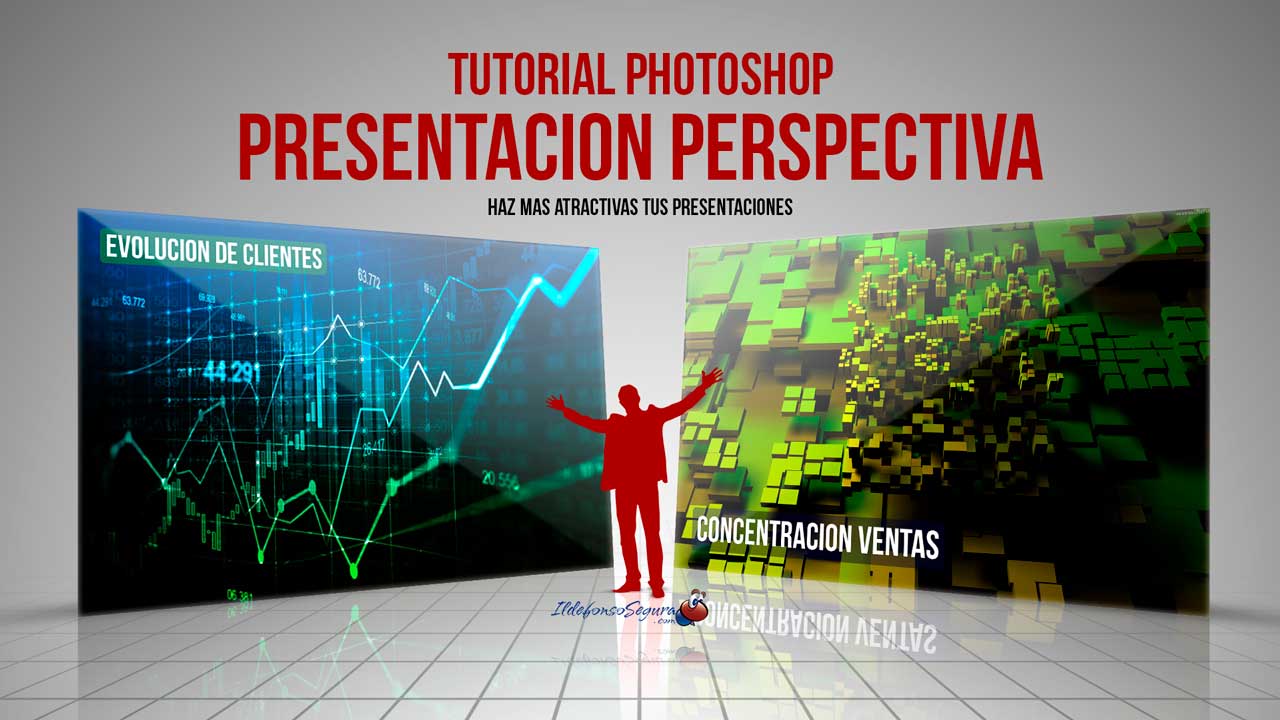
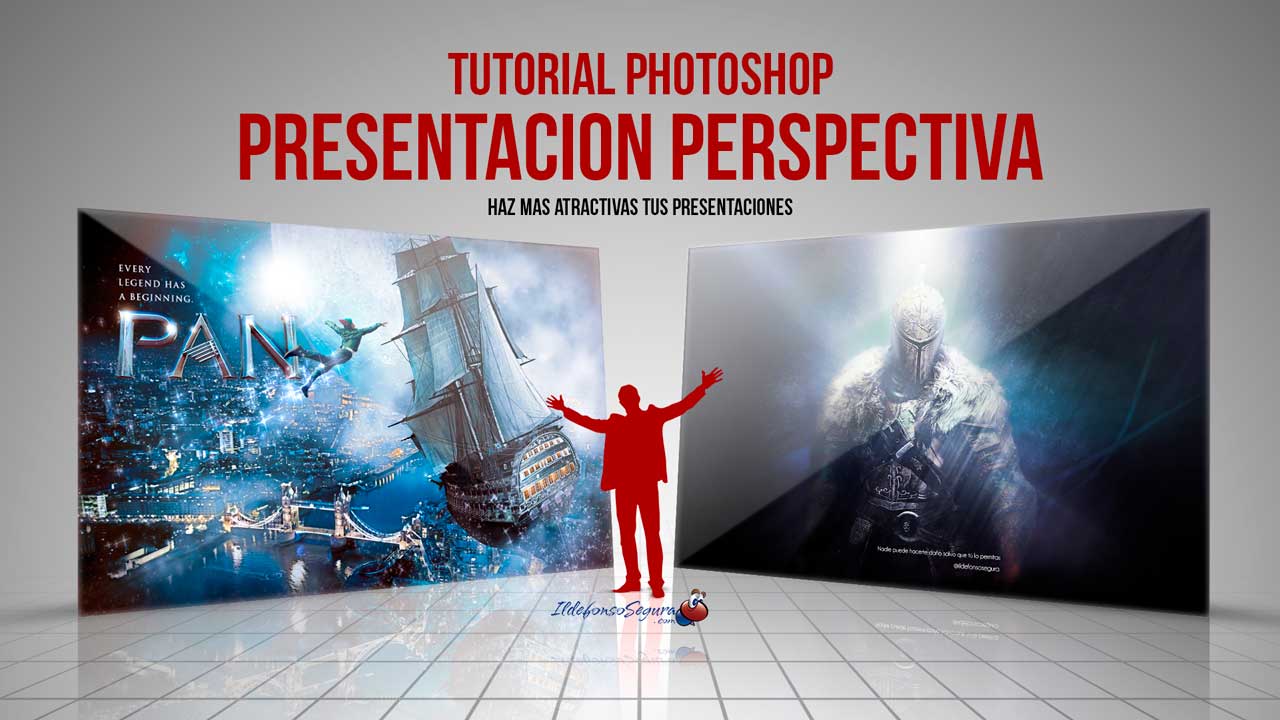
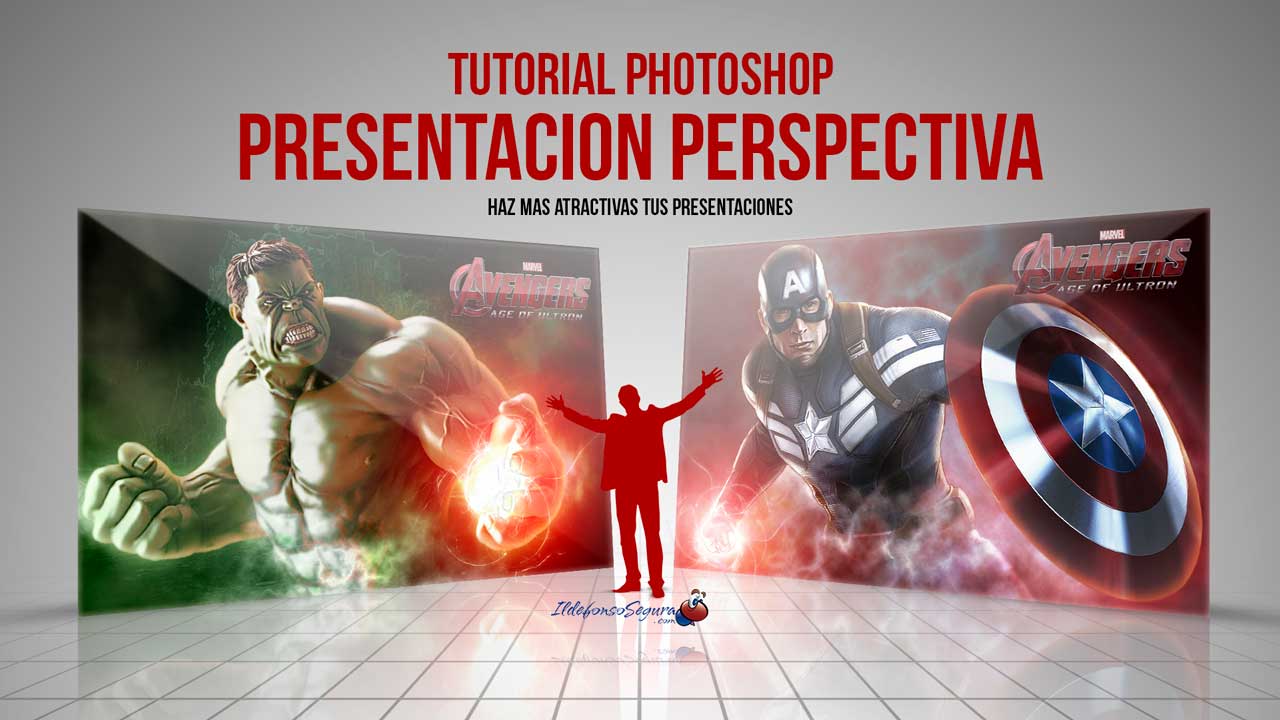
									<p style="text-align: justify;">En este tutorial de Photoshop te mostraré como hacer una plantilla para realizar una presentación elegante en perspectiva de tus trabajos, imágenes, gráficos, etc&#8230;</p><p><strong><span style="color: #800000;">EJEMPLOS</span></strong></p>								</div>
				</div>
					</div>
		</div>
					</div>
		</section>
				<section class="elementor-section elementor-top-section elementor-element elementor-element-52e4b9b elementor-section-boxed elementor-section-height-default elementor-section-height-default" data-id="52e4b9b" data-element_type="section" data-e-type="section">
						<div class="elementor-container elementor-column-gap-default">
					<div class="elementor-column elementor-col-100 elementor-top-column elementor-element elementor-element-a9cd129" data-id="a9cd129" data-element_type="column" data-e-type="column">
			<div class="elementor-widget-wrap elementor-element-populated">
						<div class="elementor-element elementor-element-1ba60f8 elementor-arrows-position-inside elementor-pagination-position-outside elementor-widget elementor-widget-image-carousel" data-id="1ba60f8" data-element_type="widget" data-e-type="widget" data-settings="{&quot;slides_to_show&quot;:&quot;2&quot;,&quot;slides_to_scroll&quot;:&quot;2&quot;,&quot;autoplay_speed&quot;:2878,&quot;navigation&quot;:&quot;both&quot;,&quot;autoplay&quot;:&quot;yes&quot;,&quot;pause_on_hover&quot;:&quot;yes&quot;,&quot;pause_on_interaction&quot;:&quot;yes&quot;,&quot;infinite&quot;:&quot;yes&quot;,&quot;speed&quot;:500,&quot;image_spacing_custom&quot;:{&quot;unit&quot;:&quot;px&quot;,&quot;size&quot;:20,&quot;sizes&quot;:[]},&quot;image_spacing_custom_tablet&quot;:{&quot;unit&quot;:&quot;px&quot;,&quot;size&quot;:&quot;&quot;,&quot;sizes&quot;:[]},&quot;image_spacing_custom_mobile&quot;:{&quot;unit&quot;:&quot;px&quot;,&quot;size&quot;:&quot;&quot;,&quot;sizes&quot;:[]}}" data-widget_type="image-carousel.default">
				<div class="elementor-widget-container">
							<div class="elementor-image-carousel-wrapper swiper" role="region" aria-roledescription="carousel" aria-label="Carrusel de imágenes" dir="ltr">
			<div class="elementor-image-carousel swiper-wrapper" aria-live="off">
								<div class="swiper-slide" role="group" aria-roledescription="slide" aria-label="1 de 3"><figure class="swiper-slide-inner"><img decoding="async" class="swiper-slide-image" src="https://ildefonsosegura.es/wp-content/uploads/Presentacion-elegante-3.jpg" alt="Presentacion-elegante-3" /></figure></div><div class="swiper-slide" role="group" aria-roledescription="slide" aria-label="2 de 3"><figure class="swiper-slide-inner"><img decoding="async" class="swiper-slide-image" src="https://ildefonsosegura.es/wp-content/uploads/Presentacion-elegante-1.jpg" alt="Presentacion-elegante-1" /></figure></div><div class="swiper-slide" role="group" aria-roledescription="slide" aria-label="3 de 3"><figure class="swiper-slide-inner"><img decoding="async" class="swiper-slide-image" src="https://ildefonsosegura.es/wp-content/uploads/Presentacion-elegante-2.jpg" alt="Presentacion-elegante-2" /></figure></div>			</div>
												<div class="elementor-swiper-button elementor-swiper-button-prev" role="button" tabindex="0">
						<i aria-hidden="true" class="eicon-chevron-left"></i>					</div>
					<div class="elementor-swiper-button elementor-swiper-button-next" role="button" tabindex="0">
						<i aria-hidden="true" class="eicon-chevron-right"></i>					</div>
				
									<div class="swiper-pagination"></div>
									</div>
						</div>
				</div>
					</div>
		</div>
					</div>
		</section>
				<section class="elementor-section elementor-top-section elementor-element elementor-element-69c5338c elementor-section-boxed elementor-section-height-default elementor-section-height-default" data-id="69c5338c" data-element_type="section" data-e-type="section">
						<div class="elementor-container elementor-column-gap-default">
					<div class="elementor-column elementor-col-100 elementor-top-column elementor-element elementor-element-6ae4e64d" data-id="6ae4e64d" data-element_type="column" data-e-type="column">
			<div class="elementor-widget-wrap elementor-element-populated">
						<div class="elementor-element elementor-element-de5bee elementor-widget elementor-widget-text-editor" data-id="de5bee" data-element_type="widget" data-e-type="widget" data-widget_type="text-editor.default">
				<div class="elementor-widget-container">
									<p style="text-align: justify;">De una forma fácil y procedimental diseñas una plantilla de un wallpaper que podrás usar en tus presentaciones elegantes, dándole un toque profesional y diferente.</p>
<strong><span style="color: #800000;">TUTORIAL PLANTILLA PRESENTACIÓN ELEGANTE</span></strong>

<center><iframe title="YouTube video player" src="https://www.youtube.com/embed/ES2tZ7-Ocmw?rel=0" width="560" height="490" frameborder="0" allowfullscreen="allowfullscreen"></iframe></center>
<div>
<div align="center"><center><strong style="color: #ff0000;">Suscríbete a mi canal de Youtube:</strong></center>
<div>
<div>
<div align="center">

<script src="https://apis.google.com/js/platform.js"></script>
<script>// <![CDATA[ function onYtEvent(payload) { if (payload.eventType == 'subscribe') { // Add code to handle subscribe event. } else if (payload.eventType == 'unsubscribe') { // Add code to handle unsubscribe event. } if (window.console) { // for debugging only window.console.log('YT event: ', payload); } } // ]]&gt;</script>
<div class="g-ytsubscribe" data-channel="ildefonsosegura" data-layout="default" data-count="default" data-onytevent="onYtEvent"></div>
</div>
</div>
<p style="text-align: left;">No te lo pierdas y comparte tus trabajos en mi página de facebook (<a href="http://www.facebook.com/IldefonsoSeguraPage" target="_blank" rel="noopener noreferrer">IldefonsoSeguraPage</a>)
Espero que te guste y compartas el vídeo. No dejes de compartir este post.</p>
<p style="text-align: left;">Así es como me puedes ayudar 🙂 Gracias</p>

</div>
</div>
</div>								</div>
				</div>
					</div>
		</div>
					</div>
		</section>
				<section class="elementor-section elementor-top-section elementor-element elementor-element-cbcf048 elementor-section-boxed elementor-section-height-default elementor-section-height-default" data-id="cbcf048" data-element_type="section" data-e-type="section">
						<div class="elementor-container elementor-column-gap-default">
					<div class="elementor-column elementor-col-100 elementor-top-column elementor-element elementor-element-8416d24" data-id="8416d24" data-element_type="column" data-e-type="column">
			<div class="elementor-widget-wrap elementor-element-populated">
						<div class="elementor-element elementor-element-5853ca2 elementor-align-center elementor-widget elementor-widget-button" data-id="5853ca2" data-element_type="widget" data-e-type="widget" data-widget_type="button.default">
				<div class="elementor-widget-container">
									<div class="elementor-button-wrapper">
					<a class="elementor-button elementor-button-link elementor-size-sm" href="https://drive.google.com/file/d/1_CMY008f0ZGXiqwdZ3BkbT-4DzVx8N2K/view?usp=sharing" id="my-id">
						<span class="elementor-button-content-wrapper">
									<span class="elementor-button-text">DESCARGA LOS MATERIALES</span>
					</span>
					</a>
				</div>
								</div>
				</div>
					</div>
		</div>
					</div>
		</section>
				</div>La entrada <a href="https://ildefonsosegura.es/plantilla-presentacion-elegante-con-photoshop-tutorial/">Plantilla presentación elegante con Photoshop // Tutorial</a> apareció primero en <a href="https://ildefonsosegura.es">Ildefonso Segura</a>.]]></content:encoded>


			</item>
		<item>
		<title>Matte Painting Archivo PSD (Photoshop) GRATIS</title>
		<link>https://ildefonsosegura.es/matte-painting-archivo-psd-photoshop-gratis/</link>
					<comments>https://ildefonsosegura.es/matte-painting-archivo-psd-photoshop-gratis/#respond</comments>
		
		<dc:creator><![CDATA[Ildefonso Segura]]></dc:creator>
		<pubDate>Mon, 20 Apr 2020 17:58:21 +0000</pubDate>
				<category><![CDATA[Editable]]></category>
		<category><![CDATA[Fotocomposición]]></category>
		<category><![CDATA[Photoshop]]></category>
		<category><![CDATA[Recursos]]></category>
		<category><![CDATA[Tecnicas]]></category>
		<category><![CDATA[Tutoriales]]></category>
		<category><![CDATA[Video]]></category>
		<category><![CDATA[Wallpaper]]></category>
		<category><![CDATA[composición]]></category>
		<category><![CDATA[ildefonsosegura]]></category>
		<category><![CDATA[regalo]]></category>
		<guid isPermaLink="false">http://ildefonsosegura.es/?p=61379</guid>

					<description><![CDATA[<p>¡Te voy a hacer un regalo! Estoy experimentando con el «matte painting» con Photoshop y he conseguido mi primera composición. Seguro que tiene que mejorar mucho pero eso me motiva más. Esta composición tiene muchas capas como para hacer un tutorial dinámico y didáctico. Quizás me plantee un directo para realizar un «overview» sobre la [&#8230;]</p>
La entrada <a href="https://ildefonsosegura.es/matte-painting-archivo-psd-photoshop-gratis/">Matte Painting Archivo PSD (Photoshop) GRATIS</a> apareció primero en <a href="https://ildefonsosegura.es">Ildefonso Segura</a>.]]></description>
										<content:encoded><![CDATA[<div data-elementor-type="wp-post" data-elementor-id="61379" class="elementor elementor-61379">
						<section class="elementor-section elementor-top-section elementor-element elementor-element-529c0025 elementor-section-boxed elementor-section-height-default elementor-section-height-default" data-id="529c0025" data-element_type="section" data-e-type="section">
						<div class="elementor-container elementor-column-gap-default">
					<div class="elementor-column elementor-col-100 elementor-top-column elementor-element elementor-element-453d308f" data-id="453d308f" data-element_type="column" data-e-type="column">
			<div class="elementor-widget-wrap elementor-element-populated">
						<div class="elementor-element elementor-element-41f93b0 elementor-widget elementor-widget-text-editor" data-id="41f93b0" data-element_type="widget" data-e-type="widget" data-widget_type="text-editor.default">
				<div class="elementor-widget-container">
									<h1 style="text-align: center;"><span style="color: #ff0000;">¡Te voy a hacer un regalo!</span></h1><p style="text-align: justify;">Estoy experimentando con el «<strong>matte painting</strong>» con Photoshop y he conseguido mi primera composición. Seguro que tiene que mejorar mucho pero eso me motiva más.</p><p style="text-align: justify;">Esta composición tiene muchas capas como para hacer un tutorial dinámico y didáctico. Quizás me plantee un directo para realizar un «overview» sobre la multitud de capas. Hay alguna técnica curiosa como:</p><ul><li>Añadir moho a las piedras</li><li>Crear luces en determinados lugares que destacan en la escena</li><li>Trabajar con flares para conseguir efectos de luz</li><li>Otros muchos</li></ul><p style="text-align: justify;">No se&#8230;quizás lo haga o quizás publique pequeños tutoriales para explicar alguna de las técnicas.</p><p>Si quieres ver el wallpaper final, puedes visitar mi sitio en FLICKR. Haz click en este texto <a title="MATTE PAINTING SAMURAI" href="https://www.flickr.com/photos/ildefonsosegura/49794103296/in/dateposted/" target="_blank" rel="noopener noreferrer"><strong>VISITAR LA COMPOSICIÓN</strong></a> o en la propia imágen:</p><p><a href="https://www.flickr.com/photos/ildefonsosegura/49794103296/in/dateposted/" target="_blank" rel="noopener noreferrer"><img loading="lazy" decoding="async" class="aligncenter wp-image-61380 size-full" src="http://ildefonsosegura.es/wp-content/uploads/samurai-mattepainting.jpg" alt="" width="1280" height="720" srcset="https://ildefonsosegura.es/wp-content/uploads/samurai-mattepainting.jpg 1280w, https://ildefonsosegura.es/wp-content/uploads/samurai-mattepainting-300x169.jpg 300w, https://ildefonsosegura.es/wp-content/uploads/samurai-mattepainting-768x432.jpg 768w, https://ildefonsosegura.es/wp-content/uploads/samurai-mattepainting-1024x576.jpg 1024w, https://ildefonsosegura.es/wp-content/uploads/samurai-mattepainting-720x406.jpg 720w" sizes="(max-width: 1280px) 100vw, 1280px" /></a></p><p style="text-align: justify;">Mira el antes y el después</p><p style="text-align: justify;">[twenty20 img1=»61380&#8243; img2=»61381&#8243; offset=»0.5&#8243;]</p><p>Créditos al <a href="https://www.deviantart.com/phelandavion/art/Samurai-STOCK-III-584527955" target="_blank" rel="noopener noreferrer">Stock del Samurai</a> Autor: <a href="https://www.deviantart.com/phelandavion" target="_blank" rel="noopener noreferrer">PhelanDavion</a></p><p> </p><p>Aquí te dejo también el «making of» de la composición que puedes chequear también en mi <a href="https://www.instagram.com/ildefonsosegura/" target="_blank" rel="noopener noreferrer">instagram ildefonsosegura</a>:</p>								</div>
				</div>
					</div>
		</div>
					</div>
		</section>
				<section class="elementor-section elementor-top-section elementor-element elementor-element-4422d86 elementor-section-boxed elementor-section-height-default elementor-section-height-default" data-id="4422d86" data-element_type="section" data-e-type="section">
						<div class="elementor-container elementor-column-gap-default">
					<div class="elementor-column elementor-col-100 elementor-top-column elementor-element elementor-element-af74398" data-id="af74398" data-element_type="column" data-e-type="column">
			<div class="elementor-widget-wrap elementor-element-populated">
						<div class="elementor-element elementor-element-e3196af elementor-widget elementor-widget-video" data-id="e3196af" data-element_type="widget" data-e-type="widget" data-settings="{&quot;youtube_url&quot;:&quot;https:\/\/youtu.be\/NwZ_T5s4_fE&quot;,&quot;video_type&quot;:&quot;youtube&quot;,&quot;controls&quot;:&quot;yes&quot;}" data-widget_type="video.default">
				<div class="elementor-widget-container">
							<div class="elementor-wrapper elementor-open-inline">
			<div class="elementor-video"></div>		</div>
						</div>
				</div>
					</div>
		</div>
					</div>
		</section>
				<section class="elementor-section elementor-top-section elementor-element elementor-element-57c1181 elementor-section-boxed elementor-section-height-default elementor-section-height-default" data-id="57c1181" data-element_type="section" data-e-type="section">
						<div class="elementor-container elementor-column-gap-default">
					<div class="elementor-column elementor-col-100 elementor-top-column elementor-element elementor-element-f76b5ac" data-id="f76b5ac" data-element_type="column" data-e-type="column">
			<div class="elementor-widget-wrap elementor-element-populated">
						<div class="elementor-element elementor-element-3fb13bf elementor-widget elementor-widget-spacer" data-id="3fb13bf" data-element_type="widget" data-e-type="widget" data-widget_type="spacer.default">
				<div class="elementor-widget-container">
							<div class="elementor-spacer">
			<div class="elementor-spacer-inner"></div>
		</div>
						</div>
				</div>
					</div>
		</div>
					</div>
		</section>
				<section class="elementor-section elementor-top-section elementor-element elementor-element-7bcdb6d elementor-section-boxed elementor-section-height-default elementor-section-height-default" data-id="7bcdb6d" data-element_type="section" data-e-type="section">
						<div class="elementor-container elementor-column-gap-default">
					<div class="elementor-column elementor-col-50 elementor-top-column elementor-element elementor-element-1ce95b3" data-id="1ce95b3" data-element_type="column" data-e-type="column">
			<div class="elementor-widget-wrap elementor-element-populated">
						<div class="elementor-element elementor-element-75d92e0 elementor-align-center elementor-widget elementor-widget-button" data-id="75d92e0" data-element_type="widget" data-e-type="widget" data-widget_type="button.default">
				<div class="elementor-widget-container">
									<div class="elementor-button-wrapper">
					<a class="elementor-button elementor-button-link elementor-size-sm elementor-animation-grow" href="https://mega.nz/file/BldkhKZR#SpGXgRR_WPAhSUM9cAG-gvnuMmQUZjuwPXyY-lJ8YuA" target="_blank">
						<span class="elementor-button-content-wrapper">
						<span class="elementor-button-icon">
				<i aria-hidden="true" class="fas fa-arrow-alt-circle-right"></i>			</span>
									<span class="elementor-button-text">BAJATE EL EDITABLE</span>
					</span>
					</a>
				</div>
								</div>
				</div>
					</div>
		</div>
				<div class="elementor-column elementor-col-50 elementor-top-column elementor-element elementor-element-f55eb32" data-id="f55eb32" data-element_type="column" data-e-type="column">
			<div class="elementor-widget-wrap elementor-element-populated">
						<div class="elementor-element elementor-element-295b9a7 elementor-invisible elementor-widget elementor-widget-html" data-id="295b9a7" data-element_type="widget" data-e-type="widget" data-settings="{&quot;_animation&quot;:&quot;bounceIn&quot;}" data-widget_type="html.default">
				<div class="elementor-widget-container">
					<form action="https://www.paypal.com/cgi-bin/webscr" method="post" target="_blank">
<input type="hidden" name="cmd" value="_donations">
<input type="hidden" name="business" value="ildefonsosegura@gmail.com">
<input type="hidden" name="lc" value="ES">
<input type="hidden" name="item_name" value="MANTENIMIENTO DE LA PAGINA DE ILDEFONSOSEGURA">
<input type="hidden" name="no_note" value="0">
<input type="hidden" name="currency_code" value="EUR">
<input type="hidden" name="bn" value="PP-DonationsBF:paypal1.jpg:NonHostedGuest">
<input type="image" src="http://ildefonsosegura.es/wp-content/uploads/paypal-updated-1.png" border="0" name="submit" alt="PayPal. La forma rápida y segura de pagar en Internet.">
<img decoding="async" alt="" border="0" src="https://www.paypalobjects.com/es_ES/i/scr/pixel.gif" width="1" height="1">
</form>				</div>
				</div>
					</div>
		</div>
					</div>
		</section>
				<section class="elementor-section elementor-top-section elementor-element elementor-element-9a21c58 elementor-section-boxed elementor-section-height-default elementor-section-height-default" data-id="9a21c58" data-element_type="section" data-e-type="section">
						<div class="elementor-container elementor-column-gap-default">
					<div class="elementor-column elementor-col-100 elementor-top-column elementor-element elementor-element-d21f3f9" data-id="d21f3f9" data-element_type="column" data-e-type="column">
			<div class="elementor-widget-wrap elementor-element-populated">
						<div class="elementor-element elementor-element-9264554 elementor-widget elementor-widget-spacer" data-id="9264554" data-element_type="widget" data-e-type="widget" data-widget_type="spacer.default">
				<div class="elementor-widget-container">
							<div class="elementor-spacer">
			<div class="elementor-spacer-inner"></div>
		</div>
						</div>
				</div>
					</div>
		</div>
					</div>
		</section>
				<section class="elementor-section elementor-top-section elementor-element elementor-element-3816d71d elementor-section-boxed elementor-section-height-default elementor-section-height-default" data-id="3816d71d" data-element_type="section" data-e-type="section">
						<div class="elementor-container elementor-column-gap-default">
					<div class="elementor-column elementor-col-100 elementor-top-column elementor-element elementor-element-25a473e" data-id="25a473e" data-element_type="column" data-e-type="column">
			<div class="elementor-widget-wrap elementor-element-populated">
						<div class="elementor-element elementor-element-25c3c36 elementor-widget elementor-widget-html" data-id="25c3c36" data-element_type="widget" data-e-type="widget" data-widget_type="html.default">
				<div class="elementor-widget-container">
					&nbsp;
<center><span style="color: #333333;"><strong>SUSCRÍBETE A MI CANAL DE YouTube</strong></span></center>&nbsp;
<div>
<div>
<div align="center">


<script src="https://apis.google.com/js/platform.js"></script>

<div class="g-ytsubscribe" data-channel="ildefonsosegura" data-layout="full" data-count="default"></div>
</div>
</div>
&nbsp;<p style="text-align: left;">No te lo pierdas y comparte tus trabajos en mi página de facebook (<span style="color: #ff0000;"><strong><a style="color: #ff0000;" href="http://www.facebook.com/IldefonsoSeguraPage" target="_blank" rel="noopener noreferrer">IldefonsoSeguraPage</a></strong></span>)</p>
Espero que te guste y compartas el vídeo. No dejes de compartir este post.
<p style="text-align: left;">Así es como me puedes ayudar 🙂 Gracias</p>

</div>				</div>
				</div>
					</div>
		</div>
					</div>
		</section>
				</div>La entrada <a href="https://ildefonsosegura.es/matte-painting-archivo-psd-photoshop-gratis/">Matte Painting Archivo PSD (Photoshop) GRATIS</a> apareció primero en <a href="https://ildefonsosegura.es">Ildefonso Segura</a>.]]></content:encoded>
					
					<wfw:commentRss>https://ildefonsosegura.es/matte-painting-archivo-psd-photoshop-gratis/feed/</wfw:commentRss>
			<slash:comments>0</slash:comments>
		
		
			</item>
		<item>
		<title>Integrar objetos en una fotografía igualando luminosidad y color con Photoshop</title>
		<link>https://ildefonsosegura.es/integrar-objetos-en-una-fotografia-igualando-luminosidad-y-color-con-photoshop/</link>
					<comments>https://ildefonsosegura.es/integrar-objetos-en-una-fotografia-igualando-luminosidad-y-color-con-photoshop/#respond</comments>
		
		<dc:creator><![CDATA[Ildefonso Segura]]></dc:creator>
		<pubDate>Mon, 06 Apr 2020 17:05:00 +0000</pubDate>
				<category><![CDATA[Editable]]></category>
		<category><![CDATA[Efectos]]></category>
		<category><![CDATA[Fotocomposición]]></category>
		<category><![CDATA[Photoshop]]></category>
		<category><![CDATA[Tecnicas]]></category>
		<category><![CDATA[Tutoriales]]></category>
		<category><![CDATA[Video]]></category>
		<category><![CDATA[Wallpaper]]></category>
		<guid isPermaLink="false">http://ildefonsosegura.es/?p=61326</guid>

					<description><![CDATA[<p>En este tutorial de Photoshop te enseñaré a integrar objetos en una fotografía igualando la luminosidad y el color de los citados objetos. El resultado será una perfecta integración de elementos en una composición o fotomontaje. Puedes ver antes mi tutorial para recortar objetos y que cito en el tutorial. Se titula Integración de imágenes [&#8230;]</p>
La entrada <a href="https://ildefonsosegura.es/integrar-objetos-en-una-fotografia-igualando-luminosidad-y-color-con-photoshop/">Integrar objetos en una fotografía igualando luminosidad y color con Photoshop</a> apareció primero en <a href="https://ildefonsosegura.es">Ildefonso Segura</a>.]]></description>
										<content:encoded><![CDATA[<div data-elementor-type="wp-post" data-elementor-id="61326" class="elementor elementor-61326">
						<section class="elementor-section elementor-top-section elementor-element elementor-element-385d3ff2 elementor-section-boxed elementor-section-height-default elementor-section-height-default" data-id="385d3ff2" data-element_type="section" data-e-type="section">
						<div class="elementor-container elementor-column-gap-default">
					<div class="elementor-column elementor-col-100 elementor-top-column elementor-element elementor-element-d388c93" data-id="d388c93" data-element_type="column" data-e-type="column">
			<div class="elementor-widget-wrap elementor-element-populated">
						<div class="elementor-element elementor-element-6c1e19c elementor-widget elementor-widget-text-editor" data-id="6c1e19c" data-element_type="widget" data-e-type="widget" data-widget_type="text-editor.default">
				<div class="elementor-widget-container">
									<p>En este tutorial de Photoshop te enseñaré a integrar objetos en una fotografía igualando la luminosidad y el color de los citados objetos. El resultado será una perfecta integración de elementos en una composición o fotomontaje.</p><p>Puedes ver antes mi tutorial para recortar objetos y que cito en el tutorial. Se titula Integración de imágenes con sombras originales con Photoshop y puedes comenzarlo donde aparece la técnica de recorte con pluma:</p>								</div>
				</div>
				<div class="elementor-element elementor-element-69fa05a elementor-widget elementor-widget-video" data-id="69fa05a" data-element_type="widget" data-e-type="widget" data-settings="{&quot;youtube_url&quot;:&quot;https:\/\/youtu.be\/rM_S5XjBvGM&quot;,&quot;video_type&quot;:&quot;youtube&quot;,&quot;controls&quot;:&quot;yes&quot;}" data-widget_type="video.default">
				<div class="elementor-widget-container">
							<div class="elementor-wrapper elementor-open-inline">
			<div class="elementor-video"></div>		</div>
						</div>
				</div>
				<div class="elementor-element elementor-element-4fb18755 elementor-widget elementor-widget-text-editor" data-id="4fb18755" data-element_type="widget" data-e-type="widget" data-widget_type="text-editor.default">
				<div class="elementor-widget-container">
									<p> </p><p style="text-align: justify;">En el tutorial te mostraré 2 métodos para poder igualar tanto iluminación de los objetos como el color. Todos ellos con capas de ajuste de control que nos ayudan a conseguir ese equilibrio que nos permite integrar imágenes dentro de un fotomontaje.</p><ul><li><strong>Método 1:</strong> Capa de ajuste de color con brillo 0 y Capa de ajuste de color con gris puro.</li><li><strong>Método 2</strong>: Capa de ajuste de Blanco y Negro y Capa de ajuste de color con Saturación 100%</li></ul><p>El resultado es evidente. Tú puedes ver el antes y el después[twenty20 img1=»61334&#8243; img2=»61342&#8243; offset=»0.5&#8243;]</p><p style="text-align: justify;">Si te es complicado seguir el tuto siempre tienes el <strong>EDITABLE</strong> que facilito (descárgalo desde el botón debajo del tutorial)</p><p><strong><span style="color: #800000;"><span style="color: #800000;">TUTORIAL INTEGRACIÓN DE OBJETOS EN UNA IMAGEN</span></span></strong></p>								</div>
				</div>
				<div class="elementor-element elementor-element-3ecacc7 elementor-widget elementor-widget-video" data-id="3ecacc7" data-element_type="widget" data-e-type="widget" data-settings="{&quot;youtube_url&quot;:&quot;https:\/\/youtu.be\/6WUgzU2ncGw&quot;,&quot;video_type&quot;:&quot;youtube&quot;,&quot;controls&quot;:&quot;yes&quot;}" data-widget_type="video.default">
				<div class="elementor-widget-container">
							<div class="elementor-wrapper elementor-open-inline">
			<div class="elementor-video"></div>		</div>
						</div>
				</div>
				<section class="elementor-section elementor-inner-section elementor-element elementor-element-134998a elementor-section-boxed elementor-section-height-default elementor-section-height-default" data-id="134998a" data-element_type="section" data-e-type="section">
						<div class="elementor-container elementor-column-gap-default">
					<div class="elementor-column elementor-col-50 elementor-inner-column elementor-element elementor-element-254cadf" data-id="254cadf" data-element_type="column" data-e-type="column">
			<div class="elementor-widget-wrap elementor-element-populated">
						<div class="elementor-element elementor-element-1043a409 elementor-align-center elementor-widget elementor-widget-button" data-id="1043a409" data-element_type="widget" data-e-type="widget" data-widget_type="button.default">
				<div class="elementor-widget-container">
									<div class="elementor-button-wrapper">
					<a class="elementor-button elementor-button-link elementor-size-sm elementor-animation-grow" href="https://mega.nz/#!F9lV2QLD!JhUx67ycCGNQJ9P_EkPvnaBcpjVzgSZvRM2OO3t56ZI">
						<span class="elementor-button-content-wrapper">
									<span class="elementor-button-text">BAJATE EL EDITABLE</span>
					</span>
					</a>
				</div>
								</div>
				</div>
					</div>
		</div>
				<div class="elementor-column elementor-col-50 elementor-inner-column elementor-element elementor-element-244f682" data-id="244f682" data-element_type="column" data-e-type="column">
			<div class="elementor-widget-wrap elementor-element-populated">
						<div class="elementor-element elementor-element-7a866b0a elementor-widget elementor-widget-html" data-id="7a866b0a" data-element_type="widget" data-e-type="widget" data-settings="{&quot;_animation&quot;:&quot;none&quot;}" data-widget_type="html.default">
				<div class="elementor-widget-container">
					<form action="https://www.paypal.com/cgi-bin/webscr" method="post" target="_blank">
<input type="hidden" name="cmd" value="_donations">
<input type="hidden" name="business" value="ildefonsosegura@gmail.com">
<input type="hidden" name="lc" value="ES">
<input type="hidden" name="item_name" value="MANTENIMIENTO DE LA PAGINA DE ILDEFONSOSEGURA">
<input type="hidden" name="no_note" value="0">
<input type="hidden" name="currency_code" value="EUR">
<input type="hidden" name="bn" value="PP-DonationsBF:paypal1.jpg:NonHostedGuest">
<input type="image" src="http://ildefonsosegura.es/wp-content/uploads/paypal-updated-1.png" border="0" name="submit" alt="PayPal. La forma rápida y segura de pagar en Internet.">
<img decoding="async" alt="" border="0" src="https://www.paypalobjects.com/es_ES/i/scr/pixel.gif" width="1" height="1">
</form>				</div>
				</div>
					</div>
		</div>
					</div>
		</section>
				<div class="elementor-element elementor-element-e34cb44 elementor-widget elementor-widget-text-editor" data-id="e34cb44" data-element_type="widget" data-e-type="widget" data-widget_type="text-editor.default">
				<div class="elementor-widget-container">
									<div>
<div>
<div align="center">
<p style="text-align: left;">Aquí te dejo también el «making of» de la composición que puedes chequear también en mi <a href="https://www.instagram.com/ildefonsosegura/" target="_blank" rel="noopener noreferrer">instagram ildefonsosegura</a>:</p>

<blockquote class="instagram-media" style="background: #FFF; border: 0; border-radius: 3px; box-shadow: 0 0 1px 0 rgba(0,0,0,0.5),0 1px 10px 0 rgba(0,0,0,0.15); margin: 1px; max-width: 540px; min-width: 326px; padding: 0; width: calc(100% - 2px);" data-instgrm-permalink="https://www.instagram.com/p/B9d6fThIJPR/?utm_source=ig_embed&amp;utm_campaign=loading" data-instgrm-version="12">
<div style="padding: 16px;">
<div style="display: flex; flex-direction: row; align-items: center;">
<div style="background-color: #f4f4f4; border-radius: 50%; flex-grow: 0; height: 40px; margin-right: 14px; width: 40px;"></div>
<div style="display: flex; flex-direction: column; flex-grow: 1; justify-content: center;">
<div style="background-color: #f4f4f4; border-radius: 4px; flex-grow: 0; height: 14px; margin-bottom: 6px; width: 100px;"></div>
<div style="background-color: #f4f4f4; border-radius: 4px; flex-grow: 0; height: 14px; width: 60px;"></div>
</div>
</div>
<div style="padding: 19% 0;"></div>
<div style="display: block; height: 50px; margin: 0 auto 12px; width: 50px;"></div>
<div style="padding-top: 8px;">
<div style="color: #3897f0; font-family: Arial,sans-serif; font-size: 14px; font-style: normal; font-weight: 550; line-height: 18px;">Ver esta publicación en Instagram</div>
</div>
<div style="padding: 12.5% 0;"></div>
<div style="display: flex; flex-direction: row; margin-bottom: 14px; align-items: center;">
<div>
<div style="background-color: #f4f4f4; border-radius: 50%; height: 12.5px; width: 12.5px; transform: translateX(0px) translateY(7px);"></div>
<div style="background-color: #f4f4f4; height: 12.5px; transform: rotate(-45deg) translateX(3px) translateY(1px); width: 12.5px; flex-grow: 0; margin-right: 14px; margin-left: 2px;"></div>
<div style="background-color: #f4f4f4; border-radius: 50%; height: 12.5px; width: 12.5px; transform: translateX(9px) translateY(-18px);"></div>
</div>
<div style="margin-left: 8px;">
<div style="background-color: #f4f4f4; border-radius: 50%; flex-grow: 0; height: 20px; width: 20px;"></div>
<div style="width: 0; height: 0; border-top: 2px solid transparent; border-left: 6px solid #f4f4f4; border-bottom: 2px solid transparent; transform: translateX(16px) translateY(-4px) rotate(30deg);"></div>
</div>
<div style="margin-left: auto;">
<div style="width: 0px; border-top: 8px solid #F4F4F4; border-right: 8px solid transparent; transform: translateY(16px);"></div>
<div style="background-color: #f4f4f4; flex-grow: 0; height: 12px; width: 16px; transform: translateY(-4px);"></div>
<div style="width: 0; height: 0; border-top: 8px solid #F4F4F4; border-left: 8px solid transparent; transform: translateY(-4px) translateX(8px);"></div>
</div>
</div>
<div style="display: flex; flex-direction: column; flex-grow: 1; justify-content: center; margin-bottom: 24px;">
<div style="background-color: #f4f4f4; border-radius: 4px; flex-grow: 0; height: 14px; margin-bottom: 6px; width: 224px;"></div>
<div style="background-color: #f4f4f4; border-radius: 4px; flex-grow: 0; height: 14px; width: 144px;"></div>
</div>
<p style="color: #c9c8cd; font-family: Arial,sans-serif; font-size: 14px; line-height: 17px; margin-bottom: 0; margin-top: 8px; overflow: hidden; padding: 8px 0 7px; text-align: center; text-overflow: ellipsis; white-space: nowrap;"><a style="color: #c9c8cd; font-family: Arial,sans-serif; font-size: 14px; font-style: normal; font-weight: normal; line-height: 17px; text-decoration: none;" href="https://www.instagram.com/p/B9d6fThIJPR/?utm_source=ig_embed&amp;utm_campaign=loading" target="_blank" rel="noopener noreferrer">Una publicación compartida de Ildefonso Segura (@ildefonsosegura)</a> el <time style="font-family: Arial,sans-serif; font-size: 14px; line-height: 17px;" datetime="2020-03-08T09:24:26+00:00">8 Mar, 2020 a las 1:24 PST</time></p>

</div></blockquote>
<script src="//www.instagram.com/embed.js" async=""></script>

<center><strong style="color: #ff0000;">Suscríbete a mi canal de Youtube:</strong></center>
<div>
<div>
<div align="center">

<script src="https://apis.google.com/js/platform.js"></script>
<script>// <![CDATA[ function onYtEvent(payload) { if (payload.eventType == 'subscribe') { // Add code to handle subscribe event. } else if (payload.eventType == 'unsubscribe') { // Add code to handle unsubscribe event. } if (window.console) { // for debugging only window.console.log('YT event: ', payload); } } // ]]&gt;</script>
<div class="g-ytsubscribe" data-channel="ildefonsosegura" data-layout="default" data-count="default" data-onytevent="onYtEvent"></div>
</div>
</div>
<p style="text-align: left;">No te lo pierdas y comparte tus trabajos en mi página de facebook (<a href="http://www.facebook.com/IldefonsoSeguraPage" target="_blank" rel="noopener noreferrer">IldefonsoSeguraPage</a>)
Espero que te guste y compartas el vídeo. No dejes de compartir este post.</p>
<p style="text-align: left;">Así es como me puedes ayudar 🙂 Gracias</p>

</div>
</div>
</div>
</div>								</div>
				</div>
					</div>
		</div>
					</div>
		</section>
				</div>La entrada <a href="https://ildefonsosegura.es/integrar-objetos-en-una-fotografia-igualando-luminosidad-y-color-con-photoshop/">Integrar objetos en una fotografía igualando luminosidad y color con Photoshop</a> apareció primero en <a href="https://ildefonsosegura.es">Ildefonso Segura</a>.]]></content:encoded>
					
					<wfw:commentRss>https://ildefonsosegura.es/integrar-objetos-en-una-fotografia-igualando-luminosidad-y-color-con-photoshop/feed/</wfw:commentRss>
			<slash:comments>0</slash:comments>
		
		
			</item>
		<item>
		<title>Tutorial Photoshop wallpaper superheroe para smartphone</title>
		<link>https://ildefonsosegura.es/tutorial-photoshop-wallpaper-superheroe-para-smartphone/</link>
					<comments>https://ildefonsosegura.es/tutorial-photoshop-wallpaper-superheroe-para-smartphone/#respond</comments>
		
		<dc:creator><![CDATA[Ildefonso Segura]]></dc:creator>
		<pubDate>Thu, 25 Apr 2019 16:18:57 +0000</pubDate>
				<category><![CDATA[3D]]></category>
		<category><![CDATA[Efectos]]></category>
		<category><![CDATA[Estilos]]></category>
		<category><![CDATA[Fotocomposición]]></category>
		<category><![CDATA[Películas]]></category>
		<category><![CDATA[Photoshop]]></category>
		<category><![CDATA[Tecnicas]]></category>
		<category><![CDATA[Textos]]></category>
		<category><![CDATA[Tutoriales]]></category>
		<category><![CDATA[Video]]></category>
		<category><![CDATA[Wallpaper]]></category>
		<category><![CDATA[adobe]]></category>
		<category><![CDATA[adobe cc]]></category>
		<category><![CDATA[avengers]]></category>
		<category><![CDATA[cartel]]></category>
		<category><![CDATA[creatividad]]></category>
		<category><![CDATA[extrusión]]></category>
		<category><![CDATA[gloriasanis]]></category>
		<category><![CDATA[ildefonsosegura]]></category>
		<category><![CDATA[imagen]]></category>
		<category><![CDATA[luces]]></category>
		<category><![CDATA[mobil]]></category>
		<category><![CDATA[movil]]></category>
		<category><![CDATA[photoshop]]></category>
		<category><![CDATA[poster]]></category>
		<category><![CDATA[smartphone]]></category>
		<category><![CDATA[spiderman]]></category>
		<category><![CDATA[spidey]]></category>
		<category><![CDATA[texto 3d]]></category>
		<category><![CDATA[tuto]]></category>
		<category><![CDATA[tutorial]]></category>
		<category><![CDATA[vengadores]]></category>
		<category><![CDATA[video]]></category>
		<category><![CDATA[VIDEOTUTORIAL]]></category>
		<category><![CDATA[wallpaper]]></category>
		<category><![CDATA[youtube]]></category>
		<guid isPermaLink="false">http://ildefonsosegura.es/?p=61141</guid>

					<description><![CDATA[<p>En este tutorial de photoshop te muestro como crear un wallpaper para smartphone con tu superheroe preferido. Dividimos el tutorial en 3 partes Parte 1 : Creamos el texto, lo formateamos, trabajaremos técnicas de extrusión a través de acciones, aplicaremos estilos de texto para conseguir una perfecta iluminación y mostreremos cómo mejorar los brillos o [&#8230;]</p>
La entrada <a href="https://ildefonsosegura.es/tutorial-photoshop-wallpaper-superheroe-para-smartphone/">Tutorial Photoshop wallpaper superheroe para smartphone</a> apareció primero en <a href="https://ildefonsosegura.es">Ildefonso Segura</a>.]]></description>
										<content:encoded><![CDATA[<div data-elementor-type="wp-post" data-elementor-id="61141" class="elementor elementor-61141">
						<section class="elementor-section elementor-top-section elementor-element elementor-element-5551dfbb elementor-section-boxed elementor-section-height-default elementor-section-height-default" data-id="5551dfbb" data-element_type="section" data-e-type="section">
						<div class="elementor-container elementor-column-gap-default">
					<div class="elementor-column elementor-col-100 elementor-top-column elementor-element elementor-element-dd87ead" data-id="dd87ead" data-element_type="column" data-e-type="column">
			<div class="elementor-widget-wrap elementor-element-populated">
						<div class="elementor-element elementor-element-58431a4a elementor-widget elementor-widget-text-editor" data-id="58431a4a" data-element_type="widget" data-e-type="widget" data-widget_type="text-editor.default">
				<div class="elementor-widget-container">
									<p style="text-align: justify;">En este tutorial de photoshop te muestro como crear un wallpaper para smartphone con tu superheroe preferido.</p><p>Dividimos el tutorial en 3 partes</p><ul><li><strong>Parte 1</strong> : Creamos el texto, lo formateamos, trabajaremos técnicas de extrusión a través de acciones, aplicaremos estilos de texto para conseguir una perfecta iluminación y mostreremos cómo mejorar los brillos o «high ligths con algún truquillo muy sencillo.</li><li><strong>Parte 2</strong> : Creamos un fondo apropiado a un superheroe con diferentes capas de ajuste que consigan una luz consistente con la que hemos simulado en el texto anteriormente.</li><li><strong>Parte 3</strong> : Trabajaremos la iluminación sobre el mismo superheroe que usamos como stock. Muestro unos trucos para crear high lights y modificar el tono discriminando entre sombras y luces que vienen con el propio stock.</li></ul><p>El resultado es evidente. Tú puedes ver el antes y el después</p><p>[twenty20 img1=»61145&#8243; img2=»61146&#8243; offset=»0.5&#8243;]</p><p>Me gustaría ver tu wallpaper de superheroe para smartphone siguiendo mi tutorial de photoshop</p><p>Disfruta del tutorial de Photoshop. Hay mucho trabajo detrás. Compártelo y así nos ayudas.</p><p><strong><span style="color: #800000;">TUTORIAL WALLPAPER AVENGERS</span></strong></p><center><iframe src="https://www.youtube.com/embed/T2Sc2Lynlq4" width="640" height="420" frameborder="0" allowfullscreen="allowfullscreen">&lt;span data-mce-type=»bookmark» style=»display: inline-block; width: 0px; overflow: hidden; line-height: 0;» class=»mce_SELRES_start»&gt;&lt;/span&gt;</iframe></center><div><div><p style="text-align: left;"> </p></div></div>								</div>
				</div>
					</div>
		</div>
					</div>
		</section>
				<section class="elementor-section elementor-top-section elementor-element elementor-element-b311e30 elementor-section-boxed elementor-section-height-default elementor-section-height-default" data-id="b311e30" data-element_type="section" data-e-type="section">
						<div class="elementor-container elementor-column-gap-default">
					<div class="elementor-column elementor-col-50 elementor-top-column elementor-element elementor-element-b93681f" data-id="b93681f" data-element_type="column" data-e-type="column">
			<div class="elementor-widget-wrap elementor-element-populated">
						<div class="elementor-element elementor-element-adfc8e1 elementor-widget elementor-widget-text-editor" data-id="adfc8e1" data-element_type="widget" data-e-type="widget" data-widget_type="text-editor.default">
				<div class="elementor-widget-container">
									<p>Puedes ver muchos más tutoriales relacionados con los <span style="color: #ff0000;"><strong><em>Avengers</em> </strong></span>haciendo clic en el botón:</p>								</div>
				</div>
					</div>
		</div>
				<div class="elementor-column elementor-col-50 elementor-top-column elementor-element elementor-element-c958f88" data-id="c958f88" data-element_type="column" data-e-type="column">
			<div class="elementor-widget-wrap elementor-element-populated">
						<div class="elementor-element elementor-element-d929b6e elementor-align-center elementor-widget elementor-widget-button" data-id="d929b6e" data-element_type="widget" data-e-type="widget" data-widget_type="button.default">
				<div class="elementor-widget-container">
									<div class="elementor-button-wrapper">
					<a class="elementor-button elementor-button-link elementor-size-md" href="https://ildefonsosegura.es/?s=avengers" target="_blank">
						<span class="elementor-button-content-wrapper">
									<span class="elementor-button-text">Tutos Avengers</span>
					</span>
					</a>
				</div>
								</div>
				</div>
					</div>
		</div>
					</div>
		</section>
				<section class="elementor-section elementor-top-section elementor-element elementor-element-2ff11e47 elementor-section-full_width elementor-section-height-default elementor-section-height-default" data-id="2ff11e47" data-element_type="section" data-e-type="section">
						<div class="elementor-container elementor-column-gap-default">
					<div class="elementor-column elementor-col-50 elementor-top-column elementor-element elementor-element-6b381bf3" data-id="6b381bf3" data-element_type="column" data-e-type="column">
			<div class="elementor-widget-wrap elementor-element-populated">
						<div class="elementor-element elementor-element-1aeb7d6b elementor-align-right elementor-invisible elementor-widget elementor-widget-button" data-id="1aeb7d6b" data-element_type="widget" data-e-type="widget" data-settings="{&quot;_animation&quot;:&quot;shake&quot;}" data-widget_type="button.default">
				<div class="elementor-widget-container">
									<div class="elementor-button-wrapper">
					<a class="elementor-button elementor-button-link elementor-size-sm elementor-animation-grow" href="https://drive.google.com/open?id=16t71Lo1sja_E8A6Az-eZPXDIs5ZdeUFe" target="_blank">
						<span class="elementor-button-content-wrapper">
									<span class="elementor-button-text">DESCARGA EL MATERIAL</span>
					</span>
					</a>
				</div>
								</div>
				</div>
					</div>
		</div>
				<div class="elementor-column elementor-col-50 elementor-top-column elementor-element elementor-element-1974ca2" data-id="1974ca2" data-element_type="column" data-e-type="column">
			<div class="elementor-widget-wrap elementor-element-populated">
						<div class="elementor-element elementor-element-acda019 elementor-widget elementor-widget-html" data-id="acda019" data-element_type="widget" data-e-type="widget" data-settings="{&quot;_animation&quot;:&quot;none&quot;}" data-widget_type="html.default">
				<div class="elementor-widget-container">
					<form action="https://www.paypal.com/cgi-bin/webscr" method="post" target="_blank">
<input type="hidden" name="cmd" value="_donations">
<input type="hidden" name="business" value="ildefonsosegura@gmail.com">
<input type="hidden" name="lc" value="ES">
<input type="hidden" name="item_name" value="MANTENIMIENTO DE LA PAGINA DE ILDEFONSOSEGURA">
<input type="hidden" name="no_note" value="0">
<input type="hidden" name="currency_code" value="EUR">
<input type="hidden" name="bn" value="PP-DonationsBF:paypal1.jpg:NonHostedGuest">
<input type="image" src="http://ildefonsosegura.es/wp-content/uploads/paypal-updated-1.png" border="0" name="submit" alt="PayPal. La forma rápida y segura de pagar en Internet.">
<img decoding="async" alt="" border="0" src="https://www.paypalobjects.com/es_ES/i/scr/pixel.gif" width="1" height="1">
</form>				</div>
				</div>
					</div>
		</div>
					</div>
		</section>
				<section class="elementor-section elementor-top-section elementor-element elementor-element-24c5a1bf elementor-section-full_width elementor-section-height-default elementor-section-height-default" data-id="24c5a1bf" data-element_type="section" data-e-type="section">
						<div class="elementor-container elementor-column-gap-default">
					<div class="elementor-column elementor-col-100 elementor-top-column elementor-element elementor-element-6c525d4a" data-id="6c525d4a" data-element_type="column" data-e-type="column">
			<div class="elementor-widget-wrap elementor-element-populated">
						<div class="elementor-element elementor-element-1f2ff6e5 elementor-widget elementor-widget-text-editor" data-id="1f2ff6e5" data-element_type="widget" data-e-type="widget" data-widget_type="text-editor.default">
				<div class="elementor-widget-container">
									<div><div align="center"><center><strong style="color: #ff0000;">Suscríbete a mi canal de Youtube:</strong></center><div><div><div align="center"><p><script src="https://apis.google.com/js/platform.js"></script></p><div class="g-ytsubscribe" data-channel="ildefonsosegura" data-layout="full" data-count="default"> </div></div></div><p> </p><p style="text-align: center;">No te lo pierdas y comparte tus trabajos en mi página de facebook (<span style="color: #0000ff;"><strong><a style="color: #0000ff;" href="http://www.facebook.com/IldefonsoSeguraPage" target="_blank" rel="noopener noreferrer">IldefonsoSeguraPage</a></strong></span>)<br />Espero que te guste y compartas el vídeo. No dejes de compartir este post.</p><p style="text-align: center;">Así es como me puedes ayudar 🙂 Gracias</p></div></div></div>								</div>
				</div>
					</div>
		</div>
					</div>
		</section>
				</div>La entrada <a href="https://ildefonsosegura.es/tutorial-photoshop-wallpaper-superheroe-para-smartphone/">Tutorial Photoshop wallpaper superheroe para smartphone</a> apareció primero en <a href="https://ildefonsosegura.es">Ildefonso Segura</a>.]]></content:encoded>
					
					<wfw:commentRss>https://ildefonsosegura.es/tutorial-photoshop-wallpaper-superheroe-para-smartphone/feed/</wfw:commentRss>
			<slash:comments>0</slash:comments>
		
		
			</item>
		<item>
		<title>Papel roto y doblado en una felicitación Tutorial Photoshop by @ildefonsosegura</title>
		<link>https://ildefonsosegura.es/papel-roto-y-doblado-en-una-felicitacion-tutorial-photoshop-by-ildefonsosegura/</link>
					<comments>https://ildefonsosegura.es/papel-roto-y-doblado-en-una-felicitacion-tutorial-photoshop-by-ildefonsosegura/#comments</comments>
		
		<dc:creator><![CDATA[Ildefonso Segura]]></dc:creator>
		<pubDate>Fri, 04 Jan 2019 19:02:55 +0000</pubDate>
				<category><![CDATA[Editable]]></category>
		<category><![CDATA[Efectos]]></category>
		<category><![CDATA[Fotocomposición]]></category>
		<category><![CDATA[Photoshop]]></category>
		<category><![CDATA[Sin categoria]]></category>
		<category><![CDATA[Tecnicas]]></category>
		<category><![CDATA[Textos]]></category>
		<category><![CDATA[Textura]]></category>
		<category><![CDATA[Tutoriales]]></category>
		<category><![CDATA[Video]]></category>
		<category><![CDATA[Wallpaper]]></category>
		<category><![CDATA[adobe]]></category>
		<category><![CDATA[adobe photoshop]]></category>
		<category><![CDATA[cartel]]></category>
		<category><![CDATA[composición]]></category>
		<category><![CDATA[doblar]]></category>
		<category><![CDATA[editable]]></category>
		<category><![CDATA[felicitación]]></category>
		<category><![CDATA[felicitar]]></category>
		<category><![CDATA[fondo]]></category>
		<category><![CDATA[fotocomposición]]></category>
		<category><![CDATA[fotomontaje]]></category>
		<category><![CDATA[ildefonsosegura]]></category>
		<category><![CDATA[montaje]]></category>
		<category><![CDATA[papel]]></category>
		<category><![CDATA[papel doblado]]></category>
		<category><![CDATA[photomanipulation]]></category>
		<category><![CDATA[photoshop]]></category>
		<category><![CDATA[postal]]></category>
		<category><![CDATA[poster]]></category>
		<category><![CDATA[puerta papel]]></category>
		<category><![CDATA[tarjeta]]></category>
		<category><![CDATA[textura]]></category>
		<category><![CDATA[tuto]]></category>
		<category><![CDATA[tutorial]]></category>
		<category><![CDATA[VIDEOTUTORIAL]]></category>
		<category><![CDATA[wallpaper]]></category>
		<category><![CDATA[youtube]]></category>
		<guid isPermaLink="false">http://ildefonsosegura.es/?p=6426</guid>

					<description><![CDATA[<p>En este tutorial de Photoshop aprenderemos como diseñar una felicitación creando un efecto de papel roto y doblado simulando que es la puerta por donde aparece el motivo de la felicitación. Yo he considerado un bebé pero podríais incorporar las imágenes que considerarais de acuerdo con el motivo de vuestra felicitación. La clave del tutorial [&#8230;]</p>
La entrada <a href="https://ildefonsosegura.es/papel-roto-y-doblado-en-una-felicitacion-tutorial-photoshop-by-ildefonsosegura/">Papel roto y doblado en una felicitación Tutorial Photoshop by @ildefonsosegura</a> apareció primero en <a href="https://ildefonsosegura.es">Ildefonso Segura</a>.]]></description>
										<content:encoded><![CDATA[<div data-elementor-type="wp-post" data-elementor-id="6426" class="elementor elementor-6426">
						<section class="elementor-section elementor-top-section elementor-element elementor-element-1fa6dc87 elementor-section-boxed elementor-section-height-default elementor-section-height-default" data-id="1fa6dc87" data-element_type="section" data-e-type="section">
						<div class="elementor-container elementor-column-gap-default">
					<div class="elementor-column elementor-col-100 elementor-top-column elementor-element elementor-element-321a0fe3" data-id="321a0fe3" data-element_type="column" data-e-type="column">
			<div class="elementor-widget-wrap elementor-element-populated">
						<div class="elementor-element elementor-element-698f9efe elementor-widget elementor-widget-text-editor" data-id="698f9efe" data-element_type="widget" data-e-type="widget" data-widget_type="text-editor.default">
				<div class="elementor-widget-container">
									<p style="text-align: justify;">En este tutorial de Photoshop aprenderemos como diseñar una felicitación creando un efecto de papel roto y doblado simulando que es la puerta por donde aparece el motivo de la felicitación.</p><p style="text-align: justify;">Yo he considerado un bebé pero podríais incorporar las imágenes que considerarais de acuerdo con el motivo de vuestra felicitación. La clave del tutorial es aprender a realizar el efecto de papel roto y doblado con Photoshop. El resto dependerá de tu creatividad.</p><p><img loading="lazy" decoding="async" class="aligncenter size-full wp-image-6427" src="https://ildefonsosegura.es/wp-content/uploads/PAPEL-DOBLADO-1.jpg" alt="" width="1000" height="563" srcset="https://ildefonsosegura.es/wp-content/uploads/PAPEL-DOBLADO-1.jpg 1000w, https://ildefonsosegura.es/wp-content/uploads/PAPEL-DOBLADO-1-300x169.jpg 300w, https://ildefonsosegura.es/wp-content/uploads/PAPEL-DOBLADO-1-768x432.jpg 768w, https://ildefonsosegura.es/wp-content/uploads/PAPEL-DOBLADO-1-720x406.jpg 720w" sizes="(max-width: 1000px) 100vw, 1000px" /></p><p style="text-align: justify;">Aquí te dejo el antes y el después del efecto conseguido</p><p>[twenty20 img1=»6429&#8243; img2=»6427&#8243; offset=»0.5&#8243;]</p><p><span style="color: #000000;">En instagram posteé el </span><strong><span style="color: #800000;">MAKING OF</span></strong></p><p> </p><blockquote class="instagram-media" style="background: #FFF; border: 0; border-radius: 3px; box-shadow: 0 0 1px 0 rgba(0,0,0,0.5),0 1px 10px 0 rgba(0,0,0,0.15); margin: 1px; max-width: 540px; min-width: 326px; padding: 0; width: calc(100% - 2px);" data-instgrm-captioned="" data-instgrm-permalink="https://www.instagram.com/p/BsOTEYeI3rk/?utm_source=ig_embed&amp;utm_medium=loading" data-instgrm-version="12"><div style="padding: 16px;"><p> </p><div style="display: flex; flex-direction: row; align-items: center;"><div style="background-color: #f4f4f4; border-radius: 50%; flex-grow: 0; height: 40px; margin-right: 14px; width: 40px;"> </div><div style="display: flex; flex-direction: column; flex-grow: 1; justify-content: center;"><div style="background-color: #f4f4f4; border-radius: 4px; flex-grow: 0; height: 14px; margin-bottom: 6px; width: 100px;"> </div><div style="background-color: #f4f4f4; border-radius: 4px; flex-grow: 0; height: 14px; width: 60px;"> </div></div></div><div style="padding: 19% 0;"> </div><div style="display: block; height: 50px; margin: 0 auto 12px; width: 50px;"> </div><div style="padding-top: 8px;"><div style="color: #3897f0; font-family: Arial,sans-serif; font-size: 14px; font-style: normal; font-weight: 550; line-height: 18px;">Ver esta publicación en Instagram</div></div><div style="padding: 12.5% 0;"> </div><div style="display: flex; flex-direction: row; margin-bottom: 14px; align-items: center;"><div><div style="background-color: #f4f4f4; border-radius: 50%; height: 12.5px; width: 12.5px; transform: translateX(0px) translateY(7px);"> </div><div style="background-color: #f4f4f4; height: 12.5px; transform: rotate(-45deg) translateX(3px) translateY(1px); width: 12.5px; flex-grow: 0; margin-right: 14px; margin-left: 2px;"> </div><div style="background-color: #f4f4f4; border-radius: 50%; height: 12.5px; width: 12.5px; transform: translateX(9px) translateY(-18px);"> </div></div><div style="margin-left: 8px;"><div style="background-color: #f4f4f4; border-radius: 50%; flex-grow: 0; height: 20px; width: 20px;"> </div><div style="width: 0; height: 0; border-top: 2px solid transparent; border-left: 6px solid #f4f4f4; border-bottom: 2px solid transparent; transform: translateX(16px) translateY(-4px) rotate(30deg);"> </div></div><div style="margin-left: auto;"><div style="width: 0px; border-top: 8px solid #F4F4F4; border-right: 8px solid transparent; transform: translateY(16px);"> </div><div style="background-color: #f4f4f4; flex-grow: 0; height: 12px; width: 16px; transform: translateY(-4px);"> </div><div style="width: 0; height: 0; border-top: 8px solid #F4F4F4; border-left: 8px solid transparent; transform: translateY(-4px) translateX(8px);"> </div></div></div><p> </p><p style="margin: 8px 0 0 0; padding: 0 4px;"><a style="color: #000; font-family: Arial,sans-serif; font-size: 14px; font-style: normal; font-weight: normal; line-height: 17px; text-decoration: none; word-wrap: break-word;" href="https://www.instagram.com/p/BsOTEYeI3rk/?utm_source=ig_embed&amp;utm_medium=loading" target="_blank" rel="noopener">New #photoshop tutorial. Break and Bend your paper texture and create the door where happy things. Link in my bio or web ••••••••••••••••••••••• Visit my website for more free tutorials. Check my Bio ••••••••••••••••••••••• #thegraphicspr0ject#creartmood#visual_creatorz#enter_imagination#LaunchDsigns#edit_grams#moodygrams#VisualMobs#simplycooldesign#CreativeOptic#photoshop #edit_perfection#manipulationclan#creativitychasers #edit_mania__#thecreativers#creative_ace#digitallyart#xceptionaledits#imaginativeuniverse#artist #igworldclub_edits#visualcreative#discoveredit#thehub_edit#bestvisualz#theuniversalart#photomanipulation #greetingcard</a></p><p style="color: #c9c8cd; font-family: Arial,sans-serif; font-size: 14px; line-height: 17px; margin-bottom: 0; margin-top: 8px; overflow: hidden; padding: 8px 0 7px; text-align: center; text-overflow: ellipsis; white-space: nowrap;">Una publicación compartida de <a style="color: #c9c8cd; font-family: Arial,sans-serif; font-size: 14px; font-style: normal; font-weight: normal; line-height: 17px;" href="https://www.instagram.com/ildefonsosegura/?utm_source=ig_embed&amp;utm_medium=loading" target="_blank" rel="noopener"> Ildefonso Segura</a> (@ildefonsosegura) el <time style="font-family: Arial,sans-serif; font-size: 14px; line-height: 17px;" datetime="2019-01-04T18:56:35+00:00">4 Ene, 2019 a las 10:56 PST</time></p></div></blockquote><p><script async="" src="//www.instagram.com/embed.js"></script></p><p> </p><p>Disfruta del tutorial de Photoshop. Yo me lo pasé en grande aunque hay mucho trabajo detrás. Compártelo y así me ayudas.</p><p><strong><span style="color: #800000;">TUTORIAL Fotomontaje Postal felicitación papel doblado</span></strong></p><center><iframe src="https://www.youtube.com/embed/IWWJzIMsmEA" width="640" height="420" frameborder="0" allowfullscreen="allowfullscreen"><span data-mce-type="bookmark" style="display: inline-block; width: 0px; overflow: hidden; line-height: 0;" class="mce_SELRES_start"></span></iframe></center><p style="text-align: center;"><span style="color: #ff0000;"><strong>Aquí debajo te dejo referencia al editable que regalo a cambio de compartir el vídeo en tus redes sociales. El editable tiene los materiales</strong></span></p>								</div>
				</div>
					</div>
		</div>
					</div>
		</section>
				<section class="elementor-section elementor-top-section elementor-element elementor-element-29b65ff4 elementor-section-boxed elementor-section-height-default elementor-section-height-default" data-id="29b65ff4" data-element_type="section" data-e-type="section">
						<div class="elementor-container elementor-column-gap-default">
					<div class="elementor-column elementor-col-100 elementor-top-column elementor-element elementor-element-59a2a969" data-id="59a2a969" data-element_type="column" data-e-type="column">
			<div class="elementor-widget-wrap elementor-element-populated">
						<div class="elementor-element elementor-element-1f05cc5a elementor-widget-divider--view-line elementor-widget elementor-widget-divider" data-id="1f05cc5a" data-element_type="widget" data-e-type="widget" data-widget_type="divider.default">
				<div class="elementor-widget-container">
							<div class="elementor-divider">
			<span class="elementor-divider-separator">
						</span>
		</div>
						</div>
				</div>
					</div>
		</div>
					</div>
		</section>
				<section class="elementor-section elementor-top-section elementor-element elementor-element-4f2d0ab2 elementor-section-full_width elementor-section-height-default elementor-section-height-default" data-id="4f2d0ab2" data-element_type="section" data-e-type="section">
						<div class="elementor-container elementor-column-gap-default">
					<div class="elementor-column elementor-col-50 elementor-top-column elementor-element elementor-element-5f625835" data-id="5f625835" data-element_type="column" data-e-type="column">
			<div class="elementor-widget-wrap elementor-element-populated">
						<div class="elementor-element elementor-element-1bd6517f elementor-align-right elementor-invisible elementor-widget elementor-widget-button" data-id="1bd6517f" data-element_type="widget" data-e-type="widget" data-settings="{&quot;_animation&quot;:&quot;shake&quot;}" data-widget_type="button.default">
				<div class="elementor-widget-container">
									<div class="elementor-button-wrapper">
					<a class="elementor-button elementor-button-link elementor-size-sm elementor-animation-grow" href="https://ildefonsosegura.es/regalos/">
						<span class="elementor-button-content-wrapper">
									<span class="elementor-button-text">BAJATE EL EDITABLE</span>
					</span>
					</a>
				</div>
								</div>
				</div>
					</div>
		</div>
				<div class="elementor-column elementor-col-50 elementor-top-column elementor-element elementor-element-6129366c" data-id="6129366c" data-element_type="column" data-e-type="column">
			<div class="elementor-widget-wrap elementor-element-populated">
						<div class="elementor-element elementor-element-4ef0f858 elementor-widget elementor-widget-html" data-id="4ef0f858" data-element_type="widget" data-e-type="widget" data-settings="{&quot;_animation&quot;:&quot;none&quot;}" data-widget_type="html.default">
				<div class="elementor-widget-container">
					<form action="https://www.paypal.com/cgi-bin/webscr" method="post" target="_blank">
<input type="hidden" name="cmd" value="_donations">
<input type="hidden" name="business" value="ildefonsosegura@gmail.com">
<input type="hidden" name="lc" value="ES">
<input type="hidden" name="item_name" value="MANTENIMIENTO DE LA PAGINA DE ILDEFONSOSEGURA">
<input type="hidden" name="no_note" value="0">
<input type="hidden" name="currency_code" value="EUR">
<input type="hidden" name="bn" value="PP-DonationsBF:paypal1.jpg:NonHostedGuest">
<input type="image" src="http://ildefonsosegura.es/wp-content/uploads/paypal-updated-1.png" border="0" name="submit" alt="PayPal. La forma rápida y segura de pagar en Internet.">
<img decoding="async" alt="" border="0" src="https://www.paypalobjects.com/es_ES/i/scr/pixel.gif" width="1" height="1">
</form>				</div>
				</div>
					</div>
		</div>
					</div>
		</section>
				<section class="elementor-section elementor-top-section elementor-element elementor-element-497e7240 elementor-section-boxed elementor-section-height-default elementor-section-height-default" data-id="497e7240" data-element_type="section" data-e-type="section">
						<div class="elementor-container elementor-column-gap-default">
					<div class="elementor-column elementor-col-100 elementor-top-column elementor-element elementor-element-3d487981" data-id="3d487981" data-element_type="column" data-e-type="column">
			<div class="elementor-widget-wrap elementor-element-populated">
						<div class="elementor-element elementor-element-5b2670ab elementor-widget-divider--view-line elementor-widget elementor-widget-divider" data-id="5b2670ab" data-element_type="widget" data-e-type="widget" data-widget_type="divider.default">
				<div class="elementor-widget-container">
							<div class="elementor-divider">
			<span class="elementor-divider-separator">
						</span>
		</div>
						</div>
				</div>
					</div>
		</div>
					</div>
		</section>
				<section class="elementor-section elementor-top-section elementor-element elementor-element-3c191232 elementor-section-boxed elementor-section-height-default elementor-section-height-default" data-id="3c191232" data-element_type="section" data-e-type="section">
						<div class="elementor-container elementor-column-gap-default">
					<div class="elementor-column elementor-col-100 elementor-top-column elementor-element elementor-element-138d2a87" data-id="138d2a87" data-element_type="column" data-e-type="column">
			<div class="elementor-widget-wrap elementor-element-populated">
						<div class="elementor-element elementor-element-64afc68e elementor-widget elementor-widget-spacer" data-id="64afc68e" data-element_type="widget" data-e-type="widget" data-widget_type="spacer.default">
				<div class="elementor-widget-container">
							<div class="elementor-spacer">
			<div class="elementor-spacer-inner"></div>
		</div>
						</div>
				</div>
					</div>
		</div>
					</div>
		</section>
				<section class="elementor-section elementor-top-section elementor-element elementor-element-7a8dea12 elementor-section-full_width elementor-section-height-default elementor-section-height-default" data-id="7a8dea12" data-element_type="section" data-e-type="section">
						<div class="elementor-container elementor-column-gap-default">
					<div class="elementor-column elementor-col-100 elementor-top-column elementor-element elementor-element-52a8ffc3" data-id="52a8ffc3" data-element_type="column" data-e-type="column">
			<div class="elementor-widget-wrap elementor-element-populated">
						<div class="elementor-element elementor-element-b38733f elementor-widget elementor-widget-text-editor" data-id="b38733f" data-element_type="widget" data-e-type="widget" data-widget_type="text-editor.default">
				<div class="elementor-widget-container">
									<div><div align="center"><center><strong style="color: #ff0000;">Suscríbete a mi canal de Youtube:</strong></center><div><div><div align="center"><p><script src="https://apis.google.com/js/platform.js"></script></p><div class="g-ytsubscribe" data-channel="ildefonsosegura" data-layout="full" data-count="default"> </div></div></div><p> </p><p style="text-align: center;">No te lo pierdas y comparte tus trabajos en mi página de facebook (<span style="color: #0000ff;"><strong><a style="color: #0000ff;" href="http://www.facebook.com/IldefonsoSeguraPage" target="_blank" rel="noopener noreferrer">IldefonsoSeguraPage</a></strong></span>)<br />Espero que te guste y compartas el vídeo. No dejes de compartir este post.</p><p style="text-align: center;">Así es como me puedes ayudar 🙂 Gracias</p></div></div></div>								</div>
				</div>
					</div>
		</div>
					</div>
		</section>
				</div>La entrada <a href="https://ildefonsosegura.es/papel-roto-y-doblado-en-una-felicitacion-tutorial-photoshop-by-ildefonsosegura/">Papel roto y doblado en una felicitación Tutorial Photoshop by @ildefonsosegura</a> apareció primero en <a href="https://ildefonsosegura.es">Ildefonso Segura</a>.]]></content:encoded>
					
					<wfw:commentRss>https://ildefonsosegura.es/papel-roto-y-doblado-en-una-felicitacion-tutorial-photoshop-by-ildefonsosegura/feed/</wfw:commentRss>
			<slash:comments>2</slash:comments>
		
		
			</item>
		<item>
		<title>Fotomontaje nadando en una carretera Tutorial Photoshop by @ildefonsosegura</title>
		<link>https://ildefonsosegura.es/fotomontaje-nadando-en-una-carretera-tutorial-photoshop-by-ildefonsosegura/</link>
					<comments>https://ildefonsosegura.es/fotomontaje-nadando-en-una-carretera-tutorial-photoshop-by-ildefonsosegura/#respond</comments>
		
		<dc:creator><![CDATA[Ildefonso Segura]]></dc:creator>
		<pubDate>Sat, 29 Dec 2018 15:30:27 +0000</pubDate>
				<category><![CDATA[Efectos]]></category>
		<category><![CDATA[Fotocomposición]]></category>
		<category><![CDATA[Photoshop]]></category>
		<category><![CDATA[Tecnicas]]></category>
		<category><![CDATA[Tutoriales]]></category>
		<category><![CDATA[Video]]></category>
		<category><![CDATA[Wallpaper]]></category>
		<category><![CDATA[adobe]]></category>
		<category><![CDATA[agua]]></category>
		<category><![CDATA[agua en asfalto]]></category>
		<category><![CDATA[carretera]]></category>
		<category><![CDATA[cc2018]]></category>
		<category><![CDATA[cc2019]]></category>
		<category><![CDATA[creative cloud]]></category>
		<category><![CDATA[design]]></category>
		<category><![CDATA[diseño]]></category>
		<category><![CDATA[fotomanipulación]]></category>
		<category><![CDATA[fotomontaje]]></category>
		<category><![CDATA[highway]]></category>
		<category><![CDATA[ildefonsosegura]]></category>
		<category><![CDATA[imagiación]]></category>
		<category><![CDATA[manipulación]]></category>
		<category><![CDATA[montaje]]></category>
		<category><![CDATA[nadando]]></category>
		<category><![CDATA[photoshop]]></category>
		<category><![CDATA[road]]></category>
		<category><![CDATA[simulacion]]></category>
		<category><![CDATA[swimmer]]></category>
		<category><![CDATA[swimming]]></category>
		<category><![CDATA[swimming into the highway]]></category>
		<category><![CDATA[teaching]]></category>
		<category><![CDATA[textura asfalto]]></category>
		<category><![CDATA[tuto]]></category>
		<category><![CDATA[tutorial]]></category>
		<category><![CDATA[video]]></category>
		<category><![CDATA[youtube]]></category>
		<guid isPermaLink="false">http://ildefonsosegura.es/?p=6382</guid>

					<description><![CDATA[<p>En la red habrás visto efectos similares al que he desarrollado yo. Los resultados que he visto son fantásticos y quise hacer mi fotomontaje con photoshop intentando crear una textura que mezclara agua con asfalto. Creo que lo conseguí a pesar que el fotomontaje requiere mucha labor de pruebas y aplicación de técnicas que consigan [&#8230;]</p>
La entrada <a href="https://ildefonsosegura.es/fotomontaje-nadando-en-una-carretera-tutorial-photoshop-by-ildefonsosegura/">Fotomontaje nadando en una carretera Tutorial Photoshop by @ildefonsosegura</a> apareció primero en <a href="https://ildefonsosegura.es">Ildefonso Segura</a>.]]></description>
										<content:encoded><![CDATA[<div data-elementor-type="wp-post" data-elementor-id="6382" class="elementor elementor-6382">
						<section class="elementor-section elementor-top-section elementor-element elementor-element-635be54 elementor-section-boxed elementor-section-height-default elementor-section-height-default" data-id="635be54" data-element_type="section" data-e-type="section">
						<div class="elementor-container elementor-column-gap-default">
					<div class="elementor-column elementor-col-100 elementor-top-column elementor-element elementor-element-9b2e46e" data-id="9b2e46e" data-element_type="column" data-e-type="column">
			<div class="elementor-widget-wrap elementor-element-populated">
						<div class="elementor-element elementor-element-7539534 elementor-widget elementor-widget-text-editor" data-id="7539534" data-element_type="widget" data-e-type="widget" data-widget_type="text-editor.default">
				<div class="elementor-widget-container">
									<p style="text-align: justify;">En la red habrás visto efectos similares al que he desarrollado yo. Los resultados que he visto son fantásticos y quise hacer mi fotomontaje con photoshop intentando crear una textura que mezclara agua con asfalto. Creo que lo conseguí a pesar que el fotomontaje requiere mucha labor de pruebas y aplicación de técnicas que consigan el resultado esperado. Creo que el que hemos obtenido es genial y mantiene el espíritu de la manipulación que no es otra que simular un nadador en el asfalto. Verás como tu mente no asocia e, nadador al mar sino a la propia carretera que ha cambiado la textura.</p>								</div>
				</div>
					</div>
		</div>
					</div>
		</section>
				<section class="elementor-section elementor-top-section elementor-element elementor-element-2f8f55d elementor-section-boxed elementor-section-height-default elementor-section-height-default" data-id="2f8f55d" data-element_type="section" data-e-type="section">
						<div class="elementor-container elementor-column-gap-default">
					<div class="elementor-column elementor-col-100 elementor-top-column elementor-element elementor-element-4fe8f561" data-id="4fe8f561" data-element_type="column" data-e-type="column">
			<div class="elementor-widget-wrap elementor-element-populated">
						<div class="elementor-element elementor-element-19409cd7 elementor-widget elementor-widget-text-editor" data-id="19409cd7" data-element_type="widget" data-e-type="widget" data-widget_type="text-editor.default">
				<div class="elementor-widget-container">
									<p><img loading="lazy" decoding="async" class="aligncenter size-full wp-image-6389" src="https://ildefonsosegura.es/wp-content/uploads/swimmer-1.jpg" alt="" width="1000" height="665" srcset="https://ildefonsosegura.es/wp-content/uploads/swimmer-1.jpg 1000w, https://ildefonsosegura.es/wp-content/uploads/swimmer-1-300x200.jpg 300w, https://ildefonsosegura.es/wp-content/uploads/swimmer-1-768x511.jpg 768w" sizes="(max-width: 1000px) 100vw, 1000px" /></p><p style="text-align: justify;">Aquí te dejo el antes y el después del efecto conseguido</p>								</div>
				</div>
					</div>
		</div>
					</div>
		</section>
				<section class="elementor-section elementor-top-section elementor-element elementor-element-2e52303 elementor-section-boxed elementor-section-height-default elementor-section-height-default" data-id="2e52303" data-element_type="section" data-e-type="section">
						<div class="elementor-container elementor-column-gap-default">
					<div class="elementor-column elementor-col-100 elementor-top-column elementor-element elementor-element-5272861" data-id="5272861" data-element_type="column" data-e-type="column">
			<div class="elementor-widget-wrap">
							</div>
		</div>
					</div>
		</section>
				<section class="elementor-section elementor-top-section elementor-element elementor-element-3a9d68c elementor-section-boxed elementor-section-height-default elementor-section-height-default" data-id="3a9d68c" data-element_type="section" data-e-type="section">
						<div class="elementor-container elementor-column-gap-default">
					<div class="elementor-column elementor-col-100 elementor-top-column elementor-element elementor-element-5e562a7" data-id="5e562a7" data-element_type="column" data-e-type="column">
			<div class="elementor-widget-wrap elementor-element-populated">
						<div class="elementor-element elementor-element-8d14208 elementor-widget elementor-widget-heading" data-id="8d14208" data-element_type="widget" data-e-type="widget" data-widget_type="heading.default">
				<div class="elementor-widget-container">
					<h2 class="elementor-heading-title elementor-size-default"><strong><span style="color: #800000">TUTORIAL Fotomontaje nadador en la carretera</span></strong></h2>				</div>
				</div>
					</div>
		</div>
					</div>
		</section>
				<section class="elementor-section elementor-top-section elementor-element elementor-element-e4cfe0c elementor-section-boxed elementor-section-height-default elementor-section-height-default" data-id="e4cfe0c" data-element_type="section" data-e-type="section">
						<div class="elementor-container elementor-column-gap-default">
					<div class="elementor-column elementor-col-100 elementor-top-column elementor-element elementor-element-7c929fb" data-id="7c929fb" data-element_type="column" data-e-type="column">
			<div class="elementor-widget-wrap elementor-element-populated">
						<div class="elementor-element elementor-element-dc65739 elementor-widget elementor-widget-video" data-id="dc65739" data-element_type="widget" data-e-type="widget" data-settings="{&quot;youtube_url&quot;:&quot;https:\/\/youtu.be\/tvUTrt292Ro&quot;,&quot;video_type&quot;:&quot;youtube&quot;,&quot;controls&quot;:&quot;yes&quot;}" data-widget_type="video.default">
				<div class="elementor-widget-container">
							<div class="elementor-wrapper elementor-open-inline">
			<div class="elementor-video"></div>		</div>
						</div>
				</div>
					</div>
		</div>
					</div>
		</section>
				<section class="elementor-section elementor-top-section elementor-element elementor-element-00cc613 elementor-section-boxed elementor-section-height-default elementor-section-height-default" data-id="00cc613" data-element_type="section" data-e-type="section">
						<div class="elementor-container elementor-column-gap-default">
					<div class="elementor-column elementor-col-100 elementor-top-column elementor-element elementor-element-ad4a015" data-id="ad4a015" data-element_type="column" data-e-type="column">
			<div class="elementor-widget-wrap elementor-element-populated">
						<div class="elementor-element elementor-element-06b657f elementor-widget-divider--view-line elementor-widget elementor-widget-divider" data-id="06b657f" data-element_type="widget" data-e-type="widget" data-widget_type="divider.default">
				<div class="elementor-widget-container">
							<div class="elementor-divider">
			<span class="elementor-divider-separator">
						</span>
		</div>
						</div>
				</div>
					</div>
		</div>
					</div>
		</section>
				<section class="elementor-section elementor-top-section elementor-element elementor-element-42e470d6 elementor-section-full_width elementor-section-height-default elementor-section-height-default" data-id="42e470d6" data-element_type="section" data-e-type="section">
						<div class="elementor-container elementor-column-gap-default">
					<div class="elementor-column elementor-col-50 elementor-top-column elementor-element elementor-element-5a630e80" data-id="5a630e80" data-element_type="column" data-e-type="column">
			<div class="elementor-widget-wrap elementor-element-populated">
						<div class="elementor-element elementor-element-56cdcb38 elementor-align-right elementor-invisible elementor-widget elementor-widget-button" data-id="56cdcb38" data-element_type="widget" data-e-type="widget" data-settings="{&quot;_animation&quot;:&quot;shake&quot;}" data-widget_type="button.default">
				<div class="elementor-widget-container">
									<div class="elementor-button-wrapper">
					<a class="elementor-button elementor-button-link elementor-size-sm elementor-animation-grow" href="https://drive.google.com/open?id=1dc1DhWfa3Y6bqo6Yy-CuSs4omHgSAQCa" target="_blank">
						<span class="elementor-button-content-wrapper">
									<span class="elementor-button-text">DESCARGA EL MATERIAL</span>
					</span>
					</a>
				</div>
								</div>
				</div>
					</div>
		</div>
				<div class="elementor-column elementor-col-50 elementor-top-column elementor-element elementor-element-5c13b7e8" data-id="5c13b7e8" data-element_type="column" data-e-type="column">
			<div class="elementor-widget-wrap elementor-element-populated">
						<div class="elementor-element elementor-element-fe4eaa7 elementor-widget elementor-widget-html" data-id="fe4eaa7" data-element_type="widget" data-e-type="widget" data-settings="{&quot;_animation&quot;:&quot;none&quot;}" data-widget_type="html.default">
				<div class="elementor-widget-container">
					<form action="https://www.paypal.com/cgi-bin/webscr" method="post" target="_blank">
<input type="hidden" name="cmd" value="_donations">
<input type="hidden" name="business" value="ildefonsosegura@gmail.com">
<input type="hidden" name="lc" value="ES">
<input type="hidden" name="item_name" value="MANTENIMIENTO DE LA PAGINA DE ILDEFONSOSEGURA">
<input type="hidden" name="no_note" value="0">
<input type="hidden" name="currency_code" value="EUR">
<input type="hidden" name="bn" value="PP-DonationsBF:paypal1.jpg:NonHostedGuest">
<input type="image" src="http://ildefonsosegura.es/wp-content/uploads/paypal-updated-1.png" border="0" name="submit" alt="PayPal. La forma rápida y segura de pagar en Internet.">
<img decoding="async" alt="" border="0" src="https://www.paypalobjects.com/es_ES/i/scr/pixel.gif" width="1" height="1">
</form>				</div>
				</div>
					</div>
		</div>
					</div>
		</section>
				<section class="elementor-section elementor-top-section elementor-element elementor-element-bd3526c elementor-section-boxed elementor-section-height-default elementor-section-height-default" data-id="bd3526c" data-element_type="section" data-e-type="section">
						<div class="elementor-container elementor-column-gap-default">
					<div class="elementor-column elementor-col-100 elementor-top-column elementor-element elementor-element-9a2fb04" data-id="9a2fb04" data-element_type="column" data-e-type="column">
			<div class="elementor-widget-wrap elementor-element-populated">
						<div class="elementor-element elementor-element-3f77c63 elementor-widget-divider--view-line elementor-widget elementor-widget-divider" data-id="3f77c63" data-element_type="widget" data-e-type="widget" data-widget_type="divider.default">
				<div class="elementor-widget-container">
							<div class="elementor-divider">
			<span class="elementor-divider-separator">
						</span>
		</div>
						</div>
				</div>
					</div>
		</div>
					</div>
		</section>
				<section class="elementor-section elementor-top-section elementor-element elementor-element-7d4657b2 elementor-section-full_width elementor-section-height-default elementor-section-height-default" data-id="7d4657b2" data-element_type="section" data-e-type="section">
						<div class="elementor-container elementor-column-gap-default">
					<div class="elementor-column elementor-col-100 elementor-top-column elementor-element elementor-element-6ac95064" data-id="6ac95064" data-element_type="column" data-e-type="column">
			<div class="elementor-widget-wrap elementor-element-populated">
						<div class="elementor-element elementor-element-d9e940b elementor-widget elementor-widget-text-editor" data-id="d9e940b" data-element_type="widget" data-e-type="widget" data-widget_type="text-editor.default">
				<div class="elementor-widget-container">
									<div><div align="center"><center><strong style="color: #ff0000;">Suscríbete a mi canal de Youtube:</strong></center><div><div><div align="center"><p><script src="https://apis.google.com/js/platform.js"></script></p><div class="g-ytsubscribe" data-channel="ildefonsosegura" data-layout="full" data-count="default"> </div></div></div><p> </p><p style="text-align: center;">No te lo pierdas y comparte tus trabajos en mi página de facebook (<span style="color: #0000ff;"><strong><a style="color: #0000ff;" href="http://www.facebook.com/IldefonsoSeguraPage" target="_blank" rel="noopener noreferrer">IldefonsoSeguraPage</a></strong></span>)<br />Espero que te guste y compartas el vídeo. No dejes de compartir este post.</p><p style="text-align: center;">Así es como me puedes ayudar 🙂 Gracias</p></div></div></div>								</div>
				</div>
					</div>
		</div>
					</div>
		</section>
				</div>La entrada <a href="https://ildefonsosegura.es/fotomontaje-nadando-en-una-carretera-tutorial-photoshop-by-ildefonsosegura/">Fotomontaje nadando en una carretera Tutorial Photoshop by @ildefonsosegura</a> apareció primero en <a href="https://ildefonsosegura.es">Ildefonso Segura</a>.]]></content:encoded>
					
					<wfw:commentRss>https://ildefonsosegura.es/fotomontaje-nadando-en-una-carretera-tutorial-photoshop-by-ildefonsosegura/feed/</wfw:commentRss>
			<slash:comments>0</slash:comments>
		
		
			</item>
		<item>
		<title>Crea tu postal de Navidad con Photoshop by @ildefonsosegura (incluye Editable)</title>
		<link>https://ildefonsosegura.es/crea-tu-postal-de-navidad-con-photoshop-by-ildefonsosegura/</link>
					<comments>https://ildefonsosegura.es/crea-tu-postal-de-navidad-con-photoshop-by-ildefonsosegura/#respond</comments>
		
		<dc:creator><![CDATA[Ildefonso Segura]]></dc:creator>
		<pubDate>Sat, 22 Dec 2018 09:33:43 +0000</pubDate>
				<category><![CDATA[Editable]]></category>
		<category><![CDATA[Efectos]]></category>
		<category><![CDATA[Fotocomposición]]></category>
		<category><![CDATA[Photoshop]]></category>
		<category><![CDATA[Sin categoria]]></category>
		<category><![CDATA[Tecnicas]]></category>
		<category><![CDATA[Tutoriales]]></category>
		<category><![CDATA[Video]]></category>
		<category><![CDATA[Wallpaper]]></category>
		<category><![CDATA[adobe]]></category>
		<category><![CDATA[card]]></category>
		<category><![CDATA[cc2019]]></category>
		<category><![CDATA[christmas]]></category>
		<category><![CDATA[comic]]></category>
		<category><![CDATA[design]]></category>
		<category><![CDATA[felicitación]]></category>
		<category><![CDATA[fotomontaje]]></category>
		<category><![CDATA[gretting]]></category>
		<category><![CDATA[guia]]></category>
		<category><![CDATA[instrucciones]]></category>
		<category><![CDATA[montaje]]></category>
		<category><![CDATA[montañas]]></category>
		<category><![CDATA[navidad]]></category>
		<category><![CDATA[nieve]]></category>
		<category><![CDATA[paisaje]]></category>
		<category><![CDATA[photoshop]]></category>
		<category><![CDATA[postal]]></category>
		<category><![CDATA[tutorial]]></category>
		<category><![CDATA[video]]></category>
		<category><![CDATA[youtube]]></category>
		<guid isPermaLink="false">http://ildefonsosegura.es/?p=6364</guid>

					<description><![CDATA[<p>Un nuevo regalo para todos vosotros a través de una postal de Navidad que he realizado desde cero en Photoshop. Capa a capa y simulando un paisaje dibujado de una linda ciudad al pie de las montañas, vamos incorporando elementos como las montañas con sus sombras, la nieve, las casas, la foto, sombras y texturas, [&#8230;]</p>

La entrada <a href="https://ildefonsosegura.es/crea-tu-postal-de-navidad-con-photoshop-by-ildefonsosegura/">Crea tu postal de Navidad con Photoshop by @ildefonsosegura (incluye Editable)</a> apareció primero en <a href="https://ildefonsosegura.es">Ildefonso Segura</a>.]]></description>
										<content:encoded><![CDATA[<div data-elementor-type="wp-post" data-elementor-id="6364" class="elementor elementor-6364">
						<section class="elementor-section elementor-top-section elementor-element elementor-element-2432b797 elementor-section-boxed elementor-section-height-default elementor-section-height-default" data-id="2432b797" data-element_type="section" data-e-type="section">
						<div class="elementor-container elementor-column-gap-default">
					<div class="elementor-column elementor-col-100 elementor-top-column elementor-element elementor-element-3b7bb8d" data-id="3b7bb8d" data-element_type="column" data-e-type="column">
			<div class="elementor-widget-wrap elementor-element-populated">
						<div class="elementor-element elementor-element-c765ef7 elementor-widget elementor-widget-text-editor" data-id="c765ef7" data-element_type="widget" data-e-type="widget" data-widget_type="text-editor.default">
				<div class="elementor-widget-container">
									<p style="text-align: justify;">Un nuevo regalo para todos vosotros a través de una postal de Navidad que he realizado desde cero en Photoshop.</p><p style="text-align: justify;"><img loading="lazy" decoding="async" class="aligncenter size-full wp-image-6365" src="https://ildefonsosegura.es/wp-content/uploads/Christmas-card-Photoshop1.jpg" alt="" width="900" height="900" srcset="https://ildefonsosegura.es/wp-content/uploads/Christmas-card-Photoshop1.jpg 900w, https://ildefonsosegura.es/wp-content/uploads/Christmas-card-Photoshop1-150x150.jpg 150w, https://ildefonsosegura.es/wp-content/uploads/Christmas-card-Photoshop1-300x300.jpg 300w, https://ildefonsosegura.es/wp-content/uploads/Christmas-card-Photoshop1-768x768.jpg 768w" sizes="(max-width: 900px) 100vw, 900px" /></p><p style="text-align: justify;">Capa a capa y simulando un paisaje dibujado de una linda ciudad al pie de las montañas, vamos incorporando elementos como las montañas con sus sombras, la nieve, las casas, la foto, sombras y texturas, nubes, sol, etc&#8230;. Fijaros el resultado. Yo estoy enamorado de él.</p><p>Hice una animación de la misma para que vierais el making of pero el final es espectacular y emocionante. Mis mejores deseos para todos.</p><blockquote class="instagram-media" style="background: #FFF; border: 0; border-radius: 3px; box-shadow: 0 0 1px 0 rgba(0,0,0,0.5),0 1px 10px 0 rgba(0,0,0,0.15); margin: 1px; max-width: 540px; min-width: 326px; padding: 0; width: calc(100% - 2px);" data-instgrm-captioned="" data-instgrm-permalink="https://www.instagram.com/p/Brq5RcxIHd7/?utm_source=ig_embed&amp;utm_medium=loading" data-instgrm-version="12"><div style="padding: 16px;"><p> </p><div style="display: flex; flex-direction: row; align-items: center;"><div style="background-color: #f4f4f4; border-radius: 50%; flex-grow: 0; height: 40px; margin-right: 14px; width: 40px;"> </div><div style="display: flex; flex-direction: column; flex-grow: 1; justify-content: center;"><div style="background-color: #f4f4f4; border-radius: 4px; flex-grow: 0; height: 14px; margin-bottom: 6px; width: 100px;"> </div><div style="background-color: #f4f4f4; border-radius: 4px; flex-grow: 0; height: 14px; width: 60px;"> </div></div></div><div style="padding: 19% 0;"> </div><div style="display: block; height: 50px; margin: 0 auto 12px; width: 50px;"> </div><div style="padding-top: 8px;"><div style="color: #3897f0; font-family: Arial,sans-serif; font-size: 14px; font-style: normal; font-weight: 550; line-height: 18px;">Ver esta publicación en Instagram</div></div><div style="padding: 12.5% 0;"> </div><div style="display: flex; flex-direction: row; margin-bottom: 14px; align-items: center;"><div><div style="background-color: #f4f4f4; border-radius: 50%; height: 12.5px; width: 12.5px; transform: translateX(0px) translateY(7px);"> </div><div style="background-color: #f4f4f4; height: 12.5px; transform: rotate(-45deg) translateX(3px) translateY(1px); width: 12.5px; flex-grow: 0; margin-right: 14px; margin-left: 2px;"> </div><div style="background-color: #f4f4f4; border-radius: 50%; height: 12.5px; width: 12.5px; transform: translateX(9px) translateY(-18px);"> </div></div><div style="margin-left: 8px;"><div style="background-color: #f4f4f4; border-radius: 50%; flex-grow: 0; height: 20px; width: 20px;"> </div><div style="width: 0; height: 0; border-top: 2px solid transparent; border-left: 6px solid #f4f4f4; border-bottom: 2px solid transparent; transform: translateX(16px) translateY(-4px) rotate(30deg);"> </div></div><div style="margin-left: auto;"><div style="width: 0px; border-top: 8px solid #F4F4F4; border-right: 8px solid transparent; transform: translateY(16px);"> </div><div style="background-color: #f4f4f4; flex-grow: 0; height: 12px; width: 16px; transform: translateY(-4px);"> </div><div style="width: 0; height: 0; border-top: 8px solid #F4F4F4; border-left: 8px solid transparent; transform: translateY(-4px) translateX(8px);"> </div></div></div><p> </p><p style="margin: 8px 0 0 0; padding: 0 4px;"><a style="color: #000; font-family: Arial,sans-serif; font-size: 14px; font-style: normal; font-weight: normal; line-height: 17px; text-decoration: none; word-wrap: break-word;" href="https://www.instagram.com/p/Brq5RcxIHd7/?utm_source=ig_embed&amp;utm_medium=loading" target="_blank" rel="noopener">Ya tienes un nuevo #photoshoptutorial en mi canal de youtube. Incluye ? regalo de Editable para que solo tengas que cambiar la foto y los textos. #gratis =============== Visit my website for more free tutorials. Check my Bio =============== #thegraphicspr0ject#creartmood#visual_creatorz#enter_imagination#LaunchDsigns#edit_grams#moodygrams#VisualMobs#simplycooldesign#CreativeOptic#photoshop #edit_perfection#manipulationclan#creativitychasers #edit_mania__#thecreativers#creative_ace#digitallyart#xceptionaledits#imaginativeuniverse#artist #igworldclub_edits#visualcreative#discoveredit#thehub_edit#bestvisualz#theuniversalart#photomanipulation</a></p><p style="color: #c9c8cd; font-family: Arial,sans-serif; font-size: 14px; line-height: 17px; margin-bottom: 0; margin-top: 8px; overflow: hidden; padding: 8px 0 7px; text-align: center; text-overflow: ellipsis; white-space: nowrap;">Una publicación compartida de <a style="color: #c9c8cd; font-family: Arial,sans-serif; font-size: 14px; font-style: normal; font-weight: normal; line-height: 17px;" href="https://www.instagram.com/ildefonsosegura/?utm_source=ig_embed&amp;utm_medium=loading" target="_blank" rel="noopener"> Ildefonso Segura</a> (@ildefonsosegura) el <time style="font-family: Arial,sans-serif; font-size: 14px; line-height: 17px;" datetime="2018-12-22T00:57:04+00:00">21 Dic, 2018 a las 4:57 PST</time></p></div></blockquote><p><script async="" src="//www.instagram.com/embed.js"></script></p><p>Disfruta del tutorial. Yo me lo pasé en grande aunque hay mucho trabajo detrás. Si quieres el editable, puedes seguir leyendo hacia abajo y tendrás un vídeo guía y un botón que te llevará al regalo (sección de REGALOS  de mi web)</p><p><strong><span style="color: #800000;">TUTORIAL</span> </strong></p><center><iframe src="https://www.youtube.com/embed/m1H-C_f-xRM" width="640" height="420" frameborder="0" allowfullscreen="allowfullscreen"><span data-mce-type="bookmark" style="display: inline-block; width: 0px; overflow: hidden; line-height: 0;" class="mce_SELRES_start">﻿</span></iframe></center><div><div><div align="center"><div><p style="text-align: left;"> </p></div></div></div></div>								</div>
				</div>
					</div>
		</div>
					</div>
		</section>
				<section class="elementor-section elementor-top-section elementor-element elementor-element-65ef1d83 elementor-section-full_width elementor-section-height-default elementor-section-height-default" data-id="65ef1d83" data-element_type="section" data-e-type="section">
						<div class="elementor-container elementor-column-gap-default">
					<div class="elementor-column elementor-col-50 elementor-top-column elementor-element elementor-element-601b6609" data-id="601b6609" data-element_type="column" data-e-type="column">
			<div class="elementor-widget-wrap elementor-element-populated">
						<div class="elementor-element elementor-element-4b9d187c elementor-align-right elementor-invisible elementor-widget elementor-widget-button" data-id="4b9d187c" data-element_type="widget" data-e-type="widget" data-settings="{&quot;_animation&quot;:&quot;shake&quot;}" data-widget_type="button.default">
				<div class="elementor-widget-container">
									<div class="elementor-button-wrapper">
					<a class="elementor-button elementor-button-link elementor-size-sm elementor-animation-grow" href="https://mega.nz/#!Akk3QQ6Z!lv0bH7I0JOARJmhWrnWCJjnFxPdFrbkg_P2sbYx8tCU">
						<span class="elementor-button-content-wrapper">
									<span class="elementor-button-text">DESCARGA EL MATERIAL</span>
					</span>
					</a>
				</div>
								</div>
				</div>
					</div>
		</div>
				<div class="elementor-column elementor-col-50 elementor-top-column elementor-element elementor-element-56a26921" data-id="56a26921" data-element_type="column" data-e-type="column">
			<div class="elementor-widget-wrap elementor-element-populated">
						<div class="elementor-element elementor-element-327f0f27 elementor-widget elementor-widget-html" data-id="327f0f27" data-element_type="widget" data-e-type="widget" data-settings="{&quot;_animation&quot;:&quot;none&quot;}" data-widget_type="html.default">
				<div class="elementor-widget-container">
					<form action="https://www.paypal.com/cgi-bin/webscr" method="post" target="_blank">
<input type="hidden" name="cmd" value="_donations">
<input type="hidden" name="business" value="ildefonsosegura@gmail.com">
<input type="hidden" name="lc" value="ES">
<input type="hidden" name="item_name" value="MANTENIMIENTO DE LA PAGINA DE ILDEFONSOSEGURA">
<input type="hidden" name="no_note" value="0">
<input type="hidden" name="currency_code" value="EUR">
<input type="hidden" name="bn" value="PP-DonationsBF:paypal1.jpg:NonHostedGuest">
<input type="image" src="http://ildefonsosegura.es/wp-content/uploads/paypal-updated-1.png" border="0" name="submit" alt="PayPal. La forma rápida y segura de pagar en Internet.">
<img decoding="async" alt="" border="0" src="https://www.paypalobjects.com/es_ES/i/scr/pixel.gif" width="1" height="1">
</form>				</div>
				</div>
					</div>
		</div>
					</div>
		</section>
				<section class="elementor-section elementor-top-section elementor-element elementor-element-6b8d5b7 elementor-section-boxed elementor-section-height-default elementor-section-height-default" data-id="6b8d5b7" data-element_type="section" data-e-type="section">
						<div class="elementor-container elementor-column-gap-default">
					<div class="elementor-column elementor-col-100 elementor-top-column elementor-element elementor-element-0ee7e0a" data-id="0ee7e0a" data-element_type="column" data-e-type="column">
			<div class="elementor-widget-wrap elementor-element-populated">
						<div class="elementor-element elementor-element-61c6617 elementor-widget elementor-widget-heading" data-id="61c6617" data-element_type="widget" data-e-type="widget" data-widget_type="heading.default">
				<div class="elementor-widget-container">
					<h2 class="elementor-heading-title elementor-size-default">EDITABLE</h2>				</div>
				</div>
					</div>
		</div>
					</div>
		</section>
				<section class="elementor-section elementor-top-section elementor-element elementor-element-0da06aa elementor-section-boxed elementor-section-height-default elementor-section-height-default" data-id="0da06aa" data-element_type="section" data-e-type="section">
						<div class="elementor-container elementor-column-gap-default">
					<div class="elementor-column elementor-col-100 elementor-top-column elementor-element elementor-element-6bae1e8" data-id="6bae1e8" data-element_type="column" data-e-type="column">
			<div class="elementor-widget-wrap elementor-element-populated">
						<div class="elementor-element elementor-element-34ecf63 elementor-widget elementor-widget-video" data-id="34ecf63" data-element_type="widget" data-e-type="widget" data-settings="{&quot;youtube_url&quot;:&quot;https:\/\/youtu.be\/NJToC7g_aNo&quot;,&quot;video_type&quot;:&quot;youtube&quot;,&quot;controls&quot;:&quot;yes&quot;}" data-widget_type="video.default">
				<div class="elementor-widget-container">
							<div class="elementor-wrapper elementor-open-inline">
			<div class="elementor-video"></div>		</div>
						</div>
				</div>
					</div>
		</div>
					</div>
		</section>
				<section class="elementor-section elementor-top-section elementor-element elementor-element-5cccea45 elementor-section-boxed elementor-section-height-default elementor-section-height-default" data-id="5cccea45" data-element_type="section" data-e-type="section">
						<div class="elementor-container elementor-column-gap-default">
					<div class="elementor-column elementor-col-100 elementor-top-column elementor-element elementor-element-1b9460b8" data-id="1b9460b8" data-element_type="column" data-e-type="column">
			<div class="elementor-widget-wrap elementor-element-populated">
						<div class="elementor-element elementor-element-155b0c13 elementor-widget-divider--view-line elementor-widget elementor-widget-divider" data-id="155b0c13" data-element_type="widget" data-e-type="widget" data-widget_type="divider.default">
				<div class="elementor-widget-container">
							<div class="elementor-divider">
			<span class="elementor-divider-separator">
						</span>
		</div>
						</div>
				</div>
					</div>
		</div>
					</div>
		</section>
				<section class="elementor-section elementor-top-section elementor-element elementor-element-4cfabb30 elementor-section-full_width elementor-section-height-default elementor-section-height-default" data-id="4cfabb30" data-element_type="section" data-e-type="section">
						<div class="elementor-container elementor-column-gap-default">
					<div class="elementor-column elementor-col-50 elementor-top-column elementor-element elementor-element-3fcfeb7c" data-id="3fcfeb7c" data-element_type="column" data-e-type="column">
			<div class="elementor-widget-wrap elementor-element-populated">
						<div class="elementor-element elementor-element-69c3fb6e elementor-align-right elementor-invisible elementor-widget elementor-widget-button" data-id="69c3fb6e" data-element_type="widget" data-e-type="widget" data-settings="{&quot;_animation&quot;:&quot;shake&quot;}" data-widget_type="button.default">
				<div class="elementor-widget-container">
									<div class="elementor-button-wrapper">
					<a class="elementor-button elementor-button-link elementor-size-sm elementor-animation-grow" href="https://ildefonsosegura.es/regalos/">
						<span class="elementor-button-content-wrapper">
									<span class="elementor-button-text">BAJATE EL EDITABLE</span>
					</span>
					</a>
				</div>
								</div>
				</div>
					</div>
		</div>
				<div class="elementor-column elementor-col-50 elementor-top-column elementor-element elementor-element-286e1c58" data-id="286e1c58" data-element_type="column" data-e-type="column">
			<div class="elementor-widget-wrap elementor-element-populated">
						<div class="elementor-element elementor-element-8c8635d elementor-widget elementor-widget-html" data-id="8c8635d" data-element_type="widget" data-e-type="widget" data-settings="{&quot;_animation&quot;:&quot;none&quot;}" data-widget_type="html.default">
				<div class="elementor-widget-container">
					<form action="https://www.paypal.com/cgi-bin/webscr" method="post" target="_blank">
<input type="hidden" name="cmd" value="_donations">
<input type="hidden" name="business" value="ildefonsosegura@gmail.com">
<input type="hidden" name="lc" value="ES">
<input type="hidden" name="item_name" value="MANTENIMIENTO DE LA PAGINA DE ILDEFONSOSEGURA">
<input type="hidden" name="no_note" value="0">
<input type="hidden" name="currency_code" value="EUR">
<input type="hidden" name="bn" value="PP-DonationsBF:paypal1.jpg:NonHostedGuest">
<input type="image" src="http://ildefonsosegura.es/wp-content/uploads/paypal-updated-1.png" border="0" name="submit" alt="PayPal. La forma rápida y segura de pagar en Internet.">
<img decoding="async" alt="" border="0" src="https://www.paypalobjects.com/es_ES/i/scr/pixel.gif" width="1" height="1">
</form>				</div>
				</div>
					</div>
		</div>
					</div>
		</section>
				<section class="elementor-section elementor-top-section elementor-element elementor-element-35df1815 elementor-section-boxed elementor-section-height-default elementor-section-height-default" data-id="35df1815" data-element_type="section" data-e-type="section">
						<div class="elementor-container elementor-column-gap-default">
					<div class="elementor-column elementor-col-100 elementor-top-column elementor-element elementor-element-27099cb6" data-id="27099cb6" data-element_type="column" data-e-type="column">
			<div class="elementor-widget-wrap elementor-element-populated">
						<div class="elementor-element elementor-element-217878e elementor-widget-divider--view-line elementor-widget elementor-widget-divider" data-id="217878e" data-element_type="widget" data-e-type="widget" data-widget_type="divider.default">
				<div class="elementor-widget-container">
							<div class="elementor-divider">
			<span class="elementor-divider-separator">
						</span>
		</div>
						</div>
				</div>
					</div>
		</div>
					</div>
		</section>
				<section class="elementor-section elementor-top-section elementor-element elementor-element-5bef05c8 elementor-section-full_width elementor-section-height-default elementor-section-height-default" data-id="5bef05c8" data-element_type="section" data-e-type="section">
						<div class="elementor-container elementor-column-gap-default">
					<div class="elementor-column elementor-col-100 elementor-top-column elementor-element elementor-element-967db59" data-id="967db59" data-element_type="column" data-e-type="column">
			<div class="elementor-widget-wrap elementor-element-populated">
						<div class="elementor-element elementor-element-324a1c90 elementor-widget elementor-widget-text-editor" data-id="324a1c90" data-element_type="widget" data-e-type="widget" data-widget_type="text-editor.default">
				<div class="elementor-widget-container">
									<div><div align="center"><center><strong style="color: #ff0000;">Suscríbete a mi canal de Youtube:</strong></center><div><div><div align="center"><p><script src="https://apis.google.com/js/platform.js"></script></p><div class="g-ytsubscribe" data-channel="ildefonsosegura" data-layout="full" data-count="default"> </div></div></div><p> </p><p style="text-align: center;">No te lo pierdas y comparte tus trabajos en mi página de facebook (<span style="color: #0000ff;"><strong><a style="color: #0000ff;" href="http://www.facebook.com/IldefonsoSeguraPage" target="_blank" rel="noopener noreferrer">IldefonsoSeguraPage</a></strong></span>)<br />Espero que te guste y compartas el vídeo. No dejes de compartir este post.</p><p style="text-align: center;">Así es como me puedes ayudar 🙂 Gracias</p></div></div></div>								</div>
				</div>
					</div>
		</div>
					</div>
		</section>
				</div>La entrada <a href="https://ildefonsosegura.es/crea-tu-postal-de-navidad-con-photoshop-by-ildefonsosegura/">Crea tu postal de Navidad con Photoshop by @ildefonsosegura (incluye Editable)</a> apareció primero en <a href="https://ildefonsosegura.es">Ildefonso Segura</a>.]]></content:encoded>
					
					<wfw:commentRss>https://ildefonsosegura.es/crea-tu-postal-de-navidad-con-photoshop-by-ildefonsosegura/feed/</wfw:commentRss>
			<slash:comments>0</slash:comments>
		
		
			</item>
		<item>
		<title>Crea el texto de la película Animales Fantásticos con Photoshop by @ildefonsosegura (Incluye editable)</title>
		<link>https://ildefonsosegura.es/crea-el-texto-de-la-pelicula-animales-fantasticos-con-photoshop-by-ildefonsosegura/</link>
					<comments>https://ildefonsosegura.es/crea-el-texto-de-la-pelicula-animales-fantasticos-con-photoshop-by-ildefonsosegura/#respond</comments>
		
		<dc:creator><![CDATA[Ildefonso Segura]]></dc:creator>
		<pubDate>Mon, 03 Dec 2018 16:15:46 +0000</pubDate>
				<category><![CDATA[Editable]]></category>
		<category><![CDATA[Efectos]]></category>
		<category><![CDATA[Estilos]]></category>
		<category><![CDATA[Fotocomposición]]></category>
		<category><![CDATA[Películas]]></category>
		<category><![CDATA[Photoshop]]></category>
		<category><![CDATA[Tecnicas]]></category>
		<category><![CDATA[Textos]]></category>
		<category><![CDATA[Tutoriales]]></category>
		<category><![CDATA[Video]]></category>
		<category><![CDATA[Wallpaper]]></category>
		<category><![CDATA[adobe]]></category>
		<category><![CDATA[banner]]></category>
		<category><![CDATA[brillo]]></category>
		<category><![CDATA[cartel]]></category>
		<category><![CDATA[cc2015]]></category>
		<category><![CDATA[cc2017]]></category>
		<category><![CDATA[cc2018]]></category>
		<category><![CDATA[composición]]></category>
		<category><![CDATA[diseño]]></category>
		<category><![CDATA[efecto]]></category>
		<category><![CDATA[estilo texto]]></category>
		<category><![CDATA[fantastic beasts]]></category>
		<category><![CDATA[harry]]></category>
		<category><![CDATA[ildefonsosegura]]></category>
		<category><![CDATA[imagen]]></category>
		<category><![CDATA[magia]]></category>
		<category><![CDATA[movie]]></category>
		<category><![CDATA[oro]]></category>
		<category><![CDATA[pelicula]]></category>
		<category><![CDATA[photoshop]]></category>
		<category><![CDATA[poster]]></category>
		<category><![CDATA[potter]]></category>
		<category><![CDATA[text]]></category>
		<category><![CDATA[text style]]></category>
		<category><![CDATA[texto oro]]></category>
		<category><![CDATA[tuto]]></category>
		<category><![CDATA[tutorial]]></category>
		<category><![CDATA[video]]></category>
		<category><![CDATA[VIDEOTUTORIAL]]></category>
		<category><![CDATA[wallpaper]]></category>
		<category><![CDATA[youtube]]></category>
		<guid isPermaLink="false">http://ildefonsosegura.es/?p=6303</guid>

					<description><![CDATA[<p>Me ha encantado hacer este tutorial por el resultado tan agradecido que tiene. Hemos conseguido un texto con una textura y brillos muy llamativo. Intenté emular el titulo de la película «Fantastic Beasts» y conseguí la siguiente composición que está inspirada en la película de la que mi hija es fan absoluta (de toda la [&#8230;]</p>
La entrada <a href="https://ildefonsosegura.es/crea-el-texto-de-la-pelicula-animales-fantasticos-con-photoshop-by-ildefonsosegura/">Crea el texto de la película Animales Fantásticos con Photoshop by @ildefonsosegura (Incluye editable)</a> apareció primero en <a href="https://ildefonsosegura.es">Ildefonso Segura</a>.]]></description>
										<content:encoded><![CDATA[<div data-elementor-type="wp-post" data-elementor-id="6303" class="elementor elementor-6303">
						<section class="elementor-section elementor-top-section elementor-element elementor-element-3d5872ff elementor-section-boxed elementor-section-height-default elementor-section-height-default" data-id="3d5872ff" data-element_type="section" data-e-type="section">
						<div class="elementor-container elementor-column-gap-default">
					<div class="elementor-column elementor-col-100 elementor-top-column elementor-element elementor-element-3098d52a" data-id="3098d52a" data-element_type="column" data-e-type="column">
			<div class="elementor-widget-wrap elementor-element-populated">
						<div class="elementor-element elementor-element-6fa03ca0 elementor-widget elementor-widget-text-editor" data-id="6fa03ca0" data-element_type="widget" data-e-type="widget" data-widget_type="text-editor.default">
				<div class="elementor-widget-container">
									<p style="text-align: justify;">Me ha encantado hacer este tutorial por el resultado tan agradecido que tiene.</p><p style="text-align: justify;">Hemos conseguido un texto con una textura y brillos muy llamativo. Intenté emular el titulo de la película «Fantastic Beasts» y conseguí la siguiente composición que está inspirada en la película de la que mi hija es fan absoluta (de toda la saga de J.K. Rowling)</p><p><img loading="lazy" decoding="async" class="aligncenter wp-image-6304 size-full" src="https://ildefonsosegura.es/wp-content/uploads/fantastic-beasts-1.jpg" alt="" width="1000" height="1250" srcset="https://ildefonsosegura.es/wp-content/uploads/fantastic-beasts-1.jpg 1000w, https://ildefonsosegura.es/wp-content/uploads/fantastic-beasts-1-240x300.jpg 240w, https://ildefonsosegura.es/wp-content/uploads/fantastic-beasts-1-768x960.jpg 768w, https://ildefonsosegura.es/wp-content/uploads/fantastic-beasts-1-819x1024.jpg 819w" sizes="(max-width: 1000px) 100vw, 1000px" /></p><p style="text-align: justify;">La idea inicial vino de la mano de un mago que me solicitó ayuda para crear un wallpaper con este estilo <a href="https://www.facebook.com/arcanomagic" target="_blank" rel="noopener">LA MAGIA DE ARCANO</a> . Comencé a investigar como conseguir un resultado inspirado en el texto original pero que tuviera algo de mi estilo. Probando diferentes técnicas y añadiendo efectos al propio texto, llegué a determinar ciertos valores en los estilos del mismo que me sirvieron para hacer el tutorial.</p><p>Aquí te dejo el antes y el después del efecto conseguido</p><p>[twenty20 img1=»6307&#8243; img2=»6305&#8243; offset=»0.5&#8243;]</p><p>Disfruta del tutorial. Yo me lo pasé en grande aunque hay mucho trabajo detrás. Si quieres el editable, puedes seguir leyendo hacia abajo y tendrás un vídeo guía y un botón que te llevará al regalo (sección de REGALOS  de mi web)</p><p><strong><span style="color: #800000;">TUTORIAL</span> </strong></p><center><iframe src="https://www.youtube.com/embed/Yp0HGERWwzc" width="640" height="420" frameborder="0" allowfullscreen="allowfullscreen"><span data-mce-type="bookmark" style="display: inline-block; width: 0px; overflow: hidden; line-height: 0;" class="mce_SELRES_start">﻿</span></iframe></center><p style="text-align: center;"><span style="color: #ff0000;"><strong>Aquí debajo te dejo referencia a las imágenes que he usado</strong></span></p>								</div>
				</div>
					</div>
		</div>
					</div>
		</section>
				<section class="elementor-section elementor-top-section elementor-element elementor-element-330cd307 elementor-section-boxed elementor-section-height-default elementor-section-height-default" data-id="330cd307" data-element_type="section" data-e-type="section">
						<div class="elementor-container elementor-column-gap-default">
					<div class="elementor-column elementor-col-100 elementor-top-column elementor-element elementor-element-61012f7d" data-id="61012f7d" data-element_type="column" data-e-type="column">
			<div class="elementor-widget-wrap elementor-element-populated">
						<div class="elementor-element elementor-element-963efc0 elementor-widget-divider--view-line elementor-widget elementor-widget-divider" data-id="963efc0" data-element_type="widget" data-e-type="widget" data-widget_type="divider.default">
				<div class="elementor-widget-container">
							<div class="elementor-divider">
			<span class="elementor-divider-separator">
						</span>
		</div>
						</div>
				</div>
					</div>
		</div>
					</div>
		</section>
				<section class="elementor-section elementor-top-section elementor-element elementor-element-2de0c41f elementor-section-full_width elementor-section-height-default elementor-section-height-default" data-id="2de0c41f" data-element_type="section" data-e-type="section">
						<div class="elementor-container elementor-column-gap-default">
					<div class="elementor-column elementor-col-50 elementor-top-column elementor-element elementor-element-62406e6a" data-id="62406e6a" data-element_type="column" data-e-type="column">
			<div class="elementor-widget-wrap elementor-element-populated">
						<div class="elementor-element elementor-element-1bdd237c elementor-align-right elementor-invisible elementor-widget elementor-widget-button" data-id="1bdd237c" data-element_type="widget" data-e-type="widget" data-settings="{&quot;_animation&quot;:&quot;shake&quot;}" data-widget_type="button.default">
				<div class="elementor-widget-container">
									<div class="elementor-button-wrapper">
					<a class="elementor-button elementor-button-link elementor-size-sm elementor-animation-grow" href="https://drive.google.com/file/d/1SJ4l5y4qTpFr1DvBKBtce67aY7CDODd3/view?usp=sharing">
						<span class="elementor-button-content-wrapper">
									<span class="elementor-button-text">DESCARGA EL MATERIAL</span>
					</span>
					</a>
				</div>
								</div>
				</div>
					</div>
		</div>
				<div class="elementor-column elementor-col-50 elementor-top-column elementor-element elementor-element-36d8a753" data-id="36d8a753" data-element_type="column" data-e-type="column">
			<div class="elementor-widget-wrap elementor-element-populated">
						<div class="elementor-element elementor-element-2c47df50 elementor-widget elementor-widget-html" data-id="2c47df50" data-element_type="widget" data-e-type="widget" data-settings="{&quot;_animation&quot;:&quot;none&quot;}" data-widget_type="html.default">
				<div class="elementor-widget-container">
					<form action="https://www.paypal.com/cgi-bin/webscr" method="post" target="_blank">
<input type="hidden" name="cmd" value="_donations">
<input type="hidden" name="business" value="ildefonsosegura@gmail.com">
<input type="hidden" name="lc" value="ES">
<input type="hidden" name="item_name" value="MANTENIMIENTO DE LA PAGINA DE ILDEFONSOSEGURA">
<input type="hidden" name="no_note" value="0">
<input type="hidden" name="currency_code" value="EUR">
<input type="hidden" name="bn" value="PP-DonationsBF:paypal1.jpg:NonHostedGuest">
<input type="image" src="http://ildefonsosegura.es/wp-content/uploads/paypal-updated-1.png" border="0" name="submit" alt="PayPal. La forma rápida y segura de pagar en Internet.">
<img decoding="async" alt="" border="0" src="https://www.paypalobjects.com/es_ES/i/scr/pixel.gif" width="1" height="1">
</form>				</div>
				</div>
					</div>
		</div>
					</div>
		</section>
				<section class="elementor-section elementor-top-section elementor-element elementor-element-70590309 elementor-section-boxed elementor-section-height-default elementor-section-height-default" data-id="70590309" data-element_type="section" data-e-type="section">
						<div class="elementor-container elementor-column-gap-default">
					<div class="elementor-column elementor-col-100 elementor-top-column elementor-element elementor-element-1ac099f8" data-id="1ac099f8" data-element_type="column" data-e-type="column">
			<div class="elementor-widget-wrap elementor-element-populated">
						<div class="elementor-element elementor-element-66755563 elementor-widget-divider--view-line elementor-widget elementor-widget-divider" data-id="66755563" data-element_type="widget" data-e-type="widget" data-widget_type="divider.default">
				<div class="elementor-widget-container">
							<div class="elementor-divider">
			<span class="elementor-divider-separator">
						</span>
		</div>
						</div>
				</div>
					</div>
		</div>
					</div>
		</section>
				<section class="elementor-section elementor-top-section elementor-element elementor-element-b60a148 elementor-section-boxed elementor-section-height-default elementor-section-height-default" data-id="b60a148" data-element_type="section" data-e-type="section">
						<div class="elementor-container elementor-column-gap-default">
					<div class="elementor-column elementor-col-100 elementor-top-column elementor-element elementor-element-233a6f9" data-id="233a6f9" data-element_type="column" data-e-type="column">
			<div class="elementor-widget-wrap elementor-element-populated">
						<div class="elementor-element elementor-element-d514857 elementor-widget elementor-widget-heading" data-id="d514857" data-element_type="widget" data-e-type="widget" data-widget_type="heading.default">
				<div class="elementor-widget-container">
					<h2 class="elementor-heading-title elementor-size-default">EDITABLE</h2>				</div>
				</div>
					</div>
		</div>
					</div>
		</section>
				<section class="elementor-section elementor-top-section elementor-element elementor-element-911babd elementor-section-boxed elementor-section-height-default elementor-section-height-default" data-id="911babd" data-element_type="section" data-e-type="section">
						<div class="elementor-container elementor-column-gap-default">
					<div class="elementor-column elementor-col-100 elementor-top-column elementor-element elementor-element-9df6ff7" data-id="9df6ff7" data-element_type="column" data-e-type="column">
			<div class="elementor-widget-wrap elementor-element-populated">
						<div class="elementor-element elementor-element-5c382c8 elementor-widget elementor-widget-video" data-id="5c382c8" data-element_type="widget" data-e-type="widget" data-settings="{&quot;youtube_url&quot;:&quot;https:\/\/youtu.be\/vPn2DVB6c7Q&quot;,&quot;video_type&quot;:&quot;youtube&quot;,&quot;controls&quot;:&quot;yes&quot;}" data-widget_type="video.default">
				<div class="elementor-widget-container">
							<div class="elementor-wrapper elementor-open-inline">
			<div class="elementor-video"></div>		</div>
						</div>
				</div>
					</div>
		</div>
					</div>
		</section>
				<section class="elementor-section elementor-top-section elementor-element elementor-element-41f87d1e elementor-section-boxed elementor-section-height-default elementor-section-height-default" data-id="41f87d1e" data-element_type="section" data-e-type="section">
						<div class="elementor-container elementor-column-gap-default">
					<div class="elementor-column elementor-col-100 elementor-top-column elementor-element elementor-element-360af7fb" data-id="360af7fb" data-element_type="column" data-e-type="column">
			<div class="elementor-widget-wrap elementor-element-populated">
						<div class="elementor-element elementor-element-7bb358d5 elementor-widget-divider--view-line elementor-widget elementor-widget-divider" data-id="7bb358d5" data-element_type="widget" data-e-type="widget" data-widget_type="divider.default">
				<div class="elementor-widget-container">
							<div class="elementor-divider">
			<span class="elementor-divider-separator">
						</span>
		</div>
						</div>
				</div>
					</div>
		</div>
					</div>
		</section>
				<section class="elementor-section elementor-top-section elementor-element elementor-element-3bdfa71d elementor-section-full_width elementor-section-height-default elementor-section-height-default" data-id="3bdfa71d" data-element_type="section" data-e-type="section">
						<div class="elementor-container elementor-column-gap-default">
					<div class="elementor-column elementor-col-50 elementor-top-column elementor-element elementor-element-16882531" data-id="16882531" data-element_type="column" data-e-type="column">
			<div class="elementor-widget-wrap elementor-element-populated">
						<div class="elementor-element elementor-element-133637ea elementor-align-right elementor-invisible elementor-widget elementor-widget-button" data-id="133637ea" data-element_type="widget" data-e-type="widget" data-settings="{&quot;_animation&quot;:&quot;shake&quot;}" data-widget_type="button.default">
				<div class="elementor-widget-container">
									<div class="elementor-button-wrapper">
					<a class="elementor-button elementor-button-link elementor-size-sm elementor-animation-grow" href="https://ildefonsosegura.es/regalos/" target="_blank">
						<span class="elementor-button-content-wrapper">
									<span class="elementor-button-text">BAJATE EL EDITABLE</span>
					</span>
					</a>
				</div>
								</div>
				</div>
					</div>
		</div>
				<div class="elementor-column elementor-col-50 elementor-top-column elementor-element elementor-element-4fa8124f" data-id="4fa8124f" data-element_type="column" data-e-type="column">
			<div class="elementor-widget-wrap elementor-element-populated">
						<div class="elementor-element elementor-element-4eaa1349 elementor-widget elementor-widget-html" data-id="4eaa1349" data-element_type="widget" data-e-type="widget" data-settings="{&quot;_animation&quot;:&quot;none&quot;}" data-widget_type="html.default">
				<div class="elementor-widget-container">
					<form action="https://www.paypal.com/cgi-bin/webscr" method="post" target="_blank">
<input type="hidden" name="cmd" value="_donations">
<input type="hidden" name="business" value="ildefonsosegura@gmail.com">
<input type="hidden" name="lc" value="ES">
<input type="hidden" name="item_name" value="MANTENIMIENTO DE LA PAGINA DE ILDEFONSOSEGURA">
<input type="hidden" name="no_note" value="0">
<input type="hidden" name="currency_code" value="EUR">
<input type="hidden" name="bn" value="PP-DonationsBF:paypal1.jpg:NonHostedGuest">
<input type="image" src="http://ildefonsosegura.es/wp-content/uploads/paypal-updated-1.png" border="0" name="submit" alt="PayPal. La forma rápida y segura de pagar en Internet.">
<img decoding="async" alt="" border="0" src="https://www.paypalobjects.com/es_ES/i/scr/pixel.gif" width="1" height="1">
</form>				</div>
				</div>
					</div>
		</div>
					</div>
		</section>
				<section class="elementor-section elementor-top-section elementor-element elementor-element-eae42ec elementor-section-boxed elementor-section-height-default elementor-section-height-default" data-id="eae42ec" data-element_type="section" data-e-type="section">
						<div class="elementor-container elementor-column-gap-default">
					<div class="elementor-column elementor-col-100 elementor-top-column elementor-element elementor-element-165173b9" data-id="165173b9" data-element_type="column" data-e-type="column">
			<div class="elementor-widget-wrap elementor-element-populated">
						<div class="elementor-element elementor-element-6c7e2781 elementor-widget-divider--view-line elementor-widget elementor-widget-divider" data-id="6c7e2781" data-element_type="widget" data-e-type="widget" data-widget_type="divider.default">
				<div class="elementor-widget-container">
							<div class="elementor-divider">
			<span class="elementor-divider-separator">
						</span>
		</div>
						</div>
				</div>
					</div>
		</div>
					</div>
		</section>
				<section class="elementor-section elementor-top-section elementor-element elementor-element-5e9ed095 elementor-section-full_width elementor-section-height-default elementor-section-height-default" data-id="5e9ed095" data-element_type="section" data-e-type="section">
						<div class="elementor-container elementor-column-gap-default">
					<div class="elementor-column elementor-col-100 elementor-top-column elementor-element elementor-element-f5edb11" data-id="f5edb11" data-element_type="column" data-e-type="column">
			<div class="elementor-widget-wrap elementor-element-populated">
						<div class="elementor-element elementor-element-5f3acab9 elementor-widget elementor-widget-text-editor" data-id="5f3acab9" data-element_type="widget" data-e-type="widget" data-widget_type="text-editor.default">
				<div class="elementor-widget-container">
									<div><div align="center"><center><strong style="color: #ff0000;">Suscríbete a mi canal de Youtube:</strong></center><div><div><div align="center"><p><script src="https://apis.google.com/js/platform.js"></script></p><div class="g-ytsubscribe" data-channel="ildefonsosegura" data-layout="full" data-count="default"> </div></div></div><p> </p><p style="text-align: center;">No te lo pierdas y comparte tus trabajos en mi página de facebook (<span style="color: #0000ff;"><strong><a style="color: #0000ff;" href="http://www.facebook.com/IldefonsoSeguraPage" target="_blank" rel="noopener noreferrer">IldefonsoSeguraPage</a></strong></span>)<br />Espero que te guste y compartas el vídeo. No dejes de compartir este post.</p><p style="text-align: center;">Así es como me puedes ayudar 🙂 Gracias</p></div></div></div>								</div>
				</div>
					</div>
		</div>
					</div>
		</section>
				</div>La entrada <a href="https://ildefonsosegura.es/crea-el-texto-de-la-pelicula-animales-fantasticos-con-photoshop-by-ildefonsosegura/">Crea el texto de la película Animales Fantásticos con Photoshop by @ildefonsosegura (Incluye editable)</a> apareció primero en <a href="https://ildefonsosegura.es">Ildefonso Segura</a>.]]></content:encoded>
					
					<wfw:commentRss>https://ildefonsosegura.es/crea-el-texto-de-la-pelicula-animales-fantasticos-con-photoshop-by-ildefonsosegura/feed/</wfw:commentRss>
			<slash:comments>0</slash:comments>
		
		
			</item>
	</channel>
</rss>

<!--
Performance optimized by W3 Total Cache. Learn more: https://www.boldgrid.com/w3-total-cache/?utm_source=w3tc&utm_medium=footer_comment&utm_campaign=free_plugin

Caché de objetos 0/53 objetos usando Redis
Caché de base de datos usando Redis

Served from: ildefonsosegura.es @ 2026-07-14 04:34:21 by W3 Total Cache
--><br />
<b>Fatal error</b>:  Uncaught TypeError: mysqli_num_fields(): Argument #1 ($result) must be of type mysqli_result, bool given in /var/www/vhosts/ildefonsosegura.es/httpdocs/wp-includes/class-wpdb.php:3870
Stack trace:
#0 /var/www/vhosts/ildefonsosegura.es/httpdocs/wp-includes/class-wpdb.php(3870): mysqli_num_fields()
#1 /var/www/vhosts/ildefonsosegura.es/httpdocs/wp-includes/class-wpdb.php(785): wpdb-&gt;load_col_info()
#2 /var/www/vhosts/ildefonsosegura.es/httpdocs/wp-content/plugins/w3-total-cache/DbCache_WpdbInjection_QueryCaching.php(230): wpdb-&gt;__get()
#3 /var/www/vhosts/ildefonsosegura.es/httpdocs/wp-content/plugins/w3-total-cache/DbCache_WpdbNew.php(216): W3TC\DbCache_WpdbInjection_QueryCaching-&gt;query()
#4 /var/www/vhosts/ildefonsosegura.es/httpdocs/wp-content/plugins/aaa-option-optimizer/src/class-database.php(199): W3TC\DbCache_WpdbNew-&gt;query()
#5 /var/www/vhosts/ildefonsosegura.es/httpdocs/wp-content/plugins/aaa-option-optimizer/src/class-plugin.php(182): Progress_Planner\OptionOptimizer\Database::batch_insert()
#6 /var/www/vhosts/ildefonsosegura.es/httpdocs/wp-includes/class-wp-hook.php(341): Progress_Planner\OptionOptimizer\Plugin-&gt;update_tracked_options()
#7 /var/www/vhosts/ildefonsosegura.es/httpdocs/wp-includes/class-wp-hook.php(365): WP_Hook-&gt;apply_filters()
#8 /var/www/vhosts/ildefonsosegura.es/httpdocs/wp-includes/plugin.php(522): WP_Hook-&gt;do_action()
#9 /var/www/vhosts/ildefonsosegura.es/httpdocs/wp-includes/load.php(1308): do_action()
#10 [internal function]: shutdown_action_hook()
#11 {main}
  thrown in <b>/var/www/vhosts/ildefonsosegura.es/httpdocs/wp-includes/class-wpdb.php</b> on line <b>3870</b><br />